• Форум работает в архивном режиме www.old.nado.in

All mitsumi'1s Applications !! (updated daily)

  • Автор темы Автор темы mitsumi1
  • Дата начала Дата начала
JixiPix Artista Impresso Pro 1.8.12 macOS

a951fede9b5803021e7cd88e07d398ba.jpg


JixiPix Artista Impresso Pro 1.8.12 | macOS | 116 mb​
For professionals who like creative control we give you Smart Layers and brushes for blending multiple paint styles, a library of Edges that blend beautifully with canvas, a Background Paint effect to create distances, a Soft Paint effect for enhancing foreground subjects, an Aged Paint effect for adding craquelure to paintings,

Pro Version Includes: Smart Layers, Brushes, Painted Edges and 6 Paint Styles: Alla Prima, En Plein Air, Soft Paint, Background Paint, Aged Paint and Tache.

Standalone Product that transform photos into paintings then combines paint effects with layers and brushes for gorgeous print-worthy artwork. Also includes plugin for Photoshop, Elements, Lightroom and PaintShop Pro

Compatibility: OS X 10.9 or later 64-bit
Homepage:
У Вас недостаточно прав для просмотра ссылок. Войдите или зарегистрируйтесь.


Download link:​
Код:
[center][b]rapidgator_net[/b]:
https://rapidgator.net/file/f499172f571afd7d589ddff0604fa2b5/nn7z9.JixiPix.Artista.Impresso.Pro.1.8.12.part1.rar.html
https://rapidgator.net/file/4bd18baa73ddd6f6f5c4d49f34f453bc/nn7z9.JixiPix.Artista.Impresso.Pro.1.8.12.part2.rar.html

[b]nitroflare_com[/b]:
https://nitroflare.com/view/AAF58529BFBA02F/nn7z9.JixiPix.Artista.Impresso.Pro.1.8.12.part1.rar
https://nitroflare.com/view/8C7672A7D7DFD80/nn7z9.JixiPix.Artista.Impresso.Pro.1.8.12.part2.rar

[b]uploadgig_com[/b]:
http://uploadgig.com/file/download/a797e9ef6f03eA28/nn7z9.JixiPix.Artista.Impresso.Pro.1.8.12.part1.rar
http://uploadgig.com/file/download/a260fb7897425764/nn7z9.JixiPix.Artista.Impresso.Pro.1.8.12.part2.rar[/center]

Links are Interchangeable - No Password - Single Extraction​
 
JixiPix Chromatic Edges 1.0.11 macOS

23b2a337c72190b997a084d85e75e83a.jpg


JixiPix Chromatic Edges 1.0.11 | macOS | 516 mb​
It's all about the Edge! Unlimited edges to make your photography pop! JixiPix takes vintage to a whole new extreme. Gone are the days of having a few tiny choices when it comes to adding flare to your imagery. Chromatic Edges brings back the subtle magic of photo processing with glass, silver and paper plates all with a few taps and your unique photo.

PLUGIN HOST REQUIRMENTS
Adobe Photoshop CS5+, All Photoshop CC, Photoshop Elements 12+ or Lightroom 4+

Compatibility: OS X 10.9 or later 64-bit
Homepage:
У Вас недостаточно прав для просмотра ссылок. Войдите или зарегистрируйтесь.


Download link:​
Код:
[center][b]rapidgator_net[/b]:
https://rapidgator.net/file/b1594459c06826d1624dd59f59f747f3/jo2oh.JixiPix.Chromatic.Edges.1.0.11.part1.rar.html
https://rapidgator.net/file/837b636063248636e9865147711fc04b/jo2oh.JixiPix.Chromatic.Edges.1.0.11.part2.rar.html
https://rapidgator.net/file/6207356532baf0919fd49dc4fb9812e0/jo2oh.JixiPix.Chromatic.Edges.1.0.11.part3.rar.html

[b]nitroflare_com[/b]:
https://nitroflare.com/view/2BE291ED0C10795/jo2oh.JixiPix.Chromatic.Edges.1.0.11.part1.rar
https://nitroflare.com/view/35959D3C32A5B5E/jo2oh.JixiPix.Chromatic.Edges.1.0.11.part2.rar
https://nitroflare.com/view/9CC4AB4D60C0061/jo2oh.JixiPix.Chromatic.Edges.1.0.11.part3.rar

[b]uploadgig_com[/b]:
http://uploadgig.com/file/download/18617571Bcb7204A/jo2oh.JixiPix.Chromatic.Edges.1.0.11.part1.rar
http://uploadgig.com/file/download/c8510e469CE948dc/jo2oh.JixiPix.Chromatic.Edges.1.0.11.part2.rar
http://uploadgig.com/file/download/56cF07e09237e70D/jo2oh.JixiPix.Chromatic.Edges.1.0.11.part3.rar[/center]

Links are Interchangeable - No Password - Single Extraction​
 
JixiPix Hand Tint Pro 1.0.13

e8b67a7fee5d279997ffe44b722c19e9.jpg


JixiPix Hand Tint Pro 1.0.13 | 134.1 Mb​
Hand Tint Pro supplies everything you need - color palettes, paper and smart brushes - for creating beautiful and timeless hand painted photography.

Like all art forms, preparing a good base for hand coloring is like stretching a canvas for painting, so every image placed in the app is stripped of color and transformed into a classic Black & White, a dreamy Luminescent or an aged Vintage photo we call a Background Effect. To keep your painting organized and in control, we give you Layers and a handy Selective Color tool to define areas for accurate brushing. Both pro features are designed to keep color where you want them.

Photo tinting or hand tinting adds soft, otherworldly colors to a photo, and can lend an antique feel to even the most modern subjects. Brush on color to add a life-like blush to the cheeks of a child, or draw attention to a single element, like a flower or sunset. Hand painting is a beautiful technique to take photography to a higher realm. The key is simplicity, light tinting each photography, scrapbook or craft project lends a nostalgic and timeless quality to every project you will love.

An easy workflow with a professional layering system has modes for tint, tone, color, multiply, soft paint or paint that can be changed per layer, and a powerful color selection tool to keep brushing inside isolated areas for fast colorization and accuracy. It is important to have fun while creating beautiful photo memories so a forgiving erase brush is there to wash away mistakes occurred during the painting process. If you need to stop, not a problem! Use the save project feature and return to finish when you are ready.

Tiny styles:
Black and White - turns a photo into a classic black and white with options to adjust the RGB channels. A strength slider gradually blends the photo's original colors back in, if desired, for a variety of customized looks before the tinting process begins.
Luminescent - adds dreamy brightness combined with subtle texture - that you control, as you brush on color, tint or tone
Vintage - ages the photo with image toning and adds distressed paper for a beautiful and unique basis of your tinting project.

Includes:
3 Photo Effects - Black & White, Luminescent & Vintage (also known as background effects, creates the base photo layer for hand tinting)
3 Layer Styles - Colorize Layer allows the original color to be brushed back in, Paint Layer allows customizable coloring using paintbrushes and color palettes, Auto Paint Layer allows original color to be removed, and a base layer called Background Effect to change photo effects styles on-the-fly without changing the hand colored layers above it - this allows you to be creative without repainting the image.
Layer Modes - on every layer feature Color, Tint, Tone, Multiply, Soft Paint and Paint modes. These modes are designed to change the look of painted or colorized areas for unique and infinite variations.
RGB Sliders - found on the Background Effect allow for pro mixing of light and dark areas in the Black & White and Luminescent effects.
Film Grain Slider
Soften Slider
6 Paper Surface Textures
25 Color Palettes - consist of multiple swatches created for seasons, hair color, eye color and skin tones plus 2 Romantic palettes for dreamy gardens and seascapes.
36 Textures for adding an aged and worn paper effect
15 One-touch customizable Presets - create the Background Effect
3 Paint Presets - with layer styles and brush colors already in place for learning and understanding the layering process.
Save Project - will save your hand tint project externally, or share projects with co-workers and friends. This feature keeps all layers and brush colors in tact.
Randomize Button - automatically changes the settings on the Background Effects

System Requirements:
OS: Vista or later
Adobe Photoshop CS3+, All Photoshop CC (Win), Photoshop Elements 10+ (Win) or Lightroom 4+ (Win) Corel PaintShop Pro X7+ (Win) Serif Affinity Photo on Windows

Home Page -
У Вас недостаточно прав для просмотра ссылок. Войдите или зарегистрируйтесь.


Download link:​
Код:
[center][b]rapidgator_net[/b]:
https://rapidgator.net/file/2546c4ad7d01183a0b782380722f6bdd/lkjj7.JixiPix.Hand.Tint.Pro.1.0.13.rar.html

[b]nitroflare_com[/b]:
https://nitroflare.com/view/51F07FADDA82383/lkjj7.JixiPix.Hand.Tint.Pro.1.0.13.rar

[b]uploadgig_com[/b]:
http://uploadgig.com/file/download/6627a2eFf990abA3/lkjj7.JixiPix.Hand.Tint.Pro.1.0.13.rar[/center]

Links are Interchangeable - No Password - Single Extraction​
 
JixiPix Hand Tint Pro 1.0.13 macOS

bc8cf87b9d033f327ebfa4298a52a706.jpg


JixiPix Hand Tint Pro 1.0.13 | macOS | 103 mb​
Hand Tint Pro supplies everything you need-color palettes, paper and smart brushes-for creating beautiful and timeless hand painted photography.

Like all art forms, preparing a good base for hand coloring is like stretching a canvas for painting, so every image placed in the app is stripped of color and transformed into a classic Black & White, a dreamy Luminescent or an aged Vintage photo we call a Background Effect. To keep your painting organized and in control, we give you Layers and a handy Selective Color tool to define areas for accurate brushing. Both pro features are designed to keep color where you want them.

Standalone Product that colorizes photos with brushed on tint, tone and color. Also includes plugin for Photoshop, Elements, Lightroom and PaintShop Pro

Compatibility: OS X 10.9 or later 64-bit
Homepage:
У Вас недостаточно прав для просмотра ссылок. Войдите или зарегистрируйтесь.


Download link:​
Код:
[center][b]rapidgator_net[/b]:
https://rapidgator.net/file/f550b6b25858c23c58e85164db3dbed1/vpubf.JixiPix.Hand.Tint.Pro.1.0.13.rar.html

[b]nitroflare_com[/b]:
https://nitroflare.com/view/EEDCA340B16ABE7/vpubf.JixiPix.Hand.Tint.Pro.1.0.13.rar

[b]uploadgig_com[/b]:
http://uploadgig.com/file/download/96d095e996a1f688/vpubf.JixiPix.Hand.Tint.Pro.1.0.13.rar[/center]

Links are Interchangeable - No Password - Single Extraction​
 
JixiPix Pastello 1.1.12

613aa74f6d22c12e99ab191f9dcec7cf.jpg


JixiPix Pastello 1.1.12 | 256 Mb​
Introducing Pastello, a brand-new companion app to JixiPix's Impresso Pro. Pastello takes you back in time to the 15th century. Away from brushes and large strokes and into the realm of dry media with color that is both brilliant and subtle. The "Dry color method" made famous by Leonardo da Vinci is so powerful in its simplicity and beauty with its black and red chalk and yellow pastel highlights.

Later, artists would paint charming portraits in a smooth heavily blended fashion. Move forward a few centuries later and pastel quickly became filled with brilliant color and crisp detail. Fast forward to today and a digital age has made it so you, the artist, can mix and match media that is difficult or impossible in a traditional setting.

Description:
Pastello makes it simple and convenient to take an image and change it into Pastel, Chalk, Charcoal, Crayon, Colored Pencil and Graphite drawings. Use alone or combine these medias using powerful layers to produce interesting expressive sketch effects filled with colorful personality and passion. And the best part is Pastello does all the work.

With Pastello, photographers and artists can now go beyond the camera to turn image files into creative works that resemble traditional handmade media using a professional workflow that is easy and comfortable to operate.

Features:
Pastello has a pro workflow that automatically transforms a photo into a pastel drawing and places it on an art paper with options to customize. The Pastel can then be changed to Chalk, Charcoal, Colored Pencil, Graphite, Conte or Crayon using Layer styles. The medias start out delicate like traditional drawings do, then allows you to build them up using fills, shading and detail layers. The medias are beautiful as they are, or mix them for an expressive artwork.

Pastello includes plenty of traditional sketch styles as well as a DaVinci effect using a mixed media of pencil, charcoal, crayon and old paper. It's easy to use! We have mixed the media into one-click presets with all the freedom to customize, blend and fine-tune for your own unique artwork filled with age, depth and timeless beauty as if created by the renaissance artist himself.

Pastel Styles:
Colored Pencil, Graphite, Charcoal, and Chalk come with a fill and detail option that can be layered for infinite variation. Conte has a dynamic sketch feature that lets you fill in shadows, mid-tones and highlights with crosshatching or scumbling. All with the ability to change stroke direction, size, volume and variation.

* Pastel-(Soft) is a soft, buttery consistency and intense color. This effect is dense and filled with the grain of the paper. Artists find this media especially good for plein air landscapes because the color ranges are vibrant and the media itself is dustless and portable.
* Chalk-(Hard Pastel) is a light dusty effect with little specks of preserved paper. This chalky pastel is known for it's soft strokes and velvety texture. This style is great for creating a fine web of color by stacking or duplicating layers, letting the ones below show through to create a drawing sparkling with interest.
* Charcoal-creates a velvety black charcoal effect with shades of grey. Use it for warming up the under painting of a composition, or to complete a finished charcoal piece.
* Colored Pencil-creates soft colorful strokes in the drawing that can be layered to build up color then burnished with a light Pencil Layer, or the Smudge tool.
* Pencil-creates pencil drawings with fluid outlines and soft, limpid tonal shadings for a drawing filled with warmth and charm.
* Conté-is a beautiful crayon media for enhancing highlights, midtones and shadows in drawings using five classic colors: Bistre, Sanguine, White, Grey, Gold and a color picker to choose your own-with options for crosshatching and scumbling.
* Crayon-creates a colorful waxy base to a drawing, then burnish it with a Conte White for highlights or Bistre for shading.
* Fill Brush- Choose to brush in areas of the drawing with chalk, charcoal, colored pencil or pencil on the layer or fill the entire layer as a base for Pencil, Chalk and Charcoal.
* NEW Signature Layer-Add a personalized touch to any drawing in the form of two styles: One that uses a type face from fonts installed on your computer, and the other you paint by hand. Both signatures can be fine-tuned using the stroke size and stroke volume sliders.

Includes:
* Pastel, Chalk, Charcoal, Conte, Colored Pencil, Pencil and Crayon style effects true to real media. Each one has control over stroke size, stroke volume, color and other refinements.
* Da Vinci style effect mixes 5 fully customizable medias onto aged paper for an old world appearance.
* Stroke technology inspired by real-world Pastellists
* Smart Layers for blending pastel styles with options to reorder, duplicate and delete. This powerful feature is great for mixing media.
* Fill Layer for hand brushing color and texture
* Paper Layer that reacts to dry media like real paper would. The more you layer the media the more it fills into the paper's texture.
* Smart Brushes for touching up brush strokes
* Smudge Brush for smearing media for a softer appearance
* Brush Masking to invert, clear or fill in brushed areas
* Presets for a quick start
* Customizable Presets to develop your own unique and personal style, or to save your projects with all strokes and layers intact for future editing.
* User Preset category to store your personalized style in
* Favorite preset feature sends presets to the front when marked
* 5 Paper Textures
* 41 Artistic and Aged Papers
* 70 Artistic Finishes for adding light and color to drawings
* Smart links to globally unify color and finishes across all layers
* 24 Artistic Edges for creating sketchy vignettes around artwork. Each one has options for edge stroke size and blend.
* Plugin for Photoshop CS3+, Lightroom and Elements for Mac & Windows
* New Live Presets render your image using each preset and displays them in the browser below. When using Mac or Windows a hovering feature makes it fast to view, and choose, rendered designs.

Operating System: Windows 10/8/7/Vista

Home Page -
У Вас недостаточно прав для просмотра ссылок. Войдите или зарегистрируйтесь.


Download link:​
Код:
[center][b]rapidgator_net[/b]:
https://rapidgator.net/file/07e2a369466c91f0408114b217c81b38/v1cw2.JixiPix.Pastello.1.1.12.rar.html

[b]nitroflare_com[/b]:
https://nitroflare.com/view/57E2F1D5D5A8766/v1cw2.JixiPix.Pastello.1.1.12.rar

[b]uploadgig_com[/b]:
http://uploadgig.com/file/download/5417fbc13d08ad9b/v1cw2.JixiPix.Pastello.1.1.12.rar[/center]

Links are Interchangeable - No Password - Single Extraction​
 
JixiPix Pastello Pro 1.1.12 macOS

f80e7e1f2e5dc2ceb04a4c2b892fc9f3.jpg


JixiPix Pastello Pro 1.1.12 | macOS | 217 mb​
Pastello makes it simple and convenient to take an image and change it into Pastel, Chalk, Charcoal, Crayon, Colored Pencil and Graphite drawings. Use alone or combine these medias using powerful layers to produce interesting expressive sketch effects filled with colorful personality and passion. And the best part is Pastello does all the work.

With Pastello, photographers and artists can now go beyond the camera to turn image files into creative works that resemble traditional handmade media using a professional workflow that is easy and comfortable to operate.

PHOTOSHOP PLUGIN
Includes a plugin which allows quick access to Pastello from inside Photoshop, Elements, Lightroom and PaintShop Pro. Supports actions, transparency, blending, last filter command, batch processing and 16bit RGB/Greyscale modes.

Compatibility: OS X 10.9 or later 64-bit
Homepage:
У Вас недостаточно прав для просмотра ссылок. Войдите или зарегистрируйтесь.


Download link:​
Код:
[center][b]rapidgator_net[/b]:
https://rapidgator.net/file/b4c8b6652a3ebdad9d7a51cfc0d71290/u0twv.JixiPix.Pastello.Pro.1.1.12.part1.rar.html
https://rapidgator.net/file/b2dc09ac38b9487cd4fe6abaeef20c3c/u0twv.JixiPix.Pastello.Pro.1.1.12.part2.rar.html
https://rapidgator.net/file/e6a7b2a4025f9de283cb155920e4aaee/u0twv.JixiPix.Pastello.Pro.1.1.12.part3.rar.html

[b]nitroflare_com[/b]:
https://nitroflare.com/view/8A9DD10A48A8F8B/u0twv.JixiPix.Pastello.Pro.1.1.12.part1.rar
https://nitroflare.com/view/0B8DA52FB4C27FE/u0twv.JixiPix.Pastello.Pro.1.1.12.part2.rar
https://nitroflare.com/view/1EDB47781A40EED/u0twv.JixiPix.Pastello.Pro.1.1.12.part3.rar

[b]uploadgig_com[/b]:
http://uploadgig.com/file/download/15857d8Eaeee7f1E/u0twv.JixiPix.Pastello.Pro.1.1.12.part1.rar
http://uploadgig.com/file/download/47e43db4eCa7E2ba/u0twv.JixiPix.Pastello.Pro.1.1.12.part2.rar
http://uploadgig.com/file/download/D97ac19a40ed25Da/u0twv.JixiPix.Pastello.Pro.1.1.12.part3.rar[/center]

Links are Interchangeable - No Password - Single Extraction​
 
JixiPix Photo Formation 1.0.12

34fb58a600eabd884d042beb0deb61a9.jpg


JixiPix Photo Formation 1.0.12 | 139.5 Mb​
Photo Formation is a photo effect that auto-transforms images into super creative paper formations then uses a 3D light engine to cast ultra cool shadows. Use it to fragment, join, weave, slice and fold photos into fascinating eye-catching pieces, with all the subtle creases, curls and bends as if painstakingly assembled by hand.

Photo Formation comes with a library of one-touch presets to get you started fast, and a randomize button that automatically renders a variety of paper creations over and over until you get something catered to you. Moving, rotating and scaling tools can then be used to customize each composition-the sky is the limit to what can be done!

We make it easy to use without taking control away from you, the artist. If you are the hands on type who likes to make stuff from scratch, an Auto Generate button gets you in the creative mode by starting the initial paper effect for you then presents a control panel so you can make it exactly the way you like. It's not as much work as it sounds, just specify how many strips, tiles or folds; how much curl, crinkle or depth; and if you want exposure, opacity, texture and grain. An apply button renders the creation to the document where you finish it off by moving around paper elements (only if you want), and adding optional photo settings.

What sets Photo Formation apart from others is it's powerful lighting system. Oriented in a 2D space, Photo Formation renders true 3D popping folds and creases along with all their perspective distortions that cast realistic shadows for an amazing high-end result! The lighting is fully adjustable and by simply moving it around the document you can change the direction of the shadows. You can also set up multiple light sources by duplicating the light to create fantastic double and triple shadows-how many is up to you!

System requirements:
Windows Vista or later 32/64-Bit

PHOTOSHOP PLUGIN
Each products includes a Plugin for use with Photoshop, Elements, Lightroom and PaintShop Pro. Supports actions, transparency, blending, last filter command, batch processing and 16bit RGB/Greyscale modes.

PLUGIN HOST REQUIRMENTS
Adobe Photoshop CS3+, CC, CC 2014, CC 2015, CC 2017, Photoshop Elements 10+ and Lightroom 4+ (Win)
Corel PaintShop Pro X7 and X8 (Win)

Home Page -
У Вас недостаточно прав для просмотра ссылок. Войдите или зарегистрируйтесь.


Download link:​
Код:
[center][b]rapidgator_net[/b]:
https://rapidgator.net/file/5402c21fb1406d3cb4e7a6051c91bc08/kbsok.JixiPix.Photo.Formation.1.0.12.rar.html

[b]nitroflare_com[/b]:
https://nitroflare.com/view/C305E631BB12210/kbsok.JixiPix.Photo.Formation.1.0.12.rar

[b]uploadgig_com[/b]:
http://uploadgig.com/file/download/039ea93430D20680/kbsok.JixiPix.Photo.Formation.1.0.12.rar[/center]

Links are Interchangeable - No Password - Single Extraction​
 
JixiPix Photo Formation Pro 1.0.12 macOS

05b44d32fc9d73ac1b7421bbb539e552.jpg


JixiPix Photo Formation Pro 1.0.12 | macOS | 130 mb​
Photo Formation is a photo effect that auto-transforms images into super creative paper formations then uses a 3D light engine to cast ultra cool shadows. Use it to fragment, join, weave, slice and fold photos into fascinating eye-catching pieces, with all the subtle creases, curls and bends as if painstakingly assembled by hand.

Photo Formation comes with a library of one-touch presets to get you started fast, and a randomize button that automatically renders a variety of paper creations over and over until you get something catered to you. Moving, rotating and scaling tools can then be used to customize each composition-the sky is the limit to what can be done!

We make it easy to use without taking control away from you, the artist. If you are the hands on type who likes to make stuff from scratch, an Auto Generate button gets you in the creative mode by starting the initial paper effect for you then presents a control panel so you can make it exactly the way you like. It's not as much work as it sounds, just specify how many strips, tiles or folds; how much curl, crinkle or depth; and if you want exposure, opacity, texture and grain. An apply button renders the creation to the document where you finish it off by moving around paper elements (only if you want), and adding optional photo settings.

What sets Photo Formation apart from others is it's powerful lighting system. Oriented in a 2D space, Photo Formation renders true 3D popping folds and creases along with all their perspective distortions that cast realistic shadows for an amazing high-end result! The lighting is fully adjustable and by simply moving it around the document you can change the direction of the shadows. You can also set up multiple light sources by duplicating the light to create fantastic double and triple shadows-how many is up to you!

Photo Formation comes as a standard application or blend it into your workflow with an included plugin for: Photoshop, Elements, Lightroom, PaintShop Pro and Affinity Photo

Compatibility: OS X 10.9 or later 64-bit
Homepage:
У Вас недостаточно прав для просмотра ссылок. Войдите или зарегистрируйтесь.


Download link:​
Код:
[center][b]rapidgator_net[/b]:
https://rapidgator.net/file/ada6324e69201db0d673ba5b2a5641a2/ylq6k.JixiPix.Photo.Formation.Pro.1.0.12.part1.rar.html
https://rapidgator.net/file/52c85e2d5a697ad9702ec01132e7f4ad/ylq6k.JixiPix.Photo.Formation.Pro.1.0.12.part2.rar.html

[b]nitroflare_com[/b]:
https://nitroflare.com/view/3EF64E43FCD35A1/ylq6k.JixiPix.Photo.Formation.Pro.1.0.12.part1.rar
https://nitroflare.com/view/2F34D69E7DAD19E/ylq6k.JixiPix.Photo.Formation.Pro.1.0.12.part2.rar

[b]uploadgig_com[/b]:
http://uploadgig.com/file/download/65d70e58977F9D5c/ylq6k.JixiPix.Photo.Formation.Pro.1.0.12.part1.rar
http://uploadgig.com/file/download/701055862Be80dcf/ylq6k.JixiPix.Photo.Formation.Pro.1.0.12.part2.rar[/center]

Links are Interchangeable - No Password - Single Extraction​
 
JixiPix Premium Pack 1.1.13

7472e30604c51b3f5e76569c74e47bd6.jpg


JixiPix Premium Pack 1.1.13 (x86/x64) | 829 Mb​
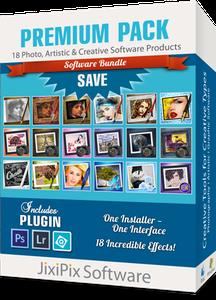
The Premium Pack bundles 18 incredible creative effects into one powerful package: Aquarella, Artista Haiku, Artista Oil, Artista Sketch, Artoon, Chalkspiration, Dramatic Black&White, Grungetastic, Kyoobik Photo, Moku Hanga, NIR Color, Pop Dot Comics, Portrait Painter, Rainy Daze, Romantic Photo, Simply HDR, Snow Daze and Vintage Scene. The Premium Pack comes wrapped together for convenience - one application, one installer, one interface, and a plugin for Photoshop, Elements, Lightroom and PaintShop Pro.

PREMIUM PACK
Created for convenience with one installer and one interface. Includes 5 Photography, 8 Artistic and 5 Creative Effects.

Included in the Premium Pack is a Plugin-which is the perfect complement to Photoshop, Elements, Lightroom and PaintShop Pro. Having the products within Adobe's applications saves valuable time with batch processing and actions, while the products themselves offer a level of creativity beyond using Photoshop alone.

Photoshop Plugin
Allows quick access to 18 Jixi products from inside Photoshop, Elements, Lightroom and PaintShop Pro. Supports actions, transparency, blending, last filter command, batch processing and 16bit RGB/Greyscale modes.

PLUGIN HOST REQUIRMENTS
Adobe Photoshop CS3+, All Photoshop CC (Mac/Win), Photoshop Elements 10+ (Mac/Win), Lightroom 4+ (Mac/Win), Serif Affinity Photo (Mac/Win), Corel PaintShop Pro X7+ (Win)

Every JixiPix Product Features
- Support for high resolution images and output
- Multiple undo
- Randomize button
- Quick previewing
- Customizable settings
- Superior customer service
- Contact us any time we are committed to your long term satisfaction!

Supported OS: XP/Vista/7/8/10 (32/64bit)

Home Page -
У Вас недостаточно прав для просмотра ссылок. Войдите или зарегистрируйтесь.


Download link:​
Код:
[center][b]rapidgator_net[/b]:
https://rapidgator.net/file/d8b2a4a8029b969a561f82251ff87995/llrjp.JixiPix.Premium.Pack.1.1.13.rar.html

[b]nitroflare_com[/b]:
https://nitroflare.com/view/F0420E3EEFA583D/llrjp.JixiPix.Premium.Pack.1.1.13.rar

[b]uploadgig_com[/b]:
http://uploadgig.com/file/download/24657db1dcdADae0/llrjp.JixiPix.Premium.Pack.1.1.13.rar[/center]

Links are Interchangeable - No Password - Single Extraction​
 
JixiPix Premium Pack 1.1.13 macOS

d33f50278259fa4c9644c69c143a3d7d.jpg


JixiPix Premium Pack 1.1.13 | macOS | 741 mb​
Standalone Product that bundles 18 incredible products in one powerful package. Also includes plugin for Photoshop, Elements, Lightroom and PaintShop Pro

For maximum savings and convenience, the Premium Pack bundles 18 incredible creative apps into one powerful package: Aquarella, Artista Haiku, Artista Oil, Artista Sketch, Artoon, Chalkspiration, Dramatic Black&White, Grungetastic, Kyoobik Photo, Moku Hanga, NIR Color, Pop Dot Comics, Portrait Painter, Rainy Daze, Romantic Photo, Simply HDR, Snow Daze and Vintage Scene. The Premium Pack comes wrapped together for convenience - one application, one installer, one interface, and a plugin for Photoshop, Elements, Lightroom and PaintShop Pro.

PREMIUM PACK
Created for convenience with one installer and one interface. Includes 5 Photography, 8 Artistic and 5 Creative Apps for Mac.
Included in the Premium Pack is a Plugin-which is the perfect complement to Photoshop, Elements, Lightroom and PaintShop Pro. Having the products within Adobe's applications saves valuable time with batch processing and actions, while the products themselves offer a level of creativity beyond using Photoshop alone.

PHOTOSHOP PLUGIN
Allows quick access to 18 Jixi products from inside Photoshop, Elements, Lightroom and PaintShop Pro. Supports actions, transparency, blending, last filter command, batch processing and 16bit RGB/Greyscale modes.

PLUGIN HOST REQUIRMENTS
Adobe Photoshop CC 2018 , CC2019, 2020, Photoshop Elements 10+ and Lightroom 4+

Compatibility: OS X 10.9 or later 64-bit
Homepage:
У Вас недостаточно прав для просмотра ссылок. Войдите или зарегистрируйтесь.


Download link:​
Код:
[center][b]rapidgator_net[/b]:
https://rapidgator.net/file/4200bbc4081ddeea8fa051b85979c41e/6tpaq.JixiPix.Premium.Pack.1.1.13.part1.rar.html
https://rapidgator.net/file/15996f462c1b34cb50e0764f2adfe9fd/6tpaq.JixiPix.Premium.Pack.1.1.13.part2.rar.html

[b]nitroflare_com[/b]:
https://nitroflare.com/view/4F9E4352194D558/6tpaq.JixiPix.Premium.Pack.1.1.13.part1.rar
https://nitroflare.com/view/4816E887F672618/6tpaq.JixiPix.Premium.Pack.1.1.13.part2.rar

[b]uploadgig_com[/b]:
http://uploadgig.com/file/download/8a99dbd342eaC41f/6tpaq.JixiPix.Premium.Pack.1.1.13.part1.rar
http://uploadgig.com/file/download/b0345c40859b1759/6tpaq.JixiPix.Premium.Pack.1.1.13.part2.rar[/center]

Links are Interchangeable - No Password - Single Extraction​
 
JixiPix Premium Pack 1.1.13 Portable

036474db7b12cb4d21ec4d3e0f96f142.jpg


JixiPix Premium Pack 1.1.13 (x64) Portable | 739 Mb​
The Premium Pack bundles 18 incredible creative effects into one powerful package: Aquarella, Artista Haiku, Artista Oil, Artista Sketch, Artoon, Chalkspiration, Dramatic Black&White, Grungetastic, Kyoobik Photo, Moku Hanga, NIR Color, Pop Dot Comics, Portrait Painter, Rainy Daze, Romantic Photo, Simply HDR, Snow Daze and Vintage Scene. The Premium Pack comes wrapped together for convenience - one application, one installer, one interface, and a plugin for Photoshop, Elements, Lightroom and PaintShop Pro.

PREMIUM PACK
Created for convenience with one installer and one interface. Includes 5 Photography, 8 Artistic and 5 Creative Effects.

Included in the Premium Pack is a Plugin-which is the perfect complement to Photoshop, Elements, Lightroom and PaintShop Pro. Having the products within Adobe's applications saves valuable time with batch processing and actions, while the products themselves offer a level of creativity beyond using Photoshop alone.

Photoshop Plugin
Allows quick access to 18 Jixi products from inside Photoshop, Elements, Lightroom and PaintShop Pro. Supports actions, transparency, blending, last filter command, batch processing and 16bit RGB/Greyscale modes.

PLUGIN HOST REQUIRMENTS
Adobe Photoshop CS3+, All Photoshop CC (Mac/Win), Photoshop Elements 10+ (Mac/Win), Lightroom 4+ (Mac/Win), Serif Affinity Photo (Mac/Win), Corel PaintShop Pro X7+ (Win)

Every JixiPix Product Features
- Support for high resolution images and output
- Multiple undo
- Randomize button
- Quick previewing
- Customizable settings
- Superior customer service
- Contact us any time we are committed to your long term satisfaction!

Supported OS: XP/Vista/7/8/10 (32/64bit)

Home Page -
У Вас недостаточно прав для просмотра ссылок. Войдите или зарегистрируйтесь.


Download link:​
Код:
[center][b]rapidgator_net[/b]:
https://rapidgator.net/file/5be9db268622cfdd626bf14ae92d9564/hejh1.JixiPix.Premium.Pack.1.1.13.Portable.rar.html

[b]nitroflare_com[/b]:
https://nitroflare.com/view/A756BD4A7320FAA/hejh1.JixiPix.Premium.Pack.1.1.13.Portable.rar

[b]uploadgig_com[/b]:
http://uploadgig.com/file/download/99abeb782cDAade9/hejh1.JixiPix.Premium.Pack.1.1.13.Portable.rar[/center]

Links are Interchangeable - No Password - Single Extraction​
 
JixiPix PuzziPix Pro 1.0.10

2f4112c78b5a3fcb62783b681c3061ff.jpg


JixiPix PuzziPix Pro 1.0.10 | 111.7 Mb​
PuzziPix Pro combines photos with perfectly fitting puzzle components for great composition and storytelling. In Advertising, contexts and connotations can be in high demand for designers, so having puzzles, as a visual technique can be invaluable. PuzziPix Pro turns any photograph into an eye-catching jigsaw puzzle with creative control over the final outcome.

Getting Started
Every photo placed in the app is automatically turned into a puzzle. Use Auto Generate to change puzzle styles, and the built-in Tools to Move, Size, Rotate and send pieces Front or Back.

Cutout Shapes
Use Auto Generate to get to the Library of included shapes or import your own using the custom button. Move and Resize Shapes then Apply to cut shapes out of the puzzle. Use the import Photo tool to change the photo on one puzzle piece or groups of them. This technique works great with Text and Logos.

Logo Cutouts and Custom Shapes
Use logos and custom shapes to create eye catching visual designs with puzzles. This video shows you how to Import Custom Artwork, Duplicate Layers and how to use Conform and Cutout to create a tree design with a logo cutout.

Features:
Film Grain and Texture
Tools to send Pieces Front or Back
Tools to Move, Rotate and Resize one Piece or Groups of them
Shape Library to add Shapes to the Puzzle Composition
Button to Auto Snap puzzle pieces back together-or groups of them
Option to Import Custom Shapes and transform them into Puzzle Pieces
Option to Import a Photo into Individual Pieces
Ability to Conform Pieces to a Shape
Ability to Add a Background and Foreground Image
Settings to change the background to Transparent, Textured or Solid Color
3D Edges
3D Lighting
Exposure

Plugin host requirerements:
Adobe Photoshop CS3+, All Photoshop CC, Photoshop Elements 10+ or Lightroom 4+, Corel PaintShop Pro X7+ (Win), Serif Affinity Photo on Windows

System Requirements:
Windows Vista or later 32/64-Bit

Home Page -
У Вас недостаточно прав для просмотра ссылок. Войдите или зарегистрируйтесь.


Download link:​
Код:
[center][b]rapidgator_net[/b]:
https://rapidgator.net/file/e90f4630de453c782507e6f3de8a5b64/686rw.JixiPix.PuzziPix.Pro.1.0.10.rar.html

[b]nitroflare_com[/b]:
https://nitroflare.com/view/466C8093A0B1325/686rw.JixiPix.PuzziPix.Pro.1.0.10.rar

[b]uploadgig_com[/b]:
http://uploadgig.com/file/download/9A3F04515B0b57e4/686rw.JixiPix.PuzziPix.Pro.1.0.10.rar[/center]

Links are Interchangeable - No Password - Single Extraction​
 
JixiPix PuzziPix Pro 1.0.10 macOS

0b4ecc8ca38b1c588445fc93e36af940.jpg


JixiPix PuzziPix Pro 1.0.10 | macOS | 119 mb​
Look how easy it is to turn any photo into a jigsaw puzzle! If you're looking to add dimension to your photo creation, PuzziPix Pro will leave a lasting impression.

PuzziPix Pro combines photos with perfectly fitting puzzle components for great composition and storytelling. In Advertising, contexts and connotations can be in high demand for designers, so having puzzles, as a visual technique can be invaluable. PuzziPix Pro turns any photograph into an eye-catching jigsaw puzzle with creative control over the final outcome.

Getting Started
Every photo placed in the app is automatically turned into a puzzle. Use Auto Generate to change puzzle styles, and the built-in Tools to Move, Size, Rotate and send pieces Front or Back.

Cutout Shapes
Use Auto Generate to get to the Library of included shapes or import your own using the custom button. Move and Resize Shapes then Apply to cut shapes out of the puzzle. Use the import Photo tool to change the photo on one puzzle piece or groups of them. This technique works great with Text and Logos.

Logo Cutouts and Custom Shapes
Use logos and custom shapes to create eye catching visual designs with puzzles. This video shows you how to Import Custom Artwork, Duplicate Layers and how to use Conform and Cutout to create a tree design with a logo cutout.

Compatibility: OS X 10.9 or later 64-bit
Homepage:
У Вас недостаточно прав для просмотра ссылок. Войдите или зарегистрируйтесь.


Download link:​
Код:
[center][b]rapidgator_net[/b]:
https://rapidgator.net/file/ad39c2601dd0296aaa23e7224e5a49d9/lfbj0.JixiPix.PuzziPix.Pro.1.0.10.part1.rar.html
https://rapidgator.net/file/0be42f763e368aa3b6bc00466e376dcb/lfbj0.JixiPix.PuzziPix.Pro.1.0.10.part2.rar.html

[b]nitroflare_com[/b]:
https://nitroflare.com/view/22B756B5989EC26/lfbj0.JixiPix.PuzziPix.Pro.1.0.10.part1.rar
https://nitroflare.com/view/4DA79DE22EC10D6/lfbj0.JixiPix.PuzziPix.Pro.1.0.10.part2.rar

[b]uploadgig_com[/b]:
http://uploadgig.com/file/download/916f89da5A08f5eF/lfbj0.JixiPix.PuzziPix.Pro.1.0.10.part1.rar
http://uploadgig.com/file/download/1Ece2F7507e5287A/lfbj0.JixiPix.PuzziPix.Pro.1.0.10.part2.rar[/center]

Links are Interchangeable - No Password - Single Extraction​
 
JixiPix Rip Studio 1.1.10

a8045d43899ace8c1362c554950127cb.jpg


JixiPix Rip Studio 1.1.10 | 229.3 Mb​
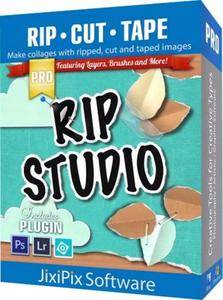
2 years in development, 3 years prototyping, and thousands of hours in the art department, Rip Studio redefines everything you know about a collaging app. It offers super realistic ripped and cut borders, tape, creased and folded images, and curled edges with full 3D shadowing. All with an incredible interface that seamlessly handles layers while maintaining an easy-to-use workflow.

Rip Studio gives you control over every element created inside the app. Rip, tear, or cut edges by drawing around the image. Curl up the edges and wrinkle the surface by simply adjusting a slider. Behind the scene a powerful 3D light engine works to make surface wrinkles and creases look realistic; this adjustable light source will have shadows popping off the page. Finish your creative composition with a tape effect, or choose from a library of objects like stickpins, staples, rusty nails and gems. Every rip you make or tape you place is unique and one-of-a-kind!

Created for professionals who want eye-catching elements for their designs and compositions. Quickly rip out shapes and letters by drawing around on your image. Create paper objects for Ads, Music covers, Art Collages and Scrapbook pages with one-of-a-kind cutout, ripped out, taped and pinned shapes made from images or other clipart. With Rip Studio you can throw out those boring overused templates and create a custom piece with complete control over shape, width, fiber, texture and curl.

Built with PRO features Rip Studio easily creates a single incredible piece or a whole collage right inside the app! Built with a powerful workflow, you can add images quickly simply selecting them from your library and dropping them - all at once-
on the open application. As each image is placed a layer is created for easy compositing, editing and transformation. To finish your composition, choose from a library of gems, stickpins and staples; or add transparent tape, duct tape and masking tape for added interest.

With a focus on ease-of-use, ripped pieces can be created by freely drawing on the image or background - if too much is ripped out simply reverse the tool and add the area back in. Also, included in the app is an Image Tool to allow photos to be resized or rotated inside the ripped pieces; or you have the option to completely replace the image while retaining the shape. This powerful feature enables professionals to create custom templates for future use and allows projects to be shared with other artists.

Rip Studio - is easy, professional and one-of-a-kind

Pro Features
Rip Studio is a PRO product featuring layers, multiple selection, 3D light for casting realistic shadows, and the best effects designed for Artists, Photographers and other Professionals who require high-resolution on output.

Rip Studio's edges are fully adjustable and can be customized using Edge Width, Fiber Amount, Fiber Length and Edge Roughness. Once a paper is torn use the image tool to move and adjust photos inside or completely replace the image if needed - this great feature is perfect for creating templates for other projects.

Rip Studio is made for the pro user but easy enough for the novice.

Photo Effects
* Rip - creates hand-torn edges around images and text
* Border - adds an adjustable outline with options for color
* Cut - creates a scissor style cut around edges
* Tape - allows adjustable pieces to be placed, moved and resized

Features
* Rip Effect with control over rip width, roughness and fiber length
* Rip Tool for adding and removing areas to torn and cut paper. Also works on shapes and tape
* Rip Styles to change the look of an edge on-the-fly without redrawing the area
* A cool masking tape, duct tape, cloth tape and transparent Tape Effect. When tape is placed on the edge of the image it auto creases! This can't be done with clip art.
* Masking tape, duct tape and transparent tape with adjustable size, color and surface texture
* Move Image Tool for resizing and moving the image inside a ripped or cut area
* Text Editor for creating ripped, cut, bordered or regular-style letters and sentences
* Smart Layers for composing layouts, collages and easy reordering of objects
* Multiple Selection for moving paper, tape and other objects together
* 36 shapes will auto-cut images into stars, circles, flowers and more'
* 102 high resolution papers
* 18 surface textures
* 62 objects like staples, gems, stickpins and more - with the ability to add your own! All objects placed will create an impression below
* Robust 3D lighting casts realistic shadows - supports multiple light sources
* Crease Effect for adding crinkles and creases by simply drawing across the area
* Support for fonts installed on your computer system
* Save Project externally will save projects for future editing and sharing with other artists!
* Save Preset for saving templates inside the app - great for creating custom templates for future use
* Save support for PNG and TIF to preserve transparency behind objects
* Support for high resolution images and output
* Pro's who use the Photoshop and Lightroom Plugin can flag images for batch processing - this features allows photos to be placed right where they want them

System requirements:
Windows Vista or later 32/64-Bit

PLUGIN HOST REQUIRMENTS
Adobe Photoshop CS3+, CC, CC 2014, CC 2015, CC 2017(Win), Photoshop Elements 10-13 (Win) or Lightroom 4+ (Win)
Corel PaintShop Pro X7 and X8 (Win)

Home Page -
У Вас недостаточно прав для просмотра ссылок. Войдите или зарегистрируйтесь.


Download link:​
Код:
[center][b]rapidgator_net[/b]:
https://rapidgator.net/file/c5a16d1c03ed2b3a56c6d2504dab22fd/63mm9.JixiPix.Rip.Studio.1.1.10.rar.html

[b]nitroflare_com[/b]:
https://nitroflare.com/view/2A52F993AB9B28C/63mm9.JixiPix.Rip.Studio.1.1.10.rar

[b]uploadgig_com[/b]:
http://uploadgig.com/file/download/867a180AeebFc28b/63mm9.JixiPix.Rip.Studio.1.1.10.rar[/center]

Links are Interchangeable - No Password - Single Extraction​
 
JixiPix Rip Studio Pro 1.1.10 macOS

022d74b3c00bede9b2c90c70a44c86b3.jpg


JixiPix Rip Studio Pro 1.1.10 | macOS | 154 mb​
Rip Studio gives you control over every element created inside the app. Rip, tear, or cut edges by drawing around the image. Curl up the edges and wrinkle the surface by simply adjusting a slider. Behind the scene a powerful 3D light engine works to make surface wrinkles and creases look realistic; this adjustable light source will have shadows popping off the page.

Built with PRO features Rip Studio easily creates a single incredible piece or a whole collage right inside the app! Built with a powerful workflow, you can add images quickly simply selecting them from your library and dropping them-all at once-on the open application. As each image is placed a layer is created for easy compositing, editing and transformation. To finish your composition, choose from a library of gems, stickpins and staples; or add transparent tape, duct tape and masking tape for added interest.

Standalone Collaging Product with Rip, Curl & Tape Photo Effects. Also includes plugin for Photoshop, Elements, Lightroom and PaintShop Pro

Compatibility: OS X 10.9 or later 64-bit
Homepage:
У Вас недостаточно прав для просмотра ссылок. Войдите или зарегистрируйтесь.


Download link:​
Код:
[center][b]rapidgator_net[/b]:
https://rapidgator.net/file/8126f7c7211e433a54aa0541d57fa042/ambxi.JixiPix.Rip.Studio.Pro.1.1.10.part1.rar.html
https://rapidgator.net/file/484b74dfc8274ad5e8fd46565074638b/ambxi.JixiPix.Rip.Studio.Pro.1.1.10.part2.rar.html

[b]nitroflare_com[/b]:
https://nitroflare.com/view/7B99ECF0BAC9D2F/ambxi.JixiPix.Rip.Studio.Pro.1.1.10.part1.rar
https://nitroflare.com/view/F2FBCE410699304/ambxi.JixiPix.Rip.Studio.Pro.1.1.10.part2.rar

[b]uploadgig_com[/b]:
http://uploadgig.com/file/download/506A69a6e6e8D5fC/ambxi.JixiPix.Rip.Studio.Pro.1.1.10.part1.rar
http://uploadgig.com/file/download/cBc6c4Bffdcc41C4/ambxi.JixiPix.Rip.Studio.Pro.1.1.10.part2.rar[/center]

Links are Interchangeable - No Password - Single Extraction​
 
JixiPix Spektrel Art 1.1.5

ce6fdc3feffdb70c3856a61316ad3274.jpg


JixiPix Spektrel Art 1.1.5 | 26.5 Mb​
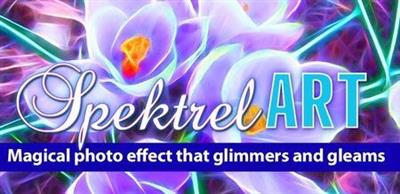
Spektrel Art is an extravagant otherworldly display of undulating movement that glimmers and gleams with intersecting lines of tapered light. Applied to photos, this medium of imaginative and magical art form transcends the ordinary to extraordinary creating something wild, sparkling with life and colorful spaces.

Spektrel Styles
- Light glimmers and gleams with white tapered light
- Dark creates a stark contrast of black intersecting lines

Spektrel Art Includes
- Presets to start you off
- Detail slider to increase the amount of intersecting lines
- Glow options add colorful edges and splendrous brillance
- Taper Length and Sharpen sliders to add twinkle
- Lighten and Brighten sliders to make it illuminate
- Edge Detail slider to exaggerate the lines
- Smoothing slider to softens lines
- Color Boost for enhanced color
- Brushes to soften or remove effect
- Infinite variation for illuminated twinkles, fluid lines and ethereal softness

Every JixiPix Product Features
- Support for high-resolution images and output
- Multiple undo
- Randomize button
- Quick previewing
- Customizable settings
- Superior customer service

Operating System: Windows 10/8/7/Vista

Home Page -
У Вас недостаточно прав для просмотра ссылок. Войдите или зарегистрируйтесь.


Download link:​
Код:
[center][b]rapidgator_net[/b]:
https://rapidgator.net/file/671ce5265269cbe6b409d0919d5f1faf/ain92.JixiPix.Spektrel.Art.1.1.5.rar.html

[b]nitroflare_com[/b]:
https://nitroflare.com/view/855576391A746DC/ain92.JixiPix.Spektrel.Art.1.1.5.rar

[b]uploadgig_com[/b]:
http://uploadgig.com/file/download/f5300A32E61c07d0/ain92.JixiPix.Spektrel.Art.1.1.5.rar[/center]

Links are Interchangeable - No Password - Single Extraction​
 
JixiPix Spektrel Art 1.1.5 macOS

00fcb3f8fa9a9ddf35c76e12973f0422.jpg


JixiPix Spektrel Art 1.1.5 | macOS | 14 mb​
Spektrel Art is an extravagant otherworldly display of undulating movement that glimmers and gleams with intersecting lines of tapered light. Applied to photos, this medium of imaginative and magical art form transcends the ordinary to extraordinary creating something wild, sparkling with life and colorful spaces.

SPEKTREL ART INCLUDES
Presets to start you off
Detail slider to increase the amount of intersecting lines
Glow options add colorful edges and splendrous brillance
Taper Length and Sharpen sliders to add twinkle
Lighten and Brighten sliders to make it illuminate
Edge Detail slider to exaggerate the lines
Smoothing slider to softens lines
Color Boost for enhanced color
Brushes to soften or remove effect
Infinite variation for illuminated twinkles, fluid lines and ethereal softness

PHOTOSHOP PLUGIN
Includes a plugin which allows quick access to Spektrel Art from inside Photoshop, Elements, Lightroom and PaintShop Pro. Supports actions, transparency, blending, last filter command, batch processing and 16bit RGB/Greyscale modes.

PLUGIN HOST REQUIRMENTS
Adobe Photoshop CC 2017+, Photoshop Elements 10-13 + or Lightroom 4+

Compatibility: OS X 10.9 or later 64-bit
Homepage:
У Вас недостаточно прав для просмотра ссылок. Войдите или зарегистрируйтесь.


Download link:​
Код:
[center][b]rapidgator_net[/b]:
https://rapidgator.net/file/fc0070d542c0e6599e531f36c4a5e980/rz944.JixiPix.Spektrel.Art.1.1.5.rar.html

[b]nitroflare_com[/b]:
https://nitroflare.com/view/64CB31FB043426D/rz944.JixiPix.Spektrel.Art.1.1.5.rar

[b]uploadgig_com[/b]:
http://uploadgig.com/file/download/6ff0AFe9Afa11756/rz944.JixiPix.Spektrel.Art.1.1.5.rar[/center]

Links are Interchangeable - No Password - Single Extraction​
 
Jixipix Watercolor Studio 1.4.7 (x64)

52d7760a47294f385ebf65fe4bcd0930.jpg


Jixipix Watercolor Studio 1.4.7 (x64) | 493.8 Mb​
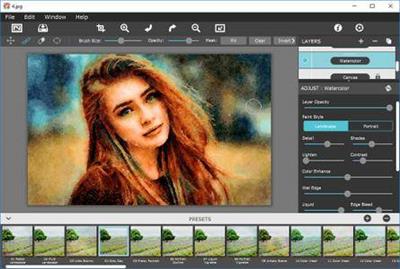
Watercolor Studio creates fluid, liquidy, translucent watercolors with paint that flows naturally. Built on-top of an incredible rendering system that uses real-world techniques, this application does the initial work, producing a watercolor instantly, then allows you to customize your paintings using an array of Sliders, Layers, Brushes, Color Washes and Artistic finishes. The end result-print quality watercolors filled with transparent luminosity and sheer beauty.

Watercolor Studio
Watercolor Studio uses artificial intelligence and image recognition to render the initial watercolor then gives you the ability to create infinite variations quickly and easily. Change paintings into an ink wash, add a beautiful artistic finish, brush in details, and even spatter it with liquid spots. Control everything from details-to-shades-to-negative space-to-coloring. No artistic skill needed!

The beauty of a well executed watercolor comes from the transparency of paint on paper. It also comes from the watercolors unique free flowing characteristics. Watercolor Studio makes it easy to do just this with a one-of-a kind Liquid slider. As you move it, watch as color bleeds throughout the painting for an ultra wet style. Or use the Wet Edge slider to define edges with built-up pigment and color that bleeds inward naturally.

Use it as a standard application or blend it into your workflow with our included plugin for: Photoshop, Elements, Lightroom, PaintShop Pro and Affinity Photo

Paint Styles Make It Impressive
Paint Styles, also known as Paint Layers allows you to create beautiful and unique watercolors by stacking watercolor layers, blending color washes and texture, and brushing in details. No artistic skill needed! Every photo placed in Watercolor Studio is automatically transformed into a watercolor with full control over settings. While it's great to have complete control over what the paint does on the paper, some of the most beautiful effects occur in the experiment process. So have fun and try not to be too careful. You will be amazed at some of the paintings you will get.

Paint Styles and Layers
* Watercolor features a series of wetness sliders: Wet Edge, Liquid and Edge Bleed all designed to give the painting a natural look. Choose between Landscape settings for a wet free flowing painting, or Portrait for a painting with controlled color and detail.
* Ink Wash creates a limited palette using the power of shades then allows users to build up color, and movement, using a library of washes.
* Color Wash applies semi-transparent handmade washes and stains to paintings. Use one or stack up several for a customized blend of color and texture.
* Liquefy is a transparent layer, you brush on, to blend and bleed areas in the watercolor. Move it around, turn it on or off, or delete it to start over-it's easy to use and very forgiving.
* Splatter applies water spots to the watercolor. Choose between multi-color, single or no color. Options bleed the edges of spots and a placement box lets you move splatter around and resize them.
* Outline defines edges throughout the image. Choose between round fluid watercolor strokes or sharp inky ones.
* Canvas is the base of your painting. Use this layer to change the canvas style. Choose between cold press, hot press or rough paper texture.

Includes
* Artificial Intelligence and Image Recognition
* A powerful wetness algorithm with full control. Decide how wet the edges become or how much the color spreads.
* Smart layers with options to reorder, duplicate and delete. This powerful feature allows you to stack and blend watercolor layers, washes and spatter for one-of-a-kind artwork.
* Landscape settings for an ultra wet watercolor
* Portrait settings for controlled color and detail
* Smart Brushes to remove areas or add them back in
* Mask option to invert, clear or fill brushed areas
* Detail and Shade controls
* 70 Artistic Finishes adjusts the color scheme to warm or cool bias, and modifies the intensity of color creating unity and altered moods that blends seamlessly.
* Smart links to globally unify artstic finishes across all layers
* Ink and Color washes that stack and blend
* Adjustable water Splatter for texture
* Granulating Texture slider to pool pigment naturally throughout the watercolor
* Canvas Layer with Cold Press, Hot Press and Rough paper texture
* Presets for saving custom paint palettes and to keep layers and settings intact for future

Operating System: Windows 10/8/7/Vista

Home Page -
У Вас недостаточно прав для просмотра ссылок. Войдите или зарегистрируйтесь.


Download link:​
Код:
[center][b]rapidgator_net[/b]:
https://rapidgator.net/file/fb3d3de3466b65f51f1a0e5c1ae1dd55/absuj.Jixipix.Watercolor.Studio.1.4.7.x64.rar.html

[b]nitroflare_com[/b]:
https://nitroflare.com/view/6C71F22A49791CC/absuj.Jixipix.Watercolor.Studio.1.4.7.x64.rar

[b]uploadgig_com[/b]:
http://uploadgig.com/file/download/4ac65b9E85AaacfC/absuj.Jixipix.Watercolor.Studio.1.4.7.x64.rar[/center]

Links are Interchangeable - No Password - Single Extraction​
 
Lightkey Professional Edition 18.52.20200520.1519

79434a9deb151706625b3f07b58c8f1a.jpg


Lightkey Professional Edition 18.52.20200520.1519 Multilingual | 238 Mb​
Boost your productivity by turning to this application that lets you auto-complete your words by using a comprehensive suggestion database. If your job mainly revolves around text editors and word processors, you probably want to find an effective way to boost your productivity. One of the most efficient solutions would be turning to third-party applications such as Lightkey that can improve your speed by auto-completing your text.

Helps you auto-complete your texts
This application can help you save time typing by suggesting potential completions for your words based on your typing behavior. That means that the application studies the way you work and develops a profile so that it can fit your needs as efficiently as possible. When you launch the application, you are prompted to input your name, select a typing style, specify prediction languages and choose from a broad range of prediction categories and subcategories. Typing styles indicate whether you're focusing on the screen or keyboard while you're typing.

Integrates with several text editors
Although this application comes with its own text editor, called the "Lightkeypad", you can also use its capabilities with other text editing applications. Lightkey integrates its functions well with products from the Microsoft Office suite, including Word, Outlook and PowerPoint, boosting its overall efficiency by extending your possibilities.

Comes with a user-friendly interface
This application's interface is a smooth one, and consists of various intuitive functions, making it possible that even novices can benefit from its features without significant efforts. After you configure its initial parameters, you can access a handy tutorial that offers you information regarding shortcut usage. The main window of the Control Center component lets you toggle app integration on or off, according to your needs. Therefore, you can choose not to use this utility with Word, PowerPoint and Outlook or use it with all of them.

Lightkey. Type At The Speed Of Your Mind
Express yourself faster, avoid spelling and grammar mistakes, save energy and gain time.

Being Creative Has Never Been More Productive
Whether it's a casual email, blog-post, legal document, or a research paper, Lightkey helps you get it done.

Increase Your Typing Efficiency
Save up to 70% of your keystrokes using Lightkey's inline prediction technology.

Sharpen Your Message. Instantly
Avoid spelling and grammar mistakes while typing in more than 80 languages.

Lightkey. Anywhere
Increase your typing efficiency, in any text field and any desktop application.

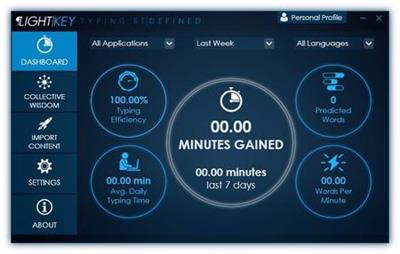
Unlock Your Key Productivity Metrics
Follow your typing speed (WPM), time gained and overall productivity improvement.

System Requirements:
Lightkey supports the following MS Windows OS versions: 7, 8, 8.1 and 10.

Homepage -
У Вас недостаточно прав для просмотра ссылок. Войдите или зарегистрируйтесь.


Download link:​
Код:
[center][b]rapidgator_net[/b]:
https://rapidgator.net/file/66916f427d4127e2c32be77a606f9363/ar6v0.Lightkey.Professional.Edition.18.52.20200520.1519.rar.html

[b]nitroflare_com[/b]:
https://nitroflare.com/view/0569AE20C6BD344/ar6v0.Lightkey.Professional.Edition.18.52.20200520.1519.rar

[b]uploadgig_com[/b]:
http://uploadgig.com/file/download/26a092d16767CC0b/ar6v0.Lightkey.Professional.Edition.18.52.20200520.1519.rar[/center]

Links are Interchangeable - No Password - Single Extraction​
 
Macrium Site Manager 7.2.4898 (x64)

69f5d1d1a2b4d09aab9ded0a6fc794a5.jpg


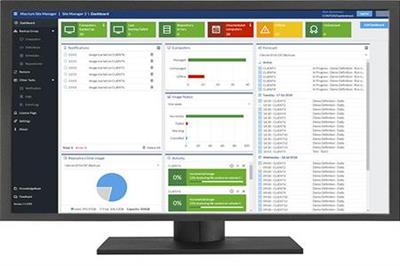
Macrium Site Manager 7.2.4898 (x64) | 261.6 Mb​
Macrium Site Manager 7 is our central management console for endpoint backup of your site. The first step to site backup is the Starter Pack. As needs grow or change, additional bundles of agents can be easily added - allowing simple management of your backup needs.

What is Macrium Site Manager?
Macrium Site Manager is a great new addition to the Reflect family of image based backup solutions. Now it is much easier to deploy large numbers of Macrium Reflect endpoint backup agents and manage these from a central location. IT Administrators will be able to use a customisable Dashboard to view backup status at a glance, along with easy problem identification and resolution.

What does Macrium Site Manager do?
Using a clearly defined 4 step process the all new Site Manager allows IT Administrators to discover and group PCs and Servers on the network, define who and what is to be backed up, assign schedules and retention policies, and manage backup repositories. Comprehensive event management, alerts and security logging is included and accessible through a browser based user interface. The architecture leverages commonly used Microsoft Windows technologies and requires no specialist skills to install and configure.

What is a Macrium Agent License (MAL)?
Macrium Agent Licences are installed on the Site Manager Server and each license provides a number of seats. These seats are automatically assigned to computers as they are connected to the Site Manager server. If a computer is removed from the Site Manager server, the seat is freed for use elsewhere. This makes using MALs quick and easy to use as they require no special client configuration. Multiple seats can be managed with a single key, making key and license management easier.

Minimum Requirements:
Site Manager: Windows 7 / Windows Server 2008 R2 or later.
Agent: Windows XP/Windows Server 2003 or later.

Home Page -
У Вас недостаточно прав для просмотра ссылок. Войдите или зарегистрируйтесь.


Download link:​
Код:
[center][b]rapidgator_net[/b]:
https://rapidgator.net/file/f516a419afa019d23cebaf82cf53a94d/qs3t1.Macrium.Site.Manager.7.2.4898.x64.rar.html

[b]nitroflare_com[/b]:
https://nitroflare.com/view/832FD266B5CDC5C/qs3t1.Macrium.Site.Manager.7.2.4898.x64.rar

[b]uploadgig_com[/b]:
http://uploadgig.com/file/download/B653110DeDC553A5/qs3t1.Macrium.Site.Manager.7.2.4898.x64.rar[/center]

Links are Interchangeable - No Password - Single Extraction​
 
Назад
Сверху