• Форум работает в архивном режиме www.old.nado.in

All mitsumi'1s Applications !! (updated daily)

  • Автор темы Автор темы mitsumi1
  • Дата начала Дата начала
Microsoft Word 2019 for Mac v16.37 VL Multilingual

45bcda36a793999fe2a91b28f076d120.jpg


Microsoft Word 2019 for Mac v16.37 VL Multilingual | 990 MB
Languages: English, العربية, 中文, Čeština, Dansk, Nederlands, Suomi, Français, Deutsch, Ελληνικά,
עברית, Magyar, Bahasa Indonesia, Italiano, 日本語, 한국어, Norsk, Polski, Português,
Русский, Slovenčina, Español, Svenska, ภาษาไทย, Türkçe
​
The trusted Word app lets you create, edit, view, and share your files with others quickly and easily. It also lets you view and edit Office docs attached to emails. With Word, your Office moves with you. Whether you are a blogger, writer, journalist, columnist, student, or a project manager working on documentation, it's as handy as you want it to be.

Unmistakably Office, designed for Mac
MacBook Pro Touch Bar is fully supported by Microsoft Word. Get the most relevant Word features right at your fingertips. Need to focus on your writing and help eliminate distractions? Microsoft Word also supports macOS Mojave Dark Mode.

Create with confidence
Jump-start your project, assignments, letter, blog, script, notes, write-ups, or resume with beautifully designed modern templates. Use rich formatting and layout options to note down your ideas and express them in writing. Document format and layout stays pristine and looks great - no matter what device you use.

Put your best words forward 
Write with confidence, knowing intelligent technology can help with spelling, grammar and even stylistic writing suggestions. With tools at your fingertips, easily go from pen and paper to digital inking and edit intuitively.

Stay in the flow
Get all the information you need as you write without leaving Word, whether it's cited research or information from LinkedIn to help you craft a compelling resume.

Work better together
Wherever you are, collaborate in real time. Share your documents with the click of a button to invite others to edit in real-time or add comments. Plus, no matter your preferred full language or accessibility options, everyone can work together to do more.

Sharing is simplified
Share your files with a few taps to quickly invite others to edit or view your documents. Easily manage permissions and see who's working in a document. Copy the content of your Word files directly into the body of an email message with its format intact or attach your docs to an email and make sharing easier.

Download link:​
Код:
[center][b]rapidgator_net[/b]:
https://rapidgator.net/file/d99e9bceabc46e1150138cd73cccb2ae/s5znn.Microsoft.Word.2019.for.Mac.v16.37.VL.Multilingual.part1.rar.html
https://rapidgator.net/file/8564cd7883b7c99244ae4e05d9ea10a2/s5znn.Microsoft.Word.2019.for.Mac.v16.37.VL.Multilingual.part2.rar.html

[b]nitroflare_com[/b]:
https://nitroflare.com/view/56F343E5A216940/s5znn.Microsoft.Word.2019.for.Mac.v16.37.VL.Multilingual.part1.rar
https://nitroflare.com/view/347C4A5D2C296B3/s5znn.Microsoft.Word.2019.for.Mac.v16.37.VL.Multilingual.part2.rar

[b]uploadgig_com[/b]:
http://uploadgig.com/file/download/5AA3b4cB87b3c7a6/s5znn.Microsoft.Word.2019.for.Mac.v16.37.VL.Multilingual.part1.rar
http://uploadgig.com/file/download/9BF93d2eB27A55ed/s5znn.Microsoft.Word.2019.for.Mac.v16.37.VL.Multilingual.part2.rar[/center]

Links are Interchangeable - No Password - Single Extraction​
 
MSTech Easy Desktop Organizer Pro 2.0.0.0

4c3e5d846571128841ec675d13db1e5e.jpg


MSTech Easy Desktop Organizer Pro 2.0.0.0 | 94.3 Mb​
Most of us store our frequently used files, folders, and applications' shortcuts on our desktop to have quicker access. By the time eventually, we will end up with a messy and confusing desktop. As a result of a cluttered desktop with many disorganized files, we waste plenty of time to find our desired files.

Solution
MSTech EDO is a desktop organizer which helps you to have access to your files, folders, and shortcuts, while you have a clean and organized desktop.

Easy to Use
Simply create EDO windows titled by the category names. Keep unlimited number of files, folders, and shortcuts categorized by your style just by dragging and dropping them over the EDO windows.

Quick Access to Your Files/Folders
With MSTech EDO, have quick access to any file and folder from any path on your hard drive through the EDO windows, on your desktop .

Desktop Background Tools + Free HD Wallpapers
Have access to the beautiful desktop HD backgrounds and premium wallpapers on our website through the software.

Have quick access to any files or folders on your computer
With MSTech EDO not only you can have quick access to the desktop shortcuts through the EDO windows on your desktop but also you can add any file and folder from any paths on your hard drive to the EDO windows and have quick access to them as well. In fact with Easy Desktop organizer you will be able to access any frequently used files and folders categorized by EDO windows on your desktop.

Find your desired files and folders quickly in EDO windows
No matter how many files and folders you have in each EDO window, you can quickly find them by built-in search tool provided in the windows.

Create EDO windows as many as need
You can create unlimited EDO windows, show/hide them all. Also you can keep some of the EDO and hide the others base on your need.

Enjoy feeling fresh
You'd like to be able to enjoy beautiful background images, wouldn't you?!

EDO desktop background tool
With EDO desktop background tool you will have access to some of the windows background setting directly through the software setting window.
Have access to the beautiful HD desktop Backgrounds and premium wallpapers on our website through the software, download them for free and Keep your desktop fresh and beautiful.

Set any wallpapers with your desktop screen resolution (Size)
Easily adjust any images with your desktop resolution (Size) by the software background tool and use it as your desktop wallpaper.

Set your EDO windows' colors with your desktop background
Easily assign any color to your EDO windows using EDO advanced color picker and match the windows' colors with your wallpaper/background color theme.

Requirements: Windows® 10, Windows® 8/8.1, and Windows® 7

Homepage -
У Вас недостаточно прав для просмотра ссылок. Войдите или зарегистрируйтесь.


Download link:​
Код:
[center][b]rapidgator_net[/b]:
https://rapidgator.net/file/20682f4db3cafb92005f2765b51113ba/zl08b.MSTech.Easy.Desktop.Organizer.Pro.2.0.0.0.rar.html

[b]nitroflare_com[/b]:
https://nitroflare.com/view/35C906610EB9782/zl08b.MSTech.Easy.Desktop.Organizer.Pro.2.0.0.0.rar

[b]uploadgig_com[/b]:
http://uploadgig.com/file/download/74712Eea32ea2386/zl08b.MSTech.Easy.Desktop.Organizer.Pro.2.0.0.0.rar[/center]

Links are Interchangeable - No Password - Single Extraction​
 
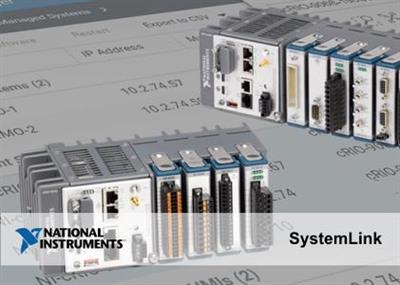
NI SystemLink 2020 R1

9340e9133ac3b4fd4cb685a2ad3f12f1.jpg


NI SystemLink 2020 R1 | 1.6 Gb
Language: English, Deutsch, 日本語, Simplified 中文​
The National Instruments team is pleased to announce the availability of SystemLink 2020 R1. This software improves operational efficiency and provides engineering insights for engineering teams managing tasks such as software deployment, device configuration, health and test monitoring, and data management and visualization.

what's new in SystemLink 2020 R1

Installation and Hardware Support
- Improved installation progress information for Windows systems
- Support for cDAQ Linux RT targets
Asset Management
- HTTP API updates-Create and update assets from beacons over HTTP.
Dashboards
- Tile navigation improvements-Navigate tiles by Description or by slice instead of the whole tile.
- Progress tile-Visualize progress as a percentage with a circle or a line. Use the progress tile to track installations, test sequences, or other processes you want to track.
G API Reference
Use SystemLink APIs in LabVIEW NXG to share data between your client systems and SystemLink Server. The following functions are new to the LabVIEW NXG G API in SystemLink 2020 R1:
- Build Alarm ID
- Build Path
- Get Minion ID
- Get System Name
- Get TDM File Metadata

202075
Unknown error occurs when providing an invalid Dynamic Linq filter: A malformed Dynamic Linq query of assets will always return "An unknown error occurred." instead of a description of the error in the query.
Workaround: There is currently no known workaround for this issue.
950454
SystemLink OPC UA tags stop updating if network connections to the server is reconnected: If the network connection between SystemLink and an OPC UA server is interrupted and then restored, monitored tags stop updating with new values.
Workaround: Delete the monitored tag in the OPC UA connector and re-add it.
955323
Trend queries do not include the originally selected step: The trend view of a single selected step displays no data points. If a user selects a single result of a uniquely named step, the resulting graph will be blank.
Workaround: Select multiple steps in query.
959917
Jupyter notebook execution service leaks memoryThere is a memory leak in the Jupyter notebook execution service.
Workaround: There is currently no known workaround for this issue.
960619
Dynamic Linq may return unexpected results for list property queries: Dynamic Linq queries for list properties that do not contain a specific value will also return values that have a null value for that property.
Workaround: There is currently no known workaround for this issue.
966396
System Images page does not load when both Windows and NI Linux Real-Time clients are selected: When at least one Windows and one NI Linux Real-Time client are selected and the system images page is open, the page may hang and timeout before a list of images can be returned.
Workaround: Select only Windows or only NI Linux Real-Time clients before viewing available images.

NI SystemLink is systems and data management server software that helps your team save hours setting up and managing test systems and searching for data needed for analysis. With a centralized web-based management interface for connected devices, software, and data, your team can update test system software, view system health information, and search for data with a few button clicks. With test and measurement data at their fingertips, teams can analyze even more findings to gain better insights and make effective decisions faster. SystemLink provides out-of-the-box support for NI products like LabVIEW, TestStand, PXI, and CompactRIO along with an open architecture for incorporating a wide range of third-party software and instrumentation.

In this video we talk about the benefits of using the SystemLink Test Module and how to use different components of it.

Since 1976, National Instruments has equipped engineers and scientists with tools that accelerate productivity, innovation and discovery. NI's graphical system design approach to engineering provides an integrated software and hardware platform that speeds the development of any system needing measurement and control. The company's long-term vision and focus on improving society through its technology supports the success of its customers, employees, suppliers and shareholders.

Product: NI SystemLink
Version: 2020 R1
Supported Architectures: 32bit / 64bit
Website Home Page :
У Вас недостаточно прав для просмотра ссылок. Войдите или зарегистрируйтесь.

Language: English, Deutsch, 日本語, Simplified 中文
System Requirements: PC *
Supported Operating Systems: *
Supported Software: *
Size: 1.6 Gb

NI SystemLink has the following minimum system requirements:

OS: Windows Server 2016, Windows Server 2012 R2 (64-bit)*, Windows Server 2019 R2 (64-bit), Windows 7 SP1 (64-bit) or higher

Windows, less than 50 nodes
Processor: 4-core recommended or higher
RAM: 16 GB minimum 32+ GB recommended
Disk: 6 GB minimum 8+ GB recommended
Windows, 50+ nodes, SystemLink TDM
Processor: 8-core recommended or higher
RAM: 32 GB minimum 64+ GB recommended
Disk: 16+ GB recommended

* NI software installs VC2015 runtime and .NET 4.6.2. Windows 8.1 and Windows Server 2012 R2, require Microsoft updates to support these items.
Note SystemLink TDM does not support server versions from the Microsoft Semi-Annual Channel. In addition, SystemLink TDM does not support Windows Server Core mode.

Supported Software
NI SystemLink 19.6.2 supports the following LabVIEW versions:
- LabVIEW 2017, 2018, 2019, 2020
- LabVIEW RT 2017, 2018, 2019, 2020
- LabVIEW NXG 5.0
SystemLink TDM supports the following DIAdem versions as clients:
- DIAdem 2015, 2017, 2018, 2019 (recommended)

Download link:​
Код:
[center][b]rapidgator_net[/b]:
https://rapidgator.net/file/9e8f102d55515a35593c77c1bfb63b68/p8ofg.NI.SystemLink.2020.R1.part1.rar.html
https://rapidgator.net/file/95ed750ab135a8a1665a11e671bcb036/p8ofg.NI.SystemLink.2020.R1.part2.rar.html
https://rapidgator.net/file/62e61480281a11eb149941db7351d48d/p8ofg.NI.SystemLink.2020.R1.part3.rar.html
https://rapidgator.net/file/8fc13882ae38af03d8c1af2365f89cd4/p8ofg.NI.SystemLink.2020.R1.part4.rar.html
https://rapidgator.net/file/9c83f0760c2330ea8a613e8764f0d0b5/p8ofg.NI.SystemLink.2020.R1.part5.rar.html

[b]nitroflare_com[/b]:
https://nitroflare.com/view/40E9028A2E717F9/p8ofg.NI.SystemLink.2020.R1.part1.rar
https://nitroflare.com/view/5671A86D1A4C01C/p8ofg.NI.SystemLink.2020.R1.part2.rar
https://nitroflare.com/view/14707BBB63FB9F0/p8ofg.NI.SystemLink.2020.R1.part3.rar
https://nitroflare.com/view/91DF0A2D41EACDD/p8ofg.NI.SystemLink.2020.R1.part4.rar
https://nitroflare.com/view/472C2DBADA21A88/p8ofg.NI.SystemLink.2020.R1.part5.rar

[b]uploadgig_com[/b]:
http://uploadgig.com/file/download/7E8a4f3e72C8105a/p8ofg.NI.SystemLink.2020.R1.part1.rar
http://uploadgig.com/file/download/342d766f352CFeb9/p8ofg.NI.SystemLink.2020.R1.part2.rar
http://uploadgig.com/file/download/a2598db31Bac63e7/p8ofg.NI.SystemLink.2020.R1.part3.rar
http://uploadgig.com/file/download/0940E1b7077c52f8/p8ofg.NI.SystemLink.2020.R1.part4.rar
http://uploadgig.com/file/download/F0891868e253Ddd4/p8ofg.NI.SystemLink.2020.R1.part5.rar[/center]

Links are Interchangeable - No Password - Single Extraction​
 
Notability 4.2.3 macOS

0c2681819e966fc50901251372122b69.jpg


Notability 4.2.3 | Multilingual | macOS | 100 mb​
Notability is a powerful note-taker to annotate documents, sketch ideas, record lectures, take notes and more. It combines, typing, handwriting, audio recording, and photos so you can create notes that fit your needs. With iCloud support, your notes are always available on iPad, iPhone and Mac. Anytime, anywhere.

- Quickly create notes by dragging documents, photos, or audio recordings from the desktop and dropping onto the library.
- Enhance notes by dragging photos, audio recordings, and PDFs from the desktop and dropping onto a note.
- Get more done with smart keyboard shortcuts.
- Handwriting and sketches can be scaled, transformed, free and constrained rotated, nudged (with arrow keys), and restyled.

*** You need to disable the System Integrity Protection (SIP) to perform the selected Application.

Compatibility: macOS 10.13 or later 64-bit
Mac App Store:
У Вас недостаточно прав для просмотра ссылок. Войдите или зарегистрируйтесь.


Download link:​
Код:
[center][b]rapidgator_net[/b]:
https://rapidgator.net/file/fd17b45b035d64225a95d20fe3fef618/tv4sk.Notability.4.2.3.rar.html

[b]nitroflare_com[/b]:
https://nitroflare.com/view/0EFC3E7ACC2A6E6/tv4sk.Notability.4.2.3.rar

[b]uploadgig_com[/b]:
http://uploadgig.com/file/download/378dfb69902399eE/tv4sk.Notability.4.2.3.rar[/center]

Links are Interchangeable - No Password - Single Extraction​
 
n-Track Studio Suite 9.1.1 Build 3649 Multilingual

7663b20a36687f74e985c5771362cc27.jpg


n-Track Studio Suite 9.1.1 Build 3649 Multilingual | 214.5 Mb​
n-Track Studio 9 turns your PC into an easy to use multitrack audio recording studio. It is the perfect tool for professional quality audio recording, encoding, mixing and editing. Record, edit, overdub your audio tracks, apply effects, process audio live input, mix and then burn audio CDs or create mp3 files.

n-Track Studio is an Audio and MIDI Digital Multitrack Recorder that transforms your computer into a powerful audio recording studio. You can record, playback, overdub your audio tracks exploiting the flexibility and power of today's PCs for applying effects, realtime input processing, automated aux channels sends and returns, destructive and non-destructive wave editing. The program supports 24bit-192 khz recording, 64 bit mixing, multiple channels soundcards, live input processing, CD burning, mp3 encoding and more.

Main n-Track Studio features:
* Records and plays back a virtually unlimited number of audio and MIDI tracks
* DirectX, VST and ReWire effects can be added to each channel/track
* Built-in effects include Reverb, Compression, Parametric and Graphic EQ, Echo, Auto-volume, Pitch Shift, Chorus, Multiband Compression, Spectrum analyzer
* Supports 16 and 24 bit single and multichannel soundcards at sampling frequencies up to 192 Khz using Asio, WaveRT, WDM, MME and DirectSound
* Is compatible with multichannel Asio, WaveRT, WDM and MME audio drivers, which means that n-Track can work with almost any soundcard available today with the lowest possible latency
* Supports VST Instruments and DirectX Instruments synth plug-ins. Sample-accurate MIDI tracks can be sent to VSTi/DXi software MIDI synths, without the need of expensive hardware MIDI synths.
* Adjust the effect settings and listen to the result in real time.
* Built-in effects include Reverb, Compression, Parametric and Graphic EQ, Echo, Auto-volume, Pitch Shift, Chorus, Multiband Compression, Spectrum analyzer.
* Supports third party DirectX, VST 2.0 and ReWire plug-ins.
* Realtime Audio effects can be added to each channel.
* Supports 16 and 24 bit single and multichannel soundcards at sampling frequencies up to 192 Khz using Asio, WaveRT, WDM, MME and DirectSound.
* Input processing allows to process with plug-ins live signals. Record the 'dry' (unprocessed) signal while processing and reprocess the recording later - i.e. Play a guitar through a distortion plug-in then change the distortion after the recording!

More Features:
* Supports surround mixing for creating DVD audio projects using 5.1, 6.1 and 7.1 channels surround formats
* Each audio track includes a 20 bands parametric EQ with graphical frequency response view, a full spectrum analyzer and an automatic instrument tuner. Up to 32 aux channels with fully automated sends and returns.
* Supports multiple input and output soundcards or more than one soundcard. You can record multiple tracks at a time and output to more than one stereo output. Each output channels has its own master channel effects and volume control.
* Supports technology by Propellerhead Software AB. Mix signals in realtime with n-Track's own channels from other programs (such as Reason, Ableton Live, Fruityloops and many others).
* Import and export .wav, .mp3, .wma, .mid, .ogg, .flac, .aiff, .cda, .sng, .sgw audio files
* Import and export EDL multitrack song files for exchanging songs with other multitrack programs
* Sync to other programs or external devices using SMPTE/MTC or MIDI Clock sync, acting either as master or slave
* Loads and saves MIDI tracks to standard MIDI files
* Play Videos (AVI, MPEG) in sync with the song in a dedicated video playback window
* Automated volume, pan, aux sends and returns and effects parameters. You can "program" fade-in/outs, cross fades, boost the volume of a track when there is a solo etc.

Operating System: Windows 7, 8/8.1, 10

Home Page -
У Вас недостаточно прав для просмотра ссылок. Войдите или зарегистрируйтесь.


Language: Multilingual

Download link:​
Код:
[center][b]rapidgator_net[/b]:
https://rapidgator.net/file/d05c02f476a7f226c1fe23b488abfc63/eftyt.nTrack.Studio.Suite.9.1.1.Build.3649.Multilingual.rar.html

[b]nitroflare_com[/b]:
https://nitroflare.com/view/1995BC30CD5B3CF/eftyt.nTrack.Studio.Suite.9.1.1.Build.3649.Multilingual.rar

[b]uploadgig_com[/b]:
http://uploadgig.com/file/download/afE28cbcBCA91897/eftyt.nTrack.Studio.Suite.9.1.1.Build.3649.Multilingual.rar[/center]

Links are Interchangeable - No Password - Single Extraction​
 
Ondesoft FoneUnlocker 1.0.0 Multilingual

78e979e7918bcde62803c6f38fd14faf.jpg


Ondesoft FoneUnlocker 1.0.0 Multilingual | 186.20 Mb​
If you forgot the passcode on your iPhone/iPad or Apple ID password, or if a message says that your iPhone/iPad is disabled or Apple ID locked, don't worry, Ondesoft FoneUnlocker can help you erase them permanently.

Remove Apple ID on iPhone/iPad without password.
Remove passcode, pattern, Touch ID or Face ID on iPhone/iPad.
Unlock any disabled iPhone/iPad/iPod touch.
Remove Restrictions/Screen Time Passcode.
Keep your apps and data safe while removing Apple ID.
User-friendly and easy to use.

Home Page:
У Вас недостаточно прав для просмотра ссылок. Войдите или зарегистрируйтесь.


Language: Multilingual

Download link:​
Код:
[center][b]rapidgator_net[/b]:
https://rapidgator.net/file/484eaacbc0fd089ed4bcd4a220a854c8/slwqi.Ondesoft.FoneUnlocker.1.0.0.Multilingual.rar.html

[b]nitroflare_com[/b]:
https://nitroflare.com/view/7ED429E2B4B5A3F/slwqi.Ondesoft.FoneUnlocker.1.0.0.Multilingual.rar

[b]uploadgig_com[/b]:
http://uploadgig.com/file/download/16c25c6f7332d6F1/slwqi.Ondesoft.FoneUnlocker.1.0.0.Multilingual.rar[/center]

Links are Interchangeable - No Password - Single Extraction​
 
Path Finder 9.3.4 macOS

9574f8c700028d5604def1b5b6916b77.jpg


Path Finder 9.3.4 Multilingual | macOS | 19 mb​
Path Finder makes you a master of file management. Take full control over your file system. Save your time: compare and synchronize folders, view hidden files, use Dual Pane and full keyboard navigation to browse your file system.

Work how you want: extreme customization allows you to access most tools in many different ways to suit your workflow. Work seamlessly with other platforms: don't leave any hidden .DS_Store files on non-Mac volumes, delete files securely and completely with the powerful delete feature from any volume type, search any network volume.

Features
- View and manipulate hidden files
- Dual Pane View
- Full keyboard navigation
- Folder comparison and synchronization
- Folder merging
- Batch renaming
- Powerful file filtering
- One-click dual-pane copy
- Bookmarks and Tab Presets
- ACL editor
- File tagging
- Editable Path Navigator
- Powerful low-level search
- Smart sorting
- Advanced selection
- Integrated terminal
- Integrated text and image editors

Compatibility: OS X 10.11 or later 64-bit
Homepage:
У Вас недостаточно прав для просмотра ссылок. Войдите или зарегистрируйтесь.


Download link:​
Код:
[center][b]rapidgator_net[/b]:
https://rapidgator.net/file/2cf15eeb5aa18c020f93c248ec66bbfe/2sfhq.Path.Finder.9.3.4.rar.html

[b]nitroflare_com[/b]:
https://nitroflare.com/view/46EC1B77CB34EC7/2sfhq.Path.Finder.9.3.4.rar

[b]uploadgig_com[/b]:
http://uploadgig.com/file/download/75f9460719b70ef0/2sfhq.Path.Finder.9.3.4.rar[/center]

Links are Interchangeable - No Password - Single Extraction​
 
Plugin Boutique Scaler 2 v2.0.3

e6eb64171772c0fc5fdb82953fbf3ec5.jpg


Plugin Boutique Scaler 2 v2.0.3 WiN | 680 Mb​
Scaler is an inspirational and powerful music theory workstation that gives you access to a world of new ideas, expressions and melodies. With powerful detection of MIDI and audio, Scaler can determine what key and scale you're in and suggest chords that match your music. The plugin helps you discover the perfect melody with performance expressions, and can even suggest ways to change from one key to another.

Scaler makes finding chords and progressions intuitive and fun! It's a comprehensive but easy to use toolbox that will help anyone make better music.

Benefits

Discover your music's key and explore alternative scales and chord sets
Choose from hundreds of keys, quickly build progressions in the sequencer
Over 200 artist chord sets from the likes of Carl Cox, MJ Cole, The Temper Trap, Mitekiss, CeCe Rogers and Mike Huckaby
Over 200 genre and mood-based chord sets such as Chill, Drum & Bass, Jazz, Cinematic, EDM, Progressive...
Browse chord variations to get suspended chords, extended chords, dominant sevenths and jazz chords
Use the arpeggio or strum features to perform in real-time and synced to your DAW
Discover chord substitutions that lend variety to your progressions
Experiment with different chord voicings to spread notes across the keyboard
Export MIDI to your DAW simply by dragging and dropping
Assign any VST / AU instrument to Scaler to control your favourite synths
Play and record one-finger chords and melodies using Scaler's Bind MIDI function

Download link:​
Код:
[center][b]rapidgator_net[/b]:
https://rapidgator.net/file/5b8cffd06c43e743cf7d61d0cba5a872/skrx5.Plugin.Boutique.Scaler.2.v2.0.3.WiN.rar.html

[b]nitroflare_com[/b]:
https://nitroflare.com/view/6BC4DFED62F8995/skrx5.Plugin.Boutique.Scaler.2.v2.0.3.WiN.rar

[b]uploadgig_com[/b]:
http://uploadgig.com/file/download/C4Bd74F616A49dce/skrx5.Plugin.Boutique.Scaler.2.v2.0.3.WiN.rar[/center]

Links are Interchangeable - No Password - Single Extraction​
 
ProPresenter 7.1 (117506056)

137780882b2b5dcd30e50c230e723af9.jpg


ProPresenter 7.1 (117506056) | 95 Mb​
ProPresenter is a cross-platform (Mac and Windows) presentation & production application for live events. It seamlessly displays lyrics, slides, and media, making high-quality live productions easy. It is the indispensible tool for worship gatherings, sporting events, conferences, trade shows, and studio broadcasts.

ProPresenter operators control presentations on one screen, while dynamically presenting to an audience on one or more additional screens.
- No separate edit and present modes
- Outputs are always live
- Completely non-linear flexibility
- On demand Scripture lookup
- Separate Outputs, for lobby, auditorium, and stage displays
- Volunteer friendly
- On the fly run-of-show changes

Tell Your Story. Extraordinarily
Whatever the story you want to tell, ProPresenter has the tools to help you tell it in the most engaging way possible. With a completely revamped video engine that is equally suitable for powering presentations in a room of 100 people or 100,000, the quality and professionalism of ProPresenter's output is unprecedented.

High quality video output
The ability to create high-quality video is becoming increasingly easy, making the use of videos in productions more prevalent than ever. The ProPresenter video engine (the same as is at the heart of PVP3) is the perfect way to present your final edit.

You can import and play videos instantly in ProPresenter. It also includes the ability to set in and out points dynamically, effect color, brightness, and volume, and crop/scale videos dynamically. Video effects empower you to leverage your video library to create limitless new looks for your pre-produced content. In addition, these same effects and manipulations can also be used on live video sources.

MULTI-LAYERED ARCHITECTURE
A multi-layered architecture allows for backgrounds, live video layers, slides, props, and masks to be controlled independently.

- High-quality transistions
- Announcements layer to show rolling announcements on one screen while rehearsing on another
- Individual slide settings for transitions and object builds
- Scale and cropping of media
- Data-driven text boxes (such as current time and countdown timers)
- Dynamically overlaid content
- Context driven visibility (clear a timer when it reaches the end)

Advanced Features - Now included!
ProPresenter 7 has a number of advanced features previously sold separately in Pro6 as add-on, paid for "modules" that offered additional features and capabilities beyond what your typical church needed. The typical church these days, however, has grown more sophisticated in their productions. We love seeing this and want to see more of it so Renewed Vision is now including these advanced features in Pro7 at no additional cost (a $2,593 value if all were purchased separately)!

Multi-Screen
Output to multiple displays with different combinations of content all at once, including multiple stage displays

Alpha Keyer
Output Broadcast-quality key and fill channels

Edge Blending
Project onto wide screens with multiple projectors and blend their edges to create one seemless, extra wide image

Master Control
Control multiple ProPresenter machines from a single computer (coming soon)

Communications
Control ProPresenter's functions from MIDI, DMX, or broadcast video

SDI / NDI
Send video out over SDI (coaxial cable) or over your network (Ethernet).

Stage Display
A sophisticated Stage Display output empowers you to communicate information to the people on stage. Show the content your stage talent needs to see including clocks, timers, current slide, next slide, slide notes, and stage announcements. Maintain flexibility of your Stage Display layouts using our advanced editor. With the output capabilities of ProPresenter you can use any layout on as many stage displays that you have available.

You deserve software that's easy to use
Regardless of how powerful a tool is, its value is determined by how easy it is to access that power. ProPresenter was designed from the beginning to allow beginners to feel confident in running the software with only a few minutes of training. We make all of our training available online via free video tutorials you can access before you even purchase the software. Here are just some of the ways that we make it easy for you to create the presentations that tell your story.

System Requirements:
- Windows 10: Version 1903 (build 18362) or newer
- GPU: If you are outputting to more than 4 HD screens, you should have a dedicated (meaning, not integrated) GPU.
- Video compression: H264 or H265 (HEVC) at 30mbps or less for HD, 50mbps for 4K; For videos with Alpha channels, ProRes 4444 is recommended.

Homepage -
У Вас недостаточно прав для просмотра ссылок. Войдите или зарегистрируйтесь.


Download link:​
Код:
[center][b]rapidgator_net[/b]:
https://rapidgator.net/file/a6fa83ee81f307ef590c472427ac3a72/uf9cm.ProPresenter.7.1.117506056.rar.html

[b]nitroflare_com[/b]:
https://nitroflare.com/view/4DFC1C8B088E04F/uf9cm.ProPresenter.7.1.117506056.rar

[b]uploadgig_com[/b]:
http://uploadgig.com/file/download/b32918E59369d8c2/uf9cm.ProPresenter.7.1.117506056.rar[/center]

Links are Interchangeable - No Password - Single Extraction​
 
Scientific Toolworks Understand 5.1.1027

afab5155ae0beeee79632a927219964d.jpg


Scientific Toolworks Understand 5.1.1027 | 135/154 Mb​
Understand provides you with pertinent information regarding your code. Quickly see all information on functions, classes, variables, etc., how they are used, called, modified, and interacted with. Easily see call trees, metrics, references and any other information you would want to know about your code.

Metrics & Reports
Understand is very efficient at collecting metrics about the code and providing different ways for you to view it. There is a substantial collection of standard metrics quickly available as well as options for writing your own custom metrics when we don't cover exactly what you need.

Graphing
Understand offers graphs that allow you to see how your code connects (dependencies), how it flows (control flow graphs), what functions call other functions (call graphs), and many more. There are many customization options to easily allow you to display only what you are interested in seeing so the graph is best suited to what you need.

Standards Testing
Understand provides a way to check your code using published coding standards, or your own custom standards. These checks can be used to verify naming guidelines, metric requirements, published best practices, or any other rules or conventions that are important for your team.

Dependency Analysis
See all the dependencies in your code and how they connect. See these dependencies using Understand's interactive graph or using the textual Dependency Browser. Both allow you to see all dependencies quickly and easily at a high level or dig in and get the details.

Editor
Understand's powerful editor is a full modern programming GUI that incorporates all the modern features you would expect. It is designed from the ground-up for multi-monitor use and it includes tabs, tab groups, docking, syntax colorization, auto-completion, and syntax-based collapsing and folding just to name a few.

Search
Multiple options are available for searching in Understand. For instant results, use our "Instant Search" feature which provides results before you are even done typing. Understand also provides search options for more customized and complicated searches, such as Regular Expression and Wildcard searches.

Languages
Understand supports more than a dozen languages and can handle code bases that are written in multiple languages. This allows you to see calls and dependencies between languages so you can get information about the complete system.

Operating System: Windows 7, 8/8.1, 10

Home Page -
У Вас недостаточно прав для просмотра ссылок. Войдите или зарегистрируйтесь.


Download link:​
Код:
[center][b]rapidgator_net[/b]:
https://rapidgator.net/file/15774296653609adefdf014b3ac85e02/h7ubz.Scientific.Toolworks.Understand.5.1.1027.rar.html
https://rapidgator.net/file/3d56ad1913db5f986d14acdf47e1b2c6/h7ubz.Scientific.Toolworks.Understand.5.1.1027.x64.rar.html

[b]nitroflare_com[/b]:
https://nitroflare.com/view/63DB51B9A938C0C/h7ubz.Scientific.Toolworks.Understand.5.1.1027.rar
https://nitroflare.com/view/459DC708E3ABA3A/h7ubz.Scientific.Toolworks.Understand.5.1.1027.x64.rar

[b]uploadgig_com[/b]:
http://uploadgig.com/file/download/Dd1f74B3b76Fb018/h7ubz.Scientific.Toolworks.Understand.5.1.1027.rar
http://uploadgig.com/file/download/AFd4d7F6fd973a8b/h7ubz.Scientific.Toolworks.Understand.5.1.1027.x64.rar[/center]

Links are Interchangeable - No Password - Single Extraction​
 
ScreenHunter Pro 7.0.1081

0a3714d0e53d23d7db604a309444c8c3.jpg


ScreenHunter Pro 7.0.1081 | 130 Mb​
ScreenHunter Pro is the most advanced version of ScreenHunter with all the necessary tools included for your screen capture needs. It's the total screen capture solution to save you time and boost productivity. With ScreenHunter Pro, you can immediately see the benefits of numerous time-saving features and deliver the highest quality screenshots. As well, it offers easy-to-use user interface and maximum flexibility for a more interactive capture experience. Powerful and intelligent, ScreenHunter Pro has proven to be an incomparable helper of your business.

Capturing Features
* Rectangular area
* Adjustable rectangle
* Object / Window
* Auto-scroll
* Multi-object
* Text
* Active Window
* Fixed area (user defined)
* Specific window (lock-in window)
* Full screen
* DOS program
* DirectX / Screen saver
* Movie / video
* Freehand
* Round area (Ellipse)
* Round Rectangular area
* Polygon
* Web capture
* Scanning images

Addition Features
* Mouse pointer
* Multiple monitors
* Transparent window
* AutoText (date/time stamps, note)
* Watermark
* Border

Timing Features
* Delayed capture
* Timed auto-capture
* Scheduled auto-capture
* Recurring capture

Viewing and Editing Features
* Image editing, adding text & annotation
* Advanced image processing
* High-quality zooming, resizing & cropping
* Viewing 100 images & conversion
* Drag & drop images from desktop

Saving Features
* Automatic naming and saving to files
* Clipboard
* Auto-email
* Auto-scale
* Saving in the smallest file size
* Optimized JPEG, GIF and PNG
* High quality and transparent GIF
* Saving to TIFF

Other Features
* Screen Color Picker
* System tray
* Zoombox
* Flexible hotkey
* Multiple hotkey
* Direct printing
* Wysiwyg printing
* Developer support

Operating System: Windows 7, 8/8.1, 10

Home Page-
У Вас недостаточно прав для просмотра ссылок. Войдите или зарегистрируйтесь.


Language: English

Download link:​
Код:
[center][b]rapidgator_net[/b]:
https://rapidgator.net/file/17f442dbbcff8bc54a89c99eec23f099/tndoj.ScreenHunter.Pro.7.0.1081.rar.html

[b]nitroflare_com[/b]:
https://nitroflare.com/view/004C0A4D9017A7A/tndoj.ScreenHunter.Pro.7.0.1081.rar

[b]uploadgig_com[/b]:
http://uploadgig.com/file/download/657ce2b86eE7D5dd/tndoj.ScreenHunter.Pro.7.0.1081.rar[/center]

Links are Interchangeable - No Password - Single Extraction​
 
SewerGEMS CONNECT Edition Update 3

00aa268b4193ab380a72c74865fc9181.jpg


SewerGEMS CONNECT Edition Update 3 | 963.2 mb​
The Hydraulics and Hydrology products team is pleased to announce the availability of SewerGEMS CONNECT Edition Update 3 (build 10.03.00.78). This release includes enhancements and new features to help you be more successful with your hydraulics and hydrology modeling projects.

Note: this was initially release as version 10.03.00.75 but later re-released as 10.03.00.77 (and 10.03.00.78 for SewerGEMS) to incorporate address a few issues (missing implicit calculation options, AutoCAD 2020 integration issue, Z coordinate not showing on mouse-over a terrain model and chart options showing in Chinese)

SewerGEMS CONNECT Edition Update 3 (build 10.03.00.78) - What's new:

Support for EPA-SWMM 5.1.013
Support for EPA-SWMM 5.1.013 has been included in the Explicit solver for SewerGEMS and CivilStorm.

Flood Estimation Handbook (FEH 2013) Rainfall Model Storm Type
The updated Flood Estimation Handbook (FEH 2013) rainfall model is now supported as a storm type within Storm Data dialog. You will be able to get a point-based XML file from the FEH Web Service and import this into the Storm Data dialog.

Support for the Chinese (XinAnJiang) Rainfall-Runoff Method (SewerGEMS/CivilStorm)
Support or the Chinese (XinAnJiang) Rainfall-Runoff Method has been included in the latest version of SewerGEMS and CivilStorm. This is not currently included with the GVF solvers in the storm-sewer products. This is only available in the Chinese language version of SewerGEMS and CivilStorm.

Further Collaboration with OpenRoads Designer
Enhancements to the hydraulic calculations and reporting when an OpenRoads Designer user is further empowered with a license of OpenFlows StormCAD, SewerCAD, CivilStorm, or SewerGEMS.

Model Compatibility
Models saved in earlier versions of SewerGEMS, StormCAD, SewerCAD and CivilStorm can be opened in this version.

Stability enhancements and fixes to reported issues
As with all new versions, this release includes fixes to various user-reported issues from the previous release, providing an overall more stable experience.

SewerGEMS CONNECT is the first and only fully-dynamic, multi-platform (GIS, CAD, and Stand-Alone) sanitary and combined sewer modeling solution. With SewerGEMS CONNECT, you will analyze all sanitary and combined sewer system elements in one package and have the option of performing the analyses with the SWMM algorithm or our own implicit solution of the full Saint Venant equations.

Simply put, SewerGEMS CONNECT offers the most comprehensive solution available for optimizing Best Management Practice (BMP) designs and meeting sanitary sewer overflow (SSO) and combined sewer overflow (CSO) regulations.

SewerGEMS Advanced Training - Hydrology


About Bentley Systems, Incorporated. Bentley is the global leader dedicated to providing architects, engineers, constructors, and owner-operators with comprehensive architecture and engineering software solutions for sustaining infrastructure. Founded in 1984, Bentley has nearly 3,000 colleagues in more than 45 countries, $500 million in annual revenues, and, since 2001, has invested more than $1 billion in research, development, and acquisitions.

Product: SewerGEMS
Version: CONNECT Edition Update 3 (build 10.03.00.78)
Supported Architectures: 32bit / 64bit
Website Home Page :
У Вас недостаточно прав для просмотра ссылок. Войдите или зарегистрируйтесь.

Language: english
System Requirements: PC *
Supported Operating Systems: *
Size: 963.2 mb

Compatible Operating Systems and Platforms

Supported Operating Systems
- Windows 10 (32-bit or 64-bit)
- Windows 8 (32-bit or 64-bit)
- Windows 7 (32-bit or 64-bit)

Supported Platforms:
- Standalone (no CAD or GIS software required)
- MicroStation V8i SELECTseries 4 and earlier (CONNECT Edition Integration is not yet supported)
- AutoCAD 2019 and 2020
- ArcGIS 10.7.1 (SewerGEMS only)

Minimum Profile

The minimum recommended workstation profile for running SewerGEMS CONNECT (e.g., for simple systems) is:

- Processor: As per minimum operating system requirements.
- RAM: As per minimum operating system requirements.
- Hard Disk: The software itself requires approximately 1.4 Gigabytes (GB) of disk space for installation, and approximately 200 Megabytes (MB) of disk space for optional lesson and sample files. Additional space is also required for user model and data files.
- Display: As per minimum operating system requirements.

When running SewerGEMS CONNECT in the AutoCAD or ArcGIS platforms, the minimum requirements are superseded by the minimum requirements listed for those platforms.

Download link:​
Код:
[center][b]rapidgator_net[/b]:
https://rapidgator.net/file/db4abdbd1a18b795bf4d45db88c8329d/kkwfy.SewerGEMS.CONNECT.Edition.Update.3.rar.html

[b]nitroflare_com[/b]:
https://nitroflare.com/view/6B7AC6E22B92C82/kkwfy.SewerGEMS.CONNECT.Edition.Update.3.rar

[b]uploadgig_com[/b]:
http://uploadgig.com/file/download/927bc9c6da989E05/kkwfy.SewerGEMS.CONNECT.Edition.Update.3.rar[/center]

Links are Interchangeable - No Password - Single Extraction​
 
Steinberg BackBone v1.0

1ea46fb5c9464212e2a0d58a81a147bd.jpg


Steinberg BackBone v1.0 WiN | 1.09 Gb​
Backbone is your new, innovative drum designer for single kicks, snares, hi-hats, percussion, rises, hits and more. Layer up to eight samples and shape them with classic subtractive synthesis, decompose samples into tonal and noise elements, re-synthesize samples to manipulate them in unheard ways and apply up to eight effects with two fully routable buses - all with a slick, extremely fast interface.

Backbone takes your drums into a whole new era of sound design - the era of drum re-synthesis!

Download link:​
Код:
[center][b]rapidgator_net[/b]:
https://rapidgator.net/file/016e8e568389fc3b011cfb14e6342625/8e1sx.Steinberg.BackBone.v1.0.WiN.rar.html

[b]nitroflare_com[/b]:
https://nitroflare.com/view/911A4426A161B9F/8e1sx.Steinberg.BackBone.v1.0.WiN.rar

[b]uploadgig_com[/b]:
http://uploadgig.com/file/download/8A6296aa887b403E/8e1sx.Steinberg.BackBone.v1.0.WiN.rar[/center]

Links are Interchangeable - No Password - Single Extraction​
 
TechSmith Camtasia 2019.0.9 Build 109647 Multilingual macOS

fcbf453305c5ffe4c5d992549598a2d1.jpg


TechSmith Camtasia 2019.0.8 Build 109608 Multilingual macOS | 495 MB
Languages: English, 中文, Deutsch, Français​
Camtasia makes it easy to record your screen and create polished, professional-looking videos. Record anything - your whole screen or just a window. Or, add video, images, audio, and PowerPoint presentations that you already have. A simple timeline makes editing video easy. Combine or split clips, trim, and speed up or slow down footage. Then, instantly preview inside the video editor. Give videos polish with professional video editor effects. Add highlights, animation, titles, transitions and more. Simply drag and drop the effects onto the timeline.

Training and tutorials
Spice up your training and tutorial videos to keep your viewer's attention throughout the video.

Record mouse movements
Make the cursor larger, animate clicks, and add a highlight to make mouse movements easier to track.

Show keystrokes
Record keystrokes on screen to make it easy for users to follow along.

Add notes and annotations
Drag in notes, captions, shapes, highlights, and more. Camtasia makes it easy to help users understand.

Marketing and demos
Create videos that wow your customers. Camtasia is the perfect video editor for YouTube, Vimeo, Google Drive, and more.

Drag-and-drop video editor
What you see is what you get. Every effect and element in your video can be dropped and edited directly in the preview window. Then export videos at broadcast ready 4k resolution.

Motion graphics
Layer intro and outro sequences and title animations to create engagement throughout all your videos.

Music tracks
Use music to set the mood of your video. The editor includes a library of royalty-free tracks, or you can import your own.

Presentations
Transform PowerPoint slides and webinar recordings into a compelling video.

Drop in PowerPoint
Just drag a PowerPoint presentation into Camtasia, and select the slides you want to import.

Add multimedia
Add videos and narration to slides to more effectively communicate your message.

Webcam recording
Record webcam footage to add the energy of a live presentation to your footage.

Education
Create engaging video lessons without high learning curves.

Improve learning with video
Make videos for flipped, hybrid, or online learning.

Interactive quizzes
Add quizzes as part of the video and record results to see how students are performing.

Track results
See who is interacting with your videos to improve learning outcomes.

Camtasia (Mac)
Mac computer with an Intel® Core™ i5 Processor with 4 CPU Cores (Recommended: 2.8 Ghz Intel® Core™ i5 Processor with 4 CPU Cores or better)MacOS 10.11 or later (Rendering is not supported on external USB monitors)4GB of RAM (Recommended: 8GB of RAM or greater)4GB of available disk space (minimum)Powerpoint Import requires PowerPoint 2016 for MacPlayback using the Smart Player is supported on Internet Explorer 11+, Microsoft Edge (Windows 10 Anniversary Update or later), latest version for Chrome, Firefox, and Safari, iOS 11+, Android 5+ (Latest Chrome required)
Home Page:
У Вас недостаточно прав для просмотра ссылок. Войдите или зарегистрируйтесь.


Download link:​
Код:
[center][b]rapidgator_net[/b]:
https://rapidgator.net/file/f40f6a6a656dded63ad6d73e94a9d1a3/0vnhh.TechSmith.Camtasia.2019.0.9.Build.109647.Multilingual.macOS.part1.rar.html
https://rapidgator.net/file/c9a0d97c7e70b956320afa5fb4c8f9e6/0vnhh.TechSmith.Camtasia.2019.0.9.Build.109647.Multilingual.macOS.part2.rar.html
https://rapidgator.net/file/d0148fab058b98364575518f63d58fc1/0vnhh.TechSmith.Camtasia.2019.0.9.Build.109647.Multilingual.macOS.part3.rar.html

[b]nitroflare_com[/b]:
https://nitroflare.com/view/37B06B21E2E0D03/0vnhh.TechSmith.Camtasia.2019.0.9.Build.109647.Multilingual.macOS.part1.rar
https://nitroflare.com/view/1D705D647D7022E/0vnhh.TechSmith.Camtasia.2019.0.9.Build.109647.Multilingual.macOS.part2.rar
https://nitroflare.com/view/866F12FFB070174/0vnhh.TechSmith.Camtasia.2019.0.9.Build.109647.Multilingual.macOS.part3.rar

[b]uploadgig_com[/b]:
http://uploadgig.com/file/download/E3dfb49399f54964/0vnhh.TechSmith.Camtasia.2019.0.9.Build.109647.Multilingual.macOS.part1.rar
http://uploadgig.com/file/download/38172c0E7d3cB3bf/0vnhh.TechSmith.Camtasia.2019.0.9.Build.109647.Multilingual.macOS.part2.rar
http://uploadgig.com/file/download/8202af4431ff46de/0vnhh.TechSmith.Camtasia.2019.0.9.Build.109647.Multilingual.macOS.part3.rar[/center]

Links are Interchangeable - No Password - Single Extraction​
 
TechSmith Snagit 2020.1.3 Build 96047 Multilingual macOS

e9b1edbfa6d0cb809266d0361260d69f.jpg


TechSmith Snagit 2020.1.3 Build 96047 Multilingual macOS | 355 MB
Languages: English, Deutsch, Français​
Techsmith Snagit - the award-winning screen-capture software. Using SnagIt, you can select and capture anything on your screen, then easily add text, arrows, or effects, and save the capture to a file or share it immediately by e-mail or IM. Capture and share an article, image, or Web page directly from your screen. Or, capture and share any part of any application that runs on your PC. Automatically save in one of 23 file formats, or send to the printer, to your e-mail, or to the clipboard.

Use SnagIt's built-in editors to modify, annotate, and enhance your images and the Catalog Browser to organize your files. Increase your productivity while quickly creating professional presentations and flawless documentation. With powerful new features that allow you to edit previously placed objects, capture embedded links and add interactivity to your captures,SnagIt makes it easier than ever before to capture, edit, and share anything on your screen.

Features of SnagIt:
Capture - if you can see it, you can snag it!Don't waste time cropping your captures. Snag exactly what you need, with just a click.Profiles make it easy. SnagIt comes with eleven preset buttons that make screen capture a cinch! Capture a region of your screen, text from a window, the contents of a tall page that scrolls, all the images on a Web page, you get the idea.Custom suits you. Don't feel limited by the eleven profiles-create your own combinations for nearly unlimited capture possibilites. What's that? You want to set up a keystroke that captures a menu along with the mouse pointer...adds a drop shadow...and sends the image directly to your ***** dot com blog? Sure, no problem!
Edit - the right tools, right now!
You don't need a million confusing options, you need the right tools at the right time. Unlike expensive, complex image editing suites,SnagIt makes everyday screen capture tasks one-click easy.Say more with pictures+words. Use an arrow to direct attention. Add a text callout to explain clearly. Apply ready-made objects from the menus...and your picture is worth 1,000 more words!Look like a pro. Make your screenshot pop with a drop shadow. Give it perspective, spotlight an area, or add other nifty effects.Convey complex ideas simply. Combine multiple images, callouts, shapes, and clip art stamps into a rich and detailed information graphic.Have fun! Add a speech balloon to that photo of your cat.
Share - send captures where they need to go...instantly!
Yes, you can save your captures in all the common-and a few uncommon-image formats. But with SnagIt's free output accessories you can do so much more!Collaborate in a flash. Click a button to send a screen capture by email, AIM, or Skype.Be social. Share screenshots on Flickr. Post images directly to your blog. Publish to your Web site via FTP. No technical degree required!Get projects done quicker. Embed images directly into your Microsoft Office projects, MindManager map, or OneNote page.
Organize - SnagIt keeps track, so you don't have to
Save nothing...save everything. SnagIt stores every capture automatically and keeps the most recent visible. A huge timesaver!Find your stuff. Whether or not you saved it, find that capture later with the new visual search pane. Remember just one detail-like the approximate date or the Web site you captured-and find your capture instantly.Get organized (if you want to). As you capture images for next month's big project, tag them with "big project" or set the "Important" flag. No need to save anything in folders...just come back next month and view all your big project files with a click!

Download link:​
Код:
[center][b]rapidgator_net[/b]:
https://rapidgator.net/file/02e10340525f4703b0d21ba49e0715de/hip3i.TechSmith.Snagit.2020.1.3.Build.96047.Multilingual.macOS.rar.html

[b]nitroflare_com[/b]:
https://nitroflare.com/view/162F59790CF047B/hip3i.TechSmith.Snagit.2020.1.3.Build.96047.Multilingual.macOS.rar

[b]uploadgig_com[/b]:
http://uploadgig.com/file/download/dbD775599c468DAb/hip3i.TechSmith.Snagit.2020.1.3.Build.96047.Multilingual.macOS.rar[/center]

Links are Interchangeable - No Password - Single Extraction​
 
Techtool Pro 12.0.3 Build 6093 macOS

8ed712b3cb9e7d64b0afd93a3c843af9.jpg


Techtool Pro 12.0.3 Build 6093 Multilingual macOS | 199 Mb​
TechTool Pro has long been one of the foremost utilities for keeping your Mac running smoothly and efficiently. With the release of version 12, it has become more proficient than ever. Techtool Pro 12 is compatible with all current Macintosh models and system versions.

New In Techtool Pro 12:

Catalina Compatibility
Techtool Pro 12 now works with macOS 10.15, Catalina, and takes advantage of the new technology made available through Apple's latest OS.

SMART Check supports USB drives
Techtool Pro 12 now includes an option to install a driver which provides access to the SMART Data available on USB drives, but previously inaccessible to the system.

More Customizable
Techtool Pro 12 introduces Check Computer Suites. Quickly switch between either built-in suites or suites that you make yourself. Want to start a group of tests, but don't have time for the Full Suite, choose either the Intermediate or Quick Suites, or build your own exactly the way you want it.

Internal Improvements
Techtool Pro 12 continues to improve internally. We continue to update many of the tests and tools to use newer technologies to keep your Mac running smoothly. You may experience some of these improvements in the Cloning tool, the SMART Check test and every test or tool that lists drives available for test or repair.

System Requirements:
- Intel-based Macs
- OS X 10.10 up to macOS 10.15 'Catalina'
- 2 GB RAM or higher

Homepage -
У Вас недостаточно прав для просмотра ссылок. Войдите или зарегистрируйтесь.


Download link:​
Код:
[center][b]rapidgator_net[/b]:
https://rapidgator.net/file/5d43057b3f0cb3a9a9fb2f081c20c848/e8kzs.Techtool.Pro.12.0.3.Build.6093.macOS.zip.html

[b]nitroflare_com[/b]:
https://nitroflare.com/view/4F99475DEF4270A/e8kzs.Techtool.Pro.12.0.3.Build.6093.macOS.zip

[b]uploadgig_com[/b]:
http://uploadgig.com/file/download/f3f2876c8b452fa4/e8kzs.Techtool.Pro.12.0.3.Build.6093.macOS.zip[/center]

Links are Interchangeable - No Password - Single Extraction​
 
Tekla Structural Design Suite 2020

4e95fa3013a348dbf8b010637531f986.jpg


Tekla Structural Design Suite 2020 | 1.0 Gb​
Trimble introduced the latest versions of its Tekla software solutions for advanced Building Information Modeling (BIM), structural engineering and steel fabrication management-Tekla Structural Designer Suite 2020. The only suite an engineer performing structural analysis and calculations will need.

Tekla Structural Design Suite a new bundled product including Tedds and Tekla Structural Designer and accessed using cloud licensing. Providing better value choices to customers and allowing them to take advantage of new product integrations.

Tekla Structural Designer 2020 release notes

Issues with Associated Bulletins
- [TSD-6440] - Snow Loading - US Head Code & ASCE 7-2016 - for Roof Projection and Parapet Snow Drift loads to Cl.7.8 of ASCE7-16, the Importance factor value was used directly in the calculation of the drift height hd rather than its square root per the equation of Figure 7.6-1. This could produce unconservative drift load values for some risk categories. For more information please see: Product Bulletin PBTSD-2003-1.
. This issue is addressed in this release.
General & Modelling
- New Lateral Force Resisting System Wall Type - Shear Only Wall
- Enhanced Grasshopper Link for Live Parametric Modeling and Analysis
- New Beam End Partial Fixity
- Improved Selection & Editing and Level Creation at a Point
Loading
- Load Combination Generator - enhanced with intelligent generation of default combinations
- New Diaphragm Load type - allows application of single lateral and torsion loads to diaphragms
Analysis & Results
- Analysis & Design Process - automatic termination when extremely large deflections occur
- New Review-View Control of Cracked/Uncracked Setting for Concrete Members
- New 2D In-Plane Stress Contouring useful for assessing extent of cracking of Concrete Walls
Design
- Steel Simple Connection Resistance Check - Significantly enhanced with new database of Standard Connections
- Concrete Design - Result Line Design saving of reinforcement and manual design forces
- Seismic Analysis & Design Enhancements
BIM Integration
- New Trimble Connect Integration Link
- New Integration with ETABS
- New Tekla Open API
Other
- Minor Enhancements and Fixes

General & Modelling
- New Lateral Force Resisting System Wall Type - Shear Only Wall
- Enhanced Grasshopper Link for Live Parametric Modeling and Analysis
- New Beam End Partial Fixity
- Steel Beams - New Section Database of Peikko DELTABEAM beams
- Improved Selection & Editing and Level Creation at a Point
Loading
- New Diaphragm Load type - allows application of single lateral and torsion loads to diaphragms
Analysis & Results
- Analysis & Design Process - automatic termination when extremely large deflections occur
- New Review-View Control of Cracked/Uncracked Setting for Concrete Members
- New 2D In-Plane Stress Contouring useful for assessing extent of cracking of Concrete Walls
Design
- Steel Simple Connection Resistance Check - Significantly enhanced with new database of Standard Connections
- Steel - New Fire Resistance Check
- Steel - New Design for High Shear in Combined Bending & Axial Check
- Concrete - Result Line Design saving of reinforcement and manual design forces
- New Precast Concrete Member design via Tekla Tedds 2020 Integration
- New option for presumed bearing capacity method for Mat Foundation
BIM Integration
- New Trimble Connect Integration Link
- New Bi-directional FBEAM® Link for design of FABSEC® Beams
- New Integration with ETABS
- New Tekla Open API
Other
- Minor Enhancements and Fixes

General & Modelling
- New Lateral Force Resisting System Wall Type - Shear Only Wall
- Enhanced Grasshopper Link for Live Parametric Modeling and Analysis
- New Beam End Partial Fixity
- Improved Selection & Editing and Level Creation at a Point
Loading
- New Diaphragm Load type - allows application of single lateral and torsion loads to diaphragms
Analysis & Results
- Analysis & Design Process - automatic termination when extremely large deflections occur
- New Review-View Control of Cracked/Uncracked Setting for Concrete Members
- New 2D In-Plane Stress Contouring useful for assessing extent of cracking of Concrete Walls
Design
- Concrete - Result Line Design saving of reinforcement and manual design forces
BIM Integration
- New Trimble Connect Integration Link
- New Integration with ETABS
- New Tekla Open API
Other
- Minor Enhancements and Fixes

General & Modelling
- New Lateral Force Resisting System Wall Type - Shear Only Wall
- Enhanced Grasshopper Link for Live Parametric Modeling and Analysis
- New Beam End Partial Fixity
- Improved Selection & Editing and Level Creation at a Point
Loading
- Load Combination Generator - enhanced with intelligent generation of default combinations
- New Diaphragm Load type - allows application of single lateral and torsion loads to diaphragms
- Wind Wizard for Indian Head Code Updated to IS 875 (Part 3) : 2015
Analysis & Results
- Analysis & Design Process - automatic termination when extremely large deflections occur
- New Review-View Control of Cracked/Uncracked Setting for Concrete Members
- New 2D In-Plane Stress Contouring useful for assessing extent of cracking of Concrete Walls
Design
- Steel Design - New Design of Plated Beam and Columns for the Indian Head Code
- Concrete Design - Result Line Design saving of reinforcement and manual design forces
- New Design Warning Controls - Indian Head Code
BIM Integration
- New Trimble Connect Integration Link
- New Integration with ETABS
- New Tekla Open API
Other
- Minor Enhancements and Fixes

General & Modelling
- New Lateral Force Resisting System Wall Type - Shear Only Wall
- Enhanced Grasshopper Link for Live Parametric Modeling and Analysis
- New Beam End Partial Fixity
- Improved Selection & Editing and Level Creation at a Point
Loading
- New Diaphragm Load type - allows application of single lateral and torsion loads to diaphragms
Analysis & Results
- Analysis & Design Process - automatic termination when extremely large deflections occur
- New Review-View Control of Cracked/Uncracked Setting for Concrete Members
- New 2D In-Plane Stress Contouring useful for assessing extent of cracking of Concrete Walls
Design
- Concrete Design - Result Line Design saving of reinforcement and manual design forces
- Foundation Design - New Pile Cap Design for Australian Head Code to AS 3600 : 2009
BIM Integration
- New Trimble Connect Integration Link
- New Integration with ETABS
- New Tekla Open API
Other
- Minor Enhancements and Fixes

Compatibility
This version is not backwards compatible. When you create or save a model in Tekla Structural Designer 2020, you cannot open it in older versions due to database differences.

Tekla Tedds 2020 release notes

Some features documented below were included in previous updates to Tedds 2019.

- Engineering library (All Regions)
- Engineering library (Eurocode Design)
- Engineering library (British Standard Code Design)
- Engineering library (US Code Design)
- Engineering library (Australia Code Design)
- Tekla Tedds Integrator
- Integration with Tekla Structural Designer
- Trimble Connect
- General enhancements

Tekla Structural Designer delivers powerful features for optimizing concrete and steel design, including the ability to quickly compare alternative design schemes, efficiently manage changes and collaborate seamlessly. Regardless of project size or complexity, Tekla Structural Designer's fully automated, productivity-enhancing capabilities enable engineering firms to improve operations, successfully bid more projects and enhance client service.

Tekla Structural Designer 2020 structural analysis and design software introduces data-driven design with a new direct link between Tekla Structural Designer and algorithmic modeling plugin Grasshopper, enabling quick and easy exploration of different early-stage design alternatives.

Modeling has never been easier with Tekla Structural Designer. From modeling in 3D or 2D views, to duplicating levels and several built-in tools, Tekla Structural Designer allows you to quickly model any structure. Watch this short video to learn more about some of the tools that will speed up your modeling time.

Tekla Tedds is powerful software developed to meet the needs of the structural engineering workflow and designed to help you automate your repetitive structural calculations. Choose from one or more of our regularly updated calculation libraries or write your own, and create professional documentation every time. Combine your structural calculations with 2D frame analysis.

Tekla Tedds 2020 structural analysis and design calculation software offers further integration with Tekla Structures and Tekla Structural Designer for convenient design management across both solutions. With enhanced integration, Tekla Tedds calculation can be automatically associated with a variety of Tekla Structures and Tekla Structural Designer objects.

This video demonstrates the Tekla Tedds Integrator for Tekla Structures. The Tekla Tedds Integrator is a Tekla Structures Extension which adds features for linking Tekla Tedds calculations to the objects in a Tekla Structures model. Tedds includes a built-in library of structural engineering calculations which can be used to produce high quality calculation documentation for a wide variety of structural building elements which are compliant with a range of regional design codes. The Tekla Integrator can also be used to link user written custom calculations.

Tekla software solutions for advanced BIM and structural engineering are produced by Trimble. Trimble's construction offering ranges from total stations to advanced software, giving the industry tools to transform planning, design, construction and operation of buildings. Tekla software is at the heart of the design and construction workflow, building on the free flow of information, constructible models and collaboration.

Product: Tekla Structural Design
Version: 2020 Suite *
Supported Architectures: x64
Website Home Page :
У Вас недостаточно прав для просмотра ссылок. Войдите или зарегистрируйтесь.

Language: english
System Requirements: PC **
Supported Operating Systems: **
Size: 1.0 Gb

Tekla Structural Design Suite 2020 Includes:
- Tekla Structural Designer 2020 version 20.0.2.33
- Tekla Tedds 2020 version 22.1.0000

Tekla Structural Designer 2020 hardware recommendations.

System requirements for effective operation

CPU: Multi core Intel i5 Series or above, Xeon or AMD equivalent
- Highest affordable performance recommended.

Memory: 16GB (32GB or more recommended)
- Memory requirements are highly dependent on model content.

OS: 64-bit Microsoft Windows 8.1 / 10
- Operating systems must be running the latest service packs / updates.

Graphics: 1600 x 900 resolution (1920 x 1080 or higher recommended)
- 1GB or higher of dedicated RAM.
- Utilizes HOOPS Visualize, a third party graphics engine available from Tech Soft 3D. To check your adapter's compatibility visit the HOOPS developer website for HOOPS 20.x, DirectX and OpenGL requirements.

Disk space: 1GB or more of free space for installation
- Operational disk space requirements are highly dependent on model content.

Internet connection: Required for access to Online Services and some documentation.

License Service:
- Tekla Structural License Service 3.00 including Sentinel RMS 9.5

License Server: The latest version of the Tekla Structural Licence Service, at time of release, is shipped and installed with the software. If you have chosen to have a separate licence server, it is always our recommendation that you also run the latest version of the Tekla Structural License Service on it to ensure compatibility. Please see System Requirements for specific version details.

Test environments

The application is tested and supported on the following business versions of Microsoft Windows with the latest updates applied:

- Windows 10 64-bit
- Windows 8.1 64-bit

Tekla Tedds 2020 hardware recommendations:

CPU: Multi core Intel i3 Series or above, Xeon or AMD equivalent
- Highest affordable performance recommended.

Memory: 2GB
- Memory requirements are dependant on document content.

OS: 32-bit or 64bit Microsoft Windows 8.1 / 10
- Operating systems must be running the latest service packs / updates.
- See Test Environments (below) for full details of supported operating systems.

Graphics: 1920 x 1080 resolution
- 1GB or higher of dedicated RAM.

Disk space: 1GB or more of free space for installation.
- Operational disk space requirements are highly dependant on model content.

Internet connection: Required for access to Online Services and some documentation.

Microsoft Word: 32-bit or 64-bit of Microsoft Word 2013, 2016 or 2019.
- Microsoft Word needs to be fully service packed.

License Service:
- Tekla Structural License Service 3.00 including Sentinel RMS 9.5

License Server: The latest version of the Tekla Structural Licence Service, at time of release, is shipped and installed with the software. If you have chosen to have a separate licence server, it is always our recommendation that you also run the latest version of the Tekla Structural License Service on it to ensure compatibility. Please see System Requirements for specific version details.

The application is tested and supported on the following business versions of Microsoft Windows with the latest updates applied:

- Windows 10 32-bit & 64-bit
- Windows 8.1 32-bit & 64-bit

Download link:​
Код:
[center][b]rapidgator_net[/b]:
https://rapidgator.net/file/eca5c7cd85b5502269fbf4a29dbed05f/o5tir.Tekla.Structural.Design.Suite.2020.rar.html

[b]nitroflare_com[/b]:
https://nitroflare.com/view/C57D16B8E444857/o5tir.Tekla.Structural.Design.Suite.2020.rar

[b]uploadgig_com[/b]:
http://uploadgig.com/file/download/383c525F5441817c/o5tir.Tekla.Structural.Design.Suite.2020.rar[/center]

Links are Interchangeable - No Password - Single Extraction​
 
Twixl Publisher Pro 11.4 macOS

32c407cce1d749c8d865f52a9fb138e9.jpg


Twixl Publisher Pro 11.4 | macOS | 306 mb​
Twixl Publisher lets you easily create iOS and/or Android apps (for both tablets and phones), based on Adobe InDesign content. You can publish in Apple's App Store, Google Play, or the Kindle Fire Appstore.

You can also export a "Web Reader" version of your content for displaying a publication is a standard desktop or notebook browser. The free Twixl Viewer app for iOS and Android allows you to quickly send a preview to your own device.

In combination with the Twixl Distribution Platform, that allows you to manage kiosk apps, with support for In-app purchases, subscriptions, entitlements, Newsstand, push notifications, we offer a very competitively priced and compelling mobile publishing alternative.

Requirements: Adobe InDesign 2020, CC2019, CC, CS6, Xcode 6.1 or later
Compatibility: OS X 10.11 or later 64-bit
Homepage:
У Вас недостаточно прав для просмотра ссылок. Войдите или зарегистрируйтесь.


Download link:​
Код:
[center][b]rapidgator_net[/b]:
https://rapidgator.net/file/dec98e44e59f4d51ae2e0a472600868d/hd2d2.Twixl.Publisher.Pro.11.4.rar.html

[b]nitroflare_com[/b]:
https://nitroflare.com/view/FBFE71B34F41810/hd2d2.Twixl.Publisher.Pro.11.4.rar

[b]uploadgig_com[/b]:
http://uploadgig.com/file/download/59e9c21036a56A82/hd2d2.Twixl.Publisher.Pro.11.4.rar[/center]

Links are Interchangeable - No Password - Single Extraction​
 
Vectorworks 2020 SP3.1 macOS

17eabec035c22ec1254ec968ec61a49a.jpg


Vectorworks 2020 SP3.1 macOS | 2.5 GB​
Vectorworks is a line of industry-specific 2D/3D design and BIM software solutions that allows designers to advance their ideas from concept through completion. More than half a million users around the world transform the world with Vectorworks every day.

Sketch and Model in 2D and 3D
Freely sketch, model, and document your design ideas with precision drafting capabilities and the most flexible 3D modeling engine available, powered by SIEMENS Parasolid. You're not limited by presets and strict parameters - you have the flexibility you need to design anything you can imagine.

Save Time While You Design
Increase your efficiency by automatically generating reports from your designs. Run "what if" scenarios and automate schedules and calculate costs to maximize each design element.

Work with Anyone
We offer the most default import/export capabilities available, as well as support for, and direct links with AutoCAD, Rhino, Photoshop, and Cinema 4D.

Completely Customizable
Need to solve a specific design problem? Vectorworks is also a robust CAD platform that can be easily customized. Whether you're looking to automate a routine task or develop a custom application, we can help.

Build on top of Vectorworks with a robust API and SDKCreate Python scripts to automate routine tasks or develop custom tools
CREATE POWERFUL PRESENTATIONS
With an extensive suite of drawing, illustration, and rendering tools, Vectorworks allows you to produce remarkable line drawings and 3D presentations so you'll impress even the toughest of clients.

Live Data Visualization
Unlike other software programs that limit your use of project data, Vectorworks brings data visualization to the live design environment. Quickly change objects' attributes using data parameters that allow you to view everything from errors to the impacts of your decisions - all while you're designing. And because it's in the live design environment, you can edit an object's data as you're designing and see the impact of those changes; for example, you can have doors turn red when they lack fire protection. You will also experience greater efficiency in your process by being able to visualize data for error/quality checking and work validation.

GIS Improvements
With the new Geographic Information System (GIS) toolset and integration with Esri's ArcGIS online services, integrating GIS information with your BIM model just got a whole lot easier. After selecting an appropriate coordinate system in the Vectorworks file, you can accurately geolocate your project by simply entering an address. Instantly incorporate street map, satellite, or other imagery in your design through ArcGIS and WMS servers. And with a paid ArcGIS online service plan, you can access more maps and other imagery directly in Vectorworks.

Data Manager
Today, you have to manage so many different types of data that get even more complex by the minute. As a result, we've introduced a new Data Manager to simplify how you access and manage data in your projects. With an easy-to-use interface, the Data Manager gives you complete control over an object's data from sources such as IFC and custom data records. Plus, you can now create custom Data Sheets - a more straightforward way to define which data needs to be attached to different project phases - allowing collaborators to use those same entry points to instantly add their data to the appropriate object.

History-Based Modelling
The 3D solids modeling commands in Vectorworks are now much more flexible and intuitive, supporting nearly endless permutations and combinations - both in the sequence of creating an object, as well as in modifying specific steps later in the design process. When you need to change something, there's no need to "start again," which enables more natural and iterative modeling.

Vectorworks Graphics Module Improvements
Our latest Vectorworks Graphics Module can now better control the graphic display of complex objects. The improvements will hide covered objects, auto-reduce meshes, and simplify the level of detail on native objects - leading to dramatically improved file performance while speeding up the responsiveness of your Vectorworks files. Enjoy faster file navigation, view changes, tool operations, more responsive models, and the ability to handle much larger projects.

IFC Referencing
With a new ability to reference IFC files, say goodbye to the cumbersome, manual process of reimporting IFC files from consultants who make changes. IFC referencing will minimize the work involved in managing IFC information in Vectorworks - making change management in this collaborative workflow simpler.

List Browser Direct Editing
Software interfaces with a lot of options can become unwieldy to users - especially when you need to navigate through one or more dialog boxes and option tabs to make minor edits. With Vectorworks 2020, eliminate frustrations by directly editing fields in a list browser, such as the Navigation palette or the Organization dialog. Directly edit common items such as class, layer, viewport, or sheet names, increasing your workflow efficiency. All you have to do is click and edit.

Data Tag Enhancements
Newly updated, our robust Data Tag tool continues to give you a consistent method for tagging and displaying data about your model. New options for tag scaling, new tag fields, direct editing of tags, and a new worksheet function all provide greater automation and control of the information displayed in your project's documentation.

Great Section Views
Enhanced section viewports in Vectorworks 2020 simplify your ability to create high-quality drawings directly from your BIM model. With improvements such as the control in level of detail for essential building elements (e.g. windows, doors), the ability to adjust cut plane settings on individual objects, and the option to show color fills and planar objects in hidden line viewports, section viewports can help you streamline documentation.

Widget Groups
Say goodbye to endless scrolling that creates a long and tedious workflow. We now offer widget groups in the Object Info palette that allow you to collapse and expand specific groups according to your preferences. And after you save your work, Vectorworks 2020 will remember what parameters you use the most, while hiding what you tend to use less - saving you tons of time.

Walk-through Animation
Presenting animated videos of your models is now greatly simplified with a reinvention of the animation options in Vectorworks 2020. Transform walkthrough paths and camera movements into professional real-time animations that are significantly easier to accomplish. You can even create 360 panoramas with just one click. And with the added ability to render your videos in the cloud, you can create animations without interrupting your workflow.

Revit Export
While Open BIM is a preferred method for BIM workflows, there will be times you need to collaborate with Revit users who may not be as well versed in the Open BIM approach. Thanks to the new Revit Export based on the ODA BIM library, Vectorworks can now export .RVT and .RFA files, giving you the ability to work confidently with consultants. In this first iteration of the export, all 3D Vectorworks objects will export as Direct Shape Type objects with geometry in Revit.

DXF/DWG Improvements
Thanks to an improved Class and Layer mapping interface, enjoy an easier way of mapping DWG layers to Vectorworks classes and vice versa, leading to more consistent standards and a better drawing data management flow between Vectorworks and DWG/DXF-based applications.

Door and Window Improvements
Vectorworks 2020 gives you greater control with improved Door and Window tools, such as regulating the representation for clerestory windows above and below the cut plane. And a new Barn Door configuration in the Door tool has many options, including multiple leaf, rail, and offset configurations.

Schematic Views
A whole new design view to handle the complex nature of modeling and documenting rigging objects is now possible in Vectorworks Spotlight. The new Schematic View places a 2D Plan view of the 3D Model geometry on a design layer for layout, dramatically speeding up your workflow. The 2D Schematic view is a live reference of the 3D model, so when you adjust either view, the other will update. Additionally, the reduced number of viewports will significantly speed up the overall performance of your document.

Detailed Seating Sections
With the latest improvements to seating sections in Spotlight, you have the flexibility you need to generate seating layouts quickly. There are new configurations for you to enjoy, with styles so that you can create multiple sections with the same settings, control visibility with classing, create aisles, and have better control over the focus point.

Video Camera Object
A new Video Camera object in Vectorworks Spotlight helps you plan real-world camera placement. You can define the camera by selecting the body type, lens type, stand, etc. You can also activate the camera's viewfinder to verify the placement of your cameras in your design.

DMX Patching
As the complexity and scale of productions grow, there is a need for tools to help with DMX patching tasks. A new standard patching window in Spotlight provides you with an interactive and graphical interface for quick access and an easy way to patch, track, and error-check fixtures directly from your lighting design.

Vision Heat Map
A one-of-a-kind feature in a previz application, Vision 2020 creates colored or monochrome heat maps based on the generalized intensity and range of a fixture - giving you a better understanding of different scenarios your design can undertake in your previz workflow.

Hinged Trusses
Many of today's truss designs use hinges to connect trusses in a freely chosen angle. With this latest edition of Braceworks, hinge plates are now available, enabling you to create a more realistic representation of the connection and rotation of truss systems - complete with accurate Braceworks analysis. Many of today's truss designs use hinges to connect trusses in a freely chosen angle. With this latest edition of Braceworks, hinge plates are now available, enabling you to create a more realistic representation of the connection and rotation of truss systems - complete with accurate Braceworks analysis.

Braceworks Improvements
With the latest release of our rigging design and analysis module, Braceworks now supports calculations for attaching more than one hoist to a speaker array and attaching video screens with offsets from the truss, along with providing a more accurate representation of smart objects.

Hardscape Alignment
Unlike other landscape software applications, Vectorworks understands the complexity of hardscape solutions on a site and the impact a hardscape can have on its surrounding environment. With customizable approaches to modeling hardscapes, you can now use the 3D geometry of other features to align and conform hardscape objects to 3D polygons, grade objects, roadways, or other hardscapes, making it possible to design paved surfaces to drain properly, align to other paved surfaces, and be accurately modeled and perfectly controlled.

Download link:​
Код:
[center][b]rapidgator_net[/b]:
https://rapidgator.net/file/881ed6b3f1ab10ae5f90d983ffbdf608/qqghs.Vectorworks.2020.SP3.1.macOS.zip.html

[b]nitroflare_com[/b]:
https://nitroflare.com/view/0864ECC4D718AF9/qqghs.Vectorworks.2020.SP3.1.macOS.zip

[b]uploadgig_com[/b]:
http://uploadgig.com/file/download/85de191eb9C3e928/qqghs.Vectorworks.2020.SP3.1.macOS.zip[/center]

Links are Interchangeable - No Password - Single Extraction​
 
VideoSolo Blu-ray Player 1.0.28 Multilingual Portable

d5ddff79f26addc25beb6b4871c56956.jpg


VideoSolo Blu-ray Player 1.0.28 Multilingual Portable | 51.6 Mb​
VideoSolo Blu-ray Player is also a professional DVD player which can play DVD disc, DVD folder and ISO file with smooth image and high video/audio quality on your computer. It enables users to play all popular videos on PC, including the 4K video, 1080p HD video and SD videos which are in MP4, WMV, AVI, AVC, MTS, MKV, MXF, AVCHD, MPEG, etc. format.

Cinematic Audio Effect
Match your visual experience with the best audio effect, VideoSolo Blu-ray Player offers a lossless audio effect for your videos. It has Dolby and DTS support, and all audio has lossless playback for a crystal-clear listening experience.

Personalized and Preference Settings
VideoSolo Blu-ray Player provides multiple parameter settings. You can customize the playing effect to get the most comfortable watching experience with more freedom.

Easily Navigate Blu-ray Player
You can either open a local file or play the media available on the inserted Blu-ray disc due to straightforward designed interface. It is easy to change size of screen, switch chapters, create snapshot, modify the hue, brightness, and saturation of the picture quality.

System requirements:
OS: Windows 10/8/7/Vista/XP (SP2 or later)
1GHz Intel/AMD CPU or above
1G RAM or more
Blu-ray drive or a virtual drive to load Blu-ray ISO image file

Home Page -
У Вас недостаточно прав для просмотра ссылок. Войдите или зарегистрируйтесь.


Download link:​
Код:
[center][b]rapidgator_net[/b]:
https://rapidgator.net/file/83694211b895770f5ae28941bbe996e3/e8fl3.VideoSolo.Bluray.Player.1.0.28.Multilingual.Portable.rar.html

[b]nitroflare_com[/b]:
https://nitroflare.com/view/63F52D39904D6CE/e8fl3.VideoSolo.Bluray.Player.1.0.28.Multilingual.Portable.rar

[b]uploadgig_com[/b]:
http://uploadgig.com/file/download/28a4B1de113a7a13/e8fl3.VideoSolo.Bluray.Player.1.0.28.Multilingual.Portable.rar[/center]

Links are Interchangeable - No Password - Single Extraction​
 
Назад
Сверху