• Форум работает в архивном режиме www.old.nado.in

All mitsumi'1s Applications !! (updated daily)

  • Автор темы Автор темы mitsumi1
  • Дата начала Дата начала
MSTech Folder Icon Pro 3.0.0.0
4eba272b2275d332be970f32e5303e14.jpg


MSTech Folder Icon Pro 3.0.0.0 | 92.2 Mb​
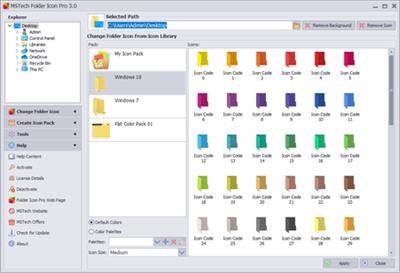
MSTech Folder Icon Pro is the most complete and the best Folder Icon tool that gives you everything you need to create unlimited amazing folder icons and assign them to any folder in the easiest way. This is an efficient and user-friendly piece of software developed to offer you the means of customizing the looks of your directories' icons, enabling you to work with a wide array of images and colors. In fact, it is a real Folder Icon Factory, gives you various type of options that make you able to create unlimited folder icons and use suitable icons for your windows folders.

Clean-cut and approachable appearance
Straightforward featuring an intuitive interface make the application quite simple to handle, meaning that it gives a chance even to the less experienced individuals.

Swiftly customize your Folders icon with image-coded and color-coded folder icons for easier browsing.
You can browse between the available color packs and icon packs, being able to choose the one you prefer for your folder, enabling you to first, preview it to see if you like how it looks, then Apply it with a single button press.

What are the advantages?
- Ability to have 5 favorites icon packs, in the right-click menu
- Ability to create your desired folder icon, from any image sources
- Ability to Create unlimited icon packs, from any sources
- You can download and use amazing free icon packs from the website.

And ... It is an attractive and appealing utility, whose aim is to assist you in personalizing, categorizing and organizing your system's directory icons, by assigning them better suited fantastic folder icons and making them easier to distinguish.

Windows Shell Integration (Advanced Right Click Menu)
You will be able to have up to 3 more packs as the MSTech Folder Icon sub-menus on the Windows Context Menu beside the main favorite icons' list.

Windows Shell Menu Settings
Also, you can customize the Windows Shell menu and use any other Icon Pack you added to the library based on your taste and idea. You can have a main pack, which will be available at the main drop-down menu and three extra packs as sub-menus. You can have access to at list 60 icons just by a single click.

Windows Default Icons
Along with all icon packs you have in the library, the software also loads the windows default icons based on the installed OS version on your computer, which it means you can change your folder icon through the software using windows default icons.

Support Common Image Formats
Beside all the options said before, you can apply any image to a folder icon, by selecting the predefined folder icon (templates) or any custom folder icon.

Apply Any Text/Image on Your Icon
You can apply any text/image to a folder icon, by selecting the predefined folder icon (templates) or any custom folder icon.

Access to Other Resources
MSTech Folder Icon Pro can load icons from any executable (*.exe), library (*.dll) or icon library (*.icl) file and you can assign them to any folder easily.

Windows Default Icons
As Windows allows the user to use any custom icon as "Computer", "Folder" and etc..., also it needs advanced level techniques to create and adjust the icon, but it simply can be done using MSTech Folder Icon.

Folder Backgrounds (Win 7 Only)
By default windows lacks the ability to set or change the folder background, with Folder Icon you can set or remove any folders' background in 2 clicks using any image file.

Requirements: Windows® 10, Windows® 8/8.1, and Windows® 7

Homepage -
У Вас недостаточно прав для просмотра ссылок. Войдите или зарегистрируйтесь.


Download link:​
Код:
[center][b]rapidgator_net[/b]:
https://rapidgator.net/file/cc3dfe90a9b217986dcbbad6cf849455/k26o7.MSTech.Folder.Icon.Pro.3.0.0.0.rar.html

[b]nitroflare_com[/b]:
https://nitroflare.com/view/92C3954FAF0135D/k26o7.MSTech.Folder.Icon.Pro.3.0.0.0.rar

[b]uploadgig_com[/b]:
http://uploadgig.com/file/download/0fa52725076c80eC/k26o7.MSTech.Folder.Icon.Pro.3.0.0.0.rar[/center]

Links are Interchangeable - No Password - Single Extraction​
 
MSTech Image Resize Basic 1.9.6.1032

54db0defb63c602702ff5b22640bccd4.jpg


MSTech Image Resize Basic 1.9.6.1032 | 59.6 Mb​
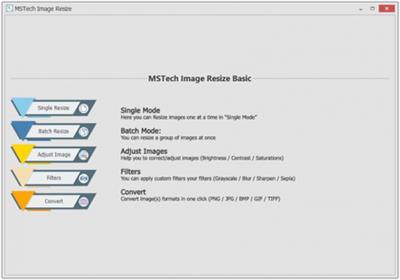
MSTech Image Resize is a handy and efficient software which makes you able to resize, compress, rotate, rename and convert your images in both single and batch mode. It's effortless to install and use, without any confusing extra settings.

All you need to do is summarized in three steps:
- Select the file or path
- Select "MSTech Image Resize Basic" From the Windows Context Menu (Right Click - Shell Menu)
- Set the resizing parameters. And then press "OK", that's it.

Windows Shell Menu
MSTech Image Resize integrates with windows context menu (right click menu), and gives a quick access on the supported files and folders, to directly browse them in the software.

Common Image Format Support
MSTech Image Resize supports the most common image formats such as Jpeg, BMP, PNG, Tiff and etc...

Quick Search in Folders and Sub-folders
Select any folder and have quick access to all images and their preview, including subfolders, select your intended images, and quickly resize them using batch resize mode.

Resize Images By Entering Percentage
It has the ability to enlarge or resize it to a smaller image. You can enter any percentage from 1 to 1000 to resize the image. Software will calculate the exact size according to the entered value.

Batch Resize
In Batch mode, you can select a directory to resize all the images in the selected path and defining the resize mode or dimensions.

Rotate & Flip
Plus, using this option user can rotate or flip the images while resizing them.

Convert To Gray-Scale
By selecting this filter, the gray-scale filter will be applied to all images during the resize process.

Auto Naming
Besides, you can select the naming rules for resized images (output) in details (prefix, main name, suffix) using the index number, new image size or any custom text entered by you.

Requirements: Windows® 10, Windows® 8/8.1, and Windows® 7

Homepage -
У Вас недостаточно прав для просмотра ссылок. Войдите или зарегистрируйтесь.


Download link:​
Код:
[center][b]rapidgator_net[/b]:
https://rapidgator.net/file/2aed2ee9b11197c005c6ad8568bb8238/t4ivl.MSTech.Image.Resize.Basic.1.9.6.1032.rar.html

[b]nitroflare_com[/b]:
https://nitroflare.com/view/4380B1CAD42891C/t4ivl.MSTech.Image.Resize.Basic.1.9.6.1032.rar

[b]uploadgig_com[/b]:
http://uploadgig.com/file/download/dF33cd406f73f90e/t4ivl.MSTech.Image.Resize.Basic.1.9.6.1032.rar[/center]

Links are Interchangeable - No Password - Single Extraction​
 
MSTech Search In Contents Pro 2.0.0.0

a02b6616750c1dceb97c9d1084dd3a17.jpg


MSTech Search In Contents Pro 2.0.0.0 | 85.9 Mb​
There are hundreds of scenarios where finding a document in the shortest possible time is essential. Just think of a work presentation, a file for an upcoming deadline, or an important download that ended up in some folder because maybe you got distracted before clicking on "Save". And then, let's be serious, the download folders have so many files such that trying to find a file in there is like trying to look for a needle in a haystack. Do you remember that file you thought you didn't need anymore, and you saved it in the umpteenth "Untitled" folder?

Imagine if right now, you, your boss or someone else needed that file urgently. And you find yourself spending hours and minutes doing cross-searches and checking every possible folder on your PC. Yet, despite the minutes if not the hours spent searching, you couldn't find the file you were looking for.

Save Your Valuable Time
The Windows search system has many problems, first of all, it is very slow. Imagine having to find a file in a folder full of documents and having to wait for minutes for windows to find the file. The story gets complicated if you don't know the folder that contains the file. Try to use the basic search tool on the entire hard disk of your PC, and it will take hours. Even worse when you don't know the name of the file. Of course, maybe you remember the format or part of the name, but this will not make the Windows search easier or faster. In the worst case, it could even make it slower. Trying to do an advanced search is extremely slow as a process, and if the PC you use is a few years old and is not as fast as it used to be, then doing an advanced search with filters becomes impossible.

Don't worry; we've got a solution.
- What is the only solution that can solve all your problems?
- MSTech Search in contents makes your searches easy, intuitive, and instantaneous.
- Imagine being able to find a document file just by remembering some words contained in it.
- PDF, HTML, PPT? It doesn't matter. This software can do this and much more.
- Use the advanced search to enter all the details you remember from the file, press enter, and there is the file you are looking for.
- At work, at home or in the office, finding an urgent file will no longer be a problem.

Search in Hundreds of Formats
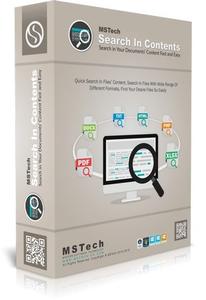
Search in any text-based file and find what you are looking for, fast and easy.

Immediate access to results
Go through the results while the software is still searching on your computer.

Search faster than a pro user
Find your documents effortlessly and instantly, without running any risks.

An advanced Embedded File Viewer
Open, edit, convert and print the found files listed in the search results through the software itself.

Find your desired file(s) for a given text effortlessly
It supports all text-based files Including : Microsoft office documents, Pdf, Plane text, Spread sheet, programing files and web files.

Quick Search
Perform your searches and get the results listed in a few clicks. Select the proper search option from the Windows context menu. Next, enter the search phrase and press the button.

Scroll into the file
The software locates the result (found text) in each document, and you can get there by selecting each item on the result list.

Quick access to the found documents
Search in Contents helps you transfer the file directly inside the software, or you can use the "Open File Location" from the right-click menu.

In Pro Version:
- All Basic Features
- File Indexing System
- Quick Preview Mode
- Simple & Advanced Search Mode
- Access to Quick Search in Right Click
- Integrate with Windows Right Click
- Jump to Result Location
- Save and Load Search Results
- and more ...

Requirements: Windows® 10, Windows® 8/8.1, and Windows® 7

Homepage -
У Вас недостаточно прав для просмотра ссылок. Войдите или зарегистрируйтесь.


Download link:​
Код:
[center][b]rapidgator_net[/b]:
https://rapidgator.net/file/d826dc1c112a0d45e6aab567c3685514/06ood.MSTech.Search.In.Contents.Pro.2.0.0.0.rar.html

[b]nitroflare_com[/b]:
https://nitroflare.com/view/335089E4B545F89/06ood.MSTech.Search.In.Contents.Pro.2.0.0.0.rar

[b]uploadgig_com[/b]:
http://uploadgig.com/file/download/fa0A11F53a54d18f/06ood.MSTech.Search.In.Contents.Pro.2.0.0.0.rar[/center]

Links are Interchangeable - No Password - Single Extraction​
 
MSTech Swift Gadget 2.8.4.349

08a8bd8726628b362301e2b149590c47.jpg


MSTech Swift Gadget 2.8.4.349 | 143.6 Mb​
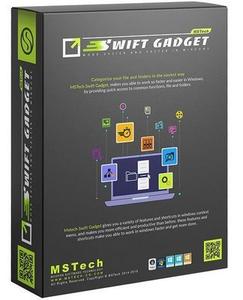
MSTech Swift Gadget is one of the most useful extensions (Windows Tool Pack). It gives you everything you need to keep your computer always organized. MSTech Swift Gadget Features and options are accessible in Windows Context Menu (Windows Right Click Menu). This handy and useful software helps you to get more done with fewer efforts.

Windows Context Menu (Shell Menu) Integration
After installing MSTech Swift Gadget, you will have access to all software features in the windows context menu (Windows Right Click).

Shortcuts & Quick Access
You can have easy and quick access to your most frequently used files, applications, and directories. Just easily define your desired files, directories, and applications to MSTech Swift Gadget right-click menu, and enjoy having quick access to them by a single right click.

Libraries
You can specify up to 10 directories, as your libraries in MSTech Swift Gadget right-click menu. Libraries help you to transfer your files and folders quickly. Having access to all sub-directories in a single window makes you able to categorize your files and folders in the quickest way possible.

Copy/Move to...
You can copy/move your files and folders to a new path in a new folder as quick as possible. No need to create a new folder first, and then back to transfer your desired file or folder in that folder.

Categorize Files by Extension
You can automatically categorize all your files based on their types (extensions) in separate folders just by a single right-click.

Search for Hidden Files & Folders
With this feature, you will be able to have quick access to the list of hidden files & folders in any directory. To have access to the hidden files or folders, you won't need to open "Windows Folder Options" to change their attributes. Just do a simple right-click on your current path or any folder, and then click on "search for hidden items" then you will have access to all hidden items immediately. You can select, open or change each item attribute quickly.

Advanced New Folder Maker
You can create a new folder or a directory containing multiple sub-folders, using "Advanced New Folder" option quickly, like never before. You can also use batch mode to create the whole folders' structure using different naming formats in only one action.

Advanced Batch File Rename
Batch Rename helps you to change a group of files' name, in on one action. You can also change some existing characters in the files' name with your desired one.

Copy File & Folder Name or Full Path
Sometimes you need to have a list of files and folders in a specific directory including their names, full paths, and extensions. It is usually time-consuming. With MSTech Swift Gadget you can copy the list of all files or folders', including their names, full paths, and extensions in a few clicks. Also, you won't need to create a new text document and open it to paste the list. You can easily do a simple right-click on your desired directory, click on MSTech Swift Gadget, select "Copy to Notepad" option, then automatically you will have the list in a notepad window.

Change File or Folder Attribute
To change the "attributes" of any file or folder, normally you have to right-click on them, then select the "properties" from the menu, and finally apply your desired changes. With MSTech Swift Gadget you can quickly change the "attribute" of any file or folder, just right-click on your file/folder, choose your desired "attributes" and apply the changes.

Edit Music File Tags (m4a, mp3)
One of the useful features that makes you able to organize your music files is "change file tags" in the software right click menu. You can find your music files by doing a simple right-click in any directory without needing to search in your folders and subfolders, as quickly as possible, then you can play them one by one, edit their tags or even rename them in single or batch mode easily.

Categorize music by Tag (m4a, mp3, wma)
You can search for music files in the entire directory (including all sub-directories) and categorize them in single or batch (bulk) mode. The software will organize your music automatically, by creating folders based on the files tags. You can define the software to copy or move them to the created folders.

Advanced search and categorizing for music, images and videos
With this option, you can search in any directory, including its sub-directories for any audio, video or image file with the ability to preview or playback the file(s) and then, transfer them to a new location if needed.

Image Resize
Easily resize your images in just 2 clicks in both single or batch mode by:

- Percentage
- Icon Sizes
- Fixed Width
- Fixed Height
- Limited to a Specific Height or Width
- or Custom Size

Categorize Images by Image Size
With this feature you can pack the selected images according their sizes (dimensions) into the proper folders.

Categorize Images by Dates
Using this option, allows you to categorize (copy or move) the images according to their dates (first date taken and if it's not available then, the last modification date will be used). Also you can select the target calendar among the Gregorian, Hijri and Jalali. MSTech Swift Gadget will calculate the target dates and will use them to categorize your images.

Save Images & Texts in Windows Clipboard
MSTech Swift Gadget allows you to save the image and text stored in the clipboard as a new image or text file or replace it with an existing file in just one click.

MSTech Notepad
MSTech Notepad is a useful feature, similar to MS Notepad, which helps you to collect texts and save them. You can keep the MSTech Notepad window on the top of all opened windows using the Pin option. With the "Clipboard Capture" (Automatically Capture Clipboard) mode on, it automatically collects any copied text value and pastes it at the end of the current file.

Pack & Unpack Files and Folders
Select files and folders and move them into a new folder just by entering the folder name, or transfer the selected folders content into the parent path in one click.

Split & Join Files
Using MSTech Split/Merge(Join), you can divide or join your files with any size in few seconds. Just define the exact size to split the files, or enter the number of segments you need (software will tell you the size of each segment) and then split it.

Calculate File Checksum
MSTech Swift Gadget also, calculates the file checksum with all MD5, CRC32, SHA-1, SHA-256, SHA-384 and also SHA-512 algorithms.

Folder Print
With Folder Print Gadget, get a quick view on the selected path with plenty of options. It will show you the list of files and folders along with their sizes, with the ability to save, export or print the report. Besides, you can copy, move or even delete the selected file or folder in your system through its window.

Delete on Reboot
MSTech Swift Gadget helps you to delete the files which you can not delete (when the Windows says "It's being used by other applications"). You just mark them using this option, and software will delete it on the next Windows Reboot (Restart).

Command Prompt
MSTech Swift Gadget will give you the access to MS Command Prompt and also Power Shell all over the computer. You can run both of them as normal or administrator (elevated) user.

Run Apps with Custom Command
You can run any application with a custom command (the application must support the command itself) in a straight forward way, just select the application and enter the command.

Windows Common Tools
With MSTech Swift Gadget, you are only one click away from the most common and useful Windows tools.

Unlocker
Unlocker will help you to free the files in use by other application. By opening it's window you will see the list of applications which are using the selected file. You can terminate (kill) the preferred process to release the file.

Basket
With Basket, you can create a collection of files from all over your system, modify the collection and also copy or move the collection to any place you want in one click.

Delete Empty Folders
Using this option, you can select a directory and delete all empty folders just by one click.
Release Notes:
Requirements: Windows® 10, Windows® 8/8.1, and Windows® 7

Home Page -
У Вас недостаточно прав для просмотра ссылок. Войдите или зарегистрируйтесь.


Download link:​
Код:
[center][b]rapidgator_net[/b]:
https://rapidgator.net/file/96c68f96025ce42c0a981ea7bdda23ea/z8eb2.MSTech.Swift.Gadget.2.8.4.349.rar.html

[b]nitroflare_com[/b]:
https://nitroflare.com/view/83B331A3092BCF5/z8eb2.MSTech.Swift.Gadget.2.8.4.349.rar

[b]uploadgig_com[/b]:
http://uploadgig.com/file/download/0bAafFd38733e2D7/z8eb2.MSTech.Swift.Gadget.2.8.4.349.rar[/center]

Links are Interchangeable - No Password - Single Extraction​
 
Numento 2.1.9 Multilingual

3911cb6ed18bbdc15220e2a7b693a842.jpg


Numento 2.1.9 Multilingual | 50.12 Mb​
The Internet is filled with all sort of applications and programs that you could use in order to manage data on your computer and one of them is Numento. It's a neat software solution that allows you to create multiple collections on your computer with your music files, CDs, DVDs, photos, books and more. It sports a clean and intuitive graphical interface with many useful tools at hand.

A software in your image
Use the predefined collections or freely create your collection with the advanced customization possibilities.

Import your elements
Directly from the Internet thanks to integrated connectors (Google Book, Allociné, Open library, Omdb, Discogs)

Organize your collection
With the configurable lists, you can create filters with the conditions you want.
Search your collection in real time thanks to the indexing engine.

Your collection becomes mobile
Publish your collection in one click to access it from your smartphone.

System Requirements:
- Windows 7/8.1/10
- 4GB of RAM
- 100MB on disk

Home Page -
У Вас недостаточно прав для просмотра ссылок. Войдите или зарегистрируйтесь.


Language: Multilingual

Download link:​
Код:
[center][b]rapidgator_net[/b]:
https://rapidgator.net/file/08c31efca1455e17a6164139bd3226d3/gi1m7.Numento.2.1.9.Multilingual.rar.html

[b]nitroflare_com[/b]:
https://nitroflare.com/view/5417DF221318594/gi1m7.Numento.2.1.9.Multilingual.rar

[b]uploadgig_com[/b]:
http://uploadgig.com/file/download/8be0947de131320c/gi1m7.Numento.2.1.9.Multilingual.rar[/center]

Links are Interchangeable - No Password - Single Extraction​
 
Penetration Testing with Red, Blue, and Purple Teams Executive Briefing

2ef0d3eb5ea2356a2d893d09ae90fc5d.jpg


Penetration Testing with Red, Blue, and Purple Teams: Executive Briefing
.MP4, AVC, 1280x720, 30 fps | English, AAC, 2 Ch | 20m | 171 MB
Instructor: John Elliott​

Penetration testing, red team exercises, and bug bounties are all ways an organization can use to find out if its cyber security defenses are working. Discover how to make a success of these active assurance activities, and how to avoid mistakes.

How does an organization know that its cyber security controls are effective? In this executive briefing, Penetration Testing with Red, Blue, and Purple Teams: Executive Briefing, you will learn foundational knowledge about active assurance. First, you will learn about penetration testing. Next, you will discover bug bounties. Finally, you will explore how to make sure the organization really learns from a red team exercise and what you can do to make sure that a red teams doesn't demotivate your internal (blue) team. When you are finished with this executive briefing, you will have the knowledge of active assurance needed to work with technologists, defenders, and assurance professionals.

Download link:​
Код:
[center][b]rapidgator_net[/b]:
https://rapidgator.net/file/e5d3053e6cfd3403f715910475ad6a44/gt21p.Penetration.Testing.with.Red.Blue.and.Purple.Teams.Executive.Briefing.rar.html

[b]nitroflare_com[/b]:
https://nitroflare.com/view/77EAF61C0B1AE3A/gt21p.Penetration.Testing.with.Red.Blue.and.Purple.Teams.Executive.Briefing.rar

[b]uploadgig_com[/b]:
http://uploadgig.com/file/download/fb33C25fd76F2158/gt21p.Penetration.Testing.with.Red.Blue.and.Purple.Teams.Executive.Briefing.rar[/center]

Links are Interchangeable - No Password - Single Extraction​
 
ProfiCAD v10.4.5 Multilingual Portable

e2dd595e50ddafb486750b0926ce7eca.jpg


ProfiCAD v10.4.5 Multilingual Portable | 41 Mb​
ProfiCAD is designed for drawing of electrical and electronic diagrams, schematics, control circuit diagrams and can also be used for pneumatics, hydraulics and other types of technical diagrams.

ProfiCAD v10.4.5 Multilingual Portable | 41 Mb
ProfiCAD is designed for drawing of electrical and electronic diagrams, schematics, control circuit diagrams and can also be used for pneumatics, hydraulics and other types of technical diagrams.

Features:
- The easiest CAD for electrical circuits. Maximum care was paid to ergonomics and ease of use. Just place electrical symbols into the drawing and attach the wires.
- Ships with more than one thousand symbols. You can easily create your own symbols in the symbols editor or have them drawn for you for a fee.
- Supports automatic numbering of symbols, generation of netlists, lists of wires, bills of material, drawing of striped wires and further advanced features.
- The program supports cross references between wires and between symbols belonging to one component (e.g. relay coil + contacts). A linked symbol on a different page can be accessed by clicking on the cross reference.

Home Page -
У Вас недостаточно прав для просмотра ссылок. Войдите или зарегистрируйтесь.


Download link:​
Код:
[center][b]rapidgator_net[/b]:
https://rapidgator.net/file/1d7b1002ed642b7a4111c1ca96d15ca8/wntyy.ProfiCAD.v10.4.5.Multilingual.Portable.rar.html

[b]nitroflare_com[/b]:
https://nitroflare.com/view/F1AFCE2E5A77D38/wntyy.ProfiCAD.v10.4.5.Multilingual.Portable.rar

[b]uploadgig_com[/b]:
http://uploadgig.com/file/download/fe2A2f1aE984f6ee/wntyy.ProfiCAD.v10.4.5.Multilingual.Portable.rar[/center]

Links are Interchangeable - No Password - Single Extraction​
 
Salesforce AppExchange What Every Admin Needs to Know

0d6b732359dcd6151fada51d9c77a696.jpg


Salesforce AppExchange: What Every Admin Needs to Know
.MP4, AVC, 1280x720, 30 fps | English, AAC, 2 Ch | 41m | 128 MB
Instructor: Otto Warner​

This course will teach you how to access, navigate, and utilize the Salesforce AppExchange, as well as how to install an app into your Salesforce instance.

Do you or your company need a foundational knowledge of Salesforce and how it is administered? In this course, Salesforce App Exchange: What Every Admin Needs to Know, you'll learn to access and navigate the AppExchange site and install an app. First, you'll explore various use cases that AppExchange apps can solve. Next, you'll discover the App Exchange website and learn how to find an app there. Finally, you'll learn how to install and manage an app in your Salesforce instance. When you're finished with this course, you'll have the skills and knowledge of managing Salesforce App Exchange apps needed to identify when an app is needed, find a suitable app, and install it into your Salesforce instance.

Download link:​
Код:
[center][b]rapidgator_net[/b]:
https://rapidgator.net/file/80b114f617b1e320af8879d6c97a13b7/su55n.Salesforce.AppExchange.What.Every.Admin.Needs.to.Know.rar.html

[b]nitroflare_com[/b]:
https://nitroflare.com/view/649AE537CBB3BDB/su55n.Salesforce.AppExchange.What.Every.Admin.Needs.to.Know.rar

[b]uploadgig_com[/b]:
http://uploadgig.com/file/download/131659f142a0c3d4/su55n.Salesforce.AppExchange.What.Every.Admin.Needs.to.Know.rar[/center]

Links are Interchangeable - No Password - Single Extraction​
 
Serif Affinity Designer 1.8.3.628 (x64) Beta Multilingual

f5c3d1103713a59eeaaadc95e42a52b9.jpg


Serif Affinity Designer 1.8.3.628 (x64) Beta Multilingual | 497.7 Mb​
Affinity Designer is the fastest, smoothest, most precise vector graphic design software available. Whether you're working on branding, concept art, print projects, icons, UI, UX, or web mock ups, Affinity Designer will revolutionise how you work, on Windows.

Design tools redefined
All the tools you need in a professional vector design app, from an incredible precise pen tool to a super smooth gradient tool. All carefully considered and meticulously developed, they just work-in precisely the way you want them to.

Built for your workflow
With core principles of performance, stability and lack of bloat, Affinity Designer has been meticulously crafted for a professional workflow.

Cross platform performance
With a professional pedigree forged on Mac, and matched step for step on Windows, common file format delivers stunning results on either platform.

Unsurpassed speed and accuracy
Pan at 60fps and zoom to an eye-popping 10,000,000%, you'll see all adjustments, effects, transformations and brushes in real time.

Work in any color space
RGB, CMYK, LAB, Grayscale. End-to-end CMYK workflow with ICC color management, and 16-bit per channel editing.

Unsurpassed file compatibility
The best PSD import engine available and full support for SVG, EPS, PDF, PDF/X and FH files means injecting Affinity Designer into your workflow is painless.

Pixel perfect control
With real-time pixel preview in standard or retina resolution available with a single click, you can always see what you're going to get. Can't achieve the perfect result purely in vector? Just edit the pixels - Affinity Designer has a full suite of raster tools too.

Non-destructive effects and adjustments
With a huge library of adjustment layers, effects and blend modes-combined with full support for masks and clipping layers-Affinity Designer offers the most advanced layer controls available in any vector based app.

Flexible workspaces... and workflows
With a focused, fully customisable workspace, including docked and floating UI modes, Affinity Designer lets you work how you want. Add regular and custom 2D and isometric grids for flexible layouts, work on multiple designs at once, and use macOS features like Split Screen and Full Screen. Plus, with savable history, unlimited undo and non-destructive filters and adjustments you can always go back and change your mind.

Natural brushwork
Use Force Touch, stylus pressure, tilt and other controls for natural-looking artwork. Edit vector brush strokes as cleanly and easily as regular curves, and add raster brushwork-on its own or with vector art-to add depth and high quality organic textures. Rotate the canvas, blend colors, edit brush parameters, create your own brushes and nozzles, and import .abr brushes for complete control over your work.

Throw some shapes
Affinity Designer delivers a comprehensive set of shape primitives with easy controls for adjusting geometry with corner settings and smart snapping indicators. A full set of Boolean geometry operations, non-destructive compound shapes, and full node editing means you can create beautiful complex geometry in no time.

Just your type
Add artistic text for headlines, text frames of any shape, or text that follows any vector path. Apply sophisticated styling and ligatures, previewing all your available fonts and style sets in on-screen panels. All the controls you need are built in, including leading, kerning, baseline shift, tab stops - and now in version 1.5 you can create text styles across your document.

New professional print controls
Affinity Designer features full professional print output. Pantone® support, end-to-end CMYK and ICC color management are just part of it. You can also open, edit and output PDF/X files, set overprint controls, use spot colors, and add bleed area, trim and crop marks.

Powerful export
In export mode you get a complete workspace dedicated to image export. Select areas, layers or objects to export, controlling each item's output settings independently. For efficient web and UI design, you can automatically create new files whenever your design changes, in whatever resolution, file format and folder structure you wish.

Common Affinity file format
Affinity's shared file format makes mixed discipline design as smooth and simple as it should be. Open any native Affinity file in any Affinity app on any platform and just keep working - with shared history, unlimited undo and seamless switching. And for export, Affinity Designer takes all major file types in its stride.

Incredibly powerful artboards
In Affinity Designer you can create an unlimited number of different design variants, sizes and screens - laying them out in one document to see them all at once. When you come to export you get full control over what artboards to output and with what settings, dramatically simplifying your workflow for responsive and app design.

Operating systems (64 bit):
- Windows® 10
- Windows® 8.x
- Windows® 7 (Service Pack 1; Aero enabled)

Home Page -
У Вас недостаточно прав для просмотра ссылок. Войдите или зарегистрируйтесь.


Download link:​
Код:
[center][b]rapidgator_net[/b]:
https://rapidgator.net/file/649ca2bc0d43dc91efb299511dacca84/reg77.Serif.Affinity.Designer.1.8.3.628.x64.Beta.Multilingual.rar.html

[b]nitroflare_com[/b]:
https://nitroflare.com/view/9544DD97A445FEC/reg77.Serif.Affinity.Designer.1.8.3.628.x64.Beta.Multilingual.rar

[b]uploadgig_com[/b]:
http://uploadgig.com/file/download/1650ec35451ea10C/reg77.Serif.Affinity.Designer.1.8.3.628.x64.Beta.Multilingual.rar[/center]

Links are Interchangeable - No Password - Single Extraction​
 
Serif Affinity Photo 1.8.3.628 (x64) Beta Multilingual

ce19418679684d76556d55c79931964d.jpg


Serif Affinity Photo 1.8.3.628 (x64) Beta Multilingual | 506.5 Mb​
Five years in the making, Affinity Photo redefines the boundaries for professional photo editing software. With a meticulous focus on workflow it offers sophisticated tools for enhancing, editing and retouching your images in an incredibly intuitive interface, with all the power and performance you need.

Engineered for professionals
Built on rock solid foundations with principles of performance, stability and lack of bloat, Affinity Photo is a professional photography tool to the very core.

Comprehensive RAW editing
Develop camera RAW files in a dedicated built-in workspace with all the processing adjustments and corrections you need.

Unsurpassed file compatibility
We've got the best PSD support out there, plus all the standards you'd expect including PNG, JPG, TIFF, EPS, PDF, and SVG.

Work in any color space
RGB, CMYK, LAB, Grayscale. End-to-end CMYK workflow with ICC color management, and 32-bit per channel editing.

Dedicated RAW editing workspace
Compatible with all major camera file formats, the Develop persona offers a dedicated processing workspace offering incredibly accurate editing in an unbounded linear color space.

Complete digital darkroom
Affinity Photo includes all the tools you need from a professional photography application. Every tool has been painstakingly engineered for speed, power and accuracy-and they work in precisely the way you want them to.

Fast, customizable effects
Affinity Photo comes with a huge range of high-end filters including lighting, blurs, distortions, tilt-shift, shadows, glows and many more. Full control is given over every aspect of a filter's properties with incredibly precise controls-all the while seeing a real-time live preview of the result. Best of all, filters can be applied as live layers, enabling you to edit, erase away, or mask effects after they have been applied.

Advanced adjustment layers
Correct and enhance images with Levels, Curves, Black and White, White Balance, HSL, Shadows and Highlights and over a dozen other adjustments that are previewed instantly and can be edited any time. Adjust, readjust, and drag and drop onto any layer, group, mask, or in any place in a stack to control how they're applied.

Live blend modes
Remove trial and error from your workflow-see changes to blend modes live as you edit without having to click apply each time. Affinity Photo's 30 layer blends preview smoothly in real time while you scroll through them.

Sophisticated selection refinement
Accurate selections are critical, whether cutting out objects, creating masks or selectively applying adjustments. Our selection refinement algorithm is one of the most advanced available, making selections-even down to individual strands of hair-easier than ever before.

Precise photo stitching
Affinity Photo's stitching algorithm is one of the most advanced available. On top of accurate automatic alignment and perspective corrections, you get full control over each image and boundary in the composite to fine tune to perfection.

Extensive retouching tools
Whether you want to make quick corrections, or spend an hour on a detailed retouch, Affinity Photo has all the tools you need. That naturally includes dodge, burn, clone, patch, blemish, and red eye tools. But you'll also find an incredibly accurate inpainting brush, frequency separation capability, and a full set of liquify features built-in.

System Requirements:

Hardware
Windows-based PC with mouse or equivalent input device
DirectX 10-compatible Graphics Cards and above
2GB RAM minimum (4GB RAM recommended)
670MB of available space; more during installation
1280x768 display size or better

Operating systems (64 bit):
Windows 10 (1607 Anniversary update or higher)
Windows 8.1
Windows 7 (Service Pack 1; Aero enabled)

Home Page -
У Вас недостаточно прав для просмотра ссылок. Войдите или зарегистрируйтесь.


Download link:​
Код:
[center][b]rapidgator_net[/b]:
https://rapidgator.net/file/729f48313773dd84532272b2bded2f8e/g35gw.Serif.Affinity.Photo.1.8.3.628.x64.Beta.Multilingual.rar.html

[b]nitroflare_com[/b]:
https://nitroflare.com/view/EDE4D08AA57FE74/g35gw.Serif.Affinity.Photo.1.8.3.628.x64.Beta.Multilingual.rar

[b]uploadgig_com[/b]:
http://uploadgig.com/file/download/b0C0De35a74440A8/g35gw.Serif.Affinity.Photo.1.8.3.628.x64.Beta.Multilingual.rar[/center]

Links are Interchangeable - No Password - Single Extraction​
 
Serif Affinity Publisher 1.8.3.627 (x64) Beta Multilingual

27a3ca6bcb2da3dcfb81d4afb34a4258.jpg


Serif Affinity Publisher 1.8.3.627 (x64) Beta Multilingual | 492.1 Mb​
Fluid publishing powerhouse. Bring your vision to life with Affinity Publisher, the next generation of professional publishing software. From magazines, books, brochures, posters, reports and stationery to other creations, this incredibly smooth, intuitive app gives you the power to combine your images, graphics and text to make beautiful layouts ready for publication.

Engineered for advanced technology
Engineered with the same no-compromise vision as our acclaimed photo editing and graphic design apps, thousands of global professionals have contributed to the development of Affinity Publisher to meet the demands of the 21st century designer.

Pioneering performance
Superpower your layouts with the latest and greatest publishing technology. The refreshing lack of unnecessary or obsolete features in Affinity Publisher means it runs like the sweetest dream, even on the most content-heavy documents.

Spectacular layouts
With essentials like master pages, facing page spreads, grids, tables, advanced typography, text flow, full professional print output and other amazing features, Affinity Publisher has everything you need to create the perfect layout - whatever your project.

Text to match the power of your words
Free yourself from the constraints of tired, traditional text layouts. Let Affinity Publisher help you visualise your text in creative new ways and flow it seamlessly through your document.

Text styles
Link the style of your text across all pages in your document

OpenType support
Open up all stylistic features of the latest OpenType fonts

Text decorations
Add lines and borders to elements of your typography

Drop caps
Add drop capitals to any paragraph

Text on a path
Draw any curve and type along it

Artistic text
Gain creative control over titling and other stand out text

Flow options
Avoid orphaned or widowed lines, among many other features

Baseline grid
Ensure the baseline of your text is aligned across all columns and spreads

Perfect graphics
Whatever the brief calls for, you can rely on Affinity Publisher to handle all the standard file types you'd expect, leaving you free to create the most ambitious, content-rich combination designs, pulling in raster or vector assets from multiple sources.

Fine tune your images
Ensure your images match the brilliance of your layout. Affinity Publisher comes with a full collection of powerful, non-destructive adjustment layers to make crucial image corrections right there in your document.

Advanced design tools
Create and edit vector graphics in your layout using the powerful pen, node and comprehensive shape tools - all with fine control over gradients and transparency.

Unrivalled compatibility
Import and export to all major raster and vector files, including layered PSD, PDF and EPS formats.

Full colour control
Affinity Publisher can handle RGB, LAB, greyscale and CMYK colour spaces, with advanced control over professional colour requirements for print.

Professional Output
Pantone support, end-to-end CMYK and ICC colour management are just part of it. You can also open, edit and output PDF/X files, set overprint controls and add bleed, trim and crop marks for press-ready output.

And so much more...
Here are just some of the other capabilities built into this incredible app...

Instant undo history
Instantly scrub through hundreds of undo steps with the history slider. Plus, save your history with your document.

Rotate canvas
Rotate your whole document by 90, 180 and 270 degrees.

Smart colour picker
Dedicated colour picker tool to accurately pick a colour, including single point or averaged sampling over an area.

Asset management
Create sets of regularly used assets which can be instantly accessed and dragged onto your project.

Transform panel
Precisely adjust an object's position, size, rotation and shear.

Transparency tool
Drag a transparency gradient over any object, with support for linear, radial, elliptical and conical types.

Glyph browser
Browse the full set of available glyphs for any font.

Stroke panel
Offering full control over dashed line styles, arrowheads and pressure properties.

Customisable keyboard shortcuts
Affinity Publisher comes loaded with default keyboard shortcuts, but you can tailor to your own muscle memory.

Add noise
Apply noise to colour fills for a textured look to your work.

Preview mode
Instantly switch from viewing grids, guides, bleed and margins to a completely clean preview of your document.

Blistering performance
Pan, zoom and scroll through documents at 60fps.

Organisational tools
Organise your documents with the section manager and automatically generate indexes and a table of contents.

System Requirements:
- Windows® 10 (1607 Anniversary update or higher)
- Windows® 8.1
- Windows® 7 (Service Pack 1; Aero enabled)
- Windows-based PC (64 bit) with mouse or equivalent input device
- DirectX 10-compatible Graphics Cards and above
- 4GB RAM
- 593MB of available space; more during installation
- 1280x768 display size or better

Home Page -
У Вас недостаточно прав для просмотра ссылок. Войдите или зарегистрируйтесь.


Download link:​
Код:
[center][b]rapidgator_net[/b]:
https://rapidgator.net/file/7ec9eaaf4fb72888ba8f741250c4fd83/6j368.Serif.Affinity.Publisher.1.8.3.627.x64.Beta.Multilingual.rar.html

[b]nitroflare_com[/b]:
https://nitroflare.com/view/077D3C831FA6270/6j368.Serif.Affinity.Publisher.1.8.3.627.x64.Beta.Multilingual.rar

[b]uploadgig_com[/b]:
http://uploadgig.com/file/download/205649739ace0c46/6j368.Serif.Affinity.Publisher.1.8.3.627.x64.Beta.Multilingual.rar[/center]

Links are Interchangeable - No Password - Single Extraction​
 
SoftPerfect NetMaster 1.0.3

e52a4b970036f4e9186a3d2847ae50dc.jpg


SoftPerfect NetMaster 1.0.3 | 9.3 Mb​
NetMaster is a modern Internet connection monitoring tool. It lets you watch the apps using your Internet in real-time and control their access. Bandwidth-sensitive applications like voice calls, videos or games can be prioritised. Less important applications like software updates, file downloads or cloud backups can be restricted to make sure they don't occupy your entire connection. Finally, undesirable applications can be blocked from Internet access, giving you better privacy and security.

Key features
Internet usage monitoring in real-time.
Bandwidth prioritisation for important apps.
Bandwidth caps on less important apps.
Firewall functionality with blocking unwanted apps.
Comprehensive usage reports for any time period.

Additionally NetMaster is
Capable of excluding LAN traffic and handling up to 1 Gbps speed.
Built atop the Windows Filtering Platform and fully supports Windows 7 to Windows 10.
Able to manage multiple computers from one place.

Supported platforms:
Windows 7 through Windows 10, Windows Server 2008 R2 through 2019

Home Page -
У Вас недостаточно прав для просмотра ссылок. Войдите или зарегистрируйтесь.


Download link:​
Код:
[center][b]rapidgator_net[/b]:
https://rapidgator.net/file/5b0b0dcb876b6d4d8c97700b09ee7315/a7zp8.SoftPerfect.NetMaster.1.0.3.rar.html

[b]nitroflare_com[/b]:
https://nitroflare.com/view/610B4FE0C51CFF0/a7zp8.SoftPerfect.NetMaster.1.0.3.rar

[b]uploadgig_com[/b]:
http://uploadgig.com/file/download/62Ffb6b04B60e41C/a7zp8.SoftPerfect.NetMaster.1.0.3.rar[/center]

Links are Interchangeable - No Password - Single Extraction​
 
TLex Suite 2020 v11.1.0.2651 Multilingual

870753fa445b3d2f14eddad29f079d21.jpg


TLex Suite 2020 v11.1.0.2651 Multilingual | 74.9 Mb​
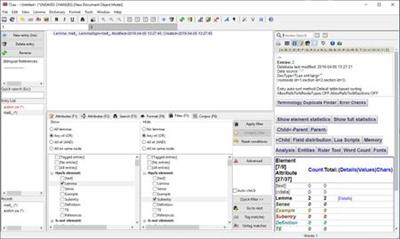
TLex (aka TshwaneLex) is a professional, feature-rich, fully internationalised, off-the-shelf software application suite for compiling dictionaries or terminology lists. It has been adopted by many major publishers, government organisations and individuals worldwide, as it delivers excellent ROI.

TLex contains many specialized features that allow you to dramatically reduce dictionary production time and costs and increase the quality and consistency of your dictionaries (from single-user projects to large teams). These include an integrated Corpus Query System, real-time preview, full customisability, advanced styles system, "smart cross-references" with tracking and auto-updating, automated lemma reversal, automated numbering and sorting, export to MS Word and typesetting systems (such as InDesign, Quark and XPP), multi-user support for managing teams, and much more. Publish to hardcopy, Web, or CD-ROM / software.

TLex can be used for all languages, for all kinds of dictionaries, and supports industry standards such as XML and Unicode.

Primary Features of TLex
Fast
User-friendly: TLex and tlTerm do not require advanced computer literacy skills - if you can use Microsoft Word, you will be able to learn TLex/tlTerm
Automatic sense numbering
Automatic homonym numbering
Automatic cross-reference tracking and updating of homonym and sense numbers
Immediate WYSIWYG (what you see is what you get) article preview
Immediate preview of cross-referenced articles and cross-referencing articles
Integrated corpus
Full Unicode support - supports virtually all of the world's languages
Easily enter any phonetic symbol (IPA ; phonetic extensions)
Fully customisable and highly flexible (create any fields and structures relevant to your dictionary)
Network and multi-user (team) lexicography support (supports all major database servers, e.g. MS SQL Server, Oracle, PostgreSQL)
Management Tools: Assign tasks to users and monitor user or team progress
Export to:
Microsoft Word format, RTF, HTML, XML, CSV
Corel WordPerfect and OpenOffice (via RTF format)
Adobe InDesign and QuarkXPress
Import from:
Wordlists
CSV (may also import corpus frequency counts)
XML or word frequency counts from corpus query software
CUSTOM: contact us for a code for conversion of existing data in any format
Various features for generating 'multiple dictionaries from one database'
Customisable styles (font, colour etc.) for every field in the dictionary
Customisable language of the meta-language
Bilingual dictionaries: Automated lemma reversal
Bilingual dictionaries: Side-by-side bilingual editing and "linked view" mode
Bilingual dictionaries: "Translation Equivalent fanouts"
Multimedia: Allows sound (e.g. pronunciation) recordings to be linked to any field
Multimedia: Allows images to be added to entries
IME "Windows soft-keyboard" support
Right-to-left language support (Hebrew, Arabic etc.)
Fast full-dictionary text search
Filter: define criteria for viewing/exporting a subset of the dictionary based on specific characteristics
Dictionary compare/merge feature: Integrate work done by different team members
A unique Ruler Tool to ensure balanced treatment on multiple levels
Automatic checking for various dictionary errors
Electronic Dictionary (CD-ROM) software module available
Place dictionaries online. Examples:
Online dictionary module:
· Swahili - English dictionary
· Northern Sotho - English dictionary
Direct export to "static HTML":
· James Randi Encyclopedia
Scripting language
Customisable DTD (dictionary grammar editor)
TEI-capable

Operating System: Windows XP, Vista, 7, 8/8.1, 10

Home Page -
У Вас недостаточно прав для просмотра ссылок. Войдите или зарегистрируйтесь.


Download link:​
Код:
[center][b]rapidgator_net[/b]:
https://rapidgator.net/file/85fa49ec0183dc0479eb2cbe6e1ac23a/8brrx.TLex.Suite.2020.v11.1.0.2651.Multilingual.rar.html

[b]nitroflare_com[/b]:
https://nitroflare.com/view/718B259FAD529AE/8brrx.TLex.Suite.2020.v11.1.0.2651.Multilingual.rar

[b]uploadgig_com[/b]:
http://uploadgig.com/file/download/9B837d1833Aa17eB/8brrx.TLex.Suite.2020.v11.1.0.2651.Multilingual.rar[/center]

Links are Interchangeable - No Password - Single Extraction​
 
TriSun Duplicate Photo Finder Plus 11.0 Build 034 Multilingual

f28298b7fa4305d31a979fb34fdaba9b.jpg


TriSun Duplicate Photo Finder Plus 11.0 Build 034 Multilingual | 2.20 Mb​
Duplicate Photo Finder Plus - quickly finds the duplicate pictures on your drives relied on picture content, you can remove the unwanted pictures to recover your valuable disk space, reduce the management costs and avoid the unnecessary confusion. It works very fast because of our high-speed picture comparison algorithm is built-in. And the result (duplicate pictures) is 100% accurate due to it compares pictures relied on picture content, not picture name, last modified date or file size.

Also, it is very easy to use, only need to select the resources, type(s), and then click the "Find now" button to get your want. Even, you can simply click this button directly by using the suggested search conditions.

Once the finding is done, you will see the result (the duplicate pictures list and previews for the selected group) instantly. It checks the unwanted pictures automatically with the smart selection feature, sorts the result by size in descending, and marks the adjacent duplicate picture groups by different colors, in order to let you operate the duplicate pictures conveniently. You can also do some common actions for the checked duplicate pictures / highlighted picture in the result listing, such as Save, Load, Move to Recycle Bin, Delete, Open/Run, Open File Location, Find, Uncheck All, Invert Checks and Show Properties.

Sure, you can use some options (e.g. smart selection, whether scan the hidden files or not, and exclude folders) to affect the final result.

Operating System: Windows All

Home Page -
У Вас недостаточно прав для просмотра ссылок. Войдите или зарегистрируйтесь.


Language: Multilingual

Download link:​
Код:
[center][b]rapidgator_net[/b]:
https://rapidgator.net/file/8e8a09d067d25c453e580e8c557bf582/ldgm9.TriSun.Duplicate.Photo.Finder.Plus.11.0.Build.034.Multilingual.rar.html

[b]nitroflare_com[/b]:
https://nitroflare.com/view/FD6CC34812F96AA/ldgm9.TriSun.Duplicate.Photo.Finder.Plus.11.0.Build.034.Multilingual.rar

[b]uploadgig_com[/b]:
http://uploadgig.com/file/download/a2Ae723d84a226E0/ldgm9.TriSun.Duplicate.Photo.Finder.Plus.11.0.Build.034.Multilingual.rar[/center]

Links are Interchangeable - No Password - Single Extraction​
 
Understanding AWS Core Services

99d5241656a34e7ce3a27664e760ddc0.jpg


Understanding AWS Core Services
.MP4, AVC, 1280x720, 30 fps | English, AAC, 2 Ch | 2h 30m | 345 MB
Instructor: David Tucker​

This course will provide an introduction to the core AWS services that will be covered on the AWS Certified Cloud Practitioner exam.

AWS certifications add value for both technical and non-technical resources in today's digital world. In this course, Understanding AWS Core Services, we will through the services from AWS that you will need to know before you take the AWS Certified Cloud Practitioner Exam. First, you will review the ways you interact with AWS services. Next, you will explore the major categories including compute, networking and content delivery, file storage, databases, app integration, and management and governance. Finally, you will discover an approach to preparing for the certification exam. When you are finished with this course, you will have a clear understanding of these core services whether you want to take the AWS Certified Cloud Practitioner exam or just have a better understanding of the services that AWS provides.

Download link:​
Код:
[center][b]rapidgator_net[/b]:
https://rapidgator.net/file/1c28584c961d4133b38816a4cec88820/mi64r.Understanding.AWS.Core.Services.rar.html

[b]nitroflare_com[/b]:
https://nitroflare.com/view/9C6C70BE8555DB9/mi64r.Understanding.AWS.Core.Services.rar

[b]uploadgig_com[/b]:
http://uploadgig.com/file/download/f7489df7d969cD5D/mi64r.Understanding.AWS.Core.Services.rar[/center]

Links are Interchangeable - No Password - Single Extraction​
 
Using IIS as a Developer

139e90b7e0846f59461e10ec2d8056b5.jpg


Using IIS as a Developer
.MP4, AVC, 1280x720, 30 fps | English, AAC, 2 Ch | 1h 37m | 236 MB
Instructor: Chris Behrens​

IIS is the backbone for application development in the Microsoft stack. This course will teach you what IIS is, how it works, and how to work effectively with it.

Delivering applications today means delivering applications to the web, and working in the Microsoft stack means delivering with Internet Information Server (IIS), their flagship webserver. In this course, Using IIS as a Developer, you'll learn to make IIS work for you.. First, you'll explore the underlying protocols that make a connection between IIS and a browser work. Next, you'll discover how IIS is organized, and how to deliver applications to it. Finally, you'll learn how to structure your applications effectively for deploying to IIS. When you're finished with this course, you'll have the skills and knowledge of working with Internet Information Server (IIS) needed to operate effectively as a web developer with the Microsoft stack.

Download link:​
Код:
[center][b]rapidgator_net[/b]:
https://rapidgator.net/file/5f2ff4a0f761fcd54428187be8f9809a/yxjcw.Using.IIS.as.a.Developer.rar.html

[b]nitroflare_com[/b]:
https://nitroflare.com/view/94D38FEFA8D36F3/yxjcw.Using.IIS.as.a.Developer.rar

[b]uploadgig_com[/b]:
http://uploadgig.com/file/download/b79454c8906af082/yxjcw.Using.IIS.as.a.Developer.rar[/center]

Links are Interchangeable - No Password - Single Extraction​
 
VovSoft Health Break 4.7

f3839105af9a4eec4739f488499e7314.jpg


VovSoft Health Break 4.7 | 2.4 Mb​
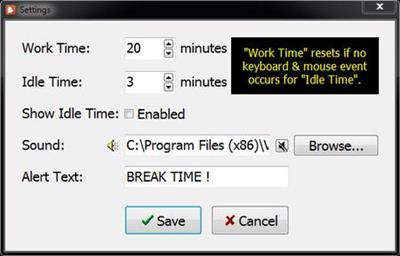
Take a break reminder software for long-time computer users. We all work too much. Many don't realize how important it is to step away from the monitor and take a break. This isn't just for your physical health, but your mental health.

Operating System: Windows 10/8.1/8/7/Vista/XP

Home Page -
У Вас недостаточно прав для просмотра ссылок. Войдите или зарегистрируйтесь.


Download link:​
Код:
[center][b]rapidgator_net[/b]:
https://rapidgator.net/file/093d38249b891a1dd1b2590db721cc32/457ur.VovSoft.Health.Break.4.7.rar.html

[b]nitroflare_com[/b]:
https://nitroflare.com/view/7D53D86D4082E80/457ur.VovSoft.Health.Break.4.7.rar

[b]uploadgig_com[/b]:
http://uploadgig.com/file/download/ae6Ee015Bb25fdc0/457ur.VovSoft.Health.Break.4.7.rar[/center]

Links are Interchangeable - No Password - Single Extraction​
 
YoupiPaint 1.4.2

6a128d1df60ee78b5432977cc28f0baf.jpg


YoupiPaint 1.4.2 | 74.6 Mb​
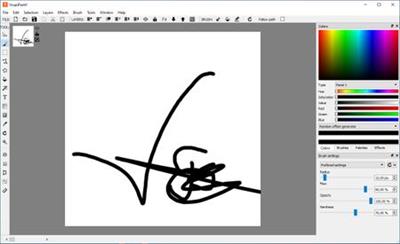
YoupiPaint from modelersoft is a painting tool designed to produce quality designs with a realistic rendering on your computer. Particular care has been taken to ensure that the software remains effective in all circumstances. The ease of use of the application is our main concern for you to focus on your drawing rather than on the program. Using YoupiPaint, you will have the same sensations and the same pleasure as when you draw on a real canvas.

Drawing surface
You have a large surface that can, if you wish, extend automatically according to your needs. The surface can be zoomed, moved, rotated. Even with very large surface sizes, these operations remain very efficient. You can add as many layers as you want, change the order or change opacity. You can also change the appearance of your drawing by applying filters: color, tint, contrast, brightness and a host of other effects.

Brushes
While many brushes are available in YoupiPaint, it is possible to create new brushes to your specific work. The huge number of settings allows you to modulate the characteristics of brushes: opacity, pressure sensitivity, diameter, hardness and many other parameters. And if the standard brush engine doesn't fit to your needs, you can develop your own brush engines with the development tool integrated in YoupiPaint.

Tools
Many tools make drawing operations easy: predefined shapes, selection tools, filling tools, text path, perspective drawing and many others.

Colors
A panel rich of functionalities allows you to quickly select your colors directly on a pallet. If you wish, you can create your own swatches. For each chosen color, complementary colors are proposed and you can also use gradient palettes.

Formats
In addition to saving files to YoupiPaint format, you can export the drawing to the size of your desire in a variety of formats: Most image formats are supported. Also you can incorporate images by simply copy /paste or with an import operation.

System Requirements:
Windows Vista, Windows 7, Windows 8, Windows 8.1, Windows 10
32 or 64bit Windows
Screen resolution 1024 x 768 or higher
4GB RAM minimum, 8GB recommended
OpenGL 3.3 compatible graphics cards
1 GB disk space: YoupiPaint uses a disk cache, the space used depends on the parameters

Home Page -
У Вас недостаточно прав для просмотра ссылок. Войдите или зарегистрируйтесь.


Download link:​
Код:
[center][b]rapidgator_net[/b]:
https://rapidgator.net/file/cdf59974eff4cf885e42acd6646c6d2b/5dl2z.YoupiPaint.1.4.2.rar.html

[b]nitroflare_com[/b]:
https://nitroflare.com/view/5718D4B13E17A1A/5dl2z.YoupiPaint.1.4.2.rar

[b]uploadgig_com[/b]:
http://uploadgig.com/file/download/9CF4e2d3d35d1C28/5dl2z.YoupiPaint.1.4.2.rar[/center]

Links are Interchangeable - No Password - Single Extraction​
 
Zortam Mp3 Media Studio Pro 26.25 Multilingual

ca3f81db0adeacfce314155d4e2300a7.jpg


Zortam Mp3 Media Studio Pro 26.25 Multilingual | 22.3 Mb​
Zortam Mp3 Media Studio is all-in-one Mp3 application that contains Mp3 ID3 Tag Organizer for searching and cataloguing Mp3 files into Mp3 library, editing ID3v1 and ID3v2.4 tags (ID3 Tag Editor-Mp3 Tag Editor), CD Ripper with album cover art/lyric support that uses CDDB (Internet Compact Disc Database) and automatically writes ID3v1 and ID3v2.4 tags.

CD Ripper downloads album cover arts and lyrics from the interenet as you rip your CD (CD Ripper with lyric/cover art support), Mp3 Normalizer with custom volume level allows normalization of your Mp3's (Batch Mp3 Normalizer), search for song lyric from the internet (Batch Lyric Finder), search for album cover (album) arts (pictures) from the internet (Batch Cover Finder), batch lyrics and cover art finder from the internet (Batch Lyric-Cover Finder).

Create lyric book in html format (cover pictures are included) from ID3v2 tags (Lyric Book), convert Wav to Mp3 files and Mp3 to Wav files (Wav/Mp3 Converter), manage M3u playlists (Playlist Manager), rename files using ID3 tags (Mp3 Renamer), search for duplicate Mp3 files, (Search Duplicate Mp3's). Play Mp3's using your favorite Mp3 player, add karaoke (Kar) and midi (Mid) files directly to ID3 tag (Karaoke Manager), and keep them together in Mp3 file and play either Mp3 or Kar file from the single Mp3 file.

Zortam Mp3 Media Studio gives you:

- Auto tag your Mp3 music collection using the Zortam Music Internet Database (ZMLIMD)
- Mp3 Tagger and MP3 Manager
- Zortam Mp3 Player with cover arts and lyrics support
- Organize Mp3 music and edit tags in your audio library with a powerful interface
- ID3 Tag Editor (Mp3 Tagger) with separate views for ID3v1 and ID3v2.4 Tags
- Download song lyric and download cover arts (Album covers) from the Zortam Music Interent Database using batch processing - iPod and iTunes ready
- Normalize your Mp3's with Volume Normalizer and set custom volume in dB
- Rip your CD with CD Ripper and tag your songs in one single step with cover arts(artworks) and lyrics
- Batch Wav to Mp3 converter and vice versa
- Burn Audio or Mp3 CD
- Print HTML Lyrics book width cover arts
- Powerful drag & drop playlist manager
- Write ID3 Tags from filename
- Delete ID3 Tags, delete cover arts, delete lyrics (ID3 Tag Remover)
- Search for duplicate Mp3's
- Batch file rename using information from ID3 tags(Mp3 Renamer)
- Write ID3 tags using information from filename
- Add karaoke and midi files directly to ID3 tags
- All options are supporting batch processing
- Use mp3 tag lookup using Zortam Music Internet Database for auto tagging
- Plus match more ...

Operating System: Windows 7, 8/8.1, 10

Home Page -
У Вас недостаточно прав для просмотра ссылок. Войдите или зарегистрируйтесь.


Download link:​
Код:
[center][b]rapidgator_net[/b]:
https://rapidgator.net/file/7d97c33c3830c9250e11f08fca93ceda/8ay6o.Zortam.Mp3.Media.Studio.Pro.26.25.Multilingual.rar.html

[b]nitroflare_com[/b]:
https://nitroflare.com/view/A14D41C9CA1C267/8ay6o.Zortam.Mp3.Media.Studio.Pro.26.25.Multilingual.rar

[b]uploadgig_com[/b]:
http://uploadgig.com/file/download/Df1F92ea9a9c1B8f/8ay6o.Zortam.Mp3.Media.Studio.Pro.26.25.Multilingual.rar[/center]

Links are Interchangeable - No Password - Single Extraction​
 
Boxy SVG 3.35 macOS

3f5f3cd1f7be4f55c72bd8d34737bcc4.jpg


Boxy SVG 3.35 | macOS | 70 mb​
Boxy SVG project goal is to create the best SVG editor for non-technical users as well as for professional designers and developers.

SVG is the standard format for storing vector graphics such as icons, banners, charts and illustrations.

CORE FEATURES

* Clean and intuitive UI heavily inspired by Inkscape, Sketch and Adobe Illustrator
* Extensive support for on-canvas editing of object geometry, transform, paint and other properties
* Save to SVG and SVGZ formats, export to PNG, JPG, WebP, PDF and HTML5
* Open Clip Art Library integration with thousands of free stock vector arts
* Google Fonts integration with hundreds of free fonts
* Configurable keyboard shortcuts for over 100 commands
* Manual guides, smart guides and grid
* Path operations (unite, intersect, subtract, exclude, close, reverse, etc.)
* Arrangement operations (align to, rotate, flip, order, group, etc.)

FOR WEB DEVELOPERS

* Chromium-based rendering engine
* SVG and CSS code inspector similar to Chrome Dev Tools
* Clean SVG output that preserves IDs, classes, titles and other metadata
* SVG sprites editing support

Compatibility: OS X 10.9 or later 64-bit
Mac App Store:
У Вас недостаточно прав для просмотра ссылок. Войдите или зарегистрируйтесь.


Download link:​
Код:
[center][b]rapidgator_net[/b]:
https://rapidgator.net/file/1c5ca174c248c154eaa40f81ae6ed2a0/0lxze.Boxy.SVG.3.35.macOS.rar.html

[b]nitroflare_com[/b]:
https://nitroflare.com/view/BC44D609D458554/0lxze.Boxy.SVG.3.35.macOS.rar

[b]uploadgig_com[/b]:
http://uploadgig.com/file/download/e8555402d397cB98/0lxze.Boxy.SVG.3.35.macOS.rar[/center]

Links are Interchangeable - No Password - Single Extraction​
 
Назад
Сверху