• Форум работает в архивном режиме www.old.nado.in

All mitsumi'1s Applications !! (updated daily)

  • Автор темы Автор темы mitsumi1
  • Дата начала Дата начала
FileZilla Pro 3.47.2.1 Multilingual

c09f7452aa218280144310b5c3246af3.jpg


FileZilla Pro 3.47.2.1 Multilingual | 17.4 Mb​
FileZilla Pro transfers files seamlessly between your machine and remote servers, using either FTP/S, SFTP, Amazon S3, Backblaze B2, Box, Dropbox, Google Cloud, Google Drive, Microsoft Azure, Microsoft OneDrive, Microsoft OneDrive for Business, Microsoft SharePoint, OpenStack Swift and WebDAV.

FileZilla Pro manages all of your transfers no matter how many files are in your source directory, it is heavily optimized for speed and you can also adjust the pace of your transfers at will.

FileZilla Pro Features:

General UI
FileZilla Pro comes with an intuitive tabbed user interface and is available in more than 50 languages.
You can use the Site Manager to organize your sites and bookmarks.
Your credentials are are stored securely, protected by strong cryptography.
- Intuitive tabbed user interface
- Available in many languages
- Powerful Site Manager
- Bookmarks

Navigating files
Use powerful tools to quickly and easily navigate the server and locate your files: Directory listing filters hide irrelevant files from view.
Compare local and remote directories and highlight the difference.
Change both local and remote directories in lockstep. Or just use the the search dialog to find your files.
- Filename filters
- Directory comparison
- Synchronized directory browsing
- Remote file search

Transferring
The transfer queue lets you manage your transfers, even if you queue millions of files.
The size of your files does not matter, FileZilla Pro knows no size limit.
Use the context menu to queue files or use drag & drop, not just within FileZilla, but also to/from Windows Explorer.
You can also directly transfer and open remote files in your favorite editor.
Configurable speed limits let you throttle FileZilla Pro if you need bandwidth for other purposes.
- Drag & drop support
- Remote file editing
- Configurable transfer speed limits
- Powerful transfer queue
- Supports resume and transfer of large files >4GB

Technical:
FileZilla Pro runs on Windows and macOS.
Supports FTP, FTP over SSL/TLS (FTPS), SSH File Transfer Protocol (SFTP), Amazon S3, Backblaze B2, Dropbox, Google Cloud Storage, Google Drive, Microsoft Azure, Microsoft OneDrive, Microsoft OneDrive for Business, Microsoft SharePoint, OpenStack Swift and WebDAV.
FileZilla Pro is ready for the Internet of the future with complete IPv6 support.
Compatible with HTTP/1.1, SOCKS5 and FTP proxies.
The network configuration wizard guides you through configuring not just FileZilla Pro but also any firewall or NAT router you are using.
Cross-platform. Runs on Windows, Mac OS X
Supports FTP, FTP over SSL/TLS (FTPS), SSH File Transfer Protocol (SFTP), Amazon S3, Google Cloud Storage, Microsoft Azure, OpenStack Swift and WebDAV.
Network configuration wizard
IPv6 support
Keep-alive
HTTP/1.1, SOCKS5 and FTP-Proxy support
Logging to file

Home Page -
У Вас недостаточно прав для просмотра ссылок. Войдите или зарегистрируйтесь.


Download link:​
Код:
[center][b]rapidgator_net[/b]:
https://rapidgator.net/file/a5f6ebf9da6dfe33fff0aa09184a2453/qrt9q.FileZilla.Pro.3.47.2.1.Multilingual.rar.html

[b]nitroflare_com[/b]:
https://nitroflare.com/view/07E1B75DDD409E8/qrt9q.FileZilla.Pro.3.47.2.1.Multilingual.rar

[b]uploadgig_com[/b]:
http://uploadgig.com/file/download/16bEC7B044d97876/qrt9q.FileZilla.Pro.3.47.2.1.Multilingual.rar[/center]

Links are Interchangeable - No Password - Single Extraction​
 
Sound Studio 4.9.6 Multilingual macOS

ac81013cc07ed1e67342ca52739fe43c.jpg


Sound Studio 4.9.6 Multilingual | macOS | 18 mb​
Sound Studio lets you easily record and professionally edit audio on your Mac. Easily rip vinyls and digitize cassette tapes, or record lectures and voice memos. Prepare for live shows with live effect processing and level tweaking, then record it all with performance recording capabilities.

Any audio project, completed with ease
- Expansive compatibility. Record your work as an MP3 or AAC M4A file. Edit and export audio in several formats including AIFF and WAV.
- Creative effects. Layer several effects like delay, reverb, chorus, or flanger filters, then tweak levels or EQ settings.
- Multi-track support. Record live audio alongside multiple tracks of studio-added sounds.

Compatibility: OS X 10.8 or later 64bit
Homepage:
У Вас недостаточно прав для просмотра ссылок. Войдите или зарегистрируйтесь.


Download link:​
Код:
[center][b]rapidgator_net[/b]:
https://rapidgator.net/file/8d15d292c367e72349f6fd0f93f65c73/33o95.Sound.Studio.4.9.6.rar.html

[b]nitroflare_com[/b]:
https://nitroflare.com/view/F81DC817F8FA9D9/33o95.Sound.Studio.4.9.6.rar

[b]uploadgig_com[/b]:
http://uploadgig.com/file/download/dA091b0dc8654C5d/33o95.Sound.Studio.4.9.6.rar[/center]

Links are Interchangeable - No Password - Single Extraction​
 
Artlantis 2020 v9.0.2.21736 (x64) Multilingual Portable

b240618c5f481b4919e84e8d2f714631.jpg


Artlantis 2020 v9.0.2.21736 (x64) Multilingual Portable | 199.3 MB​
Artlantis 2020 - 3D Rendering Software. A pioneer in architectural visualization and compatible with all the 3D modeling software on the market, Artlantis is the easiest and fastest solution for creating photorealistic renderings and animations.

Artlantis 2020 - Main Features:

Interface
Designed with an extremely clear and ergonomic interface, Artlantis is both easy and comfortable to learn and use. At all times, the necessary tools are at hand near the real-time preview window, which allows you to see the results of each adjustment.

Simplicity
You don't have to be skilled in computer graphics - learning and using Artlantis is easy and very fast. Artlantis is used by experts, advanced users and beginners alike to simulate, present and communicate their projects, by producing both high quality still images and animations with striking photo-realism in record time!

Real time preview
The reputation and success of Artlantis are based primarily on its founding concept: a preview of the scene allowing users continuous control of each change. Right from opening a 3D scene, navigating, changing shaders and objects, lights or 3D environment - all are immediately visible in the preview window.

Speed
The speed of displaying the scene, navigating, space positioning or light dispersion - in the preview and in the final rendering - is exceptional. While the Global Illumination, which assures the realism of scenes, is known to take a lot of calculation time, Artlantis is the only rendering software on the market to provide an efficient quality / time ratio. A "draft" mode allows a fast display of the preview during the preparation phases.

2D window
In addition to the 3D preview, Artlantis has a 2D window for positioning cameras or sequences, making it easy to set up a panorama path to explore the project.

Viewpoints
Define and save as many views as you want: in perspective, in parallel view, in insertion or panorama, each with its own light settings.

Depth of field
Just as a photographer chooses an apperture, in Artlantis, you can set the depth of field, the ISO and the shutter speed for as many views as you want. Whether you focus on an object, on a specifc point in space or infinity, you can easily set the blur with the help of a slider.

Parallel views
Parallel views (projections and cuts) can be set in the dedicated inspector, based on the type of projection (elevation, axonometry, top view), camera positioning, view width, or the definition of the cutting planes ... A control bar allows you to edit the main settings of the project in its environment.

Perspectives and verticals
Each point of view has its own infinite ground, level, materials and background or foreground images easy to manipulate, resize or even adjust the edges in the preview. Artlantis has a vertical function that makes a perspective mode particularly interesting for high-rise projects.

Shaders & Textures
With a simple drag and drop from the catalog onto a surface from a scene, you can instantly dress the surface with the designated material and set its attributes like color, tint, opacity, reflection and diffraction, orientation and pattern scale, etc. For more realism, you can fine tune the settings and change the outlook of the surface by modifying the reflectiveness, or shininess, or bump ...

Objects and 3D Characters
For scenerys of stricking reality reflecing the abundance of life, Artlantis offers a amazing object manager. You can manipulate objects in 3D or in 2D, and relate their behaviors to the scene specificity by controling their hierarchy, anchor, and season. Or, you can olso set their characteristics like being always vertical to the floor like a floor lamp for example, while a wall lamp has to hung perpendicularly to the wall.

MediaStore
Thousands of additional media are available for purchase in Medias Store directly accessible from inside of Artlantis. It laso a Media Converter for media belonging to the previous versions."

3D vegetation
Plants, grass, lawn and 3D trees are simple objects, to be aplyed with drag and drop.
In addition, they possess the astonishing peculiarity of adapting the density and the tint of their foliage to the season.
Artlantis offers a placement tool spécific to objects featuring vegetation. It allows to place objects individually by drag-and-drop or by zone.

Postcards
A Postcard is a snapshot of a scene saving all settings assigned to materials (colors, shaders and textures) for later usage or shareing. Similar to shaders, objects or images, the Postcards are also considered as media.

Integrated media catalog
Artlantis owes its fame to its rich and easy-to-use catalog: more than 1000 media are organized in an intuitive maner to be explored in your 3D scenes directly.

Site insertion
Essential tool permitting to simulate a building project in its future site for building permits, a feature unique to Artlantis. Its sequenced inspector leads you step by step through the space recognition settings immediately displayed in preview. The process is simple and fluid. You can even asign transparency to the foreground images directly. Once the insertion finished, the final project is revealed in the preview window in a record time.

White model
This type of rendering allows you to automatically transform all surfaces of a scene - except for the transparent ones - into white material to better appreciate the project volumes. As for the lights, they maintain their colors to create very elaborate atmospheres.

White balance
White balance allows you to adjust the color cast of an image, automatically, from the chosen reference color.

Ambient occlusion
Ambient occlusion creates shadows in the indoor and outdoor scenes, which gives scenes more depth and relief and therefore, more realism.

Pre-defined settings
Choose from several pre-recorded modes (indoor, outdoor, low light) and different definitions (speed, medium, quality), to quickly obtain an optimal result!

Adaptive antialiasing
Artlantis intelligent antialiasing adapts to the areas to be treated to improve image quality by reducing the effect of noise and aliasing contours.

Post-Processing
Apply different effects to the current view and set the brightness, contrast, and color of a rendering. Save time and add effects, like grain, paint or pastel; highlight contours directly in Artlantis.

Artlantis 2020 - New Features:

RAL Colors
Artlantis 2020 offers 243 codified colors and tints from Ral Effect, RAL Design and RAL Classic color chart, which are the defining paint standards in the world of architecture and building construction.

Denoiser tool
Decrease, or even cancel, the noise from your renderings, typically produced by the reflection from shaders. Want a little noise in your image? Decide for yourself to activate this option or not. The Denoiser tool analyzes the image's pixels and reduces the noise.

3D Grass
The integrated Media catalog offers 4 new grass types and 6 updated types of 3D grass enhanced with new settings: adjust the color of the grass tufts, apply density variations - the size is automatically calculated zone by zone."

Portals tool
Portals: a new optimization setting for managing light in Artlantis. When using low settings for a fast calculation of your renders, this option improves the lighting of your indoor scenes and removes the noise from the image.

Recommended Configuration:
- Intel® Core i7, 4+ Core
- RAM: 16 GB
- System: Windows 10 (64 bits)
- Graphic Card: 2 GB managing OpenGL *
- Display: 1920 x 1080 pixels
* Graphic chipsets are not supported

Home Page -
У Вас недостаточно прав для просмотра ссылок. Войдите или зарегистрируйтесь.


Download link:​
Код:
[center][b]rapidgator_net[/b]:
https://rapidgator.net/file/c173b007b112bfda03f401d187145f22/yu5v2.Artlantis.2020.v9.0.2.21736.Portable.rar.html

[b]nitroflare_com[/b]:
https://nitroflare.com/view/BD5CEBC56BF2F0A/yu5v2.Artlantis.2020.v9.0.2.21736.Portable.rar

[b]uploadgig_com[/b]:
http://uploadgig.com/file/download/604842f54ce60c3d/yu5v2.Artlantis.2020.v9.0.2.21736.Portable.rar[/center]

Links are Interchangeable - No Password - Single Extraction​
 
Autodesk EAGLE Premium 9.6.0 (x64)

e9a81e604b20521886c4420b4bfe5ad2.jpg


Autodesk EAGLE Premium 9.6.0 (x64) | 140 MB​
PCB design made easy. Make anything with EAGLE PCB design software. Powerful, easy-to-use tools for every engineer. Speed through complex board layouts with modern PCB routing tools. Quickly reuse subcircuits that remain synchronized between schematic and PCB. Escape your ball grid arrays (BGA) in seconds, not hours.

What's New in Autodesk EAGLE 8:

PCB layout software for every engineer
Bring your electronic inventions to life with a complete set of PCB layout and schematic editing tools in EAGLE software.

Modular design blocks (New!)
Reuse existing blocks of circuitry in a snap.

Multisheet schematics
Keep designs of any size organized and in order.

Electrical rule checking
Have confidence in your schematic design.

Real-time design synchronization
Stay in-sync between schematic and PCB layout.

Easy-to-use schematic editor
Transform your ideas into reality with intuitive schematic capture.

New routing engine (New!)
Design beautiful PCB layouts fast.

BGA fanout (New!)
Escape from your BGA in seconds.

Simplified selection and editing (New!)
Select, group, and edit your design, your way.

Assembly variants
Make one design and assemble many with variants.

High-speed design
Design with the latest technologies, including DDR4, PCI Express, or USB-C.

Design rule checking
Ensure your boards are ready to build.

Powerful PCB layout
Bring your design to life with intuitive PCB layout tools.

3D models
Unite your PCB and enclosure together.

Complete components
The one-stop shop for reviewing your component needs.

Manufacturable parts
Reduce worries about parts availability.

Accessible library content
Thousands of ready-to-use part libraries.

One-click make
Generate your CAM outputs with a single click.

One-click MCAD
Fast track your designs to your mechanical tool.

User Language Programs (ULPs)
Improve your design tool process.

EAGLE Premium
Includes 999 schematic sheets, 16 signal layers, and unlimited board areas.

System Requirements:
- Microsoft® Windows® 7 or newer is required.
- EAGLE 64-bit requires a 64-bit operating system.

Home Page -
У Вас недостаточно прав для просмотра ссылок. Войдите или зарегистрируйтесь.


Download link:​
Код:
[center][b]rapidgator_net[/b]:
https://rapidgator.net/file/176afc11f69795efaa21be952091a2cd/bj0zh.Autodesk.EAGLE.Premium.9.6.0.rar.html

[b]nitroflare_com[/b]:
https://nitroflare.com/view/F0B05D7ADFFF40B/bj0zh.Autodesk.EAGLE.Premium.9.6.0.rar

[b]uploadgig_com[/b]:
http://uploadgig.com/file/download/742acE871E37c5Dc/bj0zh.Autodesk.EAGLE.Premium.9.6.0.rar[/center]

Links are Interchangeable - No Password - Single Extraction​
 
1CLICK DVD Converter 3.2.0.2

5c134287c3cad4fada8da34f41acaa17.jpg


1CLICK DVD Converter 3.2.0.2 | 14.6 Mb​
Use 1CLICK DVD Converter to convert your episode and movie DVDs into media files. You can select a custom profile for the following devices: Acer Tablet (All Versions); Amazon - Kindle (All Versions); Apple - iPod, Nano, Touch, iPhone and iPad; Apple TV; Archos - 705,704,605,604,504,405,404; Asus Tablet (All Versions); Barnes and Nobel - Nook (All Versions); BlackBerry Playbook - (All Versions); Creative Labs - Zen Vision; Generic DivX; Google Nexus - Tablets and Phones; Microsoft Windows - Tablets and Phones; Microsoft XBox (All Versions); Microsoft - Zune (MPEG-4); Samsung Galaxy - Tablets and Phones; Sony - PSP; Sony Tablet (All Versions).

You can convert all your favorite DVDs with just one click. Unlike other software with complex settings and multiple steps, 1CLICK DVD Converter is easy to use. Movie and episode detection is automatic and doesn't require you to preview or try and guess which files to include. Just click the Start button and return to find your DVD converted.

Even though it's easy to use, there are advanced features for those who want more control. A preview window shows you exactly how the converted video will appear on your portable device. There are options to set zoom, resolution and video quality. Switching between mobile devices is as simple as one click. You can even convert a DVD to DivX compatible format which is compatible with streaming video players and media centers.

Key Features
Windows 10 Compatible.
CPRx technology for converting newer DVD movies.
Supports the most popular video players.
Automatically selects the movie and adjusts the settings for best results.
Automatically converts episodes to a single file per episode.
Blazing fast encoding - 3X faster than other types of encoders.
Multi-threaded encoding supports multi-core processors.
Supports zoom for wide-screen to full-screen conversion.
Video preview shows you exactly what the video will look like.
Quality slider makes quality and file size adjustments easy.
Supports both NTSC and PAL DVD movies.
Convert DVDs movies to DivX compatible video files.
Supports subtitle language selection.

System requirements:
Windows 10, 8, 7, Vista, or XP
A DVD reader
One or more of the following mobile video devices: Acer Tablet (All Versions), Amazon - Kindle (All Versions), Apple - iPod, Nano, Touch, iPhone and iPad, Apple TV, Archos - 705,704,605,604,504,405,404, Asus Tablet (All Versions), Barnes and Nobel - Nook (All Versions), BlackBerry Playbook - (All Versions), Creative Labs - Zen Vision, Generic DivX, Google Nexus - Tablets and Phones, Microsoft Windows - Tablets and Phones, Microsoft XBox (All Versions), Microsoft - Zune (MPEG-4), Samsung Galaxy - Tablets and Phones, Sony - PSP, Sony Tablet (All Versions) or any DivX/MPEG-4 compatible video player.

Home Page -
У Вас недостаточно прав для просмотра ссылок. Войдите или зарегистрируйтесь.


Download link:​
Код:
[center][b]rapidgator_net[/b]:
https://rapidgator.net/file/3be7d85489a6bd74f9f0cb6868b18774/94ltl.1CLICK.DVD.Converter.3.2.0.2.rar.html

[b]nitroflare_com[/b]:
https://nitroflare.com/view/9F41F3879111B5B/94ltl.1CLICK.DVD.Converter.3.2.0.2.rar

[b]uploadgig_com[/b]:
http://uploadgig.com/file/download/0269C594564a23b3/94ltl.1CLICK.DVD.Converter.3.2.0.2.rar[/center]

Links are Interchangeable - No Password - Single Extraction​
 
1CLICK DVD Copy Pro 5.2.0.2 Multilingual

636b00afe82ae39288e9bbbbf8aaae48.jpg


1CLICK DVD Copy Pro 5.2.0.2 Multilingual | 9 Mb​
1CLICK DVD COPY - PRO is a fast, easy-to-use, full featured program for copying DVD movies onto DVD discs. The latest version now incorporates CPRx technology to ensure the highest level of success copying the latest generation of DVD movies. You now have complete control over the final copy. Use the Copy Presets; or the more advanced features to select what content will be copied and how much compression will be used. With 1CLICK DVD COPY - PRO, you can make a perfect copy with just one click.

Key Features
Windows 10 Compatible.
CPRx technology for copying new DVD movies.
Copy Presets - One click preset for each type of DVD copy.
Preview the movie, extras and menus.
Include or exclude movie and menus based on preview.
Select individual audio, video, and subtitles streams.
Control the amount of video compression used.
Make additional backup copies without re-copying the DVD.
Copy Episodic DVD Movies, TV Series, etc.
Copy a movie to your hard drive - great for laptops.
Supports copying of Multi-Channel Audio (Dolby Digital 5.1, DTS).
Supports both NTSC and PAL DVD movies.
Supports Dual Layer media.

System requirements:
Windows 10, 8, 7, Vista, or XP
Up to 9 GB available hard disc space for DVD images and temporary DVD files
DVD reader (DVD writer required for burning DVDs)

Home Page -
У Вас недостаточно прав для просмотра ссылок. Войдите или зарегистрируйтесь.


Download link:​
Код:
[center][b]rapidgator_net[/b]:
https://rapidgator.net/file/a9f1eef391eaf733ba01a34b2657af65/neyn3.1CLICK.DVD.Copy.Pro.5.2.0.2.Multilingual.rar.html

[b]nitroflare_com[/b]:
https://nitroflare.com/view/6CBD19F74B75CE9/neyn3.1CLICK.DVD.Copy.Pro.5.2.0.2.Multilingual.rar

[b]uploadgig_com[/b]:
http://uploadgig.com/file/download/216AeE7f7e9ce86c/neyn3.1CLICK.DVD.Copy.Pro.5.2.0.2.Multilingual.rar[/center]

Links are Interchangeable - No Password - Single Extraction​
 
basICColor display 6.0.4 Build 2595

3852ce790a63962e4821749b2a83a785.jpg


basICColor display 6.0.4 Build 2595 Multilingual | 60 Mb​
The 6th generation of the leading application for monitor calibration and ICC-profiling has been drastically improved in ease of use and functionality. Pre-defined workflows can be used with a mouse-click right from the start. This covers for most situations for which a monitor calibration is needed. Parameters for special requirements can be configured with the built-in workflow editor. This makes basICColor display the easiest to use and most professional software of its class.

Hardware Calibration
basICColor display 6 calibrates the internal monitor LUTs in suited monitors automatically. This guarantees for the highest precision in luminance, black point, color temperatureand gray balance. If the monitor allows for 3D LUT calibration basICColor display 6 uses ICC-profiles to emulate any gamut and thus allows for color correct viewing even with non-color-managed applications like digital video, web design and even medical viewers.

Monitor Validation
After each calibration basICColor display 6 automatically validates the monitor. This helps avoid measurement erros (due to sleep mode or screen savers).

High End Monitor Calibration and Profiling Software
The new basICColor Control Panel lets you select the different profiles you had built and it will load the respective hardware LUTs without the necessity to launch the program. If required, basICColor display 6 can be started right from the Control Panel. You can set arbitrary times for reminding you of the necessity for validation or re-calibration.

Viewing Light Calibration
basICColor display 6 checks ambient light and viewing booths for conformity with the relevant standards. Compatible viewing booths can be controlled automatically in order to achieve the same luminance as the calibrated monitor. Result: Softproof and hardcopy proof look identical!

basICColor display Functions:
- Calibration and ICC Profiling software for computer displays (CRT, LCD, Laptop) and projectors
- Fully automated calibration and LUT creation for supported displays
- Linear L*, Gamma, sRGB, CIECAM02, HDTV, NTSC, REC 709, PAL/SECAM, DICOM and CIE LUT tonal response curves
- User selectable white point, black point, and contrast ratio
- Support for all popular measurement instruments:
Colorimeter: basICColor DISCUS, basICColor SQUID, basICColor SQUID 2, basICColor SQUID 2 WG, basICColor SQUID 3, datacolor Spyder 2, datacolor Spyder 3, datacolor Spyder 4, datacolor Spyder 5, EIZO Swing, Monaco OPTIX XR, NEC SpectraSensor Pro, X-Rite DTP 94 USB, X-Rite Eye-One display, X-Rite Eye-One display 2, X-Rite Eye-One display 2 WG, X-Rite Eye-One display LT, X-Rite i1Display Pro
Spectrophotometer: GL optic mini-spectrometer (Windows only), Instrument Systems CAS 140CT (Windows only), Konica Minolta FD-7/5, X-Rite Eye-One Pro, X-Rite Eye-One Monitor, X-Rite i1Pro 2, X-Rite ColorMunki
Display Color Analyzer: Konica Minolta Display Color Analyzer CA-210
- Validation of the calibration, with analysis results (graphical and numerical)
- Measurement and reporting of ambient light and viewing booths, according to ISO 3664 und ISO 12646 (requires suited measurement device)
- Supports calibration and profiling of single and multiple displays.

System Requirements:
- Windows 7 and higher (32 and 64 Bit)
- Intel® Pentium 4-Prozessor
- 512MB RAM, 100MB Available Disk Space, minimum
- Graphic Card Supporting 1280x1024 Pixel and 24 Bit Color Depth

Home Page -
У Вас недостаточно прав для просмотра ссылок. Войдите или зарегистрируйтесь.


Download link:​
Код:
[center][b]rapidgator_net[/b]:
https://rapidgator.net/file/5a5db735ec68b680c9d349ed23cdec07/8ndk9.basICColor.display.6.0.4.Build.2595.rar.html

[b]nitroflare_com[/b]:
https://nitroflare.com/view/A2EA8EE0593C474/8ndk9.basICColor.display.6.0.4.Build.2595.rar

[b]uploadgig_com[/b]:
http://uploadgig.com/file/download/dC9d7de52968b96b/8ndk9.basICColor.display.6.0.4.Build.2595.rar[/center]

Links are Interchangeable - No Password - Single Extraction​
 
Batch CHM to DOC Converter 2020.12.311.2809

49dad8b58cf7d9f81f8aad061feef3e1.jpg


Batch CHM to DOC Converter 2020.12.311.2809 | 1.90 Mb​
Batch CHM TO DOC Converter is a CHM to Word Doocument Batch Converter that can convert HTML Help to Word DOC and DOCX easily. Batch CHM TO DOC Converter supports powerful search for a lot of files. A Compressed HTML Help converter for Windows.

Batch CHM TO DOC Converter supports project and command line. Batch CHM TO DOC Converter has a friendly GUI so it is used very easily. Batch CHM TO Word DOC Converter Drag and Explorer Context supported.

Batch CHM TO DOC Converter supports an efficient Multi-Thread conversion engine. So you could control the conversion action very easily. You can stop or pause and continue it in any time.

You can save your conversion work in a project file (.batch-chm2doc) for re-use. You can run the batch-chm2doc project in Microsoft Windows Explorer or command line directly.

The main features of Batch CHM to Word Converter:
Convert Compiled HTML Help (CHM) to Word DOC easily.
Batch convert CHM to DOC with GUI that supports powerful search function.
Supports convert a chm file.
Supports convert chm helps in a folder.
Drag and context menu with Microsoft Explorer supported.
Supports batch project and command line.
An efficient high-speed Multi-Thread conversion engine.

System Requirements:
Intel x86/x64, Microsoft Windows XP/Vista/Win7/Win8/WinServer 2000-2012, Microsoft Word 2000-2013

Home Page -
У Вас недостаточно прав для просмотра ссылок. Войдите или зарегистрируйтесь.


Language: English

Download link:​
Код:
[center][b]rapidgator_net[/b]:
https://rapidgator.net/file/57eaef0fc8309b15b6bcaa25637628ba/yx42c.Batch.CHM.to.DOC.Converter.2020.12.311.2809.rar.html

[b]nitroflare_com[/b]:
https://nitroflare.com/view/35A3350AF91100E/yx42c.Batch.CHM.to.DOC.Converter.2020.12.311.2809.rar

[b]uploadgig_com[/b]:
http://uploadgig.com/file/download/C18a43Df14b317f9/yx42c.Batch.CHM.to.DOC.Converter.2020.12.311.2809.rar[/center]

Links are Interchangeable - No Password - Single Extraction​
 
Batch CHM to PDF Converter 2020.12.311.1950

a8a809c58209ea479f0739fc01e09115.jpg


Batch CHM to PDF Converter 2020.12.311.1950 | 1.74 Mb​
Batch CHM TO PDF Converter is a CHM to PDF Doocument Batch Converter that can convert HTML Help to PDF document and file easily. Batch CHM TO PDF Converter supports powerful search for a lot of files. A Compressed HTML Help converter for Windows.

Batch CHM TO PDF Converter supports project and command line. Batch CHM TO PDF Converter has a friendly GUI so it is used very easily. Batch CHM TO PDF Converter Drag and Explorer Context supported.

Batch CHM TO PDF Converter supports an efficient Multi-Thread conversion engine. So you could control the conversion action very easily. You can stop or pause and continue it in any time.

You can save your conversion work in a project file (.batch-chm2pdf) for re-use. You can run the batch-chm2pdf project in Microsoft Windows Explorer or command line directly.

The main features of Batch CHM to PDF Converter:
Convert Compiled HTML Help (CHM) to PDF file easily.
Batch convert CHM to PDF with GUI that supports powerful search function.
Supports convert a chm file.
Supports convert chm helps in a folder.
Drag and context menu with Microsoft Explorer supported.
Supports batch project and command line.
An efficient high-speed Multi-Thread conversion engine.

System Requirements:
Intel x86/x64, Microsoft Windows XP/Vista/Win7/Win8/WinServer 2000-2012, Microsoft Word 2000-2013

Home Page -
У Вас недостаточно прав для просмотра ссылок. Войдите или зарегистрируйтесь.


Language: English

Download link:​
Код:
[center][b]rapidgator_net[/b]:
https://rapidgator.net/file/bf5f0763e726eaf6e75dbb792e8b5f41/5r4g9.Batch.CHM.to.PDF.Converter.2020.12.311.1950.rar.html

[b]nitroflare_com[/b]:
https://nitroflare.com/view/130E02102843C06/5r4g9.Batch.CHM.to.PDF.Converter.2020.12.311.1950.rar

[b]uploadgig_com[/b]:
http://uploadgig.com/file/download/7e80032BD4d63772/5r4g9.Batch.CHM.to.PDF.Converter.2020.12.311.1950.rar[/center]

Links are Interchangeable - No Password - Single Extraction​
 
Batch DOC TO HTM Converter 2020.12.311.1822

b85b214eeeca8ef59e681c9847dd426c.jpg


Batch DOC TO HTM Converter 2020.12.311.1822 | 1.55 Mb​
Batch DOC to HTM Converter is a Word to HTM, DOC/DOCX to HTM Batch Converter that can convert Word DOC/DOCX to HTML easily. Batch DOC TO HTM Converter supports powerful search for a lot of files. A HTM publisher for Word.

Batch DOC TO HTM Converter supports project and command line. Batch DOC TO HTM Converter has a friendly GUI so it is used very easily. Batch DOC TO HTM Converter Drag and Explorer Context supported.

Batch DOC TO HTM Converter supports an efficient Multi-Thread conversion engine. So you could control the conversion action very easily. You can stop or pause and continue it in any time.

You can save your conversion work in a project file (.batch-doc2htm) for re-use. You can run the batch-doc2htm project in Microsoft Windows Explorer or command line directly.

The main features of Batch Word to HTML Converter:
Convert Word DOC/DOCX to HTML easily.
Batch convert DOC to HTM with GUI that supports powerful search function.
Supports convert a doc/docx file.
Supports convert doc/docx files in a folder.
Drag and context menu with Microsoft Explorer supported.
Supports batch project and command line.
An efficient high-speed Multi-Thread conversion engine.

System Requirements:
Intel x86/x64, Microsoft Windows XP/Vista/Win7/Win8/Win10/WinServer 2000-2012, Microsoft Word 2000-2013

Home Page -
У Вас недостаточно прав для просмотра ссылок. Войдите или зарегистрируйтесь.


Language: English

Download link:​
Код:
[center][b]rapidgator_net[/b]:
https://rapidgator.net/file/14b919e846f9c651bf69c3929f75f62c/ss3f4.Batch.DOC.TO.HTM.Converter.2020.12.311.1822.rar.html

[b]nitroflare_com[/b]:
https://nitroflare.com/view/503644A7C255247/ss3f4.Batch.DOC.TO.HTM.Converter.2020.12.311.1822.rar

[b]uploadgig_com[/b]:
http://uploadgig.com/file/download/8fc7d1184e9D032c/ss3f4.Batch.DOC.TO.HTM.Converter.2020.12.311.1822.rar[/center]

Links are Interchangeable - No Password - Single Extraction​
 
Batch DOC to PDF Converter 2020.12.311.2176

36db869d5cc5441fc94324865daf4969.jpg


Batch DOC to PDF Converter 2020.12.311.2176 | 1.89 Mb​
Batch DOC TO PDF Converter is a Word to PDF, DOC/DOCX to PDF Batch Converter that can convert Word DOC/DOCX to PDF (Portable Document Format) easily. Batch DOC TO PDF Converter supports powerful search for a lot of files. A PDF publisher for Word.

Batch DOC TO PDF Converter supports project and command line. Batch DOC TO PDF Converter has a friendly GUI so it is used very easily. Batch DOC TO PDF Converter Drag and Explorer Context supported.

Batch DOC TO PDF Converter supports an efficient Multi-Thread conversion engine. So you could control the conversion action very easily. You can stop or pause and continue it in any time.

You can save your conversion work in a project file (.batch-doc2pdf) for re-use. You can run the batch-doc2pdf project in Microsoft Windows Explorer or command line directly.

The main features of Batch Word to PDF Converter:
Convert Word DOC/DOCX to PDF (Portable Document Format) easily.
Batch convert DOC to PDF with GUI that supports powerful search function.
Supports convert a doc/docx file.
Supports convert doc/docx files in a folder.
Drag and context menu with Microsoft Explorer supported.
Supports batch project and command line.
An efficient high-speed Multi-Thread conversion engine.

System Requirements:
Intel x86/x64, Microsoft Windows XP/Vista/Win7/Win8/WinServer 2000-2012, Microsoft Word 2000-2013

Home Page -
У Вас недостаточно прав для просмотра ссылок. Войдите или зарегистрируйтесь.


Language: English

Download link:​
Код:
[center][b]rapidgator_net[/b]:
https://rapidgator.net/file/7ce08a8df1f7787da2cee9ee1b8bba36/d5p33.Batch.DOC.to.PDF.Converter.2020.12.311.2176.rar.html

[b]nitroflare_com[/b]:
https://nitroflare.com/view/27EB677184D04E4/d5p33.Batch.DOC.to.PDF.Converter.2020.12.311.2176.rar

[b]uploadgig_com[/b]:
http://uploadgig.com/file/download/2B3e2dd48C3C135A/d5p33.Batch.DOC.to.PDF.Converter.2020.12.311.2176.rar[/center]

Links are Interchangeable - No Password - Single Extraction​
 
Batch DOC to XLS Converter 2020.12.311.2777

b8fa8f1c325900281f103276df799d7a.jpg


Batch DOC to XLS Converter 2020.12.311.2777 | 1.56 Mb​
Batch DOC TO XLS Converter is a Word to Excel, DOC/DOCX to Excel Batch Converter that can convert Word DOC/DOCX to Excel easily. Batch DOC TO XLS Converter supports powerful search for a lot of files. A Excel convertor for Word.

Batch DOC TO XLS Converter supports project and command line. Batch DOC TO XLS Converter has a friendly GUI so it is used very easily. Batch DOC TO XLS Converter Drag and Explorer Context supported.

Batch DOC TO XLS Converter supports an efficient Multi-Thread conversion engine. So you could control the conversion action very easily. You can stop or pause and continue it in any time.

You can save your conversion work in a project file (.batch-doc2xls) for re-use. You can run the batch-doc2xls project in Microsoft Windows Explorer or command line directly.

The main features of Batch Word to Excel Converter:
Convert Word DOC/DOCX to Excel easily.
Batch convert DOC to XLS with GUI that supports powerful search function.
Supports convert a doc/docx file.
Supports convert doc/docx files in a folder.
Drag and context menu with Microsoft Explorer supported.
Supports batch project and command line.
An efficient high-speed Multi-Thread conversion engine.

System requirements:
Intel x86/x64, Microsoft Windows XP/Vista/Win7/Win8/WinServer 2000-2012, Microsoft Word 2000-2013

Home Page -
У Вас недостаточно прав для просмотра ссылок. Войдите или зарегистрируйтесь.


Language: English

Download link:​
Код:
[center][b]rapidgator_net[/b]:
https://rapidgator.net/file/2a0549328e6627d8fafa9774dc585877/dk6vd.Batch.DOC.to.XLS.Converter.2020.12.311.2777.rar.html

[b]nitroflare_com[/b]:
https://nitroflare.com/view/2E907AE69D9CBD0/dk6vd.Batch.DOC.to.XLS.Converter.2020.12.311.2777.rar

[b]uploadgig_com[/b]:
http://uploadgig.com/file/download/70e081472E60cc1d/dk6vd.Batch.DOC.to.XLS.Converter.2020.12.311.2777.rar[/center]

Links are Interchangeable - No Password - Single Extraction​
 
Batch PPT to PDF Converter 2020.12.311.3142

b9c54b4865e99042140b40f303d7f5ca.jpg


Batch PPT to PDF Converter 2020.12.311.3142 | 1.90 Mb​
Batch PPT TO PDF Converter is a PowerPoint PPT/PPTX to PDF Batch Converter can convert PowerPoint PPT(X) to PDF (Portable Document Format) easily. Batch PPT TO PDF Converter supports powerful search for lots of files. A PDF publisher for PowerPoint.

Batch PPT TO PDF Converter supports project and command line. Batch PPT TO PDF Converter has a friendly GUI so it is used very easily. Batch PPT TO PDF Converter Drag and Explorer Context supported. Batch PPT TO PDF Converter supports an efficient Multi-Thread conversion engine. So you could control the conversion action very easily. You can stop or pause and continue it in any time.

You can save your conversion work in a project file (.batch-ppt2pdf) for re-use. You can run the batch-ppt2pdf project in Microsoft Windows Explorer or command line directly.

The main features of Batch PPT to PDF Converter:
Convert PowerPoint PPT/PPTX to PDF (Portable Document Format) easily.
Batch convert PPT to PDF with GUI that supports powerful search function.
Supports convert a ppt/pptx file.
Supports convert ppt/pptx files in a folder.
Drag and context menu with Microsoft Explorer supported.
Supports batch project and command line.
An efficient high-speed Multi-Thread conversion engine.

System Requirements:
Intel x86/x64, Microsoft Windows XP/Vista/Win7/Win8/WinServer 2000-2012, Microsoft Office 2000-2013

Home Page -
У Вас недостаточно прав для просмотра ссылок. Войдите или зарегистрируйтесь.


Language: English

Download link:​
Код:
[center][b]rapidgator_net[/b]:
https://rapidgator.net/file/6f8e0107556a5c6110d8a407573d3806/358n9.Batch.PPT.to.PDF.Converter.2020.12.311.3142.rar.html

[b]nitroflare_com[/b]:
https://nitroflare.com/view/3B6D576D9FC0561/358n9.Batch.PPT.to.PDF.Converter.2020.12.311.3142.rar

[b]uploadgig_com[/b]:
http://uploadgig.com/file/download/feE824b765Fdcca4/358n9.Batch.PPT.to.PDF.Converter.2020.12.311.3142.rar[/center]

Links are Interchangeable - No Password - Single Extraction​
 
Batch XLS to PDF Converter 2020.12.311.1836

ad9b69826d84badfacb9a4f1109eeb38.jpg


Batch XLS to PDF Converter 2020.12.311.1836 | 1.91 Mb​
Batch XLS TO PDF Converter is a Excel to PDF, XLS/XLSX to PDF Batch Converter that can convert Excel XLS/XLSX to PDF (Portable Document Format) easily. Batch XLS TO PDF Converter supports powerful search for a lot of files. A PDF publisher for Excel.

Batch XLS TO PDF Converter supports project and command line. Batch XLS TO PDF Converter has a friendly GUI so it is used very easily. Batch XLS TO PDF Converter Drag and Explorer Context supported.

Batch XLS TO PDF Converter supports an efficient Multi-Thread conversion engine. So you could control the conversion action very easily. You can stop or pause and continue it in any time.

You can save your conversion work in a project file (.batch-xls2pdf) for re-use. You can run the batch-xls2pdf project in Microsoft Windows Explorer or command line directly.

The main features of Batch Excel to PDF Converter:
Convert Excel XLS/XLSX to PDF (Portable Document Format) easily.
Batch convert XLS to PDF with GUI that supports powerful search function.
Supports convert a xls/xlsx file.
Supports convert xls/xlsx files in a folder.
Drag and context menu with Microsoft Explorer supported.
Supports batch project and command line.
An efficient high-speed Multi-Thread conversion engine.

System Requirements:
Intel x86/x64, Microsoft Windows XP/Vista/Win7/Win8/WinServer 2000-2012, Microsoft Office 2000-2013

Home Page -
У Вас недостаточно прав для просмотра ссылок. Войдите или зарегистрируйтесь.


Language: English

Download link:​
Код:
[center][b]rapidgator_net[/b]:
https://rapidgator.net/file/f0faebbadfeb56a6f5137e50fae593d5/pz15n.Batch.XLS.to.PDF.Converter.2020.12.311.1836.rar.html

[b]nitroflare_com[/b]:
https://nitroflare.com/view/FA4ABC705588A50/pz15n.Batch.XLS.to.PDF.Converter.2020.12.311.1836.rar

[b]uploadgig_com[/b]:
http://uploadgig.com/file/download/D3181b1abC3Afea5/pz15n.Batch.XLS.to.PDF.Converter.2020.12.311.1836.rar[/center]

Links are Interchangeable - No Password - Single Extraction​
 
DMG Canvas 3.0.10 macOS

edb64b0b69fd70c3a3ff379f80893e2d.jpg


DMG Canvas 3.0.10 | macOS | 11 mb​
DMG Canvas helps you manage the content and appearance of disk image files using helpful templates. Choose your files, create your background image using helpful controls, and click "Build". Your disk image will appear in Finder exactly as you designed it.

Disk images, delivered with style
- Simplified design. With DMG Canvas, creating backgrounds is easy. Just drop in images, add customized text, and you're done.
- Maximum compatibility. DMG Canvas creates disk images that work seamlessly on any version of OS X. Say goodbye to compatibility issues.

Compatibility: macOS 10.12 or later 64 bit
Homepage:
У Вас недостаточно прав для просмотра ссылок. Войдите или зарегистрируйтесь.


Download link:​
Код:
[center][b]rapidgator_net[/b]:
https://rapidgator.net/file/083d9d913280a7f989c9736fcf03581a/kzgms.DMG.Canvas.3.0.10.rar.html

[b]nitroflare_com[/b]:
https://nitroflare.com/view/D22316C65E7F23C/kzgms.DMG.Canvas.3.0.10.rar

[b]uploadgig_com[/b]:
http://uploadgig.com/file/download/574662dd160590bD/kzgms.DMG.Canvas.3.0.10.rar[/center]

Links are Interchangeable - No Password - Single Extraction​
 
FilmLight Baselight for Avid Nuke 12.0 v5.2.12941 v5.2.12912 (WinMacLnx)

f4d2848f1c1c56e5171447907a516239.jpg


FilmLight Baselight for Avid / Nuke 12.0 v5.2.12941 / v5.2.12912 (Win/Mac/Lnx) | 1.59 GB (in Total)​
Baselight Editions extends the capabilities of a high-end colour grading system directly onto the Avid timeline in a powerful, flexible, and tightly integrated workflow. This AVX plugin features unlimited layers of colors, grading inside and outside mattes, variable feathering, point tracking and area tracking - all live and fluidly interactive on the Avid timeline, minimising and even eliminating the need to go back into the colour suite with last-minute changes.

If you're not already familiar with Baselight, you'll find the intuitive and friendly interface quick to learn and a pleasure to work with. Take a look at the Baselight Editions Overview for a description of the features common to all products in the Baselight Editions range.

Baselight Editions provide a comprehensive subset of features enabling complex looks to be achieved within your VFX suite. However, advanced rendering support for almost all Baselight features is provided within Baselight for NUKE-allowing final delivery of jobs (which may have been graded in a full Baselight system) directly from NUKE.

Operating System:
Mac OS X 10.9 or later

Home Page -
Код:
http://www.filmlight.ltd.uk/products/editions/range_ed/index_ed.php#BaselightAvid

Download link:​
Код:
[center][b]rapidgator_net[/b]:
https://rapidgator.net/file/6dae94ed927e58dbd988aebde389d816/pigtj.FilmLight.Baselight.for.Avid.v5.2.12941.Incl.KeygenAMPED.rar.html
https://rapidgator.net/file/aadff218ccd261c03b438c0bad41fc61/pigtj.FilmLight.Baselight.for.Avid.v5.2.12941.MACOSX.Incl.KeygenAMPED.rar.html
https://rapidgator.net/file/738ae3326e8fe37037e9d4941024b9ff/pigtj.FilmLight.Baselight.for.Nuke.11.0.v5.2.12912.Incl.KeygenAMPED.rar.html
https://rapidgator.net/file/35820a5c987417faa98573dc81f362c2/pigtj.FilmLight.Baselight.for.Nuke.11.1.v5.2.12912.Incl.KeygenAMPED.rar.html
https://rapidgator.net/file/3f72a23ceb8362302cf427de1d62f415/pigtj.FilmLight.Baselight.for.Nuke.11.2.v5.2.12912.Incl.KeygenAMPED.rar.html
https://rapidgator.net/file/17801e2299e01ad8715f879fda336e61/pigtj.FilmLight.Baselight.for.Nuke.11.3.v5.2.12912.Incl.KeygenAMPED.rar.html
https://rapidgator.net/file/988070c0661600d5985c4f7e2facfdbf/pigtj.FilmLight.Baselight.for.Nuke.11.v5.2.12912.LINUX.Incl.KeygenAMPED.rar.html
https://rapidgator.net/file/b5c9063ef80fbe621ea534ddcbd04ad1/pigtj.FilmLight.Baselight.for.Nuke.11.v5.2.12912.MACOSX.Incl.KeygenAMPED.rar.html
https://rapidgator.net/file/c36116eaeecfe8acefe138ccb773e10c/pigtj.FilmLight.Baselight.for.Nuke.12.0.v5.2.12912.Incl.KeygenAMPED.rar.html
https://rapidgator.net/file/e983c057c90040fbfff08d956067c446/pigtj.FilmLight.Baselight.for.Nuke.12.0.v5.2.12912.LINUX.Incl.KeygenAMPED.rar.html
https://rapidgator.net/file/7cc96dea77a9518e3cb1821570b926d9/pigtj.FilmLight.Baselight.for.Nuke.12.0.v5.2.12912.MACOSX.Incl.KeygenAMPED.rar.html

[b]nitroflare_com[/b]:
https://nitroflare.com/view/F5CAEAB46ACF920/pigtj.FilmLight.Baselight.for.Avid.v5.2.12941.Incl.KeygenAMPED.rar
https://nitroflare.com/view/D4EB7B89B147867/pigtj.FilmLight.Baselight.for.Avid.v5.2.12941.MACOSX.Incl.KeygenAMPED.rar
https://nitroflare.com/view/8048233533C5085/pigtj.FilmLight.Baselight.for.Nuke.11.0.v5.2.12912.Incl.KeygenAMPED.rar
https://nitroflare.com/view/D9AD70C0D3DCA32/pigtj.FilmLight.Baselight.for.Nuke.11.1.v5.2.12912.Incl.KeygenAMPED.rar
https://nitroflare.com/view/3EA11C807E418F2/pigtj.FilmLight.Baselight.for.Nuke.11.2.v5.2.12912.Incl.KeygenAMPED.rar
https://nitroflare.com/view/75258A712156E33/pigtj.FilmLight.Baselight.for.Nuke.11.3.v5.2.12912.Incl.KeygenAMPED.rar
https://nitroflare.com/view/0FAFD6D5CFDA83C/pigtj.FilmLight.Baselight.for.Nuke.11.v5.2.12912.LINUX.Incl.KeygenAMPED.rar
https://nitroflare.com/view/CF6703674F75B13/pigtj.FilmLight.Baselight.for.Nuke.11.v5.2.12912.MACOSX.Incl.KeygenAMPED.rar
https://nitroflare.com/view/FD084A398C84BCE/pigtj.FilmLight.Baselight.for.Nuke.12.0.v5.2.12912.Incl.KeygenAMPED.rar
https://nitroflare.com/view/9F6DA18B06C6F19/pigtj.FilmLight.Baselight.for.Nuke.12.0.v5.2.12912.LINUX.Incl.KeygenAMPED.rar
https://nitroflare.com/view/FDB13BDB8AAFD94/pigtj.FilmLight.Baselight.for.Nuke.12.0.v5.2.12912.MACOSX.Incl.KeygenAMPED.rar

[b]uploadgig_com[/b]:
http://uploadgig.com/file/download/2144c0Ef28a4d3dE/pigtj.FilmLight.Baselight.for.Avid.v5.2.12941.Incl.KeygenAMPED.rar
http://uploadgig.com/file/download/1989Fd119cA3c47a/pigtj.FilmLight.Baselight.for.Avid.v5.2.12941.MACOSX.Incl.KeygenAMPED.rar
http://uploadgig.com/file/download/dd678a7484c7176A/pigtj.FilmLight.Baselight.for.Nuke.11.0.v5.2.12912.Incl.KeygenAMPED.rar
http://uploadgig.com/file/download/1429f14e64cF35b8/pigtj.FilmLight.Baselight.for.Nuke.11.1.v5.2.12912.Incl.KeygenAMPED.rar
http://uploadgig.com/file/download/F950E53dd418B6cb/pigtj.FilmLight.Baselight.for.Nuke.11.2.v5.2.12912.Incl.KeygenAMPED.rar
http://uploadgig.com/file/download/706586AcB0e58806/pigtj.FilmLight.Baselight.for.Nuke.11.3.v5.2.12912.Incl.KeygenAMPED.rar
http://uploadgig.com/file/download/f3c48180B28f426e/pigtj.FilmLight.Baselight.for.Nuke.11.v5.2.12912.LINUX.Incl.KeygenAMPED.rar
http://uploadgig.com/file/download/bB69cd6B7d93a8Bf/pigtj.FilmLight.Baselight.for.Nuke.11.v5.2.12912.MACOSX.Incl.KeygenAMPED.rar
http://uploadgig.com/file/download/e88BaBc5F7071Bff/pigtj.FilmLight.Baselight.for.Nuke.12.0.v5.2.12912.Incl.KeygenAMPED.rar
http://uploadgig.com/file/download/814e739c41F7d773/pigtj.FilmLight.Baselight.for.Nuke.12.0.v5.2.12912.LINUX.Incl.KeygenAMPED.rar
http://uploadgig.com/file/download/a9a33b9E5e6d7163/pigtj.FilmLight.Baselight.for.Nuke.12.0.v5.2.12912.MACOSX.Incl.KeygenAMPED.rar[/center]

Links are Interchangeable - No Password - Single Extraction​
 
Golden Software Grapher 16.0.314

c2682099399fee5f32c84cb316a1f8ae.jpg


Golden Software Grapher 16.0.314 | 115.6 Mb​
Grapher is the only graphing program you will ever need. Create powerful stunning graphs quickly and efficiently. Ideal for scientists, engineers, and business professionals. Grapher is the ultimate technical graphing package available. This easy-to-use, powerful, dynamic program will help you create superior publication-quality professional graphs in minutes! Wow your audience every time they see your graphs.

Create Professional Graphs
Quickly create stunning and informative 2D and 3D graphs. Choose from over 70 different graph types and communicate your message to any audience with Grapher's extensive graphing abilities.

Represent Data at Its Best
Control every aspect of your Description down to the smallest detail. Grapher's extensive customization options allow you to convey complex ideas in an easy-to-understand manner. Grapher displays your data at its very best.

Achieve Deeper Insights
Make informed decisions with Grapher. Discover new opportunities and trends hiding in your data with Grapher's statistical tools. Add custom or pre-defined fit curves, error bars, or compute statistics on the raw data for a thorough understanding of the underlying trend.

Complete Compatibility
Seamlessly visualize and analyze data from multiple sources. Grapher natively reads numerous file formats including ACCDB, DBF, and XLSX. Grapher also supports most popular export formats. Easily manage all your data in Grapher.

Collaborate with Confidence
Quickly share your charts with colleagues, stakeholders, and clients. Get your graphs ready for printed publications by exporting to high quality formats like PDF or TIFF, or share your work online by exporting to PNG or SVG formats. Alternatively, Grapher makes it easy to insert diagrams into presentation tools such as Microsoft Word or PowerPoint with a simple copy and paste.

Streamlined Workflows
Get up and running in matter of minutes. Grapher's user interface was designed to take the guesswork out of learning a new program. We worked hard streamline workflows so you don't have to.

System requirements:
Windows 7, 8 (excluding RT), 10 or higher
32-bit and 64-bit operation system support
1024 x 768 or higher monitor resolution with minimum 16-bit color depth
At least 500 MB free hard disk space
At least 512 MB RAM

Home Page -
У Вас недостаточно прав для просмотра ссылок. Войдите или зарегистрируйтесь.


Download link:​
Код:
[center][b]rapidgator_net[/b]:
https://rapidgator.net/file/b0491721f73f6e3e69da2d07739a9361/zg9hi.Golden.Software.Grapher.16.0.314.rar.html

[b]nitroflare_com[/b]:
https://nitroflare.com/view/2E640655F4A45F3/zg9hi.Golden.Software.Grapher.16.0.314.rar

[b]uploadgig_com[/b]:
http://uploadgig.com/file/download/Fc509a4bE2789a7d/zg9hi.Golden.Software.Grapher.16.0.314.rar[/center]

Links are Interchangeable - No Password - Single Extraction​
 
High-Logic FontCreator 12.0.0.2566

ad7e6d9411db1832612e409599b5b0b3.jpg


High-Logic FontCreator 12.0.0.2566 All Editions | 37.1 Mb​
With over 4.5 million downloads to date, FontCreator is the world's most popular font editor. An advanced feature set makes it the tool of choice for professionals, and its intuitive interface is straightforward enough for users at any expertise level. Create your own fonts, redesign existing characters, add kerning, edit advanced OpenType layout features, and much more.

When you create or open a font, FontCreator displays an overview of all available characters. You can simply add missing characters, or select an existing character, and modify its appearance. You can import (scanned) images of your signature or company logo, or make a font from your own handwriting. With FontCreator you can also fix character code-points, font names, glyph names, kerning pairs, and at all times you can preview your typefaces before installing. OpenType features are preserved upon opening a font. This professional font editor supports both quadratic- and cubic-based contours, and has several smart features to ensure smooth connections where you need them. The validation features help you locate and fix possible outline issues.

Font Overview with Categories
The glyph and character category panel gives you quick and easy access to the glyphs, character subsets and Unicode ranges.

Work with OpenType, TrueType and Web fonts
FontCreator supports Open Type, True Type and Web Open Font Format (WOFF) fonts which can be used on Windows, Mac OS X, Linux, and in all modern web browsers.

Design High Quality Fonts
The standard and professional edition include font validation features which enable you to improve the quality of your fonts by locating and solving common glyph problems.

Optimize Contours
Optimizing glyph outlines will reduce the number of points that make up the contour(s).

Import SVG Images
High quality vector graphics can be easily imported. You can even copy and paste between FontCreator and your favorite vector editing software.

Import Raster (bitmap) Images
Import (scanned) images and convert them into glyphs. Create your own handwriting font by scanning your handwriting and import it into FontCreator.

Scalable Color Fonts
FontCreator is the first font editor to support the new scalable color fonts extension. This new feature allows you to create multi-colored glyphs for systems that support it, while maintaining backwards compatibility for systems that do not. Watch the video above for a quick introduction on how to create color fonts with FontCreator.

Visual OpenType Designer
The intuitive OpenType Designer allows you to easily add and modify OpenType Layout Features for glyph positioning. The build-in anchor manager makes adding and editing Mark to Base and Mark to Mark positioning a breeze!

OpenType Layout Scripts Editor
The Script Editor allows you to quickly add and modify OpenType Glyph Substitutions through an easy to learn scripting language.

OpenType Layout Features Made Easy
Common OpenType layout features are automatically added to your fonts and with the standard and professional editions you can take full control over these features through custom scripts.

Easy Access to Common Glyph Properties
The glyph properties toolwindow gives you easy access to the glyph's name, codepoints and bearings.

Kerning
Manually add kerning to your font or let the Autokerning take care of kerning for you in the standard and professional edition.

Optical Metrics
The Optical metrics feature in the professional edition simplifies one of the most complex and time consuming tasks in font design. It analyzes a set of most common characters to find the best left and right side bearings of each of these glyphs.

Test Your Fonts
At any time during your font development, you can test it in other applications. You can even generate a local webpage to test it as a Web font.

Powerful Transform Wizard
The standard and professional edition come with a powerful transform wizard that allows you to easily transform glyphs with just a few clicks. Transform your font to Italic, Bold, automatically add characters for other languages, small capitals and more.

Easily Rename Fonts
On the font properties dialog you can view and edit the font name, legal and copyright information, embedding rights and more.

Complete Composites
The standard and professional edition allow intelligent generation of outlines for more than 2,200 (mostly accented) composite characters.

Operating System: Windows Vista, 7, 8/8.1, 10

Home Page -
У Вас недостаточно прав для просмотра ссылок. Войдите или зарегистрируйтесь.


Download link:​
Код:
[center][b]rapidgator_net[/b]:
https://rapidgator.net/file/e9458a32366e839b7ec542217feb43c9/54fur.HighLogic.FontCreator.12.0.0.2566.rar.html

[b]nitroflare_com[/b]:
https://nitroflare.com/view/C9083BFE893868F/54fur.HighLogic.FontCreator.12.0.0.2566.rar

[b]uploadgig_com[/b]:
http://uploadgig.com/file/download/a90Dbeb5b9A604eb/54fur.HighLogic.FontCreator.12.0.0.2566.rar[/center]

Links are Interchangeable - No Password - Single Extraction​
 
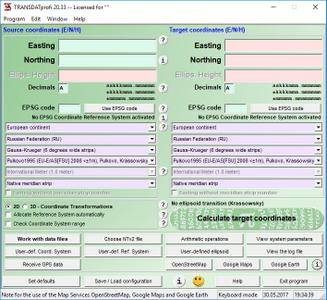
Killet TRANSDAT 23.13 Multilingual

cd07fdcee8dc7cf3a0efb53375255485.jpg


Killet TRANSDAT 23.13 Multilingual | 5.12 Mb​
TRANSDAT Geosoftware executes coordinate transformations and geodetic datum shifts between many coordinate and reference systems of America, Australasia, Europe, Germany special and world-wide, at high precision and high speed.

Navigation maps are printed with a coordinate grid that is a two-dimensional projection of the three-dimensional Earth surface, based on a given Coordinate System. Historically the countries over the world use many different coordinate systems. Earth is shaped not like a sphere; it is a geoid that has no exact mathematical definition and whose form can be at best approximated by an ellipsoid. To make an exact projection of a region into a coordinate system, the region is first projected onto a so-called reference ellipsoid that would fit the region best. The reference ellipsoid is mathematically defined and can be used for a coordinate system projection. Historically countries all over the world developed and used different and often more than one local and global Reference Systems.

Operating System: Windows 7, 8/8.1, 10

Home Page -
У Вас недостаточно прав для просмотра ссылок. Войдите или зарегистрируйтесь.


Language: Multilingual

Download link:​
Код:
[center][b]rapidgator_net[/b]:
https://rapidgator.net/file/110a624737ec90522b991f07d6ace5e8/8p38m.Killet.TRANSDAT.23.13.Multilingual.rar.html

[b]nitroflare_com[/b]:
https://nitroflare.com/view/2360EAD3EB118B9/8p38m.Killet.TRANSDAT.23.13.Multilingual.rar

[b]uploadgig_com[/b]:
http://uploadgig.com/file/download/7Bc5af6b43e9b375/8p38m.Killet.TRANSDAT.23.13.Multilingual.rar[/center]

Links are Interchangeable - No Password - Single Extraction​
 
MacDroid 1.0 (86) macOS

c1a1e7f6b0d8ccdb98ccf859425bb1f6.jpg


MacDroid 1.0 (86) | macOS | 18 mb​
MacDroid app is a very helpful solution for those who use Mac or MacBook, at the same time preferring an Android device to an iPhone. Android and macOS cannot natively work together, hence there is a vital need for an interface that would not only connect the two systems but also allow safe and smooth file transfer between them.

With MacDroid you get the convenience of connecting Mac and an Android phone or tablet and accessing the portable device's content in the Finder. You will be able to transfer photos, music, videos as well as entire folders. You'll only need a USB cable to connect your phone to computer, MacDroid will take care of everything else.

Transfer your photos
You can access your Android photos in the Finder app and easily drag them with your mouse cursor to any folder on your Mac.

Transfer music to your phone
You can add your favorite tracks to Android from your Mac or vice versa and enjoy the music on the go.

Watch videos when offline
Got some great new episodes that you want to watch, but not planning to take your computer with you? Not a problem! You can transfer them to your Android and watch on a plane, on a train, or while having an Uber ride.

Edit Android files directly from Mac
When you don't really feel like moving files around, you can edit your Android files with your favorite Mac app without actually saving them to your computer.

Compatibility: macOS 10.10 or later 64 bit
Homepage:
У Вас недостаточно прав для просмотра ссылок. Войдите или зарегистрируйтесь.


Download link:​
Код:
[center][b]rapidgator_net[/b]:
https://rapidgator.net/file/9115621051148e107000b160c3523111/va8s0.MacDroid.1.0.86.rar.html

[b]nitroflare_com[/b]:
https://nitroflare.com/view/FE7A0ADDBA09522/va8s0.MacDroid.1.0.86.rar

[b]uploadgig_com[/b]:
http://uploadgig.com/file/download/00b7f9EA8e1bf91e/va8s0.MacDroid.1.0.86.rar[/center]

Links are Interchangeable - No Password - Single Extraction​
 
Назад
Сверху