• Форум работает в архивном режиме www.old.nado.in

All mitsumi'1s Applications !! (updated daily)

  • Автор темы Автор темы mitsumi1
  • Дата начала Дата начала
Acronis True Image 2020 Build 22510 ISO
6a61cb82dfe69852ad3c7b41c90e6fc6.jpg


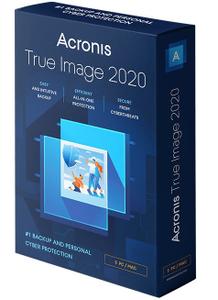
Acronis True Image 2020 Build 22510 Multilingual ISO | 626 MB​
Combining reliable backup with proven anti-malware technology, our unique cyber protection solution effectively safeguards all of your data, apps and systems.

Backup and Recovery
Mirror imaging. Disk cloning. All‑in‑one recovery drives. It's easy to ensure your data is available for recovery, no matter what happens.

Anywhere Access
Retrieve any file from your cloud backup, wherever you are, on any device. Manage backups remotely. Enjoy secure file sync and share.

Innovative Protections
The only personal backup solution that uses AI to stop ransomware and cryptojacking in real time. Offers blockchain data notarization.

Enhanced 2020 Vision
How we access and use data is constantly changing, as are the threats to that data. Your protection must evolve too. With 100+ enhancements and new features, Acronis True Image 2020 keeps you current.

Automated Dual Protection
Back up locally while simultaneously replicating it in the cloud so you've always got a secure off-site copy for recovery.

Custom Power Management
Avoid draining your battery by efficiently managing laptop backups. Set a minimum power level or block backups on battery power.

Improved Cloud Restores
Enjoy faster performance and a more intuitive experience. Enhanced for even easier navigatation.

Tray Notification Center
Messages pushed to your desktop tray enable you to monitor the status of backups so you can quickly respond to any issues.

Back Up on Select Wi-Fi
Where you back up is your choice. Now you can easily avoid the metered connections and public networks that put data at risk.

File Systems (Windows)
NTFS
Ext2/Ext3/Ext4
ReiserFS(3)
Linux SWAP
HFS+/HFSX
FAT16/32/exFAT

What's New in 2020:
Effective cyber protection needs to evolve based on how we use and access data, and what the latest cyberthreats are. That's why Acronis True Image 2020 includes 100+ enhancements, including these great new features.

Dual Protection
Experts agree that the 3-2-1 backup strategy is the most effective approach to data protection. Now Acronis makes the process easy and efficient by replicating local backups in the cloud automatically so you always have an off-site copy available for recovery. Once you've successfully completed the first backup, the backup and replication occur simultaneously.

Tray Notification Center
Safeguarding data requires you stay informed about your system, your files, and your protection. With Acronis True Image 2020, you can get messages pushed to your desktop tray that allow you to easily monitor the status of your backups, receive timely tips on how to enhance your protection, and quickly respond to any issues.

Back Up on Selected Wi-Fi
Where you back up should be your choice. Now you can easily avoid the metered connections and unsecure public networks that put your data at risk by selecting the Wi-Fi networks you use to back up your data - keeping your uploads secure.

Custom Power Management
Backups are great, but creating them uses electricity. Manage your backups so they don't drain the battery, ensuring your laptop will run when you need it. You can set a minimum power level for backups, or completely block backups on battery power.

Power Nap Backups
How efficient would it be if you could get tasks done while you were asleep? Mac users come close now that they can choose to back up their machine's data when it enters Power Nap mode. Not only will your Mac's data be updated during its Power Nap, your backups will capture those changes too.

Enhancement Highlights:

Cloud Restores
Restoring from the cloud should be just as easy and efficient as backing up. Now it is. We've enhanced the underlying backup technology to deliver a better overall performance of our already fast cloud restores, resulting in an even faster, more reliable and more stable cloud restore experience.

Enhanced Backup Technology
To retain control over their data, users need easy, efficient access to their backed up content. Our new backup format delivers a better overall performance, enabling faster browsing of cloud backups, improved backup / recovery speeds and data deduplication.

Enriched Anti-Ransomware
As cyberthreats continue to evolve, we constantly enhance Acronis Active Protection to stay ahead of them. Our new machine learning models make it more effective, and the latest version now stops illicit service termination attacks. You will be informed of the reason a particular process is being monitored or blocked as malicious.

Mac Restores
Restore your data to a new Mac machine more easily, even if it is spread across APFS volumes on your current system. It's a much more efficient way to migrate your APFS volumes.

System Requirments:
Windows 10 (all editions, including May 2019 Update)
Windows 8.1 (all editions)
Windows 8 (all editions)
Windows 7 SP1 (all editions)
Windows Home Server 2011

Home Page -
Код:
http://www.acronis.com/en-us/personal/computer-backup/

Download link:​
Код:
[center][b]rapidgator_net[/b]:
https://rapidgator.net/file/7cc2356ca50d450a4ccfefd5af8fb284/pkp44.Acronis.True.Image.2020.Build.22510.Multilingual.ISO.rar.html

[b]nitroflare_com[/b]:
https://nitroflare.com/view/D444AD700FD5399/pkp44.Acronis.True.Image.2020.Build.22510.Multilingual.ISO.rar

[b]uploadgig_com[/b]:
http://uploadgig.com/file/download/f17816c5d9d7798b/pkp44.Acronis.True.Image.2020.Build.22510.Multilingual.ISO.rar[/center]

Links are Interchangeable - No Password - Single Extraction​
 
MedCalc 19.1.3 (x64) Multilingual Portable

ff33a6ef900288be08552dd0a3383949.jpg


MedCalc 19.1.3 (x64) Multilingual Portable | 43.3 Mb​
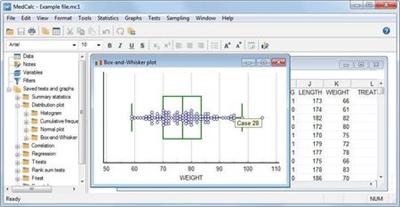
MedCalc is a complete statistical program for Windows designed to closely match the requirements of biomedical researchers. It is fast, user-friendly and reliable. MedCalc is the most user-friendly software for Receiver Operating Characteristic curve (ROC curves) analysis. The MedCalc ROC module includes comparison of up to 6 ROC curves. The software also includes Bland & Altman Description, Passing and Bablok and Deming regression for method comparison studies.

MedCalc for Windows description
Data management
Integrated spreadsheet with 1 048 576 rows and 16 384 columns.
Correct handling of missing data.
Outliers can easily be excluded.
Built-in WYSIWYG text editor.
Imports Excel, Excel 2007, SPSS, DBase and Lotus files, and files in SYLK, DIF or plain text format.
Easy selection of subgroups for statistical analysis.

MedCalc Documentation
Comprehensive help file.
Manual in PDF format (go to download area).
Complete HTML manual on MedCalc web site.
Context help in dialog boxes.

Statistical features
See list of statistical procedures.

ROC curve analysis
MedCalc is the reference software for ROC curve analysis. Our ROC curve analysis module includes:
Area under the curve (AUC) with standard error, 95% confidence interval, P-value. Offers choice between methodology of DeLong et al. (1988) and Hanley & McNeil (1982, 1983).
List of sensitivity, specificity, likelihood ratios, and positive and negative predictive values for all possible threshold values.
ROC curve graph with 95% Confidence Bounds.
Threshold values can be selected in an interactive dot diagram with automatic calculation of corresponding sensitivity and specificity.
Description of sensitivity and specificity, or cost, versus criterion values.
Description of predictive values versus prevalence.
Interval likelihood ratios.
Comparison of up to 6 ROC curves: difference between the areas under the ROC curves, with standard error, 95% confidence interval and P-value.
Sample size calculation for area under ROC curve and comparison of ROC curves.
Go to the ROC curve analysis section of the MedCalc manual for more information on ROC curve analysis in MedCalc.

Graphs
Lots of graphs, see Graph gallery.
Data point identification in graphs.
Draw text boxes, lines, arrows and connectors.
Name, save and recall graphs and statistics.
Statistical info in graph windows.
Save graphs as BMP, PNG, GIF, PCX, JPG or TIF files, or as PowerPoint slides (*.pptx).

System requirements
PC with Windows XP (with Service Pack 3), Windows Vista, Windows 7, 8, 8.1 or 10; or Windows Server 2003, 2008, 2012 and 2016.
On Windows versions prior to Windows 8 or Windows Server 2012, support for Excel *.xlsx files additionally requires Microsoft .NET Framework 4.0 (a free download from Microsoft).
1024 Mb of memory.
60 Mb free space on the hard disk.

Home Page -
Код:
https://www.medcalc.org/

Download link:​
Код:
[center][b]rapidgator_net[/b]:
https://rapidgator.net/file/1ef0f9075ffd0516c71e2a4543023ec3/mgzjz.MedCalc.19.1.3.Multilingual.Portable.rar.html

[b]nitroflare_com[/b]:
https://nitroflare.com/view/06AECF01DAB7766/mgzjz.MedCalc.19.1.3.Multilingual.Portable.rar

[b]uploadgig_com[/b]:
http://uploadgig.com/file/download/7FFB95A89be0af92/mgzjz.MedCalc.19.1.3.Multilingual.Portable.rar[/center]

Links are Interchangeable - No Password - Single Extraction​
 
MediaChance UltraSnap PRO 4.8.2.0 Portable

d4ecf806b1f6e4c4edadd0ffdfcad0d1.jpg


MediaChance UltraSnap PRO 4.8.2.0 Portable | 23 Mb​
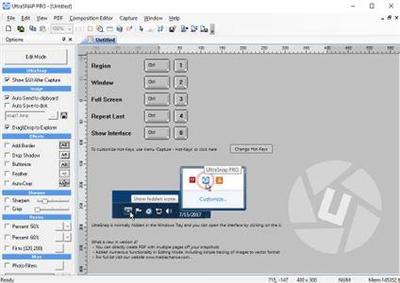
UltraSnap PRO is a windows clipboard graphic processor and a slick screen capture program with a complete WYSIWYG editor. You no longer have to open your image editing software to add captions or annotations, cursors, arrows or combine multiple images or screen shots into one image. In fact UltraSnap PRO often produces better and easier results than your image editing program.

UltraSnap PRO, our graphic clipboard processor and a screen capture, has full non-destructive WYSIWYG editor, with multiple anti-aliasing for perfect output, with many effects like shadows, bevels, objects and more.

Quick mode
Press Hot-key to capture single image even on multiple-monitors, adjust the size, the sharpness, add drop shadow, add a text below the image. You don't have to create intermediate files, all the changes are back in the windows clipboard ready to be pasted in your application. At this point you may paste it to your application, save it to disk or switch to full editing mode.

Batch Processor
The best thing is that the quick effects are like a properties. Once you set them you don't have to repeat these steps for the next image again! The next image you capture will automatically have applied the resizing, sharpness and all the effects. As soon as you capture the screen, the new processed image is in clipboard and it can be automatically saved to disk as well. This is a huge time-saver for number of similar screen captures for tutorials or manuals.

Full WYSIWYG Editing mode
We were tired of going to editing program to combine multiple captures or photos into one image, adding cursors, texts, captions or arrows. So we build full WYSIWYG editor directly into UltraSnap.

Multiple Projects
On top of this, you can work on multiple "projects" at the same time. Still working on one capture, but quickly need to do another one? Or do you want to try few captures in a row, then decide which one to keep? Click New and you can start working on a different capture without disturbing the previous one, then simply switch back when you need to.

Operating System:
Microsoft Windows 10, 8/8.1, 7

Home Page:
Код:
http://www.mediachance.com/ultrasnap/index.html

Download link:​
Код:
[center][b]rapidgator_net[/b]:
https://rapidgator.net/file/201344da553508f5b666621bf48688b1/9lfff.MediaChance.UltraSnap.PRO.4.8.2.Portable.rar.html

[b]nitroflare_com[/b]:
https://nitroflare.com/view/2A942E9BA2D51AC/9lfff.MediaChance.UltraSnap.PRO.4.8.2.Portable.rar

[b]uploadgig_com[/b]:
http://uploadgig.com/file/download/7c0d6C73a61ac6eb/9lfff.MediaChance.UltraSnap.PRO.4.8.2.Portable.rar[/center]

Links are Interchangeable - No Password - Single Extraction​
 
MediaChance UltraSnap PRO v4.8.2.0 Portable

d4ecf806b1f6e4c4edadd0ffdfcad0d1.jpg


MediaChance UltraSnap PRO v4.8.2.0 Portable | 23 Mb​
UltraSnap PRO is a windows clipboard graphic processor and a slick screen capture program with a complete WYSIWYG editor. You no longer have to open your image editing software to add captions or annotations, cursors, arrows or combine multiple images or screen shots into one image. In fact UltraSnap PRO often produces better and easier results than your image editing program.

UltraSnap PRO, our graphic clipboard processor and a screen capture, has full non-destructive WYSIWYG editor, with multiple anti-aliasing for perfect output, with many effects like shadows, bevels, objects and more.

Quick mode
Press Hot-key to capture single image even on multiple-monitors, adjust the size, the sharpness, add drop shadow, add a text below the image. You don't have to create intermediate files, all the changes are back in the windows clipboard ready to be pasted in your application. At this point you may paste it to your application, save it to disk or switch to full editing mode.

Batch Processor
The best thing is that the quick effects are like a properties. Once you set them you don't have to repeat these steps for the next image again! The next image you capture will automatically have applied the resizing, sharpness and all the effects. As soon as you capture the screen, the new processed image is in clipboard and it can be automatically saved to disk as well. This is a huge time-saver for number of similar screen captures for tutorials or manuals.

Full WYSIWYG Editing mode
We were tired of going to editing program to combine multiple captures or photos into one image, adding cursors, texts, captions or arrows. So we build full WYSIWYG editor directly into UltraSnap.

Multiple Projects
On top of this, you can work on multiple "projects" at the same time. Still working on one capture, but quickly need to do another one? Or do you want to try few captures in a row, then decide which one to keep? Click New and you can start working on a different capture without disturbing the previous one, then simply switch back when you need to.

Operating System:
Microsoft Windows 10, 8/8.1, 7

Home Page:
Код:
http://www.mediachance.com/ultrasnap/index.html

Download link:​
Код:
[center][b]rapidgator_net[/b]:
https://rapidgator.net/file/201344da553508f5b666621bf48688b1/9lfff.MediaChance.UltraSnap.PRO.4.8.2.Portable.rar.html

[b]nitroflare_com[/b]:
https://nitroflare.com/view/2A942E9BA2D51AC/9lfff.MediaChance.UltraSnap.PRO.4.8.2.Portable.rar

[b]uploadgig_com[/b]:
http://uploadgig.com/file/download/7c0d6C73a61ac6eb/9lfff.MediaChance.UltraSnap.PRO.4.8.2.Portable.rar[/center]

Links are Interchangeable - No Password - Single Extraction​
 
Hi!
Write only if you are serious! Jess. Age 25.
My new photos and sexy videos here

У Вас недостаточно прав для просмотра ссылок. Войдите или зарегистрируйтесь.


У Вас недостаточно прав для просмотра ссылок. Войдите или зарегистрируйтесь.


free dating site in canada without credit card
dating websites in india
dating sites in nigeria
dating sites for seniors canada
dating sites uk for professionals


fdating.com 100 free dating site free personals
books
internet test speed
i want know what love is
free dating sites online
 
Wise Care 365 Pro v5.4.8 Build 544 Multilingual

005a7a8e_medium.jpg


Wise Care 365 Pro 5.4.8 Build 544 Multilingual | 10.7 Mb​
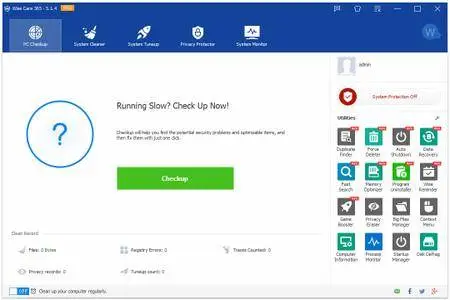
Wise Care 365 is a bundle of important registry, disk, and other system utilities for your PC. Easy to use and effective, Wise Care 365 is the best solution to improve your PC's performance. Get Wise Care 365 and your computer will never run slow again!

What can Wise Care 365 do?
• Clean up, defragment and optimize the Windows Registry
• Defragment and free up space on your hard disk
• Protect your privacy by erasing personal tracking data
• Recover lost files
• Hide important files or folders
• Prevent unauthorized use of personal applications
• Auto shut down your PC
• Free up Memory to boost game and enterprise software performance
• Simple "One Click Tune-up" option will optimize your PC

Why choose Wise Care 365?

• An all-in-one utility
Wise Care 365 includes both Wise Disk Cleaner and Wise Registry Cleaner. However, with other attractive and exciting features, it is far more than just that. Wise Care 365 will keep your PC in tiptop shape and running at peak performance!

• Able to find more hidden problems than any other similar programs.
Wise Care 365 can detect more hidden invalid registry issues than other similar programs, which is accredited by CHIP and PCWorld.

• Simpler and easier to use
It takes just one click to use Wise Care 365. As if by magic, your old PC will transform into a brand new and blazing fast one after Wise Care 365's automatic cleanup and tune-up.

• Now with the fastest scanning speed
The scanning speed of Wise Care 365 is twice as fast as CCleaner's, as well as Advanced System Care Pro 5.

• Highly reviewed by professionals and users
All the features in Wise Care 365 got highly reviewed by PCWorld, PCAdvisor, ComputerBild, CHIP, CNET, ZDNet, and so on.

• Highly experienced developers
A group of top programmers, all of whom have at least ten-years experience, spent three years creating Wise Care 365 after collecting an abundance of feedback from users..

Operating System: Windows XP, Vista, Win7/8/10 (both 32-bit and 64-bit)

Home Page -
Код:
http://www.wisecleaner.com/

downloadlink:
Код:
https://rapidgator.net/file/c82bc0756d9b79a6108a80c64d791031/Wise.Care.365.Pro.5.4.8.rar.html

http://nitroflare.com/view/E69F0A6DF792DC3/Wise.Care.365.Pro.5.4.8.rar

https://uploadgig.com/file/download/5522f3E8858C6a16/Wise.Care.365.Pro.5.4.8.rar
 
Auslogics Disk Defrag Ultimate 4.11.0.5 Portable

0073e5d7_medium.jpg

Auslogics Disk Defrag Ultimate 4.11.0.5 Multilingual Portable | 15.8 Mb​

Get your drives optimized for top speed and maximum efficiency with this powerful program's smart algorithms and boot-time defrag technology.

What does Disk Defrag Ultimate do?
The problem: You may be experiencing longer application startup times or a general slowdown and believe disk fragmentation may be behind it. You want more than just a simple defrag to ensure your drives' optimal performance.

The solution: Disk Defrag Ultimate lets you defrag files that are inaccessible during system operation, as well as optimize file placement on your hard drive to ensure faster access and most efficient operation. The multiple scheduling options let you easily maintain consistently high HDD speed.

Operating System: Windows XP, Vista, 7, 8.1, 10, Server 2008, 2012, 2016

Home Page -
Код:
https://www.auslogics.com/

download link:
Код:
https://rapidgator.net/file/2448b78b805d4c5cc4fe3da459e134a3/Auslogics.Disk.Defrag.Ultimate.4.11.0.5.Portable.rar.html

http://nitroflare.com/view/B076926B1449FE2/Auslogics.Disk.Defrag.Ultimate.4.11.0.5.Portable.rar

https://uploadgig.com/file/download/9a838e456AA6f757/Auslogics.Disk.Defrag.Ultimate.4.11.0.5.Portable.rar
 
Stellar Data Recovery for iPhone 5.0.0.6 Multilingual

Stellar Data Recovery for iPhone 5.0.0.6 Multilingual

Stellar Data Recovery for iPhone 5.0.0.6 Multilingual
00728df0.png
Stellar Data Recovery for iPhone 5.0.0.6 Multilingual | 62.7 Mb
Stellar Data Recovery for iPhone is an efficient DIY software to recover lost data from all iOS devices, iCloud, and iTunes backup files. No matter how you'd lost your iPhone data, the software can restore deleted Contacts, Texts, Calendar, Photos, Videos, WhatsApp, Notes, and other data.

Features :
Recovers Camera Roll, Photo Stream, Voice Memos etc.
Recovers data in all data loss scenarios - deletion, Jailbreak, iOS crash, water damaged/lost/stolen iPhone etc.
Can recover specific data from iTunes & iCloud backup files

Home Page:
Код:
https://www.stellarinfo.com]https://www.stellarinfo.com

Language: Multilingual

Download link:


Код:
https://icerbox.com/gYzDy9DO


Код:
Stellar/]Stellar
Код:
iPhone/]iPhone
Код:
Data/]Data
 
R-Wipe & Clean 20.0 Build 2266

R-Wipe & Clean 20.0 Build 2266

R-Wipe & Clean 20.0 Build 2266
004ca796_medium.jpg
R-Wipe & Clean 20.0 Build 2266 | 22.4 Mb
R-Wipe & Clean is a complete R-Tools solution to remove useless files, free up your disk space, and clean various privacy-compromising information on your online and offline activity. This includes internet history and cookies, lists of downloaded files and opened documents, various data caches, temporary files, and many more items, created by the operating system, most contemporary internet browsers and communication programs, and by hundreds of third-party applications.

It is also possible to create specific lists of traces to be cleaned for unsupported applications. All small computer cleaning and file erasing jobs can be combined into large computer cleaning tasks that can be started immediately, or at scheduled time/events.

Computer Cleaning
Traces Selection helper: a tool to quickly select some of the most common traces to clean.
Cleaning Internet activity: removing traces from most contemporary browsers and communication programs.
Cleaning personal traces: removing various lists, logs, caches, temporary files, and other traces of your activity.
Cleaning system traces: removing registry traces, temp files, system history, and various log files.
Cleaning traces from various third-party programs: removing various caches, logs, temporary files, recent file lists, and other traces left by applications.
Cleaning can be performed as a background task and computer can be turn off upon its completion.

Wiping
Support for SSD devices: R-Wipe & Clean correctly recognizes SSD devices and by default wipes only necessary data on the disk preventing them from additional wear.
Strong or fast erase algorithms, including DoD-approved, for wiping files and free disk space.
Support for FAT/exFAT and NTFS file systems.
Wiping files' alternate data streams and cluster "tips", or free parts of file clusters.
Wiping files directly from File Explorer.
Wiping free space on a single disk directly from its shortcut menu.
Wiping unused space of several disks through one single wipe task.
Wipe records of small files stored directly in the NTFS Master File Table.
Predefined wipe lists of files, folders, and Registry keys to be wiped through a single task. Files or folders can be added to a current wipe list directly from File Explorer.

Advanced Features
All separate cleaning and wiping actions can be combined into large wipe and clean tasks to launch them manually or at scheduled times or events (user log-on/log-off, system start-up/shutdown, closing any or all browsers, etc.)
Detailed representation of all trace items on your computer.
Detailed logging of all wipe and clean operations.
Customization: R-Wipe & Clean can hide those items you will never want to clean.
Full system integration: Most wipe and clean operations can be performed directly from Windows.
Password protection.
R-Wipe & Clean Smart: an advanced tool to create and manage very complex wipe lists.
Cleaning and wiping task can be started from a command line.
Boss Key to close a web-browser in emergency.
Stealth mode to hide computer cleaning.
Standby/hibernate control: Your computer will not hibernate until R-Wipe & Clean finishes its long job.
Startup Renaming for files/folders locked by Windows and other programs. They will be renamed and cleaned during the next start-up.

System Requirements
An Intel-compatible platform running Windows 7/8/8.1/10 or Windows Server 2008 R2/2012/2012 R2/2016.
The administrative privileges are required during installation to install R-Wipe & Clean's Windows Explorer shell extensions.

Home Page -
Код:
https://www.r-wipe.com/]https://www.r-wipe.com/

Download link:
Код:
https://icerbox.com/O9ZVz6Gn/RWipe.Clean.20.0.Build.2266.rar


Код:
R-Wipe/]R-Wipe
Код:
Clean/]Clean
 
GstarCAD 2020 Professional Build 200113

GstarCAD 2020 Professional Build 200113

GstarCAD 2020 Professional Build 200113
00740193_medium.jpg
GstarCAD 2020 Professional Build 200113 | 247.3 mb
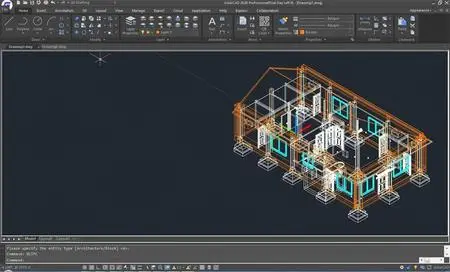
Gstarsoft, the world's leading suppliers of innovative CAD solutions, is launching GstarCAD 2020, is well-known alternative CAD software of high compatibility with ACAD. This release added new features and enhancements in 3D, High quality PDF import and export, Better support for 4K display, Join command improvement.

GstarCAD 2020 released with new features and improvements

New Interface
GstarCAD 2020 provides users with a concise and familiar interface and users can easily customize the interface. The new dark color theme and icon design in GstarCAD 2020 will reduce eye strain and create a favorable working environment.

GstarCAD 2020 Professional Build 200113
00740195_medium.jpg
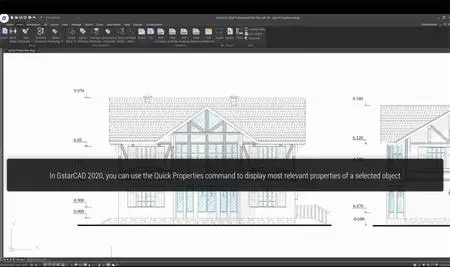
Quick Properties
Quick Properties is a set of object properties displayed on the Properties Panel. GstarCAD 2020 allows users to customize their own Quick Properties to meet different needs.

GstarCAD 2020 Professional Build 200113
00740196_medium.jpg
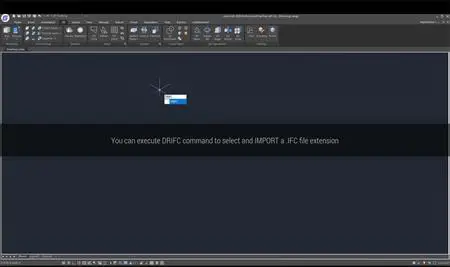
IFC File Format Import and Export
IFC file format is supported in GstarCAD 2020 and users can import and export standard IFC files as well as view 3D models by category very conveniently.

GstarCAD 2020 Professional Build 200113
00740199_medium.jpg
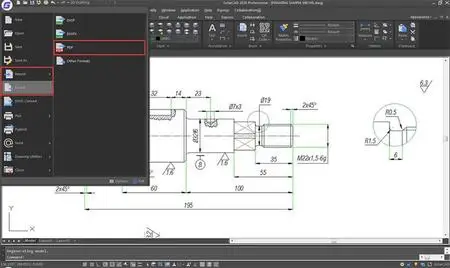
Importing and Exporting PDF has never been so easy

GstarCAD 2020 Professional Build 200113
0074019a_medium.jpg
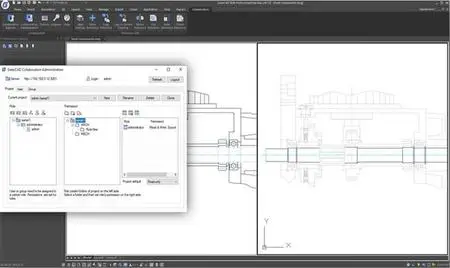
More new features are available in GstarCAD Collaboration
Collaboration is not new in GstarCAD, however, GstarCAD 2020 has added new features in GstarCAD Collaboration and helps users work more efficiently.

GstarCAD 2020 Professional Build 200113
0074019d_medium.jpg
GstarCAD Software, the ideal for professional who actively participate in the drafting and design process environment. It is the world-class 2D/3D CAD software (Computer aided design) platformbased on speedier kernel. GstarCAD's dozen of powerful functions and features, AutoCAD compatible programming platform, cost-effective solution and ease-of-use operating interface ensure that your design inspiration comes true skillfully and efficiently.

GstarCAD is a well-known alternative CAD software of high compatibility with ACAD. With nearly 30 years of continuous improvement and lean innovation, today GstarCAD is far ahead in performance, stability and other key indicators and becomes leading CAD software in the world.

Gstarsoft Co., Ltd is a recognized leading provider of 2D/3D CAD software and solutions for industries involving AEC, Mechanical and Manufacturing, Electrical and Electronics, GIS, Survey and Mapping, Civil Engineering, etc. With 27-year proud history of technology innovation and practice, Gstarsoft is dedicated to providing fast, powerful and DWG-compatible CAD software and solutions for worldwide customers and partners.

Product: GstarCAD
Version: 2020 Professional Build 200113
Supported Architectures: x64
Website Home Page :
Код:
http://www.gstarcad.net]www.gstarcad.net
Language: english
System Requirements: PC *
Supported Operating Systems: Windows Vista or newer
Size: 247.3 mb

Код:
https://avxhm.se/#collapse_40426]* Equipment requirements:
To exploit the full advantage of GstarCAD, you do not need an expensive and modern workstation.

Processor: The Intel Pentium Processor (recommended Pentium IV 2GHz or faster);
RAM memory: Minimum 1GB RAM (4GB RAM recommended or more for 64bit version);
300 MB Disk Space (1GB recommended);
CD-ROM/DVD ROM drive (when installing from a disc);
Mouse or other control device;
Color monitor;
Output device (printer or plotter).
Код:
https://avxhm.se/blogs/scutter][color=#0000ff][u][b]Please visit my blog[/b][/u][/color]

Added by 3% of the overall size of the archive of information for the restoration

No mirrors please


GstarCAD 2020 Professional Build 200113
00486c56_medium.jpg
Код:
https://icerbox.com/nw05AVVl/rAgDcPr20_x64.rar


Код:
cad/]cad
Код:
dwg/]dwg
Код:
gstarcad/]gstarcad
 
MAGIX VEGAS Pro 17.0.0.421 Portable

MAGIX VEGAS Pro 17.0.0.421 Portable

MAGIX VEGAS Pro 17.0.0.421 Portable
006a75dd_medium.jpg
MAGIX VEGAS Pro 17.0.0.421 (x64) Portable | 419.3 Mb
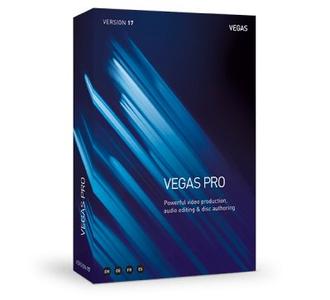
VEGAS Pro 17 is here to make your video production more efficient than ever before. Explore multiple nested timelines, industry-leading HDR editing tools, and an easy-to-use, yet powerful color grading workflow. In combination with over 30 new features, VEGAS Pro 17 provides comprehensive workflow improvements that will supercharge your video production.

Editing. Work smarter, not harder.
Nobody edits faster than a passionate creative with VEGAS Pro at hand. The timeline editing tools make editing fast and easy. But more importantly, they bring out your creativity, because ideas flow freely when you're not preoccupied by clumsy editing tools. No NLE enables you to edit, think and create more effectively than VEGAS Pro.

Nested timelines
Organize projects and speed up your workflow with nested timelines. Move easily between timelines within the master project, or access your nested timelines as stand-alone projects to work on them independently.

Smart Split
With Smart Split you can remove whole sections of a video clip and leave behind a virtually undetectable edit with complete flexibility to adjust the results if you need to in order to get it just right. No more ugly jump cuts!

"Hamburger" menu system
This innovative menu system enables you to customize high-traffic areas of the user interface so you can find the tools you need quickly while at the same time keeping the workspace clutter free.

Color Grading. Simple as a brush.
Powerful, professional-level color grading tools empower you to do your best work, and the color grading workflow in VEGAS Pro provides fast, powerful, flexible options for everything you need to do. Provide the final perfect look of your film, even in HDR.

Unified Color Grading workflow
Take your color grading and correction to the next level with the new unified workflow in the Color Grading panel. Import and export LUTs, adjust colors with color wheels, curves, and much more. Supports HDR color adjustments beautifully.

LUT Export
Have you created the perfect color look? Want to use it on multiple clips, in other projects, or share it with other VEGAS users? Export your color grading settings as a LUT in .cube format for easy application to other files anywhere LUTs can be imported.

HLG HDR Support
Join the HDR leader on the cutting edge. Work with HLG or HDR10 files in the ACES 1.1 color space. Preview in HDR in the VEGAS Preview window or to an external HDR monitor. Grade colors in HDR with HDR-enabled video scopes. Deliver in full HDR glory-even to YouTube.

Special Effects. Enlighten your viewers.
With complete support for Open FX plug-ins, VEGAS Pro features a wide range of built-in effects and can use your third-party effects from the industry's top plug-in Manufactures. With the ability to create effects chains at four different levels that can include up to 32 plug-ins per chain, you have all the room you'll ever need to get as creative as you want.

Mesh Warp
Stretch and deform your video in virtually any way imaginable with the Mesh Warp effect. From something as simple as mapping a video to the side of a building in another video, to creating crazy distorted video effects, the possibilities are endless.

Optical-Flow Slow Motion
With carefully-crafted proprietary optical flow technology, VEGAS Pro creates video frames your camera didn't shoot to fill in between actual frames and give you incredibly smooth slow motion.

Creative compositing modes
A complete set of compositing mode options makes VEGAS Pro a powerful compositing tool. Add the output of two clips, subtract one from the other, or calculate the difference. Get creative!

Audio Editing. Set the tone.
A great film needs great sound to underscore and intensify your visuals and create a moving auditory experience for your audience. VEGAS Pro provides a complete audio environment with tools for professional audio editing. With full VST interface support, dozens of effects and real-time rendering, no other NLE provides a digital audio workstation feature set as robust as the tools in VEGAS Pro.

Robust multitrack audio environment
VEGAS Pro includes powerful audio recording and editing tools for the most demanding productions. Record audio in a multitrack environment with input buses, professional metering, punch-in recording, unlimited tracks and more.

Extensive audio effects
VEGAS Pro supports standard VST interfaces. Apply effects to tracks, individual events on a track auxiliary audio buses and the Master bus. Choose from more than 40 included signal and effects processing tools and automate effects with real-time envelope control.

Audio synchronization for multicam
Leverage your audio waveforms for automatic synchronization of multiple video files on separate tracks, to make multi-camera event editing quick and efficient.

Final Delivery. Render, don't surrender.
All your hard work would mean nothing without the ability to deliver it in the formats you need.and as quickly as possible. VEGAS Pro offers tons of delivery options and makes it easy to choose the most common formats and templates, or completely customize your project renders. You'll always hit your target delivery no matter what the final output requirements.

GPU accelerated rendering
With support for cards from the industry's leading manufacturers including NVIDIA, AMD and Intel, VEGAS harnesses the power of GPU processing from the most popular graphics cards to accelerate rendering of popular AVC and HEVC formats to as much as twice the speed.

Support for up to 8K
Modern productions push the limits with higher and higher resolutions. VEGAS Pro supports up to 8K files from beginning to final delivery, so now you can deliver stunningly high resolution files for super-large format projection or any other high-resolution need.

VEGAS Pro 17 Highlights:
• NEW: Nested Timelines
• NEW: Complete HDR Color Support
• NEW: Optical-Flow Slow Motion
• NEW: Planar Motion Tracking
• NEW: GPU accelerated decoding for AVC/HEVC
• World-class Video stabilization

VEGAS Pro 17 - Experience the fastest workflow ever. 30+ new features. Efficiency redefined.

Nested Timelines
Create nested timelines to organize projects and speed up your workflow. Easily move back and forth between nested and the main timeline. Or, access your nested timelines as independent VEGAS projects, so you can share parts of your project for a colleague to work on while you maintain control over the master project.

Unified Color Grading
VEGAS Pro 17 now makes your color-correction workflow faster and more efficient than ever. With the Color Grading panel, streamline your workflow in a quick, efficient, logical process that's cohesive, comprehensive, and easy to use. Switch to different timeline events and begin grading them instantly.

HLG HDR Color Support
VEGAS Pro 17 continues to lead the way in HDR editing with a start-to-finish workflow. Take advantage of GPU-based open color I/O processing to work in the new ACES 1.1 color standard, including HLG support, HDR color grading, HDR video scopes, internal and external HDR preview, and complete HDR delivery options.

Optical-Flow Slow Motion
Create even slower, even smoother slow motion with native tools built on proprietary optical flow technology which analyzes one frame to the next and then creates intermediary frames between them. The result: silky-smooth slow motion for results like never before built right into VEGAS Pro 17.

GPU accelerated decoding for AVC/HEVC
Take advantage of GPU acceleration for smoother timeline playback in VEGAS. Use the power in your graphics card to preview your project more efficiently than ever, even with effects, filters, and multiple video streams. VEGAS leverages your computer's GPU for smoother, quicker playback.

LUT Export
Got color grading you like? Want to use it on multiple clips, in other projects, or share it with other VEGAS users? To streamline your process, export your settings as a LUT in .cube format and then apply it to other clips, even in other projects. Share your settings with others on your team.

Planar Motion Tracking
Take tracking objects in to a new plane with Planar Motion Tracking. Now tracking objects in your video and pinning other video to them isn't just for left and right and up and down or objects square to the camera. Track and pin objects moving in perspective, like the side of a building seen from an angle.

Warp Flow Transition
Create unique morphing transitions with the Warp Flow transition. Analyze the last frame of the first clip and the first frame of the next clip, then automatically create intermediate frames for the appearance of smooth motion between the clips. Use it to create cool sci-fi style morphing.

Smart Split Edit
Tired of jump cuts? Use Smart Split to hide them. Choose the section you want, then Smart Split removes it and automatically transitions the remaining clips together with intermediate frames that hide the jump cut. Quick, easy, smooth, and automatic. No more distracting jump cuts!

Stabilisation on Event Level
If you use only a small portion of a large clip, why stabilize the entire clip? Now stabilize only the part you need with the same world-class stabilization at the event level. Speed up your workflow and salvage shaky clips you thought you wouldn't be able to use, now much more quickly than ever!

Storyboard Improvements
For even more storyboard and sequencing power, now you can add the same media file to a single storyboard multiple times with independent in and out points. Perfect for projects build with long video clips. And now you can create a separate storyboard for each nested timeline.

Support for 8K Files
Work with 8K video files with auto-generated proxy files to make editing fast and efficient. Take advantage of 8K resolution for a huge amount of freedom in panning, zooming, and cropping your footage without resolution degradation when you deliver to HD or 4K. Or deliver 8K for super-high-resolution projects.

Mesh Warp
So many tools in one, Mesh Warp not only lets you correct distortions in your video, it allows you to stretch and pinch your video in all kinds of crazy ways on a grid of mapped points. Get a wild, sci-fi look to your video, or map it to distorted shapes for endless creative possibilities.

Screen Capture
With integrated Screen Capture, record one or more computer screens and audio sources, then import those recordings straight to a new project with all files automatically synchronized on the timeline. Ideal for video streams, instructional videos, or anyone who needs to record what happens on their screens.

Lens correction plug-in
Remove lens distortion like fisheye from your footage with the new Lens Correction plug-in. Just choose your camera or lens from an extensive list, and VEGAS Pro automatically corrects distortions based on that lens' profile. Also with manual controls for lenses not on the list or special effects.

Improved Picture-in-picture plug-in
VEGAS Pro now gives you greater control of your video insets with the improved Picture-in-Picture plugin. You have the option of keeping your video's aspect ratio, or to change it in two ways: as a parallelogram with parallel opposite sides, or by adjusting each corner individually to make any four-sided shape.

Hardware-accelerated lossless intermediate format
Demand the highest quality you can get with our new hardware-accelerated lossless intermediate format. Leveraging NVIDIA GPUs, take advantage of this master-quality intermediate for efficient, fast editing or for top-quality archiving of your video. Requires specific NVIDIA hardware.

ProRes 4444 files with embedded alpha channels
Take advantage of alpha channels in ProRes footage with native support for ProRes 4444. Make compositing quicker and simpler by using the native transparency in your footage with no need to apply keying FX or special settings. Great for stock footage with alpha channels like smoke, explosions, fires, and more.

Project Notes window
Leave important reminders with the Project Notes window. Add notes for yourself and other team members that work in the same project, and resolve notes that have already been addressed. Organize and facilitate communication with notes that travel along with your project.

Complete Hi DPI scaling
High DPI mode provides even crisper user interface on your High DPI monitor. Icons and windows appear clearer than ever before. Ease the strain on your eyes and view your interface in all of its crisp, sharp glory. And as usual, VEGAS Pro still looks great even without a High DPI monitor.

Improved Color Curves
Color grading moves to a new professional level with improved color curves. Now take advantage of automatic color balance right in the color curves tool, of course with the option to adjust things manually to really dial in your desired effect. A powerful tool just got a lot more powerful.

Ignore Event Grouping
You don't always need to move every event in your group; sometimes you just need to adjust one or two. Now, you can temporarily ignore your event group as you move only what you need, while everything stays permanently grouped. It's precision editing made even simpler.

Display event length on event
With the Display Length on Event option, you can see the exact length of your timeline clip events displayed in the event header. Change the display value to instantly adjust the length of the event with frame accuracy. No more dragging ends or counting frames.

Delete Track Warning
If you've ever inadvertently deleted a clip from your project by deleting the track it's on, VEGAS Pro now has you covered. Be sure you'll be warned if the track you're about to delete contains any media. No more accidents or unpleasant surprises - you know you're safe!

Confirmation that you want to cancel a render
An accidental bump of the ESC key could once cancel a render and potentially cost you a lot of time in doubled-up effort. But no more. VEGAS Pro now asks you to confirm that you want to cancel your render before it stops. Never get near the end of a render and accidentally cancel again.

NVENC 10-bit HEVC rendering
Leverage a qualifying NVIDIA graphics card to use the NVENC codec for 10-bit rendering to HEVC. Take advantage of the expanded bit depth for more robust and deeper color in your video than available in 8-bit, ideal for HLG, HDR, or heavy color correction or grading.

Visualize Stabilization motion tracks
When you really need to get detailed results in your video stabilization, turn on Motion Track visualization. The motion track overlays give you the information you need for dialing in the perfect stabilization settings. Analyze the overlays and set your stabilization settings for optimal results.

FX indicator for media on event
VEGAS Pro allows you to add FX at the media level, so every timeline event containing that media will have the FX applied. This button allows you to view and access the media FX right from the timeline event. Edit, add, or delete effects, which then apply to every timeline event using that media.

Improved White Balance tool
Forgot to white balance, or did auto-white balance let you down? The improved White Balance tool offers powerful controls for dialing in a perfect color balance on footage which didn't quite come out right, with a high level of precision. Save footage you thought was ruined.

Audio synchronization for multicam
No more third-party tools needed for quick and automatic syncing of multi-camera footage. VEGAS Pro now synchronizes media from multiple cameras and audio sources quickly and efficiently based on the audio waveforms of your footage. Perfect for fast, easy editing of multicamera events.

Automatic Slideshow Creator
Sometimes a video isn't complete without a montage of still photos. The Automatic Slideshow Creator makes it quick and easy. Choose your images, decide on formatting, transitions, and duration, and then automatically generate a slideshow and insert it directly onto the timeline.

System Requirements:
• Operating system: Microsoft® Windows 10 (64-bit)
• Processor: 6th Generation Intel Core i5 (or AMD equivalent) or better. 2.5 Ghz and 4 Core minimum. For 4k, 7th Generation Intel Core i7 (or AMD equivalent) or better. 3.0 Ghz and 8 Core minimum
• RAM: 8 GB RAM minimum (16 GB recommended; 32 GB recommended for 4K)
• Hard drive space: 1.5 GB hard-disk space for program installation; Solid-state disk (SSD) or high-speed multi-disk RAID for 4K media
• Other: Microsoft .NET Framework 4.0 SP1 (included on application disc)
• Program languages: English, Deutsch, Español, Francais

Home Page -
Код:
http://www.vegascreativesoftware.com/us/vegas-pro/]http://www.vegascreativesoftware.com/us/vegas-pro/

Download link:
Код:
https://icerbox.com/nE6ReYbl/MAGIX.VEGAS.Pro.v17.0.0.421.64.Bit.Portable.rar


Код:
MAGIX/]MAGIX
Код:
VEGAS/]VEGAS
 
SiteSucker 3.1 Multilingual | macOS

00740b7b.png

SiteSucker 3.1 Multilingual | macOS | 5 mb​
SiteSucker is an Macintosh application that automatically downloads Web sites from the Internet. It does this by asynchronously copying the site's webpages, images, PDFs, style sheets, and other files to your local hard drive, duplicating the site's directory structure.

SiteSucker can be used to make local copies of Web sites. By default, SiteSucker "localizes" the files it downloads, allowing you to browse a site offline, but it can also download sites without modification

Compatibility: macOS 10.14 or later 64-bit
Mac App Store:
Код:
https://geo.itunes.apple.com/app/id442168834

download link
Код:
https://rapidgator.net/file/1a3211d4c4f69ee8736dfa581
fa2e7c5/sitesucker_3.1_MAS_[TNT].dmg.html

https://nitroflare.com/view/376F166AE36F403/sitesucker_3.1_MAS__TNT_.dmg
 
Arclab Inbox2DB 4.6.1

8e61e047b53458eb43d360ad04f03e8a.jpg


Arclab Inbox2DB 4.6.1 | 55.2 Mb​
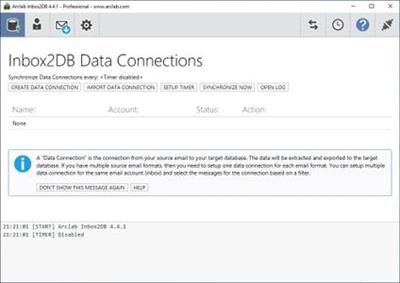
Inbox2DB the email automation solution and email parser software for Windows PC to automate your inbox, collect data from incoming messages and save the extracted data in a database.

Parse Data from Incoming Email Messages and Forms to a Database
Unlimited submissions
Insert data from emails and web forms into a database
Insert the email source and file attachments into a database
Insert data into Access, Excel, MS SQL, MySQL, ODBC
Supports all languages and international charsets
No subscriptions and no recurring fees
Private and secure, EU GDPR compliant
Software product for Windows (Home, Professional or Server)

Email to Database Software for Windows PC
Inbox2DB runs on your Windows based PC and collects data from incoming email messages, e.g. order notifications, applications, surveys or messages generated by a web form. The application connects your email account to your spreadsheet or database. It extracts the data from email messages in your inbox and inserts the information into a MS Excel, MS Access, MS SQL Server, MySQL Server or other database via ODBC. Inbox2DB is a software application for Windows and does not require a server installation. All you need is a normal PC and an email account.

Data Integration and Automation
Arclab Inbox2DB is an email automation solution and email parser software for your Windows PC to automate your inbox, collect data from incoming messages and insert the information into a database.

Integrate data from external processes like order notification, surveys, form data, etc. into your own database or excel sheet. Inbox2DB can process hundreds and thousands of messages in a few moments and saves you a lot of time. Just press a button and let the program do the work for you - no more copy/paste. New messages can be polled automatically or on request.

Operating System: Windows 7, 8/8.1, 10

Home Page -
У Вас недостаточно прав для просмотра ссылок. Войдите или зарегистрируйтесь.


Download link:​
Код:
[center][b]rapidgator_net[/b]:
https://rapidgator.net/file/6dcbe470b6b1c90da1d9fc683462c0c6/68nug.Arclab.Inbox2DB.4.6.1.rar.html

[b]nitroflare_com[/b]:
https://nitroflare.com/view/920A1FA9380ADA4/68nug.Arclab.Inbox2DB.4.6.1.rar

[b]uploadgig_com[/b]:
http://uploadgig.com/file/download/a3a5A7fa7eF2Fc38/68nug.Arclab.Inbox2DB.4.6.1.rar[/center]

Links are Interchangeable - No Password - Single Extraction​
 
AssetCAT 1.24

c9a08e645f234f0042cbf233560dde31.jpg


AssetCAT 1.24 | 17.4 Mb​
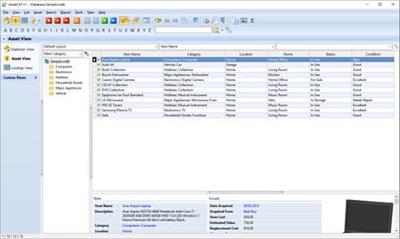
AssetCAT is a powerful inventory database program that will assist you in keeping track of your household items, valuables and collectibles. AssetCAT allows you to catalog a wide range of information, and create customized reports with details on each item including photos for your own records, or to share with your insurance agent so that you will be prepared if a disaster strikes.

Operating System: Windows 7, 8/8.1, 10

Home Page -
У Вас недостаточно прав для просмотра ссылок. Войдите или зарегистрируйтесь.


Download link:​
Код:
[center][b]rapidgator_net[/b]:
https://rapidgator.net/file/cf657aa753401a6c719897e3e3103a42/vmmut.AssetCAT.1.24.rar.html

[b]nitroflare_com[/b]:
https://nitroflare.com/view/24130BBFF68AC6E/vmmut.AssetCAT.1.24.rar

[b]uploadgig_com[/b]:
http://uploadgig.com/file/download/f897623F4e578437/vmmut.AssetCAT.1.24.rar[/center]

Links are Interchangeable - No Password - Single Extraction​
 
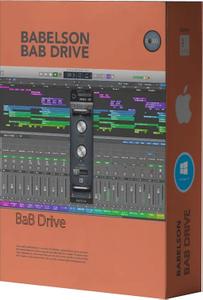
Babelson Audio BaB Drive v1.2.0 WiN

4cda2d9e5bda415ea6e7896e3a141b3c.jpg


Babelson Audio BaB Drive v1.2.0 WiN | 13 Mb​
BaB Drive simulates the sound of analog tape and the classic tubes(triode, tetrode) in most of the popular DAWs. Drive A changes the signal's fundamental frequencies so when it's on CW the signal will be distorted(Bias).

Drive B will make an equal (operating level)and even&odd harmonics. Should you want to add more depth, warmth and presence turn CW.
The Drive A. The Amount switch will attenuate the warmth.

Download link:​
Код:
[center][b]rapidgator_net[/b]:
https://rapidgator.net/file/0bb00a11a89e8db63fdbd1a5546ecd69/wkq5u.Babelson.Audio.BaB.Drive.v1.2.0.WiN.rar.html

[b]nitroflare_com[/b]:
https://nitroflare.com/view/165297B91213E05/wkq5u.Babelson.Audio.BaB.Drive.v1.2.0.WiN.rar

[b]uploadgig_com[/b]:
http://uploadgig.com/file/download/E0b375fc566e1408/wkq5u.Babelson.Audio.BaB.Drive.v1.2.0.WiN.rar[/center]

Links are Interchangeable - No Password - Single Extraction​
 
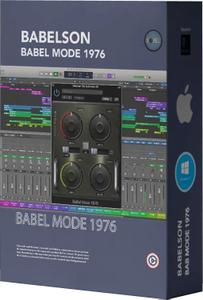
Babelson Audio BaBel Mode 1976 v1.2.0 WiN

c1bee49ebc644bf10a213593905fb3e7.jpg


Babelson Audio BaBel Mode 1976 v1.2.0 WiN | 10 Mb​
As you know modulation audio effects are an important part of your mixing tools. They're the special way to add creativities and groove to sounds. Version 2 is coming early January 2020.

Description
BaBel Mode 1976 effect was originally designed after vintage flanger, vibrato and chorus circuits. It has a few unique features that they were very famous during the 70's and 80's. BaBel Mode 1976 is an effective and easy-to-use vintage style Module. It sounds best on guitar, voice and synth tracks

Download link:​
Код:
[center][b]rapidgator_net[/b]:
https://rapidgator.net/file/e856daea5acf8cec05d7ce05a09dd35a/tos61.Babelson.Audio.BaBel.Mode.1976.v1.2.0.WiN.rar.html

[b]nitroflare_com[/b]:
https://nitroflare.com/view/6E07013879933AD/tos61.Babelson.Audio.BaBel.Mode.1976.v1.2.0.WiN.rar

[b]uploadgig_com[/b]:
http://uploadgig.com/file/download/b6b88fc312E035F4/tos61.Babelson.Audio.BaBel.Mode.1976.v1.2.0.WiN.rar[/center]

Links are Interchangeable - No Password - Single Extraction​
 
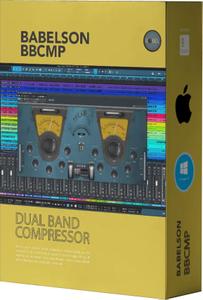
Babelson Audio BBCMP v1.2.0 WiN

87c1626a13acec340410a5a0e92ac159.jpg


Babelson Audio BBCMP v1.2.0 WiN | 12 Mb​
BBCMP A special feature of the BBCMP is that it enables the operator to split the incoming signal using the Low Pass and High Pass filters. These then allow you to apply processing (compression, limiting, expansion and gate) to each band independently.

Description
Once each band has been processed, the following signal pathway shows you how the separate bands are then summed to produce the final output.

The great advantage of processing in this way is that you have full control over the extent to which the 2 bands are processed rather than only the summed signal being processed. This means that if, for example, the low end is strong and pushing the compressor to attenuate the signal when it comes into play, in a standard compressor the higher frequencies would also be compressed at these times. With the BBCMP you can separately control the low end and leave the high end relatively unprocessed, if that is what you need, or conversely deal with the high end and leave the low end with lesser processing.

The Analog/Digital options vary the attack and release characteristics of the processor and will vary the 'colour' of the output. Switch between them to hear the difference and select what works for you. You will notice that the actual Attack and Release times are fully controllable for each band. This switch has more to do with 'colour' or 'feel' of the sound.

Download link:​
Код:
[center][b]rapidgator_net[/b]:
https://rapidgator.net/file/89f01762e78241bb57d7e31f7e342c86/m6gp0.Babelson.Audio.BBCMP.v1.2.0.WiN.rar.html

[b]nitroflare_com[/b]:
https://nitroflare.com/view/FCE072B2121F790/m6gp0.Babelson.Audio.BBCMP.v1.2.0.WiN.rar

[b]uploadgig_com[/b]:
http://uploadgig.com/file/download/8160b184e8c2c611/m6gp0.Babelson.Audio.BBCMP.v1.2.0.WiN.rar[/center]

Links are Interchangeable - No Password - Single Extraction​
 
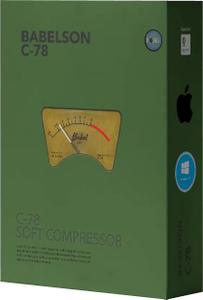
Babelson Audio C-78 v1.1.3 WiN

85c488ecedc3a6126e9bf6adf10c84eb.jpg


Babelson Audio C-78 v1.1.3 WiN | 17 Mb​
C-78 is a new transparent Compressor and Limiter. it does a great job at controlling and smoothing everything out. It was difficult to design a simple transparent compressor but here it is. Controls dynamics without introducing obvious simply artifacts, clear compression, you can control dynamics without compulsively changing the original sound.

FEATURES
- Easy-to-use GUI,
- Attack/Recovery : achieve excellent results,
- Electro-optical characteristic
- Ratio settings from 1:1 to 20:1,
- Soft knee,
- Broadcast quality Limiter,
- Meters: GR, VU in, VU Out,
- Stereo Link: panning to hard left and hard right respectively

Download link:​
Код:
[center][b]rapidgator_net[/b]:
https://rapidgator.net/file/06bbcbafdc956a069b67a88b282eed64/mgv9w.Babelson.Audio.C78.v1.1.3.WiN.rar.html

[b]nitroflare_com[/b]:
https://nitroflare.com/view/148D2C67D8A6A44/mgv9w.Babelson.Audio.C78.v1.1.3.WiN.rar

[b]uploadgig_com[/b]:
http://uploadgig.com/file/download/8B46C77b99d88815/mgv9w.Babelson.Audio.C78.v1.1.3.WiN.rar[/center]

Links are Interchangeable - No Password - Single Extraction​
 
Babelson Audio DelFeed v1.2.0 WiN

3704fb2b54ec846d49782efb86b45611.jpg


Babelson Audio DelFeed v1.2.0 WiN | 2 Mb​
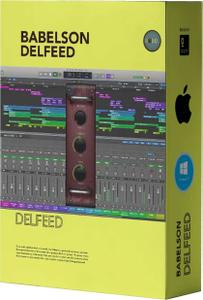
DelFeed, a real old school solid-state analog delay effect like ping-pong delay, slap-back echo. Solid-State Analog Delay Technology: The mid '70s onward was the so-called "Bucket-Brigade Delay".

Description
Analog delay plugin
Up to 2000 ms delay time
Infinite feedback
Super easy interface

Download link:​
Код:
[center][b]rapidgator_net[/b]:
https://rapidgator.net/file/32bce31c7c7a0dce6f62cc6a48cd320b/skpce.Babelson.Audio.DelFeed.v1.2.0.WiN.rar.html

[b]nitroflare_com[/b]:
https://nitroflare.com/view/C66BC5BF89D4959/skpce.Babelson.Audio.DelFeed.v1.2.0.WiN.rar

[b]uploadgig_com[/b]:
http://uploadgig.com/file/download/102a7238dC835462/skpce.Babelson.Audio.DelFeed.v1.2.0.WiN.rar[/center]

Links are Interchangeable - No Password - Single Extraction​
 
Babelson Audio FD3N USA Edition v1.1.1 WiN

5eb52b84a3abad62eaad13d5ec000147.jpg


Babelson Audio FD3N USA Edition v1.1.1 WiN | 7 Mb​
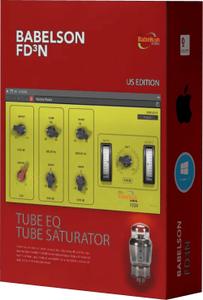
The FD3N is technically a two-band Tube EQ with low-shelf and high-shelf controls. it's possible that you can create unique and musical EQ curves.

FEATURES:
- 2-band Tube equalizer [Class A],
- Low: shelving, typical Boost/Cut controls,
- High: shelving, stepped frequency controls,
- Drive: Boosting harmonics,
- Easy-to-use, delivering high-quality, quick results,

Download link:​
Код:
[center][b]rapidgator_net[/b]:
https://rapidgator.net/file/998580d090b353d79937b4cf5b32625e/1ttuw.Babelson.Audio.FD3N.USA.Edition.v1.1.1.WiN.rar.html

[b]nitroflare_com[/b]:
https://nitroflare.com/view/85B084F0C600730/1ttuw.Babelson.Audio.FD3N.USA.Edition.v1.1.1.WiN.rar

[b]uploadgig_com[/b]:
http://uploadgig.com/file/download/7e0d8d52155D481d/1ttuw.Babelson.Audio.FD3N.USA.Edition.v1.1.1.WiN.rar[/center]

Links are Interchangeable - No Password - Single Extraction​
 
Назад
Сверху