• Форум работает в архивном режиме www.old.nado.in

All mitsumi'1s Applications !! (updated daily)

  • Автор темы Автор темы mitsumi1
  • Дата начала Дата начала
Adobe Zii 2020 5.0.4 universal Patcher macOS

285cf4404463236ed97ad15c3fa1c321.jpg


Adobe Zii 2020 5.0.4 universal Patcher | macOS | 7 mb​
Adobe Zii is a small and great utility which helps you forget about all issues with the registration of all Adobe existing products

What's New:

Added:
Adobe Animate 2020 v20.0
Adobe Character Animator 2020 v3.0
Adobe Dreamweaver 2020 v20.0

Supported Products:
Adobe After Effects 2020 17.0
Adobe Animate 2020 v20.0
Adobe Audition 2020 13.0
Adobe Bridge 2020 v10.0
Adobe Character Animator 2020 v3.0
Adobe Dreamweaver 2020 v20.0
Adobe Illustrator 2020 v24.0
Adobe Lightroom Classic v9.0
Adobe Media Encoder 2020 v14.0
Adobe Photoshop 2020 v21.0
Adobe Premiere Pro 2020 v14.0

Adobe Photoshop Elements 2020 v18.0
Adobe Premiere Elements 2020 v18.0

Compatibility: OS X 10.13 or later 64-bit
Homepage:
Код:
https://adobe.com

Download link:​
Код:
[center][b]rapidgator_net[/b]:
https://rapidgator.net/file/8c395b3f3c52bad5058abf626837982c/ujbhx.Adobe.Zii.2020.5.0.4.universal.Patcher.rar.html

[b]nitroflare_com[/b]:
https://nitroflare.com/view/336984DE19EEF2B/ujbhx.Adobe.Zii.2020.5.0.4.universal.Patcher.rar

[b]uploadgig_com[/b]:
http://uploadgig.com/file/download/be4c9811b4BfFf1A/ujbhx.Adobe.Zii.2020.5.0.4.universal.Patcher.rar[/center]

Links are Interchangeable - No Password - Single Extraction​
 
Alfred 4 Powerpack 4.0.6 (1124) macOS

5753547c6589149fce8331809eef4d37.jpg


Alfred 4 Powerpack 4.0.6 (1124) | macOS | 6 mb​
Alfred is an award-winning app for Mac OS X which boosts your efficiency with hotkeys, keywords, text expansion and more. Search your Mac and the web, and be more productive with custom actions to control your Mac.

Search and Browse
Launch applications and find files on your Mac or on the web. Alfred learns how you use your Mac and prioritises results.
Save countless hours by using hotkeys, keywords and customising how you want to search your Mac and activity history.
Jump in and browse, preview files and take action on them without lifting your fingers off the keyboard.

Type Less, Say More
With Alfred's Clipboard History and Snippets features, there's no need to type the same URLs or responses over and over.
Use the Clipboard History to locate any text, image or file you copied earlier and paste it again.
Create your own snippets and type a short abbreviation to auto-expand them into a full text snippet, saving yourself hours of typing in the long run!

Extend and Automate
With Alfred's Powerpack, use immensely powerful workflows to perform tasks more efficiently and cut down on repetitive manual tasks.
Link hotkeys, keywords and actions together to create your own workflows; There's no need to write a single line of code to create a workflow. Import workflows from the thousands our community of creators have shared.

Control Your Music
You're the boss. Boost your productivity by controlling your Mac using Alfred's deep integration with OS X. Swiftly take action on files and contacts, control your music player and dispatch System commands.
Add some fun to your day; Turn your iPhone or iPad into a command centre for your Mac with Alfred Remote for iOS.
Alternatively, take a look at the many workflows for other music services like Spotify.

Alfred Powerpack
Control your Mac with the Powerpack's incredible features, and enjoy workflows and themes.

Compatibility: OS X 10.9 or later 64-bit
Homepage:
Код:
https://www.alfredapp.com

Download link:​
Код:
[center][b]rapidgator_net[/b]:
https://rapidgator.net/file/1f47fb56f01d9fae7627fc6cf7e76854/pduvs.Alfred.4.Powerpack.4.0.6.1124.rar.html

[b]nitroflare_com[/b]:
https://nitroflare.com/view/46422DA0B45D125/pduvs.Alfred.4.Powerpack.4.0.6.1124.rar

[b]uploadgig_com[/b]:
http://uploadgig.com/file/download/d2dD109f05b0cf88/pduvs.Alfred.4.Powerpack.4.0.6.1124.rar[/center]

Links are Interchangeable - No Password - Single Extraction​
 
App Builder 2020.27 (x64)

d35cc061c219f3fd7c63caf3006c8771.jpg


App Builder 2020.27 (x64) | 59.1 Mb​
If you want to create modern desktop and mobile apps you're in the right place! DecSoft App Builder is a professional visual development environment to create HTML5 apps, WebApps, Progressive WebApps, Web Extensions and Hybrid apps for the modern mobile and desktop browsers, as well platforms like Google Android, Apple iOS and Microsoft Windows.

Languages
The DecSoft App Builder apps are based in HTML, CSS and Javascript. These are the languages that you must know (more or less) in order to create modern apps that run in all the mobile and desktop browsers, as well platforms like Android, iOS and Microsoft Windows. All with the same base code! This is a big reason to choose DecSoft App Builder.

Visual designer
App Builder provide us dozens of visual and non visual controls ready to be placed in the application's designer. Simply drag and drop the control that you need into the designer and then place it where you wanted.

Contextual help
DecSoft App Builder has a contextual help that point you exactly to the control, property, event reference, etc. Just press the F1 key where you are in the IDE.

Apache Cordova
DecSoft App Builder is integrated with Apache Cordova and prepares for your app the right config file, platform icons, splash screens, batch files, shell files and JSON files. DecSoft App Builder integrates also the officials Apache Cordova plugins.

Quick code list
The DecSoft App Builder code editors provides the Quick code list for your convenience. The Quick code list helps you to write Javascript code more faster, providing all the available controls properties, methods and more.

App Files manager
The DecSoft App Builder IDE incorporates the right Files manager for your app, so you can link Javascript and stylesheet files, but also add images, other files (like JSON files) and even entire directories, to be available in your app at runtime.

User Functions
In addition to the available app methods and the methods provided by the app views, app dialogs, app frames, the Apache Cordova plugins methods, and, all the possible controls that you can use, its also possible to setup your own User Functions in order to be available for your app at runtime.

Operating System: Windows 7, 8/8.1, 10 (64-bit only)

Home Page -
Код:
https://www.davidesperalta.com/

Download link:​
Код:
[center][b]rapidgator_net[/b]:
https://rapidgator.net/file/5ee27d3193efa8e0eef1fb0b1748e88f/1y6yi.App.Builder.2020.27.x64.rar.html

[b]nitroflare_com[/b]:
https://nitroflare.com/view/E885E61C3145357/1y6yi.App.Builder.2020.27.x64.rar

[b]uploadgig_com[/b]:
http://uploadgig.com/file/download/bDba3d5c18552286/1y6yi.App.Builder.2020.27.x64.rar[/center]

Links are Interchangeable - No Password - Single Extraction​
 
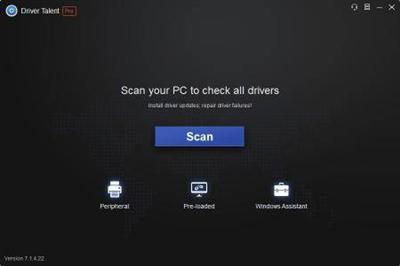
Driver Talent Pro 7.1.28.86 Multilingual

e1a292480c2e088441b72888cf110f57.jpg


Driver Talent Pro 7.1.28.86 Multilingual | 18.4 Mb​
Driver Talent is able to automatically download and install the latest updates for all of the drivers for all of your components. The program includes an extensive database with thousands of drivers for all kinds of devices, including printers, monitors, keyboards, sound cards, video cards and more. With Driver Talent there is no need to worry about losing drivers again. Driver Talent backup and reinstall features can save you hours of searching for and installing individual device drivers.

Key Features of Driver Talent
Scan to find all outdated, missing, corrupted, faulty & incompatible drivers.
Download and install best-matched drivers for computer hardware and all connected peripheral devices.
Update to the latest drivers (several driver versions are available).
One-click repair & fix all driver problems.
Pre-download and save drivers for your own PC, download and transfer drivers for another PC.
One-stop manage: backup, restore, uninstall, reinstall, and more.
Support driver downloads and updates for all hardware devices and manufacturers.
Keep your computer and devices in top condition.

Operating System: Windows 10 / 8.1 / 8 / 7 / XP / Vista, and Windows Server
Interface available in: English, German, French, Portuguese(br), Russian, Armenian, Japanese, Bulgarian, Polish, Turkish, Greek

Home Page -
Код:
https://www.drivethelife.com/

Download link:​
Код:
[center][b]rapidgator_net[/b]:
https://rapidgator.net/file/395f3199a788ccd51132e38c60df75d6/pmf3b.Driver.Talent.Pro.7.1.28.86.Multilingual.rar.html

[b]nitroflare_com[/b]:
https://nitroflare.com/view/48F1D185A50CAFD/pmf3b.Driver.Talent.Pro.7.1.28.86.Multilingual.rar

[b]uploadgig_com[/b]:
http://uploadgig.com/file/download/3b60944fD4c3a422/pmf3b.Driver.Talent.Pro.7.1.28.86.Multilingual.rar[/center]

Links are Interchangeable - No Password - Single Extraction​
 
Firebase with React, v2

f897f1b84445b92b58b7bd97691a9f11.jpg


Firebase with React, v2
.MP4, VP8, 1920x1080, 30 fps | English, Vorbis, 2 Ch | 4h 47m | 1.52 GB
Instructor: Steve Kinney​

Build full-stack applications leveraging your React skills on top of Google's Firebase platform! You'll get hands-on experience building a real-world application from the ground up and deploying it to the cloud.

890ac56906cdc457adf8eedb594e152a.jpg

​

Download link:​
Код:
[center][b]rapidgator_net[/b]:
https://rapidgator.net/file/66d5d1e7ea87387170ec10fd99910160/86auu.Firebase.with.React.v2.part1.rar.html
https://rapidgator.net/file/7083a34611ca54346f9515bc6b6fed23/86auu.Firebase.with.React.v2.part2.rar.html

[b]nitroflare_com[/b]:
https://nitroflare.com/view/29B7AA58FAAE8AE/86auu.Firebase.with.React.v2.part1.rar
https://nitroflare.com/view/B3B9DC76CF3C113/86auu.Firebase.with.React.v2.part2.rar

[b]uploadgig_com[/b]:
http://uploadgig.com/file/download/503Be4a4b1E7e5e4/86auu.Firebase.with.React.v2.part1.rar
http://uploadgig.com/file/download/b333e06a281c6af9/86auu.Firebase.with.React.v2.part2.rar[/center]

Links are Interchangeable - No Password - Single Extraction​
 
JetBrains GoLand 2019.2.5

430eaeaea1bc09f94cbecef9055b0831.jpg


JetBrains GoLand 2019.2.5 | 292 Mb​
GoLand is a new commercial IDE by JetBrains aimed at providing an ergonomic environment for Go development. The new IDE extends the IntelliJ platform with the coding assistance and tool integrations specific for the Go language.

Coding assistance
The IDE analyzes your code, looking for connections between symbols, to provide code completion, quick navigation, clever error analysis, formatting, and refactorings.

Ergonomic design
Together, powerful static code analysis and ergonomic design make development not only productive but also an enjoyable experience.

Integrated tools
Mission-critical tools such as rest-runner, coverage tool, full-featured debugger and version control integration are at hand - no plugin hustle included.

IntelliJ plugin ecosystem
In case you need anything in addition to the already rich set of built-in tools, the IntelliJ plugin ecosystem is there to help you.

System requirements
Microsoft Windows 10/8/7/Vista/2003/XP (incl.64-bit)
Intel Pentium III/800 MHz or higher (or compatible)
2 GB RAM minimum
4 GB RAM recommended
1024x768 minimum screen resolution

Home Page -
Код:
https://www.jetbrains.com/

Download link:​
Код:
[center][b]rapidgator_net[/b]:
https://rapidgator.net/file/7e56f3c378a591214dae650706fea1fc/edarx.JetBrains.GoLand.2019.2.5.rar.html

[b]nitroflare_com[/b]:
https://nitroflare.com/view/D996E62DF8B476F/edarx.JetBrains.GoLand.2019.2.5.rar

[b]uploadgig_com[/b]:
http://uploadgig.com/file/download/89ecC2cf78783107/edarx.JetBrains.GoLand.2019.2.5.rar[/center]

Links are Interchangeable - No Password - Single Extraction​
 
Lingon X 7.4.3 Multilingual macOS

90dcd69dda696ffd410cad6e96dc39a2.jpg


Lingon X 7.4.3 Multilingual | macOS | 6 mb​
Run what you want, whenever you want Lingon can start an app, a script or run a command automatically whenever you want it to. You can schedule it to run at a specific time, regularly or when something special happens. Lingon can also make sure that an app or a script automatically restarts. Lingon X 7 is based on the great Lingon 3 and extends it with new features like running jobs as root and at multiple dates. It is now even easier to use yet much more powerful.

Features
- Start an app, a script or run a command automatically whenever you want it to. You can schedule it to run at a specific times, regularly or when something special happens.
- It can also make sure that an app or a script automatically restarts if it crashes. Lingon X can do all this for you and much more.
- Lets you run things automatically by modifying configuration files for the built-in system function called launchd so the system handles running the jobs so you don't need to have Lingon open after you have saved your job.
- Released outside Mac App Store to be able to include requested features.
- Still available in Mac App Store for those who still use OS X 10.7 Lion or prefer the comfort and convenience of the Mac App Store.
- Earlier versions of Lingon X are still available to work with macOS from 10.8. And a license bought today can be used with both Lingon X 5 and Lingon X 4.

Compatibility: mac OS 10.14 or later 64-bit
Homepage:
Код:
https://www.peterborgapps.com

Download link:​
Код:
[center][b]rapidgator_net[/b]:
https://rapidgator.net/file/f25d51defa40743ab59d3ffe1a23d700/7qt7c.Lingon.X.7.4.3.rar.html

[b]nitroflare_com[/b]:
https://nitroflare.com/view/902A45345FD7B24/7qt7c.Lingon.X.7.4.3.rar

[b]uploadgig_com[/b]:
http://uploadgig.com/file/download/ddec486c9aeC7E30/7qt7c.Lingon.X.7.4.3.rar[/center]

Links are Interchangeable - No Password - Single Extraction​
 
Remo Repair RAR 2.0.0.21

92f5acde6b209df3aeac0bd6150801f6.jpg


Remo Repair RAR 2.0.0.21 | 10.9 Mb​
Data corruption can happen on a regular basis for any file type, it may happen to your emails, documents and archive file likes RAR. When a RAR file is corrupted, the problem can be distressing as not one single file is in question but it can be many files compressed inside the corrupt RAR file and it could be your most treasured videos collection, photos collection or a large database of confidential information.

Remo Repair RAR
- Easy Solution to fix RAR Archives
- Scans and fixes inaccessible RAR files in few clicks
- Read only mechanism doesn't alter original RAR file
- Easy-to-use, wizard-driven interface

A RAR file is created using application like WinRAR and the most general usage is to save backup of important data in storage where due to space constraints you would like to compress them. Corruption or damage to such file types definitely is a matter of concern for any one who has important data. However, with software like Remo Repair RAR it is easy to handle such situations. You can repair such corrupt files in few seconds.

Advanced Features of Remo RAR Repair Tool:
- Supports repair of all versions of RAR files
- Repair password-protected RAR archives
- Support repair of RAR files having CRC error
- Fix RAR files having size of 4 Gb or more
- Strong RAR repair algorithms / engine
- Completely automated repair process
- Intuitive and Easy-to-use interface.

System Requirements:
- Operating System - Microsoft Windows 10, Windows 8.1, Windows 8.0, Windows 7, Vista, XP, Windows Server 2003, Windows Server 2008 and Windows Server 2012
- RAM - 1 GB RAM (Recommended, 2 GB RAM)
- Free disk space - 50 MB (for installation)
- Note: You must log in to your Windows PC as Local System Administrator to install the software

Home Page -
Код:
 https://www.remosoftware.com

Language: English

Download link:​
Код:
[center][b]rapidgator_net[/b]:
https://rapidgator.net/file/1460cb7f6accd6e8ad056ab4535645ee/oaye3.Remo.Repair.RAR.2.0.0.21.rar.html

[b]nitroflare_com[/b]:
https://nitroflare.com/view/E4D2D326EA66995/oaye3.Remo.Repair.RAR.2.0.0.21.rar

[b]uploadgig_com[/b]:
http://uploadgig.com/file/download/e950ADc82F040c55/oaye3.Remo.Repair.RAR.2.0.0.21.rar[/center]

Links are Interchangeable - No Password - Single Extraction​
 
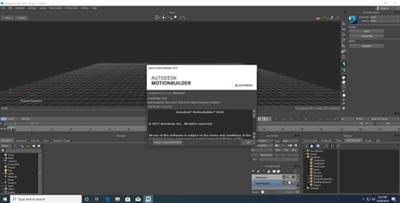
Autodesk MotionBuilder 2018.0.2

71ecda5e67c4a862d83b7f0760e9e43a.jpg


Autodesk MotionBuilder 2018.0.2 | 917.8 mb​
Autodesk is pleased to announce the availability of MotionBuilder 2018.0.2. This update delivers important fixes required to support Autodesk subscription.

MotionBuilder 2018.0.2 - What's Fixed

MOBU-10985 Downloaded MotionBuilder installer displays a publisher warning
MOBU-10901 MotionBuilder displays erroneous "failed to send the required value" serial number message
MOBU-10931 Allow launch using Single Sign On (SSO)
MOBU-10982 MotionBuilder will not launch on a machine with AMD Ryzen Threadripper CPUs

8834ca4f76aa677a437f5e6b9504e1bc.jpg

​

Autodesk MotionBuilder is a professional 3D character animation software produced by Autodesk. It is used for virtual production, motion capture, and traditional keyframe animation. It was originally named Filmbox when it was first created by Canadian company Kaydara, later acquired by Alias and renamed to MotionBuilder. Alias in turn was acquired by Autodesk. It is primarily used in film, games, television production, as well as other multimedia projects. Mainstream examples include Assassin's Creed, Killzone 2, and Avatar.

In this tutorial, i am gonna be showing you how to animate with Maya using Motionbuilder for motion capture data and sending it back to maya. I will also be using Makehuman to generate the character am gonna be using.

About Autodesk. Autodesk helps people imagine, design and create a better world. Everyone-from design professionals, engineers and architects to digital artists, students and hobbyists-uses Autodesk software to unlock their creativity and solve important challenges.

Product: Autodesk MotionBuilder
Version: 2018.0.2 *
Supported Architectures: x64
Website Home Page :
Код:
http://www.autodesk.com
Language: english
System Requirements: PC **
Supported Operating Systems: **
Size: 917.8 mb

* This release delivers important fixes required to support Autodesk subscription. You will need to uninstall your existing MotionBuilder 2018 software before installing this update.

Autodesk MotionBuilder 2018 software is supported on the following 64-bit operating systems and at a minimum, requires a system with the following 64-bit hardware.

Operating System
- Microsoft Windows 7 (SP1) and Windows 10 Professional operating system
Browser
Autodesk recommends the latest version of the following web browsers for access to online supplemental content:
- Apple Safari
- Google Chrome
- Microsoft Internet Explorer
- Mozilla Firefox
CPU 64-bit Intel or AMD multi-core processor
Graphics Hardware Refer to the Maya Certified Hardware page for a detailed list of recommended systems and graphics cards
RAM 8 GB of RAM (16 GB or more recommended)
Disk Space 4 GB of free disk space for install
Pointing Device Three-button mouse

Download link:​
Код:
[center][b]rapidgator_net[/b]:
https://rapidgator.net/file/1ebf03c065c41f2548d2ce8818949a36/swwbx.Autodesk.MotionBuilder.2018.0.2.rar.html

[b]nitroflare_com[/b]:
https://nitroflare.com/view/4FF45C14ECFC3DB/swwbx.Autodesk.MotionBuilder.2018.0.2.rar

[b]uploadgig_com[/b]:
http://uploadgig.com/file/download/7dF143434a2f2Dcb/swwbx.Autodesk.MotionBuilder.2018.0.2.rar[/center]

Links are Interchangeable - No Password - Single Extraction​
 
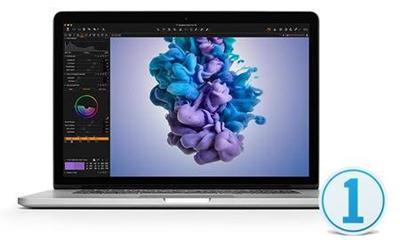
Capture One Pro 12.1.4.21 (x64) Multilingual

09266d2b790250b963d09a4fad135b29.jpg


Capture One Pro 12.1.4.21 (x64) Multilingual | 139 MB​
Capture One Pro 12 - The standout choice in image editing software! Designed with the world's most demanding photographers, Capture One Pro is the Professionals' choice in imaging software.

All About Color
Capture One Pro is known for its exceptional handling of color. Thanks to our custom camera profiling, every RAW file shines - straight from the camera. Whether you seek creative color grading tools or want to ensure natural colors in your images, Capture One Pro delivers powerful and precise tools to achieve your vision.

Asset Management
Asset management is important for every photographer, be it management of images from individual day-to-day jobs or large collections with thousands of images. Capture One Pro offers tools and solutions for every type of photographer, making asset management simple, fast and effective.

Full Control
Capture One Pro has been developed with image quality and ease of use in mind. Every tool is designed to give you full control of all aspects of the editing process - preserving, recovering and optimizing all information from your RAW files. The full range of tools offer extensive possibilities to always achieve perfect results.

Workflow and Performance
From customizable tools, keyboard shortcuts to graphics acceleration and instant tethered capture - Capture One Pro is built to minimize your workload and maximize your efficiency. Design your own workspace and decide your own way of working in Capture One Pro.

What's New in Capture One Pro:

High Performance Engine
The Capture One Pro 12 Engine increases Performance for faster browsing, zooming, panning, adjusting and faster switching between images.

Three Step Sharpening
Full control over the sharpening process from Capture to Output. Diffraction Correction, new creative tools for Halo Control makes sharpening easier, and recipe independent output sharpening remove the need to guess amounts for final size.

Output Proofing
Instantly take the guess work out of resizing images: Proof ICC Profile, scale, compression and output sharpening from the Recipe in new one-click Proofing.

Camera Focus Tool
Focus your tethered camera from the computer. Those tough overhead shots have never been easier.

Tangent Panel Support
Support for the Tangent range of professional input panels takes adjustment to the next level. The analogue solution for your digital darkroom.

Supercharged LCC creation
LCC has been reworked with multi-threading support, making LCC's up to 10 times faster to analyse.

Folder Merging In Catalogs
Folders can now be moved, re-organized and merged in Catalogs using a simple drag drop.

Filter By Orientation
Images can now be filtered by orientation to find Landscape, Portrait or Square images.

Auto Mask for All
Automask functionality is now extended to images formats other than Bayer, like Fuji Xtrans, mRAW and sRAW.

Improved sRAW and mRAW Support
Capture One's full feature set for Lens Correction, Chromatic Aberration Analysis and LCC generation can now be used with most compressed formats from Canon and Nikon. See release notes for full table of support.

Apple Script Extended (Mac Only)
Meta data fields, variant selection and EIP pack state can now be targeted for automation routines.

System Requirements:
- Intel® CoreTM 2 Duo or better
- 8 GB of RAM
- 10 GB of free hard disk space
- Calibrated color monitor with 1280x800, 24-bit resolution at 96dpi
- Mac OS X 10.10.5, 10.11.x or 10.12.x
- An Internet connection is needed when activating Capture One

Home Page -
Код:
https://www.phaseone.com/

Download link:​
Код:
[center][b]rapidgator_net[/b]:
https://rapidgator.net/file/02e11482c7273eb5184c8a17076ae2f3/zweus.Capture.One.Pro.12.1.4.21.x64.Multilingual.rar.html

[b]nitroflare_com[/b]:
https://nitroflare.com/view/BED9EA60276F63C/zweus.Capture.One.Pro.12.1.4.21.x64.Multilingual.rar

[b]uploadgig_com[/b]:
http://uploadgig.com/file/download/78e4959b68201Eee/zweus.Capture.One.Pro.12.1.4.21.x64.Multilingual.rar[/center]

Links are Interchangeable - No Password - Single Extraction​
 
DxO PhotoLab 3 ELITE Edition 3.0.1.23 Multilingual macOS

c1297cfca5077f757504528a7488a79a.jpg


DxO PhotoLab 3 ELITE Edition 3.0.1.23 Multilingual | macOS | 332 mb​
DxO PhotoLab (was DxO Optics Pro) provides a complete set of smart assisted corrections that you can manually fine-tune at any time. Take control on every aspect of your photos: effectively remove noise, get rid of light constraints, recover color details, apply sophisticated optical corrections, and enhance details.

DxO PhotoLab 3's new HSL (Hue, Saturation, and Luminance) Tool is an exciting and superbly visual way to manage color that can help you produce more creative and natural-looking images. The new DxO ColorWheel is a fantastic new color adjustment tool that you can use to select color ranges from eight separate channels, including orange and purple.

The DxO ColorWheel can fine-tune color values, select replacement colors, and it can even adjust transitions and tints for truly distinctive effects.

Features
- DxO Smart Lighting
- DxO ClearView
- DxO PRIME
- Optical Corrections
- Introducing U Point

Compatibility: OS X 10.11 or later 64-bit
Homepage:
Код:
http://www.dxo.com

Download link:​
Код:
[center][b]rapidgator_net[/b]:
https://rapidgator.net/file/3c9eb3507fc76f23210a1de8b17742e6/ttukx.DxO.PhotoLab.3.ELITE.Edition.3.0.1.23.part1.rar.html
https://rapidgator.net/file/4e65789e12c3339a14991302c016f2e8/ttukx.DxO.PhotoLab.3.ELITE.Edition.3.0.1.23.part2.rar.html
https://rapidgator.net/file/60ec90d46a91edd1e93d366f501a4030/ttukx.DxO.PhotoLab.3.ELITE.Edition.3.0.1.23.part3.rar.html
https://rapidgator.net/file/83093237d4ca5fcf11b75bbfd72c80db/ttukx.DxO.PhotoLab.3.ELITE.Edition.3.0.1.23.part4.rar.html

[b]nitroflare_com[/b]:
https://nitroflare.com/view/57F664B0B2D1044/ttukx.DxO.PhotoLab.3.ELITE.Edition.3.0.1.23.part1.rar
https://nitroflare.com/view/31347156CDB9474/ttukx.DxO.PhotoLab.3.ELITE.Edition.3.0.1.23.part2.rar
https://nitroflare.com/view/CCBBC8380628AB0/ttukx.DxO.PhotoLab.3.ELITE.Edition.3.0.1.23.part3.rar
https://nitroflare.com/view/98CFBE5CDA516CD/ttukx.DxO.PhotoLab.3.ELITE.Edition.3.0.1.23.part4.rar

[b]uploadgig_com[/b]:
http://uploadgig.com/file/download/Fbb666166369A8a7/ttukx.DxO.PhotoLab.3.ELITE.Edition.3.0.1.23.part1.rar
http://uploadgig.com/file/download/52c3bec37468124E/ttukx.DxO.PhotoLab.3.ELITE.Edition.3.0.1.23.part2.rar
http://uploadgig.com/file/download/35Ab12079f490515/ttukx.DxO.PhotoLab.3.ELITE.Edition.3.0.1.23.part3.rar
http://uploadgig.com/file/download/f6e9Ff3a8d61f3B3/ttukx.DxO.PhotoLab.3.ELITE.Edition.3.0.1.23.part4.rar[/center]

Links are Interchangeable - No Password - Single Extraction​
 
JetBrains IntelliJ IDEA Ultimate 2019.2.4 (macOS Linux)

1dff978a4f067b215d9007e8bcaba580.jpg


JetBrains IntelliJ IDEA Ultimate 2019.2.4 (macOS / Linux) | 769 MB / 775 MB​
Deep insight into your code. IntelliJ IDEA analyzes your code, looking for connections between symbols across all project files and languages. Using this information it provides indepth coding assistance, quick navigation, clever error analysis, and, of course, refactorings.

Cross-language refactorings
Knowing everything about usages of a symbol, IntelliJ IDEA offers extremely effective, thorough refactorings. For example, when you Rename a class within a JPA statement, it will update everything, from JPA entity class, to every JPA expression where it is used.

Detecting duplicates
Finds duplicate code fragments on the fly. Even if you're only about to extract a variable, constant, or a method, IntelliJ IDEA will let you know that there is a similar code fragment that can be replaced along with the one you're woking on.

Inspections and quick-fixes
Whenever IntelliJ IDEA detects that you're about to make a mistake, a little lightbulb pops up in the editor. Clicking it or pressing Alt+Enter opens a list of actions you can take to make things right.

Developer ergonomics
Every aspect of IntelliJ IDEA is designed with ergonomics in mind. IntelliJ IDEA is built on a principle that every minute a developer spends in the flow is a good minute, and things that break developers out of that flow are bad and should be avoided.

Built-in developer tools
To streamline your workflow, IntelliJ IDEA offers an unbeatable toolset right from the first start: decompiler, bytecode viewer, FTP and many more.

Polyglot experience
In addition to Java, IntelliJ IDEA offers first-class support for top JVM and non-JVM frameworks and languages out of the box.

Download link:​
Код:
[center][b]rapidgator_net[/b]:
https://rapidgator.net/file/0f90faa1cc889daa5dce0c3df8b4f6fe/cr0jq.JetBrains.IntelliJ.IDEA.Ultimate.2019.2.4.Linux.zip.html
https://rapidgator.net/file/b3bb87bdd54b4fb694b7f2ec63439a5c/cr0jq.JetBrains.IntelliJ.IDEA.Ultimate.2019.2.4.macOS.zip.html

[b]nitroflare_com[/b]:
https://nitroflare.com/view/AF563F5B6CB0335/cr0jq.JetBrains.IntelliJ.IDEA.Ultimate.2019.2.4.Linux.zip
https://nitroflare.com/view/ABA4D3354176758/cr0jq.JetBrains.IntelliJ.IDEA.Ultimate.2019.2.4.macOS.zip

[b]uploadgig_com[/b]:
http://uploadgig.com/file/download/927Ce7C426Cf5541/cr0jq.JetBrains.IntelliJ.IDEA.Ultimate.2019.2.4.Linux.zip
http://uploadgig.com/file/download/c9D86309c3F496aa/cr0jq.JetBrains.IntelliJ.IDEA.Ultimate.2019.2.4.macOS.zip[/center]

Links are Interchangeable - No Password - Single Extraction​
 
JetBrains PhpStorm 2019.2.4

de8cf3a7868b2c4cc81f2b94ebdebab4.jpg


JetBrains PhpStorm 2019.2.4 | 287.7 Mb​
PhpStorm is a PHP IDE that actually 'gets' your code. It supports PHP 5.3/5.4/5.5/5.6/7.0/7.1/7.2, provides on-the-fly error prevention, best autocompletion & code refactoring, zero configuration debugging, and an extended HTML, CSS, and JavaScript editor.

Smart PHP Code Editor
The IDE provides smart code completion, syntax highlighting, extended code formatting configuration, on-the-fly error checking, code folding, supports language mixtures and more. Automated refactorings that treat your code with care, helping to make global project settings easily and safely.

Code Quality Analysis
Hundreds of code inspections verify your code as you type and inspect the whole project for possible errors or code smells. Quick-fixes for most inspections make it easy to fix or improve the code instantly. Alt+Enter shows appropriate options for each inspection.

Easy Code Navigation & Search
PhpStorm helps you get around your code more efficiently and save time when working with large projects. Jump to a method, function or variable definition in just one click, or search for its usages.

Debugging, Testing and Profiling
PhpStorm provides powerful built-in tools for debugging, testing and profiling your applications.

Debugging
Zero-configuration debugging makes it really easy to debug your PHP applications. Besides, PhpStorm provides numerous options for debugging your PHP code with Visual Debugger, so you can: inspect variables and user-defined watches, set breakpoints and evaluate an expression in runtime, debug remote applications, debug a page in multiple sessions simultaneously, and more.

Testing
You can develop PHPUnit tests right in PhpStorm and run them instantly from a directory, file or class, by using the context menu options. Code Coverage from PHPUnit shows how much of your code is covered with tests.

Profiling
You can profile your applications with Xdebug or Zend Debugger and check aggregated reports in PhpStorm.

HTML/CSS/JavaScript Editor
PhpStorm includes all the features of WebStorm related to HTML, CSS and JavaScript.

HTML and CSS Editor
All the cutting edge web development technologies are supported including HTML5, CSS, SASS,SCSS, LESS, CoffeeScript, ECMAScript Harmony, Jade templates, etc. Live Edit gives you an opportunity to see all the changes instantly in the browser without refreshing the page.

JavaScript Editor
The smartest JavaScript Editor is bundled with the IDE, offering code completion, validation and quick fixes, refactorings, JSDoc type annotations support, JavaScript debugging and unit testing, support for JavaScript Frameworks, and more.

New Technologies
PhpStorm provides a streamlined experience for the full development cycle with new languages such as TypeScript, CoffeeScript, and Dart.

Development Environment
PhpStorm is built on top of the open-source IntelliJ Platform, which we at JetBrains have been developing and perfecting for over 15 years. Enjoy the fine-tuned, highly customizable experience it provides to fit your development workflow.

VCS
PhpStorm provides a unified UI for working with many popular Version Control Systems, ensuring a consistent user experience across git, GitHub, SVN, Mercurial, and Perforce.

Databases & SQL
PhpStorm provides tools and code assistance features for working with databases and SQL in your projects. Connect to databases, edit schemas and table data, run queries, and even analyze schemas with UML diagrams. SQL code can be injected to other languages or edited in SQL Editor, with syntax highlighting, smart code completion, on-the-fly code analysis, code formatting and navigation available.

Other Features
Perform many routine tasks right from the IDE with support for Vagrant support, Docker, Composer, and more.

System requirements
Microsoft 10/8/7/Vista/2003/XP (incl. 64-bit)
2 GB RAM minimum
4 GB RAM recommended
1024x768 minimum screen resolution

Home Page -
Код:
https://www.jetbrains.com/

Download link:​
Код:
[center][b]rapidgator_net[/b]:
https://rapidgator.net/file/f6f8ad71af17b0f8b57166568c55764e/p6u4p.JetBrains.PhpStorm.2019.2.4.rar.html

[b]nitroflare_com[/b]:
https://nitroflare.com/view/02F77F8B5A48D91/p6u4p.JetBrains.PhpStorm.2019.2.4.rar

[b]uploadgig_com[/b]:
http://uploadgig.com/file/download/454B6e58A4fe7b8f/p6u4p.JetBrains.PhpStorm.2019.2.4.rar[/center]

Links are Interchangeable - No Password - Single Extraction​
 
JetBrains RubyMine 2019.2.4

2dd87efb2ff714d97f86dcbd3b43b1f2.jpg


JetBrains RubyMine 2019.2.4 | 296 Mb​
JetBrains RubyMine IDE includes a comprehensive Ruby code editor aware of dynamic language specifics. It provides smart coding assistance, intelligent code refactoring, and deep code analysis capabilities. With easy project configuration, automatic Ruby Gems management, Rake support, and built-in consoles, it has everything a Ruby developer needs in a development environment.

JavaScript & HTML/CSS
Speed and efficiency are guaranteed for your client-side and server-side development in JavaScript, CoffeeScript, TypeScript, HTML, CSS, Less or Sass, as RubyMine provides best-in-class coding assistance and a wide range of advanced features. Node.js, Dart, AngularJS and JavaScript testing frameworks are supported via free plugins. Enhance and streamline your debugging experience without leaving the IDE, thanks to JavaScript and Node.js debugging tools.

Code Analysis & Refactorings
Let your IDE take care of your code. Smart, type-aware code completion, intelligent code inspections, live templates and intention actions all work together to help you code faster and fail-proof. Refactor your Ruby code the intelligent, language specific-aware way, with safe Rename and Delete, Extract Method, Introduce Variable, Inline Variable or Method, and more refactorings.

Multiple Integrated Tools
Git, Subversion, Mercurial, Perforce, and CVS: RubyMine knows most common version control systems and SCMs and provides a unified UI for all of them. Easily configure automatic deployment via FTP or SFTP, and manage your infrastructure with Vagrant, Capistrano, Chef, and/or Puppet. Utilise database tools including a full-featured database editor and SQL support.

Ruby on Rails
RubyMine brings dedicated RoR features including project structure views, quick Model-View-Controller navigation options, Rails-specific code completion, intention actions, and automated refactorings. All this, plus best-of-breed support for ERB, HAML and Slim editing, coupled with advanced web development tools and a built-in Rails console, is the best recipe for producing cutting-edge Web applications.

RubyMotion
RubyMine brings all the essential productivity boosters to the world of RubyMotion apps. Code insight is available for Ruby, Objective-C and Java APIs, making iOS, macOS and Android development with RubyMotion even more pleasant. With a powerful testing and debugging UI, working either with a simulator or a real device, it is much easier to fine-tune your application code. All Rake commands and an interactive console are at your disposal as well.

Testing
The value of testing should not be underestimated. Like writing code, unit-testing becomes second nature with RubyMine's flexible, well-thought-out RSpec, Cucumber, Shoulda, MiniTest and Test::Unit integration. Write tests quickly thanks to intelligent code completion and navigation, and easily run tests and analyze their results with a graphical UI.

A Powerful Debugger
Fine-tuning application code is an essential step in every software project. RubyMine's Ruby debugger inherits all the best from the proven IntelliJ IDEA Java/JSP debugger while focusing on the needs of Ruby and Rails developers. It allows breakpoints in Ruby, ERB and JavaScript code, and provides highly informative views like Console, Variables, Frames and Watches.

System requirements
64-bit versions of Microsoft Windows 10, 8, 7 (SP1)
2 GB RAM minimum, 8 GB RAM recommended
2.5 GB hard disk space, SSD recommended
Ruby 1.8.x or higher, or JRuby
1024x768 minimum screen resolution

Home Page -
Код:
https://www.jetbrains.com/

Download link:​
Код:
[center][b]rapidgator_net[/b]:
https://rapidgator.net/file/09fda848202b5cf6961c7952e4574a54/3vea1.JetBrains.RubyMine.2019.2.4.rar.html

[b]nitroflare_com[/b]:
https://nitroflare.com/view/B85EF81DBEB56CE/3vea1.JetBrains.RubyMine.2019.2.4.rar

[b]uploadgig_com[/b]:
http://uploadgig.com/file/download/1c4d3F48e11eEf62/3vea1.JetBrains.RubyMine.2019.2.4.rar[/center]

Links are Interchangeable - No Password - Single Extraction​
 
JetBrains WebStorm 2019.2.4

b498e98a08ee4dbec20c52349562271c.jpg


JetBrains WebStorm 2019.2.4 | 258.6 Mb​
WebStorm brings you smart coding assistance for JavaScript and compiled-to-JavaScript languages, Node.js, HTML and CSS. Enjoy code completion, powerful navigation features, on-the-fly error detection, and refactorings for all of these languages.

Major frameworks supported
PhpStorm is perfect for working with Symfony, Drupal, WordPress, Zend Framework, Laravel, Magento, CakePHP, Yii, and other frameworks.

All PHP tools
The editor actually 'gets' your code and deeply understands its structure, supporting all PHP language features for modern and legacy projects. It provides the best code completion, refactorings, on-the-fly error prevention, and more.

Front-end technologies included
Make the most of the cutting edge front-end technologies, such as HTML5, CSS, Sass, Less, Stylus, CoffeeScript, TypeScript, Emmet, and JavaScript, with refactorings, debugging and unit testing available. See changes instantly in the browser thanks to Live Edit.

Built-in developer tools
Perform many routine tasks right from the IDE, thanks to Version Control Systems integration, support for remote deployment, databases/SQL, command-line tools, Vagrant, Composer, REST Client, and many other tools.

PhpStorm = WebStorm + PHP + DB/SQL
All the features of WebStorm are included into PhpStorm, and full-fledged support for PHP and Databases/SQL support are added on top.

Intelligent Coding Assistance
Hundreds of inspections take care of verifying your code as you type, analyzing the whole project. PHPDoc support, code (re)arranger and formatter, quick-fixes, and other features help you write neat code that's easy to maintain.

Smart Code Navigation
Be the master of your codebase thanks to efficient, lightning-fast navigation features. The IDE understands where you want to go and gets you there instantly.

Fast and Safe Refactoring
Refactor your code reliably with safe Rename, Move, Delete, Extract Method, Inline Variable, Push members Up / Pull members Down, Change Signature, and many other refactorings. Language-specific refactorings help you perform project-wide changes in a matter of a few clicks, and can​ be safely undone.

Easy Debugging and Testing
PhpStorm is renowned for its zero-configuration Visual Debugger, providing extraordinary insight into what goes on in your application at every step. It works with Xdebug and Zend Debugger, and can be used both locally and remotely. Unit Testing with PHPUnit, BDD with Behat and profiler integration are also available.

System requirements
Microsoft Windows 10/8/7/Vista/2003/XP (incl.64-bit)
Intel Pentium III/800 MHz or higher (or compatible)
2 GB RAM minimum
4 GB RAM recommended
1024x768 minimum screen resolution

Home Page -
Код:
https://www.jetbrains.com/

Download link:​
Код:
[center][b]rapidgator_net[/b]:
https://rapidgator.net/file/025b4c8856230629cc247423f3fef097/y977q.JetBrains.WebStorm.2019.2.4.rar.html

[b]nitroflare_com[/b]:
https://nitroflare.com/view/4EF2BCDC893C774/y977q.JetBrains.WebStorm.2019.2.4.rar

[b]uploadgig_com[/b]:
http://uploadgig.com/file/download/7C908d6b87f3428d/y977q.JetBrains.WebStorm.2019.2.4.rar[/center]

Links are Interchangeable - No Password - Single Extraction​
 
Lumenzia 8.0.0 (WinmacOS)

a74f33a1e962fb1a547e957e2f6f6721.jpg


Lumenzia 8.0.0 (Win/macOS) | 113 Mb​
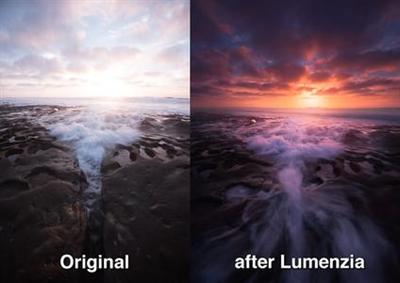
Luminosity masks allow you to create gorgeous and realistic edits in Photoshop. Lumenzia allows you to use use them quickly and easily. Its advanced JavaScript engine handles all the luminosity masking complexity for you in the background, so all you need to think about is making beautiful images.

Features:
Dynamic interface with sliders to quickly and easily create custom masks
BlendIf and Vector masks (to save significant file space and avoid the need to update masks)
Color masks and color BlendIf masks
Zone masks for precise midtone selection
Zone and Range pickers to select midtones by clicking on the image
Difference masks to select pixels which are lighter or darker than their surroudings or other layers
Saturation masks to manage out of gamut colors and more
Vibrance masks for color-specific vibrance adjustments and more
Zone maps to visualize the image in zones 0-10.
Visualize and edit luminosity selections just like layer masks
Add, subtract, or intersect any mask or selection for advanced control
Local Contrast Enhancement (easily and automatically bring out more detail)
Live masks (see the blended result immediately and try different masks)
Refine masks to specific locations or colors in the image
Combine masks (merge group masks to save space and see exactly what is masked)
Support for paths, to facilitate use of luminosity masks with hard edges in architecture
Split-screen to see the mask and image simultaneously
"PreBlend" to automatically stack, align, and sort exposures for blending
Utility to save files >4GB which can be viewed in Lightroom
Non-destructive sponge tool (advanced saturation painting)
Custom vignettes
Advanced Dodging and Burning tools, including visuzliation or the ability to select adjusted areas
Luminosity and dust visualization tools to easily find and fix defects
Advanced sharpening methods for portraits (surface blur) and landscape (high pass)
Apply or replace masks on existing layers with a single click
Recordable actions to include light and dark masks/selections in your own actions.
Training and support videos, as well as a comprehensive written manual

Key benefits:
- Select and mask anything, visually! With Lumenzia, you get a full screen preview of the mask before you apply it. Interactively click on the image to select (or deselect) the tones/colors to the degree you wish. No guesswork with adding and subtracting channels. Isolate the mask to to specific parts of the image with a simple selection. And you can combine group masks to easily see the overall mask impact. It's never been faster and easier to create or customize the right mask. And the masks are created in 16-bits, allowing for smooth transitions in extreme masks.
- Click to pick! You don't have to know which mask to use, just use the built-in zone and range tools to create the right mask automatically.
- It's stays out of the way. Lumenzia offers a compact panel with only the buttons you need, and completely eliminates the need for the channels pallet. This leaves room to easily see your images big and beautiful, even on a laptop screen. Every action in Lumenzia creates just a single history step, so you can undo anything with -Z. And because Lumenzia is programmed in JavaScript, it's smart enough to take care of errors and other tricky situations for you.
- Simplify exposure blending. Automatically stack, align, and sort your exposures light to dark for blending.
- Smaller files. Lumenzia doesn't use channels, so your files stay small. Additionally, it offers BlendIf and vector masks to avoid layer mask bloat, as well as a "Combine" tool to reduce the impact of group masks. A typical TIF file from a Nikon D800 grows from 200MB to 1.4GB when creating channel masks, but would remain the same 200MB size in Lumenzia. And Lumenzia can combine group masks to significantly cut down on file size, often reducing file size by 20-50%!
- Beautiful vignettes with ease. Just draw a selection around the target area to create a vignette of any size, sharp, or position in the image. The vignette can be easily modified, inverted (to lighten the center) or combined with luminosity masks (to avoid darkening shadows too much).

New in Lumenzia v8:
There are over 350 new features, updates, and fixes in v8 to make it easier than ever to create luminosity masks and selections in Photoshop. See the short demo videos below to see how you can take advantage of them to make beautiful photos, and see the release notes for a full list of all the changes.

Lumenzia v8 is featured extensively in my new Dodging & Burning Master Course. This comprehensive course goes well beyond simple "dodging and burning" to help you learn how to add dimensionality, movement, and depth to images through a deep understanding of artistic principles and novel techniques to apply them.

System requirements:
Lumenzia is compatible with Photoshop CS6 - CC 2018+ on both Windows and OSX. Lumenzia does not support CS5 or earlier (however, you may wish to try my free luminosity masking panel/actions instead).

Home Page -
Код:
https://gregbenzphotography.com/lumenzia-v8-luminosity-masking-panel-for-photoshop
Download link:​
Код:
[center][b]rapidgator_net[/b]:
https://rapidgator.net/file/7108d4d48cb6c00c0c21c21638e2c9d7/z8jis.Lumenzia.8.0.0.WinmacOS.zip.html

[b]nitroflare_com[/b]:
https://nitroflare.com/view/FFCB95DEC4D486D/z8jis.Lumenzia.8.0.0.WinmacOS.zip

[b]uploadgig_com[/b]:
http://uploadgig.com/file/download/cbd47A5A18fe2331/z8jis.Lumenzia.8.0.0.WinmacOS.zip[/center]

Links are Interchangeable - No Password - Single Extraction​
 
Native Instruments Traktor Pro 3.2.1.9 macOS

bdec6a795e1ec3858b58ff79da459932.jpg


Native Instruments Traktor Pro 3.2.1.9 macOS | 400 Mb​
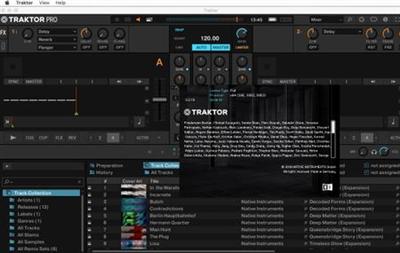
TRAKTOR PRO is the industry-leading DJ software - four decks and a stunning range of creative features designed for professional DJs. Industry-leading 4-deck DJ software with unrivaled pro features. Innovative Stem decks for creative mixing with compatible hardware. Powerful looping, over 40 effects, plus 1-knob Macro control.

PROFESSIONAL 4-DECK DJ SOFTWARE
Our flagship DJ software, used from bars, to booths, to the biggest stages around the world
Pro-grade audio, with new time-stretching and improved limiter
Powerful interfacing with TRAKTOR hardware, including Haptic Drive™, Remix Deck pattern recorder, and more

CRAFTED TO PERFORM
Almost two decades ago, we created the first DJ software to truly conquer the club. Since then, it's filled sound systems and dancefloors across the world, as well as house parties, bars, beaches, and everything in between. Now, with TRAKTOR PRO 3, we've built on that past to bring you new tools for sonic sculpting, our best sound quality ever, and our clearest interface to date - so you can play whatever you want, however you want, wherever you want.

STAY IN SYNC
TRAKTOR is great for honing your beatmatching skills, but you can also blend genres and bridge BPMs by letting TRAKTOR PRO 3 do some of the work. Hitting the Sync button quickly gets your tracks beat-matched, so you have plenty of time to experiment with your mix.

REMIX WITH LOOPS, HOTCUES, AND BEATJUMPS
For those who really want to put their stamp on a set, the industry's most reliable and seamless loop, Hotcue, and beatjump tools let you chop and re-edit tracks however you like. Unless you want to cut things up outside of the beat, TRAKTOR will make sure you never skip out of the groove.

FULL FX SUITE INCLUDED
Modulate your tracks with over 40 intuitive, high-grade effects. TRAKTOR's famous Deck FX can twist and screw your tracks with endless variation, while new Mixer FX introduce easy-to-use effects in a single control on each channel. Turn them up, down, on, and off, for sonic exploration that's out of this world.

SUPPORTED AUDIO FORMATS
MP3, WAV, AIFF, Audio CD, FLAC, Ogg Vorbis, non-DRM AAC

SUPPORTED DRIVERS
Core Audio, WASAPI, ASIO, DirectSound

9c62a996a48fd0ff86cb451da628031e.jpg

​

Requirements: macOS 10.12, 10.13, 10.14 (latest update), Intel Core i5, 4 GB RAM

Home Page -
Код:
https://www.native-instruments.com/en/

Download link:​
Код:
[center][b]rapidgator_net[/b]:
https://rapidgator.net/file/6bb6168668fe6f7553b7ad5d7c51b789/9wcm8.Native.Instruments.Traktor.Pro.3.2.1.9.macOS.part1.rar.html
https://rapidgator.net/file/97f01aa6cb62d7d3b486cb989187e7a3/9wcm8.Native.Instruments.Traktor.Pro.3.2.1.9.macOS.part2.rar.html
https://rapidgator.net/file/00f783fd21a972adfde22df7d2ddd66a/9wcm8.Native.Instruments.Traktor.Pro.3.2.1.9.macOS.part3.rar.html

[b]nitroflare_com[/b]:
https://nitroflare.com/view/5DBFFC5308C052D/9wcm8.Native.Instruments.Traktor.Pro.3.2.1.9.macOS.part1.rar
https://nitroflare.com/view/9C73962E219723C/9wcm8.Native.Instruments.Traktor.Pro.3.2.1.9.macOS.part2.rar
https://nitroflare.com/view/7773D460944D45D/9wcm8.Native.Instruments.Traktor.Pro.3.2.1.9.macOS.part3.rar

[b]uploadgig_com[/b]:
http://uploadgig.com/file/download/147131f78d76D855/9wcm8.Native.Instruments.Traktor.Pro.3.2.1.9.macOS.part1.rar
http://uploadgig.com/file/download/2f444c7b2CB36515/9wcm8.Native.Instruments.Traktor.Pro.3.2.1.9.macOS.part2.rar
http://uploadgig.com/file/download/89b228Da1d1e2e74/9wcm8.Native.Instruments.Traktor.Pro.3.2.1.9.macOS.part3.rar[/center]

Links are Interchangeable - No Password - Single Extraction​
 
Navicat Essentials Premium 12.1.25

fc28202009c44786ef9486c30ae18799.jpg


Navicat Essentials Premium 12.1.25 (x86/x64) | 116.2 Mb​
Navicat Essentials is a compact version of Navicat which provides the basic and necessary features you will need to perform simple database development. Navicat Essentials is for commercial use and is available for MySQL, MariaDB, SQL Server, PostgreSQL, Oracle, and SQLite databases. If you need to administer all aforementioned database servers at the same time, there is also Navicat Premium Essentials which allows you to access multiple servers from a single application.

Features:

The All-New Engine
We focus strongly on improving responsiveness, usability, and performance. We engineered an entirely new mechanism and applied multithreading, so you can run certain tasks in parallel to increase the overall efficiency of your database development.

Cloud Database Navigation
Manage both on-premises and cloud databases such as Amazon RDS, Amazon Aurora, Amazon Redshift, SQL Azure, Oracle Cloud, and Google Cloud. Just simply establish connection using the pertinent information that your cloud databases provide.

Effortless Deployment Toolkit
Add your favorite tabs to On Startup and have them open automatically when Navicat launches, and use MacBook Pro Touch Bar to easily access Navicat features and controls.

Diversified Manipulation Tool
Use Import/Export Wizard to have data conversion from plain text formats such as TXT, CSV, XML and JSON. Add, modify, and delete records with our spreadsheet-like Grid View together with an array of data editing tools to facilitate your edits. Navicat Essentials gives you the tools you need to manage your data efficiently and ensure a smooth process.

Make Collaboration Easy
Synchronize your connection settings and queries to our Navicat Cloud service so you can get real-time access to them, and share them with your coworkers anytime and anywhere. With Navicat Cloud, you can leverage every minute of your day to maximize your productivity. Learn more >

Advanced Secure Connection
Establish secure connections through SSH Tunneling and SSL ensure every connection is secure, stable, and reliable. Support different authentication methods of database servers such as PAM authentication for MySQL and MariaDB, and GSSAPI authentication for PostgreSQL. Navicat 12 provides more authentication mechanisms and high-performance environments so you never have to worry about connecting over an insecure network.

Operating System: Windows 7, 8/8.1, 10, Windows Server 2008 R2, 2012, 2016

Home Page -
Код:
https://www.navicat.com/

Download link:​
Код:
[center][b]rapidgator_net[/b]:
https://rapidgator.net/file/7f4ac9ee2a2eeccd877979fa00ff51c8/smast.Navicat.Essentials.Premium.12.1.25.rar.html

[b]nitroflare_com[/b]:
https://nitroflare.com/view/D87E60C66BEB140/smast.Navicat.Essentials.Premium.12.1.25.rar

[b]uploadgig_com[/b]:
http://uploadgig.com/file/download/AFd441926eE7326c/smast.Navicat.Essentials.Premium.12.1.25.rar[/center]

Links are Interchangeable - No Password - Single Extraction​
 
Nikon Camera Control Pro 2.29.1 Multilingual

96a0e23fbe20201b4b5dff98002b71bb.jpg


Nikon Camera Control Pro 2.29.1 Multilingual | 318 Mb​
This software remotely controls most functions of Nikon digital SLRs from a computer that is connected via USB cable or through wired or wireless LAN using a wireless transmitter. Advanced functions of the new Nikon D3 and D300 such as Viewer for preview and selection of images prior to transfer to a computer, Liveview function and Picture Control System are supported. It also supports workflows of Nikon's exclusive photofinishing software Capture NX (optional) and browser and viewer software ViewNX.

Most settings of Nikon digital SLRs, that are connected via USB cable, such as exposure mode, shutter speed and aperture can be controlled remotely from a computer. Wired or wireless LAN is also available when using a wireless transmitter.
In addition to direct transfer of images from a camera to a computer, all procedures from shooting to saving images are smoothly processed.
Enhanced viewer function enables thumbnail display of images stored in a computer.

Compatible with the new functions of the Nikon D3/D300
Images in a camera buffer can be confirmed with thumbnail or preview display on a computer prior to transferring, enabling deletion of unnecessary images. This remarkably increases efficiency.
Supporting the Liveview mode (Hand-held mode and Tripod mode) of the D3 and D300, it permits adjustment of focus point and shutter release while confirming the image on a computer. In Tripod mode, focal-plane contrast AF on a desired point within a specific area is possible.
It also supports Picture Control System of the cameras. Picture Control parameters can be selected and adjusted on a computer, and custom curves (tone compensation data) can be created and registered
51-point AF can be controlled and displayed.
Fine tuning of the new white balance is available.

Integration with other Nikon software
Support for ViewNX browser and viewer software
Support for Capture NX photo-finishing software

Operating System: Windows 7, 8/8.1, 10

Home Page -
Код:
http://imaging.nikon.com/lineup/software/control_pro2/

Download link:​
Код:
[center][b]rapidgator_net[/b]:
https://rapidgator.net/file/437f5caf966ef5daf5155f0077ed9b86/2p3ll.Nikon.Camera.Control.Pro.2.29.1.Multilingual.rar.html

[b]nitroflare_com[/b]:
https://nitroflare.com/view/04A93186180F0BA/2p3ll.Nikon.Camera.Control.Pro.2.29.1.Multilingual.rar

[b]uploadgig_com[/b]:
http://uploadgig.com/file/download/66647cfa13697eDf/2p3ll.Nikon.Camera.Control.Pro.2.29.1.Multilingual.rar[/center]

Links are Interchangeable - No Password - Single Extraction​
 
NUMECA FineMarine 8.2

2a4c308d3a3b7df057910dae4fd437be.jpg


NUMECA Fine/Marine 8.2 | 1.4 Gb​
NUMECA International is delighted to announce the official release of FINE / Marine simulation software version 8.2. Several improvements and new capabilities have been introduced to ease your daily work and extend the scope of application of FINE/Marine.

FINE / Marine

Introduction of temperature and concentration modeling
The temperature can now be activated and defined in the computational domain. The impact of a pollutant concentration on the fluid behavior can also be studied.
Advanced turbulence models
Three new turbulence models are now available in FINE/Marine:
- k-ω SST Menter 2003
- DDES
- IDDES
Internal wave generator: forced layers (BETA)
Forcing layers replace wave damping for the internal wave generator. They impose the exact wave signal from the IWG, in this way removing any wave reflections from solid bodies or domain boundaries.
Several GUI improvements
Following expert features have been interfaced:
- Streaking correction
- Velocity clip
- Parallel probe reconstruction
New way of calculating the hydrodynamic pressure based on the dynamic free-surface height. Gradient evaluation methods passed to expert parameters.
Generation of Wageningen B-series curves for the actuator disk
The creation of B-series performance data can now be performed in the actuator disk menu of FINE/Marine.
Customized cutting plane plugin in CFView
Plugin available in CFView in order to create automatically one or several cutting planes in the current domain.
Initial intact stability of the ship computed by Domhydro
Domhydro can now compute new hydrostatics-based coefficients, such as metacentric height, prismatic coefficient, center of flotation, second moment of waterplane area.
C-Wizard: Grid convergence study
The C-Wizard can be used to perform a complete grid convergence study including:
- Project's architecture creation in batch mode
- Mesh parameters following a rigorous methodology
- Post-processing tool creating report and pictures
C-Wizard: resistance mode extended for high Froude number computations
The C-Wizard resistance mode has been extended for higher Froude numbers. This mode can now be used for displacement, semi displacement and also planing hulls when the final position cannot be predicted with classic estimation methods proposed in the planing regime mode.
C-Wizard: computation of the hydrostatic trim
The C-Wizard resistance and seakeeping modes have been extended for computing the initial hydrostatic trim.
Rhino plug-in: compatibility with Rhinoceros 6
Plug-in designed to ease the export of geometries from Rhinoceros, is now compatible with Rhino 6.
Rhino plug-in: Geometry analysis
A new functionality to check if the geometry is ready for the FINETM/Marine export has been added to the RhinoTM plugin. If any problems are detected they will be listed together with possible solutions.

HEXPRESS

Changed default: Smarter inflation technique
(New in HEXPRESS 8.2-1 delivered in FINE/Marine 8.2 only)
The BETA flag for the smarter inflation technique for viscous layers has been removed and has been activated by default for newly created projects.

FINE / Marine , The Leading CFD Software for Naval Architects and Marine Engineers - FINE / Marine is a unique integrated CFD software environment for the simulation of mono-fluid and multi-fluid flows around any kind of ships, boats or yacht including various types of appendages. The powerful and customized graphical user interface drives the user into the whole simulation process and integrated marine-dedicated features for different applications.

NUMECA - Full-scale self-propulsion simulation performed with FINE/Marine

NUMECA International is a leading developer and provider of Grid Generation, Multi-physics CFD software systems for the multiphysics design simulation and optimization of industrial products and processes. A leader in the field of turbomachinery, NUMECA software is used for the simulation of fluids, acoustics, thermal and fluid/mechanical coupled systems in a wide range of applications. NUMECA has a worldwide presence, with branch offices in the USA, Japan, China, Hong Kong, India and Belgium, as well as a worldwide network of distributors.

Product: NUMECA Fine / Marine
Version: 8.2
Supported Architectures: x64
Website Home Page :
Код:
http://www.numeca.com
Language: english
System Requirements: PC *
Supported Operating Systems: *
Size: 1.4 Gb

Supported platforms and operating systems

NUMECA software is supported in 64 bits on x86_64 processors only (64 bits processors that are compatible with Intel 8086 set of instructions).

Formally tested on
- Windows 8.1 Professional -
- Windows 10 Professional -
- Windows HPC 2012
Also known to run on*
- Windows 7 Professional
- VISTA Business
- VISTA Ultimate
- Windows Server 2008
- Windows Server 2012
- Windows Server 2016
* Known from partners and/ or customers. No official support offered on these combinations

Multiprocessors calculations

Multiprocessors calculations are allowed on shared and homogeneous distributed platforms. Non-homogeneous configurations are not allowed.

The following limitations additionally apply:
- Multiprocessors calculations are allowed on distributed platforms in local user configurations provided that the same account is used for all machines,
- Domain administrators are not allowed to run multiprocessors calculations.
- MPICH2 library needs Microsoft .net Framework package before installing NUMECA software otherwise execution of mpiexec.exe will lead to a Windows error message.

Hardware requirements

Next to the standard hardware (monitor, keyboard and mouse), some specific recommendations apply in the use of NUMECA software:
- a mouse with scroll wheel is strongly recommended.
- the monitor should support 24-bit color graphics and have a 1280 x 1024 pixel resolution for adequate visualization.
- an Ethernet card should be installed and properly configured.
- NUMECA Software does not support CXFS (Clustered XFS) and IBRIX disk file systems.

Memory and disk space requirements

The Random Access Memory (RAM) required to run NUMECA software depends upon several factors, in particular including the number of grid points inserted in the grid, the physical models selected (turbulence, adaptation,...), the introduction of non-matching boundary conditions and the selected calculation mode (mixed or double precision).

Similarly, a minimum disk space is required on the hard disk to allow the storage of the project files. The size of these files largely depends upon the number of grid points generated.

More product specific details:

FINE /Marine

The use of minimum 2GB of RAM is mandatory, but the installation of 8 GB is recommended. As a general guideline, about 2 GB RAM is generally required to run a one million nodes project. The suggested swap space should be equivalent to at least three times the RAM installed. For parallel computations, a multi-processors environment with 2GB of RAM per core is recommended. In such case the suggested swap space should be equivalent to at least one time the RAM installed.

Mesh conversion and partitioning for multi-processor calculations requires about 1 GB per million cells. Since mesh partitioning cannot be performed taking benefit of multi-processor environments, access to nodes allowing large RAM (from 4 to 16 GB) may be mandatory during mesh partitioning.

As a general guideline, about 1.6 GB is required to store a one million nodes mesh, with flow solution on disk. The minimum storage is fixed as 400 MB per million cells, but this only guarantees proper restart procedures without direct possibilities for the visualization of the flow solution.

Graphics requirements

NVidia graphics cards are fully supported, installed together with the latest drivers.

NUMECA software makes use of the advantages of the available Graphics Card. Some trouble may however come up with the default driver OPENGL since it may not be supported by the user host computer and machine display. In order to set the system compatible with a more portable driver, typically MSW driver is used under Windows instead. Note however that the proposed drivers are usually less efficient in terms of graphical speed than the default driver.

Download link:​
Код:
[center][b]rapidgator_net[/b]:
https://rapidgator.net/file/85e1490e58a9607469a52dfbfc56fc00/rxr73.NUMECA.FineMarine.8.2.part1.rar.html
https://rapidgator.net/file/6b3fe0c3eb6f02cbc5df9bbc971487c3/rxr73.NUMECA.FineMarine.8.2.part2.rar.html
https://rapidgator.net/file/2314e0d8f4ea71f5a5b616ba1513dee2/rxr73.NUMECA.FineMarine.8.2.part3.rar.html
https://rapidgator.net/file/ce3c5371afc6431b602108acd3cc1ab5/rxr73.NUMECA.FineMarine.8.2.part4.rar.html
https://rapidgator.net/file/a1d38b6f71acf61f12c1249a9f68e62d/rxr73.NUMECA.FineMarine.8.2.part5.rar.html

[b]nitroflare_com[/b]:
https://nitroflare.com/view/0E0A8034828CBDB/rxr73.NUMECA.FineMarine.8.2.part1.rar
https://nitroflare.com/view/09F08E6739C7A20/rxr73.NUMECA.FineMarine.8.2.part2.rar
https://nitroflare.com/view/6482C35715D0687/rxr73.NUMECA.FineMarine.8.2.part3.rar
https://nitroflare.com/view/E02493F939BCD71/rxr73.NUMECA.FineMarine.8.2.part4.rar
https://nitroflare.com/view/42B1C485B7FCF2E/rxr73.NUMECA.FineMarine.8.2.part5.rar

[b]uploadgig_com[/b]:
http://uploadgig.com/file/download/f529b6c9A96596a2/rxr73.NUMECA.FineMarine.8.2.part1.rar
http://uploadgig.com/file/download/efd6ba52f6E52Bc6/rxr73.NUMECA.FineMarine.8.2.part2.rar
http://uploadgig.com/file/download/dce6C29f6c7D3e99/rxr73.NUMECA.FineMarine.8.2.part3.rar
http://uploadgig.com/file/download/d6c260c67ad9Bcbc/rxr73.NUMECA.FineMarine.8.2.part4.rar
http://uploadgig.com/file/download/87adE52f94a0453c/rxr73.NUMECA.FineMarine.8.2.part5.rar[/center]

Links are Interchangeable - No Password - Single Extraction​
 
Назад
Сверху