• Форум работает в архивном режиме www.old.nado.in

All mitsumi'1s Applications !! (updated daily)

  • Автор темы Автор темы mitsumi1
  • Дата начала Дата начала
WinCam 1.6 Multilingual

a842fb14dfc9c0117ab7ff91e158c258.jpg


WinCam 1.6 Multilingual | 11 Mb​
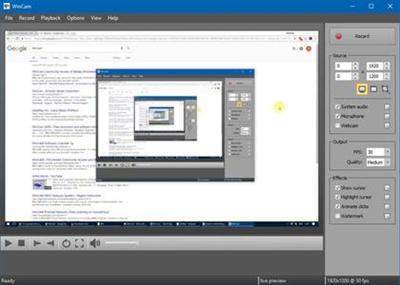
WinCam is a powerful and extremely easy-to-use screen recorder for Windows. It can deal with a given application, a region or the entire screen - and record everything that goes on in there. With the ability to capture up to 60 frames per second, WinCam makes sure your recording doesn't miss a tiny thing, while hardware acceleration renders and encodes video in real time and truly effortless.

Designed as simple as possible, WinCam is packed with functions that allow for almost any use: recording video tutorials, saving Skype calls, capturing various media in real time and creating visual content in a hit of a button.

Choose the desired video source and effects, click the Record button and proceed as usual: work in any application, watch video or play games. When you're done, click WinCam icon or press a hotkey, and the video of your activity is ready for sharing.

Live Preview
WinCam incorporates the same design philosophy as WinSnap (our screenshot creator). On the right pane, you can adjust the video source, the frame rate and post-processing effects, and preview these changes immediately without starting recording.

Cursor Zoom, Highlight and Click Animation
Creating a tutorial, you can make your cursor pop by adjusting its size, adding the highlight effect and mouse click animations. Alternatively, when recording a live-stream video, you might want to hide the disturbing cursor at all.

System Audio and Microphone
With WinCam, you can record system audio, microphone or both simultaneously. The selected audio signals are automatically resampled to achieve the best possible quality, mixed together and encoded in real time alongside the video.

Basic Video Editing
When recording is done, you can preview it and do some basic editing directly in WinCam. Double-click the timeline or use the corresponding toolbar buttons to set the start and end times of the video. Then click the Save button to save your clip as a copy or overwrite the original video.

WinCam is Super Easy!!!
Stripped from anything beyond screen recording, WinCam brings this one function to perfection. Less talk, more action: hit the hotkey and start recording the screen the next minute after you download WinCam. No other software is THAT easy!

WinCam runs only on Windows 10 and 8, older versions of Windows are not supported. Native 64-bit executables are included in the setup package and installed automatically.

Operating System: Windows 8/8.1, 10

Home Page -
Код:
http://www.ntwind.com/

Download link:​
Код:
[center][b]rapidgator_net[/b]:
https://rapidgator.net/file/3132836a77195e563165350960450913/zzzn2.WinCam.1.6.Multilingual.rar.html

[b]nitroflare_com[/b]:
https://nitroflare.com/view/9232797A308C923/zzzn2.WinCam.1.6.Multilingual.rar

[b]uploadgig_com[/b]:
http://uploadgig.com/file/download/b4347c5cE8684E01/zzzn2.WinCam.1.6.Multilingual.rar[/center]

Links are Interchangeable - No Password - Single Extraction​
 
WinX DVD Ripper Platinum 8.20.0.235 Portable

4f7b641e2c242c3f405a3e964e3cd1b2.jpg


WinX DVD Ripper Platinum 8.20.0.235 Portable | 37.4 Mb​
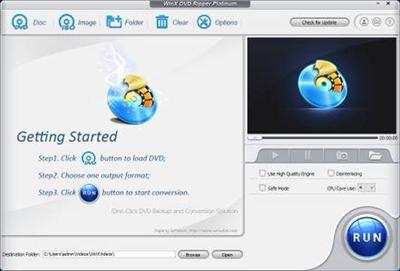
WinX DVD Ripper Platinum can rip the content of DVDs to all popular video formats such as AVI, MOV, FLV, WMV, MPEG, MP4, 3GP, etc. What's more, it also owns the ability of ripping different DVDs (including encrypted DVDs) to Sony PSP, Apple iPhone, iPod, iPad, iTouch, Apple TV, Zune, Mobile phone, etc.

This DVD ripper software supports multi-core CPU and is fully compatible with Windows 7. We promise WinX DVD Ripper Platinum is the fastest DVD ripping solution in the market. Besides converting DVD to regular video formats, 1:1 DVD copy enables you to backup your DVD with original video, audio and subtitles within only 5 minutes (the processing time also depends on your CPU and DVD driver speed).

WinX DVD Ripper Platinum fully supports normal DVDs, CSS protected DVDs, Sony ArccOS DVDs and all region 1-6 DVDs. Moreover, we are so proud to tell you that WinX DVD Ripper Platinum is the unique DVD ripping program which supports decrypting DVDs with the latest copy protection technology such as Transformers 2, Star Trek 2009, The Dark Knight, UP, WALL-E, The Proposal, District 9 etc.

Powerful Functions
Support ripping DVD video, extracting audio, grabbing screenshot and enable users to fully control output video quality or size by freely adjusting parameters.

Advanced Technology
Build in powerful and high speed encoding engine, support multi-core CPU, automatically detect and connect converted videos to portable devices and fully compatible with Windows 7.

Easy and Fast
WinX DVD Ripper Platinum is a one-click solution for DVD ripping. It is suitable for all levels of experienced users or even novices. And we promise it owns the fastest ripping speed.

Key Features

Unique features:
1. 1:1 DVD Copy without Quality Loss: Decrypt & copy DVD to PC with 100% original video, audio and subtitles within only 5 minutes - new!
2. If your original DVD's audio is out of sync with movie, the Intelligent A/V Synchronizer can help you solve the problem - new!
3. To avoid any kind of problems during conversion process, we offer you safe mode which can skip the problems and finish the whole conversion process more smoothly - new!
4. Enable to change interlaced scanning DVD movie to progressive scanning, make converted video with clearer image - new!
5. Multi-core CPU supported, which makes your conversion process much faster - new!
6. Batch rename all clips easily with "Renaming Template" before converting - new!

Ripping features:
1. Rip DVD to popular video formats, e.g. DVD to MOV, DVD to AVI, DVD to FLV, DVD to WMV, DVD to MPEG, DVD to MP4, etc
2. Rip DVD to popular portable devices including DVD to iPhone, DVD to iPod, DVD to iPad, DVD to PSP, DVD to Zune, DVD to Mobile phone, etc
3. Rip DVD audio into MP3 music file
4. Support grabbing screenshot from DVD video to JPG & BMP

Extra features:
1. All video/audio parameters are adjustable for users to optimize video quality
2. Automatically disable subtitles but enable users to choose
3. Trim any segment of DVD to convert
4. With powerful and high speed encoding engine inside, Platinum Edition enables users to rip and convert DVD video with much better video/audio quality
5. Support automatically detecting, connecting and transferring converted videos to portable devices

Operating System: Windows 2000, 2003, XP, Vista, Windows 7, Windows 8/8.1, Windows 10 | (32 & 64 bit)

Home Page -
Код:
https://www.winxdvd.com

Download link:​
Код:
[center][b]rapidgator_net[/b]:
https://rapidgator.net/file/be235c3a7093c4f6a1b4cfbb25251cc6/bxena.WinX.DVD.Ripper.Platinum.8.20.0.235.Portable.rar.html

[b]nitroflare_com[/b]:
https://nitroflare.com/view/71053B4D0185A33/bxena.WinX.DVD.Ripper.Platinum.8.20.0.235.Portable.rar

[b]uploadgig_com[/b]:
http://uploadgig.com/file/download/02f2c8b0eb000e92/bxena.WinX.DVD.Ripper.Platinum.8.20.0.235.Portable.rar[/center]

Links are Interchangeable - No Password - Single Extraction​
 
Windows 10 Enterprise LTSC 2019 version 1809 build 17763.832 (x64)

76d87483742f9c3b50853e72e07d8b12.jpg


Windows 10 Enterprise LTSC 2019 version 1809 build 17763.832 (x64) | 3.7 Gb​
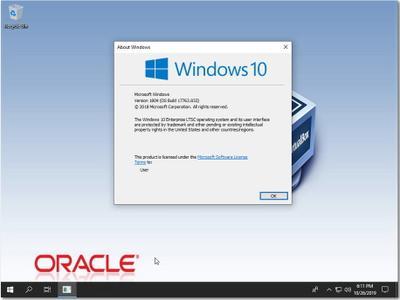
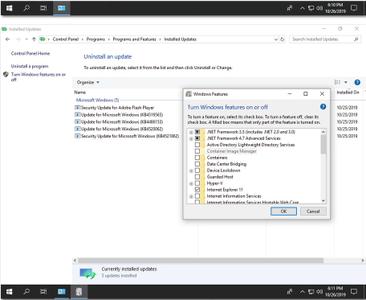
The Microsoft product team is pleased to announce the availability of Windows 10 Enterprise LTSC 2019 version 1809 (Build 17763.832). This build includes last updates and bug fixes to October 15, 2019.

October 15, 2019 - KB4520062 (OS Build 17763.832)

Highlights
- Prevents blank tiles from appearing in the Start menu when you upgrade to Windows 10, version 1809 from any previous version of Windows 10. However, if you have already upgraded to Windows 10, version 1809, installing this update will not remove existing blank tiles.
- Updates an issue that causes the power consumption for a device in Connected Standby mode to be high.
- Updates an issue that might display a black screen at startup during the first sign in after installing an update.
- Updates an issue with Bluetooth that occurs when using certain audio profiles for extended periods.
- Updates an issue that prevents users from opening the print dialog in Internet Explorer to print a webpage.
- Updates an issue that causes the Settings app to stop working when you change a Theme.
- Updates an issue that might prevent a scroll bar from being selected in Internet Explorer.
- Updates an issue with the Windows Mixed Reality Portal that might report that your headset is sleeping and it might not wake up.

This non-security update includes quality improvements. Key changes include:

- Prevents the appearance of blank tiles in the Start menu when you upgrade to Windows 10, version 1809 from any previous version of Windows 10. These blank tiles have names such as "ms-resource:AppName" or "ms-resource:appDisplayName". However, if you have already upgraded to Windows 10, version 1809, installing this update will not remove existing blank tiles.
- Addresses an issue that causes the power consumption for a device in Connected Standby mode to be high.
- Addresses an issue that prevents users from reconnecting or signing in to Windows Virtual Desktops because of orphaned database handles from a previous user session.
- Updates time zone information for Norfolk Island, Australia.
- Updates time zone information for the Fiji Islands.
- Addresses an issue that fails to index Microsoft Outlook items properly, which causes incomplete results in the search query on Windows Virtual Desktops.
- Addresses an issue that causes Windows Machine Learning (WinML) to throw an unhandled exception when a graphics driver times out.
- Addresses an issue that might prevent a scroll bar from being selected when an ActiveX control implements the CScrollView class. This occurs if you move the Internet Explorer window, which then moves the scroll bar to the left.
- Improves an access control list (ACL) check for Known Folders to prevent a black screen that appears the first time a user signs in after installing a feature or quality update.
- Addresses an issue that causes Microsoft SharePoint file names to appear incorrectly in the Quick access and Recent items folders.
- Addresses an issue with Bluetooth that occurs when using certain audio profiles for extended periods.
- Addresses an issue that causes a query request of the Win32_LogonSession class for the StartTime to display the value of the epoch (for example, 1-1-1601 1:00:00) instead of the actual logon time.
- Addresses an issue with diagnostic data processing when a device has the Diagnostic data setting enabled and set to Basic.
- Addresses an issue with evaluating the compatibility status of the Windows ecosystem to help ensure application and device compatibility for all updates to Windows.
- Addresses an issue that prevents netdom.exe from displaying the new ticket-granting ticket (TGT) delegation bit for the display or query mode.
- Addresses an issue in which Microsoft AppLocker might prevent an application from running or log a false positive error instead of running the application.
- Addresses an issue that causes the Windows Defender Application Control (WDAC) policy to become too restrictive when you enable the WDAC Group Policy setting for Script Enforcement or Constrained Language Mode.
- Addresses an issue that fails to include the full file hash as part of the Event Log entry during auditing events for WDAC.
- Addresses an issue that may cause high CPU usage when many windows are open and Background Application Manager runs a periodic background scan. Additionally, the desktop may become unresponsive. To turn off this scan, set the following registry key:

HKEY_CURRENT_USER\SOFTWARE\Microsoft\Windows\CurrentVersion\Explorer\BamThrottling

Name: DisableWindowHinting

Type: REG_DWORD

Value: 1

- Addresses an issue that causes applications that utilize change notifications on named pipes to have a kernel mode memory leak of input and output (I/O) Request Packet (IRP) objects.
- Addresses an issue that prevents users from opening the print dialog in Internet Explorer to print a webpage.
- Adds support to allow removable drives and assigned access restrictions.
- Addresses an issue that causes printing from 32-bit applications to fail with an "Access is denied" error when you select Run as different user for the application.
- Addresses an issue that might cause error 0x1E, 0xA, or 0x50 to occur during a block cloning operation on an Resilient File System (ReFS) volume because of a race condition.
- Addresses an Offline Files Shell graphical user interface (GUI) issue about online and offline indicators.
- Addresses an issue that causes the Settings app to stop working when you change a Theme.
- Addresses a reliability issue in Windows Server 2019 Hyper-V Host Clusters that are managed using System Center Virtual Machine Manager (SCVMM).
- Addresses an issue with Lightweight Directory Access Protocol (LDAP) queries that have a "memberof" expression in the filter. The queries fail with the error, "000020E6: SvcErr: DSID-0314072D, problem 5012 (DIR_ERROR), data 8996".
- Addresses an issue that causes all Transmission Control Protocol (TCP) dynamic ports to be consumed. As a result, network communications will fail for any protocol or operation using dynamic ports.
- Addresses an issue with applications and scripts that call the NetQueryDisplayInformation API or the WinNT provider equivalent. They may fail to return results after the first page of data, often 50 or 100 entries. When requesting additional pages, you may receive the error, "1359: an internal error occurred."
- Addresses an issue that prevents Computer objects from being added to local groups using the Group Policy Preference "Local Users and Groups". The Group Policy Editor returns the error message, "The object selected does not match the type of destination source. Select again."
- Addresses an issue with a race condition between the volume mount process (within fileinfo.sys) and the deregistration of filter notifications that causes the operating system to stop working on certain virtual machines. The error code is "0x7E."
- Addresses an issue in which an Active Directory Federation Services (AD FS) certificate is renewed and published by default each year. However, the client does not use them, which results in an authentication error.
- Addresses an issue in which files that are stored in a Cluster Shared Volume (CSV) with an alternate data stream are still present after you try to delete them. You may also receive an "access is denied" message on the next try to access or delete the files.
- Addresses an issue that may cause error 0x50 to occur when a backup operation is being performed.
- Addresses an issue with the Windows Mixed Reality Portal that might intermittently generate a "15-5" error. In some cases, Windows Mixed Reality Portal might report that the headset is sleeping and selecting the Wake up button might appear to produce no response.
- Facilitates the configuration of devices that are managed by mobile device management (MDM) settings, which are created by ADMX ingestion. You can update a previously ingested ADMX file with a newer version, and you are not required to delete the previous ADMX file. This solution applies to all applications that use ADMX ingestion.

adea7e33e705ae14db113bae7261b0d6.jpg


e51e609b92e71d79c27aa3e6c731ed77.jpg

​

Microsoft offers exclusively for industrial customers a version of Windows 10 IoT that does not require forced updates. The new name of this version is Windows 10 IoT Enterprise 2019 LTSC. For whom is this version of Windows most suitable and how does it differ from its predecessor?

For Windows 10 IoT Enterprise 2016, Microsoft offered an LTSB (Long Term Servicing Branch) version. Now Microsoft launched Windows 10 IoT Enterprise 2019 LTSC. The new add-on is no longer called LTSB, but rather LTSC (Long Term Servicing Channel). Is this just a new name for the same product or is there more to it? Does Windows 10 IoT Enterprise 2019 LTSC offer any improvements and benefits compared to Windows 10 IoT Enterprise 2016 LTSB? These are the questions we are addressing below.

Update issues for industrial customers
But let's start from the beginning. Why is Microsoft even offering an LTSB or LTSC version for Windows 10 IoT Enterprise to begin with? While home edition users are used to frequent updates to the operating system, these forced updates cause a lot of turmoil in the industrial sector. The problem is that functional updates can cause compatibility issues that lead to production downtime and thus to breakdown, frustration and annoyance.

To appease industrial customers, Microsoft previously offered the Long Term Servicing Branch (LTSB) version of Windows 10 IoT Enterprise. In the LTSB version, new versions were only provided as upgrades every two to three years. They contained only features that had already been extensively tested and whose development had been completed. In addition, the user could choose whether to install them or not. To ensure that the long update cycles did not result in any security gaps, the LTSB version still received security updates and hotfixes continuously. However, since this only included security-related updates instead of functional ones, the actual operating system remained virtually untouched for a long time. Any issues caused by functional updates (releases) were thus prevented.

Furthermore, Microsoft added some industry-specific features to the Windows 10 IoT Enterprise version, such as Write Filter, USB Filter, Input Filter, Branded Boot, and Shell Launcher, and omitted typical home-use apps like the Edge browser and Cortana.

The advantages of 2019 LTSC over 2016 LTSB
Microsoft just renamed the Long Term Servicing Branch (LTSB) to Long Term Servicing Channel (LTSC). Windows 10 IoT Enterprise 2019 LTSC basically follows the same approach as Windows 10 IoT Enterprise 2016 LTSB. The key aspect is still that Microsoft only provides its industrial customers with feature updates every two to three years. Just like before, it comes with a ten-year warranty for providing security updates. Nonetheless, Windows 10 IoT Enterprise 2019 LTSC features several changes and improvements over its predecessor. The most important new features are listed below:

- Revised and enhanced state-of-the-art security features
- Faster login to a Windows 10 shared PC
- New Windows Subsystem for Linux that provides a Linux user space under Windows
- Net Framework 4.7 Advanced Service Support (2016 LTSB still uses 4.6)
- Integration of a timeline that displays the activities of a user chronologically
- A computer with 2019 LTSC can now be quickly connected to a nearby device via Bluetooth using "quick pairing"

Who benefits mostly from 2019 LTSC?
Generally speaking, Windows 10 IoT Enterprise 2019 LTSC makes sense for all new developments. It includes all the features that were added to Windows 10 IoT in recent years and is completely up to date in terms of security. Moreover, Windows 10 Enterprise 2019 LTSC offers the longest possible availability. What about existing applications - is upgrading worth it? In our opinion, an upgrade is only worthwhile if one of the new features is absolutely necessary. That is because upgrading from Windows 10 IoT Enterprise 2016 LTSB to Windows 10 IoT Enterprise 2019 LTSC will require new license fees again.

What is Windows 10 LTSC

Microsoft Corporation, leading developer of personal-computer software systems and applications. The company also publishes books and multimedia titles, offers e-mail services, and sells electronic game systems, computer peripherals (input/output devices), and portable media players. It has sales offices throughout the world.

Product: Windows
Version: 10 Enterprise LTSC 2019 version 1809 build 17763.832 *
Supported Architectures: x64
Website Home Page :
Код:
http://www.microsoft.com
Language: english
System Requirements: PC **
Size: 3.7 Gb

* Windows 10 Enterprise LTSC 2019 X64 OEM ESD ENU OCT 2019
* Version 1809 Build 17763.832

[ RELEASE INFO ]

* File: LTSCX64.OEM.ENU.OCT2019.iso
* Size: 3,71GB
* Format: Bootable ISO

* SOURCE: X21-96425

* CRC32: f76cc5d7
* MD5 : 9cedb8891f2905ecf31c049295475fb2
* SHA-1: 85fde59aa19a401fe101eaf61f47c458141af95d

[ CONTENTS ]

Integrated / Pre-installed:

* Servicing Stack Update:
* KB4521862
* CumulativeUpdate:
* KB4520062
* .NET Framework 4.8:
* KB4486153
* Cumulative Update for
* .NET Framework 3.5 and 4.8:
* KB4519565
* Flash Player Security Update:
* KB4516115

SetupComplete / Post-install:

* .NET Framework 3.5
* Defender Updates

* LANGUAGES: ENGLISH S

[ EDITIONS INCLUDED ]

* Windows 10 Enterprise LTSC 2019 - STD
* Windows 10 Enterprise LTSC 2019 - KMS
* Windows 10 Enterprise LTSC 2019 - OEM

* STD = Standard installation - For those with own License Key
* DLA = Activated by KMS38
* OEM = Manufacturers logo, wallpaper etc + Activated by KMS38

[ FEATURES ]

* UEFI-ready
* (Use attached Rufus USB-tool to make UEFI-bootable)
* Diagnostics and Recovery Toolset 10.0 (Microsoft DaRT)
* install.wim compressed to recovery format (install.esd)

[ INSTALLATION & INFORMATION ]

* Create bootable USB (highly recommended) with Rufus,
* (attached) or burn to DVD-R at slow speed.

Download link:​
Код:
[center][b]rapidgator_net[/b]:
https://rapidgator.net/file/13bcbc319e2c6694ab171606723f0408/ozub1.Windows.10.Enterprise.LTSC.2019.version.1809.build.17763.832.part01.rar.html
https://rapidgator.net/file/4fc69e846528b471098561ecde3a2a51/ozub1.Windows.10.Enterprise.LTSC.2019.version.1809.build.17763.832.part02.rar.html
https://rapidgator.net/file/646e869b9ae40f63ce573a9e51794ae7/ozub1.Windows.10.Enterprise.LTSC.2019.version.1809.build.17763.832.part03.rar.html
https://rapidgator.net/file/6acc2ee54e9f0a7c5b89bf8f44691555/ozub1.Windows.10.Enterprise.LTSC.2019.version.1809.build.17763.832.part04.rar.html
https://rapidgator.net/file/d73505f453cf8486bf22ab8be54f8a94/ozub1.Windows.10.Enterprise.LTSC.2019.version.1809.build.17763.832.part05.rar.html
https://rapidgator.net/file/140d7919c8069f82d050dce1e7afc6b7/ozub1.Windows.10.Enterprise.LTSC.2019.version.1809.build.17763.832.part06.rar.html
https://rapidgator.net/file/dd3f7f6c1ba5dd8cce4980e9c49d8e79/ozub1.Windows.10.Enterprise.LTSC.2019.version.1809.build.17763.832.part07.rar.html
https://rapidgator.net/file/d720d32ad2ecff45ea02cb8b2b2d9c30/ozub1.Windows.10.Enterprise.LTSC.2019.version.1809.build.17763.832.part08.rar.html
https://rapidgator.net/file/0d992b1009f32632da483328581fd154/ozub1.Windows.10.Enterprise.LTSC.2019.version.1809.build.17763.832.part09.rar.html
https://rapidgator.net/file/828a40dbaa7a60d08c0fdb12fe59ba70/ozub1.Windows.10.Enterprise.LTSC.2019.version.1809.build.17763.832.part10.rar.html
https://rapidgator.net/file/e0991693096c9800868d24db509e6356/ozub1.Windows.10.Enterprise.LTSC.2019.version.1809.build.17763.832.part11.rar.html
https://rapidgator.net/file/47c00f80e2356874ffa584122abd4ca4/ozub1.Windows.10.Enterprise.LTSC.2019.version.1809.build.17763.832.part12.rar.html

[b]nitroflare_com[/b]:
https://nitroflare.com/view/7CC70A9BD79BD41/ozub1.Windows.10.Enterprise.LTSC.2019.version.1809.build.17763.832.part01.rar
https://nitroflare.com/view/AEED1367136D64A/ozub1.Windows.10.Enterprise.LTSC.2019.version.1809.build.17763.832.part02.rar
https://nitroflare.com/view/26474AB00E5478C/ozub1.Windows.10.Enterprise.LTSC.2019.version.1809.build.17763.832.part03.rar
https://nitroflare.com/view/EC6BBF57D1950E5/ozub1.Windows.10.Enterprise.LTSC.2019.version.1809.build.17763.832.part04.rar
https://nitroflare.com/view/686E3FA7F808D66/ozub1.Windows.10.Enterprise.LTSC.2019.version.1809.build.17763.832.part05.rar
https://nitroflare.com/view/6A6B63A47875E3A/ozub1.Windows.10.Enterprise.LTSC.2019.version.1809.build.17763.832.part06.rar
https://nitroflare.com/view/FF97DFA07D7D3E6/ozub1.Windows.10.Enterprise.LTSC.2019.version.1809.build.17763.832.part07.rar
https://nitroflare.com/view/A1137486E16F845/ozub1.Windows.10.Enterprise.LTSC.2019.version.1809.build.17763.832.part08.rar
https://nitroflare.com/view/C9E90517354C306/ozub1.Windows.10.Enterprise.LTSC.2019.version.1809.build.17763.832.part09.rar
https://nitroflare.com/view/9220D4517386D67/ozub1.Windows.10.Enterprise.LTSC.2019.version.1809.build.17763.832.part10.rar
https://nitroflare.com/view/2E765FE654D0B9A/ozub1.Windows.10.Enterprise.LTSC.2019.version.1809.build.17763.832.part11.rar
https://nitroflare.com/view/4F20FE9923B894F/ozub1.Windows.10.Enterprise.LTSC.2019.version.1809.build.17763.832.part12.rar

[b]uploadgig_com[/b]:
http://uploadgig.com/file/download/B86f4e3de6c3587B/ozub1.Windows.10.Enterprise.LTSC.2019.version.1809.build.17763.832.part01.rar
http://uploadgig.com/file/download/9b46241E051Eb7C7/ozub1.Windows.10.Enterprise.LTSC.2019.version.1809.build.17763.832.part02.rar
http://uploadgig.com/file/download/FCDe5a98e7809Abe/ozub1.Windows.10.Enterprise.LTSC.2019.version.1809.build.17763.832.part03.rar
http://uploadgig.com/file/download/4A0d322442e1db52/ozub1.Windows.10.Enterprise.LTSC.2019.version.1809.build.17763.832.part04.rar
http://uploadgig.com/file/download/3dbAc145a28Dace1/ozub1.Windows.10.Enterprise.LTSC.2019.version.1809.build.17763.832.part05.rar
http://uploadgig.com/file/download/Ab8861aE05d48494/ozub1.Windows.10.Enterprise.LTSC.2019.version.1809.build.17763.832.part06.rar
http://uploadgig.com/file/download/86dF8Ce7A047e24d/ozub1.Windows.10.Enterprise.LTSC.2019.version.1809.build.17763.832.part07.rar
http://uploadgig.com/file/download/fcD9e4eC4366bfcf/ozub1.Windows.10.Enterprise.LTSC.2019.version.1809.build.17763.832.part08.rar
http://uploadgig.com/file/download/0f2a076cb0947bBf/ozub1.Windows.10.Enterprise.LTSC.2019.version.1809.build.17763.832.part09.rar
http://uploadgig.com/file/download/7791dbe64b34f108/ozub1.Windows.10.Enterprise.LTSC.2019.version.1809.build.17763.832.part10.rar
http://uploadgig.com/file/download/50da5f3c6e2cCF97/ozub1.Windows.10.Enterprise.LTSC.2019.version.1809.build.17763.832.part11.rar
http://uploadgig.com/file/download/342b35f45B073E2C/ozub1.Windows.10.Enterprise.LTSC.2019.version.1809.build.17763.832.part12.rar[/center]

Links are Interchangeable - No Password - Single Extraction​
 
Vectorworks 2020 Content Libraries

042aa72dd28cd3baeeb4b44b10748712.jpg


Vectorworks 2020 Content Libraries | 19.6 GB​
Vectorworks is a line of industry-specific 2D/3D design and BIM software solutions that allows designers to advance their ideas from concept through completion. More than half a million users around the world transform the world with Vectorworks every day.

Sketch and Model in 2D and 3D
Freely sketch, model, and document your design ideas with precision drafting capabilities and the most flexible 3D modeling engine available, powered by SIEMENS Parasolid. You're not limited by presets and strict parameters - you have the flexibility you need to design anything you can imagine.

Save Time While You Design
Increase your efficiency by automatically generating reports from your designs. Run "what if" scenarios and automate schedules and calculate costs to maximize each design element.

Work with Anyone
We offer the most default import/export capabilities available, as well as support for, and direct links with AutoCAD, Rhino, Photoshop, and Cinema 4D.

Completely Customizable
Need to solve a specific design problem? Vectorworks is also a robust CAD platform that can be easily customized. Whether you're looking to automate a routine task or develop a custom application, we can help.

Build on top of Vectorworks with a robust API and SDKCreate Python scripts to automate routine tasks or develop custom tools
CREATE POWERFUL PRESENTATIONS
With an extensive suite of drawing, illustration, and rendering tools, Vectorworks allows you to produce remarkable line drawings and 3D presentations so you'll impress even the toughest of clients.

Live Data Visualization
Unlike other software programs that limit your use of project data, Vectorworks brings data visualization to the live design environment. Quickly change objects' attributes using data parameters that allow you to view everything from errors to the impacts of your decisions - all while you're designing. And because it's in the live design environment, you can edit an object's data as you're designing and see the impact of those changes; for example, you can have doors turn red when they lack fire protection. You will also experience greater efficiency in your process by being able to visualize data for error/quality checking and work validation.

GIS Improvements
With the new Geographic Information System (GIS) toolset and integration with Esri's ArcGIS online services, integrating GIS information with your BIM model just got a whole lot easier. After selecting an appropriate coordinate system in the Vectorworks file, you can accurately geolocate your project by simply entering an address. Instantly incorporate street map, satellite, or other imagery in your design through ArcGIS and WMS servers. And with a paid ArcGIS online service plan, you can access more maps and other imagery directly in Vectorworks.

Data Manager
Today, you have to manage so many different types of data that get even more complex by the minute. As a result, we've introduced a new Data Manager to simplify how you access and manage data in your projects. With an easy-to-use interface, the Data Manager gives you complete control over an object's data from sources such as IFC and custom data records. Plus, you can now create custom Data Sheets - a more straightforward way to define which data needs to be attached to different project phases - allowing collaborators to use those same entry points to instantly add their data to the appropriate object.

History-Based Modelling
The 3D solids modeling commands in Vectorworks are now much more flexible and intuitive, supporting nearly endless permutations and combinations - both in the sequence of creating an object, as well as in modifying specific steps later in the design process. When you need to change something, there's no need to "start again," which enables more natural and iterative modeling.

Vectorworks Graphics Module Improvements
Our latest Vectorworks Graphics Module can now better control the graphic display of complex objects. The improvements will hide covered objects, auto-reduce meshes, and simplify the level of detail on native objects - leading to dramatically improved file performance while speeding up the responsiveness of your Vectorworks files. Enjoy faster file navigation, view changes, tool operations, more responsive models, and the ability to handle much larger projects.

IFC Referencing
With a new ability to reference IFC files, say goodbye to the cumbersome, manual process of reimporting IFC files from consultants who make changes. IFC referencing will minimize the work involved in managing IFC information in Vectorworks - making change management in this collaborative workflow simpler.

List Browser Direct Editing
Software interfaces with a lot of options can become unwieldy to users - especially when you need to navigate through one or more dialog boxes and option tabs to make minor edits. With Vectorworks 2020, eliminate frustrations by directly editing fields in a list browser, such as the Navigation palette or the Organization dialog. Directly edit common items such as class, layer, viewport, or sheet names, increasing your workflow efficiency. All you have to do is click and edit.

Data Tag Enhancements
Newly updated, our robust Data Tag tool continues to give you a consistent method for tagging and displaying data about your model. New options for tag scaling, new tag fields, direct editing of tags, and a new worksheet function all provide greater automation and control of the information displayed in your project's documentation.

Great Section Views
Enhanced section viewports in Vectorworks 2020 simplify your ability to create high-quality drawings directly from your BIM model. With improvements such as the control in level of detail for essential building elements (e.g. windows, doors), the ability to adjust cut plane settings on individual objects, and the option to show color fills and planar objects in hidden line viewports, section viewports can help you streamline documentation.

Widget Groups
Say goodbye to endless scrolling that creates a long and tedious workflow. We now offer widget groups in the Object Info palette that allow you to collapse and expand specific groups according to your preferences. And after you save your work, Vectorworks 2020 will remember what parameters you use the most, while hiding what you tend to use less - saving you tons of time.

Walk-through Animation
Presenting animated videos of your models is now greatly simplified with a reinvention of the animation options in Vectorworks 2020. Transform walkthrough paths and camera movements into professional real-time animations that are significantly easier to accomplish. You can even create 360 panoramas with just one click. And with the added ability to render your videos in the cloud, you can create animations without interrupting your workflow.

Revit Export
While Open BIM is a preferred method for BIM workflows, there will be times you need to collaborate with Revit users who may not be as well versed in the Open BIM approach. Thanks to the new Revit Export based on the ODA BIM library, Vectorworks can now export .RVT and .RFA files, giving you the ability to work confidently with consultants. In this first iteration of the export, all 3D Vectorworks objects will export as Direct Shape Type objects with geometry in Revit.

DXF/DWG Improvements
Thanks to an improved Class and Layer mapping interface, enjoy an easier way of mapping DWG layers to Vectorworks classes and vice versa, leading to more consistent standards and a better drawing data management flow between Vectorworks and DWG/DXF-based applications.

Door and Window Improvements
Vectorworks 2020 gives you greater control with improved Door and Window tools, such as regulating the representation for clerestory windows above and below the cut plane. And a new Barn Door configuration in the Door tool has many options, including multiple leaf, rail, and offset configurations.

Schematic Views
A whole new design view to handle the complex nature of modeling and documenting rigging objects is now possible in Vectorworks Spotlight. The new Schematic View places a 2D Plan view of the 3D Model geometry on a design layer for layout, dramatically speeding up your workflow. The 2D Schematic view is a live reference of the 3D model, so when you adjust either view, the other will update. Additionally, the reduced number of viewports will significantly speed up the overall performance of your document.

Detailed Seating Sections
With the latest improvements to seating sections in Spotlight, you have the flexibility you need to generate seating layouts quickly. There are new configurations for you to enjoy, with styles so that you can create multiple sections with the same settings, control visibility with classing, create aisles, and have better control over the focus point.

Video Camera Object
A new Video Camera object in Vectorworks Spotlight helps you plan real-world camera placement. You can define the camera by selecting the body type, lens type, stand, etc. You can also activate the camera's viewfinder to verify the placement of your cameras in your design.

DMX Patching
As the complexity and scale of productions grow, there is a need for tools to help with DMX patching tasks. A new standard patching window in Spotlight provides you with an interactive and graphical interface for quick access and an easy way to patch, track, and error-check fixtures directly from your lighting design.

Vision Heat Map
A one-of-a-kind feature in a previz application, Vision 2020 creates colored or monochrome heat maps based on the generalized intensity and range of a fixture - giving you a better understanding of different scenarios your design can undertake in your previz workflow.

Hinged Trusses
Many of today's truss designs use hinges to connect trusses in a freely chosen angle. With this latest edition of Braceworks, hinge plates are now available, enabling you to create a more realistic representation of the connection and rotation of truss systems - complete with accurate Braceworks analysis. Many of today's truss designs use hinges to connect trusses in a freely chosen angle. With this latest edition of Braceworks, hinge plates are now available, enabling you to create a more realistic representation of the connection and rotation of truss systems - complete with accurate Braceworks analysis.

Braceworks Improvements
With the latest release of our rigging design and analysis module, Braceworks now supports calculations for attaching more than one hoist to a speaker array and attaching video screens with offsets from the truss, along with providing a more accurate representation of smart objects.

Hardscape Alignment
Unlike other landscape software applications, Vectorworks understands the complexity of hardscape solutions on a site and the impact a hardscape can have on its surrounding environment. With customizable approaches to modeling hardscapes, you can now use the 3D geometry of other features to align and conform hardscape objects to 3D polygons, grade objects, roadways, or other hardscapes, making it possible to design paved surfaces to drain properly, align to other paved surfaces, and be accurately modeled and perfectly controlled.

Download link:​
Код:
[center][b]rapidgator_net[/b]:
https://rapidgator.net/file/56a6c6ef86078a52470406d69bcb7efa/57y6a.133VW2020.Content.Architectural.Libraries.zip.html
https://rapidgator.net/file/a6daf669b4225092e61ef024275e1ca4/57y6a.133VW2020.Content.Building.Interior.Libraries.zip.html
https://rapidgator.net/file/8bb63b034328bc8cfa87799bcd065fa1/57y6a.133VW2020.Content.Building.Services.Libraries.zip.html
https://rapidgator.net/file/6e5f6bc8cfa510e517c50161c1508d7c/57y6a.133VW2020.Content.Fundamentals.Libraries.zip.html
https://rapidgator.net/file/f6aa3e1eb7446be9c2dc02e0632973d9/57y6a.133VW2020.Content.Landscape.and.Site.Libraries.zip.html
https://rapidgator.net/file/5233a18a709da6eb4410b2beb50cbcd5/57y6a.133VW2020.Content.Renderworks.Libraries.zip.html
https://rapidgator.net/file/b9ff19dc08bfa5f38eebbc346b7f8c7b/57y6a.133VW2020.Content.Spotlight.Libraries.zip.html

[b]nitroflare_com[/b]:
https://nitroflare.com/view/02FF378F4D8AA5E/57y6a.133VW2020.Content.Architectural.Libraries.zip
https://nitroflare.com/view/7CE0B552B336E54/57y6a.133VW2020.Content.Building.Interior.Libraries.zip
https://nitroflare.com/view/27F3107BDD243C2/57y6a.133VW2020.Content.Building.Services.Libraries.zip
https://nitroflare.com/view/80E6966A3D530AA/57y6a.133VW2020.Content.Fundamentals.Libraries.zip
https://nitroflare.com/view/AB48F6CF3F41A48/57y6a.133VW2020.Content.Landscape.and.Site.Libraries.zip
https://nitroflare.com/view/C1DBFDA7A062998/57y6a.133VW2020.Content.Renderworks.Libraries.zip
https://nitroflare.com/view/060542C3D7D2B2A/57y6a.133VW2020.Content.Spotlight.Libraries.zip

[b]uploadgig_com[/b]:
http://uploadgig.com/file/download/2c436e050e2335aa/57y6a.133VW2020.Content.Architectural.Libraries.zip
http://uploadgig.com/file/download/9e01418835E9a92f/57y6a.133VW2020.Content.Building.Interior.Libraries.zip
http://uploadgig.com/file/download/cfd1585Fd41c48cf/57y6a.133VW2020.Content.Building.Services.Libraries.zip
http://uploadgig.com/file/download/5c6a4Aa31962E768/57y6a.133VW2020.Content.Fundamentals.Libraries.zip
http://uploadgig.com/file/download/e9F21e942cf4E3fc/57y6a.133VW2020.Content.Landscape.and.Site.Libraries.zip
http://uploadgig.com/file/download/c8A3ef7efed3e81E/57y6a.133VW2020.Content.Renderworks.Libraries.zip
http://uploadgig.com/file/download/5846a218928260Ec/57y6a.133VW2020.Content.Spotlight.Libraries.zip[/center]

Links are Interchangeable - No Password - Single Extraction​
 
DxO PhotoLab 2 ELITE Edition 2.3.3.47 CR2 Multilingual macOS

fc3ce3e7c542e781d05c6ba9d8893d6f.jpg


DxO PhotoLab 2 ELITE Edition 2.3.3.47 CR2 Multilingual | macOS | 293 mb​
DxO PhotoLab (was DxO Optics Pro) provides a complete set of smart assisted corrections that you can manually fine-tune at any time. Take control on every aspect of your photos: effectively remove noise, get rid of light constraints, recover color details, apply sophisticated optical corrections, and enhance details.

Features
- DxO Smart Lighting
- DxO ClearView
- DxO PRIME
- Optical Corrections
- Introducing U Point

CR2 - Fixed export bug (enabled SIP in macO 10.15)

Compatibility: OS X 10.11 or later 64-bit
Homepage:
Код:
http://www.dxo.com

Download link:​
Код:
[center][b]rapidgator_net[/b]:
https://rapidgator.net/file/f4e3b72a497c88c453778cf981521c10/7go43.DxO.PhotoLab.2.ELITE.Edition.2.3.3.47.CR2.part1.rar.html
https://rapidgator.net/file/058fafd121eaba82fde76469b69b0213/7go43.DxO.PhotoLab.2.ELITE.Edition.2.3.3.47.CR2.part2.rar.html
https://rapidgator.net/file/df54cb3412cddf69f53e55df87c6638e/7go43.DxO.PhotoLab.2.ELITE.Edition.2.3.3.47.CR2.part3.rar.html

[b]nitroflare_com[/b]:
https://nitroflare.com/view/04DB1A46F4CE74E/7go43.DxO.PhotoLab.2.ELITE.Edition.2.3.3.47.CR2.part1.rar
https://nitroflare.com/view/8E33FAA43298F04/7go43.DxO.PhotoLab.2.ELITE.Edition.2.3.3.47.CR2.part2.rar
https://nitroflare.com/view/BC7AF68C748209C/7go43.DxO.PhotoLab.2.ELITE.Edition.2.3.3.47.CR2.part3.rar

[b]uploadgig_com[/b]:
http://uploadgig.com/file/download/20f9cCB9A792c2A4/7go43.DxO.PhotoLab.2.ELITE.Edition.2.3.3.47.CR2.part1.rar
http://uploadgig.com/file/download/02e068Dd4B4Cb076/7go43.DxO.PhotoLab.2.ELITE.Edition.2.3.3.47.CR2.part2.rar
http://uploadgig.com/file/download/221493bd14aedeCc/7go43.DxO.PhotoLab.2.ELITE.Edition.2.3.3.47.CR2.part3.rar[/center]

Links are Interchangeable - No Password - Single Extraction​
 
DxO PhotoLab 3 ELITE Edition 3.0.0.21 CR2 Multilingual macOS

147d479b2ab27a9e4343d0b8e5f2a1ba.jpg


DxO PhotoLab 3 ELITE Edition 3.0.0.21 CR2 Multilingual | macOS | 332 mb​
DxO PhotoLab (was DxO Optics Pro) provides a complete set of smart assisted corrections that you can manually fine-tune at any time. Take control on every aspect of your photos: effectively remove noise, get rid of light constraints, recover color details, apply sophisticated optical corrections, and enhance details.

DxO PhotoLab 3's new HSL (Hue, Saturation, and Luminance) Tool is an exciting and superbly visual way to manage color that can help you produce more creative and natural-looking images. The new DxO ColorWheel is a fantastic new color adjustment tool that you can use to select color ranges from eight separate channels, including orange and purple.

The DxO ColorWheel can fine-tune color values, select replacement colors, and it can even adjust transitions and tints for truly distinctive effects.

Features
- DxO Smart Lighting
- DxO ClearView
- DxO PRIME
- Optical Corrections
- Introducing U Point

CR2 - Fixed export bug (enabled SIP in macO 10.15)

Compatibility: OS X 10.11 or later 64-bit
Homepage:
Код:
http://www.dxo.com

Download link:​
Код:
[center][b]rapidgator_net[/b]:
https://rapidgator.net/file/81de3579cbb17f5ddc92fa66af292c52/at3q9.DxO.PhotoLab.3.ELITE.Edition.3.0.0.21.CR2.part1.rar.html
https://rapidgator.net/file/71bef8db0020c73c87d60f23378d07d5/at3q9.DxO.PhotoLab.3.ELITE.Edition.3.0.0.21.CR2.part2.rar.html
https://rapidgator.net/file/12fd5cabe7b234cedb6ca7f082f53bfe/at3q9.DxO.PhotoLab.3.ELITE.Edition.3.0.0.21.CR2.part3.rar.html
https://rapidgator.net/file/9c99a637cf00244c19c6c41fabe0db3b/at3q9.DxO.PhotoLab.3.ELITE.Edition.3.0.0.21.CR2.part4.rar.html

[b]nitroflare_com[/b]:
https://nitroflare.com/view/28076B50C57A7AC/at3q9.DxO.PhotoLab.3.ELITE.Edition.3.0.0.21.CR2.part1.rar
https://nitroflare.com/view/A320D61A73912FD/at3q9.DxO.PhotoLab.3.ELITE.Edition.3.0.0.21.CR2.part2.rar
https://nitroflare.com/view/5BF913D2AC5F607/at3q9.DxO.PhotoLab.3.ELITE.Edition.3.0.0.21.CR2.part3.rar
https://nitroflare.com/view/2FEEDC191E5C27F/at3q9.DxO.PhotoLab.3.ELITE.Edition.3.0.0.21.CR2.part4.rar

[b]uploadgig_com[/b]:
http://uploadgig.com/file/download/50524A5fC2732e6a/at3q9.DxO.PhotoLab.3.ELITE.Edition.3.0.0.21.CR2.part1.rar
http://uploadgig.com/file/download/81be9EeF4c1dad51/at3q9.DxO.PhotoLab.3.ELITE.Edition.3.0.0.21.CR2.part2.rar
http://uploadgig.com/file/download/48cb5Fb1ff3E2d80/at3q9.DxO.PhotoLab.3.ELITE.Edition.3.0.0.21.CR2.part3.rar
http://uploadgig.com/file/download/f6d000c1B0a563e0/at3q9.DxO.PhotoLab.3.ELITE.Edition.3.0.0.21.CR2.part4.rar[/center]

Links are Interchangeable - No Password - Single Extraction​
 
E-mail Tray Notification 1.1.11.36

3ec26bed8e6bbdfdb286d18de4dee721.jpg


E-mail Tray Notification 1.1.11.36 | 19 Mb​
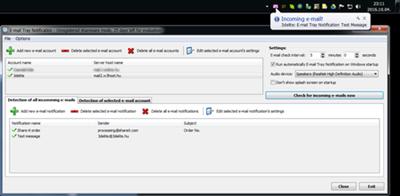
E-mail Tray Notification is an e-mail tray notifier app. that checks incoming e-mails in specified intervals and notifies the user if e-mail(s) that meet a specified criteria arrives.

Features:

Check multiple e-mail accounts
Define multiple e-mail criterias
When e-mail(s) arrive that met a specific cirteria:
Blink the tray icon
Pop-up a balloon hint (notification)
Play a notification sound
Automatically forward the e-mail to a specified e-mail address
And/or run an application/script
POP3 and IMAP with SSL/TLS security mode is supported, SMTP for forwarding

Home Page:
Код:
https://www.3delite.hu

Language: English

Download link:​
Код:
[center][b]rapidgator_net[/b]:
https://rapidgator.net/file/104f5f3bdba27dd1400a75d0e02ffd6d/38yia.Email.Tray.Notification.1.1.11.36.rar.html

[b]nitroflare_com[/b]:
https://nitroflare.com/view/21A41EF67614FCB/38yia.Email.Tray.Notification.1.1.11.36.rar

[b]uploadgig_com[/b]:
http://uploadgig.com/file/download/eaad745b117222e3/38yia.Email.Tray.Notification.1.1.11.36.rar[/center]

Links are Interchangeable - No Password - Single Extraction​
 
iSkysoft Video Converter Ultimate 11.5.2.1 Multilingual

f6ef7dc8c7059881d73700d604dad537.jpg


iSkysoft Video Converter Ultimate 11.5.2.1 Multilingual | 114 Mb​
The All-purpose HD converter can convert video to HD quality, download high-resolution videos, compress and edit 4K video to smaller size in any format quickly, and do more.

iSkysoft Video Converter Ultimate helps convert video, audio and even DVD file to various formats. It helps convert MP4, MKV, AVI, MOV, MTS, YouTube video, MP3, etc. This video resolution converter also converts 4K/HD video such as HD 1080P and HD 720P with quality maintained.

Apart from loading video files from Mac or Windows computer for converting, iSkysoft Video Converter Ultimate supports inputing video from iPhone, iPad, Android device and Sony camcorder with a USB cable connected. Convenient and time-saving!

This video quality converter supports more than 150 output formats, including popular formats like MP4, HD MKV, AVI, FLV, M4A, WAV, AAC, etc. It also facilitates you to directly convert video to YouTube, Facebook or Vimeo supported formats. In addition, you are free to opt for the formats that your mobile phone supports, transferring and enjoying movies on your phone!

iSkysoft Video Converter Ultimate also works as a video merger, helping you combine video files easily. Moreover, converting videos in batch becomes very simple with this HD video converter.

Losslessly Convert Videos at 90X Faster Speed
As an ultimate leading video file converter, iSkysoft Video Converter Ultimate guarantees the lossless conversion. It keeps the original video or audio quality by default, unless you change the output settings or compress videos.
To activate "High Speed Conversion", you can easily click on the "Lightning" icon on the left bottom corner of the main interface.

Convert Online Video - Enjoy Streaming Video Anytime
Want to download online video from online sites? iSkysoft Video Converter Ultimate can serve as link converter helping you download video with the given URL link from YouTube, Facebook, Vimeo, VEVO or other 1000+ popular video streaming websites. It also supports downloading your entire YouTube playlist at one time.
This video converter can also download YouTube to MP3 and record online video with sound from your screen.

Edit & Enhance - Awesome Your Video
iSkysoft Video Converter Ultimate is not only a video converter, it also makes video editing easy with its built-in video editor. With it, you can trim, crop, rotate video, and then convert the video to other formats if needed. What's more, you can also add subtitles, watermarks, metadata info and special effects to the video simply.

Burn DVD & Blu-ray with Free Template
This powerful video converter can also act as an all-in-one DVD burner to help convert DVD, copy and backup DVD, edit DVD files, burn video to DVD from computer or phone. You can burn video in any format to DVD disc, DVD folders or DVD ISO/IFO file.

Creative Template Presets
Customize your DVD videos with free templates inspired by romantic, holiday, ocean, etc.

Burn DVD Files
After loading the video, you can easily burn it to multiple DVD discs without reloading.

Edit DVD
Trim, crop, rotate or add watermark and subtitles before burning DVD, even one click enhance with preset effects.

Copy/Backup DVD to PC
Backup your DVD video to your Mac or Windows PC in case of damage and loss to keep your precious memory.

System Requirements:
Supported OS: Windows 10/8/7/XP/Vista
CPU: 1G Hz Intel processor or above.
Memory: At least 512M physical RAM

Home Page-
Код:
https://videoconverter.iskysoft.com/

Language: Multilingual

Download link:​
Код:
[center][b]rapidgator_net[/b]:
https://rapidgator.net/file/70bd234457bbac82d3e608a06f5f6534/woiw9.iSkysoft.Video.Converter.Ultimate.11.5.2.1.Multilingual.rar.html

[b]nitroflare_com[/b]:
https://nitroflare.com/view/925D7CB1533C86C/woiw9.iSkysoft.Video.Converter.Ultimate.11.5.2.1.Multilingual.rar

[b]uploadgig_com[/b]:
http://uploadgig.com/file/download/ee3406D511f3Bca8/woiw9.iSkysoft.Video.Converter.Ultimate.11.5.2.1.Multilingual.rar[/center]

Links are Interchangeable - No Password - Single Extraction​
 
iVI 4.672 Multilingual macOS

4f1d120a9bb31b0cc6b19d8fb60bc46f.jpg


iVI 4.672 Multilingual | macOS | 92 mb​
iVI is the best way to get your video into iTunes or Plex and the prior version was one of highest rated video converters in the App Store with 1700 five star ratings (US) since its introduction.

iVI will automatically identify TV Shows and Movies and add poster artwork, film Description or episode details, cast lists and more. iVI will format the video for all Apple platforms automatically including Mac, AppleTV, iPad, iPhone and iPod. iVI supports HD video (including 1080p and 720p), surround sound, multiple audio tracks (for various languages) and subtitles too.

Supported video formats include h.265, AVI, MKV, MTS, M2TS, FLV, AVCHD, MOD, TOD, MTS, M2TS, 3GP, MP4, MPG and most other popular formats.

Compatibility: OS X 10.11 or later 64-bit
Mac App Store:
Код:
https://geo.itunes.apple.com/app/id1221678819

Download link:​
Код:
[center][b]rapidgator_net[/b]:
https://rapidgator.net/file/65615500109811320b38d0d2005f7ba9/2hp3o.iVI.4.672.rar.html

[b]nitroflare_com[/b]:
https://nitroflare.com/view/4F062087371929A/2hp3o.iVI.4.672.rar

[b]uploadgig_com[/b]:
http://uploadgig.com/file/download/56c12a308bbBda9f/2hp3o.iVI.4.672.rar[/center]

Links are Interchangeable - No Password - Single Extraction​
 
PGWare SuperRam 7.10.28.2019 Multilingual

49524ad2c1b27892ba3196f1628ddbb8.jpg


PGWare SuperRam 7.10.28.2019 Multilingual | 5.70 Mb​
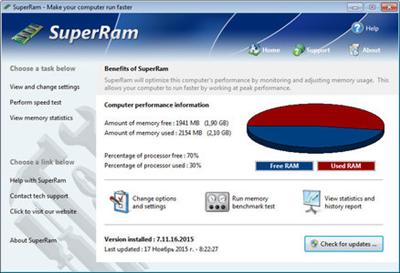
SuperRam makes your computer run faster by taking control and managing the memory on your computer efficiently. If you notice your computer is running slow, this typically is due to the memory (RAM) running out of usable space. When memory space gets lower, Windows then starts opening programs into the Windows page file; this page file is the computer hard drive which is much slower than RAM. SuperRam switches this behavior and puts old programs into the Windows page file and any newly opened programs are put into actual RAM. This change in how Windows operates allows programs and games to run faster.

SuperRam constantly runs in the background on your computer and determines when the memory on your computer is getting to a low threshold; once it reaches this threshold it immediately frees memory back to the computer and makes programs run faster since they have access to physical memory. SuperRam's settings allow you to freely adjust and change this low memory threshold and give you the ability to determine how much memory to free back to Windows. SuperRam gives you full control over how memory works on your computer and allows you to fine tune how your computer operates.

Faster Applications
Applications and games instantly load and run faster than before since they have access to more RAM on your computer. This instantly makes your computer run smoother and faster.

Take Control
You are now in control of your computer and decide how the system works. SuperRam gives you instant access to control how the computer operates and then works in the background for you.

Always Running
SuperRam constantly runs in the background even if no user is logged in, works great for server systems and desktop machines whether they are in full use or idle.

Infinite Memory
SuperRam constantly frees wasted memory back to the computer giving the impression you have an unlimited supply of RAM available to your applications at all times.

Operating System: Windows 10, 8, 7, Vista, XP & Windows Server 2012, 2008, 2003. 32-BIT/64-BIT ready.

Home Page -
Код:
http://www.pgware.com/

Language: Multilingual

Download link:​
Код:
[center][b]rapidgator_net[/b]:
https://rapidgator.net/file/454e3a088461d08f247b57aa3f98141b/35xz6.PGWare.SuperRam.7.10.28.2019.Multilingual.rar.html

[b]nitroflare_com[/b]:
https://nitroflare.com/view/54F3715F375A439/35xz6.PGWare.SuperRam.7.10.28.2019.Multilingual.rar

[b]uploadgig_com[/b]:
http://uploadgig.com/file/download/a42C08cFda3eBbb3/35xz6.PGWare.SuperRam.7.10.28.2019.Multilingual.rar[/center]

Links are Interchangeable - No Password - Single Extraction​
 
PGWare Throttle 8.10.28.2019 Multilingual

20702f462977ab341bdf3274ae2914a5.jpg


PGWare Throttle 8.10.28.2019 Multilingual | 4.06 Mb​
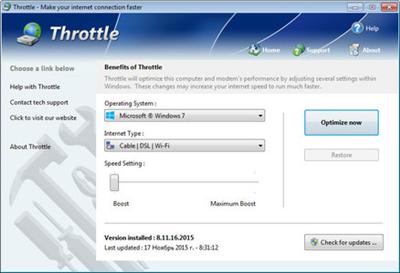
Throttle instantly upgrades your computer and modem to download files faster, browse the web faster and play games without lag. If you are tired of browsing the web and pages taking forever to load or you want to download large files faster, Throttle can instantly increase the speed of your internet. Throttle is one of the best internet acceleration software products available and works with Cable, DSL, U-Verse, Fios, dial-up, satellite and mobile phone (2G/3G/4G) internet connection types. You can easily upgrade you internet connection without having to pay extra monthly fees to your ISP using Throttle.

Throttle is very safe to use and makes several Windows registry and system changes to increase the performance of your modem and internet speed; this allows you to browse the web faster, download files faster and play games without lag. These permanent changes made to your computer and modem improves how large data packets are sent between your computer and servers, it lowers the latency between your computer and servers, and how Internet Explorer simultaneously downloads images and files. With Throttle your internet will become much faster and the changes it makes to your computer are completely safe and permanent.

Faster Downloads
Instantly makes downloads from the internet faster. Don't wait while downloading large files, Throttle makes large downloads take much less time to finish.

Safe and Permanent
Changes made to your computer and modem with Throttle are completely safe and are permanent, run once and your internet is permanently faster.

Easy to Use
Simply download and install Throttle on your computer and click a single button. Browsing the web, downloading and online gaming are instantly faster.

Faster Internet Speed
Instantly increases the speed of your Cable, DSL, U-Verse, Fios and dial-up internet connection and improves the speed of your internet connection dramatically.

Throttle instantly increases the speed of your internet and immediately saves you money. Throttle allows you to take advantage of a faster internet without having to pay extra monthly fees to your ISP for a more expensive internet package; try our Throttle software and instantly increase the speed you can download files, browse the web and play online games. Throttle makes several Windows registry changes to improve how networking packets are transmitted and received, we increase the buffer sizes which allows data to be transmitted and processed faster on your computer, allowing games, web browsing and downloading files to work much faster.

Increasing the speed of your internet connection, browse the web faster and download files faster as well as saving monthly fees are as easy as installing Throttle. Simply download and install Throttle from our web site, click a single button and reboot your computer; upon reboot you will quickly see how fast your internet connection has transformed, browsing the web is now much more enjoyable and playing games online will become an incredibly fun lag-free experience.

Features
Compatible with Microsoft Windows 10, 8, 7, Vista, XP & Windows Server 2012, 2008, 2003. 32-BIT/64-BIT ready.
Instantly increases the speed of your internet making downloads faster, surfing the web faster and playing online games without lag.
Increases the speed of all internet connection types such as Cable, DSL, U-Verse, Fios and dial-up satellite and mobile phone (2G/3G/4G).
Saves you money by maximizing your current internet connection without having to upgrade to a higher package with your ISP.
Easy to use software that allows you to make permanent changes to your computer and modem with a single click.
Playing online multiplayer games is now a lag-free experience due to many of the settings Throttle makes to the computer.
New and improved modern user interface, easy and intuitive to use and compliant with Windows user interface guidelines.

Operating System: Windows 10, 8, 7, Vista, XP & Windows Server 2012, 2008, 2003

Home Page -
Код:
http://www.pgware.com/

Language: Multilingual

Download link:​
Код:
[center][b]rapidgator_net[/b]:
https://rapidgator.net/file/adef9bb329d85a3bfcbef93edecc7e7c/y1hfp.PGWare.Throttle.8.10.28.2019.Multilingual.rar.html

[b]nitroflare_com[/b]:
https://nitroflare.com/view/320C166E7114DA4/y1hfp.PGWare.Throttle.8.10.28.2019.Multilingual.rar

[b]uploadgig_com[/b]:
http://uploadgig.com/file/download/7575Bc9fA02ceac5/y1hfp.PGWare.Throttle.8.10.28.2019.Multilingual.rar[/center]

Links are Interchangeable - No Password - Single Extraction​
 
Robin Software YouTube Video Downloader Pro 5.18.12 Portable

18de6946ba555c29fd86fe9d41952d77.jpg


Robin Software YouTube Video Downloader Pro 5.18.12 Portable | 21 Mb​
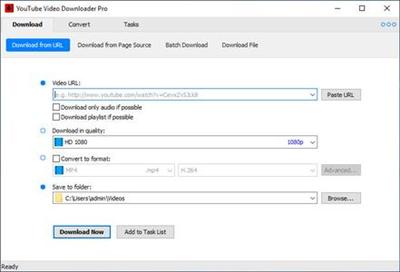
YouTube Video Downloader Pro is a professional Windows app for downloading and converting videos from YouTube, Facebook, Dailymotion, and thousands of other video sharing sites. It accelerates your downloads by up to 5 times. YouTube Video Downloader Pro allows you to download multiple videos at a time. It also allows you to pause, resume, and cancel downloads at anytime.

Easy-to-use
Just copy and paste video URL to start download. You can also directly drag and drop video link/URL from your browser to the Drop Box to add a download. YouTube Video Downloader Pro can download UHD 4K, QHD 2K, FHD 1080p, HD 720p, and 3D videos from YouTube if they are available. YouTube Video Downloader Pro allows you to download only audio stream from YouTube, without downloading the entire video file.

Playlist download
Just enter a YouTube playlist ID, YouTube Video Downloader Pro will download all or selected videos in the playlist from YouTube for you.

Speed up your downloads
YouTube Video Downloader Pro features an advanced download acceleration engine that lets you download videos up to 5 times faster than normal speed.
YouTube Video Downloader Pro allows you to download multiple videos at a time. It also allows you to pause, resume, and cancel downloads at anytime.
While downloading, you can click "Preview" button to play incomplete video and make sure it is really the video of your choice.

Convert to any format for any device
YouTube Video Downloader Pro can automatically convert downloaded file to any format for any device. It supports MP4, FLV, WMV, MOV, AVI, MPG, VOB, WEBM, DVD, VCD, and many other formats.
YouTube Video Downloader Pro can also extract audio stream from video, and save it as MP3, WAV, WMA, AC3, AAC, OGG, FLAC, MP2, or any other audio format.

iTunes compatible
Optionally, YouTube Video Downloader Pro can automatically add downloaded video/music files to your iTunes library, so you can easily synchronize your videos and music to your iPhone, iPad, iPod, etc.

Operating System: Windows 10/8/7/Vista/XP/2000

Home Page -
Код:
http://www.youtubevideodownloaderpro.com/

Download link:​
Код:
[center][b]rapidgator_net[/b]:
https://rapidgator.net/file/5a3d27d41274b2ca046e9cf1cf5d959d/bqll7.Robin.Software.YouTube.Video.Downloader.Pro.5.18.12.Portable.rar.html

[b]nitroflare_com[/b]:
https://nitroflare.com/view/86299C4E38902FF/bqll7.Robin.Software.YouTube.Video.Downloader.Pro.5.18.12.Portable.rar

[b]uploadgig_com[/b]:
http://uploadgig.com/file/download/c10B44d06D882E64/bqll7.Robin.Software.YouTube.Video.Downloader.Pro.5.18.12.Portable.rar[/center]

Links are Interchangeable - No Password - Single Extraction​
 
R-Studio 8.12 Build 175479 Network Multilingual

7f8e23a9df82989520f8e641889b3877.jpg


R-Studio 8.12 Build 175479 Network Multilingual | 61.7 Mb​
Empowered by the new unique data recovery technologies, R-STUDIO is the most comprehensive data recovery solution for recovery files from NTFS, NTFS5, ReFS, FAT12/16/32, exFAT, HFS/HFS+ (Macintosh), Little and Big Endian variants of UFS1/UFS2 (FreeBSD/OpenBSD/NetBSD/Solaris) and Ext2/Ext3/Ext4 FS (Linux) partitions. It also uses raw file recovery (scan for known file types) for heavily damaged or unknown file systems. It functions on local and network disks, even if such partitions are formatted, damaged or deleted. Flexible parameter settings give you absolute control over data recovery.

In addition to being a full-featured data recovery utility, R-Studio also includes:
An advanced RAID reconstruction module
A feature-rich text/hexadecimal editor
An entire advanced disk copying/imaging module in one single piece of software, which makes R-Studio your ideal complete solution for creating a data recovery workstation.

R-Studio utilities recover files:
Deleted without Recycle Bin, or when Recycle Bin has been emptied;
Removed by virus attack or power failure;
After the partition with the files was reformatted, even for different file system;
When the partition structure on a hard disk was changed or damaged. In this case, R-Studio utilities can scan the hard disk trying to find previously existing partitions and recover files from found partitions.
From hard disk with bad sectors. R-Studio Data Recovery Software can first copy the entire disk or its part into an image file and then process the image file. This is especially useful when new bad sectors are constantly appearing on the hard disk and remaining information must be immediately saved.

Features
Standard Windows Explorer - style interface.
Data recovery over the Network. Files can be recovered on network computers running Win2000/XP/2003/Vista/2008/Windows 7/8/8.1/10/Windows Server 2012/2016.
Supported file systems: FAT12, FAT16, FAT32, exFAT, NTFS, NTFS5, ReFS / ReFS2+ (Resilient File System, Windows 2012/2016 Server), HFS/HFS+ (Macintosh), Little and Big Endian variants of UFS1/UFS2 (FreeBSD/OpenBSD/NetBSD/Solaris) and Ext2/Ext3/Ext4 FS (Linux).
Scan for Known File Types (raw file recovery): if the disk file system is heavily damaged or unsupported, R-Studio searches for specific data patterns ("file signatures") typical for certain file types (Microsoft Office documents, jpgs, etc.). Such known file types can be custom-defined.
Recognition and parsing of Basic(MBR), GPT, and BSD (UNIX) partitions layout schema, and the Apple partition map. Support for Dynamic volumes (Windows 2000-2016/8.1/10) over MBR and GPT.
Support for
- Windows Storage Spaces (created by Windows 8/8.1 and 10/Threshold 2/Anniversary update);
- Apple software RAIDs, CoreStorage, File Vault, and Fusion Drive;
- Linux Logical Volume Manager (LVM/LVM2) and mdadm RAIDs.
R-Studio can automatically recognize and assemble the components of these disk managers even if their databases are slightly damaged. Their components with severe corrupted databases can be added manually.
Damaged RAID recovery. If the OS cannot recognize your RAID, you can create a virtual RAID from its components. Such virtual RAID can be processed like a real one. Standard RAID levels supported: 0, 1, 4, 5, 6. Nested and non-standard RAID level supported: 10(1+0), 1E, 5E, 5EE, 6E. Support for parity delays in all applicable levels. Support for customer-specified RAID layouts.
Automatic RAID parameter recognition.R-Studio can recognize all RAID parameters for RAID 5 and 6. This feature helps the user to solve one of the most difficult problems in RAID recovery.
Creates IMAGE FILES for an entire Hard Disk, Partition or its part. Such image files can be compressed and split into several files to put it on CD/DVD/flash or FAT16/FAT32/exFAT. Then the image files can be processed like regular disks.
Data recovery on damaged or deleted partitions, encrypted files (NTFS 5), alternative data streams (NTFS, NTFS 5), from NTFS with data deduplication.
Recovering data if:
FDISK or other disk utilities have been run;
VIRUS has invaded; FAT is damaged; MBR is destroyed.
Recognizes localized names.
Recovered files can be saved on any (including network) disks accessible by the host operating system. Recovered files may be saved on a disk on a connected remote computer rather than be transferred over network to the local one.
File preview to estimate recovery chances. Most of the file types can be previewed even when their applications are not installed.
File or disk content can be viewed and edited with the advanced hexadecimal editor. The editor supports NTFS file attribute editing.
S.M.A.R.T. attribute monitoring. R-Studio can display S.M.A.R.T. (Self-Monitoring, Analysis and Reporting Technology) attributes for hard drives to show their hardware health and predict their possible failures. Any unnecessary work with such hard drives should be avoided if S.M.A.R.T. warnings appear.
Integration with DeepSpar Disk Imager, a professional HDD imaging device specifically built for data recovery from hard drives with hardware issues. Such integration provides R-Studio with a low-level fine-tuned access to drives with a certain level of hardware malfunction. Moreover, it allows disk imaging and analyzing be performed simultaneously. That is, any sector R-Studio accesses on the source disk will be immediately cloned to a clone disk and any other data recovery operation will be made from that clone disk avoiding further deterioration of the source disk and great reduction in processing time.

Operating System: Windows 2000, XP, 2003 Server, Vista, 2008 Server, Windows 7, Windows 8/8.1/10, Windows Server 2012/2016

Home Page -
Код:
http://www.r-studio.com/

Download link:​
Код:
[center][b]rapidgator_net[/b]:
https://rapidgator.net/file/e003f7f0bbeed892d63886a30e29ae12/1y1ie.RStudio.8.12.Build.175479.Network.Multilingual.rar.html

[b]nitroflare_com[/b]:
https://nitroflare.com/view/50383B375FD1C01/1y1ie.RStudio.8.12.Build.175479.Network.Multilingual.rar

[b]uploadgig_com[/b]:
http://uploadgig.com/file/download/7df915bCdD117014/1y1ie.RStudio.8.12.Build.175479.Network.Multilingual.rar[/center]

Links are Interchangeable - No Password - Single Extraction​
 
SmartFTP Enterprise 9.0.2712.0 Multilingual

0ae9a8fb9c16533d3e0316d8b3b719c4.jpg


SmartFTP Enterprise 9.0.2712.0 (x86/x64) Multilingual | 57.8 Mb​
SmartFTP is an FTP (File Transfer Protocol), FTPS, SFTP, WebDAV, Amazon S3, Backblaze B2, Google Drive, OneDrive, SSH, Terminal client. It allows you to transfer files between your local computer and a server on the Internet. With its many basic and advanced Features SmartFTP also offers secure, reliable and efficient transfers that make it a powerful tool.

SmartFTP can be used for:
- Web site publishing and maintenance
- Upload and download of images, documents, movie and music files
- Managed file transfers. Automate file transfer processes.
- Backup and synchronize local and remote files

SmartFTP Features:
* Protocols
* FTP and FTPS (Secure FTP)
* SFTP over SSH
* WebDAV
* Amazon S3 (Enterprise Edition)
* Google Drive (Ultimate Edition)
* Google Cloud Storage (Enterprise Edition)
* Backblaze B2 Cloud Storage (Enterprise Edition)
* Microsoft OneDrive (Ultimate Edition)
* Terminal Emulator (Ultimate Edition)
* Integrated Editor
* HIPAA 5010 compliant
* FIPS 140-2, 186-4 compliant
* Modern Graphical User Interface (GUI)
* High DPI support
* File/Folder Synchronization
* Multilingual (more than 20 languages)
* Thumbnails View and Preview
* Visual Compare
* Advanced Schedule
* IPv6
* On-the-fly Compression (MODE Z)
* UTF-8 Support
* Support for KeePass, LastPass, 1Password password manager
* Multiple Connections
* Auto reconnect and resume of broken transfers
* Transfer Integrity
* Verified Transfers (XCRC, XMD5, XSHA)
* FXP (Server-To-Server Transfer) support
* Remote Edit of files
* Search for files and folders on the server
* Local Browser
* Bulk Rename
* Software Development Kit (SDK)
* Enhanced NAT/UPnP Support
* UPnP (Universal Plug and Play), ICS, ICF
* Transfer Queue
* Scheduling (Enterprise Edition)
* Uploads/Downloads/FXP
* Unlimited simultaneous threads
* International Domain Names (IDN)
* Proxy / Firewall support
* SOCKS5, SOCKS4, SOCKS4A, HTTP Proxy
* Wingate, Winproxy, CSM, Checkpoint FW-1, Raptor
* URL Watcher
* FTP command line
* Custom Commands
* CHMOD (Properties)
* Section 508 compliant
* and much more ...

Operating System: Windows 8.1, 2012 R2, 10, 2016

Home Page -
Код:
https://www.smartftp.com

Download link:​
Код:
[center][b]rapidgator_net[/b]:
https://rapidgator.net/file/d6f8a91bb22f88451a9165c8a1a868a6/aa0r7.SmartFTP.Enterprise.9.0.2712.0.Multilingual.rar.html

[b]nitroflare_com[/b]:
https://nitroflare.com/view/E42250FE8ABF147/aa0r7.SmartFTP.Enterprise.9.0.2712.0.Multilingual.rar

[b]uploadgig_com[/b]:
http://uploadgig.com/file/download/a1414c87CC4ba41b/aa0r7.SmartFTP.Enterprise.9.0.2712.0.Multilingual.rar[/center]

Links are Interchangeable - No Password - Single Extraction​
 
SmartFTP Enterprise 9.0.2713.0 (x86x64) Multilingual

955b40c1dde6e2ed427521fe6b98d7d6.jpg


SmartFTP Enterprise 9.0.2713.0 (x86/x64) Multilingual | 56.05 Mb​
SmartFTP is an FTP (File Transfer Protocol), FTPS, SFTP, WebDAV, Amazon S3, Backblaze B2, Google Drive, OneDrive, SSH, Terminal client. It allows you to transfer files between your local computer and a server on the Internet. With its many basic and advanced Features SmartFTP also offers secure, reliable and efficient transfers that make it a powerful tool.

SmartFTP can be used for:
- Web site publishing and maintenance
- Upload and download of images, documents, movie and music files
- Managed file transfers. Automate file transfer processes.
- Backup and synchronize local and remote files

SmartFTP Features:
* Protocols
* FTP and FTPS (Secure FTP)
* SFTP over SSH
* WebDAV
* Amazon S3 (Enterprise Edition)
* Google Drive (Ultimate Edition)
* Google Cloud Storage (Enterprise Edition)
* Backblaze B2 Cloud Storage (Enterprise Edition)
* Microsoft OneDrive (Ultimate Edition)
* Terminal Emulator (Ultimate Edition)
* Integrated Editor
* HIPAA 5010 compliant
* FIPS 140-2, 186-4 compliant
* Modern Graphical User Interface (GUI)
* High DPI support
* File/Folder Synchronization
* Multilingual (more than 20 languages)
* Thumbnails View and Preview
* Visual Compare
* Advanced Schedule
* IPv6
* On-the-fly Compression (MODE Z)
* UTF-8 Support
* Support for KeePass, LastPass, 1Password password manager
* Multiple Connections
* Auto reconnect and resume of broken transfers
* Transfer Integrity
* Verified Transfers (XCRC, XMD5, XSHA)
* FXP (Server-To-Server Transfer) support
* Remote Edit of files
* Search for files and folders on the server
* Local Browser
* Bulk Rename
* Software Development Kit (SDK)
* Enhanced NAT/UPnP Support
* UPnP (Universal Plug and Play), ICS, ICF
* Transfer Queue
* Scheduling (Enterprise Edition)
* Uploads/Downloads/FXP
* Unlimited simultaneous threads
* International Domain Names (IDN)
* Proxy / Firewall support
* SOCKS5, SOCKS4, SOCKS4A, HTTP Proxy
* Wingate, Winproxy, CSM, Checkpoint FW-1, Raptor
* URL Watcher
* FTP command line
* Custom Commands
* CHMOD (Properties)
* Section 508 compliant
* and much more ...

Operating System: Windows 8.1, 2012 R2, 10, 2016

Home Page -
Код:
https://www.smartftp.com/

Language: Multilingual

Download link:​
Код:
[center][b]rapidgator_net[/b]:
https://rapidgator.net/file/9de63b9ea6c81e1ff3b6e08c79801273/i7akg.SmartFTP.Enterprise.9.0.2713.0.x86x64.Multilingual.rar.html

[b]nitroflare_com[/b]:
https://nitroflare.com/view/920913379363702/i7akg.SmartFTP.Enterprise.9.0.2713.0.x86x64.Multilingual.rar

[b]uploadgig_com[/b]:
http://uploadgig.com/file/download/Fb70b517F5bacf0c/i7akg.SmartFTP.Enterprise.9.0.2713.0.x86x64.Multilingual.rar[/center]

Links are Interchangeable - No Password - Single Extraction​
 
UniPDF Pro 1.3.2 Multilingual

30ea84ea3a413693a399d31825c92ef2.jpg


UniPDF Pro 1.3.2 Multilingual | 5.9 Mb​
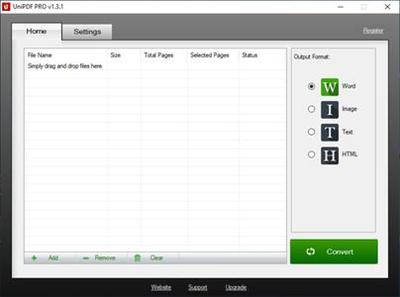
UniPDF is developed based on the primary concept of re-producing a Word file from a PDF. It comes with a series of features which makes the task even more effective and efficient. In usage, it is versatile. It supports converting PDF files to Word, image, text and HTML. One of the most attractive features of this software is that it retains the original design and layout of the PDF. Conversion time is barely sensible. Time you can save on copying and pasting PDF content is not minutes, but HOURS.

Unique Features include:
- Convert your PDF files into four file types to meet your specific needs: Microsoft Word, image, text and html files are all available
- Retain original design and formatting: Converted files will retain original layout and formatting of the original document to save you time having to re-edit your documents to get them the way you want them
-Convert PDF files in batch: Convert PDF files individually or convert multiple files in a single session
- Super-fast conversion: Lightning fast conversion speeds enable you to spend less time converting and more time getting work done.
-Convert selected page range: Convert entire documents or select only specific pages within a document for conversion
- User friendly interface that anyone can use with ease. Simple drag and drop interface allows you to easily select which files you'd like to convert
- 20 UI Languages

Operating System: Windows 10 / 8 / 7 / Vista / XP

Home Page -
Код:
https://unipdf.com/

Download link:​
Код:
[center][b]rapidgator_net[/b]:
https://rapidgator.net/file/0c2d35b2bc9bf5d6199b8b74b621d0a8/1nwg3.UniPDF.Pro.1.3.2.Multilingual.rar.html

[b]nitroflare_com[/b]:
https://nitroflare.com/view/7CA96FDD3B309FF/1nwg3.UniPDF.Pro.1.3.2.Multilingual.rar

[b]uploadgig_com[/b]:
http://uploadgig.com/file/download/49E30bdD1109F4f1/1nwg3.UniPDF.Pro.1.3.2.Multilingual.rar[/center]

Links are Interchangeable - No Password - Single Extraction​
 
DMG Canvas 3.0.6 macOS

0954961f3a8859701caee3c2328befc4.jpg


DMG Canvas 3.0.6 | macOS | 11 mb​
DMG Canvas helps you manage the content and appearance of disk image files using helpful templates. Choose your files, create your background image using helpful controls, and click "Build". Your disk image will appear in Finder exactly as you designed it.

Disk images, delivered with style
- Simplified design. With DMG Canvas, creating backgrounds is easy. Just drop in images, add customized text, and you're done.
- Maximum compatibility. DMG Canvas creates disk images that work seamlessly on any version of OS X. Say goodbye to compatibility issues.

Compatibility: macOS 10.12 or later 64 bit
Homepage:
Код:
http://www.araelium.com

Download link:​
Код:
[center][b]rapidgator_net[/b]:
https://rapidgator.net/file/af7f88f894d736465c04197d5a8f8bfd/l0icm.DMG.Canvas.3.0.6.rar.html

[b]nitroflare_com[/b]:
https://nitroflare.com/view/C61FEC5EBEE0044/l0icm.DMG.Canvas.3.0.6.rar

[b]uploadgig_com[/b]:
http://uploadgig.com/file/download/E6625e03d26794e1/l0icm.DMG.Canvas.3.0.6.rar[/center]

Links are Interchangeable - No Password - Single Extraction​
 
Bluebeam Revu eXtreme 2019 Multilingual

32f6250eb2f623a8e1480a39da56734e.jpg


Bluebeam Revu eXtreme 2019 Multilingual | 1.24 GB​
Revu delivers award-winning PDF creation, editing, markup and collaboration technology for your design and construction workflows. You'll boost productivity by leveraging markup data across the entire project lifecycle, and streamline processes to get more done in less time.

Create
Convert an unlimited number of Microsoft® Office documents and CAD drawings into high-quality 2D or 3D PDFs, or transform scanned images into text-searchable documents.

Mark Up
Customizable, easy-to-use markup tools simplify communication across teams, and the powerful Markups List in Revu tracks annotations and generates reports.

Collaborate
Connect and collaborate with project partners worldwide in real time, or any time, with Studio Projects and Studio Sessions.

Organize
Make large drawing sets more manageable by creating smart documents that can be shared easily with project partners-in the office or in the field.

Revu eXtreme®
The robust solution for automating complex processes and pushing the limits of document collaboration.

Who's it for?
- Architects Architects
- Engineers Engineers
- General Contractors General Contractors
- Specialty Contractors Specialty Contractors
- Estimators Estimators
- Superintendents Superintendents

Key Features:
- Automatic Form Creation
- Batch Link®
- Batch Slip Sheet
- OCR
- Batch Sign & Seal
- Quantity Link

Operating Systems:
- Windows® 10 (32-bit and 64-bit)
- Windows 8.1 (32-bit and 64-bit)
- Windows 7 SP1 (32-bit and 64-bit)

Homepage -
Код:
https://www.bluebeam.com

Download link:​
Код:
[center][b]rapidgator_net[/b]:
https://rapidgator.net/file/0efd4b02f722e4437e485c5d9c1a7d90/s46zv.Bluebeam.Revu.eXtreme.2019.rar.html

[b]nitroflare_com[/b]:
https://nitroflare.com/view/905AC5ADDCC070E/s46zv.Bluebeam.Revu.eXtreme.2019.rar

[b]uploadgig_com[/b]:
http://uploadgig.com/file/download/cFd6b0bbFCa32549/s46zv.Bluebeam.Revu.eXtreme.2019.rar[/center]

Links are Interchangeable - No Password - Single Extraction​
 
Audio File Browser 1.0.3.38

76c2a368feb040c84f74770eed6e1a89.jpg


Audio File Browser 1.0.3.38 | 22.88 Mb​
Audio File Browser is a utility for browsing audio files with waveform thumbnails preview.

Features:

Browse audio files in 2 different thumbnail modes
Quick preview with clicking on a file
Display detailed information about the audio files
Optionally 3 applications can be configured with quick access to open selected audio files in them
Full unicode support
User interface DPI scaling is supported

Home Page:
Код:
https://www.3delite.hu

Language: English

Download link:​
Код:
[center][b]rapidgator_net[/b]:
https://rapidgator.net/file/e80d16b641e6e3d70599b4c007b36581/kfyf4.Audio.File.Browser.1.0.3.38.rar.html

[b]nitroflare_com[/b]:
https://nitroflare.com/view/DDC465C2352EB34/kfyf4.Audio.File.Browser.1.0.3.38.rar

[b]uploadgig_com[/b]:
http://uploadgig.com/file/download/7e9f996c01098aF7/kfyf4.Audio.File.Browser.1.0.3.38.rar[/center]

Links are Interchangeable - No Password - Single Extraction​
 
Amadeus Pro 2.6.2 (2221) macOS

c544ef5129b3548df54a1e27ccdacb9b.jpg


Amadeus Pro 2.6.2 (2221) | macOS | 19 mb​
Amadeus Pro lets you use your Mac for any audio-related task, such as live audio recording, digitizing tapes and records, converting between a variety of sound formats, etc. Thanks to its outstanding direct-to-disk abilities and waveform caching, edits on arbitrarily large sounds (even beyond the usual 2GB limit) are performed at lightning speed. The handling of large sounds is furthermore facilitated by the extensive support of markers. Its outstanding sound repairing and denoising abilities make Amadeus Pro particularly suitable for transferring vinyl records on CD.

Compatibility: OS X 10.8 or later 64-bit
Homepage:
Код:
https://www.hairersoft.co

Download link:​
Код:
[center][b]rapidgator_net[/b]:
https://rapidgator.net/file/e5669d7a55979a4e301ec37e540c305e/zbxpt.Amadeus.Pro.2.6.2.2221.rar.html

[b]nitroflare_com[/b]:
https://nitroflare.com/view/EDDD733086969D5/zbxpt.Amadeus.Pro.2.6.2.2221.rar

[b]uploadgig_com[/b]:
http://uploadgig.com/file/download/db3baf744990F53F/zbxpt.Amadeus.Pro.2.6.2.2221.rar[/center]

Links are Interchangeable - No Password - Single Extraction​
 
Назад
Сверху