• Форум работает в архивном режиме www.old.nado.in

All mitsumi'1s Applications !! (updated daily)

  • Автор темы Автор темы mitsumi1
  • Дата начала Дата начала
Ambient Design ArtRage 6.1.0
9e278a7d9aa5f84710f398700bfa73ef.jpg


Ambient Design ArtRage 6.1.0 Multilingual | 102 Mb​
Unleash your creativity! Paint and draw with tools that work just like the real thing. ArtRage is a digital artist's studio with a full range of familiar tools that look and work like the real things. It's a canvas for thick, expressive oils and delicate watercolors, a sketchpad with a full set of pencils, and a sheet of paper with a stack of wax crayons all in one.

- Smear and blend thick oils to create natural color gradients.
- Sketch with pencils and shade with the edge of the tip.
- Create delicate watercolor strokes that react to canvas texture.
- Use photos as References while painting.
- Work with Guides, Grids, and Perspective Layout tools.
- Features Layers, Blend Modes, and other industry standards.

With a wide range of traditional tools and powerful digital utilities, ArtRage is the perfect creative tool for anyone, kids to adults, amateurs to professionals.

Main ArtRage Features:

Realistic Painting Tools:
Oils, Watercolour, and Palette Knives let you smear paint, blend colors, and easily create natural textures.

Layers and Groups:
Organise your painting in to layers and groups which support blend modes and other features.

References & Tracing Images:
Import an image as a Reference while you work, or as a Tracing Image to guide your strokes and color choices.

Customizable Workspace:
Work in light or dark mode, with a choice of classic ArtRage layout or a flexible docking layout.

Custom Brush:
Create your own unique tools and special efects using the powerful Custom Brush designer.

Grids, Guides, and Perspective:
Guide your composition with a comprehensive set of grids, guides, and perspective layout tools.

Ease of Use:
Pick a tool and off you go - ArtRage is designed to focus on Art, not navigating a mass of tool settings.

Utility Tools:
Create complex designs with Symmetry, fill areas with patterns or gradients, and more.

Scripting:
Record your process to a script that can be played back later to recreate your painting, live.

What's New in ArtRage 6:

Paint with Depth in the Custom Brush:
Add volume to your Custom Brush strokes, or use any Custom Brush as an Eraser.

Complementary Colors:
Let ArtRage help with your color choices by automatically displaying a variety of types of complement.

Record Actions:
Automate processes to repeat with a single button press, or write your own action scripts for special effects.

Customize your Canvas:
Get more control over the look of your canvas with lighting intensity and angle adjustments.

Gloss and Impasto:
Try out thicker paint strokes and adjust the level of gloss in the updated Oil Brush tool.

And much more...
Retina support on macOS, smoothing in the standard Pencil, narrow mode pickers, and more!

Requirements: ArtRage 6 works with Windows 7 or later.

Homepage -
Код:
https://www.artrage.com

Download link:​
Код:
[center][b]rapidgator_net[/b]:
https://rapidgator.net/file/44662ffccd61adbd91c6f30b9e6857d5/pfho1.Ambient.Design.ArtRage.6.1.0.rar.html

[b]nitroflare_com[/b]:
https://nitroflare.com/view/F8C3D8CF18E6282/pfho1.Ambient.Design.ArtRage.6.1.0.rar

[b]uploadgig_com[/b]:
http://uploadgig.com/file/download/cFEcE6d0a3d56067/pfho1.Ambient.Design.ArtRage.6.1.0.rar[/center]

Links are Interchangeable - No Password - Single Extraction​
 
Artlantis 2019 8.0.2.20738 Multilingual

5e6b06176e4fc1cab89000f6b35e62cc.jpg


Artlantis 2019 8.0.2.20738 (x64) Multilingual | 281 Mb​
A flagship software in VR imagery, Artlantis has conquered nearly 100,000 architects, interior designers, landscapers, urban planners, space planners ... in more than 110 countries. Using its own rendering engine, without drawing on graphic cards, Artlantis is used by experts, advanced users and beginners, for simulation, presentations and communication, by producing still images of a striking photo-realism in very high quality and record time!

nterface
Designed with an extremely clear and ergonomic interface, Artlantis is easy to learn and use. At all times, all the necessary tools are displayed around its preview window, which allows you to see the results of each adjustment.

2D View
In addition to the 3D preview, Artlantis has a 2D viewing window for positioning viewpoints and their sequences, making it easier to create exploration paths or assembled panoramas.

Viewpoints library
Artlantis makes it possible to save as many viewpoints, in perspective or in orthogonal projection, as you want, and to recall them at every moment with the new adjustments made on the luminous models, the seasonal ecosystems or the materials of dressing.

Postcards
All shaders customed settings in a viewpoint can be saved for later reuse. Each scene can be saved into the library as a postcard archived in the library and in which the setting any material will be reused by simply drag & drop on the current object to be modified.

Global illumination
With Artlantis you can simply and fastly realize studies on light effects according to the geometry, the sources of energy, the geographical orientation, the date or the materials. Integrating cache irradiance calculations, Artlantis very accurately evaluates light energy exchanges for radiosity simulation, adding realism to rendered images.

Twinlinker : virtual visits
New Artlantis teammate, Twinlinker allows you to create and share virtual visits of your projects online instantly and easily. Just as with Twinmotion 2019, export your Artlantis 2019 media (images, panoramas and videos) to Twinlinker, then link them one another in order to create instantly virtual visits to share widely by email, on social networks or make available on your website.

Unique and universal
Handling DXF, DWG, OBJ, FBX and 3DS formats, Artlantis is compatible with almost all 3D modelers on the market. Specific plug-ins for ARCHICAD, Rhinoceros, Vectorworks, Autodesk Revit, SketchUp and Arc +, allow exports to Artlantis.

Lights
- Artificial lights: no limits to positioning, orientation, color, intensity, or quantity.
- IES profiles: you can import your own IES profiles and those of builders.
- Heliodons: natural light sources, dependent on the setting of the time, date and place (longitude, latitude).
- Neon shader: rebounds, reflections, diffusion across a surface ...

+400 media catalog
Clear and rich, it is hierarchized intuitively for an easy navigation. Media packs are available for purchase through an integrated Media Store.

Shaders
Artlantis makes using shaders fast and easy. Instantly dress a material with all the attributes of a given shader with a simple 'drag & drop' from the catalog to the desired surface in the scene.

Texture mapping
You can use your own images as materials. Import your own images with a simple 'drag & drop' from the catalog. Then, clone them horizontally and/or vertically to cover the surface you have selected.

White model
During calculation, white model rendering changes all surfaces to white except for those that are transparent. Lights maintain their color for sophisticated environments.

White balance
White Balance allows you to adjust the dominant color of a scene to the ambient lighting. Simply set it either automatically or from the desired reference color.

Ambient Occlusion
You can create virtual shadows in small areas where natural light doesn't go. It brings more depth and relief to the scene.

Adaptative antialiasing
Smarter anti-aliasing makes it possible to detect the areas to be treated, optimizing calculation and reducing rendering times as a result, with no alteration of the quality of the image.

Post-Processing
Apply different effects to the current view and set the brightness, contrast, and color of a rendering. Save time when adding grain effects, paint or pastel, highlighting contours...

Render Manager
It optimizes the rendering calculation time: spread your calculations on as many computers of the local network (Mac / PC), in order to reduce the rendering time.

Recommended Configuration:
- Intel® Core i7, 4+ Core
- RAM: 16 GB
- System: Windows 7, 8.1, 10 (64 bits)
- Graphic Card: 2 GB managing OpenGL *
- Display: 1920 x 1080 pixels
* Graphic chipsets are not supported

Homepage -
Код:
https://artlantis.com

Download link:​
Код:
[center][b]rapidgator_net[/b]:
https://rapidgator.net/file/c76b8c62e1eeebdcdac645f7d74209d1/2wbya.Artlantis.2019.8.0.2.20738.Multilingual.rar.html

[b]nitroflare_com[/b]:
https://nitroflare.com/view/DAFEF41F0679A6A/2wbya.Artlantis.2019.8.0.2.20738.Multilingual.rar

[b]uploadgig_com[/b]:
http://uploadgig.com/file/download/c5117f8BDf5B926d/2wbya.Artlantis.2019.8.0.2.20738.Multilingual.rar[/center]

Links are Interchangeable - No Password - Single Extraction​
 
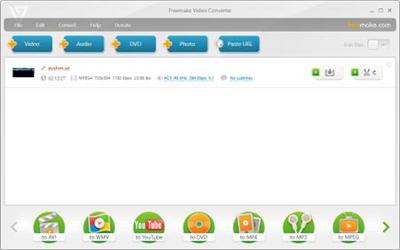
Freemake Video Converter 4.1.10.409 Multilingual

90e84b8f509426261605be17503c6347.jpg


Freemake Video Converter 4.1.10.409 Multilingual | 52 Mb​
Freemake Video Converter Gold - Convert video free to AVI, MP4, WMV, MKV, 3GP, DVD, MP3, iPad, iPhone, PSP, Android phones. Video to MP3 with one click! Rip & burn DVD. Convert YouTube to MP4, AVI, etc. with Freemake! Guaranteed result.

200+ Input Formats:
Input any video files: AVI, MP4, MKV, WMV, MPG, 3GP, 3G2, SWF, FLV, TOD, AVCHD, MOV, DV, RM, QT, TS, MTS, etc. Import music (MP3, AAC, WMA, WAV), and photos (JPG, BMP, PNG,GIF) to turn them into video free and easily! All supported formats

Output to AVI, MP4, MKV, FLV, 3GP, MP3, HTML5:
Convert video free to the most popular video formats. Rip DVD movie (unprotected) to AVI, WMV, MP4, MPEG, MKV, FLV, SWF, 3GP. Convert video to Flash and embed it directly to your web page. Create HTML5 video (Ogg, WebM, H.264) for modern web browsers.

Convert Free to iPod, iPhone, iPad, PSP, Android:
Optimize videos for Apple, Sony, and Android devices. Convert videos free to iPod Classic, iPod Touch, iPod Nano, iPod 5G, iPhone, iPad, Sony PSP, PS2, PS3, BlackBerry, Samsung, Nokia, Xbox, Apple TV, Android mobile devices, smartphones, etc.

Fastest Video Converter with CUDA and DXVA:
Freemake is the only free video converter that features integrated both CUDA and DXVA technologies for the fastest ever video conversion and less CPU usage. The software automatically detects the optimal conversion parameters and switches on/off CUDA and DXVA for better conversion results.

Burn Blu-ray Video:
Convert your movies to video Blu-ray format and burn high-quality BDs for free. Create Blu-ray discs out of any input content: video, audio, photos, URLs. Burn multiple Blu-ray copies and save the resulted Blu-ray video to HDD as an ISO image or Blu-ray folder.

Burn DVD - up to 40 hours:
Unlike other software, our free video converter doesn't have a two-hour limit and can burn DVD video up to 20h to a Standard DVD or 40h to DVD-DL. With our free video converter, you can make multiple DVD copies and save the output DVD video to your PC as an ISO image or DVD folder.

Free Video Converter with Subtitles Support:
Convert DVD, MKV, MOV with embedded subtitles to any video format or device for free. Add SSA/SRT/ASS external subtitles to any video with our free video converter.

Advanced Preset Editor:
Take total control of the output result by customizing conversion parameters. Create your own presets by establishing video and audio codecs, frame size, etc. Choose an icon, and save you custom preset for further usage with our free video converter.

Upload Photos and MP3 to YouTube:
Upload videos, photo slideshows, MP3 to YouTube with our free video converter. Upload AVI, WMV, MP4, 3GP, JPG, BMP, GIF, MP3 to YouTube. The program will cut videos (if required) into 15-minute parts and insert them into one YouTube playlist.

Make Slideshows and Visualizations:
Turn photos and MP3 into slideshows with background music for free. Edit your slideshow: add, delete, and shuffle photos, enable panorama effect. Create music visualizations and upload photos to YouTube for free!

Cut, Join, Rotate, Limit size, Adjust to aspect ratio:
Cut video parts from your file. Flip or rotate video. Join several videos into one file, add transitions between parts. Fit the output file size to any limit (e.g. 700 Mb, 1.4 Gb, 4.7 Gb).
Adjust output video to the established aspect ratio: add black bars, stretch, zoom, auto-adjust.

Operating System: Windows Vista, 7, 8/8.1, 10

Home Page -
Код:
http://www.freemake.com/

Download link:​
Код:
[center][b]rapidgator_net[/b]:
https://rapidgator.net/file/bc760b7c3b96083ce0d56b12afb6aead/wqs3j.Freemake.Video.Converter.4.1.10.409.Multilingual.rar.html

[b]nitroflare_com[/b]:
https://nitroflare.com/view/96AD767F39894E3/wqs3j.Freemake.Video.Converter.4.1.10.409.Multilingual.rar

[b]uploadgig_com[/b]:
http://uploadgig.com/file/download/6e95c1A19de1FEBd/wqs3j.Freemake.Video.Converter.4.1.10.409.Multilingual.rar[/center]

Links are Interchangeable - No Password - Single Extraction​
 
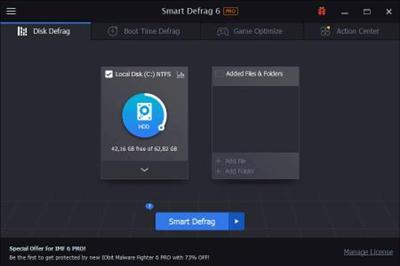
IObit Smart Defrag Pro 6.3.5.189 Multilingual + Portable

9f2ce78074a377a616c5622cf7a83786.jpg


IObit Smart Defrag Pro 6.3.5.189 Multilingual + Portable | 15.7/35 Mb​
IObit Smart Defrag is a Disk Defragmenter, that accelerates the whole system with fast and efficient disk defragment. Based on IObit latest disk defrag engine and "Boot Time Disk Defrag" technology, Smart Defrag is created with the world's leading defragmentation ability. It not only provides defragmentation, but also intelligently streamlines your files based on using frequency, thus accelerating disk speed and the whole system for top performance!

Smart Defrag works fast, automatically and quietly in the background and is suitable for large hard drives. IObit Smart Defrag helps defragment your hard drive more efficiently than any other product on the market - free or not. It is known that disk fragments has been a primary cause of slow and unstable PC performance.

Features:
- Higher File Access Speed
- Disk fragmentation is generally the main cause of slow and unstable computer performance. In order to accelerate hard drive for faster data access and outstanding disk performance, Smart Defrag 5 provides efficient defragmentation to hard drives by optimizing file placement and consolidating free space. Then you can enjoy higher game launching speed, and copy files with only half of the time as before, etc.
- Up to 100% Faster PC Startup
- The Boot-time Defrag feature can defrag the system disk, in which some files cannot be safely moved while Windows is running, before the operating system is fully loaded. In this way, Smart Defrag 5 will boost your startup speed and enable your computer to run at top speed with the most stability.
- Safe & Automatic Disk Defrag
- Smart Defrag 5 not only provides disk defragmentation as any other tool does, but also optimizes it by intelligently streamlining your files based on using frequency. With IObit latest disk defrag engine, it is just as safe for your files as using Windows. And you just need to install & forget it. Smart Defrag 5 will automatically work for you with no data lost.

Operating System: Windows 7, 8/8.1, 10

Home Page -
Код:
http://www.iobit.com

Download link:​
Код:
[center][b]rapidgator_net[/b]:
https://rapidgator.net/file/9523f236f15238b398fe2ade38a5a678/q56sb.IObit.Smart.Defrag.Pro.6.3.5.189.Portable.rar.html
https://rapidgator.net/file/84ccfe064d50cf3c647fde0691232381/q56sb.IObit.Smart.Defrag.Pro.6.3.5.189.rar.html

[b]nitroflare_com[/b]:
https://nitroflare.com/view/AA8DD4A49F17C4E/q56sb.IObit.Smart.Defrag.Pro.6.3.5.189.Portable.rar
https://nitroflare.com/view/522B79D106656FA/q56sb.IObit.Smart.Defrag.Pro.6.3.5.189.rar

[b]uploadgig_com[/b]:
http://uploadgig.com/file/download/595e9cB156F29f11/q56sb.IObit.Smart.Defrag.Pro.6.3.5.189.Portable.rar
http://uploadgig.com/file/download/acC8a24Ad998ade3/q56sb.IObit.Smart.Defrag.Pro.6.3.5.189.rar[/center]

Links are Interchangeable - No Password - Single Extraction​
 
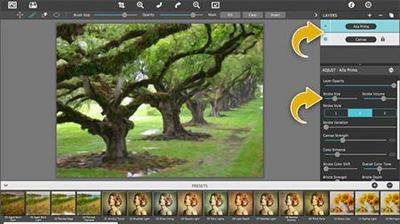
JixiPix Artista Impresso Pro 1.8.10

6f625f2f373edcb39e7f3795e3d590b9.jpg


JixiPix Artista Impresso Pro 1.8.10 | 147.8 MB​
For professionals who like creative control we give them Layers for blending multiple paint styles and brushes to paint on and off the impressionism strokes. We have also included an ultra-impressionism effect called 'Tache' to cover the painting with broken brush strokes or dabs of color that literally stand out, apply them sparsely or cover the entire painting, the choice is yours.

The 19th century brush-wielding Impressionist artists were crazy about flowers and gardens, and it was good. With flowing brush strokes and thickly painted texture, Van Gogh made his Sunflowers immortal with harmonious movement of color, contrast, and form. Monet made his Water Lilly Pond a celebrity. It took their genius and a lifetime of practice navigating the riot of their senses, but these extraordinary artists took what they saw and felt in the petals and leaves and transferred their impressions onto canvasses full of beauty, mood and meaning.

Lucky you, 21st century software wielding seer and lovers of beauty, Impresso gives you the same enduring attention to detail, light, color and texture by transforming your photos into multi-textured, stroke-filled Impressionist masterpieces. Keen eyes will love how Impresso maintains the balance of your piece! The results are captivating paintings brimming with passion, life, and beauty.

Features
A pro workflow adds impressionism styles per layer. With Layers, users can blend styles using brushes to paint on or off areas in the painting! Also, included is the powerful Ellipse Detail tool to add finely painted details to faces, flowers or to create focal points in landscapes. Once completed , resize then hit the 'Apply' button to render small brushstrokes inside the Ellipse. With layers photographers and artists now have the power to composite multiple impressionism styles for impressive results.

IMPRESSIONISM STYLES
* Alla Prima ('wet-on-wet' or 'all-at-once')-is great for portraits! This beautiful paint style starts by filling the painting with an abundance of brushstrokes. A library of artistic finishes compliments this style by adding light, color and movement with controls over strength.
* En Plein Air (in open air) is perfect for landscapes. This stroke-filled effect consists of eight artists' palettes created by famous impressionists. Use them as they are or edit the paint colors to make your own palette. The Save Preset feature keeps the palette and all the layers intact for future projects.
* Tache ('spot' or 'blot') applies broken brushstrokes throughout the image. This technique of laying thick patches, flecks and dabs of color is great for making paint look as if it stands out from the surface. Apply a light spackling of strokes or fill the painting with dabs of color-the choice is up to you!
* Canvas layer is added to each painting created. By creating a canvas layer, it can now be turned on or off for viewing strokes created on previous layers. As with traditional methods, the canvas is an integral part of the painting, so we have locked the layer to keep it from being accidentally deleted.

INCLUDES
* Three stroke styles: #1 is a series of straighter strokes, #2 combines the first style with curved ones, and #3 is an abstract set. Then the Tache effect has its own custom set of brushes designed for depth.
* Three Impressionism styles: Alla Prima, En Plein Air and Tache (pronounced tash)
* Pro Layers with built-in Impressionism styles for multi-layer types and options to duplicate, reorder, and delete them
* Control over detail ellipse tool, stroke size, stroke volume, bristle strength & depth, artistic finishes and the painted edge
* Save Preset to save customized paint palettes and keep all strokes & layers intact for future projects
* Smart brushes to remove or add impressionism effect-the brushes are smart because they remove the effect by stroke
* Mask with fill, invert and clear to support brushes and layers
* Canvas and linen texture
* 8 Impressionist palette styles
* One-touch paint styles
* 70 Artistic finishes
* One-of-a-kind ellipse detail tool renders small brush strokes inside the placed area
* Plugin for Photoshop CS3+, Lightroom and Elements for Mac and Windows

Operating System:
Windows® 10, Windows® 8 / 8.1, Windows® 7

Home Page -
Код:
 http://jixipix.com/artista-impresso-pro/details.html

Download link:​
Код:
[center][b]rapidgator_net[/b]:
https://rapidgator.net/file/6163c88dfbe81de0b63ae934d19e13eb/ng4d8.JixiPix.Artista.Impresso.Pro.1.8.10.rar.html

[b]nitroflare_com[/b]:
https://nitroflare.com/view/1DBC628A6311B8A/ng4d8.JixiPix.Artista.Impresso.Pro.1.8.10.rar

[b]uploadgig_com[/b]:
http://uploadgig.com/file/download/76faf38A57053204/ng4d8.JixiPix.Artista.Impresso.Pro.1.8.10.rar[/center]

Links are Interchangeable - No Password - Single Extraction​
 
JixiPix Chromatic Edges 1.0.9

4b03bb47ef81705d436dba272827aae4.jpg


JixiPix Chromatic Edges 1.0.9 (x64) | 517.4 Mb​
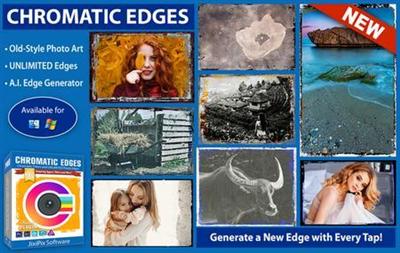
JixiPix takes vintage to a whole new extreme. Gone are the days of having a few tiny choices when it comes to adding flare to your imagery. Chromatic Edges brings back the subtle magic of photo processing with glass, silver and paper plates all with a few taps and your unique photo.

It's all about the edge! There is something artistic about the old days of plate photography. The silky smooth images and fabulously artistic edges are just amazing to look at.

Before the days of digital or film photography, photographers had to process their images using glass plates, metal plates, and paper to get their final image. These processes took tremendous skill and passion to produce the final product. Some of the processing techniques even required the processing of the glass plate within minutes of taking the photograph. Boy have times changed!

Until today you had only a few choices if you wanted to recreate some of the old-style photo art. You would pick a stock photo and blend it into your photography. And since there are only a few choices you were left with your artwork starting to look oh-so-familiar. Chromatic Edges changes all that and gives you unlimited artistic photography styles while only taking a few steps to create.

Operating System: Windows 7, 8/8.1, 10 (64-bit only)

Home Page -
Код:
https://jixipix.com/

Download link:​
Код:
[center][b]rapidgator_net[/b]:
https://rapidgator.net/file/f198699ebf69e747d5ac6080f16d2ca4/li1lv.JixiPix.Chromatic.Edges.1.0.9.rar.html

[b]nitroflare_com[/b]:
https://nitroflare.com/view/808FF91359269B5/li1lv.JixiPix.Chromatic.Edges.1.0.9.rar

[b]uploadgig_com[/b]:
http://uploadgig.com/file/download/4968aB36b5b0a9c7/li1lv.JixiPix.Chromatic.Edges.1.0.9.rar[/center]

Links are Interchangeable - No Password - Single Extraction​
 
JixiPix Hand Tint Pro 1.0.10

7152f15d9366107b69e4716abb879904.jpg


JixiPix Hand Tint Pro 1.0.10 | 127 MB​
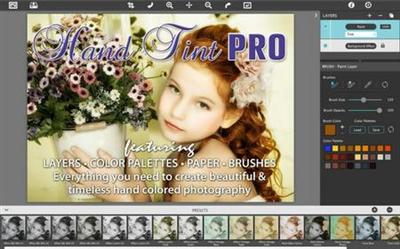
Hand Tint Pro supplies everything you need-color palettes, paper and smart brushes-for creating beautiful and timeless hand painted photography. Like all art forms, preparing a good base for hand coloring is like stretching a canvas for painting, so every image placed in the app is stripped of color and transformed into a classic Black & White, a dreamy Luminescent or an aged Vintage photo we call a Background Effect. To keep your painting organized and in control, we give you Layers and a handy Selective Color tool to define areas for accurate brushing. Both pro features are designed to keep color where you want them.

Photo tinting or hand tinting adds soft, otherworldly colors to a photo, and can lend an antique feel to even the most modern subjects. Brush on color to add a life-like blush to the cheeks of a child, or draw attention to a single element, like a flower or sunset. Hand painting is a beautiful technique to take photography to a higher realm. The key is simplicity, light tinting each photography, scrapbook or craft project lends a nostalgic and timeless quality to every project you will love.

Features
An easy workflow with a professional layering system has modes for tint, tone, color, multiply, soft paint or paint that can be changed per layer, and a powerful color selection tool to keep brushing inside isolated areas for fast colorization and accuracy. It is important to have fun while creating beautiful photo memories so a forgiving erase brush is there to wash away mistakes occurred during the painting process. If you need to stop, not a problem! Use the save project feature and return to finish when you are ready.

TINT STYLES
* Black and White -turns a photo into a classic black and white with options to adjust the RGB channels. A strength slider gradually blends the photo's original colors back in, if desired, for a variety of customized looks before the tinting process begins.
* Luminescent -adds dreamy brightness combined with subtle texture-that you control, as you brush on color, tint or tone
* Vintage -ages the photo with image toning and adds distressed paper for a beautiful and unique basis of your tinting project

INCLUDES
* 3 Photo Effects-Black & White, Luminescent & Vintage (also known as background effects, creates the base photo layer for hand tinting)
* 3 Layer Styles-Colorize Layer allows the original color to be brushed back in, Paint Layer allows customizable coloring using paintbrushes and color palettes, Auto Paint Layer allows original color to be removed, and a base layer called Background Effect to change photo effects styles on-the-fly without changing the hand colored layers above it-this allows you to be creative without repainting the image.
* Layer Modes-on every layer feature Color, Tint, Tone, Multiply, Soft Paint and Paint modes. These modes are designed to change the look of painted or colorized areas for unique and infinite variations.
* RGB Sliders-found on the Background Effect allow for pro mixing of light and dark areas in the Black & White and Luminescent effects.
* Film Grain Slider
* Soften Slider
* 6 Paper Surface Textures
* 25 Color Palettes-consist of multiple swatфches created for seasons, hair color, eye color and skin tones plus 2 Romantic palettes for dreamy gardens and seascapes.
* 36 Textures for adding an aged and worn paper effect
* 15 One-touch customizable Presets-create the Background Effect
* 3 Paint Presets-with layer styles and brush colors already in place for learning and understanding the layering process.
* Save Project-will save your hand tint project externally, or share projects with co-workers and friends. This feature keeps all layers and brush colors in tact.
* Randomize Button-automatically changes the settings on the Background Effects

Operating System:
Windows® 10, Windows® 8 / 8.1, Windows® 7

Home Page -
Код:
http://jixipix.com/hand-tint-pro/details.html

Download link:​
Код:
[center][b]rapidgator_net[/b]:
https://rapidgator.net/file/8eb28302abae2575016d7ddfdfa86b17/r8ka0.JixiPix.Hand.Tint.Pro.1.0.10.rar.html

[b]nitroflare_com[/b]:
https://nitroflare.com/view/0E99A5241B8DCB3/r8ka0.JixiPix.Hand.Tint.Pro.1.0.10.rar

[b]uploadgig_com[/b]:
http://uploadgig.com/file/download/a3534cE872AA1376/r8ka0.JixiPix.Hand.Tint.Pro.1.0.10.rar[/center]

Links are Interchangeable - No Password - Single Extraction​
 
JixiPix Pastello 1.1.10

a6b0bae78059151df60adfef1602944f.jpg


JixiPix Pastello 1.1.10 | 253 MB​
Introducing Pastello, a brand-new companion app to JixiPix's Impresso Pro. Pastello takes you back in time to the 15th century. Away from brushes and large strokes and into the realm of dry media with color that is both brilliant and subtle. The "Dry color method" made famous by Leonardo da Vinci is so powerful in its simplicity and beauty with its black and red chalk and yellow pastel highlights. Later, artists would paint charming portraits in a smooth heavily blended fashion. Move forward a few centuries later and pastel quickly became filled with brilliant color and crisp detail. Fast forward to today and a digital age has made it so you, the artist, can mix and match media that is difficult or impossible in a traditional setting.

Description:
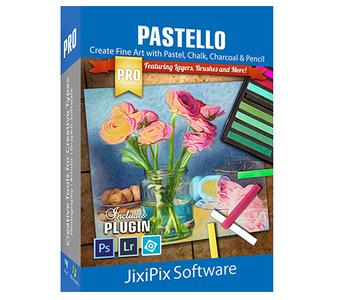
Pastello makes it simple and convenient to take an image and change it into Pastel, Chalk, Charcoal, Crayon, Colored Pencil and Graphite drawings. Use alone or combine these medias using powerful layers to produce interesting expressive sketch effects filled with colorful personality and passion. And the best part is Pastello does all the work.

With Pastello, photographers and artists can now go beyond the camera to turn image files into creative works that resemble traditional handmade media using a professional workflow that is easy and comfortable to operate.

Features:
Pastello has a pro workflow that automatically transforms a photo into a pastel drawing and places it on an art paper with options to customize. The Pastel can then be changed to Chalk, Charcoal, Colored Pencil, Graphite, Conte or Crayon using Layer styles. The medias start out delicate like traditional drawings do, then allows you to build them up using fills, shading and detail layers. The medias are beautiful as they are, or mix them for an expressive artwork.

Pastello includes plenty of traditional sketch styles as well as a DaVinci effect using a mixed media of pencil, charcoal, crayon and old paper. It's easy to use! We have mixed the media into one-click presets with all the freedom to customize, blend and fine-tune for your own unique artwork filled with age, depth and timeless beauty as if created by the renaissance artist himself.

Pastel Styles:
Colored Pencil, Graphite, Charcoal, and Chalk come with a fill and detail option that can be layered for infinite variation. Conte has a dynamic sketch feature that lets you fill in shadows, mid-tones and highlights with crosshatching or scumbling. All with the ability to change stroke direction, size, volume and variation.

* Pastel-(Soft) is a soft, buttery consistency and intense color. This effect is dense and filled with the grain of the paper. Artists find this media especially good for plein air landscapes because the color ranges are vibrant and the media itself is dustless and portable.
* Chalk-(Hard Pastel) is a light dusty effect with little specks of preserved paper. This chalky pastel is known for it's soft strokes and velvety texture. This style is great for creating a fine web of color by stacking or duplicating layers, letting the ones below show through to create a drawing sparkling with interest.
* Charcoal-creates a velvety black charcoal effect with shades of grey. Use it for warming up the under painting of a composition, or to complete a finished charcoal piece.
* Colored Pencil-creates soft colorful strokes in the drawing that can be layered to build up color then burnished with a light Pencil Layer, or the Smudge tool.
* Pencil-creates pencil drawings with fluid outlines and soft, limpid tonal shadings for a drawing filled with warmth and charm.
* Conté-is a beautiful crayon media for enhancing highlights, midtones and shadows in drawings using five classic colors: Bistre, Sanguine, White, Grey, Gold and a color picker to choose your own-with options for crosshatching and scumbling.
* Crayon-creates a colorful waxy base to a drawing, then burnish it with a Conte White for highlights or Bistre for shading.
* Fill Brush- Choose to brush in areas of the drawing with chalk, charcoal, colored pencil or pencil on the layer or fill the entire layer as a base for Pencil, Chalk and Charcoal.
* NEW Signature Layer-Add a personalized touch to any drawing in the form of two styles: One that uses a type face from fonts installed on your computer, and the other you paint by hand. Both signatures can be fine-tuned using the stroke size and stroke volume sliders.

Includes:
* Pastel, Chalk, Charcoal, Conte, Colored Pencil, Pencil and Crayon style effects true to real media. Each one has control over stroke size, stroke volume, color and other refinements.
* Da Vinci style effect mixes 5 fully customizable medias onto aged paper for an old world appearance.
* Stroke technology inspired by real-world Pastellists
* Smart Layers for blending pastel styles with options to reorder, duplicate and delete. This powerful feature is great for mixing media.
* Fill Layer for hand brushing color and texture
* Paper Layer that reacts to dry media like real paper would. The more you layer the media the more it fills into the paper's texture.
* Smart Brushes for touching up brush strokes
* Smudge Brush for smearing media for a softer appearance
* Brush Masking to invert, clear or fill in brushed areas
* Presets for a quick start
* Customizable Presets to develop your own unique and personal style, or to save your projects with all strokes and layers intact for future editing.
* User Preset category to store your personalized style in
* Favorite preset feature sends presets to the front when marked
* 5 Paper Textures
* 41 Artistic and Aged Papers
* 70 Artistic Finishes for adding light and color to drawings
* Smart links to globally unify color and finishes across all layers
* 24 Artistic Edges for creating sketchy vignettes around artwork. Each one has options for edge stroke size and blend.
* Plugin for Photoshop CS3+, Lightroom and Elements for Mac & Windows
* New Live Presets render your image using each preset and displays them in the browser below. When using Mac or Windows a hovering feature makes it fast to view, and choose, rendered designs.

Operating System:
Windows® 10, Windows® 8 / 8.1, Windows® 7

Home Page -
Код:
 http://jixipix.com/

Download link:​
Код:
[center][b]rapidgator_net[/b]:
https://rapidgator.net/file/5d05e5f6158c52a036cead809d8f6223/3wh1n.JixiPix.Pastello.1.1.10.rar.html

[b]nitroflare_com[/b]:
https://nitroflare.com/view/0F43F31F2CAAD5E/3wh1n.JixiPix.Pastello.1.1.10.rar

[b]uploadgig_com[/b]:
http://uploadgig.com/file/download/f61f63c5A0E4204e/3wh1n.JixiPix.Pastello.1.1.10.rar[/center]

Links are Interchangeable - No Password - Single Extraction​
 
JixiPix Premium Pack 1.1.11

8c122be9601a5a219429751f5e5c3d3c.jpg


JixiPix Premium Pack 1.1.11 | 857 Mb​
For maximum savings and convenience, the Premium Pack bundles 18 incredible creative apps into one powerful package: Aquarella, Artista Haiku, Artista Oil, Artista Sketch, Artoon, Chalkspiration, Dramatic Black&White, Grungetastic, Kyoobik Photo, Moku Hanga, NIR Color, Pop Dot Comics, Portrait Painter, Rainy Daze, Romantic Photo, Simply HDR, Snow Daze and Vintage Scene. The Premium Pack comes wrapped together for convenience - one application, one installer, one interface, and a plugin for Photoshop, Elements, Lightroom and PaintShop Pro.

PREMIUM PACK
Created for convenience with one installer and one interface. Includes 5 Photography, 8 Artistic and 5 Creative Apps for Mac or Windows.

Included in the Premium Pack is a Plugin-which is the perfect complement to Photoshop, Elements, Lightroom and PaintShop Pro. Having the products within Adobe's applications saves valuable time with batch processing and actions, while the products themselves offer a level of creativity beyond using Photoshop alone.

Photoshop Plugin
Allows quick access to 18 Jixi products from inside Photoshop, Elements, Lightroom and PaintShop Pro. Supports actions, transparency, blending, last filter command, batch processing and 16bit RGB/Greyscale modes.

Every JixiPix Product Features
Support for high resolution images and output
Multiple undo
Randomize button
Quick previewing
Customizable settings
Superior customer service
Contact us any time we are committed to your long term satisfaction!

Operating System:
Windows® 10, Windows® 8 / 8.1, Windows® 7

Home Page -
Код:
http://jixipix.com/bundles/premium-pack.html

Download link:​
Код:
[center][b]rapidgator_net[/b]:
https://rapidgator.net/file/c54fd3528587472506264319f76ae2d5/2o81s.JixiPix.Premium.Pack.1.1.11.rar.html

[b]nitroflare_com[/b]:
https://nitroflare.com/view/6CFE29E03CC5F18/2o81s.JixiPix.Premium.Pack.1.1.11.rar

[b]uploadgig_com[/b]:
http://uploadgig.com/file/download/Dd0d72131702e111/2o81s.JixiPix.Premium.Pack.1.1.11.rar[/center]

Links are Interchangeable - No Password - Single Extraction​
 
JixiPix Rip Studio 1.1.5

d31a217c65e37035cce2b5e16b6585de.jpg


JixiPix Rip Studio 1.1.5 | 222 Mb​
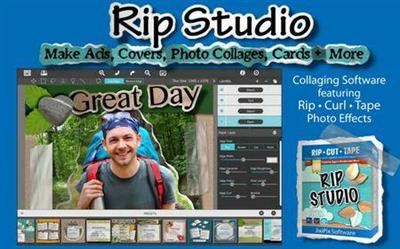
2 years in development, 3 years prototyping, and thousands of hours in the art department, Rip Studio redefines everything you know about a collaging app. It offers super realistic ripped and cut borders, tape, creased and folded images, and curled edges with full 3D shadowing. All with an incredible interface that seamlessly handles layers while maintaining an easy-to-use workflow. Rip Studio gives you control over every element created inside the app. Rip, tear, or cut edges by drawing around the image. Curl up the edges and wrinkle the surface by simply adjusting a slider. Behind the scene a powerful 3D light engine works to make surface wrinkles and creases look realistic; this adjustable light source will have shadows popping off the page. Finish your creative composition with a tape effect, or choose from a library of objects like stickpins, staples, rusty nails and gems. Every rip you make or tape you place is unique and one-of-a-kind!

Created for professionals who want eye-catching elements for their designs and compositions. Quickly rip out shapes and letters by drawing around on your image. Create paper objects for Ads, Music covers, Art Collages and Scrapbook pages with one-of-a-kind cutout, ripped out, taped and pinned shapes made from images or other clipart. With Rip Studio you can throw out those boring overused templates and create a custom piece with complete control over shape, width, fiber, texture and curl.

Built with PRO features Rip Studio easily creates a single incredible piece or a whole collage right inside the app! Built with a powerful workflow, you can add images quickly simply selecting them from your library and dropping them-all at once-on the open application. As each image is placed a layer is created for easy compositing, editing and transformation. To finish your composition, choose from a library of gems, stickpins and staples; or add transparent tape, duct tape and masking tape for added interest.

With a focus on ease-of-use, ripped pieces can be created by freely drawing on the image or background-if too much is ripped out simply reverse the tool and add the area back in. Also, included in the app is an Image Tool to allow photos to be resized or rotated inside the ripped pieces; or you have the option to completely replace the image while retaining the shape. This powerful feature enables professionals to create custom templates for future use and allows projects to be shared with other artists.

Rip Studio-is easy, professional and one-of-a-kind

Pro Features
Rip Studio is a PRO product featuring layers, multiple selection, 3D light for casting realistic shadows, and the best effects designed for Artists, Photographers and other Professionals who require high-resolution on output.

Rip Studio's edges are fully adjustable and can be customized using Edge Width, Fiber Amount, Fiber Length and Edge Roughness. Once a paper is torn use the image tool to move and adjust photos inside or completely replace the image if needed-this great feature is perfect for creating templates for other projects.

Rip Studio is made for the pro user but easy enough for the novice.

Photo Effects
* Rip - creates hand-torn edges around images and text
* Border - adds an adjustable outline with options for color
* Cut - creates a scissor style cut around edges
* Tape - allows adjustable pieces to be placed, moved and resized

Features
* Rip Effect with control over rip width, roughness and fiber length
* Rip Tool for adding and removing areas to torn and cut paper. Also works on shapes and tape
* Rip Styles to change the look of an edge on-the-fly without redrawing the area
* A cool masking tape, duct tape, cloth tape and transparent Tape Effect. When tape is placed on the edge of the image it auto creases! This can't be done with clip art.
* Masking tape, duct tape and transparent tape with adjustable size, color and surface texture
* Move Image Tool for resizing and moving the image inside a ripped or cut area
* Text Editor for creating ripped, cut, bordered or regular-style letters and sentences
* Smart Layers for composing layouts, collages and easy reordering of objects
* Multiple Selection for moving paper, tape and other objects together
* 36 shapes will auto-cut images into stars, circles, flowers and more'
* 102 high resolution papers
* 18 surface textures
* 62 objects like staples, gems, stickpins and more-with the ability to add your own! All objects placed will create an impression below
* Robust 3D lighting casts realistic shadows-supports multiple light sources
* Crease Effect for adding crinkles and creases by simply drawing across the area
* Support for fonts installed on your computer system
* Save Project externally will save projects for future editing and sharing with other artists!
* Save Preset for saving templates inside the app-great for creating custom templates for future use
* Save support for PNG and TIF to preserve transparency behind objects
* Support for high resolution images and output
* Pro's who use the Photoshop and Lightroom Plugin can flag images for batch processing-this features allows photos to be placed right where they want them

System requirements:

Windows Vista or later 64-Bit

PLUGIN HOST REQUIRMENTS
Adobe Photoshop CS3+, CC, CC 2014, CC 2015, CC 2017(Win), Photoshop Elements 10-13 (Win) or Lightroom 4+ (Win)
Corel PaintShop Pro X7 and X8 (Win)

Home Page -
Код:
http://jixipix.com/

Download link:​
Код:
[center][b]rapidgator_net[/b]:
https://rapidgator.net/file/8c35ce0aede685a04dd2da74b1e299e7/fgojt.JixiPix.Rip.Studio.1.1.5.rar.html

[b]nitroflare_com[/b]:
https://nitroflare.com/view/FCCEE558ECC7B60/fgojt.JixiPix.Rip.Studio.1.1.5.rar

[b]uploadgig_com[/b]:
http://uploadgig.com/file/download/F5056Ebfaf892907/fgojt.JixiPix.Rip.Studio.1.1.5.rar[/center]

Links are Interchangeable - No Password - Single Extraction​
 
JixiPix Spektrel Art 1.1.3

229c551e5a3b57d1d5694deec5ab8fc9.jpg


JixiPix Spektrel Art 1.1.3 | 20 MB​
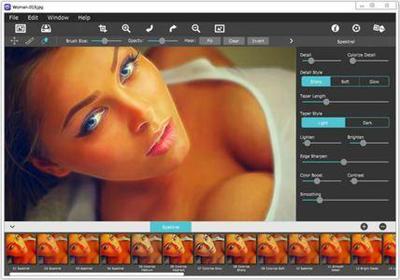
Spektrel Art is an extravagant otherworldly display of undulating movement that glimmers and gleams with intersecting lines of tapered light. Applied to photos, this medium of imaginative and magical art form transcends the ordinary to extraordinary creating something wild, sparkling with life and colorful spaces.

Spektrel Styles
- Light glimmers and gleams with white tapered light
- Dark creates a stark contrast of black intersecting lines

Spektrel Art Includes
- Presets to start you off
- Detail slider to increase the amount of intersecting lines
- Glow options add colorful edges and splendrous brillance
- Taper Length and Sharpen sliders to add twinkle
- Lighten and Brighten sliders to make it illuminate
- Edge Detail slider to exaggerate the lines
- Smoothing slider to softens lines
- Color Boost for enhanced color
- Brushes to soften or remove effect
- Infinite variation for illuminated twinkles, fluid lines and ethereal softness

Every JixiPix Product Features
- Support for high-resolution images and output
- Multiple undo
- Randomize button
- Quick previewing
- Customizable settings
- Superior customer service

Operating System:
Windows® 10, Windows® 8 / 8.1, Windows® 7

Home Page -
Код:
http://jixipix.com/

Download link:​
Код:
[center][b]rapidgator_net[/b]:
https://rapidgator.net/file/976047f80212f83a1f51b426f3b9726e/ztzjc.JixiPix.Spektrel.Art.1.1.3.rar.html

[b]nitroflare_com[/b]:
https://nitroflare.com/view/A0A8F1FD54274FA/ztzjc.JixiPix.Spektrel.Art.1.1.3.rar

[b]uploadgig_com[/b]:
http://uploadgig.com/file/download/de74fbfc4d9f2fA6/ztzjc.JixiPix.Spektrel.Art.1.1.3.rar[/center]

Links are Interchangeable - No Password - Single Extraction​
 
Jixipix Watercolor Studio 1.4.5

162682baff439045ced5bbad096386e9.jpg


Jixipix Watercolor Studio 1.4.5 (x64) | 610 MB​
Watercolor Studio creates fluid, liquidy, translucent watercolors with paint that flows naturally. Built on-top of an incredible rendering system that uses real-world techniques, this application does the initial work, producing a watercolor instantly, then allows you to customize your paintings using an array of Sliders, Layers, Brushes, Color Washes and Artistic finishes. The end result-print quality watercolors filled with transparent luminosity and sheer beauty.

Watercolor Studio
Watercolor Studio uses artificial intelligence and image recognition to render the initial watercolor then gives you the ability to create infinite variations quickly and easily. Change paintings into an ink wash, add a beautiful artistic finish, brush in details, and even spatter it with liquid spots. Control everything from details-to-shades-to-negative space-to-coloring. No artistic skill needed!

The beauty of a well executed watercolor comes from the transparency of paint on paper. It also comes from the watercolors unique free flowing characteristics. Watercolor Studio makes it easy to do just this with a one-of-a kind Liquid slider. As you move it, watch as color bleeds throughout the painting for an ultra wet style. Or use the Wet Edge slider to define edges with built-up pigment and color that bleeds inward naturally.

Use it as a standard application or blend it into your workflow with our included plugin for: Photoshop, Elements, Lightroom, PaintShop Pro and Affinity Photo

Paint Styles Make It Impressive
Paint Styles, also known as Paint Layers allows you to create beautiful and unique watercolors by stacking watercolor layers, blending color washes and texture, and brushing in details. No artistic skill needed! Every photo placed in Watercolor Studio is automatically transformed into a watercolor with full control over settings. While it's great to have complete control over what the paint does on the paper, some of the most beautiful effects occur in the experiment process. So have fun and try not to be too careful. You will be amazed at some of the paintings you will get.

Paint Styles and Layers
* Watercolor features a series of wetness sliders: Wet Edge, Liquid and Edge Bleed all designed to give the painting a natural look. Choose between Landscape settings for a wet free flowing painting, or Portrait for a painting with controlled color and detail.
* Ink Wash creates a limited palette using the power of shades then allows users to build up color, and movement, using a library of washes.
* Color Wash applies semi-transparent handmade washes and stains to paintings. Use one or stack up several for a customized blend of color and texture.
* Liquefy is a transparent layer, you brush on, to blend and bleed areas in the watercolor. Move it around, turn it on or off, or delete it to start over-it's easy to use and very forgiving.
* Splatter applies water spots to the watercolor. Choose between multi-color, single or no color. Options bleed the edges of spots and a placement box lets you move splatter around and resize them.
* Outline defines edges throughout the image. Choose between round fluid watercolor strokes or sharp inky ones.
* Canvas is the base of your painting. Use this layer to change the canvas style. Choose between cold press, hot press or rough paper texture.

Includes
* Artificial Intelligence and Image Recognition
* A powerful wetness algorithm with full control. Decide how wet the edges become or how much the color spreads.
* Smart layers with options to reorder, duplicate and delete. This powerful feature allows you to stack and blend watercolor layers, washes and spatter for one-of-a-kind artwork.
* Landscape settings for an ultra wet watercolor
* Portrait settings for controlled color and detail
* Smart Brushes to remove areas or add them back in
* Mask option to invert, clear or fill brushed areas
* Detail and Shade controls
* 70 Artistic Finishes adjusts the color scheme to warm or cool bias, and modifies the intensity of color creating unity and altered moods that blends seamlessly.
* Smart links to globally unify artstic finishes across all layers
* Ink and Color washes that stack and blend
* Adjustable water Splatter for texture
* Granulating Texture slider to pool pigment naturally throughout the watercolor
* Canvas Layer with Cold Press, Hot Press and Rough paper texture
* Presets for saving custom paint palettes and to keep layers and settings intact for future

Supported OS: XP/Vista/7/8/10 (32/64bit)

Homepage -
Код:
https://jixipix.com/

Download link:​
Код:
[center][b]rapidgator_net[/b]:
https://rapidgator.net/file/c0b81a8a152b89f32e4ff543113c00c9/1id5t.Jixipix.Watercolor.Studio.1.4.5.rar.html

[b]nitroflare_com[/b]:
https://nitroflare.com/view/9BF8B220CCB5233/1id5t.Jixipix.Watercolor.Studio.1.4.5.rar

[b]uploadgig_com[/b]:
http://uploadgig.com/file/download/2888aCe0fe1424a5/1id5t.Jixipix.Watercolor.Studio.1.4.5.rar[/center]

Links are Interchangeable - No Password - Single Extraction​
 
JP Software CMDebug 25.00.21 Multilingual

2057ed59aef0cfa45c4bbd1fc1591a7c.jpg


JP Software CMDebug 25.00.21 Multilingual | 23.1 Mb​
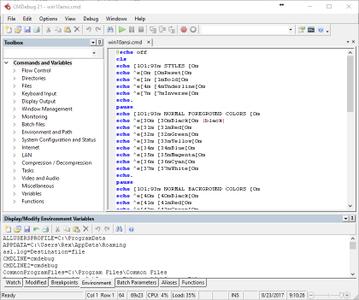
CMDebug is a stand-alone version of the Take Command IDE and batch debugger component. CMDebug is intended for developers who need to develop batch files to run in CMD.EXE or TCC-RT (runtime).

CMDebug allows you to create and debug your batch scripts with the integrated graphical IDE. CMDebug includes tabbed edit windows and a sophisticated debugger with single stepping, breakpoints, syntax coloring, tooltips, bookmarks, and tabbed variable and watch windows. Windows batch file programming has never been easier or more powerful!

You can use CMDebug to develop either CMD-compatible batch files (.BAT or .CMD), or TCC-RT-compatible scripts (.BTM). If you select the "TCC Syntax" option, CMDebug provides the full TCC-RT command set. If you select the "CMD Syntax" option, CMDebug will maximize CMD compatibility and disable TCC-only internal commands, variables, and functions. Some internal CMD / TCC commands will also behave slightly differently or modify their display output in order to match CMD's behavior more closely.

Using CMDebug with TCC-RT allows you to write (and encrypt) scripts using the TCC command language, and then distribute them with the free TCC-RT runtime on an unlimited number of target machines.

Operating System:
CMDebug is compatible with any version of Microsoft Windows 7, Server 2008R2, Windows 8, Server 2012, Windows 10, and Server 2016.

Home Page -
Код:
https://jpsoft.com/products/cmdebug-ide.html

Download link:​
Код:
[center][b]rapidgator_net[/b]:
https://rapidgator.net/file/670caa77951e5ac9924d573b9efc4223/8q7ms.JP.Software.CMDebug.25.00.21.Multilingual.rar.html

[b]nitroflare_com[/b]:
https://nitroflare.com/view/5175F6467687DA0/8q7ms.JP.Software.CMDebug.25.00.21.Multilingual.rar

[b]uploadgig_com[/b]:
http://uploadgig.com/file/download/44efD9c42281f1a2/8q7ms.JP.Software.CMDebug.25.00.21.Multilingual.rar[/center]

Links are Interchangeable - No Password - Single Extraction​
 
JP Software Take Command 25.00.21 Multilingual

2f41f285780d66c798f39b7f5e41aa67.jpg


JP Software Take Command 25.00.21 Multilingual | 40.4 Mb​
Take Command is a comprehensive interactive GUI and command line environment that makes using the Windows command prompt and creating batch files easy and far more powerful. Take Command displays your command line applications in tabbed windows, with optional Explorer-style integration for a visual look at your folders. Take Command includes hundreds of major enhancements to CMD commands such as COPY, DEL, and DIR, and adds more than 160 new commands, 620 internal variables and functions, a batch file IDE / debugger, advanced command line editing and completion, and thousands of other features.

In addition, Take Command is a powerful batch file programming tool, including an integrated IDE with a sophisticated editor and batch debugger. Take Command offers extensions such as DO loops, SWITCH statements, error and exception handling, system monitoring, third-party plugins, and more than 680 built-in variables and functions.

Features
You can run multiple command prompts and GUI applications simultaneously in tabbed windows, including our own Take Command Console (TCC), CMD, bash and PowerShell.
The integrated file explorer allows you to examine directories and drag and drop files to the tabbed command prompt windows.
The programmable tabbed toolbar lets you create up to 20 tabs with up to 50 toolbar buttons on each. Toolbar buttons can start new tabs or windows, or send commands or text to existing tabs.
The TCC scripting language is a massive superset of the CMD command prompt commands, with 238 internal commands, 388 internal functions, and 298 system variables. Almost all of the CMD command prompt commands (e.g. DIR, COPY, DEL, DIR, START, etc.) are enhanced with hundreds of additional options, and TCC adds more than 190 new commands. Take Command can usually do in one or two lines what requires dozens of lines with Windows CMD commands (if it can do it at all).
Most interactive commands (such as COPY, DIR, DEL, MOVE, etc.) have command dialogs that allow you to select filenames and options and see your command line before executing it. The most powerful Windows command processor is also the easiest to use!
Take Command includes the best text and binary file viewer available for Windows, including bidirectional scrolling, hex listings, fixed and floating rulers, grid lines, extensive searching and printing features, and much more.
Select or exclude files by date, time, size, owner, description, and extended wildcards or regular expressions for extraordinary flexibility in file management.
Specify multiple filenames for most file processing command prompt commands (i.e., COPY, DEL, DIR, MOVE, etc.). (COPY even supports multiple targets as well as multiple sources.)
The scripting language includes a complete set of flow control structures including IF-Then-Else, DO and FOR loops, SWITCH, subroutines, batch libraries, etc.
Create and debug your batch scripts with the integrated graphical IDE. The IDE includes tabbed edit windows and a sophisticated debugger with single stepping, breakpoints, syntax coloring, tooltips, bookmarks, tabbed variable and watch windows. Windows batch file programming has never been easier or more powerful!
The built-in screen scrollback buffer lets you review or print command line output from past commands, and find text in any tabbed window.
You have multiple types of redirection, including redirecting and piping to STDERR, "here-document" and "here-string" redirection, and TEE and Y pipe fittings.
Browse command line and directory history, filename and directory completion, and use numerous cut and paste options (even with Windows command line applications that have no internal cut and paste support) with the advanced line editor.
Customize filename completion for any internal or external command or alias. This allows Take Command to intelligently select and display filenames based on the command line you are entering.
The optional command prompt input window (with full undo/redo) allows you to create and edit commands before sending them to the active tabbed command line windows.
Send keystrokes to tabbed windows, command prompt windows, or GUI windows .
Find any directory on your system by entering only part of its name with extended directory searches.
You can access FTP, TFTP and HTTP (including SSL and SSH) directories and files in all command line file-handling commands (COPY, DEL, MOVE, etc.).
Send SMTP, SMPP, and SNPP messages from your batch files or the command line.
Take Command includes internal compression and extraction commands and variables for BZIP2, GZIP, JAR, TAR, ZIP, and 7ZIP files.
Monitor your system's hardware and software events, and execute commands when an event is triggered. You can monitor the clipboard, directory changes event logs, network connections, processes, services, and USB and Firewire connections.
Easily query the WMI (Windows Management Interface) to retrieve system configuration information.
Expand your scripts with the internal support for PowerShell, Lua, Perl, REXX, Python, Tcl/tk, and any Active Scripting language. You can even combine multiple languages in your batch scripts.
Create your own variables or commands with plugins, or use one of the many third-party plugin libraries.

Operating System:
Take Command is compatible with any 32 or 64-bit version of Microsoft Windows 7, 2008R2, Windows 8 and 2012, and Windows 10 and 2016.

Home Page -
Код:
http://jpsoft.com/

Download link:​
Код:
[center][b]rapidgator_net[/b]:
https://rapidgator.net/file/954fd12d917fae4f6008a26fc358d707/ctm2e.JP.Software.Take.Command.25.00.21.Multilingual.rar.html

[b]nitroflare_com[/b]:
https://nitroflare.com/view/6C8E3FC65C08463/ctm2e.JP.Software.Take.Command.25.00.21.Multilingual.rar

[b]uploadgig_com[/b]:
http://uploadgig.com/file/download/6d6827500c175ef4/ctm2e.JP.Software.Take.Command.25.00.21.Multilingual.rar[/center]

Links are Interchangeable - No Password - Single Extraction​
 
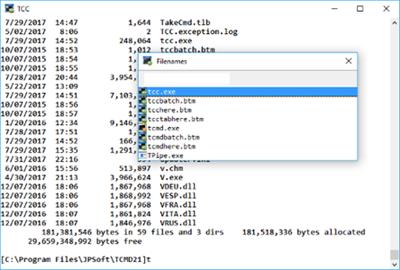
JP Software TCC 25.00.21

0e54355cf5bff82703271847a2b58d29.jpg


JP Software TCC 25.00.21 | 33.3 Mb​
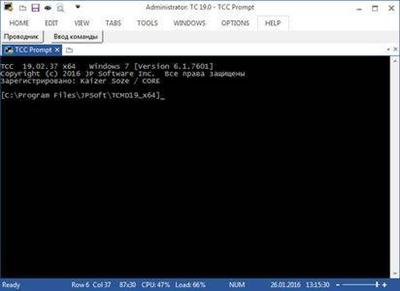
TCC is our console mode Windows command shell (formerly known as 4NT). TCC is a replacement for the CMD command line (the default Windows command prompt). TCC is a superset of CMD, with 246 internal commands (CMD has fewer than 40), 695+ internal variables and functions, and hundreds of enhancements to existing CMD commands.

TCC works with your existing command line applications and batch files, but offers major improvements in command line and batch file capabilities, and adds thousands of new features to your command prompt windows.

TCC is a CMD replacement command processor that is compatible with your existing CMD commands and batch files, while adding thousands of new features. You're immediately more productive, and you can learn and add TCC's new features at your own pace.
Create and debug your batch scripts in a fraction of the time with the integrated editor and batch file debugger.
The integrated and familiar environment means you are immediately more productive with your interactive command prompt and batch file development tasks.
The consistent syntax reduces your learning and development time.
The comprehensive help (including context-sensitive popup help for command line syntax), speeds your development time and reduces syntax errors.

System requirements:
TCC is compatible with any version of Microsoft Windows 7, Server 2008R2, Windows 8, Server 2012, Windows 10, and Server 2016, including 64-bit Windows. TCC is available in both 32-bit and 64-bit versions.

Home Page -
Код:
https://jpsoft.com/

Download link:​
Код:
[center][b]rapidgator_net[/b]:
https://rapidgator.net/file/6dd11ccd189773dbc1d27f381a11a22b/vi1nv.JP.Software.TCC.25.00.21.rar.html

[b]nitroflare_com[/b]:
https://nitroflare.com/view/DAD3C2E59CCC391/vi1nv.JP.Software.TCC.25.00.21.rar

[b]uploadgig_com[/b]:
http://uploadgig.com/file/download/Ab1D8b2917d5b95c/vi1nv.JP.Software.TCC.25.00.21.rar[/center]

Links are Interchangeable - No Password - Single Extraction​
 
Key Metric Software FolderSizes 9.0.250 Enterprise Edition

27837925454184ca9846d5f6890912ab.jpg


Key Metric Software FolderSizes 9.0.250 Enterprise Edition | 35.8 Mb​
Desktop PCs and servers can quickly end up accumulating large quantities of unused, temporary, and duplicate files. Before you know it, you're out of drive space, backups are taking far too long to run, and users can't find the data they need when they need it. You need a visual, interactive software tool to help you manage disk usage. You need FolderSizes. FolderSizes is an award-winning, network-enabled disk space analysis tool. It can quickly isolate large, old, temporary, and duplicate files, or even show file distribution by type, attributes, or owner. All with multiple export formats, command-line support, shell context menu integration, and much more.

Benefits & Solutions
Explore, visualize, and comprehend local and network storage
Reclaim gigabytes of drive space - fast!
Improve storage capacity planning capability
Find the disk space hogs with just a few clicks
Manage and monitor disk space across the network (Pro edition only)
Publish disk usage reports right to your web server share
Streamline file systems to optimize backups
Monitor and enforce employee data storage policies
Find excessively long file names that interfere with CD storage, etc.
Find recently saved files without knowing their names (find recently modified)
Find files owned by a specific individual or group
View the "size on disk" (actual space consumed) for any file or folder
Visualize the distribution of files by file type, age, and size
Find and eliminate empty folders
Search files by nearly any file attribute combination
Schedule the generation of nearly any FolderSizes report (Pro edition only)

Features
Hierarchical folder map visualization (based upon treemap technology)
Integrated scheduler (Pro edition only)
Unicode file and folder name support
Interactive, dynamic, full-color bar and pie graphs
Fast, multi-threaded, network-aware file system scanning
Isolate largest, oldest, duplicate, and temporary files
View disk space utilization by file type / attributes
View local & network disk space usage by owner / group
Command line interface for scripting & integration (Pro edition only)
FilterZip regular-expression based compression system
See total & free space for fixed, removable, network drives
Export reports in HTML, XML (Pro edition only), CSV, and more
Integrates with the Windows shell context menu (32 and 64 bit support!)
Extremely configurable - colors, fonts, print options, etc.
Flexible, multi-path oriented search and file reporting systems
Strong support for viewing allocated disk space (e.g. "size on disk")
"Command Prompt from Here" in all context menus
Super-fast, in-memory database provides stunning performance
Support for direct entry of UNC network paths in all reports
Optional symbolic link skipping

Operating System:
Any edition of Windows 10, 8, 7, Vista, XP, Server 2003, Server 2008, Server 2012, and Server 2016.
Both 32 and 64 bit environments are fully supported.

Home Page -
Код:
https://www.foldersizes.com/

Download link:​
Код:
[center][b]rapidgator_net[/b]:
https://rapidgator.net/file/8e169ba83a545079159b1d290b62bd0e/pfhuy.Key.Metric.Software.FolderSizes.9.0.250.Enterprise.Edition.rar.html

[b]nitroflare_com[/b]:
https://nitroflare.com/view/E3B2DBC5DF7738F/pfhuy.Key.Metric.Software.FolderSizes.9.0.250.Enterprise.Edition.rar

[b]uploadgig_com[/b]:
http://uploadgig.com/file/download/2067ec1BA968dF78/pfhuy.Key.Metric.Software.FolderSizes.9.0.250.Enterprise.Edition.rar[/center]

Links are Interchangeable - No Password - Single Extraction​
 
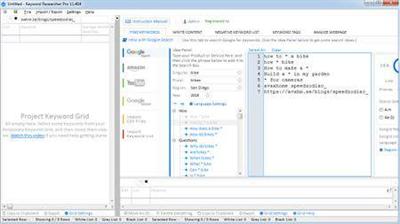
Keyword Researcher Pro 13.119

1d52b27705344325fa36d05c2327d995.jpg


Keyword Researcher Pro 13.119 | 22.1 Mb​
Have you ever wondered how to find Long Tail Keywords for your website? When you use Google, you may notice a little drop-down box that represents their attempt to predict what you're about to type next.

For example when I type the phrase "How does a website..." then Google assumes I might be looking for:
- How does a website make money
- How does a website work
- How does a website find my location
- How does a website server work
- how does a website help a business
These are some interesting keywords...

Wouldn't it be great if there was a way to save all these keywords-so we could add them to our website content? Well that is where Keyword Researcher comes in!

Keyword Researcher is an easy-to-use Keyword Discover Tool. Once activated, it emulates a human using Google Autocomplete, and repeatedly types thousands of queries into Google. Each time a partial phrase is entered, Google tries to predict what it thinks the whole phrase might be. We simply save this prediction. And, as it turns out, when you do this for every letter of the alphabet (A-Z), then you're left with hundreds of great Long Tail keyword phrases.

Operating System: Windows 7, 8/8.1, 10

Home Page -
Код:
http://clevergizmos.com/keyword-researcher/

Language: English

Download link:​
Код:
[center][b]rapidgator_net[/b]:
https://rapidgator.net/file/c64ea5e5b9cd805b225563a282870d53/b92k0.Keyword.Researcher.Pro.13.119.rar.html

[b]nitroflare_com[/b]:
https://nitroflare.com/view/C79A9EBD6F4EE68/b92k0.Keyword.Researcher.Pro.13.119.rar

[b]uploadgig_com[/b]:
http://uploadgig.com/file/download/681f05Ef3a9cD67e/b92k0.Keyword.Researcher.Pro.13.119.rar[/center]

Links are Interchangeable - No Password - Single Extraction​
 
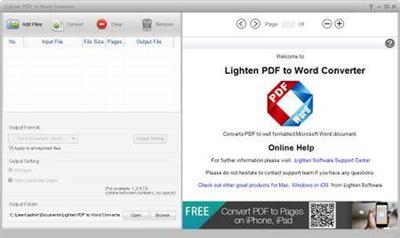
Lighten PDF to Word Converter 6.2.3 Multilingual + Portable

ea66686f99799839d5b07f3b876370cb.jpg


Lighten PDF to Word Converter 6.2.3 Multilingual + Portable | 7.8/8.2 Mb​
With Lighten PDF to Word Converter, you can convert PDF to Microsoft Word (.docx) for easy editing, and move all the content to Word without spending lots of time retyping or copying and pasting. Lighten PDF to Word Converter has the ability to preserve original font style, color, size, graphic, table and page layouts as accurate as possible. As we all know, time is money, Lighten PDF to Word Converter is definitely the right choice for PDF conversion. Please download a free trial to see the difference in accuracy and editability between Lighten PDF to Word converter and the rest.

Easy and quick PDF to Word Converter
You can start PDF conversion quickly without learning thanks to the intuitive interface. Simply add PDF files, choose the output folder and click 'Convert' button, you'll get a well converted Word document within seconds.
With the built-in PDF Reader, you can also preview PDF files, mark table or image areas manually and flexibly for better conversion result.

Excellent Conversion Accuracy
As we all know that PDF and Microsoft Word are different document formats with different structures and features. With the advanced algorithm, Lighten PDF to Word Converter can convert PDF with high accuracy, preserving most of the content from the original PDF file, so you do not have to have to spend lots of time tweaking the converted .docx file.

Higher Efficiency
As a productivity application, efficiency is the goal. Lighten PDF to Word Converter allows you to select unlimited quantities of PDFs at one time. And it can convert PDFs in high speed, after many tests, it takes only about 1 minutes to convert a 100-page PDF document to Word doc. And you can also convert only particular pages, free yourself from unnecessary waiting.

The Best Table Conversion Feature
Many PDF files have table data. With the intelligent and flexible table conversion features, Lighten PDF to Word Converter can convert detect and convert table automatically, and let you manually mark table areas, add rows and columns, merge or split cells before conversion. So it can retain table accurately no matter how complex your table data is with these flexible features.

System Requirements
Operating System: Microsoft Windows®10, 8, 7, Vista and XP (all editions)
Does not require Microsoft office and Adobe product installed
Recommended hardware Processor: 2GHz Processor RAM: 1G
Free Space: File Size: 6.43MB, 100MB recommended

Home Page -
Код:
http://www.lightenpdf.com

Download link:​
Код:
[center][b]rapidgator_net[/b]:
https://rapidgator.net/file/a137f1923d5852ac22c87dde8f9fc94e/xtvpb.PDF.to.Word.Converter.6.2.3.Portable.rar.html
https://rapidgator.net/file/9e902751fee356608bf32d1a3990252a/xtvpb.PDF.to.Word.Converter.6.2.3.rar.html

[b]nitroflare_com[/b]:
https://nitroflare.com/view/F15DBA305038293/xtvpb.PDF.to.Word.Converter.6.2.3.Portable.rar
https://nitroflare.com/view/9B001EC91ECCCDD/xtvpb.PDF.to.Word.Converter.6.2.3.rar

[b]uploadgig_com[/b]:
http://uploadgig.com/file/download/b1a09340467dbEab/xtvpb.PDF.to.Word.Converter.6.2.3.Portable.rar
http://uploadgig.com/file/download/13f94bf41749F697/xtvpb.PDF.to.Word.Converter.6.2.3.rar[/center]

Links are Interchangeable - No Password - Single Extraction​
 
MacBreakZ 5.34 macOS

ce0ade8d7ce129fef4c2e11c12ca5c18.jpg


MacBreakZ 5.34 | macOS | 27 mb​
MacBreakZ is a sophisticated Personal Ergonomic Assistant designed to promote healthy and productive computer use. It offers a unique way of acquiring ergonomic skills that can save you a lot of discomfort, and shield you from serious health and career-threatening disorders.

MacBreakZ features sophisticated keyboard and mouse monitoring (without invading your privacy) that allows it to react to the way you are using your computer. What's more MacBreakZ provides you with instant feedback on how you are doing and thus lets you find out more about your work practices. Based on your actual keyboard and mouse use and the time you have spent in front of the screen, MacBreakZ suggests rest and microbreaks at appropriate intervals. MacBreakZ includes a set of 30 fully illustrated stretching exercises that are designed to reduce muscular tension, improve posture and strengthen appropriate muscle groups. It also features dozens of great ergonomic tips.

MacBreakZ adapts to how and where you work. A sophisticated setup assistant makes sure that you start off with a configuration that suits you and your workplace. An extensive array of preferences allow you to customize everything from how activity is measured to the way information is presented on the screen. And it isn't rude, and doesn't interrupt you in the middle of something important. Through its innovative interface using transparency and sound, it keeps you informed without stealing your focus and gives you plenty of warning before a break is due and even then respectfully waits until you have stopped working.

Compatibility: OS X 10.10 or later, 64-bit processor

Language: ُEnglish

Download link:​
Код:
[center][b]rapidgator_net[/b]:
https://rapidgator.net/file/ea802b7f89670a5cb3b55ebab19c3613/9c656.MacBreakZ.5.34.rar.html

[b]nitroflare_com[/b]:
https://nitroflare.com/view/C1705826078650A/9c656.MacBreakZ.5.34.rar

[b]uploadgig_com[/b]:
http://uploadgig.com/file/download/fe97BA6b04006500/9c656.MacBreakZ.5.34.rar[/center]

Links are Interchangeable - No Password - Single Extraction​
 
MacCleanse 8.0.7 macOS

d878e2ec4867636fab278c82731149e5.jpg


MacCleanse 8.0.7 | macOS | 51 mb​
MacCleanse is the product of thousands of hours of intense research and development. It meticulously scans all of the nooks and crannies of a computer for unnecessary junk that can take up huge amounts of disk space! Because of this, Apps in MacCleanse are also uninstalled correctly, catching the numerous logs, caches, plugins, and other resources left behind versus simply dragging them to the Trash. Your privacy is protected and computer performance enhanced by MacCleanse as it wipes your web and app histories, and can toggle resource-hungry extensions!

Compatibility: macOS 10.12 or later 64-bit
Homepage:
Код:
http://www.koingosw.com

Download link:​
Код:
[center][b]rapidgator_net[/b]:
https://rapidgator.net/file/53f73e277a12213779b6510794d3c242/9cv4f.MacCleanse.8.0.7.rar.html

[b]nitroflare_com[/b]:
https://nitroflare.com/view/6812F81ED1B90C0/9cv4f.MacCleanse.8.0.7.rar

[b]uploadgig_com[/b]:
http://uploadgig.com/file/download/4719Bb6dc93D0b25/9cv4f.MacCleanse.8.0.7.rar[/center]

Links are Interchangeable - No Password - Single Extraction​
 
Назад
Сверху