• Форум работает в архивном режиме www.old.nado.in

All mitsumi'1s Applications !! (updated daily)

  • Автор темы Автор темы mitsumi1
  • Дата начала Дата начала
Topaz Studio 2.0.13

34a04fcab0af74cebd8476bda5f7f14f.jpg


Topaz Studio 2.0.13 (x64) REPACK | 604 Mb​
The future of creative photo editing. Edit your images beautifully with powerful filters and frictionless masking in a fine-tuned non-destructive layer workflow. Topaz Studio 2 has only one purpose: creative photo editing. This starts after you select your image and ends when you export your finished work. It's designed specifically around the artisanal post-processing workflow of carefully crafting a single image to your vision.

Studio is the editor to use when you want jaw-dropping images and you're not afraid to spend the time to get them. It's for creating works that push the bounds of your artistic vision; the few that you know you'll look back upon in years as one of your best creations. That's why you won't find library management, design tools, batch editing, or other common "image editor" tools in Studio. There's a lot of photo editors out there that help you manage your workflow and make minor contrast adjustments. Topaz Studio is not intended for that. If it doesn't contribute to the vision of creating singularly beautiful images through post-processing, then we're not including it.

1. Cutting edge filters.
Most image editor tools are the same: your Exposure in one editor is the same Exposure in another. In Studio, we've thought about what common adjustments would look like if they were designed today, and updated them to their most modern and useful forms.

2. Powerful selection and masking.
Very rarely do you want to apply the same effect to all parts of your image the same. Studio considers masking and selective adjustments to be a core task, and features several innovations that make selective editing substantially easier and faster for you.

3. Fully non-destructive layers.
Mix and match filters and effects with different blending modes and opacity. Everything that you do in Studio can be edited and adjusted after the fact with a fully non-destructive layer workflow.

Cutting-edge and unique filters.
You'll find that these aren't your everyday image editing filters as soon as you give them a try. Topaz Labs actually started off creating Photoshop filters. We've condensed our decade of specialized post-processing experience into a set of the most useful filters available only for Studio 2. Here are some of the most popular ones that you won't find anywhere else.

AI Clear
This AI-powered tool can actually sharpen detail while removing noise. Give it a try on your own images to see why some photographers say that AI Clear is the best thing we've ever developed.

Precision Contrast
When was the last time that using the Contrast slider produced a breathtaking image? Chances are, it blew out highlights and crushed shadows in your image instead.

Precision Detail
Normal sharpening tools usually increase edge contrast, which just gives the appearance of sharpness but also adds artifacts and halos. Topaz Detail enhances natural detail that already exists in the image. This unique technology helps you naturally makes your photos look more "three-dimensional" and adds a sense of beautifully natural sharpness to your image.

Black and White
Turn your photos into exquisite monochrome images that will emotionally move your viewers. The Black and White filter uses a unique BW conversion engine that emphasizes tone and texture in order to help you get BW images that pop.

Explore and create Looks to transform your image.
Topaz Studio's filters work well individually, but the true magic happens when they're combined together. Topaz Studio 2 includes over 200 "Looks" (pre-built groups of filters) that help you explore different beautiful effects for your images with a single click.

Texture
Explore hundreds of beautiful texture and tone effects, hand-crafted by some of the best photographers in the world. With over 200 included one-click effects, each with the ability to blend with each other in various ways, the only limit is your imagination.

Impression
Capture the essence of your photos without being constrained by rigid detail. Topaz Impression helps you turn photos into paintings like a true artist would: by intelligently applying real brushstrokes to canvas.

Glow
Create beautiful light effects in your images to reveal the hidden life in each moment you capture. Apply a wide range of looks from a pleasing subtle diffusion to spectacular electric and neon effects.

Built with real users in mind
Topaz Studio 2 doesn't do everything, but it is really good at what it does do. If you ever find yourself needing that extra "something" in your photos, please give it a try. You'll be pleasantly surprised!

Powerful selective adjustments and masking.
There's a big difference between masking for compositing vs. selective adjustments. Topaz Studio focuses entirely on selective adjustments, and we think of it as a central feature of the product instead of an add-on. As you'll see, this led to many design decisions intended to shorten the amount of time you spend refining your mask, like including edge awareness in each masking tool in Studio.

Brush Tool
Select different parts of your image by painting directly on it. Topaz Studio's brush is edge aware by default. This means you can quickly paint over your selection without having to worry too much about staying between the lines. This is the fastest and most direct way to selectively apply an effect to your image.

Spot Tool
Emphasize a certain subject in your photo with the edge-aware spot tool. The spot tool is a quick way to draw attention to a certain subject in your your image. Since it is edge- and color-aware, you don't need to worry about refining your mask too much.

Gradient Tool
Gradually level off your effect with the gradient tool. Topaz Studio's gradient tool is unique in that it's also adjustably context-aware, which creates much better masking experience. It's like having a graduated neutral density filter that also knows how to tell between foreground and background.

Color Tool
Create a mask targeted at the different colors in your image. This is probably the easiest masking tool to use: just click on your image with the eyedropper and this will automatically select the correct parts of your image. Great to selectively apply effects to just a single color range in your image.

Luminance Tool
Create a mask targeted at different brightness levels in your image. This tool will get you a perfect selection very quickly in images with a clear separation in brightness between subject and background. Also great for selectively adjusting highlights, shadows, or anything in between.

Fully non-destructive layers.
Layers are essential for creative post-processing because they allow you to apply effects in unlimited ways to your image. Let's walk through an example workflow that illustrates what you can do with them.

Full non-destructive layer support.
As mentioned before, Topaz Studio 2 now has full layer support - and everything you do is non-destructive. Looks (formerly presets) go on their own layers so you can now mix, match, and stack them. (Apply and Duplicate no longer necessary!)

Major UI refresh.
Topaz Studio 2 received a major user interface change focused around layers. You can easily drag and drop to rearrange layers, access layer masks, and control blending/opacity. It does look quite different than the current Studio, but we're confident this new workflow will enable you to work more quickly and easily than before.

A couple things to keep in mind with Studio 2:
* You will be able to use Studio 1 alongside Studio 2, but you will not be able to buy any additional paid adjustments
* The old Studio 1 .tsp format will no longer be compatible
* Studio 1 presets will not be compatible at launch, but we will offer a utility to help migrate custom Studio 1 presets into Studio 2
* Studio 2 will not support plug-ins upon release, but this will be added soon

System Requirements:
* Windows 7, 8, 10 64-bit support only
* Display Size: 800 x 600
* OpenGL 3.3
* System RAM: 8GB (Minimum), 16GB (Recommended), 32GB (Optimal)
* GPU VRAM: 2GB (Minimum), 4GB (Recommended), 6+GB (Optimal)

Home Page -
Код:
https://topazlabs.com/introducing-topaz-studio/

Download link:​
Код:
[center][b]rapidgator_net[/b]:
https://rapidgator.net/file/be41ff7188e06c6ffaa1a34360804264/6hrgl.Topaz.Studio.2.0.13.rar.html

[b]nitroflare_com[/b]:
https://nitroflare.com/view/C9F3E2C65F5B581/6hrgl.Topaz.Studio.2.0.13.rar

[b]uploadgig_com[/b]:
http://uploadgig.com/file/download/c2dbe4a53e04fD32/6hrgl.Topaz.Studio.2.0.13.rar[/center]

Links are Interchangeable - No Password - Single Extraction​
 
Zoner Photo Studio X 19.1909.2.187

47036b0dc71c22c447ad0cdb0bfa0a4c.jpg


Zoner Photo Studio X 19.1909.2.187 | 104 MB​
Zoner Photo Studio X helps you take control of your photos. Zoner Photo Studio is a complete toolbox for managing and processing digital photos. Acquire pictures from your camera, organize your archive, and edit and share your photos - it's never been easier! Zoner Photo Studio is useful for beginners, advanced users, and experienced photographers, who can select one out of four different variants.

This software also provides effects from fun (e.g. oil painting and posterization) to highly professional (e.g. framing and text-in-image).
* Just connect your camera, and Zoner Photo Studio handles the rest. Your imported photos are automatically sorted, and you can also rename them and back them up.
* Keep your photos organized, no matter whether you've got 100, 1,000, or 100,000. Add colored labels, rate photos, and give them map locations.
* Add color to your photos or brighten them effortlessly. The new Develop module lets you enhance photos non-destructively - your full-quality original is always at hand.
* Edit your photos, right to the last pixel. Zoner Photo Studio is your friend for collages, portrait retouching, adjusting objects' colors, and making beautiful panoramas. Its advanced photo editor will help with all this and more.

Bitmap formats: JPEG, GIF, TIFF, PNG, PSD, PSB, PCD, BMP, PCX, TGA, ICO, RLE, WPG, DIB, BMI, PSP, PSPIMAGE, THM, HDP, WDP, JP2, J2K, JPC, PNM, PPM, PAM, PBM, PGM, WBMP, BMS, JPS, PNS, DCM, KDC, MPO, JXR, HDR, ZPS

RAW formats: CRW, CR2, DNG, MRW, NEF, ORF, PEF, ARW, SRF, SR2, MEF, ERF, RAW, RAF, FFF, RWZ, RWL, 3FR, CS1, SRW
For viewing purposes only, you can expand the range of supported formats by installing extra WIC codecs (e.g. WebP)

Video formats: ASF, AVI, M1V, MOV, MP4, MPE, MPEG, MPG, MTS, OGV, QT, WMV
Install MPlayer to add support for these formats: 3GP, DIVX, DV, DVR*MS, FLV, M2T, M2TS, M2V, M4V, MKV, MPV, MQV, NSV, OGG, OGM, RAM, REC, RM, RMVB, TS, VCD, VFW, VOB

Zoner Photo Studio X Highlights:
* Optimized and faster RAW module
* Catalog, advanced picture management and archival
* Multi-exposures help you to do the "impossible"
* Transparency support
* Healing Brush and Selection Brush tool
* Direct upload to Facebook, Flickr, and Picassa Web Albums
* 64-bit program version
* A wide array of edits and effects for photo enthusiasts
* HDR, panoramas, 3D photo maker
* Convenient, time saving batch operations
* Support for GPS map data
* Easy and direct web publishing
* Templates for calendars, contact lists, and more

Operating System:
Windows® 10, Windows® 8 / 8.1, Windows® 7

Homepage -
Код:
http://www.zoner.com/

Download link:​
Код:
[center][b]rapidgator_net[/b]:
https://rapidgator.net/file/c863a9693beff461a30749555e39dd42/xcn2l.Zoner.Photo.Studio.X.19.1909.2.187.rar.html

[b]nitroflare_com[/b]:
https://nitroflare.com/view/DB54F6C24CD934F/xcn2l.Zoner.Photo.Studio.X.19.1909.2.187.rar

[b]uploadgig_com[/b]:
http://uploadgig.com/file/download/81B521505e8ddf41/xcn2l.Zoner.Photo.Studio.X.19.1909.2.187.rar[/center]

Links are Interchangeable - No Password - Single Extraction​
 
Adobe Audition 2019 v12.1.5.3

f7005613401f313e23085e9a878dbe04.jpg


Adobe Audition 2019 v12.1.5.3 (x64) Multilingual REPACK | 439 Mb​
Adobe Audition A professional audio workstation. Create, mix, and design sound effects with the industry's best digital audio editing software. Audition CC is a comprehensive toolset that includes multitrack, waveform, and spectral display for creating, mixing, editing, and restoring audio content. This powerful audio workstation is designed to accelerate video production workflows and audio finishing - and deliver a polished mix with pristine sound.

What is Audition CC?
Meet the industry's best audio cleanup, restoration, and precision editing tool for video, podcasting, and sound effect design.

Record, edit, and integrate music clips.
This step-by-step tutorial guides you through the robust audio toolkit that is Adobe Audition, including its seamless workflow with Adobe Premiere Pro CC.

Add oomph to your audio.
Use the Essential Sound panel to achieve professional-quality audio - even if you're not a professional.

Create a podcast
Learn the basic steps to record, mix, and export audio content for a podcast - or any other audio project.

Remix to fit
Easily and automatically rearrange any song to fit any duration with Remix in Audition CC.

Repair and restore
Get best practices for fixing audio, including how to use the spectral frequency display, Diagnostics panel, effects, and more.

What's New in Audition CC 2019:

DeReverb & DeNoise effects [NEW]
Reduce or remove reverb and background noise from recordings without noise prints or complicated parameters with these efficient real-time effects or through the Essential Sound panel.

Improved playback and recording performance [NEW]
Playback over 128 audio tracks or record over 32 tracks, at low latencies, on common workstations and without expensive, proprietary, single-purpose acceleration hardware.

Improved multitrack UI [NEW]
Playback over 128 audio tracks or record over 32 tracks, at low latencies, on common workstations and without expensive, proprietary, single-purpose acceleration hardware.

On-clip gain control and waveform scaling [NEW]
Adjust your audio without moving your eyes or mouse cursor away from your content with on-clip gain adjustments. Use your eyes and ears to match clip loudness to neighboring clips with a waveform that smoothly scales in real-time to amplitude adjustments.

Add tracks and delete empty tracks [NEW]
Quickly add multiple audio or bus tracks of any channelization at once, or clean up all unused audio tracks in a session, with these commands.

Zoom to time [NEW]
Zoom to specific durations with customizable presets. No more guesswork or small adjustments needed to see an exact length of time.

Effects and presets migration [NEW]
When upgrading, Audition can import all 3rd party effects already scanned by a previous version of Audition, as well as custom effect presets and more.

Open Premiere Pro projects
Open native Premiere Pro projects from the Audition Media Browser and select the sequences you want to work on for a simpler, more efficient audio editing workflow.

Clip spotting
Video previews in Audition update in real-time when clips are added, moved, or trimmed, always showing the users the correct frame for accurately-timed edits, sound effects, and more.

Tracks panel
Use the Track panel to show or hide tracks, or groups of tracks, so you can focus on specific parts of your project. Create your own preferred track groups and save presets for an efficient, personalized multitrack editing experience.

Compound media import
Twirl down compound media files to choose the audio and video tracks you want to work on, or simply import entire compound files, including container formats like MXF.

Improved multitrack performance
Scroll through multitrack projects faster and more smoothly. Track heights are maintained when zooming in or out, making it easier to manage large projects, especially on smaller screens.

Auto-Duck music
While working on a project, automatically generate a volume envelope to duck music behind dialogue, sound effects, or any other audio clip using the Ducking parameter in the Essential Sound panel. Powered by Adobe Sensei, this feature simplifies the steps needed to achieve professional-sounding audio mixes.

Run scripts
Browse and run scripts within Audition or via the command line to automate application functions, like loudness normalization, QC validation, and others. Streamline common tasks, including third-party integrations, and bring a new level of efficiency to your audio work.

Add album art in MP3 files
Creating modern podcasts and albums in Audition just got easier. With support for .jpeg and .png files, you can embed thumbnails and images into your .mp3 files.

Jump to Time
Navigate to any spot in the timeline with this useful keyboard shortcut. Save time and keep your workflow moving.

Input monitoring
Input monitoring allows you to preview the input coming from your recording device before starting the actual recording by either observing the level meters or listening to it.

Multitrack clip improvements
When recording punch-ins or layering sounds, clip Z-order is maintained when selecting stacked clips so that smaller clips don't get lost behind longer ones. Commands in the clip content menu make it easy to move clips to the front or back, and preferences allow users to customize the behavior. More improvements allow for symmetrical clip fades, or adjusting fade curves or duration independently.

Support for Mackie HUI devices
Audition CC includes support for the Mackie HUI control surface protocol. To control your mix, transport, and automation in Audition, use HUI emulation mode with almost all modern control surfaces..

Dynamics effect
This modern version of the classic replaces the Adobe Premiere Pro Dynamics audio effect in Premiere Pro and Audition CC. This simple yet powerful plug-in offers a compressor, expander, limiter, and noise gate in one easy-to-use tool.

Visual keyboard shortcut editor
Use the Visual Keyboard Shortcut Editor to see which keys have been assigned shortcuts and which are available for assignment. A tooltip reveals the full command name when you hover over a key in the Keyboard layout. When you select a modifier key on the keyboard layout, the keyboard displays all the shortcuts that require the modifier.

Timecode overlay
Audition CC lets you view session and media timecode overlays in the Video panel. You can also lock your video output to your external display. The timecode overlay displays the current time display string as an overlay on the Video panel and the video fullscreen monitor.

Multichannel audio workflows
Multichannel audio workflows allow you to separate all audio channels to unique clips automatically. You can customize the channels assigned to a clip and adjust Specific Channel Routing.

Full fidelity with Premiere Pro
Audition support for native Premiere Pro projects means links to original assets, sequence metadata, markers, audio effects, parameters, sub-mixes and Essential Sound panel settings are transferred to Audition with full fidelity.

Direct export from Audition with Media Encoder
Audition can export your edited audio directly to Adobe Media Encoder CC. This feature enables a fully linear post-production workflow, using format presets and audio channel customization without rendering or wrangling various mixdown files.

Updated audio effects
Many existing audio effects have spectrum meters, gain meters, and gain reduction meters. You can use the frequency spectrum to identify imbalances in audio and use control points to correct them. Level Meter shows the input level of the audio, and Gain Reduction Meter shows how audio signals are compressed or expanded.

Guides for getting started
In-app tutorials offer new users a series of guided walkthroughs of common tasks. These guides help you navigate the core functionality and capabilities with ease, including reducing background noise, mixing audio elements, and producing a simple podcast. Coach marks and concise tutorials are offered inside the application to help you get started with Audition.

Essential Sound panel
The Essential Sound panel gives you a complete toolset to mix your audio and achieve professional-quality output. The panel provides simple controls to unify volume levels, repair sound, improve clarity, and add special effects - so your video projects sound like a professional audio engineer has mixed them. You can save the applied adjustments as presets for reuse in Audition, making them handy for more audio refinements.

CEP extensions
You can enable Common Extensibility Platform (CEP) extensions and build integrated panels in Adobe desktop applications.

Remixing and adjusting song duration
Create remixes of music files from a collection using Adobe Sensei's machine learning. For example, you can take a song that has a longer duration and create a shorter version that still sounds like the original. You can recompose any piece of music in your collection to fit the video or project duration.

Synthesized speech
Type or paste text, and generate a realistic voiceover or narration track. Use this tool to create synthesized voices for videos, games, and audio productions.

Automatic loudness correction
Match loudness in audio clips, and apply correction to support various loudness standards and true peak limiting. The Match Loudness panel replaces the old Match Volume panel.

Auto-backup to Creative Cloud
Audition lets you store periodic backups of your session files to prevent any loss due to power failure, crash, or file corruption. In the Preferences dialog box, choose Auto Save and select Backup Multitrack Session Files Automatically. Then, choose a backup location that can be your Adobe Creative Cloud storage environment, the session folder, or any other location of your choice.

Dynamic Link for streaming video content from Premiere Pro
The Dynamic Link video streaming feature lets you stream video without rendering when sending projects from Premiere Pro to Audition.

Live relinking
Audition lets you easily replace assets within an open project. Any edits made to the original clip are retained and applied to the new material so you can work uninterrupted even when an asset changes.

Dual display full-screen video
Get the most out of your editing experience in Audition by using a full-screen dual-monitor workflow. Display the contents of your video panel full-screen on a secondary monitor using HDMI, DVI, or VGA. This feature is especially useful for editing Foley and sound effects to video, recording automated dialog replacement (ADR) or voiceovers, and displaying your work as you edit.

Expanded video format support
Premiere Pro CC offers extensive native media support, letting you edit all the major video, image, and audio formats natively. The 2014.1 release of Audition CC supports all the native video formats that are supported in Premiere Pro.

Marker import and export
Audition can import markers from any file containing XMP marker metadata, including video files from Premiere Pro and Adobe Prelude CC. You can import markers into either an audio file (displayed in the Waveform editor) or a multitrack composition in Audition. You can share these markers with third-party applications by exporting the markers to a CSV file using the Markers panel. At any point, you can import the CSV markers file back into Audition.

Automatic copying of imported assets to a session folder
Audition lets you set custom levels for Yellow (Caution) and Red (Warning) indicators in the Level Meters panel. You can conform to station regulations or personal preferences by selecting custom values for level meter crossover points. In the Preferences dialog box, select Playback and specify the Yellow and Red levels.

Timed recordings
Schedule recordings in advance and Audition will capture them automatically, or start recording immediately for a specified duration.

Sound Remover effect
The Sound Remover effect removes unwanted audio sources from a recording. This effect analyzes a selected portion of the recording and builds a sound model, which is used to find and remove the sound.

Enhanced Speech Volume Leveler
The Target Dynamic Range option in Audition provides better control over volume leveling for spoken content.

iXML metadata support
Audition can read, modify, and generate iXML metadata. This metadata is typically captured by audio recording devices or on-location audio recording software such as Metacorder for Mac. Important features of iXML metadata are the ability to select and mark the best takes, and to record on-set notes.

Custom channelization
To support different surround formats and configurations, Audition lets you add new custom audio channels when you create an audio file. Custom channels are typically used in audio for cinema, broadcast, and video games.

Smart track colors
To make it easier to identify tracks, a color bar is added to the tracks. These color bars are added on the left of the track header, or at the bottom in the mixer panel. When you add a clip to a track, the clip color changes to match that of the track.

Pitch Bender and Pitch Shifter effects
Use the Pitch Bender effect to change the tempo over time to vary the pitch. The effect uses a keyframe edit envelope laid across the entire waveform, similar to the Fade and Gain Envelope effects. Use the Pitch Shifter effect to change the musical pitch. It's a real-time effect that can be combined with other effects in the mastering rack or the effects rack.

Click/Pop Eliminator and DeClicker effects
Use the Click/Pop Eliminator and DeClicker effects to remove microphone pops, clicks, light hiss, and crackles. Such noise is common on recordings such as old vinyl records and on-location recordings.

ITU Loudness Meter
Audition has an integrated, customized version of the TC Electronic Loudness Radar meter plug-in. Available in both the waveform and multitrack views, it provides you with information about peak, average, and range levels.

Automatic speech alignment
To quickly align overdubbed dialogue with original production audio, use automatic speech alignment. Audition matches the timing of each word, even if the original audio is noisy or differs in overall length.

Preview editor
See in real time how the waveform looks before you apply changes. Or work on separate regions of a file simultaneously. This functionality is especially valuable when you're working with effects that alter the duration of a clip. Choose View > Show Preview Editor to display the preview.

Frequency band splitter
Use Frequency Band Splitter to take one audio clip (or a selection in a clip) and make up to eight copies, where each copy contains a different frequency range found in the original clip. The crossover frequencies determine the split points. Each copy of the waveform is created as a new file and placed in the Files panel. You can then edit or apply effects to each band separately.

Waveform editing with Spectral Frequency Display
Easily add, remove, and invert spectral selections made using the marquee, lasso, or paintbrush selection tools.

Audio extraction from CDs
Extract selected CD tracks to a single file. Insert an audio CD into an optical drive, and choose File > Extract Audio from CD. Select the tracks and enable Extract to Single File.

Paste control for multitrack sessions
Control paste operations in a multitrack session: You can choose to paste all clips in the same targeted track, or in multiple tracks. Press Alt while dragging to toggle. You can specify the default behavior in the Multitrack Clip preferences. When enabled, a new preference avoids overlapping clips when inserting or pasting new clips creates new tracks.

Phase Analysis panel
Use the Phase Analysis panel to reveal out-of-phase channels for stereo waveforms. The Phase Analysis panel also shows stereo separation. You can choose from several phase views, including Histogram, Mid/Side, Lissajous, and Phase Wheel. For additional display options, right-click the graph and choose an option.

Edit Favorites feature
Use the Favorites panel to record, view, organize, run, or edit your favorite tasks. To display the Favorites panel, choose Window > Favorites or Favorites > Edit Favorites.

Manual and automatic pitch controls
The Manual Pitch Correction effect lets you visually adjust pitch with the Spectral Pitch Display. The Spectral Pitch Display shows the fundamental pitch as a bright blue line, and overtones in yellow to red hues. Corrected pitch appears as a bright green line. The Automatic Pitch Correction effect is available in both the Waveform and Multitrack editors. In the latter, its parameters can be automated over time using keyframes and external control surfaces.

Faster, more precise editing
Select multiple clips and choose Clip > Groups > Group Clips. You can move and edit grouped clips together, and even stretch them proportionately when clip stretching is enabled. Group stretch, gain, color, and other settings are available in the Properties panel.

Real-time clip stretching
Quickly stretch clips to the necessary length, while previewing the results during playback. In the Editor panel, select multiple clips to stretch them proportionately. In the Properties panel, choose from a variety of stretch types optimized for different audio content.

Control surface support and parameter automation
Mix audio interactively with popular control surfaces using the EUCON, Mackie MCU, or Logic Control protocols (including the Avid Artist series formerly made by Euphonix). Or use third-party, tablet-based controllers that support these protocols. You can even use multiple devices simultaneously.

System Requirements:
- Processor: Multicore processor with 64-bit support
- Operating system: Microsoft® Windows 10 (64 bit) version 1703 or higher.
- RAM: 4GB of RAM
- Hard disk space: 4GB of available hard-disk space for installation; plus additional free space required during installation (cannot install on removable flash storage devices)
- Monitor resolution: 1920x1080 or larger display
- OpenGL: OpenGL 2.0 capable system
- Sound card: Sound card compatible with ASIO protocol, WASAPI, or Microsoft WDM/MME
- Control surface support : USB interface and/or MIDI interface may be required for external control surface support (see manufacturer's specifications for your device)
- CD burning: Optical drive is used for CD burning (optional)

Language versions available for Audition:
-English, Français, Deutsch, 日本語, Italiano, Español, Português, Simplified 中文, 한국어

Homepage -
Код:
https://www.adobe.com

Download link:​
Код:
[center][b]rapidgator_net[/b]:
https://rapidgator.net/file/aa9a08fb1afeab6fba8c4515cbc0ba22/1550q.Adobe.Audition.2019.v12.1.5.3.rar.html

[b]nitroflare_com[/b]:
https://nitroflare.com/view/CB9C2E7537BCB08/1550q.Adobe.Audition.2019.v12.1.5.3.rar

[b]uploadgig_com[/b]:
http://uploadgig.com/file/download/eF7625cea1B1B910/1550q.Adobe.Audition.2019.v12.1.5.3.rar[/center]

Links are Interchangeable - No Password - Single Extraction​
 
AllMapSoft Universal Maps Downloader 9.929

95c53f30c727cb81b6ea1a8d86891c7f.jpg


AllMapSoft Universal Maps Downloader 9.929 | 11.2 Mb​
Universal Maps Downloader is a tool that help you to get small tile images from Google Maps, Yahoo maps, Bing maps, OpenStreet Maps, Yandex Maps. All downloaded small images are saved on the disk. You can view downloaded maps by Maps Viewer Or you can combine them into a big BMP map by Maps Combiner, and also you can export all tiles into a MBTiles format database.

Operating System: Windows 7, 8/8.1, 10

Home Page -
Код:
http://www.allmapsoft.com/

Download link:​
Код:
[center][b]rapidgator_net[/b]:
https://rapidgator.net/file/f2d8394bdee155129f618332bbdbcaff/78egi.AllMapSoft.Universal.Maps.Downloader.9.929.rar.html

[b]nitroflare_com[/b]:
https://nitroflare.com/view/64C506FD909ACF4/78egi.AllMapSoft.Universal.Maps.Downloader.9.929.rar

[b]uploadgig_com[/b]:
http://uploadgig.com/file/download/bB0cEbd7EBdf31d8/78egi.AllMapSoft.Universal.Maps.Downloader.9.929.rar[/center]

Links are Interchangeable - No Password - Single Extraction​
 
Android Development Android App Development From Scratch

7b71b46abc84db3d900cf73d243e58df.jpg


Android Development: Android App Development From Scratch
.MP4 | Video: 1280x720, 30 fps(r) | Audio: AAC, 44100 Hz, 2ch | 8.48 GB
Duration: 18 hours | Genre: eLearning | Language: English
Learn Java. Learn Android App development with Android Oreo. Use Android Studio like a pro. Become an App Developer!​

What you'll learn

Android is the most used operating system on the planet
Learn Android App Development step by step
Learn Java
Learn the most popular Android version ( Oreo )
Android 8
Android Studio
Gradle Build System
Android Components
Learn Publishing Android App on Google Play
Learn Releasing Android App
We continually update the course, so you'll learn the very latest as Android Oreo ( Android 8 )
Become a professional Anroid App developer
No previous experience is required!
No programming knowledge required!
Enroll now, start your own App business and work from anywhere in the world

Requirements

No prior knowledge is required!
No programming knowledge required!
A Windows PC, Mac or Linux Computer
Internet and Basic Computer Knowledge
Desire to learn Android Application Development
Nothing else! It's just you, your computer and your ambition to get started today
Don`t worry. Setup and installation instructions are included for each platform

Description

Hi there,

Welcome to Android Development: Android App Development From Scratch course.

Do you want to improve your career options by learning Android app Development?

Do you want to learn Android Development from Scratch?

Do you want to be Android Studio master?

Do you want to build your first app?

If your answer is "yes" to these questions and if you want more, you are at the right place!

Android is the most used operating system on the planet. In fact, it's almost omnipresent in the mobile ecosystem and Android Oreo has become the most popular Android version.

My "Android Development: Android App Development From Scratch" course will take you from beginner to advance level.

You will learn Android development step-by-step with hands-on demonstrations. In this course we will learn to build and publish 2 major apps. During the lectures we will also be practicing with more than 10 examples.

What's important

There're a lot of people out there teaching Android 8 who are not developers. We're developers with many years' field experience with the Android platform. So you will learn from an expert who has a great knowledge on Android. This course is expertly designed to teach everyone from complete beginners, right through to professionals as a refresher.

In this course you will learn;

Java Environment Setup

Java Development Environment

Java Syntax

Java Object Oriented Concept

Java Strings

Android Environment Setup - Download, install and configure the necessary software

Creating New Project

Android Studio

Android Components

Components and Life Cycles

Publishing Your App on Google Play and more

Why would you want to take this course?

Our answer is simple: The quality of teaching.

When you enroll, you will feel the OAK Academy's seasoned instructors expertise.

Fresh Content

It's no secret how technology is advancing at a rapid rate. New tools are released every day, Google updates Android and it's crucial to stay on top of the latest knowledge. With this course you will always have a chance to follow latest trends.

Video and Audio Production Quality

All our contents are created/produced as high quality video/audio to provide you the best learning experience.

You will be,

· Seeing clearly

· Hearing clearly

· Moving through the course without distractions

Who this course is for:

A total beginner, with a curious mind and wants to be an app developer
Anyone who wants to learn to code
Anyone who wants to become an Android Developer
Programmers who are interested in building Android apps
Anyone who wants to create Android Applications
Anyone who has no previous coding experience but wants to become expert
Anyone who wants to learn Android 8 ( Android Oreo )
Anyone who are planning job transformation
Anyone who would like to work from anywhere in the world

50579cbd76a551df15400de6f8a2a5dc.jpg

​

Download link:​
Код:
[center][b]rapidgator_net[/b]:
https://rapidgator.net/file/c4c85fb3b08ff00394516491a7ef4d58/72jja.Android.Development.Android.App.Development.From.Scratch.part01.rar.html
https://rapidgator.net/file/11041b5343b9336231ab53f36c1663c0/72jja.Android.Development.Android.App.Development.From.Scratch.part02.rar.html
https://rapidgator.net/file/9cc2bcb2ebd1eecccfd048c452ec4b83/72jja.Android.Development.Android.App.Development.From.Scratch.part03.rar.html
https://rapidgator.net/file/66d8db01e7a9b605475826865bd89bd7/72jja.Android.Development.Android.App.Development.From.Scratch.part04.rar.html
https://rapidgator.net/file/482a8e5ef9359929081df750cb997c23/72jja.Android.Development.Android.App.Development.From.Scratch.part05.rar.html
https://rapidgator.net/file/f444d615cf8b23e9457f5e337a21d60d/72jja.Android.Development.Android.App.Development.From.Scratch.part06.rar.html
https://rapidgator.net/file/dbadc63cf18f29e27737f7f0c4e1cad3/72jja.Android.Development.Android.App.Development.From.Scratch.part07.rar.html
https://rapidgator.net/file/13fdf4d5f2589376245a84d9a9475133/72jja.Android.Development.Android.App.Development.From.Scratch.part08.rar.html
https://rapidgator.net/file/9b666233f84c75a6a04045fcca55fff2/72jja.Android.Development.Android.App.Development.From.Scratch.part09.rar.html

[b]nitroflare_com[/b]:
https://nitroflare.com/view/A07C023F38C0F9A/72jja.Android.Development.Android.App.Development.From.Scratch.part01.rar
https://nitroflare.com/view/4A7370C1C266567/72jja.Android.Development.Android.App.Development.From.Scratch.part02.rar
https://nitroflare.com/view/00919D4A3959412/72jja.Android.Development.Android.App.Development.From.Scratch.part03.rar
https://nitroflare.com/view/C770E2D96278F71/72jja.Android.Development.Android.App.Development.From.Scratch.part04.rar
https://nitroflare.com/view/B54AD0EE83F3807/72jja.Android.Development.Android.App.Development.From.Scratch.part05.rar
https://nitroflare.com/view/04D09D3B0FCA9A8/72jja.Android.Development.Android.App.Development.From.Scratch.part06.rar
https://nitroflare.com/view/DEB73BABD0E66A4/72jja.Android.Development.Android.App.Development.From.Scratch.part07.rar
https://nitroflare.com/view/CCE8AF0238980C5/72jja.Android.Development.Android.App.Development.From.Scratch.part08.rar
https://nitroflare.com/view/17F537C34306D9B/72jja.Android.Development.Android.App.Development.From.Scratch.part09.rar

[b]uploadgig_com[/b]:
http://uploadgig.com/file/download/9C1780c772e580d5/72jja.Android.Development.Android.App.Development.From.Scratch.part01.rar
http://uploadgig.com/file/download/91a87bEbbf4758F8/72jja.Android.Development.Android.App.Development.From.Scratch.part02.rar
http://uploadgig.com/file/download/ad0441410ff32b04/72jja.Android.Development.Android.App.Development.From.Scratch.part03.rar
http://uploadgig.com/file/download/67a948a69B83a026/72jja.Android.Development.Android.App.Development.From.Scratch.part04.rar
http://uploadgig.com/file/download/2ad0A0de7C76e85e/72jja.Android.Development.Android.App.Development.From.Scratch.part05.rar
http://uploadgig.com/file/download/968a19cea9f9a01f/72jja.Android.Development.Android.App.Development.From.Scratch.part06.rar
http://uploadgig.com/file/download/a39bd38A3c72e552/72jja.Android.Development.Android.App.Development.From.Scratch.part07.rar
http://uploadgig.com/file/download/DfBDc3beA3c08eea/72jja.Android.Development.Android.App.Development.From.Scratch.part08.rar
http://uploadgig.com/file/download/6Bda714dD0da20dd/72jja.Android.Development.Android.App.Development.From.Scratch.part09.rar[/center]

Links are Interchangeable - No Password - Single Extraction​
 
Animated Engine model design in fusion 360

2f7bfc31a09d3fd10d276bbab52ef646.jpg


Animated Engine model design in fusion 360
.MP4 | Video: 1280x720, 30 fps(r) | Audio: AAC, 44100 Hz, 2ch | 765 MB
Duration: 1 hours | Genre: eLearning | Language: English

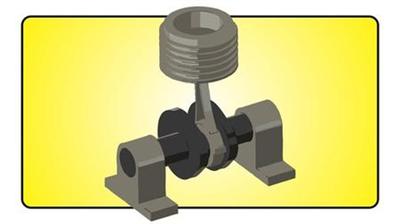
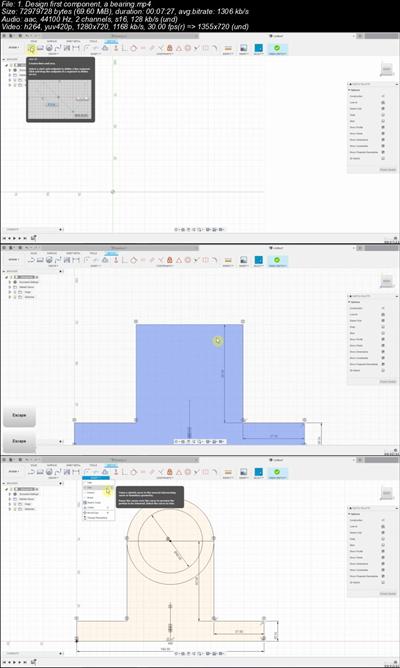
This course covers designing of parts, assembly of parts and model animation in fusion 360​

What you'll learn

Fusion 360
computer aided design
CAD
Design of engine model

Requirements

Nothing

Description

It is always joyful to make model animation. In this course, I will teach you design, assembly as well as the animation of the model. We will first draw each component of the engine. Each lesson is in the simplest way possible language. You will not find any difficulty even if you not a native English speaker. Fusion 360 is a free software for students and hobbyists. You can easily download from the official Autodesk website. If you find any difficulty during the course or after completing the course you can ask me, I will respond as soon as possible. Even you have any question beyond this course regarding fusion 360, I will be glad to help you. If you consider buying this course, It will encourage me to make such courses in the future.

Who this course is for:

Beginner CAD
Beginner mechanical
Beginner enginnering

95e000e0d5eec80463469506221061f2.jpg

​

Download link:​
Код:
[center][b]rapidgator_net[/b]:
https://rapidgator.net/file/3b86ca57d808a0cfbf555c4ab95aa3b5/3ah7z.Animated.Engine.model.design.in.fusion.360.part1.rar.html
https://rapidgator.net/file/32b53efcf010515c5f4f335ea35f2395/3ah7z.Animated.Engine.model.design.in.fusion.360.part2.rar.html

[b]nitroflare_com[/b]:
https://nitroflare.com/view/A49B22654AAAD25/3ah7z.Animated.Engine.model.design.in.fusion.360.part1.rar
https://nitroflare.com/view/BAC0511BF24996C/3ah7z.Animated.Engine.model.design.in.fusion.360.part2.rar

[b]uploadgig_com[/b]:
http://uploadgig.com/file/download/ce5e60aAE52fed51/3ah7z.Animated.Engine.model.design.in.fusion.360.part1.rar
http://uploadgig.com/file/download/2Ac04a56a3122e09/3ah7z.Animated.Engine.model.design.in.fusion.360.part2.rar[/center]

Links are Interchangeable - No Password - Single Extraction​
 
AOM Total Bundle v1.10.0 WiN OSX

dfb82d7a23ab5fb67a2f9dc43f0ef7ae.jpg


AOM Total Bundle v1.10.0 WiN / OSX | 43 Mb / 36 Mb​
A.O.M. is a professional audio software bundle. Includes: Invisible Limiter, Stereo Imager D, Wave Shredder, tranQuilizr, Cyclic Panner.

Includes:
Cyclic Panner
Invisible Limiter
Invisible Limiter G2
Stereo Imager D
tranQuilizr
Wave Shredder
Sakura Dither

Download link:​
Код:
[center][b]rapidgator_net[/b]:
https://rapidgator.net/file/45147e21ed807a5f90cd9d90d12e6c2e/sdgat.AOM.Total.Bundle.v1.10.0.Incl.Patched.and.KeygenR2R.rar.html
https://rapidgator.net/file/cc9120a32ce3d07c2ef85567b54993dc/sdgat.AOM.Total.Bundle.v1.10.0.MacOSX.Incl.Patched.and.KeygenR2R.rar.html

[b]nitroflare_com[/b]:
https://nitroflare.com/view/D72D26B03332653/sdgat.AOM.Total.Bundle.v1.10.0.Incl.Patched.and.KeygenR2R.rar
https://nitroflare.com/view/4C4EDD4729189C5/sdgat.AOM.Total.Bundle.v1.10.0.MacOSX.Incl.Patched.and.KeygenR2R.rar

[b]uploadgig_com[/b]:
http://uploadgig.com/file/download/7603845B1705b1d3/sdgat.AOM.Total.Bundle.v1.10.0.Incl.Patched.and.KeygenR2R.rar
http://uploadgig.com/file/download/03ed4221d94a9BB5/sdgat.AOM.Total.Bundle.v1.10.0.MacOSX.Incl.Patched.and.KeygenR2R.rar[/center]

Links are Interchangeable - No Password - Single Extraction​
 
Ashlar-Vellum Graphite v12 SP0 Build 12.0.12 Multilingual

3e7f2c3314e35444c043c3b70c40f58d.jpg


Ashlar-Vellum Graphite v12 SP0 Build 12.0.12 Multilingual | 86.2 Mb​
When you want 2D and 3D CAD software that's easy to use, yet absolutely precise, that's Graphite. Formerly known as Vellum®, Graphite offers extremely powerful, precision wire-frame drafting with the elegant ease-of-use that makes it productive even when only used occasionally. Running on Mac and Windows, Graphite provides an interface that lets creative people get the job done without worrying about how to run their software.

Precision drafting at its best:
Revolutionary Vellum® Drafting Assistant™ facilitates intelligent snaps and automatic alignments in X, Y and Z.
Advanced 2D and 3D equation-driven parametrics promote design variations.
Preview symbol panel lets you intelligently place symbols in space.
Multiple dynamic views keep your design changes up to date.
Smart wall tool intuitively interacts with architectural symbols to speed sketching.

Operating System: Windows 7 / 8.1 / 10

Home Page -
Код:
http://download.ashlar.com/

Download link:​
Код:
[center][b]rapidgator_net[/b]:
https://rapidgator.net/file/9b536779f805f9cd2702d70cff7e4119/8wsvt.AshlarVellum.Graphite.v12.SP0.Build.12.0.12.Multilingual.rar.html

[b]nitroflare_com[/b]:
https://nitroflare.com/view/D0A6E4689F87314/8wsvt.AshlarVellum.Graphite.v12.SP0.Build.12.0.12.Multilingual.rar

[b]uploadgig_com[/b]:
http://uploadgig.com/file/download/72972BEf811cbe7A/8wsvt.AshlarVellum.Graphite.v12.SP0.Build.12.0.12.Multilingual.rar[/center]

Links are Interchangeable - No Password - Single Extraction​
 
Axure RP 9.0.0.3665 Pro / Team / Enterprise Edition

db50d569e35af2600283cc074cd64873.jpg


Axure RP 9.0.0.3665 Pro / Team / Enterprise Edition | 111.1 Mb​
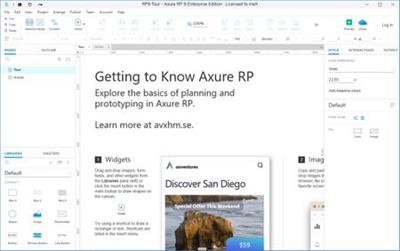
Design the right solution. Create simple click-through diagrams or highly functional, rich prototypes with conditional logic, dynamic content, animations, math functions, and data-driven interactions without writing a single line of code.

Easy to share
Click a button, and Axure RP will publish your diagrams and prototypes to Axure Share on the cloud or on-premises. Just send a link (and password) and others can view your project in a browser. On mobile devices, use a browser or the Axure Share App for iOS and Android.

Diagramming and Documentation
Create flowcharts, wireframes, mockups, user journeys, personas, idea boards and more. Quickly drag and drop elements from built-in or custom libraries to create your diagrams. Then, style it with fills, gradients, line styles, and text formatting. Annotate your diagrams and prototypes to specify functionality, keep track of tasks, or store project information. Organize your notes into separate fields for different audiences. Choose which notes to present in the HTML or in an auto-generated Word document that includes screenshots.

Easier Team Collaboration
Axure RP allows multiple people to work on the same file at the same time, making it easier for your team to work together. Create a team project on Axure share or SVN and use a check-in and check-out system to manage changes. Team projects also keep a history of changes with notes for each check-in.

System Requirements:
- Windows 7 SP1, 8, or 10
- 2 GB memory (RAM) minimum, 4 GB recommended
- 1 GHz processor
- 5 GB disk space
- For Word documentation: Microsoft Office Word 2000,
- XP, 2003, 2007, 2010. 2013, or 2016
- For generated HTML: IE/Edge, Firefox, or Chrome

Home Page -
Код:
https://www.axure.com/

Download link:​
Код:
[center][b]rapidgator_net[/b]:
https://rapidgator.net/file/e5bc47f3ceae616ab9ba74232c4952d0/iog6g.Axure.RP.9.0.0.3665.rar.html

[b]nitroflare_com[/b]:
https://nitroflare.com/view/3C922420E5083A0/iog6g.Axure.RP.9.0.0.3665.rar

[b]uploadgig_com[/b]:
http://uploadgig.com/file/download/318Aaf5a4ff26Ce4/iog6g.Axure.RP.9.0.0.3665.rar[/center]

Links are Interchangeable - No Password - Single Extraction​
 
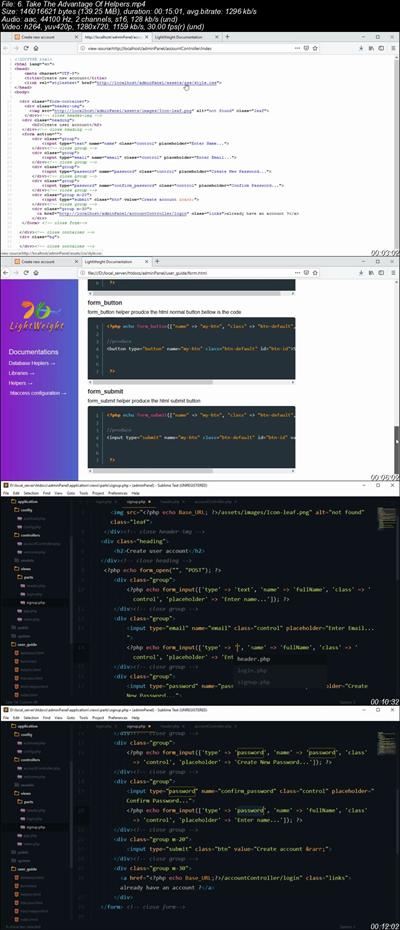
Build Real World PHP MVC Framework From Scratch

8047295e3412b57e9dbb49c210c22045.jpg


Build Real World PHP MVC Framework From Scratch
.MP4 | Video: 1280x720, 30 fps(r) | Audio: AAC, 44100 Hz, 2ch | 6.89 GB
Duration: 18 hours | Genre: eLearning | Language: English
Create Your Own Form Validations Library, Files Upload Library, Session Library, Database Library and Ajax With MVC.​

What you'll learn

Create Your Own MVC Framework
Create your own Form Validation library
Create your own Session library
Create your own Database library
Create your own Files Upload library
Create your own helpers
We will build form helpers, html helpers, anchor helpers & link helpers
You will learn how to use AJAX with custom MVC
AJAX crud application
We will create a professional layout using Pure/Vanilla CSS & HTML no Framework
Create Signup & Login from application with dashboard

Requirements

Basic PHP Knowledge is required
You don't need any experience with MVC

Description

Model-view-controller is an architectural pattern commonly used for developing user interfaces that divides an application into three interconnected parts, Model, View and Controller model folder store all the database related files, views store all the html files like signup form, login form, navigation bar etc, and controller is a middleware between views and models.

What you will learn in this course ?

Object Oriented Programming Basics

MVC Design pattern

Your own libraries and helpers

database library

form validation library

files upload library

session library

form helpers

html helpers

url helper

redirect helper

Ajax basics

Ajax CRUD application with MVC

signup & login form with complete user profile

Modern looking design with Vanilla/Pure CSS

Who this course is for:

Anyone who wants to learn MVC
Anyone who knows PHP and is looking to upgrade their knowledge to Custom PHP MVC

29375a74b9f6f6e6eb7346372d3b3a21.jpg

​

Download link:​
Код:
[center][b]rapidgator_net[/b]:
https://rapidgator.net/file/06a13e9ace66850c618e606cf1ab663b/4ko2r.Build.Real.World.PHP.MVC.Framework.From.Scratch.part1.rar.html
https://rapidgator.net/file/47098d346f08d6b69712f2320cae8d09/4ko2r.Build.Real.World.PHP.MVC.Framework.From.Scratch.part2.rar.html
https://rapidgator.net/file/5cf8162b2bacd2f6c827a3199151e414/4ko2r.Build.Real.World.PHP.MVC.Framework.From.Scratch.part3.rar.html
https://rapidgator.net/file/3e5b17a09707de1fca76a181b506e63b/4ko2r.Build.Real.World.PHP.MVC.Framework.From.Scratch.part4.rar.html
https://rapidgator.net/file/4ec4c60ea4cf40bcda679b2d4c162b40/4ko2r.Build.Real.World.PHP.MVC.Framework.From.Scratch.part5.rar.html
https://rapidgator.net/file/3b9c0001447d7477aabd2d37ae8a6a1b/4ko2r.Build.Real.World.PHP.MVC.Framework.From.Scratch.part6.rar.html
https://rapidgator.net/file/260a5f1060e55bf10ad5568b52f8f89c/4ko2r.Build.Real.World.PHP.MVC.Framework.From.Scratch.part7.rar.html
https://rapidgator.net/file/e6d9fc7380c0289b3a3536247498b267/4ko2r.Build.Real.World.PHP.MVC.Framework.From.Scratch.part8.rar.html

[b]nitroflare_com[/b]:
https://nitroflare.com/view/BF07F8EEB5715F7/4ko2r.Build.Real.World.PHP.MVC.Framework.From.Scratch.part1.rar
https://nitroflare.com/view/0A4ABC428B14F9E/4ko2r.Build.Real.World.PHP.MVC.Framework.From.Scratch.part2.rar
https://nitroflare.com/view/3CAC548FF0E654A/4ko2r.Build.Real.World.PHP.MVC.Framework.From.Scratch.part3.rar
https://nitroflare.com/view/C8BBCBA76BDC5D2/4ko2r.Build.Real.World.PHP.MVC.Framework.From.Scratch.part4.rar
https://nitroflare.com/view/7DFB27ABACDCD87/4ko2r.Build.Real.World.PHP.MVC.Framework.From.Scratch.part5.rar
https://nitroflare.com/view/8132291479AB2A3/4ko2r.Build.Real.World.PHP.MVC.Framework.From.Scratch.part6.rar
https://nitroflare.com/view/C989ECAA991E9B5/4ko2r.Build.Real.World.PHP.MVC.Framework.From.Scratch.part7.rar
https://nitroflare.com/view/E2F5008294704FC/4ko2r.Build.Real.World.PHP.MVC.Framework.From.Scratch.part8.rar

[b]uploadgig_com[/b]:
http://uploadgig.com/file/download/c8894CF8b1384d6d/4ko2r.Build.Real.World.PHP.MVC.Framework.From.Scratch.part1.rar
http://uploadgig.com/file/download/4D5433536bd83fDC/4ko2r.Build.Real.World.PHP.MVC.Framework.From.Scratch.part2.rar
http://uploadgig.com/file/download/91Ec3c548b5dEeeb/4ko2r.Build.Real.World.PHP.MVC.Framework.From.Scratch.part3.rar
http://uploadgig.com/file/download/65347AfaeA4aa5c0/4ko2r.Build.Real.World.PHP.MVC.Framework.From.Scratch.part4.rar
http://uploadgig.com/file/download/6DB928b50c577049/4ko2r.Build.Real.World.PHP.MVC.Framework.From.Scratch.part5.rar
http://uploadgig.com/file/download/6673905B92FeC61e/4ko2r.Build.Real.World.PHP.MVC.Framework.From.Scratch.part6.rar
http://uploadgig.com/file/download/243654446a9bA77a/4ko2r.Build.Real.World.PHP.MVC.Framework.From.Scratch.part7.rar
http://uploadgig.com/file/download/42a37428C5098ce4/4ko2r.Build.Real.World.PHP.MVC.Framework.From.Scratch.part8.rar[/center]

Links are Interchangeable - No Password - Single Extraction​
 
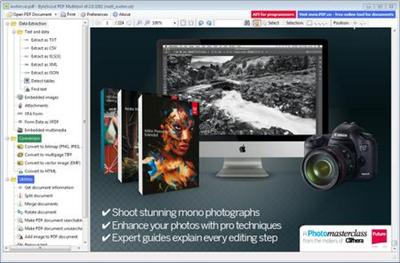
ByteScout PDF Multitool 10.6.0.3667 Business

89d5cf87f3f8d44da44e16358ffe4adf.jpg


ByteScout PDF Multitool 10.6.0.3667 Business | 85 Mb​
ByteScout PDF Multitool is an easy to use and powerful conversion suite created to help users save their PDF files to other common formats, such as TXT, CSV, HTML and even images.

Features of ByteScout PDF Multitool for Businesses:
PDF transformation and conversion of its scanned images into text searchable PDF files;
Reading of text on scanned files (English, German, Spanish, French and more are supported) with features of HTML PDF Viewer afterward;
PDF to CSV conversion, PDF to XML and XLS, PDF to XLSX and PDF To HTML conversions;
Ability to automatically find tables within a PDF document;
Extra options to Split, Merge, Extract pages from PDF;
Performing of regular expressions search within a PDF document;
Extract attached files and inside data from PDF, XFA and XFDF;
Convert PDF to TIFF, PDF to PNG, PDF to BMP, PDF to HTML;
Print PDF documents;

Operating System: Windows XP, Vista, 7, 8/8.1, 10

Home Page -
Код:
 https://bytescout.com/

Download link:​
Код:
[center][b]rapidgator_net[/b]:
https://rapidgator.net/file/43027a2daeffef349ef02669e750c720/rx7tr.ByteScout.PDF.Multitool.10.6.0.3667.Business.rar.html

[b]nitroflare_com[/b]:
https://nitroflare.com/view/0CEE89CD63762A7/rx7tr.ByteScout.PDF.Multitool.10.6.0.3667.Business.rar

[b]uploadgig_com[/b]:
http://uploadgig.com/file/download/9dc941aefa502A14/rx7tr.ByteScout.PDF.Multitool.10.6.0.3667.Business.rar[/center]

Links are Interchangeable - No Password - Single Extraction​
 
Canvas X GIS 2020 v20.0 Build 390

8a33bd048999aa3e343b0fd51c9b870a.jpg


Canvas X GIS 2020 v20.0 Build 390 (x64) | 319.2 Mb​
Canvas X is the preferred application for technical illustrators in many industries because it offers the most flexible, scalable and integrated design environment. Canvas X has the full range of precise vector object illustration tools and advanced raster image editing tools that you need - all in one single, workflow-accelerating application.

Canvas X provides a complete solution for home, small business, school, and corporate users:
- An array of tools for illustration, layout, editing, proofing, and final output, so you can take projects from start to finish in Canvas X.
- A dynamic and flexible interface, including a Toolbar you can configure with commands, tools, and styles as well as customizable keyboard shortcuts, a Docking pane and Docking bar to store palettes, and a Properties bar for tool settings and object manipulation.
- Help when you need it, in the form of a Dynamic Help window and the Canvas Assistant help for the tool you're currently using, built right into the interface, as well as a fully searchable Help system available from the Help menu.

GIS Features
Canvas X GIS 2020 boasts a complete geographic information system module. This includes providing a powerful set of GIS-based features and commands that support a range of geospatial data formats, defining complex map projections, and performing advanced property operations. New optimization allows you to quickly open and work with documents containing over a million objects. With support for DPI settings for high resolution monitors, this feature-packed software is an essential tool for GIS professionals in the oil & gas and energy sectors, aerospace and automotive industries, education, and government.

Create
As the go-to application of technical illustrators in precision industries, Canvas X GIS comes loaded with the impressive and comprehensive set of vector object illustration and advanced raster image editing tools you need to get the job done - all provided in one integrated, flexible design environment.

Visualize
Create project-specific customized queries based upon unique properties, values, or other related criteria. Edit your query to meet new project needs, save for ongoing use, or share with colleagues.

Canvas X Features
Illustrate, design, and share your technical illustrations and graphic designs with ease, precision, and professional quality results - all from within one fully integrated application. Canvas X 2020 is all you need to create all you envision.

Illustration
Canvas X comes loaded with a comprehensive set of vector object illustration and advanced raster image editing tools.

Design
Comprehensive toolkit for technical design to work with total precision.

Sharing
Canvas X makes sharing your vision with professional publications and presentations, and collaborating a piece of cake.

Select by Location
Select shapes meeting your defined spatial criteria.

Geoprocessing Tools
Highlight shapes in your documents meeting specific criteria with geoprocessing functions Intersection, Difference, Symmetrical Difference, and Union.

Import Formats
Import maps from OpenStreetMap.org, and file formats including SQLite, GeoPKG, and GeoJSON.

Tables
Create tables for your data: components, changes, parts lists, legends, and more.

Mirror tool
Mirror will make a reverse copy of selected objects in 2 clicks. The mirroring axis can be drawn or snapped to other objects and rotated freely.

Annotation notes features
Annotation Notes now supports auto-numbering and auto-alphabetizing. Use an EasyShape like a circle, rectangle, or diamond shape for annotations.

Settings file
Save and share your settings file for consistency across your organization.

Templates
Additional template files to start off your illustrations.

Additional Scripting functions
Additional scripting functions to automate your workflow.

System Requirements:
- Windows® 7​, Windows® 8, or Windows® 8.1, Windows® 10 (all 64-bit OS)​
- I​​​​​ntel® Pentium® 4 or better 64-bit processor​
- 4 GB RAM installed
- 2 GB free hard disk space (4 GB recommended)
- 16-bit color or higher (True color recommended)
- 1024x768 or higher screen resolution recommended​

Home Page -
Код:
https://www.canvasgfx.com/en/

Download link:​
Код:
[center][b]rapidgator_net[/b]:
https://rapidgator.net/file/32e62bf18bb7c04ffba29d3fafa67557/8c6i5.Canvas.X.GIS.2020.v20.0.Build.390.rar.html

[b]nitroflare_com[/b]:
https://nitroflare.com/view/00220C22B03BC34/8c6i5.Canvas.X.GIS.2020.v20.0.Build.390.rar

[b]uploadgig_com[/b]:
http://uploadgig.com/file/download/6279bac91B1f6636/8c6i5.Canvas.X.GIS.2020.v20.0.Build.390.rar[/center]

Links are Interchangeable - No Password - Single Extraction​
 
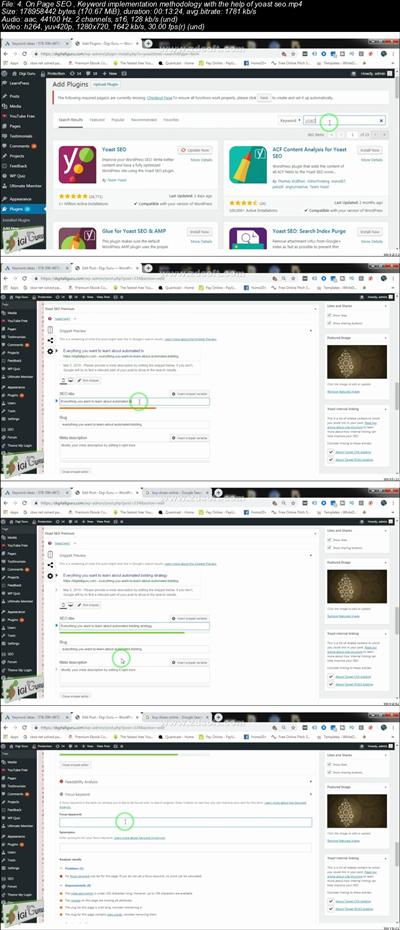
Complete SEO tutorial for the Beginners

684c6c5a7384e31ab88552fb8175d3e9.jpg


Complete SEO tutorial for the Beginners
.MP4 | Video: 1280x720, 30 fps(r) | Audio: AAC, 44100 Hz, 2ch | 998 MB
Duration: 1 hours | Genre: eLearning | Language: English

A complete hand holding to understand all the parts of SEO​

What you'll learn

In this course you will understand the complete basic understanding of the SEO and how it is used in order to take your website to page number one of the SERP of Google
On Page SEO
Off Page SEO
Keyword Research
Search Console / Webmaster tool
Keyword Implementation
Yoast SEO Plugin implementation
Understanding of Sitemap
How to make a xml sitemap

Requirements

In order to understand and implement , the only requirement is an active website

Description

Search engine optimization, or SEO, helps to ensure that a webpage or website is accessible to a search engine and improves the chances that the site will be found via search by the real humans who are looking for the content you publish.

After all, it's the real humans who read your content, sign up for your free gifts and take advantage of your offers. And it's the real humans that hire you and pay your fees. The humans just happen to use a search engine to find your website.

SEO that focuses only on search engines - especially at the expense of your real human visitors - isn't worth your time.

So this course won't include "secrets" that only the professionals can use, or techniques that may soon become obsolete with the next Google update; instead, this course will make SEO approachable and simple to use, even if you aren't technically inclined.

We'll start with a good introduction to how engines actually work to catalog and deliver content to users and then cover how you can help them accurately display your content to the people looking for what you write about. The more you give the search engines what they need to do their jobs, the more traffic your content will generate.

This course isn't designed to teach you all that there is to know about SEO; exhausting that topic would take much more than an hour and a half.

But if you have struggled with understanding SEO on your own, the SEO for Bloggers and Other Content Creators Course will help you to master the basics of SEO so more of the people you write your content for will be able to find it.

Who this course is for:

Any one who is trying to take the website to page number one

41686cfa071182080742634d84db3549.jpg

​

Download link:​
Код:
[center][b]rapidgator_net[/b]:
https://rapidgator.net/file/5739315c53d33d8d0b8c651c4a58b747/seywa.Complete.SEO.tutorial.for.the.Beginners.part1.rar.html
https://rapidgator.net/file/f475a388f4f8f577f8f001d052d5ae27/seywa.Complete.SEO.tutorial.for.the.Beginners.part2.rar.html

[b]nitroflare_com[/b]:
https://nitroflare.com/view/D6E625DB3A9C223/seywa.Complete.SEO.tutorial.for.the.Beginners.part1.rar
https://nitroflare.com/view/362769412121885/seywa.Complete.SEO.tutorial.for.the.Beginners.part2.rar

[b]uploadgig_com[/b]:
http://uploadgig.com/file/download/c5fb35e6Ab53a8A8/seywa.Complete.SEO.tutorial.for.the.Beginners.part1.rar
http://uploadgig.com/file/download/9353d94a89128767/seywa.Complete.SEO.tutorial.for.the.Beginners.part2.rar[/center]

Links are Interchangeable - No Password - Single Extraction​
 
Copywriting Secret Formula-Make High Converting Sales Letter

b6fa6a1b417cbe975a4762b2c5f41c3b.jpg


Copywriting Secret Formula-Make High Converting Sales Letter
.MP4 | Video: 1280x720, 30 fps(r) | Audio: AAC, 44100 Hz, 2ch | 2.07 GB
Duration: 6 hours | Genre: eLearning | Language: English

Learn How To Create Hypnotic Sales Copy That Turns Visitors Into Eager To Buy Paying Customers!​

What you'll learn

Money Sucking Sales Letter All By Yourself
How To write high converting Sales Copy
Draw Your Customers From Your Killer Headline
Make Persuasive Call To Action That Will Have Your Visitor Depositing Money Directly Into Your Bank Account
Motivate And Move Customers To Buy
Learn The Vital Elements That Make Great Copy
Explores The Emotional Triggers That Convince Consumers To Buy

Requirements

Desire To Deep Into The Top Secrets Of The Best Copywriters

Description

Tired Of Loosing Money On Advertising Because Your Sales Letter Won't Covert The Visitors To Your Website Into Paying Customers? Then...

Does your sales copy suck? I mean, does it really, really suck so bad that you can barely squeeze out a sale from 1000 visitors to your website and you just can't figure out why?

Imagine your inbox filled with hungry leads or cash-in-pocket sales for your business on an hourly basis 24-7.

Imagine never having to scratch your head wondering where your next customer is going to come from.

Imagine having the nearly sixth-sense ability to know exactly where your customers are, and the exact words to type to have them quickly order your product or service.

This may sound far-fetched, but I can assure you, this incredible power can be created within your business. And it all starts here.

Believe me, I know it's such a noisy world out there today. There's so much clutter and information on how to market your website on the Internet today that the term, "information overload" has become more relevant than ever before.

Each month I receive hundreds of emails from people just like you who are not making any money online at all.

When I check out their product I find an amazing product just waiting to help someone solve the problems they have been struggling with for so long. Visitors to the site just never got to the point where they were able to see that the answer was right there waiting for them.

Why is this. It always seems to lead right back to one huge problem. Poor Sales Copy that just does not do it's job and convert the buyer into a paying customer because they left to early.
The problem is, when you lack the necessary writing experience, and you don't know how to get into the minds of your customers your not going to get the job done write and you will never know why!

Simply put, I'm revealing this information because I truly care, and I don't want to see you struggle any longer. I just want to teach you these powerful methods that will allow you to write sales copy that will do the job you need it to do.

You will soon be writing sales copy that gets conversions just like the professionals.

Finally Start Making Sales & Even Double, Or
Sometimes Even Triple Your Profits Just By
Improving Your Sales Letter!

Now I'm sure you're as excited as I am about what great copy writing can do for your business.

So where do you go from here?

You could try and improve your copy or write one from scratch all by yourself. Of course if you are clueless about copy writing, you won't have much success.

Another option would be to hire a copy writer that knows what he's doing. But even a novice copy writer that's just starting out will charge you $500 - $1500, and that's without any guaranteeing results! (A pro will charge $2500 to tens of thousands of dollars)

You could do that, or you could follow the simple and proven step-by-step methods outlined in the " Copywriting Secret Formula Course" and learn to write a killer, money sucking sales letter all by yourself...

This is going to be a refreshing change. That's because You'll Learn How To write high converting Sales Copy that draws your customers from your killer headline to your persuasive call to action that will have your visitor depositing money directly into your bank account.

And the best part is, you get to try the "Copywriting Secret Formula" 100% risk FREE!

GUARANTEE: Get the complete Untold Secret Of The Best Copywriter's course right now and go through it.

Try the information out.

If you are for any reason at all not 100% satisfied, Remember That You Can Get Refund within 30 days after purchasing, and I will personally refund every penny of your money, no questions asked.

It's as simple as that.

Your Package Is Waiting.

Who this course is for:

students who wants to learn about copywriting
students who wants to make money as a copywriter
students who are curious about making a high converting sales copy or sales letter
students who are curious about increasing their products's sales

a2722a7ba29cc2a9fd7b77d17c640512.jpg

​

Download link:​
Код:
[center][b]rapidgator_net[/b]:
https://rapidgator.net/file/74f0fc552ebcdccf6e50ec9d3f01d97f/mzt58.Copywriting.Secret.FormulaMake.High.Converting.Sales.Letter.part1.rar.html
https://rapidgator.net/file/bf339ab30990cd039f54542a76287cf8/mzt58.Copywriting.Secret.FormulaMake.High.Converting.Sales.Letter.part2.rar.html
https://rapidgator.net/file/9c7fac3a0fb2a17030c0ff91054f3c89/mzt58.Copywriting.Secret.FormulaMake.High.Converting.Sales.Letter.part3.rar.html

[b]nitroflare_com[/b]:
https://nitroflare.com/view/E729C1C1CC4EEEE/mzt58.Copywriting.Secret.FormulaMake.High.Converting.Sales.Letter.part1.rar
https://nitroflare.com/view/E5739C282E45CE2/mzt58.Copywriting.Secret.FormulaMake.High.Converting.Sales.Letter.part2.rar
https://nitroflare.com/view/8711ED6B3B2A4E9/mzt58.Copywriting.Secret.FormulaMake.High.Converting.Sales.Letter.part3.rar

[b]uploadgig_com[/b]:
http://uploadgig.com/file/download/ee580061042Ebe78/mzt58.Copywriting.Secret.FormulaMake.High.Converting.Sales.Letter.part1.rar
http://uploadgig.com/file/download/612d1429cb1234B4/mzt58.Copywriting.Secret.FormulaMake.High.Converting.Sales.Letter.part2.rar
http://uploadgig.com/file/download/14679ed497ea0e03/mzt58.Copywriting.Secret.FormulaMake.High.Converting.Sales.Letter.part3.rar[/center]

Links are Interchangeable - No Password - Single Extraction​
 
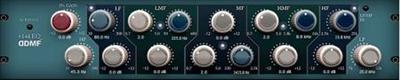
DDMF 6144 v1.2.4 WiN

84dee8af00f2a8c92a2f9aec0c1f94b7.jpg


DDMF 6144 v1.2.4 WiN | 5 Mb​
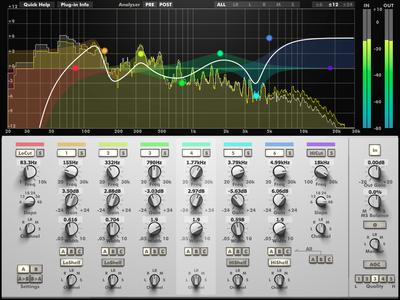
Sometimes you just don't want to spend much time on finding the ideal equalizer settings (and, with beasts like IIEQPro and LP10, you can easily lose yourself in all the options), but just turn a knob and know it will sound right, because someone else has figured out the most musical response for you.

In the case of the 6144 equalizer, this person has been the designer of the Neve Portico 5033, which was the role model for this software EQ. Hats off to the man! Unique gain-Q-interaction and custom made low- and high shelf filters make sure you can apply even extreme settings without getting harsh or muddy results. Add a little bit of saturation for that extra warmth, et voila!

Download link:​
Код:
[center][b]rapidgator_net[/b]:
https://rapidgator.net/file/a333a838c9255408731b28cd5994eb1e/4f081.DDMF.6144.v1.2.4.WiN.rar.html

[b]nitroflare_com[/b]:
https://nitroflare.com/view/46C127214924E8D/4f081.DDMF.6144.v1.2.4.WiN.rar

[b]uploadgig_com[/b]:
http://uploadgig.com/file/download/65d30c4c7e982D7b/4f081.DDMF.6144.v1.2.4.WiN.rar[/center]

Links are Interchangeable - No Password - Single Extraction​
 
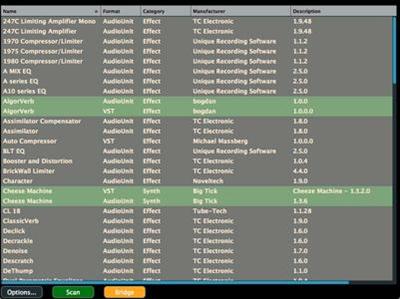
DDMF Bridgewize v1.1.4 WiN

cca556a38594b994e5253b3574c6cb48.jpg


DDMF Bridgewize v1.1.4 WiN | 3 Mb​
With more and more hosts going 64 bit only, a universal, cross-platform bit bridging tool is an essential part of the toolbox of every audio engineer who doesn't want to lose all those precious (and often legendary) 32 bit plugins still waiting to be used. Enter Bridgewize: the only bit bridging application that covers both VST and AU plugins on Mac and VST plugins on Windows. It uses the same proprietary wrapping technique that has already been successfully introduced with Metaplugin3, but now in a dedicated standalone package that allows you to selectively create seamlessly bridged versions of your favourite 32 bit babies.

Features:
Plugin organizer to display all 32 bit candidates for easy and intuitive wrapping and unwrapping
Zero-latency audio transfer between the 64 bit DAW and the dedicated 32 bit bridging app
Plugin UI appearing seamlessly in the host's window
Negligible additional CPU usage
Compatible with VST 2.4 plugins, OSX 10.6 and higher or Windows Vista and higher (untested on Windows XP)

IMPORTANT NOTE FOR WINDOWS USERS: a small number of virus scanners is falsely flagging BridgeApp.exe, an app which needs to be running in the background for Bridgewize to function, as a virus. There is absolutely no trace of a virus in that program! You can safely turn off any restrictions your virus scanner might suggest for that executable.

Download link:​
Код:
[center][b]rapidgator_net[/b]:
https://rapidgator.net/file/2399fce725913ce6b544ef98029a32d3/gkgp1.DDMF.Bridgewize.v1.1.4.WiN.rar.html

[b]nitroflare_com[/b]:
https://nitroflare.com/view/BD023A0D4D511C5/gkgp1.DDMF.Bridgewize.v1.1.4.WiN.rar

[b]uploadgig_com[/b]:
http://uploadgig.com/file/download/1Ff626a1f8a04f36/gkgp1.DDMF.Bridgewize.v1.1.4.WiN.rar[/center]

Links are Interchangeable - No Password - Single Extraction​
 
DDMF Envelope v1.0.6 WiN

4548d1b058a6b6c4b9f6ad34af89f639.jpg


DDMF Envelope v1.0.6 WiN | 11 Mb​
The newest member of the DDMF family: please give a very warm welcome to Envelope! The creation of this true stereo reverb effect started with the observation that somehow, whenever I'd use one of the existing reverb plugins, the sound was never quite 'there': many of them did sound quite good when used with a solo vocal or instrument track, but in a mix context, I'd quickly end up with a certain muddiness in the lower frequency and/or a too intrusive reverb effect around 5k-7k, where those nasty syllables usually make themselves heard. So the goal was to create something that would add air without ever sounding harsh, create a rich 3D impression without losing the fine details of the stereo field, and still be light enough on the CPU to be used ad lib in a true mixing context. Well, in all modesty, I think that goal has been reached: Envelope has, from a really early stage of its development, become my go-to reverb plugin, and now it is finally ready to become yours too! And not only does it sound great, it also looks fantastic, thanks to the invaluable UI design skills of the one and only Mr. Marek Zaris.

Features:
Zero-latency reverb algorithm with 8 simulated true stereo environments
Size and Depth control for full control of the individual algorithms
Switch between exponential (the 'natural' way) and linear decay (longer, more dreamy/eerie)
Low- and high cut EQ controls
Stereo width control: from full stereo to full mono
Wet/dry balance
30 beautiful presets to get you started

Download link:​
Код:
[center][b]rapidgator_net[/b]:
https://rapidgator.net/file/7c7f2674ea5259c9e61dc1443880cc7b/s2oqf.DDMF.Envelope.v1.0.6.WiN.rar.html

[b]nitroflare_com[/b]:
https://nitroflare.com/view/ED9AC9F6A9EA33C/s2oqf.DDMF.Envelope.v1.0.6.WiN.rar

[b]uploadgig_com[/b]:
http://uploadgig.com/file/download/79e2A04a21A9abCf/s2oqf.DDMF.Envelope.v1.0.6.WiN.rar[/center]

Links are Interchangeable - No Password - Single Extraction​
 
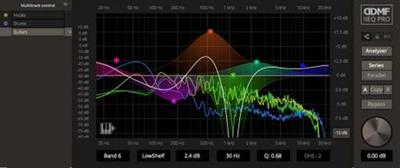
DDMF IIEQPro v3.4.9 WiN

0072cce82e1f555e45c4ba2578bbac80.jpg


DDMF IIEQPro v3.4.9 WiN | 4 Mb​
IIEQPro is, to many devoted fans, the best equalizer plugin out there. If you had only one choice, this would be the one you would take with you on the proverbial island.

Features:
24 fully parametric bands, with 27 state-of-the-art filter types per band
Adjusted for digital artefacts at high frequencies (don't use any equalizer that doesn't offer this!)
Seven Butterworth filter types with variable slopes from 6 to 60 dB/oct
Multitrack editing in one user interface
Very efficient user interaction (just one click to dial in a band)
Autolisten option
Sound processing in series or parallel
A/B option for quick comparison of alternative EQing choices
Very low CPU consumption but not at the expense of sound quality
High precision frequency analyzer (pre/post) with zoom and scroll functionality
Switchable to two-channel mode operation (L/R or Mid/Side)
Available in Windows VST (32/64 bit), Windows/Mac AAX and Mac VST/AU (32/64 bit, Intel OSX 10.7 and higher) format

Download link:​
Код:
[center][b]rapidgator_net[/b]:
https://rapidgator.net/file/7f9a161347cd87ab066d5618217d8c74/wmbcs.DDMF.IIEQPro.v3.4.9.WiN.rar.html

[b]nitroflare_com[/b]:
https://nitroflare.com/view/B77783751E02FAD/wmbcs.DDMF.IIEQPro.v3.4.9.WiN.rar

[b]uploadgig_com[/b]:
http://uploadgig.com/file/download/eED3910c0ad71abD/wmbcs.DDMF.IIEQPro.v3.4.9.WiN.rar[/center]

Links are Interchangeable - No Password - Single Extraction​
 
DDMF LP10 v4.1.3 WiN

d5f28bf35718b790a44fbfdff017a9ee.jpg


DDMF LP10 v4.1.3 WiN | 4 Mb​
LP10 is your weapon of choice when you don't want to make any compromise in sound quality. Its FFT algorithm with a frequency resolution of 2.7 Hz at 44.1 kHz sampling frequency guarantees a smooth frequency response from the deepest bass all the way to top end. The proprietary flexible phase approach gives you full control over the phase reponse of each of the 10 bands (from minimum over linear to inverse minimum phase, the only EQ who can do that! Seriously!).

Furthermore, the built-in flex filters allow you to continuously vary their slope from 6 dB/Oct to 60 dB/Oct. More control simply isn't possible. The built in spectrum analyzer helps to guide your ears in the right direction. LP10 defines the maximum you can do in terms of shaping the spectrum of your audio material, while still sounding absolutely marvelous!

Download link:​
Код:
[center][b]rapidgator_net[/b]:
https://rapidgator.net/file/fbedda2216961ea6919a8b31bb36aa19/4w591.DDMF.LP10.v4.1.3.WiN.rar.html

[b]nitroflare_com[/b]:
https://nitroflare.com/view/BC89C91DE374CC7/4w591.DDMF.LP10.v4.1.3.WiN.rar

[b]uploadgig_com[/b]:
http://uploadgig.com/file/download/15985903e8fc4928/4w591.DDMF.LP10.v4.1.3.WiN.rar[/center]

Links are Interchangeable - No Password - Single Extraction​
 
DDMF MagicDeathEye v1.0.8 WiN

ec28d4e11964df221da4110484fde22e.jpg


DDMF MagicDeathEye v1.0.8 WiN | 12 Mb​
Everybody who has ever had a chance to listen to a MagicDeathEye compressor has been blown away by its sound. Carefully designed by Mr. Ian Sefchick (mastering engineer at Capitol Records), this tube compressor's circuit is loosely based on a Fairchild 660. It's a variable gain compressor that sounds just as great on your mastering bus as on your individual tracks. Nothing is smashed here, everything breathes and shines while the MagicDeathEye will smoothly glue your audio signal together in that warm and almost elegant way only expensive tube compressors can.

Already now a legendary piece of hardware, the MagicDeathEye compressor is just to good to be exclusively available only to some of the greatest studios in the world. After almost a year of careful circuit and signal analysis, DDMF and Ian Sefchick are extremely proud to present the official plugin version of this lovely beast! Staying extremely close to its hardware role model while still keeping the CPU load at a very reasonable level, we sincerely believe that the answer to the ever-old question "Do I really need another compressor plugin" is a resounding yes for this one!

We could go on and on here, telling you all about the extremely interesting technical details like the eight(!) tubes that are being used, the handwound transformers and so on, but we think it's about time you simply give this fantastic tool a spin and hear for yourself what the buzz is all about. We hope you'll enjoy the ride!

Download link:​
Код:
[center][b]rapidgator_net[/b]:
https://rapidgator.net/file/899b2539870c8aa73e4a2832e962a08d/2zt5f.DDMF.MagicDeathEye.v1.0.8.WiN.rar.html

[b]nitroflare_com[/b]:
https://nitroflare.com/view/246CEAACF2D80EF/2zt5f.DDMF.MagicDeathEye.v1.0.8.WiN.rar

[b]uploadgig_com[/b]:
http://uploadgig.com/file/download/bbC2336F0e9cc552/2zt5f.DDMF.MagicDeathEye.v1.0.8.WiN.rar[/center]

Links are Interchangeable - No Password - Single Extraction​
 
Назад
Сверху