Adobe Audition 2019 v12.1.4.5 (x64) Multilingual
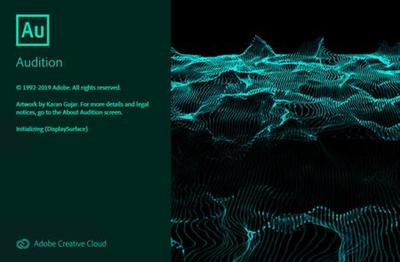
Adobe Audition 2019 v12.1.4.5 (x64) Multilingual REPACK | 408 MbAdobe Audition A professional audio workstation. Create, mix, and design sound effects with the industry's best digital audio editing software. Audition CC is a comprehensive toolset that includes multitrack, waveform, and spectral display for creating, mixing, editing, and restoring audio content. This powerful audio workstation is designed to accelerate video production workflows and audio finishing - and deliver a polished mix with pristine sound.
What is Audition CC?
Meet the industry's best audio cleanup, restoration, and precision editing tool for video, podcasting, and sound effect design.
Record, edit, and integrate music clips.
This step-by-step tutorial guides you through the robust audio toolkit that is Adobe Audition, including its seamless workflow with Adobe Premiere Pro CC.
Add oomph to your audio.
Use the Essential Sound panel to achieve professional-quality audio - even if you're not a professional.
Create a podcast
Learn the basic steps to record, mix, and export audio content for a podcast - or any other audio project.
Remix to fit
Easily and automatically rearrange any song to fit any duration with Remix in Audition CC.
Repair and restore
Get best practices for fixing audio, including how to use the spectral frequency display, Diagnostics panel, effects, and more.
What's New in Audition CC 2019:
DeReverb & DeNoise effects [NEW]
Reduce or remove reverb and background noise from recordings without noise prints or complicated parameters with these efficient real-time effects or through the Essential Sound panel.
Improved playback and recording performance [NEW]
Playback over 128 audio tracks or record over 32 tracks, at low latencies, on common workstations and without expensive, proprietary, single-purpose acceleration hardware.
Improved multitrack UI [NEW]
Playback over 128 audio tracks or record over 32 tracks, at low latencies, on common workstations and without expensive, proprietary, single-purpose acceleration hardware.
On-clip gain control and waveform scaling [NEW]
Adjust your audio without moving your eyes or mouse cursor away from your content with on-clip gain adjustments. Use your eyes and ears to match clip loudness to neighboring clips with a waveform that smoothly scales in real-time to amplitude adjustments.
Add tracks and delete empty tracks [NEW]
Quickly add multiple audio or bus tracks of any channelization at once, or clean up all unused audio tracks in a session, with these commands.
Zoom to time [NEW]
Zoom to specific durations with customizable presets. No more guesswork or small adjustments needed to see an exact length of time.
Effects and presets migration [NEW]
When upgrading, Audition can import all 3rd party effects already scanned by a previous version of Audition, as well as custom effect presets and more.
Open Premiere Pro projects
Open native Premiere Pro projects from the Audition Media Browser and select the sequences you want to work on for a simpler, more efficient audio editing workflow.
Clip spotting
Video previews in Audition update in real-time when clips are added, moved, or trimmed, always showing the users the correct frame for accurately-timed edits, sound effects, and more.
Tracks panel
Use the Track panel to show or hide tracks, or groups of tracks, so you can focus on specific parts of your project. Create your own preferred track groups and save presets for an efficient, personalized multitrack editing experience.
Compound media import
Twirl down compound media files to choose the audio and video tracks you want to work on, or simply import entire compound files, including container formats like MXF.
Improved multitrack performance
Scroll through multitrack projects faster and more smoothly. Track heights are maintained when zooming in or out, making it easier to manage large projects, especially on smaller screens.
Auto-Duck music
While working on a project, automatically generate a volume envelope to duck music behind dialogue, sound effects, or any other audio clip using the Ducking parameter in the Essential Sound panel. Powered by Adobe Sensei, this feature simplifies the steps needed to achieve professional-sounding audio mixes.
Run scripts
Browse and run scripts within Audition or via the command line to automate application functions, like loudness normalization, QC validation, and others. Streamline common tasks, including third-party integrations, and bring a new level of efficiency to your audio work.
Add album art in MP3 files
Creating modern podcasts and albums in Audition just got easier. With support for .jpeg and .png files, you can embed thumbnails and images into your .mp3 files.
Jump to Time
Navigate to any spot in the timeline with this useful keyboard shortcut. Save time and keep your workflow moving.
Input monitoring
Input monitoring allows you to preview the input coming from your recording device before starting the actual recording by either observing the level meters or listening to it.
Multitrack clip improvements
When recording punch-ins or layering sounds, clip Z-order is maintained when selecting stacked clips so that smaller clips don't get lost behind longer ones. Commands in the clip content menu make it easy to move clips to the front or back, and preferences allow users to customize the behavior. More improvements allow for symmetrical clip fades, or adjusting fade curves or duration independently.
Support for Mackie HUI devices
Audition CC includes support for the Mackie HUI control surface protocol. To control your mix, transport, and automation in Audition, use HUI emulation mode with almost all modern control surfaces..
Dynamics effect
This modern version of the classic replaces the Adobe Premiere Pro Dynamics audio effect in Premiere Pro and Audition CC. This simple yet powerful plug-in offers a compressor, expander, limiter, and noise gate in one easy-to-use tool.
Visual keyboard shortcut editor
Use the Visual Keyboard Shortcut Editor to see which keys have been assigned shortcuts and which are available for assignment. A tooltip reveals the full command name when you hover over a key in the Keyboard layout. When you select a modifier key on the keyboard layout, the keyboard displays all the shortcuts that require the modifier.
Timecode overlay
Audition CC lets you view session and media timecode overlays in the Video panel. You can also lock your video output to your external display. The timecode overlay displays the current time display string as an overlay on the Video panel and the video fullscreen monitor.
Multichannel audio workflows
Multichannel audio workflows allow you to separate all audio channels to unique clips automatically. You can customize the channels assigned to a clip and adjust Specific Channel Routing.
Full fidelity with Premiere Pro
Audition support for native Premiere Pro projects means links to original assets, sequence metadata, markers, audio effects, parameters, sub-mixes and Essential Sound panel settings are transferred to Audition with full fidelity.
Direct export from Audition with Media Encoder
Audition can export your edited audio directly to Adobe Media Encoder CC. This feature enables a fully linear post-production workflow, using format presets and audio channel customization without rendering or wrangling various mixdown files.
Updated audio effects
Many existing audio effects have spectrum meters, gain meters, and gain reduction meters. You can use the frequency spectrum to identify imbalances in audio and use control points to correct them. Level Meter shows the input level of the audio, and Gain Reduction Meter shows how audio signals are compressed or expanded.
Guides for getting started
In-app tutorials offer new users a series of guided walkthroughs of common tasks. These guides help you navigate the core functionality and capabilities with ease, including reducing background noise, mixing audio elements, and producing a simple podcast. Coach marks and concise tutorials are offered inside the application to help you get started with Audition.
Essential Sound panel
The Essential Sound panel gives you a complete toolset to mix your audio and achieve professional-quality output. The panel provides simple controls to unify volume levels, repair sound, improve clarity, and add special effects - so your video projects sound like a professional audio engineer has mixed them. You can save the applied adjustments as presets for reuse in Audition, making them handy for more audio refinements.
CEP extensions
You can enable Common Extensibility Platform (CEP) extensions and build integrated panels in Adobe desktop applications.
Remixing and adjusting song duration
Create remixes of music files from a collection using Adobe Sensei's machine learning. For example, you can take a song that has a longer duration and create a shorter version that still sounds like the original. You can recompose any piece of music in your collection to fit the video or project duration.
Synthesized speech
Type or paste text, and generate a realistic voiceover or narration track. Use this tool to create synthesized voices for videos, games, and audio productions.
Automatic loudness correction
Match loudness in audio clips, and apply correction to support various loudness standards and true peak limiting. The Match Loudness panel replaces the old Match Volume panel.
Auto-backup to Creative Cloud
Audition lets you store periodic backups of your session files to prevent any loss due to power failure, crash, or file corruption. In the Preferences dialog box, choose Auto Save and select Backup Multitrack Session Files Automatically. Then, choose a backup location that can be your Adobe Creative Cloud storage environment, the session folder, or any other location of your choice.
Dynamic Link for streaming video content from Premiere Pro
The Dynamic Link video streaming feature lets you stream video without rendering when sending projects from Premiere Pro to Audition.
Live relinking
Audition lets you easily replace assets within an open project. Any edits made to the original clip are retained and applied to the new material so you can work uninterrupted even when an asset changes.
Dual display full-screen video
Get the most out of your editing experience in Audition by using a full-screen dual-monitor workflow. Display the contents of your video panel full-screen on a secondary monitor using HDMI, DVI, or VGA. This feature is especially useful for editing Foley and sound effects to video, recording automated dialog replacement (ADR) or voiceovers, and displaying your work as you edit.
Expanded video format support
Premiere Pro CC offers extensive native media support, letting you edit all the major video, image, and audio formats natively. The 2014.1 release of Audition CC supports all the native video formats that are supported in Premiere Pro.
Marker import and export
Audition can import markers from any file containing XMP marker metadata, including video files from Premiere Pro and Adobe Prelude CC. You can import markers into either an audio file (displayed in the Waveform editor) or a multitrack composition in Audition. You can share these markers with third-party applications by exporting the markers to a CSV file using the Markers panel. At any point, you can import the CSV markers file back into Audition.
Automatic copying of imported assets to a session folder
Audition lets you set custom levels for Yellow (Caution) and Red (Warning) indicators in the Level Meters panel. You can conform to station regulations or personal preferences by selecting custom values for level meter crossover points. In the Preferences dialog box, select Playback and specify the Yellow and Red levels.
Timed recordings
Schedule recordings in advance and Audition will capture them automatically, or start recording immediately for a specified duration.
Sound Remover effect
The Sound Remover effect removes unwanted audio sources from a recording. This effect analyzes a selected portion of the recording and builds a sound model, which is used to find and remove the sound.
Enhanced Speech Volume Leveler
The Target Dynamic Range option in Audition provides better control over volume leveling for spoken content.
iXML metadata support
Audition can read, modify, and generate iXML metadata. This metadata is typically captured by audio recording devices or on-location audio recording software such as Metacorder for Mac. Important features of iXML metadata are the ability to select and mark the best takes, and to record on-set notes.
Custom channelization
To support different surround formats and configurations, Audition lets you add new custom audio channels when you create an audio file. Custom channels are typically used in audio for cinema, broadcast, and video games.
Smart track colors
To make it easier to identify tracks, a color bar is added to the tracks. These color bars are added on the left of the track header, or at the bottom in the mixer panel. When you add a clip to a track, the clip color changes to match that of the track.
Pitch Bender and Pitch Shifter effects
Use the Pitch Bender effect to change the tempo over time to vary the pitch. The effect uses a keyframe edit envelope laid across the entire waveform, similar to the Fade and Gain Envelope effects. Use the Pitch Shifter effect to change the musical pitch. It's a real-time effect that can be combined with other effects in the mastering rack or the effects rack.
Click/Pop Eliminator and DeClicker effects
Use the Click/Pop Eliminator and DeClicker effects to remove microphone pops, clicks, light hiss, and crackles. Such noise is common on recordings such as old vinyl records and on-location recordings.
ITU Loudness Meter
Audition has an integrated, customized version of the TC Electronic Loudness Radar meter plug-in. Available in both the waveform and multitrack views, it provides you with information about peak, average, and range levels.
Automatic speech alignment
To quickly align overdubbed dialogue with original production audio, use automatic speech alignment. Audition matches the timing of each word, even if the original audio is noisy or differs in overall length.
Preview editor
See in real time how the waveform looks before you apply changes. Or work on separate regions of a file simultaneously. This functionality is especially valuable when you're working with effects that alter the duration of a clip. Choose View > Show Preview Editor to display the preview.
Frequency band splitter
Use Frequency Band Splitter to take one audio clip (or a selection in a clip) and make up to eight copies, where each copy contains a different frequency range found in the original clip. The crossover frequencies determine the split points. Each copy of the waveform is created as a new file and placed in the Files panel. You can then edit or apply effects to each band separately.
Waveform editing with Spectral Frequency Display
Easily add, remove, and invert spectral selections made using the marquee, lasso, or paintbrush selection tools.
Audio extraction from CDs
Extract selected CD tracks to a single file. Insert an audio CD into an optical drive, and choose File > Extract Audio from CD. Select the tracks and enable Extract to Single File.
Paste control for multitrack sessions
Control paste operations in a multitrack session: You can choose to paste all clips in the same targeted track, or in multiple tracks. Press Alt while dragging to toggle. You can specify the default behavior in the Multitrack Clip preferences. When enabled, a new preference avoids overlapping clips when inserting or pasting new clips creates new tracks.
Phase Analysis panel
Use the Phase Analysis panel to reveal out-of-phase channels for stereo waveforms. The Phase Analysis panel also shows stereo separation. You can choose from several phase views, including Histogram, Mid/Side, Lissajous, and Phase Wheel. For additional display options, right-click the graph and choose an option.
Edit Favorites feature
Use the Favorites panel to record, view, organize, run, or edit your favorite tasks. To display the Favorites panel, choose Window > Favorites or Favorites > Edit Favorites.
Manual and automatic pitch controls
The Manual Pitch Correction effect lets you visually adjust pitch with the Spectral Pitch Display. The Spectral Pitch Display shows the fundamental pitch as a bright blue line, and overtones in yellow to red hues. Corrected pitch appears as a bright green line. The Automatic Pitch Correction effect is available in both the Waveform and Multitrack editors. In the latter, its parameters can be automated over time using keyframes and external control surfaces.
Faster, more precise editing
Select multiple clips and choose Clip > Groups > Group Clips. You can move and edit grouped clips together, and even stretch them proportionately when clip stretching is enabled. Group stretch, gain, color, and other settings are available in the Properties panel.
Real-time clip stretching
Quickly stretch clips to the necessary length, while previewing the results during playback. In the Editor panel, select multiple clips to stretch them proportionately. In the Properties panel, choose from a variety of stretch types optimized for different audio content.
Control surface support and parameter automation
Mix audio interactively with popular control surfaces using the EUCON, Mackie MCU, or Logic Control protocols (including the Avid Artist series formerly made by Euphonix). Or use third-party, tablet-based controllers that support these protocols. You can even use multiple devices simultaneously.
System Requirements:
- Processor: Multicore processor with 64-bit support
- Operating system: Microsoft® Windows 10 (64 bit) version 1703 or higher.
- RAM: 4GB of RAM
- Hard disk space: 4GB of available hard-disk space for installation; plus additional free space required during installation (cannot install on removable flash storage devices)
- Monitor resolution: 1920x1080 or larger display
- OpenGL: OpenGL 2.0 capable system
- Sound card: Sound card compatible with ASIO protocol, WASAPI, or Microsoft WDM/MME
- Control surface support : USB interface and/or MIDI interface may be required for external control surface support (see manufacturer's specifications for your device)
- CD burning: Optical drive is used for CD burning (optional)
Language: English, Spanish, Ukrainian, Russian
Homepage -
Adobe Audition 2019 v12.1.4.5 (x64) Multilingual REPACK | 408 Mb
What is Audition CC?
Meet the industry's best audio cleanup, restoration, and precision editing tool for video, podcasting, and sound effect design.
Record, edit, and integrate music clips.
This step-by-step tutorial guides you through the robust audio toolkit that is Adobe Audition, including its seamless workflow with Adobe Premiere Pro CC.
Add oomph to your audio.
Use the Essential Sound panel to achieve professional-quality audio - even if you're not a professional.
Create a podcast
Learn the basic steps to record, mix, and export audio content for a podcast - or any other audio project.
Remix to fit
Easily and automatically rearrange any song to fit any duration with Remix in Audition CC.
Repair and restore
Get best practices for fixing audio, including how to use the spectral frequency display, Diagnostics panel, effects, and more.
What's New in Audition CC 2019:
DeReverb & DeNoise effects [NEW]
Reduce or remove reverb and background noise from recordings without noise prints or complicated parameters with these efficient real-time effects or through the Essential Sound panel.
Improved playback and recording performance [NEW]
Playback over 128 audio tracks or record over 32 tracks, at low latencies, on common workstations and without expensive, proprietary, single-purpose acceleration hardware.
Improved multitrack UI [NEW]
Playback over 128 audio tracks or record over 32 tracks, at low latencies, on common workstations and without expensive, proprietary, single-purpose acceleration hardware.
On-clip gain control and waveform scaling [NEW]
Adjust your audio without moving your eyes or mouse cursor away from your content with on-clip gain adjustments. Use your eyes and ears to match clip loudness to neighboring clips with a waveform that smoothly scales in real-time to amplitude adjustments.
Add tracks and delete empty tracks [NEW]
Quickly add multiple audio or bus tracks of any channelization at once, or clean up all unused audio tracks in a session, with these commands.
Zoom to time [NEW]
Zoom to specific durations with customizable presets. No more guesswork or small adjustments needed to see an exact length of time.
Effects and presets migration [NEW]
When upgrading, Audition can import all 3rd party effects already scanned by a previous version of Audition, as well as custom effect presets and more.
Open Premiere Pro projects
Open native Premiere Pro projects from the Audition Media Browser and select the sequences you want to work on for a simpler, more efficient audio editing workflow.
Clip spotting
Video previews in Audition update in real-time when clips are added, moved, or trimmed, always showing the users the correct frame for accurately-timed edits, sound effects, and more.
Tracks panel
Use the Track panel to show or hide tracks, or groups of tracks, so you can focus on specific parts of your project. Create your own preferred track groups and save presets for an efficient, personalized multitrack editing experience.
Compound media import
Twirl down compound media files to choose the audio and video tracks you want to work on, or simply import entire compound files, including container formats like MXF.
Improved multitrack performance
Scroll through multitrack projects faster and more smoothly. Track heights are maintained when zooming in or out, making it easier to manage large projects, especially on smaller screens.
Auto-Duck music
While working on a project, automatically generate a volume envelope to duck music behind dialogue, sound effects, or any other audio clip using the Ducking parameter in the Essential Sound panel. Powered by Adobe Sensei, this feature simplifies the steps needed to achieve professional-sounding audio mixes.
Run scripts
Browse and run scripts within Audition or via the command line to automate application functions, like loudness normalization, QC validation, and others. Streamline common tasks, including third-party integrations, and bring a new level of efficiency to your audio work.
Add album art in MP3 files
Creating modern podcasts and albums in Audition just got easier. With support for .jpeg and .png files, you can embed thumbnails and images into your .mp3 files.
Jump to Time
Navigate to any spot in the timeline with this useful keyboard shortcut. Save time and keep your workflow moving.
Input monitoring
Input monitoring allows you to preview the input coming from your recording device before starting the actual recording by either observing the level meters or listening to it.
Multitrack clip improvements
When recording punch-ins or layering sounds, clip Z-order is maintained when selecting stacked clips so that smaller clips don't get lost behind longer ones. Commands in the clip content menu make it easy to move clips to the front or back, and preferences allow users to customize the behavior. More improvements allow for symmetrical clip fades, or adjusting fade curves or duration independently.
Support for Mackie HUI devices
Audition CC includes support for the Mackie HUI control surface protocol. To control your mix, transport, and automation in Audition, use HUI emulation mode with almost all modern control surfaces..
Dynamics effect
This modern version of the classic replaces the Adobe Premiere Pro Dynamics audio effect in Premiere Pro and Audition CC. This simple yet powerful plug-in offers a compressor, expander, limiter, and noise gate in one easy-to-use tool.
Visual keyboard shortcut editor
Use the Visual Keyboard Shortcut Editor to see which keys have been assigned shortcuts and which are available for assignment. A tooltip reveals the full command name when you hover over a key in the Keyboard layout. When you select a modifier key on the keyboard layout, the keyboard displays all the shortcuts that require the modifier.
Timecode overlay
Audition CC lets you view session and media timecode overlays in the Video panel. You can also lock your video output to your external display. The timecode overlay displays the current time display string as an overlay on the Video panel and the video fullscreen monitor.
Multichannel audio workflows
Multichannel audio workflows allow you to separate all audio channels to unique clips automatically. You can customize the channels assigned to a clip and adjust Specific Channel Routing.
Full fidelity with Premiere Pro
Audition support for native Premiere Pro projects means links to original assets, sequence metadata, markers, audio effects, parameters, sub-mixes and Essential Sound panel settings are transferred to Audition with full fidelity.
Direct export from Audition with Media Encoder
Audition can export your edited audio directly to Adobe Media Encoder CC. This feature enables a fully linear post-production workflow, using format presets and audio channel customization without rendering or wrangling various mixdown files.
Updated audio effects
Many existing audio effects have spectrum meters, gain meters, and gain reduction meters. You can use the frequency spectrum to identify imbalances in audio and use control points to correct them. Level Meter shows the input level of the audio, and Gain Reduction Meter shows how audio signals are compressed or expanded.
Guides for getting started
In-app tutorials offer new users a series of guided walkthroughs of common tasks. These guides help you navigate the core functionality and capabilities with ease, including reducing background noise, mixing audio elements, and producing a simple podcast. Coach marks and concise tutorials are offered inside the application to help you get started with Audition.
Essential Sound panel
The Essential Sound panel gives you a complete toolset to mix your audio and achieve professional-quality output. The panel provides simple controls to unify volume levels, repair sound, improve clarity, and add special effects - so your video projects sound like a professional audio engineer has mixed them. You can save the applied adjustments as presets for reuse in Audition, making them handy for more audio refinements.
CEP extensions
You can enable Common Extensibility Platform (CEP) extensions and build integrated panels in Adobe desktop applications.
Remixing and adjusting song duration
Create remixes of music files from a collection using Adobe Sensei's machine learning. For example, you can take a song that has a longer duration and create a shorter version that still sounds like the original. You can recompose any piece of music in your collection to fit the video or project duration.
Synthesized speech
Type or paste text, and generate a realistic voiceover or narration track. Use this tool to create synthesized voices for videos, games, and audio productions.
Automatic loudness correction
Match loudness in audio clips, and apply correction to support various loudness standards and true peak limiting. The Match Loudness panel replaces the old Match Volume panel.
Auto-backup to Creative Cloud
Audition lets you store periodic backups of your session files to prevent any loss due to power failure, crash, or file corruption. In the Preferences dialog box, choose Auto Save and select Backup Multitrack Session Files Automatically. Then, choose a backup location that can be your Adobe Creative Cloud storage environment, the session folder, or any other location of your choice.
Dynamic Link for streaming video content from Premiere Pro
The Dynamic Link video streaming feature lets you stream video without rendering when sending projects from Premiere Pro to Audition.
Live relinking
Audition lets you easily replace assets within an open project. Any edits made to the original clip are retained and applied to the new material so you can work uninterrupted even when an asset changes.
Dual display full-screen video
Get the most out of your editing experience in Audition by using a full-screen dual-monitor workflow. Display the contents of your video panel full-screen on a secondary monitor using HDMI, DVI, or VGA. This feature is especially useful for editing Foley and sound effects to video, recording automated dialog replacement (ADR) or voiceovers, and displaying your work as you edit.
Expanded video format support
Premiere Pro CC offers extensive native media support, letting you edit all the major video, image, and audio formats natively. The 2014.1 release of Audition CC supports all the native video formats that are supported in Premiere Pro.
Marker import and export
Audition can import markers from any file containing XMP marker metadata, including video files from Premiere Pro and Adobe Prelude CC. You can import markers into either an audio file (displayed in the Waveform editor) or a multitrack composition in Audition. You can share these markers with third-party applications by exporting the markers to a CSV file using the Markers panel. At any point, you can import the CSV markers file back into Audition.
Automatic copying of imported assets to a session folder
Audition lets you set custom levels for Yellow (Caution) and Red (Warning) indicators in the Level Meters panel. You can conform to station regulations or personal preferences by selecting custom values for level meter crossover points. In the Preferences dialog box, select Playback and specify the Yellow and Red levels.
Timed recordings
Schedule recordings in advance and Audition will capture them automatically, or start recording immediately for a specified duration.
Sound Remover effect
The Sound Remover effect removes unwanted audio sources from a recording. This effect analyzes a selected portion of the recording and builds a sound model, which is used to find and remove the sound.
Enhanced Speech Volume Leveler
The Target Dynamic Range option in Audition provides better control over volume leveling for spoken content.
iXML metadata support
Audition can read, modify, and generate iXML metadata. This metadata is typically captured by audio recording devices or on-location audio recording software such as Metacorder for Mac. Important features of iXML metadata are the ability to select and mark the best takes, and to record on-set notes.
Custom channelization
To support different surround formats and configurations, Audition lets you add new custom audio channels when you create an audio file. Custom channels are typically used in audio for cinema, broadcast, and video games.
Smart track colors
To make it easier to identify tracks, a color bar is added to the tracks. These color bars are added on the left of the track header, or at the bottom in the mixer panel. When you add a clip to a track, the clip color changes to match that of the track.
Pitch Bender and Pitch Shifter effects
Use the Pitch Bender effect to change the tempo over time to vary the pitch. The effect uses a keyframe edit envelope laid across the entire waveform, similar to the Fade and Gain Envelope effects. Use the Pitch Shifter effect to change the musical pitch. It's a real-time effect that can be combined with other effects in the mastering rack or the effects rack.
Click/Pop Eliminator and DeClicker effects
Use the Click/Pop Eliminator and DeClicker effects to remove microphone pops, clicks, light hiss, and crackles. Such noise is common on recordings such as old vinyl records and on-location recordings.
ITU Loudness Meter
Audition has an integrated, customized version of the TC Electronic Loudness Radar meter plug-in. Available in both the waveform and multitrack views, it provides you with information about peak, average, and range levels.
Automatic speech alignment
To quickly align overdubbed dialogue with original production audio, use automatic speech alignment. Audition matches the timing of each word, even if the original audio is noisy or differs in overall length.
Preview editor
See in real time how the waveform looks before you apply changes. Or work on separate regions of a file simultaneously. This functionality is especially valuable when you're working with effects that alter the duration of a clip. Choose View > Show Preview Editor to display the preview.
Frequency band splitter
Use Frequency Band Splitter to take one audio clip (or a selection in a clip) and make up to eight copies, where each copy contains a different frequency range found in the original clip. The crossover frequencies determine the split points. Each copy of the waveform is created as a new file and placed in the Files panel. You can then edit or apply effects to each band separately.
Waveform editing with Spectral Frequency Display
Easily add, remove, and invert spectral selections made using the marquee, lasso, or paintbrush selection tools.
Audio extraction from CDs
Extract selected CD tracks to a single file. Insert an audio CD into an optical drive, and choose File > Extract Audio from CD. Select the tracks and enable Extract to Single File.
Paste control for multitrack sessions
Control paste operations in a multitrack session: You can choose to paste all clips in the same targeted track, or in multiple tracks. Press Alt while dragging to toggle. You can specify the default behavior in the Multitrack Clip preferences. When enabled, a new preference avoids overlapping clips when inserting or pasting new clips creates new tracks.
Phase Analysis panel
Use the Phase Analysis panel to reveal out-of-phase channels for stereo waveforms. The Phase Analysis panel also shows stereo separation. You can choose from several phase views, including Histogram, Mid/Side, Lissajous, and Phase Wheel. For additional display options, right-click the graph and choose an option.
Edit Favorites feature
Use the Favorites panel to record, view, organize, run, or edit your favorite tasks. To display the Favorites panel, choose Window > Favorites or Favorites > Edit Favorites.
Manual and automatic pitch controls
The Manual Pitch Correction effect lets you visually adjust pitch with the Spectral Pitch Display. The Spectral Pitch Display shows the fundamental pitch as a bright blue line, and overtones in yellow to red hues. Corrected pitch appears as a bright green line. The Automatic Pitch Correction effect is available in both the Waveform and Multitrack editors. In the latter, its parameters can be automated over time using keyframes and external control surfaces.
Faster, more precise editing
Select multiple clips and choose Clip > Groups > Group Clips. You can move and edit grouped clips together, and even stretch them proportionately when clip stretching is enabled. Group stretch, gain, color, and other settings are available in the Properties panel.
Real-time clip stretching
Quickly stretch clips to the necessary length, while previewing the results during playback. In the Editor panel, select multiple clips to stretch them proportionately. In the Properties panel, choose from a variety of stretch types optimized for different audio content.
Control surface support and parameter automation
Mix audio interactively with popular control surfaces using the EUCON, Mackie MCU, or Logic Control protocols (including the Avid Artist series formerly made by Euphonix). Or use third-party, tablet-based controllers that support these protocols. You can even use multiple devices simultaneously.
System Requirements:
- Processor: Multicore processor with 64-bit support
- Operating system: Microsoft® Windows 10 (64 bit) version 1703 or higher.
- RAM: 4GB of RAM
- Hard disk space: 4GB of available hard-disk space for installation; plus additional free space required during installation (cannot install on removable flash storage devices)
- Monitor resolution: 1920x1080 or larger display
- OpenGL: OpenGL 2.0 capable system
- Sound card: Sound card compatible with ASIO protocol, WASAPI, or Microsoft WDM/MME
- Control surface support : USB interface and/or MIDI interface may be required for external control surface support (see manufacturer's specifications for your device)
- CD burning: Optical drive is used for CD burning (optional)
Language: English, Spanish, Ukrainian, Russian
Homepage -
Код:
https://www.adobe.comDownload link:
Код:
[center][b]rapidgator_net[/b]:
https://rapidgator.net/file/093adaf29e70ae779ee65cb33e26cf0a/ojcfx.Adobe.Audition.2019.v12.1.4.5.rar.html

[b]nitroflare_com[/b]:
https://nitroflare.com/view/AA18EE323B465E4/ojcfx.Adobe.Audition.2019.v12.1.4.5.rar

[b]uploadgig_com[/b]:
http://uploadgig.com/file/download/48046109694fd86d/ojcfx.Adobe.Audition.2019.v12.1.4.5.rar[/center]
Links are Interchangeable - No Password - Single Extraction