• Форум работает в архивном режиме www.old.nado.in

All mitsumi'1s Applications !! (updated daily)

  • Автор темы Автор темы mitsumi1
  • Дата начала Дата начала
Log Parser Lizard 7.0.1

1e4b1ff007ea5baf4281db67dd48f3d8.jpg


Log Parser Lizard 7.0.1 | 91.1 Mb​
You computer logs almost every action that takes place behind the scenes, even if it does not always display this information in an accessible place. System events, errors and many other such activities are logged and kept by the operating system, in case you might need to troubleshoot a certain problem and you have to know exactly what was your computer doing at a specific time. Log Parser Lizard enables you to keep track of this information and view detailed reports whenever you want to know something about the state of your system.

Run SQL queries against plain text files
SQL queries can be explained as a special type of search operation, only much more powerful and with many more possible customization options. Usually, these queries can only be performed on databases, because they contain special terms that are not recognized by other file formats, but Log Parser Lizard enables you to run SQL queries against plain text files, thanks to its very own SQL syntax.

These queries can be related to file system information, such as to find the top 10 largest duplicate files on your hard disk, or even web services, like IIS logs about IP addresses, hit counts and HTTP status codes. You can also create logs from scratch, since the mentioned ones are all samples provided by the application at the installation.

Export the results to Excel or view chart images with the queried data
After you run the desired queries and view all the requested information, you can save the results to an Excel spreadsheet or PDF file for future reference, or to transfer them over the Internet as email attachments. The available input log formats include Windows Event logs, Active Directory services and Google BigQuery, which can handle massive amounts of web data.

As for the output formats, Log Parser Lizard enables you to save your queries as CSV, IIS log files and image charts. The charts depict a graphical representation of the queried data, to better illustrate differences or certain activities.

Conclusion
In the end, Log Parser Lizard is well worth the amount of trouble you run into before you learn to use its SQL-style syntax, because the information it offers is very useful and also particularly hard to find with any other kind of application that is not shell-based.

Operating System: Windows 7, 8/8.1, 10

Home Page -
Код:
http://www.lizard-labs.com

Download link:​
Код:
[center][b]rapidgator_net[/b]:
https://rapidgator.net/file/cd73443e07d621672aacb52f1552ed72/fhq52.Log.Parser.Lizard.7.0.1.rar.html

[b]nitroflare_com[/b]:
http://nitroflare.com/view/C5CF89BE096F2CC/fhq52.Log.Parser.Lizard.7.0.1.rar

[b]uploadgig_com[/b]:
https://uploadgig.com/file/download/c85391d147f490ed/fhq52.Log.Parser.Lizard.7.0.1.rar[/center]

Links are Interchangeable - No Password - Single Extraction​
 
Luminant Music Ultimate Edition 2.2.0 (x64)

8855820e80a5994f60b8df038df68176.jpg


Luminant Music Ultimate Edition 2.2.0 (x64) | 695 Mb​
An immersive visual experience, driven by the music you play. Now you don't have to buy stroboscopic lights and lasers for home use (unless you want to give your guests severe headaches), but a decent-sized monitor or TV screen that's running an app like Luminant Music could just do the trick.

Play
Enjoy your favorite music from any source-your personal music collection, online streaming services, or live.

Mesmerize
Watch your music come alive with a variety of spectacular scenes that react to the music as it plays.

Share
Easily create unforgettable, high-quality music videos to share across your favorite social media platforms, including YouTube, Facebook, and Instagram.

Playlist
Play your own music and make it look beautiful.

Radio
Make Internet stations look spectacular.

Microphone
Play live music synced to dynamic computer animation

System
Enjoy an amazing visual spectacle synced to any sound your system is playing.

Videos
Create extraordinary music videos easily.

Luminant Music Player
Add your music to create playlists set to beautiful computer-animated scenes.

A Collection of 3D Scenes
Watch your music come alive to a collection of phenomenal 3D scenes that respond to your music as it plays.

Create and Share
Easily make impressive computer-animated music videos set to your favorite music to share with friends and family on social media. You can create visually amazing videos in resolutions up to 4k.

System Requirements:
- Windows 10 64 bit
- Windows 8 64 bit
- Windows 7 64 bit

Home Page -
Код:
https://www.luminantmusic.com

Download link:​
Код:
[center][b]rapidgator_net[/b]:
https://rapidgator.net/file/33eabbbea4293f9bef8bfe7eab81f712/ohalz.Luminant.Music.Ultimate.Edition.2.2.0.rar.html

[b]nitroflare_com[/b]:
http://nitroflare.com/view/D92B263FCD98CD9/ohalz.Luminant.Music.Ultimate.Edition.2.2.0.rar

[b]uploadgig_com[/b]:
https://uploadgig.com/file/download/AC2d65c9efE6D133/ohalz.Luminant.Music.Ultimate.Edition.2.2.0.rar[/center]

Links are Interchangeable - No Password - Single Extraction​
 
MacFamilyTree 8.5.4 Multilangual macOS

1e7e37399a087e9bff8176f637f9b83f.jpg


MacFamilyTree 8.5.4 Multilangual | macOS | 248 mb​
MacFamilyTree 8 gives genealogy a facelift: modern, interactive, convenient and fast. Explore your family tree and your family history in a way generations of chroniclers before you would have loved to do. MacFamilyTree helps you capture your family history and turns data and facts into conclusive reports and visually impressive charts. No matter how you want to illustrate your family relationships - MacFamilyTree 8 has the right solution for you, offering different types of reports, charts or the innovative Virtual Tree 3D view.

Compatibility: OS X 10.10 or later, 64bit

Download link:​
Код:
[center][b]rapidgator_net[/b]:
https://rapidgator.net/file/0356fce034012a921aad83d18a0d35cc/ipl1d.MacFamilyTree.8.5.4.part1.rar.html
https://rapidgator.net/file/80d98579855e3e9c53bf872f5d17515a/ipl1d.MacFamilyTree.8.5.4.part2.rar.html
https://rapidgator.net/file/4fa2f357e7546f7161075c32e0b1881f/ipl1d.MacFamilyTree.8.5.4.part3.rar.html

[b]nitroflare_com[/b]:
http://nitroflare.com/view/04305CB5022E386/ipl1d.MacFamilyTree.8.5.4.part1.rar
http://nitroflare.com/view/B6355651A980BF1/ipl1d.MacFamilyTree.8.5.4.part2.rar
http://nitroflare.com/view/D7F1B0C5B7C24F1/ipl1d.MacFamilyTree.8.5.4.part3.rar

[b]uploadgig_com[/b]:
https://uploadgig.com/file/download/2A99661c268b8a7D/ipl1d.MacFamilyTree.8.5.4.part1.rar
https://uploadgig.com/file/download/beFdd4316Fa17B61/ipl1d.MacFamilyTree.8.5.4.part2.rar
https://uploadgig.com/file/download/5B9ed31ec05144bD/ipl1d.MacFamilyTree.8.5.4.part3.rar[/center]

Links are Interchangeable - No Password - Single Extraction​
 
MAGIX VEGAS Pro 17.0.0.284 (x64) Multilingual

a2aca0694812205522f0e0ccbdab2cc6.jpg


MAGIX VEGAS Pro 17.0.0.284 (x64) Multilingual | 710 Mb​
VEGAS Pro 17 is here to make your video production more efficient than ever before. Explore multiple nested timelines, industry-leading HDR editing tools, and an easy-to-use, yet powerful color grading workflow. In combination with over 30 new features, VEGAS Pro 17 provides comprehensive workflow improvements that will supercharge your video production.

Editing. Work smarter, not harder.
Nobody edits faster than a passionate creative with VEGAS Pro at hand. The timeline editing tools make editing fast and easy. But more importantly, they bring out your creativity, because ideas flow freely when you're not preoccupied by clumsy editing tools. No NLE enables you to edit, think and create more effectively than VEGAS Pro.

Nested timelines
Organize projects and speed up your workflow with nested timelines. Move easily between timelines within the master project, or access your nested timelines as stand-alone projects to work on them independently.

Smart Split
With Smart Split you can remove whole sections of a video clip and leave behind a virtually undetectable edit with complete flexibility to adjust the results if you need to in order to get it just right. No more ugly jump cuts!

"Hamburger" menu system
This innovative menu system enables you to customize high-traffic areas of the user interface so you can find the tools you need quickly while at the same time keeping the workspace clutter free.

Color Grading. Simple as a brush.
Powerful, professional-level color grading tools empower you to do your best work, and the color grading workflow in VEGAS Pro provides fast, powerful, flexible options for everything you need to do. Provide the final perfect look of your film, even in HDR.

Unified Color Grading workflow
Take your color grading and correction to the next level with the new unified workflow in the Color Grading panel. Import and export LUTs, adjust colors with color wheels, curves, and much more. Supports HDR color adjustments beautifully.

LUT Export
Have you created the perfect color look? Want to use it on multiple clips, in other projects, or share it with other VEGAS users? Export your color grading settings as a LUT in .cube format for easy application to other files anywhere LUTs can be imported.

HLG HDR Support
Join the HDR leader on the cutting edge. Work with HLG or HDR10 files in the ACES 1.1 color space. Preview in HDR in the VEGAS Preview window or to an external HDR monitor. Grade colors in HDR with HDR-enabled video scopes. Deliver in full HDR glory-even to YouTube.

Special Effects. Enlighten your viewers.
With complete support for Open FX plug-ins, VEGAS Pro features a wide range of built-in effects and can use your third-party effects from the industry's top plug-in Manufactures. With the ability to create effects chains at four different levels that can include up to 32 plug-ins per chain, you have all the room you'll ever need to get as creative as you want.

Mesh Warp
Stretch and deform your video in virtually any way imaginable with the Mesh Warp effect. From something as simple as mapping a video to the side of a building in another video, to creating crazy distorted video effects, the possibilities are endless.

Optical-Flow Slow Motion
With carefully-crafted proprietary optical flow technology, VEGAS Pro creates video frames your camera didn't shoot to fill in between actual frames and give you incredibly smooth slow motion.

Creative compositing modes
A complete set of compositing mode options makes VEGAS Pro a powerful compositing tool. Add the output of two clips, subtract one from the other, or calculate the difference. Get creative!

Audio Editing. Set the tone.
A great film needs great sound to underscore and intensify your visuals and create a moving auditory experience for your audience. VEGAS Pro provides a complete audio environment with tools for professional audio editing. With full VST interface support, dozens of effects and real-time rendering, no other NLE provides a digital audio workstation feature set as robust as the tools in VEGAS Pro.

Robust multitrack audio environment
VEGAS Pro includes powerful audio recording and editing tools for the most demanding productions. Record audio in a multitrack environment with input buses, professional metering, punch-in recording, unlimited tracks and more.

Extensive audio effects
VEGAS Pro supports standard VST interfaces. Apply effects to tracks, individual events on a track auxiliary audio buses and the Master bus. Choose from more than 40 included signal and effects processing tools and automate effects with real-time envelope control.

Audio synchronization for multicam
Leverage your audio waveforms for automatic synchronization of multiple video files on separate tracks, to make multi-camera event editing quick and efficient.

Final Delivery. Render, don't surrender.
All your hard work would mean nothing without the ability to deliver it in the formats you need...and as quickly as possible. VEGAS Pro offers tons of delivery options and makes it easy to choose the most common formats and templates, or completely customize your project renders. You'll always hit your target delivery no matter what the final output requirements.

GPU accelerated rendering
With support for cards from the industry's leading manufacturers including NVIDIA, AMD and Intel, VEGAS harnesses the power of GPU processing from the most popular graphics cards to accelerate rendering of popular AVC and HEVC formats to as much as twice the speed.

Support for up to 8K
Modern productions push the limits with higher and higher resolutions. VEGAS Pro supports up to 8K files from beginning to final delivery, so now you can deliver stunningly high resolution files for super-large format projection or any other high-resolution need.

VEGAS Pro 17 Highlights:
* NEW: Nested Timelines
* NEW: Complete HDR Color Support
* NEW: Optical-Flow Slow Motion
* NEW: Planar Motion Tracking
* NEW: GPU accelerated decoding for AVC/HEVC
* World-class Video stabilization

VEGAS Pro 17 - Experience the fastest workflow ever. 30+ new features. Efficiency redefined.

Nested Timelines
Create nested timelines to organize projects and speed up your workflow. Easily move back and forth between nested and the main timeline. Or, access your nested timelines as independent VEGAS projects, so you can share parts of your project for a colleague to work on while you maintain control over the master project.

Unified Color Grading
VEGAS Pro 17 now makes your color-correction workflow faster and more efficient than ever. With the Color Grading panel, streamline your workflow in a quick, efficient, logical process that's cohesive, comprehensive, and easy to use. Switch to different timeline events and begin grading them instantly.

HLG HDR Color Support
VEGAS Pro 17 continues to lead the way in HDR editing with a start-to-finish workflow. Take advantage of GPU-based open color I/O processing to work in the new ACES 1.1 color standard, including HLG support, HDR color grading, HDR video scopes, internal and external HDR preview, and complete HDR delivery options.

Optical-Flow Slow Motion
Create even slower, even smoother slow motion with native tools built on proprietary optical flow technology which analyzes one frame to the next and then creates intermediary frames between them. The result: silky-smooth slow motion for results like never before built right into VEGAS Pro 17.

GPU accelerated decoding for AVC/HEVC
Take advantage of GPU acceleration for smoother timeline playback in VEGAS. Use the power in your graphics card to preview your project more efficiently than ever, even with effects, filters, and multiple video streams. VEGAS leverages your computer's GPU for smoother, quicker playback.

LUT Export
Got color grading you like? Want to use it on multiple clips, in other projects, or share it with other VEGAS users? To streamline your process, export your settings as a LUT in .cube format and then apply it to other clips, even in other projects. Share your settings with others on your team.

Planar Motion Tracking
Take tracking objects in to a new plane with Planar Motion Tracking. Now tracking objects in your video and pinning other video to them isn't just for left and right and up and down or objects square to the camera. Track and pin objects moving in perspective, like the side of a building seen from an angle.

Warp Flow Transition
Create unique morphing transitions with the Warp Flow transition. Analyze the last frame of the first clip and the first frame of the next clip, then automatically create intermediate frames for the appearance of smooth motion between the clips. Use it to create cool sci-fi style morphing.

Smart Split Edit
Tired of jump cuts? Use Smart Split to hide them. Choose the section you want, then Smart Split removes it and automatically transitions the remaining clips together with intermediate frames that hide the jump cut. Quick, easy, smooth, and automatic. No more distracting jump cuts!

Stabilisation on Event Level
If you use only a small portion of a large clip, why stabilize the entire clip? Now stabilize only the part you need with the same world-class stabilization at the event level. Speed up your workflow and salvage shaky clips you thought you wouldn't be able to use, now much more quickly than ever!

Storyboard Improvements
For even more storyboard and sequencing power, now you can add the same media file to a single storyboard multiple times with independent in and out points. Perfect for projects build with long video clips. And now you can create a separate storyboard for each nested timeline.

Support for 8K Files
Work with 8K video files with auto-generated proxy files to make editing fast and efficient. Take advantage of 8K resolution for a huge amount of freedom in panning, zooming, and cropping your footage without resolution degradation when you deliver to HD or 4K. Or deliver 8K for super-high-resolution projects.

Mesh Warp
So many tools in one, Mesh Warp not only lets you correct distortions in your video, it allows you to stretch and pinch your video in all kinds of crazy ways on a grid of mapped points. Get a wild, sci-fi look to your video, or map it to distorted shapes for endless creative possibilities.

Screen Capture
With integrated Screen Capture, record one or more computer screens and audio sources, then import those recordings straight to a new project with all files automatically synchronized on the timeline. Ideal for video streams, instructional videos, or anyone who needs to record what happens on their screens.

Lens correction plug-in
Remove lens distortion like fisheye from your footage with the new Lens Correction plug-in. Just choose your camera or lens from an extensive list, and VEGAS Pro automatically corrects distortions based on that lens' profile. Also with manual controls for lenses not on the list or special effects.

Improved Picture-in-picture plug-in
VEGAS Pro now gives you greater control of your video insets with the improved Picture-in-Picture plugin. You have the option of keeping your video's aspect ratio, or to change it in two ways: as a parallelogram with parallel opposite sides, or by adjusting each corner individually to make any four-sided shape.

Hardware-accelerated lossless intermediate format
Demand the highest quality you can get with our new hardware-accelerated lossless intermediate format. Leveraging NVIDIA GPUs, take advantage of this master-quality intermediate for efficient, fast editing or for top-quality archiving of your video. Requires specific NVIDIA hardware.

ProRes 4444 files with embedded alpha channels
Take advantage of alpha channels in ProRes footage with native support for ProRes 4444. Make compositing quicker and simpler by using the native transparency in your footage with no need to apply keying FX or special settings. Great for stock footage with alpha channels like smoke, explosions, fires, and more.

Project Notes window
Leave important reminders with the Project Notes window. Add notes for yourself and other team members that work in the same project, and resolve notes that have already been addressed. Organize and facilitate communication with notes that travel along with your project.

Complete Hi DPI scaling
High DPI mode provides even crisper user interface on your High DPI monitor. Icons and windows appear clearer than ever before. Ease the strain on your eyes and view your interface in all of its crisp, sharp glory. And as usual, VEGAS Pro still looks great even without a High DPI monitor.

Improved Color Curves
Color grading moves to a new professional level with improved color curves. Now take advantage of automatic color balance right in the color curves tool, of course with the option to adjust things manually to really dial in your desired effect. A powerful tool just got a lot more powerful.

Ignore Event Grouping
You don't always need to move every event in your group; sometimes you just need to adjust one or two. Now, you can temporarily ignore your event group as you move only what you need, while everything stays permanently grouped. It's precision editing made even simpler.

Display event length on event
With the Display Length on Event option, you can see the exact length of your timeline clip events displayed in the event header. Change the display value to instantly adjust the length of the event with frame accuracy. No more dragging ends or counting frames.

Delete Track Warning
If you've ever inadvertently deleted a clip from your project by deleting the track it's on, VEGAS Pro now has you covered. Be sure you'll be warned if the track you're about to delete contains any media. No more accidents or unpleasant surprises - you know you're safe!

Confirmation that you want to cancel a render
An accidental bump of the ESC key could once cancel a render and potentially cost you a lot of time in doubled-up effort. But no more. VEGAS Pro now asks you to confirm that you want to cancel your render before it stops. Never get near the end of a render and accidentally cancel again.

NVENC 10-bit HEVC rendering
Leverage a qualifying NVIDIA graphics card to use the NVENC codec for 10-bit rendering to HEVC. Take advantage of the expanded bit depth for more robust and deeper color in your video than available in 8-bit, ideal for HLG, HDR, or heavy color correction or grading.

Visualize Stabilization motion tracks
When you really need to get detailed results in your video stabilization, turn on Motion Track visualization. The motion track overlays give you the information you need for dialing in the perfect stabilization settings. Analyze the overlays and set your stabilization settings for optimal results.

FX indicator for media on event
VEGAS Pro allows you to add FX at the media level, so every timeline event containing that media will have the FX applied. This button allows you to view and access the media FX right from the timeline event. Edit, add, or delete effects, which then apply to every timeline event using that media.

Improved White Balance tool
Forgot to white balance, or did auto-white balance let you down? The improved White Balance tool offers powerful controls for dialing in a perfect color balance on footage which didn't quite come out right, with a high level of precision. Save footage you thought was ruined.

Audio synchronization for multicam
No more third-party tools needed for quick and automatic syncing of multi-camera footage. VEGAS Pro now synchronizes media from multiple cameras and audio sources quickly and efficiently based on the audio waveforms of your footage. Perfect for fast, easy editing of multicamera events.

Automatic Slideshow Creator
Sometimes a video isn't complete without a montage of still photos. The Automatic Slideshow Creator makes it quick and easy. Choose your images, decide on formatting, transitions, and duration, and then automatically generate a slideshow and insert it directly onto the timeline.

System Requirements:
* Operating system: Microsoft® Windows 10 (64-bit)
* Processor: 6th Generation Intel Core i5 (or AMD equivalent) or better. 2.5 Ghz and 4 Core minimum. For 4k, 7th Generation Intel Core i7 (or AMD equivalent) or better. 3.0 Ghz and 8 Core minimum
* RAM: 8 GB RAM minimum (16 GB recommended; 32 GB recommended for 4K)
* Hard drive space: 1.5 GB hard-disk space for program installation; Solid-state disk (SSD) or high-speed multi-disk RAID for 4K media
* Other: Microsoft .NET Framework 4.0 SP1 (included on application disc)
* Program languages: English, Deutsch, Español, Francais

Home Page -
Код:
http://www.vegascreativesoftware.com/us/vegas-pro/

Download link:​
Код:
[center][b]rapidgator_net[/b]:
https://rapidgator.net/file/c28a89162bab76b7b0b89835b4638090/h969e.MAGIX.VEGAS.Pro.17.0.0.284.rar.html

[b]nitroflare_com[/b]:
http://nitroflare.com/view/9E8F1268F8A22A5/h969e.MAGIX.VEGAS.Pro.17.0.0.284.rar

[b]uploadgig_com[/b]:
https://uploadgig.com/file/download/673Ff4bafc3937b7/h969e.MAGIX.VEGAS.Pro.17.0.0.284.rar[/center]

Links are Interchangeable - No Password - Single Extraction​
 
MAGIX VEGAS Pro 17.0.0.284 (x64) Portable

b90189a2494fc4a4e67f1a6fae3d8b03.jpg


MAGIX VEGAS Pro 17.0.0.284 (x64) Portable | 395.3 Mb​
VEGAS Pro 17 is here to make your video production more efficient than ever before. Explore multiple nested timelines, industry-leading HDR editing tools, and an easy-to-use, yet powerful color grading workflow. In combination with over 30 new features, VEGAS Pro 17 provides comprehensive workflow improvements that will supercharge your video production.

Editing. Work smarter, not harder.
Nobody edits faster than a passionate creative with VEGAS Pro at hand. The timeline editing tools make editing fast and easy. But more importantly, they bring out your creativity, because ideas flow freely when you're not preoccupied by clumsy editing tools. No NLE enables you to edit, think and create more effectively than VEGAS Pro.

Nested timelines
Organize projects and speed up your workflow with nested timelines. Move easily between timelines within the master project, or access your nested timelines as stand-alone projects to work on them independently.

Smart Split
With Smart Split you can remove whole sections of a video clip and leave behind a virtually undetectable edit with complete flexibility to adjust the results if you need to in order to get it just right. No more ugly jump cuts!

"Hamburger" menu system
This innovative menu system enables you to customize high-traffic areas of the user interface so you can find the tools you need quickly while at the same time keeping the workspace clutter free.

Color Grading. Simple as a brush.
Powerful, professional-level color grading tools empower you to do your best work, and the color grading workflow in VEGAS Pro provides fast, powerful, flexible options for everything you need to do. Provide the final perfect look of your film, even in HDR.

Unified Color Grading workflow
Take your color grading and correction to the next level with the new unified workflow in the Color Grading panel. Import and export LUTs, adjust colors with color wheels, curves, and much more. Supports HDR color adjustments beautifully.

LUT Export
Have you created the perfect color look? Want to use it on multiple clips, in other projects, or share it with other VEGAS users? Export your color grading settings as a LUT in .cube format for easy application to other files anywhere LUTs can be imported.

HLG HDR Support
Join the HDR leader on the cutting edge. Work with HLG or HDR10 files in the ACES 1.1 color space. Preview in HDR in the VEGAS Preview window or to an external HDR monitor. Grade colors in HDR with HDR-enabled video scopes. Deliver in full HDR glory-even to YouTube.

Special Effects. Enlighten your viewers.
With complete support for Open FX plug-ins, VEGAS Pro features a wide range of built-in effects and can use your third-party effects from the industry's top plug-in Manufactures. With the ability to create effects chains at four different levels that can include up to 32 plug-ins per chain, you have all the room you'll ever need to get as creative as you want.

Mesh Warp
Stretch and deform your video in virtually any way imaginable with the Mesh Warp effect. From something as simple as mapping a video to the side of a building in another video, to creating crazy distorted video effects, the possibilities are endless.

Optical-Flow Slow Motion
With carefully-crafted proprietary optical flow technology, VEGAS Pro creates video frames your camera didn't shoot to fill in between actual frames and give you incredibly smooth slow motion.

Creative compositing modes
A complete set of compositing mode options makes VEGAS Pro a powerful compositing tool. Add the output of two clips, subtract one from the other, or calculate the difference. Get creative!

Audio Editing. Set the tone.
A great film needs great sound to underscore and intensify your visuals and create a moving auditory experience for your audience. VEGAS Pro provides a complete audio environment with tools for professional audio editing. With full VST interface support, dozens of effects and real-time rendering, no other NLE provides a digital audio workstation feature set as robust as the tools in VEGAS Pro.

Robust multitrack audio environment
VEGAS Pro includes powerful audio recording and editing tools for the most demanding productions. Record audio in a multitrack environment with input buses, professional metering, punch-in recording, unlimited tracks and more.

Extensive audio effects
VEGAS Pro supports standard VST interfaces. Apply effects to tracks, individual events on a track auxiliary audio buses and the Master bus. Choose from more than 40 included signal and effects processing tools and automate effects with real-time envelope control.

Audio synchronization for multicam
Leverage your audio waveforms for automatic synchronization of multiple video files on separate tracks, to make multi-camera event editing quick and efficient.

Final Delivery. Render, don't surrender.
All your hard work would mean nothing without the ability to deliver it in the formats you need...and as quickly as possible. VEGAS Pro offers tons of delivery options and makes it easy to choose the most common formats and templates, or completely customize your project renders. You'll always hit your target delivery no matter what the final output requirements.

GPU accelerated rendering
With support for cards from the industry's leading manufacturers including NVIDIA, AMD and Intel, VEGAS harnesses the power of GPU processing from the most popular graphics cards to accelerate rendering of popular AVC and HEVC formats to as much as twice the speed.

Support for up to 8K
Modern productions push the limits with higher and higher resolutions. VEGAS Pro supports up to 8K files from beginning to final delivery, so now you can deliver stunningly high resolution files for super-large format projection or any other high-resolution need.

VEGAS Pro 17 Highlights:
* NEW: Nested Timelines
* NEW: Complete HDR Color Support
* NEW: Optical-Flow Slow Motion
* NEW: Planar Motion Tracking
* NEW: GPU accelerated decoding for AVC/HEVC
* World-class Video stabilization

VEGAS Pro 17 - Experience the fastest workflow ever. 30+ new features. Efficiency redefined.

Nested Timelines
Create nested timelines to organize projects and speed up your workflow. Easily move back and forth between nested and the main timeline. Or, access your nested timelines as independent VEGAS projects, so you can share parts of your project for a colleague to work on while you maintain control over the master project.

Unified Color Grading
VEGAS Pro 17 now makes your color-correction workflow faster and more efficient than ever. With the Color Grading panel, streamline your workflow in a quick, efficient, logical process that's cohesive, comprehensive, and easy to use. Switch to different timeline events and begin grading them instantly.

HLG HDR Color Support
VEGAS Pro 17 continues to lead the way in HDR editing with a start-to-finish workflow. Take advantage of GPU-based open color I/O processing to work in the new ACES 1.1 color standard, including HLG support, HDR color grading, HDR video scopes, internal and external HDR preview, and complete HDR delivery options.

Optical-Flow Slow Motion
Create even slower, even smoother slow motion with native tools built on proprietary optical flow technology which analyzes one frame to the next and then creates intermediary frames between them. The result: silky-smooth slow motion for results like never before built right into VEGAS Pro 17.

GPU accelerated decoding for AVC/HEVC
Take advantage of GPU acceleration for smoother timeline playback in VEGAS. Use the power in your graphics card to preview your project more efficiently than ever, even with effects, filters, and multiple video streams. VEGAS leverages your computer's GPU for smoother, quicker playback.

LUT Export
Got color grading you like? Want to use it on multiple clips, in other projects, or share it with other VEGAS users? To streamline your process, export your settings as a LUT in .cube format and then apply it to other clips, even in other projects. Share your settings with others on your team.

Planar Motion Tracking
Take tracking objects in to a new plane with Planar Motion Tracking. Now tracking objects in your video and pinning other video to them isn't just for left and right and up and down or objects square to the camera. Track and pin objects moving in perspective, like the side of a building seen from an angle.

Warp Flow Transition
Create unique morphing transitions with the Warp Flow transition. Analyze the last frame of the first clip and the first frame of the next clip, then automatically create intermediate frames for the appearance of smooth motion between the clips. Use it to create cool sci-fi style morphing.

Smart Split Edit
Tired of jump cuts? Use Smart Split to hide them. Choose the section you want, then Smart Split removes it and automatically transitions the remaining clips together with intermediate frames that hide the jump cut. Quick, easy, smooth, and automatic. No more distracting jump cuts!

Stabilisation on Event Level
If you use only a small portion of a large clip, why stabilize the entire clip? Now stabilize only the part you need with the same world-class stabilization at the event level. Speed up your workflow and salvage shaky clips you thought you wouldn't be able to use, now much more quickly than ever!

Storyboard Improvements
For even more storyboard and sequencing power, now you can add the same media file to a single storyboard multiple times with independent in and out points. Perfect for projects build with long video clips. And now you can create a separate storyboard for each nested timeline.

Support for 8K Files
Work with 8K video files with auto-generated proxy files to make editing fast and efficient. Take advantage of 8K resolution for a huge amount of freedom in panning, zooming, and cropping your footage without resolution degradation when you deliver to HD or 4K. Or deliver 8K for super-high-resolution projects.

Mesh Warp
So many tools in one, Mesh Warp not only lets you correct distortions in your video, it allows you to stretch and pinch your video in all kinds of crazy ways on a grid of mapped points. Get a wild, sci-fi look to your video, or map it to distorted shapes for endless creative possibilities.

Screen Capture
With integrated Screen Capture, record one or more computer screens and audio sources, then import those recordings straight to a new project with all files automatically synchronized on the timeline. Ideal for video streams, instructional videos, or anyone who needs to record what happens on their screens.

Lens correction plug-in
Remove lens distortion like fisheye from your footage with the new Lens Correction plug-in. Just choose your camera or lens from an extensive list, and VEGAS Pro automatically corrects distortions based on that lens' profile. Also with manual controls for lenses not on the list or special effects.

Improved Picture-in-picture plug-in
VEGAS Pro now gives you greater control of your video insets with the improved Picture-in-Picture plugin. You have the option of keeping your video's aspect ratio, or to change it in two ways: as a parallelogram with parallel opposite sides, or by adjusting each corner individually to make any four-sided shape.

Hardware-accelerated lossless intermediate format
Demand the highest quality you can get with our new hardware-accelerated lossless intermediate format. Leveraging NVIDIA GPUs, take advantage of this master-quality intermediate for efficient, fast editing or for top-quality archiving of your video. Requires specific NVIDIA hardware.

ProRes 4444 files with embedded alpha channels
Take advantage of alpha channels in ProRes footage with native support for ProRes 4444. Make compositing quicker and simpler by using the native transparency in your footage with no need to apply keying FX or special settings. Great for stock footage with alpha channels like smoke, explosions, fires, and more.

Project Notes window
Leave important reminders with the Project Notes window. Add notes for yourself and other team members that work in the same project, and resolve notes that have already been addressed. Organize and facilitate communication with notes that travel along with your project.

Complete Hi DPI scaling
High DPI mode provides even crisper user interface on your High DPI monitor. Icons and windows appear clearer than ever before. Ease the strain on your eyes and view your interface in all of its crisp, sharp glory. And as usual, VEGAS Pro still looks great even without a High DPI monitor.

Improved Color Curves
Color grading moves to a new professional level with improved color curves. Now take advantage of automatic color balance right in the color curves tool, of course with the option to adjust things manually to really dial in your desired effect. A powerful tool just got a lot more powerful.

Ignore Event Grouping
You don't always need to move every event in your group; sometimes you just need to adjust one or two. Now, you can temporarily ignore your event group as you move only what you need, while everything stays permanently grouped. It's precision editing made even simpler.

Display event length on event
With the Display Length on Event option, you can see the exact length of your timeline clip events displayed in the event header. Change the display value to instantly adjust the length of the event with frame accuracy. No more dragging ends or counting frames.

Delete Track Warning
If you've ever inadvertently deleted a clip from your project by deleting the track it's on, VEGAS Pro now has you covered. Be sure you'll be warned if the track you're about to delete contains any media. No more accidents or unpleasant surprises - you know you're safe!

Confirmation that you want to cancel a render
An accidental bump of the ESC key could once cancel a render and potentially cost you a lot of time in doubled-up effort. But no more. VEGAS Pro now asks you to confirm that you want to cancel your render before it stops. Never get near the end of a render and accidentally cancel again.

NVENC 10-bit HEVC rendering
Leverage a qualifying NVIDIA graphics card to use the NVENC codec for 10-bit rendering to HEVC. Take advantage of the expanded bit depth for more robust and deeper color in your video than available in 8-bit, ideal for HLG, HDR, or heavy color correction or grading.

Visualize Stabilization motion tracks
When you really need to get detailed results in your video stabilization, turn on Motion Track visualization. The motion track overlays give you the information you need for dialing in the perfect stabilization settings. Analyze the overlays and set your stabilization settings for optimal results.

FX indicator for media on event
VEGAS Pro allows you to add FX at the media level, so every timeline event containing that media will have the FX applied. This button allows you to view and access the media FX right from the timeline event. Edit, add, or delete effects, which then apply to every timeline event using that media.

Improved White Balance tool
Forgot to white balance, or did auto-white balance let you down? The improved White Balance tool offers powerful controls for dialing in a perfect color balance on footage which didn't quite come out right, with a high level of precision. Save footage you thought was ruined.

Audio synchronization for multicam
No more third-party tools needed for quick and automatic syncing of multi-camera footage. VEGAS Pro now synchronizes media from multiple cameras and audio sources quickly and efficiently based on the audio waveforms of your footage. Perfect for fast, easy editing of multicamera events.

Automatic Slideshow Creator
Sometimes a video isn't complete without a montage of still photos. The Automatic Slideshow Creator makes it quick and easy. Choose your images, decide on formatting, transitions, and duration, and then automatically generate a slideshow and insert it directly onto the timeline.

System Requirements:
* Operating system: Microsoft® Windows 10 (64-bit)
* Processor: 6th Generation Intel Core i5 (or AMD equivalent) or better. 2.5 Ghz and 4 Core minimum. For 4k, 7th Generation Intel Core i7 (or AMD equivalent) or better. 3.0 Ghz and 8 Core minimum
* RAM: 8 GB RAM minimum (16 GB recommended; 32 GB recommended for 4K)
* Hard drive space: 1.5 GB hard-disk space for program installation; Solid-state disk (SSD) or high-speed multi-disk RAID for 4K media
* Other: Microsoft .NET Framework 4.0 SP1 (included on application disc)
* Program language: English

Home Page -
Код:
http://www.vegascreativesoftware.com/us/vegas-pro/

Download link:​
Код:
[center][b]rapidgator_net[/b]:
https://rapidgator.net/file/b4d0e2ed9a8ee2e806de6949183d855a/nfjis.MAGIX.VEGAS.Pro.17.0.0.284.Portable.rar.html

[b]nitroflare_com[/b]:
http://nitroflare.com/view/F03EB081B032C8A/nfjis.MAGIX.VEGAS.Pro.17.0.0.284.Portable.rar

[b]uploadgig_com[/b]:
https://uploadgig.com/file/download/aA3feE03cec3d39e/nfjis.MAGIX.VEGAS.Pro.17.0.0.284.Portable.rar[/center]

Links are Interchangeable - No Password - Single Extraction​
 
ManageEngine Desktop Central Enterprise 10.0.426 Multilingual

db325706cddc7007620007c1c17dbdd4.jpg


ManageEngine Desktop Central Enterprise 10.0.426 Multilingual | 353.5/355 Mb​
Desktop Central is a unified endpoint management solution that helps in managing servers, laptops, desktops, smartphones, and tablets from a central location.

Automate regular endpoint management routines like installing patches, deploying software, imaging and deploying OS, managing assets, software licenses, monitoring software usage statistics, managing USB device usage, taking control of remote desktops, and more. Desktop Central supports managing Windows, Mac and Linux operating systems. Manage your mobile devices to deploy profiles and policies, configure devices for Wifi, VPN, Email accounts, etc., apply restrictions on using camera, browser, etc., and to secure your devices like enabling passcode, remote lock/wipe, etc. Manage all your iOS, Android and Windows smartphones and tablets.

Patch Management
Secure your network by automating patch deployment for Windows, Mac, Linux and Third Party Applications.

Software Deployment
Deploy Software to all the endpoints within your network in just a few clicks using 4,500+ pre defined application templates.

Mobile Device Management
Configure, manage and secure mobile devices centrally using mobile device management.

OS Imaging & Deployment
Automatically image and deploy OS on Windows computers, along with the installation of required drivers and applications using OS deployment.

IT Asset Management
Manage software and hardware assets within your network and track license and warranty details effortlessly.

Remote Control
Troubleshoot remote desktops with multi-user collaboration, file transfer, video recording, and more.

Modern Management
Unify endpoint management with a similar approach towards managing both mobile phones and Windows 10 devices.

USB Device Management
Restrict and control the usage of USB Devices in the network both at the user-level and at the computer-level.

Configurations
25+ pre-defined configurations including Power Management, USB Device Management, Security Policies, and so on.

Available Languages:
Desktop Central is available in English, Japanese, Turkish, Swedish, Spanish, Russian, Polish, Italian, German, French, Finnish, Dutch, Danish, Chinese, Brazilian Portuguese, Traditional Chinese, Norwegian and Portuguese languages.

System Requirements:

You can install Desktop Central Server & Distribution Servers on any of these Windows operating system versions:
Windows 7
Windows 8
Windows 8.1
Windows 10
Windows Server 2008*
Windows Server 2008 R2*
Windows Server 2012 R2*
Windows Server 2016*
Windows Server 2019*

* - recommended for managing 5000 or more endpoints.

Home Page -
Код:
https://www.manageengine.com/

Download link:​
Код:
[center][b]rapidgator_net[/b]:
https://rapidgator.net/file/7232882c24e92ff34c928ccfe62d71e1/rx2ry.Desktop.Central.Enterprise.10.0.426.rar.html
https://rapidgator.net/file/0143bc3bfb3a542eeb30b887b4c8da4d/rx2ry.Desktop.Central.Enterprise.10.0.426x64.rar.html

[b]nitroflare_com[/b]:
http://nitroflare.com/view/56EEDA45559F6E2/rx2ry.Desktop.Central.Enterprise.10.0.426.rar
http://nitroflare.com/view/1E7B8FE32E033F5/rx2ry.Desktop.Central.Enterprise.10.0.426x64.rar

[b]uploadgig_com[/b]:
https://uploadgig.com/file/download/065958581Baad823/rx2ry.Desktop.Central.Enterprise.10.0.426.rar
https://uploadgig.com/file/download/44090da8b7582f03/rx2ry.Desktop.Central.Enterprise.10.0.426x64.rar[/center]

Links are Interchangeable - No Password - Single Extraction​
 
Master of Typing 2 v4.4.4 Multilingual macOS

e4fdb570df168e33aea3699f576c6611.jpg


Master of Typing 2 v4.4.4 Multilingual | macOS | 24 mb​
Master Of Typing 2 is a new typing competition where you will increase your typing skills while racing against the others. Enter your name for the leader board and let the contest begin! In Master of Typing 2 all depends on how you type. It is the perfect app for you to show off your skills and master them to a great extent.

- 10 typing contests
- Skilled rivals
- Multicolored keyboard to learn the correct finger position;

FULL VERSION BENEFITS:
+ Training Mode with more texts to type
+ Error Correction Mode in which you can master the key combinations you often mistyped
+ No advertising!

Top In-App Purchases: Full Pack + No Ads

Compatibility: OS X 10.10 or later 64 bit
Mac App Store:
Код:
https://geo.itunes.apple.com/app/id1083864480

Download link:​
Код:
[center][b]rapidgator_net[/b]:
https://rapidgator.net/file/ac2dccefcf156e0c1c9c7dbb23a6147f/ql5k1.Master.of.Typing.2.v4.4.4.rar.html

[b]nitroflare_com[/b]:
http://nitroflare.com/view/6569AB7725DB6B7/ql5k1.Master.of.Typing.2.v4.4.4.rar

[b]uploadgig_com[/b]:
https://uploadgig.com/file/download/dB04E673824F7d14/ql5k1.Master.of.Typing.2.v4.4.4.rar[/center]

Links are Interchangeable - No Password - Single Extraction​
 
McAfee Data Loss Prevention Endpoint 11.3.0.172 Multilingual

e617f861c1d8c4b8547990c453ced344.jpg


McAfee Data Loss Prevention Endpoint 11.3.0.172 Multilingual | 232.7 Mb​
McAfee Data Loss Prevention Endpoint - Integrated endpoint data protection. Extend your data security. McAfee Data Loss Prevention (DLP) Endpoint helps to safeguard intellectual property and ensure compliance.

Gain control of data
Protect sensitive data such as PCI, PII, and PHI wherever it lives-on premises, in the cloud, or at the endpoints.

Track user behavior
Monitor and address day-to-day risky actions such as emailing, web posting, printing, clipboards, screen captures, device control, uploading to the cloud, and more.

Empower users
Allow users to run endpoint discovery scans and perform self-remediation actions.

Gain broader threat protection
Integrated with McAfee Threat Intelligence Exchange and Data Exchange Layer (DXL), McAfee DLP Endpoint communicates with DXL to block sensitive data in applications identified as malicious.

Manual classification
Empower end users to manually classify documents, increasing employee data protection awareness and reducing administration.

Enhanced Mac OS support
McAfee DLP Endpoint increases content-aware protection for Mac OS on removable storage, application file access, and network shares.

No required reboots
Increase administrative efficiency with no upgrade reboot required.

Operating Systems:
- Windows 7 SP1 or later Enterprise and Business editions, 32-bit and 64-bit

Virtual Environments:
- Citrix XenApp 6.0 or later
- Citrix XenDesktop 5.5 or later
- VMware View 4.6 or later

Hardware Requirements:
- CPU: Intel Pentium III 1 GHz or faster
- RAM: 1 GB, 2GB (recommended)
- Disk space: 200 MB

Browsers:
- Google Chrome 31 or later
- Microsoft Internet Explorer 8 or later
- Mozilla Firefox 34 or later

Home Page -
Код:
https://www.mcafee.com/enterprise/en-us/products/dlp-endpoint.html

Download link:​
Код:
[center][b]rapidgator_net[/b]:
https://rapidgator.net/file/fc6de99440067cc9f0b414bfad488cb5/30r3n.McAfee.Data.Loss.Prevention.Endpoint.11.3.0.172.rar.html

[b]nitroflare_com[/b]:
http://nitroflare.com/view/95A806E849422FC/30r3n.McAfee.Data.Loss.Prevention.Endpoint.11.3.0.172.rar

[b]uploadgig_com[/b]:
https://uploadgig.com/file/download/783718Aacccb795f/30r3n.McAfee.Data.Loss.Prevention.Endpoint.11.3.0.172.rar[/center]

Links are Interchangeable - No Password - Single Extraction​
 
MediaHuman YouTube to MP3 Converter 3.9.9.21 (3007) Multilingual

b0cf5b99fdfad866d393bcd58a728782.jpg


MediaHuman YouTube to MP3 Converter 3.9.9.21 (3007) Multilingual | 35.3 Mb​
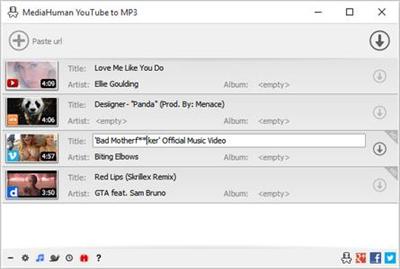
You like to listen to music on YouTube or SoundCloud and want to save it for offline playing. Or you want to download soundtrack of a new movie. Then we recommend you to try out this software developed specifically for this purpose.

Downloads all music from playlist or channel
Downloads highest available quality up to 320 kbps
Supports YouTube, Vimeo, SoundCloud, Dailymotion, VEVO, etc.
Downloads simultaneously several tracks
Includes simple tag editor with cover art support
Works on all modern platforms (macOS, Windows, Ubuntu)
Imports into iTunes

Playlists and channels
The software supports downloading all videos of a playlist or a channel. And there is also an option for subscribing to and downloading only newly uploaded tracks.

iTunes support
In the preferences of the application you can select an option to add downloaded tracks into iTunes automatically. You can also specify iTunes playlist, where the converted track should be added.

Saves your time & traffic
The app detects audio track in YouTube video clip and downloads it, skipping the video part. As a result download speed increases dramatically, especially on HD-quality content.

Simple tag editor
Application automatically detects artist name and track title of the video and saves it in the downloaded file. But at the same time, you can easily change tags to whatever you want. You can even change a cover art image.

Original format, no conversions
You can save audio tracks in original quality without any conversion. It means that there will be no loss of quality and it greatly reduces the downloading time.

Free music
There is a great amount of music on YouTube. You can always find the one you like there. And YouTube to MP3 Converter allows you to save it on your computer for free. Just find the track you like and download it in the quality you need.

Not only YouTube
Vevo.com, Vimeo, DailyMotion, Soundcloud, Bandcamp, HypeMachine, MixCloud, UOL and many other sites are also supported. So you can download music as easy as from YouTube.

Clipboard tracking
The program tracks the content of the system clipboard. It means that you can easily add a video clip without switching from your favorite browser. Just copy an URL into the clipboard and it will be added to the download queue.

Multilingual interface
Localized to: Arabic, Armenian, Azerbaijani, Bulgarian, Catalan, Chinese (Taiwan), Croatian, Czech, Danish, Dutch, English, Esperanto, French, German, Greek, Hebrew (Israel), Hungarian, Indonesian, Italian, Japanese, Korean, Latvian, Lithuanian, Malay, Norwegian Bokmål, Polish, Portuguese, Portuguese (Brazil), Romanian, Russian, Spanish, Swedish, Turkish, Vietnamese

System Requirements:
Internet connection
Windows 10, Windows 8, Windows 7, Windows Vista, Windows 2003, Windows XP
About 40 Mb of free hard drive space

Home Page -
Код:
https://www.mediahuman.com/

Download link:​
Код:
[center][b]rapidgator_net[/b]:
https://rapidgator.net/file/b94f492235a46530da22540968ef5d1e/xv6ts.MediaHuman.YouTube.to.MP3.Converter.3.9.9.21.3007.Multilingual.rar.html

[b]nitroflare_com[/b]:
http://nitroflare.com/view/52BE133C54051B2/xv6ts.MediaHuman.YouTube.to.MP3.Converter.3.9.9.21.3007.Multilingual.rar

[b]uploadgig_com[/b]:
https://uploadgig.com/file/download/fedBba8244EA31ed/xv6ts.MediaHuman.YouTube.to.MP3.Converter.3.9.9.21.3007.Multilingual.rar[/center]

Links are Interchangeable - No Password - Single Extraction​
 
MediaInfo 19.07 Multilingual macOS

495280722fa6ffc31a86c87790e6f1ef.jpg


MediaInfo 19.07 Multilingual | macOS | 8 mb​
MediaInfo provides easy access to technical and tag information about video and audio files.

The MediaInfo data display includes:
- Container: format, profile, commercial name of the format, duration, overall bit rate, writing application and library, title, author, director, album, track number, date...
- Video: format, codec id, aspect, frame rate, bit rate, color space, chroma subsampling, bit depth, scan type, scan order...
- Audio: format, codec id, sample rate, channels, bit depth, bit rate, language...
- Subtitles: format, codec id, language of subtitle...
- Chapters: count of chapters, list of chapters...

The MediaInfo analyticals includes:
- Container: MPEG-4, QuickTime, Matroska, AVI, MPEG-PS (including unprotected DVD), MPEG-TS (including unprotected Blu-ray), MXF, GXF, LXF, WMV, FLV, Real...
- Tags: Id3v1, Id3v2, Vorbis comments, APE tags...
- Video: MPEG-1/2 Video, H.263, MPEG-4 Visual (including DivX, XviD), H.264/AVC, Dirac...
- Audio: MPEG Audio (including MP3), AC3, DTS, AAC, Dolby E, AES3, FLAC, Vorbis, PCM...
- Subtitles: CEA-608, CEA-708, DTVCC, SCTE-20, SCTE-128, ATSC/53, CDP, DVB Subtitle, Teletext, SRT, SSA, ASS, SAMI...

MediaInfo features include:
- Read many video and audio file formats
- View information in different formats (text, tree)
- Export information as text
- Graphical user interface, command line interface, or library (.dylib) versions available (command line interface and library versions are available separately, free of charge, on the editor website)
- Integrate with the shell (drag 'n' drop, and Context menu)

Top In-App Purchases: Full Version - included

Compatibility: OS X 10.6 or later, 64bit
Mac App Store:
Код:
https://geo.itunes.apple.com/app/id510620098

Download link:​
Код:
[center][b]rapidgator_net[/b]:
https://rapidgator.net/file/0af86ef2d4e51f30fb293e01c2e6af2f/kfs8l.MediaInfo.19.07.rar.html

[b]nitroflare_com[/b]:
http://nitroflare.com/view/9D170DD6A8AAC9F/kfs8l.MediaInfo.19.07.rar

[b]uploadgig_com[/b]:
https://uploadgig.com/file/download/dB10ab5eC8cF91dd/kfs8l.MediaInfo.19.07.rar[/center]

Links are Interchangeable - No Password - Single Extraction​
 
Memory Clean 3 v1.0.10 macOS

4dd21566de34553eb1c9e857d99ed07a.jpg


Memory Clean 3 v1.0.10 | macOS | 10 mb​
Memory Clean 3 is app for optimizing your Mac's memory. The app replicates the feeling of a fresh system restart and helps to keep your Mac running smoothly.

How It Works
The app works by purging your Mac's inactive memory and is best used when you close a memory hogging app that you won't be using again soon. By freeing up unneeded memory, you can make available more memory for other apps to take advantage of.

Discover Memory Hogs
Memory Clean 3 lets you know which apps are using up the most memory on your Mac and can automatically recover memory when you close them.

Inactive App Notifications
You can enable Memory Clean 3 to notify you of opened apps that have not been used for a period of time. You can close these inactive apps to reduce memory usage.

Compatibility: OS X 10.8 or later 64-bit
Homepage:
Код:
https://fiplab.com

Download link:​
Код:
[center][b]rapidgator_net[/b]:
https://rapidgator.net/file/dfd4115259903c364149fb8d85974f8e/3xh97.Memory.Clean.3.v1.0.10.rar.html

[b]nitroflare_com[/b]:
http://nitroflare.com/view/73733462EC247B9/3xh97.Memory.Clean.3.v1.0.10.rar

[b]uploadgig_com[/b]:
https://uploadgig.com/file/download/0fC91bCd4C5849cc/3xh97.Memory.Clean.3.v1.0.10.rar[/center]

Links are Interchangeable - No Password - Single Extraction​
 
MobaXterm 12.1 Build 4156 All Editions

7a5c1f128b9d40f39061cc523d4b8244.jpg


MobaXterm 12.1 Build 4156 All Editions | 27.1 Mb​
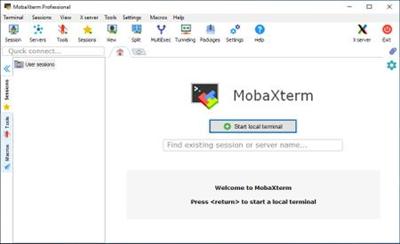
MobaXterm is your ultimate toolbox for remote computing. In a single Windows application, it provides loads of functions that are tailored for programmers, webmasters, IT administrators and pretty much all users who need to handle their remote jobs in a more simple fashion.

Key features

Embedded X server
Fully configured Xserver based on X.org

Easy DISPLAY exportation
DISPLAY is exported from remote Unix to local Windows

X11-Forwarding capability
Your remote display uses SSH for secure transport

Tabbed terminal with SSH
Based on PuTTY/MinTTY with antialiased fonts and macro support

Many Unix/Linux commands on Windows
Includes basic Cygwin commands (bash, grep, awk, sed, rsync,...)

Add-ons and plugins
You can extend MobaXterm capabilities with plugins

Versatile session manager
All your network tools in one app: Rdp, Vnc, Ssh, Mosh, X11, ...

Portable and light application
MobaXterm has been packaged as a single executable which does not require admin rights and which you can start from an USB stick

Professional application
MobaXterm Professional has been designed for security and stability for very challenging people

Operating System: Windows XP, Vista, 7, 8/8.1, 10

Home Page -
Код:
https://mobaxterm.mobatek.net/

Download link:​
Код:
[center][b]rapidgator_net[/b]:
https://rapidgator.net/file/b4b44eb3a2b0da4aa3247839890265d4/k0g20.MobaXterm.12.1.Build.4156.rar.html

[b]nitroflare_com[/b]:
http://nitroflare.com/view/EC12DD68864CCC8/k0g20.MobaXterm.12.1.Build.4156.rar

[b]uploadgig_com[/b]:
https://uploadgig.com/file/download/c775195816938fC0/k0g20.MobaXterm.12.1.Build.4156.rar[/center]

Links are Interchangeable - No Password - Single Extraction​
 
NewTek LightWave 3D 2019.1.1 Build 3130 (x64)

0b34a3f9a04a7b13db17702ecce43957.jpg


NewTek LightWave 3D 2019.1.1 Build 3130 (x64) | 477.2 Mb​
NewTek LightWave 3D® makes it possible for anyone to become a 3D artist and animator. The software is affordable, complete, easy to learn and use and well established as one of the leading 3D systems on the market for producing beautiful photo-real renders as well as incredible anime. This complete out-of-the-box 3D animation solution now offers real-time collaborative 3D interactivity through a bridge to Unreal Engine.

LightWave 2019 New Features:

Real-time Collaborative LightWave™ to Unreal Engine
LightWave 3D® enters the Real-Time Age for interchange with this workflow link between the Unreal Engine and LightWave 3D®, focusing on LightWave driving Unreal changes iteratively. Multiple LightWave seats are able to connect to the same Unreal Editor simultaneously to enable real-time collaboration between artists. The bridge uses NewTek's proven NDI® network discovery mechanism for easy automatic configuration, and can be limited to single project use in Unreal, or installed as a general plugin for use in all Unreal projects.

FBX and New Interchange Bridge
Work with industry standard FBX data on a whole new level via the new Interchange Bridge.
Interactively choose what to import / export and how.
Add to existing FBX files from Layout and Modeler.
Build LightWave 3D® assets from many FBX files.
Easily revisit FBX files via workspaces.

Shading Model Customization Tools
The ability to pull materials apart and build them to your tastes is new to LightWave 3D® 2019. There is access to Fresnel Functions, Material Components and Material Integrators. The Material Tools Group has been updated with new nodes to support this capability.

OpenVDB Content Creation
LightWave 3D® 2018 introduced the ability to import and render an OpenVDB fog volume. New for LightWave 3D® 2019 is a set of node tools that allow OpenVDB content creation. You can now create OpenVDB grids from meshes, particles, and even the shape primitive distance estimator. The tool kit allows for live Constructive Solid Geometry (CSG) operations, grid filtering including level set tracking, smoothing, dilation and erosion. Solvers are included that allow for fluid simulation and smoke and fire effects.

Metamorphic
Metamorphic is a multipurpose animatable mesh sculpting and vertex map manipulation plug-in for LightWave 3D® 2019 that works in Layout, and takes full advantage of the new capabilities of the modifier stack.
Freeform animated sculpting
Built-in undo/redo system
Fully-multithreaded sculpting using all available CPU cores
Pen pressure support for brush size, strength and hardness (Windows only)
Nodal brush texture support
Three modes of animation
Non-linear interpolation of sculpt animation keyframes
Supports converting sculpt animation keyframes to Endomorphs
Predictive corrective morph sculpting that works after deformers with built-in driver/driven controller
Full Motion Blur support

Display Scaling
Support for scaling many UI elements for HiDPI and large-screen displays
Independent scaling options for multi-monitor setups

Bone System Improved for Game Development
The new Bone Type option, Limited Bones, allows the animator to set a limit in Layout on the number of bones that affect a given point to match the limit in the target game engine, and engages real-time optimizations to more closely match the performance game engines expect from a rig.

Edge Shader Node
A node for simulating beveled or rounded edges at render time, to give more realistic results without increasing geometry.

System Requirements:
Hardware
Intel® Core™ 2 or AMD Athlon™ II Processor (or better)
64-bit System RAM: 4GB minimum
Available USB Port (for users with existing hardware dongles)

Operating System
64-bit: Windows 7 through Windows 10 64-bit Edition

Home Page -
Код:
https://www.newtek.com/

Download link:​
Код:
[center][b]rapidgator_net[/b]:
https://rapidgator.net/file/2aee43af65713f63e2bd5e5277a9c817/4t9al.NewTek.LightWave.3D.2019.1.1.Build.3130.x64.rar.html

[b]nitroflare_com[/b]:
http://nitroflare.com/view/291DE77DF8B99FA/4t9al.NewTek.LightWave.3D.2019.1.1.Build.3130.x64.rar

[b]uploadgig_com[/b]:
https://uploadgig.com/file/download/76041e71bc29dF2A/4t9al.NewTek.LightWave.3D.2019.1.1.Build.3130.x64.rar[/center]

Links are Interchangeable - No Password - Single Extraction​
 
Pichon (Icons8) 7.5.1.0 Portable

07b67ec63aa0ac273f3705b897411919.jpg


Pichon (Icons8) 7.5.1.0 Portable | 76 Mb​
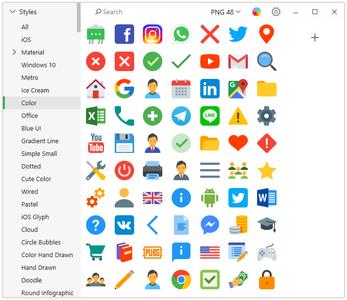
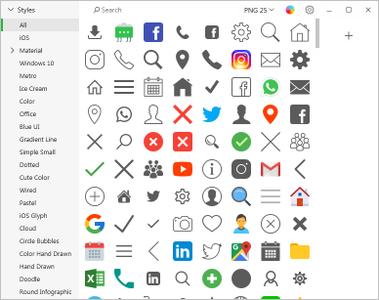
Pichon - All our Icons Offline on Your Computer that works with Photoshop, Adobe XD, Visual Studio, or anything. The app stores all the Icons8 icons on your hard drive and these are available in any format, size, or color. ? No doubt, we have social media icons like Facebook, Twitter, Youtube, and all kinds of arrows. Surely, we have basic ones like phone, home, and settings. However, if you are up for something more unorthodox, simply request it. No charge. Guaranteed. ? We tweet, message, and conduct structured interviews to determine which features the community needs, not to mention that the community invented many of them We have been creating 3-20 new line and filled icons every working day since 2012.

ingle Style
All icons are done by a single designer, so your user interface will look consistent.

Editable Vectors
Vector icons are not merged and have preserved shapes. Check it out

Fonts Generator
Goodbye monster fonts of 500 icons. Pick only the icons you need and build your own, small font. How-to

Icon Recoloring
Pick a color and we will generate recolored versions of your PNG or SVG.

Mac&Win Apps
Allows you to search icons quickly, and works well with Photoshop. Download

HTML Embedding
Get a code to paste an icon right into your HTML. Choose one of the 5 ways to insert an icon.

Pick your color, size, and format. Drag it to Photoshop. You're done.
- All icons have ~20 tags for effective search.
- Browse around 50 categories, with 50-200 icons each.
- Recolor PNG and SVG icons on the fly.
- Drag icon to Illustrator, Photoshop, Visual Studio, or anything else.

Operating System:
Microsoft Windows 10, 8/8.1, 7

Home Page -
Код:
https://icons8.com/app

Download link:​
Код:
[center][b]rapidgator_net[/b]:
https://rapidgator.net/file/e8749d8800fd75d913d4a2412ace4a55/lwmwl.Pichon.Icons8.7.5.1.0.Portable.rar.html

[b]nitroflare_com[/b]:
http://nitroflare.com/view/02F22980A60B65E/lwmwl.Pichon.Icons8.7.5.1.0.Portable.rar

[b]uploadgig_com[/b]:
https://uploadgig.com/file/download/5f388bd6C9946391/lwmwl.Pichon.Icons8.7.5.1.0.Portable.rar[/center]

Links are Interchangeable - No Password - Single Extraction​
 
Pichon (Icons8) 7.5.1

4230c0ff443fb3dfaa3369f6fd0638c6.jpg


Pichon (Icons8) 7.5.1 | 70 Mb​
Pichon - all our Icons Offline on Your Computer that works with Photoshop, Adobe XD, Visual Studio, or anything. The app stores all the Icons8 icons on your hard drive and these are available in any format, size, or color.  No doubt, we have social media icons like Facebook, Twitter, Youtube, and all kinds of arrows. Surely, we have basic ones like phone, home, and settings. However, if you are up for something more unorthodox, simply request it. No charge. Guaranteed.  We tweet, message, and conduct structured interviews to determine which features the community needs, not to mention that the community invented many of them We have been creating 3-20 new line and filled icons every working day since 2012.

Single Style
All icons are done by a single designer, so your user interface will look consistent.

Editable Vectors
Vector icons are not merged and have preserved shapes. Check it out

Fonts Generator
Goodbye monster fonts of 500 icons. Pick only the icons you need and build your own, small font. How-to

Icon Recoloring
Pick a color and we will generate recolored versions of your PNG or SVG.

Mac&Win Apps
Allows you to search icons quickly, and works well with Photoshop. Download

HTML Embedding
Get a code to paste an icon right into your HTML. Choose one of the 5 ways to insert an icon.

Pick your color, size, and format. Drag it to Photoshop. You're done.
- All icons have ~20 tags for effective search.
- Browse around 50 categories, with 50-200 icons each.
- Recolor PNG and SVG icons on the fly.
- Drag icon to Illustrator, Photoshop, Visual Studio, or anything else.

Operating System: Windows 7, 8/8.1, 10

Home Page -
Код:
https://icons8.com/app

Download link:​
Код:
[center][b]rapidgator_net[/b]:
https://rapidgator.net/file/c31c97e59ccf3adc15017bfd303797de/cp4ds.Pichon.Icons8.7.5.1.rar.html

[b]nitroflare_com[/b]:
http://nitroflare.com/view/9ABEB0D742473F7/cp4ds.Pichon.Icons8.7.5.1.rar

[b]uploadgig_com[/b]:
https://uploadgig.com/file/download/b7619E8de75F2179/cp4ds.Pichon.Icons8.7.5.1.rar[/center]

Links are Interchangeable - No Password - Single Extraction​
 
ReplaceMagic.Ultimate 4.7.1

631d3d08c674cf761d95be582f62b937.jpg


ReplaceMagic.Ultimate 4.7.1 | 82.1 Mb​
ReplaceMagic.Ultimate is used by IT staff to fix broken links in your Word, Excel, Powerpoint, Visio, Project, OneNote, PDF, Windows Shortcuts and Text documents when server gets renamed, to change header/footer when for example contact details are changed, by translators and other people who need to do massive search/replace in documents that ReplaceMagic supports (Word, Excel, PowerPoint, Visio, Project, OneNote, PDF, LNK, Text (txt, csv, html and custom extension)).

Professional edition allows you to make scans and search&replace anywhere on your network where you have access from computer where ReplaceMagic is installed.

To use ReplaceMagic, create list of search/replace pairs and specify where in the document it should be found. Then you tell it which folders to process and it is it - it can not be more simple! Use it for...

Performing server consolidations where document links need updating
Server renaming or replacement where document links need updating

Features:
Search and replace inside the headers and footers of multiple sections
Search and replace inside hyperlinks and hyperlink addresses
Search and replace UNC link paths
Search Only mode - very handy for detecting where replaces would occur
Search and replace international character sets
Handles any number of sub folders
Handles documents with password for open or modify
Easy to install/uninstall
The original file date and time stamp will be preserved.
... and much more

Supported extensions:
Microsoft Word-Document (*.doc,*.dot,*.docx,*.dotx,*.docm,*.dotm)
Microsoft Excel-Document (*.xls,*.xlt,*.xlw,*.xla,*.xlsx,*.xlsm,*.xlsb,*.xltx,*.xltm)
Microsoft PowerPoint-Presentation (*.ppt,*.pps,*.pot,*.pptx,*.pptm,*.potx,*.potm,*.ppsx,*.ppsm)
Microsoft Project-Document (*.mpp,*.mpt)
Microsoft Visio Drawing (*.vdx,*.vsdx,*.vssx,*.vstx)
Microsoft OneNote (*.one)
Adobe PDF (*.pdf)
Text documents (*.txt, *.csv, *.html but also your custom extensions)
Windows Shortcuts (*.lnk)

Supported Office versions: 2000-2013 and most of the features in 2016/Office 365

Operating System: Windows 7, 8/8.1, 10

Home Page -
Код:
https://www.replacemagic.com/ReplaceMagicUltimate.aspx

Download link:​
Код:
[center][b]rapidgator_net[/b]:
https://rapidgator.net/file/6c7e8e11f6de62db95ca5e6a6111b5d3/d30mx.ReplaceMagic.Ultimate.4.7.1.rar.html

[b]nitroflare_com[/b]:
http://nitroflare.com/view/A6FFB78A3830F4F/d30mx.ReplaceMagic.Ultimate.4.7.1.rar

[b]uploadgig_com[/b]:
https://uploadgig.com/file/download/7dabd1A068AbA507/d30mx.ReplaceMagic.Ultimate.4.7.1.rar[/center]

Links are Interchangeable - No Password - Single Extraction​
 
Replay Media Catcher 7.0.2.6

002f620fc941188b64f01392fe1f8ecd.jpg


Replay Media Catcher 7.0.2.6 | 42.9 Mb​
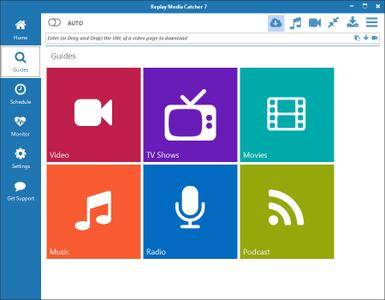
The Ultimate Internet Video Downloader and Converter Tool. Replay Media Catcher is the most powerful, convenient online video downloader in the world. And it supports audio/MP3 download or recording too.

Here's why Replay Media Catcher is the world's most popular tool to capture online video:

Easy to Use.
Just play an online video, movie, or song, and a copy is downloaded to your PC. That's it! The built in Media Guide contains thousands of options to help you find the content you want.

Convert More Formats.
Our web video downloader supports more web site media protocols and converts to over 130 device and file formats.

Powerful Audio Recorder.
For music lovers, you can record and convert audio from ANY web site or source, at high quality.

Smart Video/MP3 Naming.
Automatically names video files, and identifies and tags recorded MP3 music files. Amazing!

Super Fast.
Advanced downloading technology captures videos and MP3 files at up to 10x playback speed.

Phone and Tablet Support.
Integrates with iTunes, DropBox, Google Drive or SkyDrive for automatically copying files to your Apple or Android phone or tablet.

Download Internet Video and MP3s
Replay Media Catcher is the only video downloader software you'll need to capture almost any internet video or audio. Most files can be downloaded at 10x speed, and for music sites that use encrypted formats, you can legally record them with the built-in audio recorder or our powerful DVR feature.

Explore Huge Media Guides
Replay Media Catcher also contains Media Guides to help you find and save online video, movies, TV shows and music. We've made it easy to find and grab the content you want in one simple step. You're going to love the new Media Guide.

Scheduled Downloads, Power Converter
Replay Media Catcher also has a scheduler and a powerful built-in converter. Discover the video downloader the pros use to capture video, audio and MP3s.

Operating System: Windows 10, 8, 7, Vista.

Home Page -
Код:
http://www.applian.com/

Download link:​
Код:
[center][b]rapidgator_net[/b]:
https://rapidgator.net/file/a88c31c1dbdf4f8a05f71faacfb41b67/u79bb.Replay.Media.Catcher.7.0.2.6.rar.html

[b]nitroflare_com[/b]:
http://nitroflare.com/view/93A3136BF0DAB30/u79bb.Replay.Media.Catcher.7.0.2.6.rar

[b]uploadgig_com[/b]:
https://uploadgig.com/file/download/b21e69cDc6BbD7db/u79bb.Replay.Media.Catcher.7.0.2.6.rar[/center]

Links are Interchangeable - No Password - Single Extraction​
 
Report Fabricator 2.0.0

61e15298bf20a0c1414e5bc2728d5fc8.jpg


Report Fabricator 2.0.0 | 48.1 Mb​
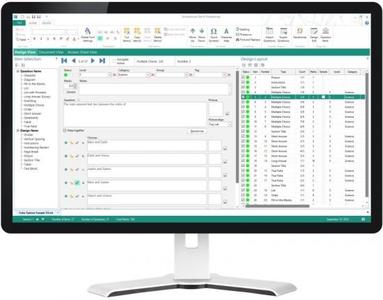
Report Fabricator is a powerful Windows desktop application. We utilize a modern Microsoft Office inspired GUI interface with ribbons, designed to simplify the way in which the users generate business reports and guarantee the best user experience. Report designer leverages the intuitive nature of a desktop GUI and integrates the power of a banded report designer. New Report Wizard helps you build new reports in a few minutes instead of hours. Additionally, you can export reports in a Excel, HTML, MHT or PDF documents, and easily share with using Sharing Wizard.

Report Fabricator can load data from major data providers
In modern reporting software it is required to support major data providers. These data providers are available in the Data Source wizard:
Microsoft SQL Server
MySQL
Oracle
IBM DB2
Google BigQuery
PostgreSQL
Amazon Redshift
Microsoft Access
SAP Sybase Advantage
SAP SQL Anywhere
SAP Sybase ASE
Firebird
MS SQL Server CE
Pervasive PSQL
SQLite
Teradata
VistaDB

As well as read data from files:
Microsoft Excel
Comma-Separated text files
XML File

Operating System: Windows 7, 8/8.1, 10

Home Page -
Код:
http://lizard-labs.com/

Download link:​
Код:
[center][b]rapidgator_net[/b]:
https://rapidgator.net/file/9d3b7e586fe66a87c5a52ec09aa74c39/zlhp2.Report.Fabricator.2.0.0.rar.html

[b]nitroflare_com[/b]:
http://nitroflare.com/view/371EAB825373183/zlhp2.Report.Fabricator.2.0.0.rar

[b]uploadgig_com[/b]:
https://uploadgig.com/file/download/200efe79E2325ecE/zlhp2.Report.Fabricator.2.0.0.rar[/center]

Links are Interchangeable - No Password - Single Extraction​
 
Schoolhouse Test Professional Edition 5.1.2.0

d1e021f5efd36b094d4772679f05b04b.jpg


Schoolhouse Test Professional Edition 5.1.2.0 | 42 Mb​
Creating and printing a paper-and-pencil test, quiz, or exam, has never been easier. Schoolhouse Test makes a time-consuming chore a whole lot easier and the result considerably more professional. Some of our customers have even hinted that creating tests with Schoolhouse Test can actually be an enjoyable process. If you're looking for a professional test generator that makes quick work out of creating paper-and-pencil tests, quizzes, and exams then Schoolhouse Test is the program for you.

And now version 5 takes test creation to the next level. Schoolhouse Test 5 brings high resolution display, multi-part questions, expanded references, an enhanced print manager, grouping, a solution view, and a whole lot more.

Quiz maker
You need a quick quiz for your science class. Schoolhouse Test can get the job done in minutes. Not only will you have a quiz ready for your next class but you'll have a quiz that can be easily randomized and given again in a week's time as a follow-up quiz. Or, using the built-in Question Bank (Pro editions), you can easily combine the questions from this quiz with questions from other quizzes for an end-of-unit test or an end-of-term exam.

Test maker
It's the end of your geography unit and you need to evaluate your students' learning with a nice test that includes some multiple-choice questions, a few short answer questions, maybe a matching question, and finally an essay question. Schoolhouse Test comes to the rescue again. You can design your test from scratch which is not as bad as it sounds if you're using Schoolhouse Test. In fact you'll be surprised at just how easy it is. Or, if you have been using quizzes to periodically check that your learning objectives are being met, you can simply use the Question Bank (Pro editions) to select and combine questions from the existing quizzes to make your test. Likewise, if you need an end-of-term or end-of-year exam, you can use the questions in your existing tests and quizzes to design your exam.

Exam maker
Now it's exam time and you need an exam to administer. Well, once again, Schoolhouse Test reduces even that monumental undertaking to a manageable task. Even if you're writing your exam questions for the first time it will go a lot faster than you expect it to. Even tricky-to-write question types like matching, order, and tables are surprisingly easy to produce. And if you have quizzes and tests that you have been using throughout the year to assess learning, you can use the Question Bank (Pro editions) to construct your exam from your existing questions.

Home Page -
Код:
https://www.schoolhousetech.com

Download link:​
Код:
[center][b]rapidgator_net[/b]:
https://rapidgator.net/file/98f819b61ef9786ee7182b3bb58a236b/gf9ad.Schoolhouse.Test.Professional.Edition.5.1.2.0.rar.html

[b]nitroflare_com[/b]:
http://nitroflare.com/view/7DFC267EB8D1259/gf9ad.Schoolhouse.Test.Professional.Edition.5.1.2.0.rar

[b]uploadgig_com[/b]:
https://uploadgig.com/file/download/3e8603Ad316191c6/gf9ad.Schoolhouse.Test.Professional.Edition.5.1.2.0.rar[/center]

Links are Interchangeable - No Password - Single Extraction​
 
Singomakers Fatmaker v1.1.0 WiN OSX RETAiL

9e7b513a638ee4ec3d1fe296d0b7cb8e.jpg


Singomakers Fatmaker v1.1.0 WiN OSX RETAiL | 11 Mb​
Singomakers are very proud to present their brand new plugin Fatmaker. Fatmaker is not just a regular equalizer, it's a multiband saturator mixed with different processing chains for each band and a powerful equalizer created for the best mixing and mastering results!

It works perfectly on Synths, Drums, Basses and Vocals!

Fatmaker has already been championed by professional Sound Engineers and A-list Producers from all over the world. We are sure you will enjoy it too!

Features
Custom-made Hi-End filters with different saturation types for each band:
- LF
- LMF
H-MF,
- HF
- LP & HP filters

Singomakers.Fatmaker.v1.1.0.WiN.OSX.RETAiL-SYNTHiC4TE

Home Page -
Код:
https://www.pluginboutique.com/product/2-Effects/16-EQ/3919-Fatmaker

Download link:​
Код:
[center][b]rapidgator_net[/b]:
https://rapidgator.net/file/d0a76637bfe5c042fd616047a3a34a6c/kzknf.Singomakers.Fatmaker.v1.1.0.WiN.OSX.RETAiL.rar.html

[b]nitroflare_com[/b]:
http://nitroflare.com/view/869AB0AE02FC7D0/kzknf.Singomakers.Fatmaker.v1.1.0.WiN.OSX.RETAiL.rar

[b]uploadgig_com[/b]:
https://uploadgig.com/file/download/e207C83aBb2264fC/kzknf.Singomakers.Fatmaker.v1.1.0.WiN.OSX.RETAiL.rar[/center]

Links are Interchangeable - No Password - Single Extraction​
 
Назад
Сверху