• Старая версия форума работает в архивном режиме www.old.nado.in

All mitsumi'1s Applications !! (updated daily)

  • Автор темы Автор темы mitsumi1
  • Дата начала Дата начала
O&O DiskImage Professional / Server 18.3.276


5151bf87421a9f9dcea6c90ad2d67777.jpeg


O&O DiskImage Professional / Server 18.3.276
File size: 203 MB​

O&O DiskImage lets you back up an entire computer or single files whenever you want - even while the computer is being used. In the event you should lose your personal data it can be quickly restored with just a few mouse clicks - even when Windows is no longer able to start. It also supports SSD drives and the latest UEFI System.

O&O DiskImage lets you carry out a system restore and to duplicate or clone an entire PC or hard drive. You can even restore this backup onto a computer whose hardware is different from the original machine, for instance, where you have changed a motherboard on the target machine or have bought a brand new PC and want to restore an old backup onto it.
A regular backup is still something that many users prefer to avoid. At least that is until they suffer their first loss of important files as a result of software, hardware or user error: that's when it becomes crystal clear just how valuable a reliable and up-to-date backup really is!
New in O&O DiskImage 18: Comprehensive VHD / VHDX functionality
With the new version 18 it's possible to convert image files made with O&O DiskImage into Microsoft Virtual Hard Disc (VHDX as well as VHD) image files. This can be especially useful if someone wants to first "rehearse" migrating from Windows 10 to Windows 11 because it can be done using a virtual machine created on the current system.
The new O&O DiskImage 18 can also create incremental and differential images of virtual drives. Combining or mounting these images is also possible. Whenever there's a backup available, it only takes a few seconds to access any files that are needed. Work on the computer can then be continued without any loss of time or important data.
O&O DiskImage 18 with its own recovery partition
Normally with a backup or imaging program you need to create a boot medium (USB) to boot up your system if something goes awry. This you have to either carry around or store somewhere safe in case disaster strikes.
Thanks to the integration into the system, the O&O DiskImage RecoveryPartition can be accessed immediately so that the last system image can be restored directly. If the Windows operating system does not start or if faulty drivers have to be uninstalled - with the integrated recovery environment, all O&O tools are available to make the system operational again as easily as possible. Not only is this much more comfortable and quicker for the user, it also provides them with an extra level of security as this medium cannot get lost or damaged as easily as a "portable", external one.
O&O DiskImage To Go
Previously, in addition to regularly backing up your machine, you also had to separately create an O&O DiskImage boot media to restore that backup. Everything is easier now! The new O&O DiskImage To Go function automatically turns an external hard drive (or USB flash drive with enough storage space) into an O&O DiskImage boot medium and marks this disk as the preferred storage medium for future system backups. As soon as you then connect this external USB hard disk to your computer, O&O DiskImage 18 automatically creates a backup. This makes it easy to create a recent backup. And if something really happens to your computer or you want to transfer your system and all your data to a new computer, then with the O&O DiskImage boot medium you can restore the backup stored on it with just one touch of a button. Without the hassle of searching for the boot medium and the external hard drive with the backup.
It has never been so easy to ensure the security of your data!
Код:
https://www.oo-software.com/en/diskimage-backup-your-data

Homepage:
Код:
https://www.oo-software.com

Download link

rapidgator.net:
Код:
https://rapidgator.net/file/ad5e0eff90a33c53afdf48687829f0e7/viqjx.OO.DiskImage.Professional..Server.18.3.276.rar.html

uploadgig.com:
Код:
https://uploadgig.com/file/download/000f53B2b5548EdA/viqjx.OO.DiskImage.Professional..Server.18.3.276.rar

nitroflare.com:
Код:
https://nitroflare.com/view/E3C7809505E59F8/viqjx.OO.DiskImage.Professional..Server.18.3.276.rar

ddownload.com:
Код:
https://ddownload.com/pbm1wphe31ir/viqjx.OO.DiskImage.Professional..Server.18.3.276.rar
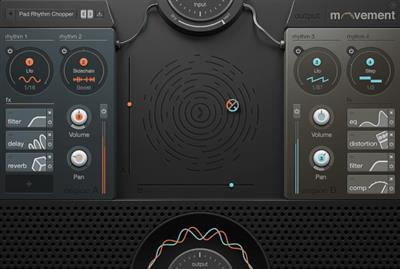
 
Output Movement 1.2.1


c2132415739d639654d4a6146ce09f79.jpeg


Output Movement 1.2.1
File size: 51 MB​

Movement is an exciting FX plugin that adds powerful RHYTHMS to any input in real-time. Built equally for the studio or stage, use the engine to breathe life into any track or live performance.

MOVEMENT is an extremely powerful and innovative tool crafted to be simple, intuitive and easy to use. Dial in a rhythm from one of 300+ presets or build from scratch using Flux, Sidechain, LFO or Step Sequencer rhythm modulation, then use the XY pad to tweak up to 152 parameters in real time. Perform live with it, automate it in your DAW or just find the perfect blend of the original input and the rhythms.

"MOVEMENT is not only powerful but also incredibly musical," says Output Founder Gregg Lehrman. "Whether you're slowly bringing in and out subtle motion or adding insane movement, you'll find that each and every rhythm combination is first and foremost musical."

300+ Presets for instant playability
Input any sound, instrument or track
Modulate any parameter with any rhythm
Sidechain, LFO, Step Sequencer rhythm modulation
Output's proprietary Flux and Randomizer
Advanced sidechain modulation - modulate any parameter
Analog filters, EQ, delay, distortion, compression and reverb effects
XY pad for performance
Built for live performance and for the studio

PLATFORM: VST/VST3/AAX

Whats New
Updates: official site does not provide any info about changes in this version.

rapidgator.net:
Код:
https://rapidgator.net/file/8556f13f166baaba619881c181ffe2d1/cfzci.Output.Movement.1.2.1.rar.html

uploadgig.com:
Код:
https://uploadgig.com/file/download/e54f9f6fbe63bd11/cfzci.Output.Movement.1.2.1.rar

nitroflare.com:
Код:
https://nitroflare.com/view/674C37624F3E90A/cfzci.Output.Movement.1.2.1.rar

ddownload.com:
Код:
https://ddownload.com/3qy94vwwdd2y/cfzci.Output.Movement.1.2.1.rar
 
Output Portal v1.2.1


9381a08e7d09ad1fc1a713fd78ab346f.jpeg


Output Portal v1.2.1
Team R2R | 2023.03.13 | 39.7 MB​

Built to be Musical
With PORTAL, granular synthesis takes your sounds to another dimension. Easily alter any audio input-VSTs, drums, vocals, live guitar, you name it-in a new and musical way.

Changelog
Updates: official site does not provide any info about changes in this version.

rapidgator.net:
Код:
https://rapidgator.net/file/799b0dbf878a833d815899d2be5078b2/szdid.Output.Portal.v1.2.1.rar.html

uploadgig.com:
Код:
https://uploadgig.com/file/download/2a605e95BA518f7D/szdid.Output.Portal.v1.2.1.rar

nitroflare.com:
Код:
https://nitroflare.com/view/D989EB99DF20F00/szdid.Output.Portal.v1.2.1.rar

ddownload.com:
Код:
https://ddownload.com/jrj9g33o42bu/szdid.Output.Portal.v1.2.1.rar
 
Output Thermal v1.2.1


be5f586e1d577068ff8d53823eba44b1.jpeg


Output Thermal v1.2.1
Team R2R | 2023.03.13 | 37.4 MB​

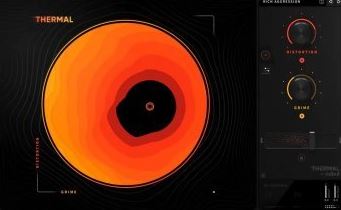
Interactive Distortion Plugin
THERMAL makes it easy to experiment and dial in new distortion sounds. A user-friendly experience is key to controlling the deeply powerful, multi-stage engine.

Changelog
Updates: official site does not provide any info about changes in this version.

Homepage:
Код:
https://output.com/products/thermal

Download link

rapidgator.net:
Код:
https://rapidgator.net/file/54304c7b365b6d158c470fb06a302d3f/muena.Output.Thermal.v1.2.1.rar.html

uploadgig.com:
Код:
https://uploadgig.com/file/download/d80085c50c259295/muena.Output.Thermal.v1.2.1.rar

nitroflare.com:
Код:
https://nitroflare.com/view/25CA6AB2CFFE89F/muena.Output.Thermal.v1.2.1.rar

ddownload.com:
Код:
https://ddownload.com/1id5h3181k2b/muena.Output.Thermal.v1.2.1.rar
 
Pepakura Designer 5.0.13 (x64) Multilingual


9519f29842071f0c4abcd7213c17d5f7.jpeg


Pepakura Designer 5.0.13 (x64) Multilingual
File size: 21 MB​

Pepakura Designer is a program developed in Japan (the word Pepakura stands for papercraft in Japanese) for making unfolded 2D patterns from the 3D models. Because the operation is very simple, you can make patterns easily. Then you can edit the pattern as you like. Pepakura Designer makes it easy to design original papercraft patterns by importing 3D model data. No special knowledge is required for making papercraft patterns. All you have to do is prepare the 3D model. You may use some 3DCG software released from other developers to make the 3D models for unfolding.

Not only can a pattern created by Pepakura Designer be printed and saved as 2D image, but you can also share it with other people. The dedicated viewer, Pepakura Viewer, is available from Pepakura Designer's official web site freely. Now you can enjoy designing your own papercraft. The 3D models that you design with 3D CG software, can be put out into the real world from the digital world using Pepakura Designer.
Supported 3D file formats
* Wavefront (obj)
* AutoCAD 3D (dxf)
* Metasequoia (mqo)
* 3DS Max (3ds)
* Lightwave (lwo)
* Binary STL (stl)
* Google Earth4 (kml, kmz)
Код:
http://www.tamasoft.co.jp/pepakura-en/download/history.html

Homepage:
Код:
http://www.tamasoft.co.jp/

Download link

rapidgator.net:
Код:
https://rapidgator.net/file/be4778dfd40dae605cf21122c0f015e2/uessr.Pepakura.Designer.5.0.13.x64.Multilingual.rar.html

uploadgig.com:
Код:
https://uploadgig.com/file/download/b623fE5fC9fd0a16/uessr.Pepakura.Designer.5.0.13.x64.Multilingual.rar

nitroflare.com:
Код:
https://nitroflare.com/view/17E369A258292E8/uessr.Pepakura.Designer.5.0.13.x64.Multilingual.rar

ddownload.com:
Код:
https://ddownload.com/ove4ahsc90z5/uessr.Pepakura.Designer.5.0.13.x64.Multilingual.rar
 
Perfectly Clear Video 4.3.0.2428


8c1980450049b879e9adbcb7d6ed042b.jpeg


Perfectly Clear Video 4.3.0.2428
Windows x64 | File size: 62.69 MB​

Say goodbye to camera limitations and bad lighting. Open the possibilities of using AI enhanced video in your business. This automatic video enhancement technology is revolutionizing the industry by using artificial intelligence to increase the quality of your video frame by frame.

Simple, real-time automatic video enhancement
If you're going to enhance video with AI, it needs to be done right. We took care of the complicated part so your business can benefit from a simple, easy solution.
Perfectly Clear Video will automatically
• Bring your video to life with light and color correction
• Remove tint
• Powerfully recover highlights
• Create better contour, depth, and color tone on faces
• Vividly enhance skies and foliage
• Provide an exceptional exposure correction on any backlit videos
Implement AI video enhancement anywhere
No matter what industry you're in, businesses have one thing in common when it comes to video: it can be a challenge. The quality of video has always been reliant on lighting, until now.
Perfectly Clear Video is an automatic AI video enhancement solution that can be implemented wherever you need it. This groundbreaking technology can be used in real time or on pre recorded videos. Whether you're looking to put video quality enhancement in your app or directly into a phone, you can with this AI video enhancer. We created Perfectly Clear Video so you can use video anywhere, any way.
What makes our AI video enhancement unique?
The AI video enhancer system uses deep learning video enhancement to reproduce the corrections that professional manual editors made. The AI technology imitates light to locally light up specific areas of the shot and adds other corrections such as color vibrancy and tint correction. These corrections are then applied to the video, resulting in an AI-enhanced video that mimics professional work.
Bye tedious editing, hello automatic!
This technology was built for your business to license to your customers. Consumers no longer have to worry about how to color grade or adjust- they just use the slider bar or an automatic button. Our AI video enhancer is simple- we make video look its best, automatically.
What's new
• official site does not provide any info about changes in this version

Homepage:
Код:
https://eyeq.photos/

Download link

rapidgator.net:
Код:
https://rapidgator.net/file/0a37ab64b5100702198172b6a40f5295/urlxs.Perfectly.Clear.Video.4.3.0.2428.rar.html

uploadgig.com:
Код:
https://uploadgig.com/file/download/ef73da32466705c1/urlxs.Perfectly.Clear.Video.4.3.0.2428.rar

nitroflare.com:
Код:
https://nitroflare.com/view/D6890D8B3C8CE24/urlxs.Perfectly.Clear.Video.4.3.0.2428.rar

ddownload.com:
Код:
https://ddownload.com/1s2h0bpgnq4t/urlxs.Perfectly.Clear.Video.4.3.0.2428.rar
 
Perfectly Clear Video 4.3.0.2431 macOS


39794bc770073f917b62f179483956d2.jpeg


Perfectly Clear Video 4.3.0.2431 macOS
Language: Multilingual | File size: 80 MB

Power Your Video with Perfectly Clear's AI Automatic Video Enhancement.​

Say goodbye to camera limitations and bad lighting.
Open the possibilities of using AI enhanced video in your business. This automatic AI video enhancement technology is revolutionizing the industry by using artificial intelligence to increase the quality of your video frame by frame.
Simple, real-time automatic video enhancement
If you're going to enhance video with AI, it needs to be done right. We took care of the complicated part so your business can benefit from a simple, easy solution.
Perfectly Clear Video will automatically
• Bring your video to life with light and color correction
• Remove tint
• Powerfully recover highlights
• Create better contour, depth, and color tone on faces
• Vividly enhance skies and foliage
• Provide an exceptional exposure correction on any backlit videos
Release Notes
Updates: official site does not provide any info about changes in this version

Supported Operation Systems
macOS 10.10 or later

Homepage:
Код:
https://eyeq.photos/automatic-ai-video-enhancement/

Download link

rapidgator.net:
Код:
https://rapidgator.net/file/c7f3229af4134454a8c4585a61e76f08/nywux.Perfectly.Clear.Video.4.3.0.2431.macOS.dmg.html

uploadgig.com:
Код:
https://uploadgig.com/file/download/d7712d042deAa902/nywux.Perfectly.Clear.Video.4.3.0.2431.macOS.dmg

nitroflare.com:
Код:
https://nitroflare.com/view/401EBD95BB0FB75/nywux.Perfectly.Clear.Video.4.3.0.2431.macOS.dmg

ddownload.com:
Код:
https://ddownload.com/rtz6wict67jz/nywux.Perfectly.Clear.Video.4.3.0.2431.macOS.dmg
 
Perfectly Clear WorkBench 4.3.0.2432 macOS


b1c6371eb4ae31f5ac33966711e102ff.jpeg


Perfectly Clear WorkBench 4.3.0.2432 macOS
Language: Multilingual | File size: 95 MB​

Perfectly Clear Workbench is an application that uses Athentech's Perfectly Clear image correction libraries and is made available to demonstrate the capabilities of the Perfectly Clear processing libraries, face detection library and to allow a quick export of the processing settings for use.

Supported Image Formats
Perfectly Clear requires RGB-formatted images in either 8 or 16-bit color depth. Any image file that Photoshop or Lightroom can open and convert to this format may be used in Perfectly Clear. Monochrome and CMYK images must be converted to RGB before using Perfectly Clear. RAW files must be opened through Adobe Camera RAW and loaded into Photoshop to be accessible to Perfectly Clear.
What's New in Perfectly Clear WorkBench 4
1. Beautiful new interface
2. New image correction tools
a. Preprocessing section for Input Looks and "Image Ambulance" for manual exposure corrections
b. "Face Aware" exposure for more accurate auto-exposure corrections in portraits and group photos
c. Black Point tool to deepen blacks
d. New Color Vibrancy tool to complement our previous "Vibrancy" control (now renamed to Color Restoration)
e. Sky and Foliage enhancements
3. Existing tools have been improved
a. Added strength sliders to Light Diffusion and Vibrancy for better control
b. Better 'color pickers' for Skin Tone and Blush adjustments
4. Manually identify faces that are not detected automatically
5. One-click to zoom to individual faces
6. Modify facial regions to provide the best corrections
7. Histogram
8. Much improved preset management
Код:
https://eyeq.photos/news
Supported Operation Systems
macOS 10.10 or later

Homepage:
Код:
https://eyeq.photos/

Download link

rapidgator.net:
Код:
https://rapidgator.net/file/5893cb14991b95d94d48bf8c82577f48/dbqso.Perfectly.Clear.WorkBench.4.3.0.2432.macOS.dmg.html

uploadgig.com:
Код:
https://uploadgig.com/file/download/B8c8FED94cab0ad4/dbqso.Perfectly.Clear.WorkBench.4.3.0.2432.macOS.dmg

nitroflare.com:
Код:
https://nitroflare.com/view/814F9CB8DF9505A/dbqso.Perfectly.Clear.WorkBench.4.3.0.2432.macOS.dmg

ddownload.com:
Код:
https://ddownload.com/2qfui2dwfi78/dbqso.Perfectly.Clear.WorkBench.4.3.0.2432.macOS.dmg
 
Postico 2.0 (9584) macOS


df78fad6a394760c6033451d999a570b.jpeg


Postico 2.0 (9584) macOS
File size: 15 MB​

Postico provides an easy to use interface, making Postgres more accessible for newcomers and specialists alike. Postico will look familiar to anyone who has used a Mac before. Just connect to a database and begin working with tables and views. Start with the basics and learn about advanced features of PostgreSQL as you go along.

Postico is an intuitive app for looking at data. Filter rows, sort them, rearrange columns. You can examine long text or images conveniently in the sidebar. Even related rows from referenced tables are shown. Edit rows directly, or use the sidebar, a great choice for long text. You can even change multiple rows at once. Batch saving (with SQL preview) lets you commit changes to multiple rows in a single transaction. Postico sports a query view inspired by Sequel Pro, the popular MySQL client. But with sophisticated features like multiple query results, Postico goes even beyond its role model.
New: Multi-File Query Editor
The new SQL query editor makes working with a lot of queries easier than ever
Create multiple SQL files and organize them into folders
Open the same file in multiple tabs or windows
Postico autosaves changes so you never lose your work
Drag any SQL file into the sidebar to add it to Postico
Edit SQL files with other text editors like VS Code, Atom, Sublime, Textmate, .
Auto-format SQL queries with Ctrl-F: pgFormatter is now built in!
New: Function Editor
You can now edit functions and stored procedures.
Release Notes
Release notes were unavailable when this listing was updated

Supported Operation Systems
macOS 10.10 or later

Homepage:
Код:
https://eggerapps.at

Download link

rapidgator.net:
Код:
https://rapidgator.net/file/b2305fcdfe160ec1f145f581dee73de2/dzhpm.Postico.2.0.9584.macOS.dmg.html

uploadgig.com:
Код:
https://uploadgig.com/file/download/B79A3a5EEb1e9da0/dzhpm.Postico.2.0.9584.macOS.dmg

nitroflare.com:
Код:
https://nitroflare.com/view/DA5B1DD4C1851F3/dzhpm.Postico.2.0.9584.macOS.dmg

ddownload.com:
Код:
https://ddownload.com/nrka64dhi5s2/dzhpm.Postico.2.0.9584.macOS.dmg
 
PureBasic 6.01 LTS Multilingual (win/macOS/Linux)


71dbab8300bc22e7f7440c8de740cf45.jpeg


PureBasic 6.01 LTS Multilingual (win/macOS/Linux)
File size: 389.8 MB​

PureBasic is a modern, cross-platform environment for developing and debugging programs and games in BASIC, which allows you to create applications for Windows, Linux, MacOS X and AmigaOS platforms for Intel / AMD x86 and x64 processors, as well as for ARM 32 and ARM 64. The environment includes a cross-platform library containing more than 1800 functions. Their description can be found in the help (press F1 while PureBasic is running) or in the online help. Among them are functions for working with the console, windows, 2D and 3D graphics (OGRE engine), networking and much more.

32 bit images with alpha channel are supported. The functions of the "Thread" library make it easy to create parallel threads from ordinary procedures and functions, which is especially true for multiprocessor systems. There are facilities for thread synchronization. When using threads in a program, you need to enable the "Multithreading support" option in the compiler settings.
List of functions library sections
- 2DDrawing is a library for drawing simple geometric shapes such as line, circle, rectangle, etc. with support for alpha channel (32-bit graphics), gradient, etc. Based on GDI.
- AudioCD - Play music from CDs and DVDs.
- CGI is a library of Common Gateway Interface server technology functions that allows relatively simple tools to create sites using the PureBasic language.
- Cipher is an encryption library. Supported methods are AES (128, 192 and 256 bits), Base64, secure random number generation (CryptRandom), DES, CRC32, MD5, SHA1, SHA2, SHA3, etc.
- Clipboard - access to the clipboard.
- Console - creation of console applications.
- Database - access to Oracle, MySQL, Access, SQLite, PostgreSQL databases, etc.
- Date - date and time.
- Dialog is a simple yet powerful dialog box library built from an XML structure.
- DragDrop - drag and drop objects within a window and between windows.
- Engine3D is an interface to the OGRE 3D engine that allows you to create applications with 3D graphics and 3D games. There are others associated with this library, such as: Billboard, Camera, Entity, EntityAnimation, Joint, Light, Material, Node, NodeAnimation, etc.
- File - access to files - create, read, write, etc.
- FileSystem - copying files and folders, listing all files and folders in a given folder, reading and modifying the date and attributes of files and folders, etc.
- Ftp - access to FTP servers.
-http - access to HTTP and HTTPS servers.
- Image, creating, and modifying (using the 2DDrawing and VectorDrawing libraries) images.
- Joystick - functions for working with a joystick (usually needed for games).
- Json - creating and parsing a JSON structure
- Keyboard - polling the keyboard (usually needed for games).
- Library - access to DLL functions
- List - doubly linked list. Linked list
- Mail - sending letters to e-mail via SMTP protocol with support for TLS/SSL encryption.
- Map is an associative array.
- Math is a mathematical library containing various functions such as calculating the square root, sine, cosine, tangent, logarithm, modulo, etc.
- Memory - various functions for interacting with memory, including dynamic creation of instances of structures.
- Mouse - interaction with the mouse (usually needed for games).
- Movie - play audio and video. Supported formats depend on the installed codecs in the system.
- Music - play tracker music.
- Network - access to the local network and the Internet. Server and client creation, TCP and UDP, IPv4 and IPv6 protocols are supported. It is possible to set the local IP and port of the access point, which is useful if there are several (for example, a wired connection and WiFi) and you need to know exactly which network traffic will go through.
- OnError - catching errors in the compiled application with information about the location of the error (file and line of code) and the type of error with the ability to disassemble the desired section of code.
- Packer - create, view and unpack archives LZMA (known as 7z), ZIP, TAR, BriefLZ, etc.
- Printer - access to a printer with the ability to print arbitrary text / image.
- Process - start, end and exchange between processes.
- RegularExpression - regular expressions.
- Runtime - access to constants, variables and procedures by their name.
- Scintilla is a full-featured access to a powerful text editor with syntax highlighting, auto-completion, and more.
- SerialPort - access to the computer's COM port with support for virtual ports.
- Sort - functions for sorting/sorting arrays and doubly linked lists of simple and complex (structured) types.
- Sound - music playback.
- Sound3D - music playback in 3D space.
- Thread is a library that supports multi-threaded code execution, which is relevant for multi-core processors and multi-processor systems.
- VectorDrawing is an advanced scalable drawing library. Based on GDI+.
- Window and Gadget are libraries for creating and working with windows and their contents.
- XML - creating and parsing an XML structure.
Код:
https://www.purebasic.com/news.php

Homepage:
Код:
https://www.purebasic.com/

Download link

rapidgator.net:
Код:
https://rapidgator.net/file/24d495258a4b6a601e8836bdf01cc07e/efqro.PureBasic.6.01.LTS.Multilingual.winmacOSLinux.zip.html

uploadgig.com:
Код:
https://uploadgig.com/file/download/c309a4996c36Ea97/efqro.PureBasic.6.01.LTS.Multilingual.winmacOSLinux.zip

nitroflare.com:
Код:
https://nitroflare.com/view/5A797DE0F689BD6/efqro.PureBasic.6.01.LTS.Multilingual.winmacOSLinux.zip

ddownload.com:
Код:
https://ddownload.com/n5bcyzls32mk/efqro.PureBasic.6.01.LTS.Multilingual.winmacOSLinux.zip
 
TechSmith Snagit 2023.1.0 macOS


dcd09f1e26a04ad8b26878bafa1397a5.jpeg


TechSmith Snagit 2023.1.0 macOS
File size: 219 MB

Snagit lets you create an image of what you see on your computer monitor.​

Features
Flexible options that let you capture only what you want.
Annotation varieties like arrows, speech bubbles, and more make it easy to customize your capture.
Versatility in what you do with your capture. Send it to your favorite app, share it online, or save it for later.
Release Notes
Updates: official site does not provide any info about changes in this version

Supported Operation Systems
macOS 11.0 or later

Homepage:
Код:
https://www.techsmith.com/

Download link

rapidgator.net:
Код:
https://rapidgator.net/file/14faebfc8a595dcaaaae1598b7cebf3a/vwufm.TechSmith.Snagit.2023.1.0.macOS.dmg.html

uploadgig.com:
Код:
https://uploadgig.com/file/download/44645a3d80e3c622/vwufm.TechSmith.Snagit.2023.1.0.macOS.dmg

nitroflare.com:
Код:
https://nitroflare.com/view/C2664699CB6BFA9/vwufm.TechSmith.Snagit.2023.1.0.macOS.dmg

ddownload.com:
Код:
https://ddownload.com/4rw9u3wmtz8x/vwufm.TechSmith.Snagit.2023.1.0.macOS.dmg
 
VideoDuke 2.11.1 macOS


d3410700b85c297e154a33214d70675d.jpeg


VideoDuke 2.11.1 macOS
File size: 60 MB​

Download movies on Mac with VideoDuke! It supports all popular video websites and will save your videos in various file formats. You can also download streaming videos on Mac at a pleasantly fast speed and with great quality.

You can download any video you like in a click! Simply paste the link to the video and VideoDuke will do the rest.
In Simple mode you are getting quick access to music videos, movies, TV shows, cartoons available from Vimeo, YouTube, and Dailymotion. Files can be saved as 3GP, MP4, M4V, FLV and in a preferred resolution: 360p, HD 720p, HD 1080p or other.
Download Full YouTube Playlists and Channels
With VideoDuke you'll be able to save complete channels and playlists off YouTube. Just as with separate videos, you can select quality for each video: 1440p, 1080p, 720p, 480p, 360p, 240p, or 180p.
MP3 Downloader
VideoDuke will also download YouTube videos as audio files. No conversion needed - you will simply get a soundtrack instead of the original YouTube clip. The app keeps the audio track title and album art and can save files as WebM, MP3 or other available formats.
Using VideoDuke is easy and intuitive - just type your search words in the app to find the videos you'll download from the web. You can also search for videos in the web browser - VideoDuke supports all popular video websites, such as YouTube, Dailymotion, Vimeo with quick access buttons.
In an advanced mode of VideoDuke you get more profound options when downloading content. For example, you can see all resources fetched from the web page, including video, audio, Flash animation, images, etc. Switch to a needed tab to see exactly the types of files you need to download.
Release Notes
Updates: official site does not provide any info about changes in this version

Supported Operation Systems
macOS 10.10 or later

Homepage:
Код:
https://mac.eltima.com/

Download link

rapidgator.net:
Код:
https://rapidgator.net/file/c1f805f2791d343423baa9ceea5f5953/prfak.VideoDuke.2.11.1.macOS.dmg.html

uploadgig.com:
Код:
https://uploadgig.com/file/download/16f22C929e1d0F74/prfak.VideoDuke.2.11.1.macOS.dmg

nitroflare.com:
Код:
https://nitroflare.com/view/AE3D3E583A59D34/prfak.VideoDuke.2.11.1.macOS.dmg

ddownload.com:
Код:
https://ddownload.com/48c1wnoppycl/prfak.VideoDuke.2.11.1.macOS.dmg
 
Perfectly Clear WorkBench 4.3.0.2429 Multilingual


e456efe59df2bfeffa1f684417b296e3.jpeg


Perfectly Clear WorkBench 4.3.0.2429 Multilingual
Windows x64 | Addons | File size: 115.11 MB​

Perfectly Clear Workbench is an application that uses Athentech's Perfectly Clear image correction libraries and is made available to demonstrate the capabilities of the Perfectly Clear processing libraries, face detection library and to allow a quick export of the processing settings for use.

One of the key features in Workbench is the ability to "export to API" when saving a Preset. This allows you to make image corrections in Workbench and tune the settings to match your style and correction needs. Then, you can quickly export these settings to a text file - ready to be copy / pasted into your source code with our image correction SDK.
What's New in Perfectly Clear WorkBench 4
1. Beautiful new interface
2. New image correction tools
a. Preprocessing section for Input Looks and "Image Ambulance" for manual exposure corrections
b. "Face Aware" exposure for more accurate auto-exposure corrections in portraits and group photos
c. Black Point tool to deepen blacks
d. New Color Vibrancy tool to complement our previous "Vibrancy" control (now renamed to Color Restoration)
e. Sky and Foliage enhancements
3. Existing tools have been improved
a. Added strength sliders to Light Diffusion and Vibrancy for better control
b. Better 'color pickers' for Skin Tone and Blush adjustments
4. Manually identify faces that are not detected automatically
5. One-click to zoom to individual faces
6. Modify facial regions to provide the best corrections
7. Histogram
8. Much improved preset management
Supported Image Formats
Perfectly Clear requires RGB-formatted images in either 8 or 16-bit color depth. Any image file that Photoshop or Lightroom can open and convert to this format may be used in Perfectly Clear. Monochrome and CMYK images must be converted to RGB before using Perfectly Clear. RAW files must be opened through Adobe Camera RAW and loaded into Photoshop to be accessible to Perfectly Clear.
Код:
https://eyeq.photos/news
System Requirements
- Windows 8, 10 and 11 (64-bit only)
- 4 GB RAM or more

Homepage:
Код:
http://www.athentech.com

Download link

rapidgator.net:
Код:
https://rapidgator.net/file/7239f35747edcc3378a2f2651b736eb2/xkbsk.Perfectly.Clear.WorkBench.4.3.0.2429.Multilingual.rar.html

uploadgig.com:
Код:
https://uploadgig.com/file/download/02d887667BAB23e4/xkbsk.Perfectly.Clear.WorkBench.4.3.0.2429.Multilingual.rar

nitroflare.com:
Код:
https://nitroflare.com/view/88242A8B7A939AB/xkbsk.Perfectly.Clear.WorkBench.4.3.0.2429.Multilingual.rar

ddownload.com:
Код:
https://ddownload.com/nhi83slvq7ah/xkbsk.Perfectly.Clear.WorkBench.4.3.0.2429.Multilingual.rar
 
QuickMemoryTestOK 4.31


d3107690a8fb640f374b2f23b5de9150.jpeg


QuickMemoryTestOK 4.31
File Size : 0.5 Mb​

A small but effective program to quickly check the RAM for errors before the warranty expires!
Today you buy PCs with 16, 32, 64, 128, ... Giga-Bit RAM, but these are usually never used or addressed on most computers. For this reason, you should undergo a test, as long as the warranty does not expire. To make sure that there is no defective area in the main memory that you should use in the future. Or just test your Windows on the high memory behavior to provoke other system errors or so ....

QuickMemoryTestOK Key Features
◆ Memory Quick Test
◆ Pause test to monitor the PC with high RAM load
◆ Customizable test runs
◆ Clear display of memory status
◆ Keep the CPU's behavior in mind
◆ Access to essential memory and system functions

Other options and specifications

◆ Zoom: Visually-impaired and eye-friendly
◆ Very small program
◆ Low CPU usage
◆ Optional translation capability
◆ Portable
◆ Multilanguage
Код:
http://www.softwareok.com/?seite=Microsoft/QuickMemoryTestOK/History

Homepage:
Код:
http://www.softwareok.com

Download link

rapidgator.net:
Код:
https://rapidgator.net/file/24f9faf1eae91469235317c42e1a9923/qawmx.QuickMemoryTestOK.4.31.rar.html

uploadgig.com:
Код:
https://uploadgig.com/file/download/69c808b175f44da4/qawmx.QuickMemoryTestOK.4.31.rar

nitroflare.com:
Код:
https://nitroflare.com/view/DE4BA89071849BF/qawmx.QuickMemoryTestOK.4.31.rar

ddownload.com:
Код:
https://ddownload.com/5rbbdpe7t6g9/qawmx.QuickMemoryTestOK.4.31.rar
 
Reveal Sound Spire 2023.3


5e06d5840d304b7cf6636237f93848d9.jpeg


Reveal Sound Spire 2023.3
File size: 176 MB​

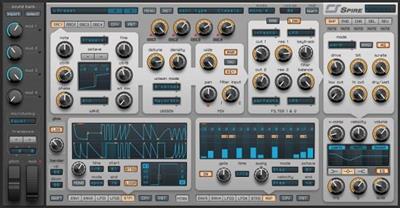
Spire is a software polyphonic synthesizer that combines powerful sound engine modulation and flexible architecture, a graphical interface provides unparalleled usability. Spire is the embodiment of the best opportunities, both software and hardware synthesizers.

ANALOG / DIGITAL Superiority
Spire - the combination of best opportunities of software and hardware synthesizers
VERSATILE OSCILLATORS
4x multimode polymorphing oscillators Classic, Noise, FM, AMSync, SawPWM
UNIQUE UNISON ENGINE
9x unison voices on each oscillator Spread unison voices by chords and octavesCapable of imitate different types of unisons like supersaw, hypersaw
SUPERB SOUNDING FILTERS
2x multimode filters with analogue and digital types of filtering Perfecto, Infecto, Acido, Scorpio, Combo
HIGH QUALITY BUILT IN FX PROCESSOR
Shaper/Decimator, Phaser/Vowel, Chorus/Flanger, Delay, Reverb
INCREDIBLY FLEXIBLE MODULATION ARCHITECTURE
4x Macroses, 4x Envelopes, 4x LFOs with morphing shapes, 15x Matrix slots each of equipped with 2x sources and 4x targets
2x STEPPERS, ARPEGGIATOR
Surprisingly user friendly and fun to use!
MAKE YOUR SOUNDS FATTER
with X*-Comp (Multiband Compressor) and 3-band EQ
STUNNING PRESETS
Over 700 factory presets including complex arpeggios and bass sequences, a versatile assortment of leads, exhilarating pads, plucks, drums and FXs
LOOKS GREAT ON RETINA DEVICES
UI Scaling 100%, 150%, 200% for greater comfort.
included
Spire AAX v1.5.11.5227
Spire VST v1.5.11.5227
Spire VST3 v1.5.12.5267
more 58800 additional presets in the new format .spf2
NKS integration for NI Maschine & Komplete Kontrol
** - The first start with the initialization of the database of more than 58000 presets lasts about 10 minutes.
Код:
https://reveal-sound.com/content/changelog.php?spire

Homepage:
Код:
https://www.reveal-sound.com/

Download link

rapidgator.net:
Код:
https://rapidgator.net/file/6f5e705a69bb277cf6d062eab413de60/zgizt.Reveal.Sound.Spire.2023.3.rar.html

uploadgig.com:
Код:
https://uploadgig.com/file/download/bfD7607cD3286557/zgizt.Reveal.Sound.Spire.2023.3.rar

nitroflare.com:
Код:
https://nitroflare.com/view/B7D9BBBDFE24B3F/zgizt.Reveal.Sound.Spire.2023.3.rar

ddownload.com:
Код:
https://ddownload.com/jqrgj3778joo/zgizt.Reveal.Sound.Spire.2023.3.rar
 
Samsung Smart Switch 4.3.23022.1


ec3a95437e044e211ad5ae34d5523b55.jpeg


Samsung Smart Switch 4.3.23022.1
File size: 42 MB​

Samsung Smart Switch is a powerful application that can help you migrate to a Samsung smartphone from other mobile devices, through an easy and complication free process.

It is doable for users who have an old phone produced by Apple, LG, Nokia and Blackberry and want to move data to one of the following Samsung Models: Galaxy S II, SIII, Note or Note II.
The migration is performed using a step-by-step wizard that guides you through the whole process, therefore the application is aimed at a wide audience regardless of the level of know-how.
First off, you should perform a backup of the data located on your old phone (manufacturers usually provide such a utility for each of their models) then connect the new device and launch the application.
From here on out, things are simple: everything that remains to be done is select the model of your old phone and the folder that contains the backup, then to select the content to be migrated.
Items such as contacts, messages, photos, music, wallpapers, calendar, memos, videos, call logs and bookmarks can be transferred in a one click operation.
The procedure might take a while, depending on the amount of information that is being sent to the new Samsung device. The completion of the operation is displayed accordingly.
Keep in mind that there might be some compatibility issues in what the migrated applications are concerned. Some of them might now work on the new device and if this is the case, you can always use the mobile version of the program in order to find alternatives that match your old apps.
All in all, Samsung Smart Switch seems like a reliable alternative that simplifies the migration from an older phone to a Samsung device, making it all about a few clicks.
Whats New
Updates: official site does not provide any info about changes in this version.

Homepage:
Код:
https://www.samsung.com/us/smart-switch/

Download link

rapidgator.net:
Код:
https://rapidgator.net/file/c33e3f89e0b295ba164853d21b5c274e/vneow.Samsung.Smart.Switch.4.3.23022.1.rar.html

uploadgig.com:
Код:
https://uploadgig.com/file/download/bbeff24F84ab32A5/vneow.Samsung.Smart.Switch.4.3.23022.1.rar

nitroflare.com:
Код:
https://nitroflare.com/view/4667A141AA4FE6A/vneow.Samsung.Smart.Switch.4.3.23022.1.rar

ddownload.com:
Код:
https://ddownload.com/n4lvdn87x2ns/vneow.Samsung.Smart.Switch.4.3.23022.1.rar
 
SQL Backup Master 6.1.591


c540fb2fbecc24e1f70299951a45b505.jpeg


SQL Backup Master 6.1.591
All Editions | File size: 20 MB​

SQL Backup Master backs up your SQL Server databases to any number of popular cloud storage services such as Dropbox, OneDrive, Amazon S3, Microsoft Azure, Box, and Google Drive. It can also back up databases to an FTP server - or a folder on your local machine, network server, or storage device.

Backing up your SQL Server databases to the cloud shouldn't be complicated or expensive. SQL Backup Master comes to the rescue by providing an easy way to upload your database backups to one or more affordable (or free) cloud storage services. It also offers rich compression, encryption, scheduling, recovery, and notification services - so that you can stop worrying and get back to business.
Features
Supports full, differential, and transaction log backups
Simple yet powerful backup job scheduling
Built-in email notifications for backup job successes, failures, and warnings
Back up to local folders, network folders, or attached storage devices
Back up to FTP servers with first-class FTP, SFTP, & FTPS support
Back up to Dropbox, Google Drive, Box, Amazon S3, OneDrive, & Azure
Compress and encrypt valuable database backups
Runs automatically in the background as a system service
Powerful, intuitive backup logging and log viewer
Provides easy-to-use database backup recovery support
Automatically purge backups older than a specified time frame
Execute custom SQL and batch scripts before and after backups
Код:
https://www.sqlbackupmaster.com/support/releasenotes

Homepage:
Код:
https://www.sqlbackupmaster.com

Download link

rapidgator.net:
Код:
https://rapidgator.net/file/8e21ef2b6927a88ac8ea5b726d786c17/dxyau.SQL.Backup.Master.6.1.591.rar.html

uploadgig.com:
Код:
https://uploadgig.com/file/download/4b33409dE5efa67d/dxyau.SQL.Backup.Master.6.1.591.rar

nitroflare.com:
Код:
https://nitroflare.com/view/E64AD26A732D9B4/dxyau.SQL.Backup.Master.6.1.591.rar

ddownload.com:
Код:
https://ddownload.com/8qqw7x4vw39f/dxyau.SQL.Backup.Master.6.1.591.rar
 
Subtitle Workshop Classic 6.1.9


638c7a0e331708944b252064ad3f24f7.jpeg


Subtitle Workshop Classic 6.1.9
File Size : 25.3 Mb​

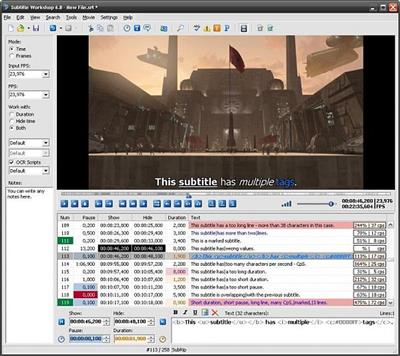
When watching movies on a computer, subtitles can either save or ruin the fun, depending on their accuracy and the synchronization with the video. To make sure they get to read the lines the second they are uttered by the characters, users can edit the subtitles themselves using Subtitle Workshop.

Subtitle Workshop is an advanced subtitle editor that integrates many other tools meant to lend users a hand in this regard. It includes a powerful spell checker and a well-organized interface that makes everything a lot easier.
At first glance, Subtitle Workshop seems to be a bit more advanced version of a text editor, but it hides many very interesting features under its hood.

For example, the nice and clean interface allows users to edit subtitles directly from the main window by double-clicking the line they wish to change. Plus, it provides a video preview window that gives a glimpse into the way the movie looks like with the modified subtitle.

Subtitle Workshop has a spell checking feature, but it only works for users who have Microsoft Word installed on their PC. The program also includes a translation option which comes in handy for those who are not native speakers of English.

More than that, Subtitle Workshop has all the functions needed to make subtitle editing a breeze. It supports configurable shortcuts, multi-language support, drag and drop, visual effects for subtitles and the option to mark text lines for later review.

Another good thing is that the application is being delivered with a comprehensive help manual that provides basically all the info one needs to handle subtitles, so beginners should definitely have a look in there as well.

As a conclusion, those looking for a smart app for subtitle editing jobs definitely need to take Subtitle Workshop into consideration.

FEATURES
• Supports converting between, creating, opening, editing, and saving over 60 (currently) subtitle formats via the Subtitle API library, as well as saving subtitles in a custom user-defined file format.
• User-friendly, multi-language, customizable interface (including customizable shortcuts and translation mode).
• Vast array of customizable tools and functions for automatic timing and text manipulations, including automatic durations, smart line adjusting, spell checking, FPS conversion, search and replace, and many more.
• Comprehensive customizable system for automatically or manually detecting, marking, and fixing various timing and text subtitle errors.
• Supports style tags (bold, italic, underline) and color tags in the subtitle text -- including full tags support for multiple tags in a single subtitle.
• Supports displaying and manipulating the timing pauses (the time gap between two subtitles) and offers a CpS (Characters per Second) system.
• Multi-level Undo-Redo system.
• Integrated video player with customizable subtitles preview and full screen mode that would play any video or audio format the system has codecs installed for.
• Offers various information about the subtitle file, including custom information based on user-defined rules about the timing or the text.
• Supports the usage of external Pascal scripts, as well as find-and-replace text scripts (called OCR Scripts).

rapidgator.net:
Код:
https://rapidgator.net/file/950eff7d72831aa7b3a92d72ad50a1f3/rxeqv.Subtitle.Workshop.Classic.6.1.9.rar.html

uploadgig.com:
Код:
https://uploadgig.com/file/download/84a871489bd542f5/rxeqv.Subtitle.Workshop.Classic.6.1.9.rar

nitroflare.com:
Код:
https://nitroflare.com/view/986FD689ECA6E65/rxeqv.Subtitle.Workshop.Classic.6.1.9.rar

ddownload.com:
Код:
https://ddownload.com/rxengpmg68r4/rxeqv.Subtitle.Workshop.Classic.6.1.9.rar
 
ThunderSoft Slideshow Factory 6.2.0 Multilingual


265b3695f2c6a5406fc74c59964ae196.jpeg


ThunderSoft Slideshow Factory 6.2.0 Multilingual
File size: 34.05 MB​

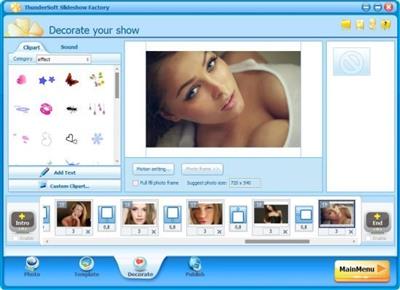
ThunderSoft Slideshow Factory is an incredibly easy-to-use software package that lets you make slideshow from your pictures and videos! You can add transition effects, apply captions, play music, use clip art, and more! With over 70 different animated templates, it's easy to create slideshows and publish as SWF movie, Executable, Screen Saver. Even create a video slideshow and upload to youtube.

What can I do with it?
• Photo slideshow with transition effects.
• Youtube video slideshow.
• HTML5 video slideshow for your website.
• Photo slideshow screensaver.
• Thumbnail photo gallery.
• Flash banner for your website.
Key features
• Add over 70 transition effects.
• Get started quickly with over 70 different animated templates (Include 2 templates packs).
• Construct albums with over 500 images and complete them with a thumbnail index page.
• Support .wav, .mp3, .wma format audio as a background music.
• Publish your slideshow as Flash / HTML, EXE, Screensaver, or Video files.
• Publish slideshow as HTML5 video, suppors all major browsers, and can be viewed in iPad, iPhone.
• Support all major video files, including flv,mp4,mpg,avi,wmv,mkv,mov and so on.
• Support HD video format.
• Share your photo album or slideshow online.
• Publish .swf file for Google Adwords.
What's new
• official site does not provide any info about changes in this version

Homepage:
Код:
http://www.thundershare.net/

Download link

rapidgator.net:
Код:
https://rapidgator.net/file/de2d54ba378054389eb0e9cf60e2329f/yjnxb.ThunderSoft.Slideshow.Factory.6.2.0.Multilingual.rar.html

uploadgig.com:
Код:
https://uploadgig.com/file/download/603baFDd8c9Cb89b/yjnxb.ThunderSoft.Slideshow.Factory.6.2.0.Multilingual.rar

nitroflare.com:
Код:
https://nitroflare.com/view/29FE91C583D3F24/yjnxb.ThunderSoft.Slideshow.Factory.6.2.0.Multilingual.rar

ddownload.com:
Код:
https://ddownload.com/opq371t3c5s0/yjnxb.ThunderSoft.Slideshow.Factory.6.2.0.Multilingual.rar
 
Trados Studio 2022 Professional 17.0.6.14902


c3b7af56f9a42fce23d707e7a8db2797.jpeg


Trados Studio 2022 Professional 17.0.6.14902
Languages: English
File Size: 403.47 MB​

Trusted by over 270,000 translation professionals worldwide, Trados Studio Professional provides the complete desktop and cloud translation environment for LSPs who want the flexibility to edit, review, and manage translation projects. Scaling as your business grows, Studio's quality and security features support you and your team to deliver the highest quality translations in the fastest time - and at the most competitive cost for your clients.

Increase productivity with translation memory technology
Easily reuse previously translated and approved content across all of your projects with intelligent translation memory (TM) technology. The more words, phrases, and sentences that are added to your TM, the faster your team can translate subsequent translations with the ever-growing database automatically providing any matches. With our TM at the heart of your translation process, you can increase your team's productivity by as much as 80%, plus improve consistency across all your content.
Achieve consistency with terminology management
Create consistent and high quality translations for your customers by managing terminology on your desktop or in the cloud. With easy access to approved terminology, save time and reduce re-work - ensuring that correct terms are always used.
Used in conjunction with Studio or as a standalone application, MultiTerm is the translation industry's leading terminology solution - included for free with your Studio license. Trados Terminology is our easy-to-use terminology management in the cloud that comes with Trados Studio or via subscription. Share termbases, and import and export to and from Excel. Contact us to discuss your cloud terminology options.
Translate faster with high-quality neural machine translation
Accessible through your Trados products, Language Weaver is the perfect, secure solution for translation agencies looking to use the latest in secure neural machine translation (NMT) to automatically translate content.
Language Weaver uses the latest advances in the field of artificial intelligence to provide the most powerful, comprehensive, and adaptable neural machine translation platform on the market. Support your customers to reach a global audience faster by offering easy, cost-effective and secure neural machine translation as part of your service.
Flexibility to work wherever you are
Trados Studio's desktop app and cloud capabilities integrate seamlessly to provide you and your team with flexible options for the translation, review, and management of projects via desktop, browser or any smart device. With Studio, you have complete control over how your LSPs valuable translation assets are stored and accessed.
Effective project management for any LSP
Create and deliver translation projects quickly and easily in multiple languages with the project management capabilities found in Trados Studio. Move up a gear with our project management solutions that work seamlessly with Studio. Benefit from secure shared access to centralized translation files and assets, comprehensive reporting and concurrent online editing, to streamline processes and reduce administrative burden.
Release Notes
Код:
https://www.trados.com/products/trados-studio/whats-new-studio-2022.html

System Requirements
- Trados Studio 2022 supports Windows 10 and Windows 11. We recommend Windows 11.
- As a minimum requirement, we recommend an Intel or compatible CPU-based computer with 4 GB RAM and a screen resolution of 1024x768.
* For optimum performance, we recommend a 64-bit operating system, 16 GB RAM, an SSD drive and a recent Intel or compatible CPU. Full support for 4K hi-resolution screens is planned and will be implemented incrementally in future releases. Trados Studio 2022 uses .Net Framework 4.8.

Homepage:
Код:
https://www.trados.com

Download link

rapidgator.net:
Код:
https://rapidgator.net/file/a926e4e4da202d42b5d72ab9dc929dfb/nhzlz.Trados.Studio.2022.Professional.17.0.6.14902.rar.html

uploadgig.com:
Код:
https://uploadgig.com/file/download/7d9041fde5b95110/nhzlz.Trados.Studio.2022.Professional.17.0.6.14902.rar

nitroflare.com:
Код:
https://nitroflare.com/view/2A9A22E009C4546/nhzlz.Trados.Studio.2022.Professional.17.0.6.14902.rar

ddownload.com:
Код:
https://ddownload.com/zenzhm6mfbxz/nhzlz.Trados.Studio.2022.Professional.17.0.6.14902.rar
 
Назад
Сверху