• Форум работает в архивном режиме www.old.nado.in

All mitsumi'1s Applications !! (updated daily)

  • Автор темы Автор темы mitsumi1
  • Дата начала Дата начала
Carbon Copy Cloner 6.0.2 macOS

3bcff8d9c3dba6b73bb6f55d36bee767.jpeg

File size: 20.54 MB​
CCC 6 offers unprecedented accountability for your backup tasks, plus a brand new file copier that's faster, smarter, and designed to adapt to Apple's fast pace of OS and filesystem innovation. Combined with a sleeker, modern interface, we think you're going to love this new version of CCC.

Faster backups with our next-generation file copier
We've completely rebuilt our file copier to take advantage of the performance characteristics of modern storage. Built on a multi-threaded design, our new file copier provides a foundation for many of the new features noted below, and paves the way for many new features in the future.

CCC Dashboard: The new menubar application
CCC's menubar application has gotten a complete makeover. The new "Dashboard" offers one-click access to starting, stopping and monitoring your CCC tasks, plus details about recent task activity.

The Dashboard also gives you a heads up to snapshot disk usage on the startup disk. Have you ever deleted files from the startup disk, emptied the Trash, then wondered why the space wasn't freed? Many people have been blindsided by the creation of snapshots on the startup disk - by CCC, Time Machine, and even macOS. CCC's Dashboard tracks the disk usage consumed by snapshots. If a sudden change occurs, or if disk usage is exceeding expectations, CCC raises the change to your attention so you can address the root of the matter.

Snapshot Navigator: Easy way to explore older versions of files
Looking to restore a specific version of a file? CCC's Snapshot Navigator allows you to step through older versions of your backups and get a preview of your files as they were at specific points in time.

Redesigned Interface with Dark Mode
CCC v6 includes a new, cleaner user interface. We reorganized the main window to make it smaller while making many of the controls and font sizes larger. We completely redesigned every window in CCC; revisited every button, every icon, and every color decision to offer a high quality Dark Mode experience. CCC now offers more detailed progress indication while a task is running, including a time remaining estimate. File processing and transfer rates are now charted live during backup tasks. Hover your mouse over the chart to view the current write rate (white) and files evaluated per second (green).

Quick Update: Leveraging FSEvents for super quick updates to the destination
Did you know that macOS keeps track of changes to folders? CCC 6's Quick Update taps into this service (called "FSEvents") and the result is lightning quick updates to your backups - no exhaustive scanning for changes required. When Quick Update is enabled for a task, CCC will ask the FSEvents service for a list of folders modified on the source since the last backup rather than scanning every folder for changes. The performance benefit of this feature cannot be understated, we've seen up to 20X improvement to backup time, especially for tasks involving a destination network volume.

Compare: Visual comparison of the source and destination
You've finished your backup but the source and the destination aren't exactly the same size; did CCC miss something? Probably not - the disk usage of your source and destination are usually different, but what are the specific differences?

CCC's Compare feature offers a visual comparison of your task's source and destination, and provides details if the differences are the result of a task filter. Use this feature to quickly determine if something is missing from the backup, or if folder size differences are simply the result of files sitting in the Trash.

Task Preview: See what changes CCC is going to make before actually making them
If you've ever been nervous about what changes CCC may make on a destination volume, you can use the new Preview feature in CCC 6 to see what's going to happen before making the changes. This "Dry Run" is available via the Preview button in CCC's toolbar, and any time you save a task for which the SafetyNet feature has been disabled.

Backup Audit: Task History events include a list of transactions
What was copied, and why? You asked for this, and we're delivering it with style in CCC 6. When your tasks run, CCC will record detailed information about the transactions that occurred during the task, e.g. files copied, files updated, folders created or updated, files deleted or archived. You can view these backup audits in CCC's Task History window, and never again wonder why CCC copied a particular file.

New scheduling option: Run a backup task "When files are modified on the source"
Using the same underlying technology that's used by the "Quick Update" feature, CCC 6 offers a new automation option that allows you to have a task run when a threshold of data changes have occurred at the source. So rather than hourly or daily, etc., the task will run after 5GB's worth of data has changed (for example). You can throttle that with a time limit as well, e.g. don't run the task more than once every 5 minutes.

Advanced File verification
Previous versions of CCC have included the exhaustive "Find and replace corrupted files" option, but that option has a couple shortcomings that we wanted to resolve. CCC 6 can verify files at the end of the backup task, and also offers the opportunity to verify files on the source and destination, independently, against a hash that was recorded when the file was last copied.

Verifying the integrity of the source or destination
CCC 6 stores the modification date, size, and checksum of every file that was copied by a particular task. On demand, you can ask CCC to evaluate files on either the source or destination (independently of the other volume) against historical checksums. This gives you the opportunity to not only verify the integrity of the backup, but also to verify the integrity of the source.

Verification of files that were copied by the current task event
If you've ever migrated data to a new disk, you've probably wondered, "How do I know that all of the data was actually copied?" You may also not have realized that media sector failure is most often discovered on read, not on write, which means that data corruption that occurs on the new disk isn't usually discovered until some time in the future when you try to re-read the files. This new Advanced Setting offers a new postflight task option to verify files that were written to the destination.

Other new features and improvements
Our to do list never ends, and we're constantly receiving great feedback from users on how we can improve CCC.
Here are just a handful of simple improvements that we're excited to introduce in CCC v6:

* Per-task control over the file copier's CPU usage.
* You can temporarily pause a backup task.
* More information about your source and destination right at your fingertips - click on the source or destination selector to see extensive information about the selected volume.
* Refined Simple Mode - quitting and reopening CCC to switch modes is no longer necessary.
* Items that cause task errors can be excluded directly from the Task History Errors table.
* CCC's Task Filter now offers support for respecting macOS "backupd" exclusions (i.e. exclusions defined for Time Machine).

Supported Operation System:
* macOS 10.15 or later
* Apple Silicon or Intel Core processor

Download link:​
Код:
[center][b]rapidgator_net[/b]:
https://rapidgator.net/file/41e6432d3c3459236371eaba203b2700/dzp2s.Carbon.Copy.Cloner.6.0.2.macOS.dmg.html

[b]uploadgig_com[/b]:
https://uploadgig.com/file/download/7382563a140dEdd8/dzp2s.Carbon.Copy.Cloner.6.0.2.macOS.dmg

[b]nitroflare_com[/b]:
https://nitroflare.com/view/19CA62EFC78AD70/dzp2s.Carbon.Copy.Cloner.6.0.2.macOS.dmg[/center]

Links are Interchangeable - No Password - Single Extraction​
 
BurnInTest Professional 9.2 Build 1008 (x64)

76d8895dbbaec2688fbf078b231b1940.jpeg

File size: 51.53 MB​
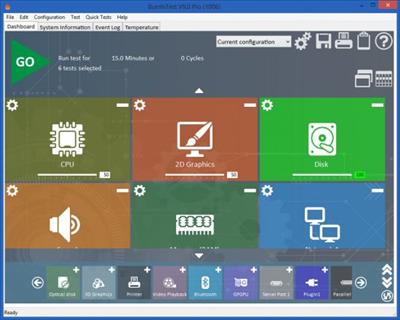
Passmark BurnInTest is a software tool that allows all the major sub-systems of a computer to be simultaneously stress tested for endurance, reliability and stability. Anyone who has used computers for any period of time will understand the importance of having a stable system. The cost of a hardware failure can be enormous. If you are lucky your data will only become inaccessible while faulty components are replaced. If you're unlucky you can lose your files completely or have them permanently corrupted. Even if you have good backups, you can still lose days of work returning the PC to its pre-failure state. In many cases the lost data can never be replaced and businesses can be brought to their knees, with the loss of documentation, customer details and financial records.

The application includes the following additional features:
Online help & PDF manual
A customer style results certificate
Support for printing results
Logging of results to disk in user selectable levels of detail (in ASCII format & HTML formats)
Timed test runs that will stop automatically at the expiry of the selected time or after a number of test cycles.
The ability to save your results to disk as log file.
'Notes' and 'Machine ID' fields for storing your own audit information along with the saved log file.
Support for copying the results to other applications (eg. MS-Word) via a variety of image formats. (BMP, GIF, EMF)
The ability to select the level of load placed on each component, via the setting of a duty cycle for each test.
Counters that count the total number of operations performed.
An easy to use point and click interface
Can be run from a USB drive or CD (under Windows)
Summary system information including CPU type, CPU speed & Serial number.
Temperature monitoring interface (with additional 3rd party Intel Active Monitor, HMonitor, MotherBoardMonitor and SpeedFan software)
Laptop battery & UPS monitoring interface (with additional BatteryMon software)
Support for production line automation and detailed logging
RAM testing beyond the 4GB barrier in Windows 2000, XP and Vista (up to 64GB of RAM)
Printer testing using raw print files, or standard B&W or color testing
MP3, Midi and Wave file playback for sound card testing
Testing of up to 20 hard and floppy disks simultaneously
Testing of up to 20 CD/DVD drives simultaneously
CD / DVD testing using specialized test CD/DVDs (or use the complementary CD-Maker software). CD burner testing
Windows shutdown and cyclic reboot testing (with complementary Rebooter software)
Scrolling 'H's for Electromagnetic Compliance (EMC) testing to ANSI standard C63.4-1992
Video RAM testing
Testing the playback of Videos
Support for SMART hard disk parameter checking

Download link:​
Код:
[center][b]rapidgator_net[/b]:
https://rapidgator.net/file/c56eb4c6387af737da023221b1c9ea94/pjq2m.BurnInTest.Professional.9.2.Build.1008.x64.rar.html

[b]uploadgig_com[/b]:
https://uploadgig.com/file/download/F5f5893479213618/pjq2m.BurnInTest.Professional.9.2.Build.1008.x64.rar

[b]nitroflare_com[/b]:
https://nitroflare.com/view/BE1F3954B9FB6AF/pjq2m.BurnInTest.Professional.9.2.Build.1008.x64.rar[/center]

Links are Interchangeable - No Password - Single Extraction​
 
CareUEyes Pro 2.1

95cf03c0b82d087baf144b80bf7c4e32.jpeg

File size: 15.9 MB​
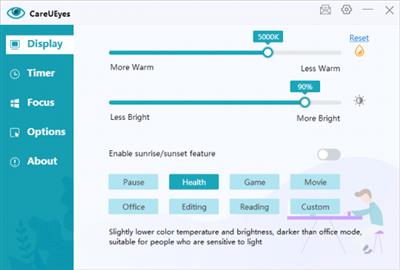
CareUEyes is a very useful eye care software as it helps you reduce eye strain and give your eyes rest. The improper brightness settings of PC screen is one of the major sources of eye strain, as it contains blue lights. But, using this software you can now get rid of those blue lights by applying the blue light filter on the screen.

Prevent eye strain
Blue light is a kind of light with short wavelength and high energy, which is easy to flicker. It will decrease visual contrast and affect sharpness, cause eye strain. CareUEyes filters the blue light by adjusting the color temperature. The lower the color temperature, the less blue light the screen emits.

Reduce eye pain
Too bright or too dark screen brightness can cause eye irritation. CareUEyes automatically adjusts the screen brightness approximately the same as the brightness arround you. CareUEyes adjusts the brightness without PWM, avoid causing flicker problems.

Reduce vision problems
Laboratory studies have shown that too much exposure to blue light can damage retinal cells. This can cause vision problems like age-related macular degeneration. Using CareUEyes to reduce blue light can reduce vision problems.

Improve sleep
Blue light at night can suppress melatonin production and cause sleep problems. If you have a history of sleeping problems, you can use CareUEyes to minimize the blue light at night.

Download link:​
Код:
[center][b]rapidgator_net[/b]:
https://rapidgator.net/file/28955e58a1ca27ed57c87d9994b7057d/alyqh.CareUEyes.Pro.2.1.rar.html

[b]uploadgig_com[/b]:
https://uploadgig.com/file/download/01fd9da0c0C60406/alyqh.CareUEyes.Pro.2.1.rar

[b]nitroflare_com[/b]:
https://nitroflare.com/view/C60C9BC014E1441/alyqh.CareUEyes.Pro.2.1.rar[/center]

Links are Interchangeable - No Password - Single Extraction​
 
DipTrace 4.1.3.1 (x64)

0e86426cd276ddfadcb969af2c3b9849.jpeg

File Size: 247.8 MB​
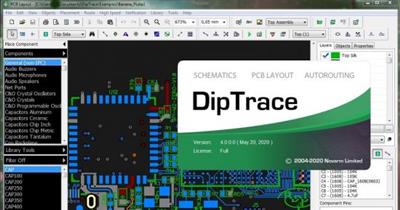
DipTrace is EDA/CAD software for creating schematic diagrams and printed circuit boards. The developers provide multi-lingual interface and tutorials (currently available in English and 22 other languages). DipTrace has 4 modules: Schematic Capture Editor, PCB Layout Editor with built-in shape-based autorouter and 3D Preview & Export, Component Editor, and Pattern Editor. DipTrace is a powerful and intuitive piece of software aimed at professionals who want to create PCB layouts, design schematics, edit components and patterns. With it you can build anything from simple logic circuits to highly complex boards which can be viewed in both plane and 3D form.

Four modules packed into one efficient tool
The moment DipTrace is launched, it makes it clear that it is a capable application. It comes with multiple modules that allow you to create a board from scratch or open and perfect an existing project.

DipTrace enables you to take every step needed in order to design the PCB, create accurate schematics, generate patterns and even draw new components and symbols that you need for your project.

Comprehensive interface fit for anyone to use
DipTrace isn.t necessarily what you call user-friendly due to the fact that it is an application from the CAD family and it is intended for a select group of people.

This however shouldn.t discourage anyone from using it as it displays a classic looking interface which is easy to understand given a few hours of practice. Moreover, if you find yourself stumbling on something, the application provides detailed documentation to aid you.

Though each module serves a different purpose, the general tool and toolbar layout is the same and this is because DipTrace is built to ensure continuity throughout the entire design process even though you switch applications.

Complete PCB design
From start to finish, DipTrace enables you to draw the schematic and verify it for errors, convert it into a printed circuit board, add parts from a vast library, assign routes, pour copper, verify the overall design, preview the 3D model and prepare manufacturer documentation.

Create printed circuit boards using intuitive tools
Though we haven.t gotten into any specifics or feature details, that being for you to discover, its safe to say that if you.re looking to create a complete PCB design, DipTrace is the right tool.

Credits:@ByTESRam/Tsrh

Download link:​
Код:
[center][b]rapidgator_net[/b]:
https://rapidgator.net/file/86351e35b269c245a4bf77ccf1bc74fb/l9759.DipTrace.4.1.3.1.x64.rar.html

[b]uploadgig_com[/b]:
https://uploadgig.com/file/download/0FE46dedCa1449e4/l9759.DipTrace.4.1.3.1.x64.rar

[b]nitroflare_com[/b]:
https://nitroflare.com/view/6CA1874AE035B1F/l9759.DipTrace.4.1.3.1.x64.rar[/center]

Links are Interchangeable - No Password - Single Extraction​
 
Disk Doctor 4.4 macOS

99d482ed16cd9e53b0d1f730e42fc05f.jpeg

File size: 8 MB
Free up tons of disk space with Disk Doctor by removing gigabytes of unneeded files from your hard drive.​

With just a few clicks, you can selectively remove files from the following categories:

- Applications Caches
- Application Logs
- Browser Data
- Mail Downloads Folder
- Downloads Folder
- Large Files (files within your user folder that are larger than 100 MB)
- Partial Downloads
- Developer Files
- Old iOS Software Updates
- Trash Can
Release Notes
- Bug fixes

Supported Operation Systems:
macOS 10.9 or later

Download link:​
Код:
[center][b]rapidgator_net[/b]:
https://rapidgator.net/file/2397906b0f1f4f885be6463986a52c96/l5e58.Disk.Doctor.4.4.macOS.dmg.html

[b]uploadgig_com[/b]:
https://uploadgig.com/file/download/81BD3e450daFFb23/l5e58.Disk.Doctor.4.4.macOS.dmg

[b]nitroflare_com[/b]:
https://nitroflare.com/view/0F3C16FB2064D7C/l5e58.Disk.Doctor.4.4.macOS.dmg[/center]

Links are Interchangeable - No Password - Single Extraction​
 
Dr.Explain Ultimate / Advanced 6.2.1206 (x64) Multilingual

c6d9f9fb4d5430be24e1162dadfd9560.jpeg

Windows (x64) | File size: 181 MB​
Dr.Explain is based on a unique interface analysis and screen capture system. Thanks to this system, Dr.Explain can automatically analyze an application's user interface, take screenshots of all controls and elements, and then add explanatory callouts to all images in the draft help system. After that, all one needs to do is add descriptions to the callouts, and save the result in the HTML, CHM, RTF, or PDF format.

Make help files and online manuals for Windows software, Web sites, Java and Flash applications
The Dr.Explain will analyze the structure of your software interface and will generate help topic drafts for it automatically. If you are a Web developer, then the HTML parsing capabilities will help you quickly document all significant parts of your Web site as well. It doesn't matter what technology or tools you used to design your software GUI.

Automatically create annotations for your screenshots based on window or Web form structure
The Dr.Explain tool is exceptionally useful for authoring help files with many screenshots and technical illustrations. The built-in capturing tool analyzes internal structure of captured windows or web forms and automatically creates numbered annotations for all significant GUI elements: buttons, fields, options, menus, toolbars, and so on. You must just add some descriptive text to complete the topic. With other help authoring tools those operations would take hours while with the Dr.Explain you can accomplish it in minutes.

Create help manuals in different formats from a single source
With the Dr.Explain you can easily generate a complete array of end user help in various formats from a single source file. The Dr.Explain can make CHM help files, create online help manuals and prepare printable manuals in RTF and PDF formats. Electronically distribute your help file with application; put it on your product website; or deliver it as a printed manual within the box.

Easily invoke your help files from any programming language
Many software vendors have already appreciated the simplicity of the Dr.Explain help file maker. The produced help files and online manuals can be easily built in any solution and invoked from any programming language. The common use cases include but are not limited to the following technologies: C, C++ (MFC & WTL), Visual Basic, C#, VB.NET, ASP.NET, WinForms, WPF, Delphi & Object Pascal, Clarion, FoxPro, PHP, Perl, HTML, JavaScript, and many more.

Download link:​
Код:
[center][b]rapidgator_net[/b]:
https://rapidgator.net/file/48a2e3ef47b341cfbf6a943a4df11b02/xzp54.Dr.Explain.Ultimate..Advanced.6.2.1206.x64.Multilingual.rar.html

[b]uploadgig_com[/b]:
https://uploadgig.com/file/download/9bDcEeF8eb36a3C0/xzp54.Dr.Explain.Ultimate..Advanced.6.2.1206.x64.Multilingual.rar

[b]nitroflare_com[/b]:
https://nitroflare.com/view/B94ABE730AD03EB/xzp54.Dr.Explain.Ultimate..Advanced.6.2.1206.x64.Multilingual.rar[/center]

Links are Interchangeable - No Password - Single Extraction​
 
EssentialPIM Pro Business 9.9.6 Multilingual

8f1926ad0f32ddde56aa94bb9b263a4c.jpeg

File size: 38.5 MB​
EssenialPIM Pro Business is the solution for small to medium workgroups. Sharing calendars, contacts, tasks, notes, password entries, and setting priorities - this is what the Business edition is all about.

The Business edition has all the features of EssentialPIM Pro but adds powerful network capabilities for workgroups.
You already have all the infrastructure needed to run EssentialPIM Pro Business - it does not require dedicated hardware. You already have the skills to install it - Quick start guide is straightforward and will get you up and running in 10 minutes. You can even try EssentialPIM Pro Business for free for 30 days without any obligation.

Business Edition Features
EssentialPIM Pro Business runs on an industry standard database Firebird, ensuring integrity, security and adherence to open standards. Key features include:
Easy installation which takes 10 minutes or less to set up
No need for a dedicated server - EssentialPIM Pro Business Server can run on virtually any machine, and on any version of Windows, most Linux operating systems and MacOS X
All features of EssentialPIM Pro available to Business users
Easy sharing of calendars, contacts, tasks, password entries and notes
Ability to work on the road and synchronize with the EPIM server later, to make all new data available to other users
Unlimited number of users
Flexible hierarchy of user rights, including read-only, and eyes-only items

Download link:​
Код:
[center][b]rapidgator_net[/b]:
https://rapidgator.net/file/23840cb54a37a4aa3fface71ebecc059/odf69.EssentialPIM.Pro.Business.9.9.6.Multilingual.rar.html

[b]uploadgig_com[/b]:
https://uploadgig.com/file/download/67d2fe8a5ef720EA/odf69.EssentialPIM.Pro.Business.9.9.6.Multilingual.rar

[b]nitroflare_com[/b]:
https://nitroflare.com/view/50B2DCD294F9D5E/odf69.EssentialPIM.Pro.Business.9.9.6.Multilingual.rar[/center]

Links are Interchangeable - No Password - Single Extraction​
 
Focusplan Pro 1.6.5 MAS

b4634812fe72c7cf401acfe89448bb80.jpeg

File size: 6.93 MB​
Focusplan is a powerful, full-featured, and flexible mind mapping and brainstorming app for everyone. It helps you capture, develop, and share your concept ideas, turning them into a stunning mind map.

# TOP MIND MAPPING USES
* Thought structuring
* Brainstorming
* Project planning
* Preparing a speech
* Manage meetings
* Write a quick summary
* Note taking
* Meeting notes
* Organize ideas
* Studying
* Knowledge base
* ...and many more!

# HIGHLIGHT FEATURES
* Unique and powerful free-layout canvas
* Supports multiple mind maps on a single page
* Add images and stickers to your mind maps
* Add and edit notes, links, and attachments to your topics
* Includes 200+ colorful and creative stickers with adjustable color tints
* Includes 14 ready-to-use, beautiful and configurable themes
* Import, export, and share your custom themes with your family, friends, and colleagues
* Configure branches using a variety of styles like Rounded, Linear, Curved, and Angular
* Full text-search topics on the whole mind map
* Organize and restructure using drag & drop, re-arrange, and reconnect topics
* Select, delete, or move multiple topics at the same time
* Fold and unfold branches to make your mind map clear
* Share mind maps via Email, Messages, and more directly from your Mac
* Export mind maps as text, OPML, and image formats
* Seamless synchronization through iCloud Drive
* Dark mode: automatically adapt app appearance to your system preferences or change between Dark and Light mode
* Continuity camera: take a photo on your iOS device and automatically add it to your mind map
Release Notes

* This update contains stability and performance improvements

Supported Operation System:
* macOS 11.0 or later
* Apple Silicon or Intel Core processor

Download link:​
Код:
[center][b]rapidgator_net[/b]:
https://rapidgator.net/file/05c561ca34cce1b16da47f9193b79130/4w3mh.Focusplan.Pro.1.6.5.MAS.dmg.html

[b]uploadgig_com[/b]:
https://uploadgig.com/file/download/9131a32137fF0Fb7/4w3mh.Focusplan.Pro.1.6.5.MAS.dmg

[b]nitroflare_com[/b]:
https://nitroflare.com/view/FD338E5615E0446/4w3mh.Focusplan.Pro.1.6.5.MAS.dmg[/center]

Links are Interchangeable - No Password - Single Extraction​
 
Futuremark 3DMark 2.19.7225 (x64) Multilingual

05c0fa41889452c75262caa4b418e64b.jpeg

File size: 6.7 GB​
Futuremark 3DMark is an essential tool to measure PC gaming performance. It is used by millions of gamers, hundreds of hardware review sites and many of the world's leading manufacturers.

Use it to test your PC's limits and measure the impact of overclocking and tweaking your system.
Search Futuremark's massive results database and see how your PC compares or just admire the graphics and wonder why all PC games don't look this good.
The new Futuremark 3DMark includes everything you need to benchmark your hardware. To get more out of your PC, put 3DMark in your PC.
With three all new tests you can bench everything from smartphones and tablets, to notebooks and home PCs. Also you can bench the latest high-end, multi-GPU gaming desktops. And it's not just for Windows.
With Futuremark 3DMark you can compare your scores with Android and iOS devices too. It's the most powerful and flexible 3DMark we've ever created.

The latest version of the world's most popular benchmark.
Everything you need to test your PC, notebook, tablet and smartphone in one app.
New in 2016, 3DMark now recommends the best benchmark for your system.
Compare your 3DMark scores with other Windows, Android and iOS devices.
Now includes a preview of VRMark, our upcoming VR benchmark.

Fire Strike is a showcase DirectX 11 benchmark designed for today's high-performance gaming PCs. It is our most ambitious and technical benchmark ever, featuring real-time graphics rendered with detail and complexity far beyond what is found in other benchmarks and games today.

DirectX 11 benchmark for gamers
Renders at 1920 x 1080 resolution
For high performance gaming PCs.

3DMark Fire Strike Extreme is an enhanced version of Fire Strike designed for high-end multi-GPU systems (SLI / Crossfire) and future hardware generations. In addition to raising the rendering resolution, additional visual quality improvements increase the rendering load to ensure accurate performance measurements for truly extreme hardware setups.

Enhanced for extreme hardware.
Renders at 2560 x 1440 resolution
For systems with multiple GPUs.

Fire Strike Ultra 4K UHD rendering resolution is four times larger than the 1080p resolution used in Fire Strike. A 4K monitor is not required, but your graphics card must have at least 3GB of memory to run this monstrously demanding benchmark.

The world's first 4K gaming benchmark
Renders at 4K UHD resolution (3840 x 2160)
The most demanding 3DMark test ever.

Use 3DMark Sky Diver to benchmark systems with mainstream graphics cards, mobile GPUs, or integrated graphics. It is especially suitable for DirectX 11 systems that cannot achieve more than single-digit frame rates in the more demanding Fire Strike test. Sky Diver is only available in the Windows editions at this time.

DirectX 11 benchmark for mainstream PCs.
Includes Graphics, Physics and Combined tests.
Breathtaking demo with an original soundtrack.

Cloud Gate is a new test that is designed for Windows notebooks and typical home PCs. Cloud Gate includes two graphics tests and a physics test. Cloud Gate uses a DirectX 11 engine limited to Direct3D feature level 10 making it suitable for testing DirectX 10 compatible hardware.

Designed for typical home PCs and notebooks.
DirectX 11 engine supporting DirectX 10 hardware.
Includes two Graphics tests and a Physics test.

Ice Storm Unlimited is a specialized offscreen test for making chip-to-chip comparisons of CPUs and GPUs. Use Ice Storm Extreme to compare low cost smartphones and tablets running Android, iOS and Windows. Ice Storm Extreme raises the rendering resolution from 1280 x 720 to 1920 x 1080 and uses higher quality textures and post-processing effects in the Graphics tests.

The 3DMark API Overhead feature test is the world's first independent test for comparing the performance of DirectX 12, Mantle, and DirectX 11. See how many draw calls your PC can handle with each API before the frame rate drops below 30 fps.

Test DirectX 12, (Windows 10 required).
Test Mantle, (with compatible AMD hardware).
Test DirectX 11, both single- and multi-threaded.

The VRMark preview is a taste of what to expect from the full release, coming soon. It does not produce a benchmark score. For more details about VRMark, please see this page.

Freely explore a preview of two VRMark test scenes.
Works with monitors too. VR headset not required.
Only in 3DMark Advanced & Professional Editions.

3DMark Professional Edition
Designed to meet the needs of business customers.
Licensed for business and commercial use.
Includes all benchmarks and feature tests.
Try a preview of VRMark, our new VR benchmark.
Command line automation and scripting.
Run stress tests from the command line.
Verify driver implementation with the Image Quality Tool.
Keep sensitive results private with the offline results option.
Export result data as XML for further analysis and reporting.
Priority technical support over email and telephone.

Recommended system requirements:
OS: Windows 7, 8, 8.1, 10
Processor: 1.8 GHz dual-core Intel or AMD CPU
Memory: 4 GB of system memory
Graphics: DirectX 11 with 1 GB graphics memory
Hard drive: 3 GB free hard disk space

Editions:Advanced / Professional

Download link:​
Код:
[center][b]rapidgator_net[/b]:
https://rapidgator.net/file/bbe87ddbb2bc619a619c350108f867d7/sm3e4.Futuremark.3DMark.2.19.7225.x64.Multilingual.part1.rar.html
https://rapidgator.net/file/d7d64c7d2204006d62a17fff027ec45c/sm3e4.Futuremark.3DMark.2.19.7225.x64.Multilingual.part2.rar.html
https://rapidgator.net/file/b1ae2ded01ec19a3c4a10e8353c24192/sm3e4.Futuremark.3DMark.2.19.7225.x64.Multilingual.part3.rar.html
https://rapidgator.net/file/c0ae8ecc7000e839c172ec89a43a1a3e/sm3e4.Futuremark.3DMark.2.19.7225.x64.Multilingual.part4.rar.html
https://rapidgator.net/file/97cc7e35dd6aee96fd2de277b0237c9e/sm3e4.Futuremark.3DMark.2.19.7225.x64.Multilingual.part5.rar.html
https://rapidgator.net/file/3fe89780a965979cfb68e8dd41ab4154/sm3e4.Futuremark.3DMark.2.19.7225.x64.Multilingual.part6.rar.html
https://rapidgator.net/file/47b5edc9ebe1c78be74bb4f68a62eab2/sm3e4.Futuremark.3DMark.2.19.7225.x64.Multilingual.part7.rar.html

[b]uploadgig_com[/b]:
https://uploadgig.com/file/download/F67f9e7e9352067D/sm3e4.Futuremark.3DMark.2.19.7225.x64.Multilingual.part1.rar
https://uploadgig.com/file/download/4bfc44fee4B6acA9/sm3e4.Futuremark.3DMark.2.19.7225.x64.Multilingual.part2.rar
https://uploadgig.com/file/download/189914087cF24f69/sm3e4.Futuremark.3DMark.2.19.7225.x64.Multilingual.part3.rar
https://uploadgig.com/file/download/6cf72f863c123D75/sm3e4.Futuremark.3DMark.2.19.7225.x64.Multilingual.part4.rar
https://uploadgig.com/file/download/0a34550c57800E60/sm3e4.Futuremark.3DMark.2.19.7225.x64.Multilingual.part5.rar
https://uploadgig.com/file/download/A0acfe1F43608da7/sm3e4.Futuremark.3DMark.2.19.7225.x64.Multilingual.part6.rar
https://uploadgig.com/file/download/ad6aF8302e438deF/sm3e4.Futuremark.3DMark.2.19.7225.x64.Multilingual.part7.rar

[b]nitroflare_com[/b]:
https://nitroflare.com/view/BB187280C86D2BA/sm3e4.Futuremark.3DMark.2.19.7225.x64.Multilingual.part1.rar
https://nitroflare.com/view/F3CF802E7E46052/sm3e4.Futuremark.3DMark.2.19.7225.x64.Multilingual.part2.rar
https://nitroflare.com/view/E05EE6D2D245250/sm3e4.Futuremark.3DMark.2.19.7225.x64.Multilingual.part3.rar
https://nitroflare.com/view/AD8B15BCB2CAB2D/sm3e4.Futuremark.3DMark.2.19.7225.x64.Multilingual.part4.rar
https://nitroflare.com/view/435EB79E99F821E/sm3e4.Futuremark.3DMark.2.19.7225.x64.Multilingual.part5.rar
https://nitroflare.com/view/4885B61EC735519/sm3e4.Futuremark.3DMark.2.19.7225.x64.Multilingual.part6.rar
https://nitroflare.com/view/8F58D08E20DC4E5/sm3e4.Futuremark.3DMark.2.19.7225.x64.Multilingual.part7.rar[/center]

Links are Interchangeable - No Password - Single Extraction​
 
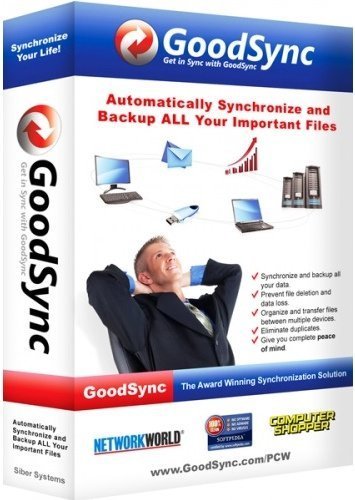
GoodSync Enterprise 11.7.5.1 Multilingual

12f6e57eee4e173c0f147657683624dc.jpeg

File size: 46.3 MB​
File Synchronization and Backup Software. Easily back up and sync your files with GoodSync. Our simple and secure file backup and synchronization software will ensure that your files are never lost.

File Backup
An easy, fast, and secure way to automatically back up all of your data to multiple destinations and to restore it when needed.

File Synchronization
Real-time and automated data replication for one-way or two-way synchronization across multiple destinations and platforms.

REAL TIME DATA TRANSFER
Automated, scheduled, and real-time backup and synchronization with no user interaction required.

BLOCK LEVEL DATA TRANSFER
Propagates only the data blocks changed since the last analysis, significantly reducing backup time, network consumption, and storage requirements.

UNATTENDED SERVICE
Runs as a background service, performing automated, scheduled, and real-time backups with no user interaction required.

END TO END ENCRYPTION
Improves security by applying AES-256 bit encryption to your mission critical data in transit and at rest.

VERSION HISTORY CONTROL
Saves single or multiple versions of your data change history, ensuring maximum protection and minimal data recovery time.

Download link:​
Код:
[center][b]rapidgator_net[/b]:
https://rapidgator.net/file/91aa9ee8f76a6bd54f9b8d6d32eafe24/szlxk.GoodSync.Enterprise.11.7.5.1.Multilingual.rar.html

[b]uploadgig_com[/b]:
https://uploadgig.com/file/download/65a24B07D4082537/szlxk.GoodSync.Enterprise.11.7.5.1.Multilingual.rar

[b]nitroflare_com[/b]:
https://nitroflare.com/view/45520CD5C253AA0/szlxk.GoodSync.Enterprise.11.7.5.1.Multilingual.rar[/center]

Links are Interchangeable - No Password - Single Extraction​
 
GoodSync Enterprise 11.7.5.5 Multilingual

a1ce21c24796a0eba0d683a57b96e4ef.jpeg

File size: 47 MB​
File Synchronization and Backup Software. Easily back up and sync your files with GoodSync. Our simple and secure file backup and synchronization software will ensure that your files are never lost.

File Backup
An easy, fast, and secure way to automatically back up all of your data to multiple destinations and to restore it when needed.

File Synchronization
Real-time and automated data replication for one-way or two-way synchronization across multiple destinations and platforms.

REAL TIME DATA TRANSFER
Automated, scheduled, and real-time backup and synchronization with no user interaction required.

BLOCK LEVEL DATA TRANSFER
Propagates only the data blocks changed since the last analysis, significantly reducing backup time, network consumption, and storage requirements.

UNATTENDED SERVICE
Runs as a background service, performing automated, scheduled, and real-time backups with no user interaction required.

END TO END ENCRYPTION
Improves security by applying AES-256 bit encryption to your mission critical data in transit and at rest.

VERSION HISTORY CONTROL
Saves single or multiple versions of your data change history, ensuring maximum protection and minimal data recovery time.

Download link:​
Код:
[center][b]rapidgator_net[/b]:
https://rapidgator.net/file/51eaccc2860ff2b55c9e2ecd247e5761/f6zbv.GoodSync.Enterprise.11.7.5.5.Multilingual.rar.html

[b]uploadgig_com[/b]:
https://uploadgig.com/file/download/6f8fcddd06cbB3F5/f6zbv.GoodSync.Enterprise.11.7.5.5.Multilingual.rar

[b]nitroflare_com[/b]:
https://nitroflare.com/view/A6246ABB01E75D4/f6zbv.GoodSync.Enterprise.11.7.5.5.Multilingual.rar[/center]

Links are Interchangeable - No Password - Single Extraction​
 
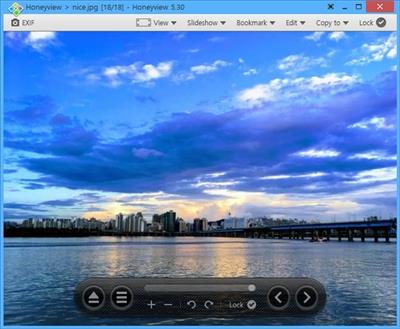
Honeyview 5.40 Multilingual

94ea0173d7451c6e3cf9d222033f135a.jpeg

File Size : 7.6 Mb​

Honeyview is a very fast image viewer supporting various formats. It also supports viewing the images in compressed ZIP, RAR, or 7z files without extraction. If an image has GPS information, the location can be viewed on Google Maps, and users can store preferred photos.

Features
Ultrafast rendering with optimized image processing.
Support for BMP, JPG, GIF, PNG, PSD, DDS, JXR, WebP, J2K, JP2, TGA, TIFF, PCX, PNM, and PPM formats.
Support for RAW image formats including DNG, CR2, CRW, NEF, NRW, ORF, RW2, PEF, SR2, and RAF.
Support for direct view from compressed file formats including ZIP, RAR, 7Z, LZH, TAR, ALZ, and EGG.
Support 'Slideshow' function to show several photos at a certain interval.
'Photo folder' function in which to store any preferred pictures.
EXIF (Exchangeable image file format) view for image formats.
Direct location view on Google Maps with GPS information included in photos.

Download link:​
Код:
[center][b]rapidgator_net[/b]:
https://rapidgator.net/file/80a288e0b3726b3a353b989b4ba37e92/b1n04.Honeyview.5.40.Multilingual.rar.html

[b]uploadgig_com[/b]:
https://uploadgig.com/file/download/f6dd8709b7711905/b1n04.Honeyview.5.40.Multilingual.rar

[b]nitroflare_com[/b]:
https://nitroflare.com/view/5733781EAE321C2/b1n04.Honeyview.5.40.Multilingual.rar[/center]

Links are Interchangeable - No Password - Single Extraction​
 
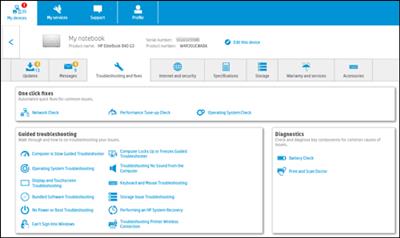
HP Support Assistant 9.7.433.0

ae6490d4826ac1356516746212cdc4de.jpeg

File Size : 162 Mb​

A simple to use application designed to offer HP users a safe means of maintaining their systems clean and always running smooth.

Ready to go on your HP PC
HP Support Assistant is included on new HP desktop and notebook PCs. You can install it on PCs from other manufacturers for easy access to support resources and tools for HP printers and PCs. Click the ? icon on your system tray to start HP Support Assistant or download now. During setup, selected new HP PC models running Windows 10 will receive version 9. All other PC models will receive version 8.1

Automated fixes and troubleshooters
Resolve many common issues using HP Support Assistant's troubleshooters and automated fixes. For example, Audio Check can diagnose and help fix issues if you having trouble hearing sound from your computer. Performance Tune-up Check can optimize your system to help improve performance and Operating System Check can analyze and help maintain Windows on your PC. When HP PC Hardware Diagnostics is installed, it can be launched directly from HP Support assistant to test components, such as your hard drive and memory, and identify potential hardware related issues. If the issue cannot be resolved with these tools, HP Support Assistant can help you find additional support resources specific to your device.

Personalized support
Manage your connected HP devices from the My devices tab. Just create a new ID or sign in with your existing credentials and you'll have access to your registered devices. Need to keep track of new messages or updates for a friend or family member's PC or printer? Simply add their device to your list and you'll be notified automatically. You can also view available and subscribed2 services from HP Services.

Automatic updates
Improve the performance and reliability of your PCs and printers with automatic firmware and driver updates. You can configure your options to install updates automatically or to notify you when updates are available.

Help anytime with the HP Virtual Agent
Need help troubleshooting? Just ask! HP's Virtual Agent can help troubleshoot issues with your PC or printer, anytime of the day or night.3

Whats New:
Updates: official site does not provide any info about changes in this version

Download link:​
Код:
[center][b]rapidgator_net[/b]:
https://rapidgator.net/file/39213e26cac9aef2304c8e764d10c0ce/26h0a.HP.Support.Assistant.9.7.433.0.part1.rar.html
https://rapidgator.net/file/a677ff0d4a8a6b2627aa85994d6b0e8c/26h0a.HP.Support.Assistant.9.7.433.0.part2.rar.html

[b]uploadgig_com[/b]:
https://uploadgig.com/file/download/77822cd8d2b53800/26h0a.HP.Support.Assistant.9.7.433.0.part1.rar
https://uploadgig.com/file/download/e363e62BfbF948b7/26h0a.HP.Support.Assistant.9.7.433.0.part2.rar

[b]nitroflare_com[/b]:
https://nitroflare.com/view/8F94F21DF8C14B4/26h0a.HP.Support.Assistant.9.7.433.0.part1.rar
https://nitroflare.com/view/26E30ED8A0884B3/26h0a.HP.Support.Assistant.9.7.433.0.part2.rar[/center]

Links are Interchangeable - No Password - Single Extraction​
 
IDM UltraEdit 28.10.0.98

5793eacab69b76b2cdd7471b08f6bb22.jpeg

File size: 184.6 MB​
UltraEdit is a powerful disk-based text editor, programmer's editor, and hex editor that is used to edit HTML, PHP, JavaScript, Perl, C/C++, Python, and virtually any other coding/programming language. UltraEdit can handle and edit files in excess of 4 gigabytes.

Features:
Disk based text editing - supports editing of large 4GB+ files, minimum RAM used
Configurable tab options (multiple tab stop values, use spaces instead of tabs, etc.)
Tab/word wrap options based on file type/extension
Insert/overstrike mode with caret and status bar indication
Paragraph alignment
Left, center, right, fill (for fixed pitch fonts)
Reformat paragraph (cleans up and beautifies text)
Line spacing support for single, 1.5 and double spacing
Drag-and-drop editing
Join line(s) (with optional consolidation of whitespace)
Double click (optional Shift modifier) to highlight all occurrences of selected word
Line Change Indicator (optional) in margin
Saved changes indicated in green
Unsaved changes indicated in red
Configurable colors (set in editor theme)
Auto-indent wrapped lines
Support for extremely long lines (up to 20,000 characters before wrap is added)
Home key positions at first non-space, then first character
IntelliMouse scrolling support
Native Unicode / UTF-8 editing support
and more...

Download link:​
Код:
[center][b]rapidgator_net[/b]:
https://rapidgator.net/file/423a8ab7436747b7e29874c40035e83b/vj69k.IDM.UltraEdit.28.10.0.98.rar.html

[b]uploadgig_com[/b]:
https://uploadgig.com/file/download/8D0662770f0cb0f9/vj69k.IDM.UltraEdit.28.10.0.98.rar

[b]nitroflare_com[/b]:
https://nitroflare.com/view/FAE248E01A67F6C/vj69k.IDM.UltraEdit.28.10.0.98.rar[/center]

Links are Interchangeable - No Password - Single Extraction​
 
iToolab AnyGo 4.0.1

d97922e72b8562c559267a419a69dfa0.jpeg

File size: 87.1 MB
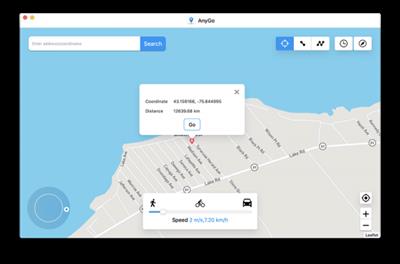
Easily Simulate the GPS Location on Your iPhone/iPad
Change the iPhone/iPad to anywhere with 1 click.
Simulate the movement of your GPS along real roads or any paths you draw.
Works well with location-based AR games or apps.
Compatible with the latest iPhone 12 & iOS 14.2 and iPadOS 14.2.​

With AnyGo you can do the following:
Spoof to anywhere in LBS(Location Based Service) games without actually moving or walking
Easily access any videos, music, movies and services that may be restricted to you based on your location
Share a virtual location on social media to trick your friends
Easily test LBS and games
Easily hide your location from apps and services
Set your real location if GPS are unable to find it

What's new :
Updates: official site does not provide any info about changes in this version.

Download link:​
Код:
[center][b]rapidgator_net[/b]:
https://rapidgator.net/file/ab2181249b0591388e4bfb63aec53250/yjigx.iToolab.AnyGo.4.0.1.rar.html

[b]uploadgig_com[/b]:
https://uploadgig.com/file/download/2a7d10eaE551Ef05/yjigx.iToolab.AnyGo.4.0.1.rar

[b]nitroflare_com[/b]:
https://nitroflare.com/view/237145F9E98CCC6/yjigx.iToolab.AnyGo.4.0.1.rar[/center]

Links are Interchangeable - No Password - Single Extraction​
 
LogTail 4.2 MAS

b7bda8e64c20c778c78a24a49bb1c3bb.jpeg

File size: 15.03 MB​
LogTail is an OS X app to view and monitor local and remote log files on linux servers (using SSH), view data over TCP/UDP connections, or any plain text file in a simple, clean and unified interface!

It reads log files and outputs their contents as they change, and can follow or "tail" the file in a way similar to the Unix 'tail' utility (tail -f)

LogTail is helpful in monitoring application and system log files which are updated constantly at runtime.

It allows you to set up filter and highlight rules that can be used to hide or colorize lines with matching search terms. This allows you to focus on the important data in your log files! You can also enable notifications to be alerted when matching text is found in the log file.

In addition you can:
* Manage and browse remote SSH server hosts
* Listen to TCP/UDP connections and tail incoming data (act as syslog/rsyslog receiver)
* Bookmark and Search remote log files
* Share local log files as Mail message attachment or Messages instant message (or via AirDrop or add to Notes (Sharing toolbar item))
* Bookmark lines within a file
* Handle log files generated with ANSI color codes
Release Notes

Add support for handling log files/content with ANSI escape codes
- support 8 & 256 bit colors, italic, strikethrough, underline and bold text

Supported Operation System:
* macOS 10.12 or later
* Intel Core processor

Download link:​
Код:
[center][b]rapidgator_net[/b]:
https://rapidgator.net/file/87137e38dbe24342cacd25b2d9e1528e/9mp0v.LogTail.4.2.MAS.dmg.html

[b]uploadgig_com[/b]:
https://uploadgig.com/file/download/088f9b114683edcd/9mp0v.LogTail.4.2.MAS.dmg

[b]nitroflare_com[/b]:
https://nitroflare.com/view/9F99908B3C8AD7C/9mp0v.LogTail.4.2.MAS.dmg[/center]

Links are Interchangeable - No Password - Single Extraction​
 
MatchWare MindView 8.0 Build 25177 Multilingual

be7f87597d0b75767372a05cb7de6d75.jpeg

Windows x64 | Languages: Multilingual | File Size: 315.61 MB​
Since 1998 MindView has helped over five million users turn ideas into reality with our ever-evolving mind mapping software. With the powerful MS Office integration, comprehensive project management features and collaboration options MindView has become the industry leader in mind mapping software.

Brainstorm and Present with MindView
Improve your meetings by utilizing the Mind Mapping technique. Use Mind Maps to easily capture ideas and concepts, attach unlimited number of documents, link to SharePoint, Google Drive, Dropbox etc. Go beyond PowerPoint presentations by illustrating concepts and strategies using mind maps. Mind Maps make ideas easier to understand and overview for both clients and colleagues.

Using Mind Maps will increase your productivity.
The professionally designed Word, PowerPoint and Excel templates allow you to export your mind-maps into a polished document with just a single click. All without having to re-write any information.

Using Mind Mapping for Project Management
According to a study from the MindMappingSoftwareBlog.com, 75% of mind mapping users are using mind maps for project management at all levels. Whether you are looking to create a simple "to do list", a project timeline, a Work Breakdown Structure, or a Gantt Chart, MindView has got you covered.

Team Collaboration with MindView Drive
MindView Drive allows you to store files in the cloud, share files and collaborate in real time on files. Whether you're working remotely on a project or a student that needs to continue working on files from home, MindView Drive has you covered.

- Store and access your files anywhere
- Share documents
- Real-Time Multi-User Editing
- Control User Access

Sub-Maps
Have you ever had issues with overviewing and handling big mind maps? How about overviewing multiple projects? MindView can create sub-maps by "detaching" branches and their sub-branches in different tabs, similar to the sheets of an Excel workbook. The main tab will still illustrate the entire mind map making it the master tab.

Calculation and Data
Let's keep it simple. Basically, we built a mini version of Excel in MindView. You can add numbers and equations on branches and roll-up data to the root. Export to Excel to impress your accounting department or visualize your yearly budget on a mind map.

Capture Tool
When gathering research information to your mind map you can use the Capture tool to "snip" text and images from websites and documents. The capture tool will even cite the source and transfer that information to your bibliography.

Conditional Formatting
Do you wake up late? Do you have overdue tasks? You're not alone... With MindView conditional formatting you can have your alarm go off before your boss figures out your tasks are overdue. You know, if it's this then that. You're welcome.

Project Reports
Having problem communicating your project plan to stakeholders? Need a better overview of your project plan? MindView's Project Reports has all kinds of reports from resource management, task management, and baselining reports.

Dictate
It is now possible to use the Dictate feature within MindView to dictate text into either branch or text notes. Simply go through the "Speech Recognition" in Windows to optimize your speaking and start "sweet talking" MindView...
Release Notes
New Features:
- MindView 8 has achieved Digital Accessibility Centre accessibility accreditation:
- MindView now has the ability to use the newly released Chromium-based Microsoft Edge WebView2 runtime browser as embedded browser.
- The Microsoft Edge WebView2 runtime browser will be installed during normal installation.
- Inserting hyperlinks now include the ability to browse for online documents on MindView Drive.

Fixed Issues:
- MindView now works as expected when disabling "recent document history" via group policies.
- Collaboration on online documents has been enhanced.
- The Icons panel has been updated with keyboard-only access and voice feedback for screen readers.
- An activation issue whereby MindView failed during activation in some rare cases when the computer name contained Unicode characters has been fixed.
- Dragon® Naturally Speaking enhancements have been made.
- Microsoft Word Export improvements
- Microsoft PowerPoint Export improvements
- Microsoft Excel Import improvements
- Microsoft Project Import enhancements to manually scheduled tasks
- A number of other enhancements and bug fixes have been made.

System Requirements:
- Windows® 7 SP1, 8, 10 (64-bit)
- 400 MB disk space
- Product Languages: English, French, German, Danish
Homepage
У Вас недостаточно прав для просмотра ссылок. Войдите или зарегистрируйтесь.


Download link:​
Код:
[center][b]rapidgator_net[/b]:
https://rapidgator.net/file/ef261e7f2a9e0f6696c3b23d9d3b00e2/1erxl.MatchWare.MindView.8.0.Build.25177.Multilingual.rar.html

[b]uploadgig_com[/b]:
https://uploadgig.com/file/download/42b61bd806b5d70f/1erxl.MatchWare.MindView.8.0.Build.25177.Multilingual.rar

[b]nitroflare_com[/b]:
https://nitroflare.com/view/77164263AF68A41/1erxl.MatchWare.MindView.8.0.Build.25177.Multilingual.rar[/center]

Links are Interchangeable - No Password - Single Extraction​
 
Microsoft Edge 91.0.864.64 Stable Multilingual

d2745ed49b83d3d966fcfee974d4d271.jpeg

File Size: 155.6 MB​
Introducing the new Microsoft Edge: Rebuilt from the ground up to bring you world-class compatibility and performance, the security and privacy you deserve, and new features designed to bring you the best of the web. The new Microsoft Edge is a modern web browser - designed for faster, safer browsing. Get more done on the web with built-in tools for notetaking, reading and more.

The new Microsoft Edge is based on the Chromium project, so you can use the extensions/add-ons from Google Chrome extensions web store and from Microsoft Edge extensions web store for free. Choose your style
News, images, search-choose what you want to see when you open a new tab. Select a layout best for you: Focused, Inspirational, or Informational.

Take control of your data
Microsoft Edge and Bing give you more control over your data, and more transparency into what information is being collected, while you browse with new features like Tracking Prevention and InPrivate mode.

Browse with peace of mind
Microsoft Defender SmartScreen automatically protects you online from security issues, phishing schemes, and malicious software.

Browse anywhere
The new Microsoft Edge is now available on all supported versions of Windows, macOS, iOS, and Android.

Experience 4K streaming
Get the best browser for high definition media on Windows 10 with unique support for streaming in 4K Ultra HD.

Customize with extensions
The new Microsoft Edge is now compatible with your favorite extensions, so it's easy to personalize your browsing experience.

What's New:
Some minor improvements.

Download link:​
Код:
[center][b]rapidgator_net[/b]:
https://rapidgator.net/file/432bf9628decd4f39ab83b6587c983f1/5mgn9.Microsoft.Edge.91.0.864.64.Stable.Multilingual.rar.html

[b]uploadgig_com[/b]:
https://uploadgig.com/file/download/9fb374622Ff25dfb/5mgn9.Microsoft.Edge.91.0.864.64.Stable.Multilingual.rar

[b]nitroflare_com[/b]:
https://nitroflare.com/view/DB0363B22439E23/5mgn9.Microsoft.Edge.91.0.864.64.Stable.Multilingual.rar[/center]

Links are Interchangeable - No Password - Single Extraction​
 
Microsoft PowerToys for Windows 10 v0.41.4

d188600bedc63c9e565976d79fd5a6dd.jpeg

File Size : 26.4 Mb​

Microsoft PowerToys is a set of utilities for power users to tune and streamline their Windows experience for greater productivity. Inspired by the Windows 95 era PowerToys project, this reboot provides power users with ways to squeeze more efficiency out of the Windows 10 shell and customize it for individual workflows.

Microsoft revealed earlier this year that PowerToys were coming back to Windows 10. PowerToys used to be useful little utilities that would let you further customize Windows. Microsoft's first PowerToys for Windows 10 are now available.
Current PowerToy Utilities:
* FancyZones
FancyZones is a window manager that makes it easy to create complex window layouts and quickly position windows into those layouts.

* File Explorer Add-ons (Preview Panes)
File Explorer add-ons right now are just limited to Preview Pane additions for File Explorer. Preview Pane is an existing feature in the File Explorer. To enable it, you just click the View tab in the ribbon and then click "Preview Pane".
PowerToys will now enable two types of files to be previewed: Markdown (.md) & SVG (.svg).

* Image Resizer
Image Resizer is a Windows Shell Extension for quickly resizing images. With a simple right click from File Explorer, resize one or many images instantly.

* Keyboard Manager
Keyboard Manager allows you to customize the keyboard to be more productive by remapping keys and creating your own keyboard shortcuts. This PowerToy requires Windows 10 Version 1903 (Build 18362) or newer.

* PowerRename
PowerRename is a Windows Shell Extension for advanced bulk renaming using search and replace or regular expressions. PowerRename allows simple search and replace or more advanced regular expression matching. While you type in the search and replace input fields, the preview area will show what the items will be renamed to. PowerRename then calls into the Windows Explorer file operations engine to perform the rename. This has the benefit of allowing the rename operation to be undone after PowerRename exits.

* PowerToys Run
PowerToys Run is a new toy in PowerToys that can help you search and launch your app instantly with a simple alt-space and start typing! It is open source and modular for additional plugins. Window Walker is now inside too! This PowerToy requires Windows 10 Version 1903 (Build 18362) or newer.

* Shortcut Guide
Windows key shortcut guide appears when a user holds the Windows key down for more than one second and shows the available shortcuts for the current state of the desktop.

Download link:​
Код:
[center][b]rapidgator_net[/b]:
https://rapidgator.net/file/44198a2927f5cd82846d10bda8a82f9b/j95qb.Microsoft.PowerToys.for.Windows.10.v0.41.4.rar.html

[b]uploadgig_com[/b]:
https://uploadgig.com/file/download/79fdCafdCE6aed0b/j95qb.Microsoft.PowerToys.for.Windows.10.v0.41.4.rar

[b]nitroflare_com[/b]:
https://nitroflare.com/view/511B8DD753D94A4/j95qb.Microsoft.PowerToys.for.Windows.10.v0.41.4.rar[/center]

Links are Interchangeable - No Password - Single Extraction​
 
Mp3tag 1.2.2 macOS

8a939b7832a0afb7dfc95537ef7fa15a.jpeg

File size: 12.40 MB​
Mp3tag is a powerful and easy-to-use tool to edit metadata of audio files. Musicians, DJs, podcasters, and audio-enthusiasts use it for many different aspects of handling audio files.

It supports batch tag-editing for multiple files at once, covering many audio formats from MP3, over MP4, and M4V (yes, that's video!) to FLAC, OGG, OPUS, AIF, DSF, MPC, and WAV.

Furthermore, it supports online database lookups from Discogs and MusicBrainz, allowing to gather proper tags and download cover art for music libraries.

It offers renaming files based on the tag information, replacing characters or words in tags and filenames, importing tag information, and adjusting the size and image format of embedded cover art.

Since some of the tasks in managing a digital library are repetitive, Mp3tag allows for combining tasks into action groups, which serve as workflows for keeping consistency and order. Examples are formatting tag fields, performing case conversion, removing unwanted fields, or adjusting embedded cover art to match required sizes.

## Key Features
- Bulk-Editing of Tags for multiple files at once.
- Editing of cover-art.
- Renaming files based on tags.
- Importing metadata from filenames.
- Assign track and disc numbers via the auto-numbering wizard.
- Importing metadata from online Tag Sources.
- Support for Flexible Tagging, allowing for user-defined tag fields in a standardized way.
- Applying action groups with many tasks combined into reusable workflows.
- Support for many file types under a universal user interface.
and more...

## Supported File Formats
- MP3 (ID3v1, ID3v2.3, ID3v2.4 with UTF-8)
- MP4/M4A/M4B/M4V (iTunes and Nero)
- FLAC (Vorbis Comments)
- OGG (Vorbis Comments)
- OPUS (Vorbis Comments)
- AIF (RIFF INFO and RIFF ID3)
- DSF (ID3v2)
- MPC (APEv2)
- WAV (RIFF INFO and RIFF ID3)

Supported Operation System:
* macOS 10.14 or later
* Apple Silicon or Intel Core processor

Download link:​
Код:
[center][b]rapidgator_net[/b]:
https://rapidgator.net/file/0d5ed02ea8ee94921f905bce23e7b066/hs441.Mp3tag.1.2.2.macOS.dmg.html

[b]uploadgig_com[/b]:
https://uploadgig.com/file/download/b09a5cfce2b4BAe0/hs441.Mp3tag.1.2.2.macOS.dmg

[b]nitroflare_com[/b]:
https://nitroflare.com/view/0003791E99E8F40/hs441.Mp3tag.1.2.2.macOS.dmg[/center]

Links are Interchangeable - No Password - Single Extraction​
 
Назад
Сверху