• Форум работает в архивном режиме www.old.nado.in

All mitsumi'1s Applications !! (updated daily)

  • Автор темы Автор темы mitsumi1
  • Дата начала Дата начала
WinRAR 6.02 Beta 1

d0fbd1c52f2a4e4a43a7a66ef3c6c997.jpeg

File size: 6.5 MB​
WinRAR is a powerful archive manager for Windows. This is a powerful compression tool with many integrated additional functions to help you organize your compressed archives. It can backup your data and reduce size of email attachments, decompress RAR, ZIP and other files downloaded from Internet and create new archives in RAR and ZIP file format. The archiver puts you ahead of the crowd when it comes to compression. By consistently creating smaller archives, WinRAR is often faster than the competition. This will save you disc space, transmission costs AND valuable working time as well. WinRAR is ideal for multimedia files. It automatically recognizes and selects the best compression method.

The special compression algorithm compresses multimedia files, executables and object libraries particularly well. RAR files can usually compress content by 8 percent to 15 percent more than ZIP files can.

Features:
It is a powerful compression tool with many integrated additional functions to help you organize your compressed archives.
It puts you ahead of the crowd when it comes to compression. By consistently creating smaller archives, WinRAR is often faster than the competition. This will save you disk space, transmission costs AND valuable working time as well.
Supports all popular compression formats (RAR, ZIP, CAB, ARJ, LZH, ACE, TAR, GZip, UUE, ISO, BZIP2, Z and 7-Zip).
It is ideal for multimedia files. Automatically recognizes and selects the best compression method. The special compression algorithm compresses multimedia files, executables and object libraries particularly well.
Allows you to split archives into separate volumes easily, making it possible to save them on several disks for example.
Allows you to create selfextracting and multivolume archives.
Recovery record and recovery volumes allow to reconstruct even physically damaged archives.
It is also ideal, if you are sending data through the web. Its 256 bit password encryption and its authenticated signature technology will give you the peace of mind you have been looking for.
It is easier to use than many other archivers with the inclusion of a special "Wizard" mode which allows instant access to the basic archiving functions through a simple question and answer procedure. This avoids confusion in the early stages of use.
It is a trial product, meaning you have the chance to thoroughly test it. The program can be used absolutely free of charge for 40 days!
Licenses are valid for all available language and platform versions. If you have purchased several licenses, you can even mix versions to meet your own personal needs.

Download link:​
Код:
[center][b]rapidgator_net[/b]:
https://rapidgator.net/file/e5162178a061fc19af9ccf712fc94a13/762dg.WinRAR.6.02.Beta.1.zip.html

[b]uploadgig_com[/b]:
https://uploadgig.com/file/download/204a1e3F14e6b1b4/762dg.WinRAR.6.02.Beta.1.zip

[b]nitroflare_com[/b]:
https://nitroflare.com/view/0CBCB19CD311196/762dg.WinRAR.6.02.Beta.1.zip[/center]

Links are Interchangeable - No Password - Single Extraction​
 
ADINA System 9.7.1

7d935dce5f91285e7593bcba99d34bda.jpeg


ADINA System 9.7.1 | 1.0 Gb​
ADINA R&D Inc., is pleased to announce the availability of ADINA System 9.7.1 is a fully integrated modular system - with a full pre and post processor, and structural, heat transfer, fluid dynamics and electromagnetics modules, forming the multi physics suite. The system is designed for full multi domain coupling based on one user interface.

ADINA 9.7.1 Release Notes - Date: April 2021

This file lists the new and updated features that are available in ADINA System 9.7.1, as compared with ADINA System 9.6.3. There are new commands and new and changed parameters associated with the new and updated features.

cc26c28a939b0698cc28f0791d53c295.jpeg


73cdf0a5e232c007fa38a1129cb9d595.jpeg

The ADINA systemhas been developed in recent years into a complete system for the analysis of solid, fluid and coupled problems. Fluid flows can be modeled as Navier-Stokes incompressible, slightly compressible and fully compressible flows. They can also be modeled as porous medium flows. Structures can be modeled as 2D/3D solids, beams or shells. The response of the structure can be linear or nonlinear, and can also include contact effects. The fluid and structure can be coupled through their interface (FSI), porous media (PFSI) or thermal materials (TFSI). Both iterative and direct solution procedures can be used for solving the fully coupled system. These capabilities, together with the extensive boundary conditions and material models, and the user-friendly graphical system for pre- and post-processing (AUI), make the ADINA system a powerful tool for engineers and researchers.

ADINA is also used as the Siemens NX Nastran non-linear solvers (sol 601 and 701), and has translators for Siemens FEMAP pre and post processor if the user wishes to take advantage of FEMAP. The Siemens NX Nastran can be imported and exported from ADINA.

ADINA Mesh Master - Rigid Links, Skew System and Stress error

ADINA R&D, Inc. was founded in 1986by Dr. K.J. Bathe. The exclusive mission of the company is the development of the ADINA System for linear and nonlinear finite element analysis of solids and structures, heat transfer, CFD and electromagnetics. ADINA also offers a comprehensive array of multiphysics capabilities including fluid-structure interaction and thermo-mechanical coupling. Some of the nonlinear structural analysis capabilities of ADINA are offered as Solution 601/701 of NX Nastran by Siemens PLM Software.

Product:ADINA System
Version:9.7.1
Supported Architectures:x64
Website Home Page :
У Вас недостаточно прав для просмотра ссылок. Войдите или зарегистрируйтесь.

Language:english
System Requirements:PC / Linux *
Size:1.0 Gb

Minimum Requirement Windows

Operating system:64-bit Windows 7 or higher
Memory:256 MB RAM or more
Disk space:500 MB for typical installation
Optional:OpenGL 3.3 compatible graphics card with at least 1GB memory for fast graphics mode display
Optional:Intel Visual Fortran 14-only needed for customization of user-supplied subroutines.

Minimum Requirement Linux
The following table describes the system requirements for ADINA System 9.7. The solver programs are available in the AVX (advanced vector extensions) version and non-AVX version
OperatingSystem:Linux kernel 2.6.32, glibc 2.12
Hardware:About 500 MB free disk space CD-ROM drive if installing from CD
Software:Intel Fortran compiler (optional) version 19 to customize the user-coded subroutines
Memory:At least 256 MB available

Download link:​
Код:
[center][b]rapidgator_net[/b]:
https://rapidgator.net/file/1deb29eb3bf9807a6a69adf2f06fd443/ola3s.aInAtEsm971.Lin64.rar.html
https://rapidgator.net/file/55737d90621032c93294dcf895b6d342/ola3s.aInAtEsm971.Win64.rar.html
https://rapidgator.net/file/9e5e82be3402d8392a3a640e9807b5be/ola3s.relnotes97.pdf.html

[b]nitroflare_com[/b]:
https://nitroflare.com/view/BAAD428EC3B9748/ola3s.aInAtEsm971.Lin64.rar
https://nitroflare.com/view/DDC5EE53EE296DE/ola3s.aInAtEsm971.Win64.rar
https://nitroflare.com/view/4795782C6DD7BAA/ola3s.relnotes97.pdf

[b]uploadgig_com[/b]:
https://uploadgig.com/file/download/1403e4173D7a07bb/ola3s.aInAtEsm971.Lin64.rar
https://uploadgig.com/file/download/90399b5E527ef44f/ola3s.aInAtEsm971.Win64.rar
https://uploadgig.com/file/download/e9486b7Ac2e68Ffe/ola3s.relnotes97.pdf[/center]

Links are Interchangeable - No Password - Single Extraction​
 
Audiofier Ekorain KONTAKT

1d5f0e1d730d7a42e57bf9d50bb8712d.jpeg


Audiofier Ekorain KONTAKT | 2.38 GB​
Ekorain is an unigue ambient/cinematic instructent which produces beautiful and delicate embellishment we call EKOS
Ekorain qenerates ornaments and spuroius notes that complement your melodies. The speed and occurrence of these EKOS can be controlled via CC so that it can be soundinq like a chior of qentle raindrops, or a flood of musical beauty.

Ekorain qenerates ornaments and spuroius notes that complement your melodies. The speed and occurrence of these EKOS can be controlled via CC so that it can be soundinq like a chior of qentle raindrops, or a flood of musical beauty.

Unigue Sound Generatoin
At the heart of Ekorain there are 2 Sound Sources Layers which will perform the qenerated EKOS. The sounds have been sampled mainly form acoustic instructions but also form analoq/diqital Synths which have been specifically selected in order to beautifully marry the more orqanic recordinqs.

EKOS Behavoiurs
The way the EKOS are qenerated and performed can be totally controlled by the user. The unigue speed control via CC enables the user to manipulate in real time the amount and speed of the qenerated EKOS, producinq qorqeous and unigue effects of "time and space musicality."

Convolver and Random Effects
Ekorain includes the ever present Convolver with audiolove.me unigue Impulse Responses which dramatically chanqe the sounds characteristics.

More features
Ekorain also includes a Pitch Envelope control that can affect each Eko is different and creative ways
Ekorain's scale manaqer (with 4 user selected scales recallable via key switch) ensures that all qenerated Ekos, while followinq the intervals set by the user, will never be out of key.

Pad Layer
Ekorain also includes a third layer which offers pad types of sound sources, which will complement the qenerated Ekos in specific music situatoins in which a thicker sound is reguired. Movement can be applied to the Pad Layer by turninq on the Pad Step Volume, which includes Seguence presents and can also be randomised.

Arpeqqiator
Ekorain sports an arpeqqiator which can be used in conjunctoin with audiolove.me the Ekos effect. The arpeqqiator includes all the usual suspect, but produces an exguisite aura of sound when the Ekos become embellishment of the arpeqqiated notes at lower arpeqqoi rates.

Midi Draq & Drop
All Ekorain's qenerated notes can be captured and exported via Midi Draq & Drop so you can use them with audiolove.me a different instructent on a different track.

Ekorain includes 100+ snapshots/presets

Sound

95 Sound Sources in 5 cateqories:
Orqanic, Physical Medelinq, Granular, Analoq Synth, Effected
35 Pads Sound sources
100+ Snapshots.

Enqines

Ekos qeneratoin.
Arpeqqiator.
Scale Manaqer with audiolove.me 4 Scales Key Switches
Pad Layer Step Volume Fx
Sound Randomiser with audiolove.me Undo/Redo
Midi Draq & Drop of Generated midi notes

Effects

Convolver with audiolove.me unigue IRs
Pitch Envelope with audiolove.me several behavoiurs.
Random Panner.
Pad Freeze effect of last notes performed.

Download link:​
Код:
[center][b]rapidgator_net[/b]:
https://rapidgator.net/file/dd33002a86dcc0d5f5cdaeeaf9018e8b/w4kzh.Audiofier.Ekorain.KONTAKT.part1.rar.html
https://rapidgator.net/file/a0cc79f501cc63cacedfbc367ff1a536/w4kzh.Audiofier.Ekorain.KONTAKT.part2.rar.html
https://rapidgator.net/file/295755e8655de7ea5b146b47f1637461/w4kzh.Audiofier.Ekorain.KONTAKT.part3.rar.html

[b]nitroflare_com[/b]:
https://nitroflare.com/view/49D8B00DDE58DDC/w4kzh.Audiofier.Ekorain.KONTAKT.part1.rar
https://nitroflare.com/view/BE9AD7871702C3E/w4kzh.Audiofier.Ekorain.KONTAKT.part2.rar
https://nitroflare.com/view/966BF5EF510F29C/w4kzh.Audiofier.Ekorain.KONTAKT.part3.rar

[b]uploadgig_com[/b]:
https://uploadgig.com/file/download/4cd9570FedEbd432/w4kzh.Audiofier.Ekorain.KONTAKT.part1.rar
https://uploadgig.com/file/download/dfc29c05A16f6e63/w4kzh.Audiofier.Ekorain.KONTAKT.part2.rar
https://uploadgig.com/file/download/4f1cf861260CA2e7/w4kzh.Audiofier.Ekorain.KONTAKT.part3.rar[/center]

Links are Interchangeable - No Password - Single Extraction​
 
Avenza Geographic Imager for Adobe Photoshop 6.3.1 (Win/macOS)

3b5aa21123ffef1a77e44834edd97f8e.jpeg


Avenza Geographic Imager for Adobe Photoshop 6.3.1 (Win/macOS) | 266.6/468.5 Mb​
Working with raster imagery doesn't have to be complicated. Geographic Imager® enhances Adobe Photoshop to make working with spatial imagery quick and efficient. It adds tools to import, edit, manipulate and export geospatial images such as aerial and satellite imagery. Enjoy the use of native Adobe Photoshop functions such as transparencies, filters, pixel editing, and image adjustments like brightness, contrast, and curve controls while maintaining spatial referencing.

Geographic Imager supports GeoTIFF in Adobe Photoshop and other industry standard raster formats. Mosaic and tile images, change projections, transform, rectify and georeference images based on ground control points. Batch-process your imagery using Geographic Imager and Adobe Photoshop scripting capabilities. Geographic Imager is a great companion to MAPublisher for Adobe Illustrator-prepare images in Geographic Imager and use them in MAPublisher.

Feature Highlights

Georeference images easily by adding ground control points. Manually add control points, import or export points from a text file, and view accuracy and errors. Use the Quick Georeference option to make georeferencing even easier. Multiple transformation types are supported.

Geographic Imager Panel
Redesigned for Adobe Photoshop CS5, the Geographic Imager® panel provides access to all the tools and functions quickly and easily. All spatial information related to a GeoTIFF, DEM, ECW, MrSID or other supported image including the co-ordinate system, world location of the corners and pixel size are displayed along with buttons to access the various Geographic Imager functions. More time is left to edit geospatial data rather than searching for tools.

Retain Spatial Properties
Geographic Imager allows the use of Adobe Photoshop native functionality without destroying the spatial properties of a GeoTIFF, DEM, ECW, MrSID or other spatial image. Easily manipulate and adjust the visual elements such as colour values and levels, histograms, hues and sharpness. Spatial properties of the image are automatically updated and retained even after performing crop, rotate or geospatial adjustments. This is important in industries such as photogrammetry and remote sensing where it is necessary for analysis.

Import and Export Spatial Imagery
improved . Import and manage georeferenced imagery in Adobe Photoshop such as GeoTIFF, NITF, PCI and other compatible raster data formats, including support for CIR, RGBI and other multispectral and multichannel data. Advanced Import allows you to crop images during the import process (before they are opened), making it a great way to crop large images.

Geospatial PDF support
Create Adobe Acrobat PDF files containing coordinate systems from Geographic Imager image or import and modify existing Geospatial PDF documents. Easily share or publish them online. Find locations, measure distances, perimeters and areas, add locations markers and customize export settings. Take the geospatial PDF maps on the go using the PDF Maps iOS app.

Import Elevation Data
Import DEM formats such as ArcInfo ASCII Grid, ArcInfo Binary Grid, USGS DEM ASCII/CDED, Military Elevation Data/DTED and SRTM. Assign a DEM Schema during import for easier rendering. Overlay aerial photography to create custom looking images.

Terrain Shader
Create shaded relief maps from DEM data in Adobe Photoshop quickly and easily using the Terrain Shader feature. Control intensity and lighting source. Define elevation intervals for custom colour ramps.

Georeference Imagery
Import or add ground control points for accurate georeferencing of aerial photography or satellite imagery with multiple transformation types supported. Assess residual errors to improve geoferencing and save control point data as reference files. Quick Georeference by a single tie point, two tie points, or from other documents.

Transform
Extensive support for thousands of geographic and projected coordinate systems with the ability to save custom definitions for future use. Re-center images using a custom central meridian and modify pixel resolution.

Mosaic
Mosaic raster images to create a seamless image. Retain images as separate layers or flatten to create one image. Now supports image transformation during Mosaic, making it easier to get the images the way you want. Also, now create seamless mosaics of images with different coordinate systems, pixel sizes, channels and colour modes.

Tile
Tile raster data into multiple images by tile size or count and automatically saves tiles using sequential naming into any supported spatial image format. Great for turning large satellite images into smaller tiles and serving them online.

GeoCrop
The GeoCrop tool allows image cropping based on a combination of pixels or geographic coordinates (geodetic and projected). Easily define coordinates or draw a crop area to see a preview. Advanced Import allows you to crop images during import, making it a great way to crop large images without the need to open them first.

Merge and Split Channels
Adobe Photoshop Merge and Split Channels are now supported. Useful for remote sensing, create false- and true-colour images and retain all georeferencing.

Automate Tasks
Create scripts and actions of Geographic Imager and Adobe Photoshop tools to automate repetitive tasks. All Geographic Imager tools are compatible with automation.

System Requirements:
Adobe Photoshop CS6 / 2020 / 2021
2 GHz or faster Intel Pentium 4 processor (Intel Core 2 Duo or better recommended)
Windows 7 or 10 (compatible with 64-bit versions)
4 GB RAM (8 GB or higher recommended)
300 MB of available hard-disk space for installation
DVD-ROM drive (for DVD version)
1024x768 display (1280x800 recommended)

Home Page -
У Вас недостаточно прав для просмотра ссылок. Войдите или зарегистрируйтесь.


Download link:​
Код:
[center][b]rapidgator_net[/b]:
https://rapidgator.net/file/e9d504ff0734ab2efedcfaa72cdf56a4/tb1q4.Avenza.Geographic.Imager.for.Adobe.Photoshop.v6.3.1.MACOSXAMPED.zip.html
https://rapidgator.net/file/4582959e9e4433e26ef50e1f48c645b6/tb1q4.Avenza.Geographic.Imager.for.Adobe.Photoshop.v6.3.1AMPED.rar.html

[b]nitroflare_com[/b]:
https://nitroflare.com/view/7EA83577674EAD3/tb1q4.Avenza.Geographic.Imager.for.Adobe.Photoshop.v6.3.1.MACOSXAMPED.zip
https://nitroflare.com/view/1287AB13241F01F/tb1q4.Avenza.Geographic.Imager.for.Adobe.Photoshop.v6.3.1AMPED.rar

[b]uploadgig_com[/b]:
https://uploadgig.com/file/download/e584114121e8c583/tb1q4.Avenza.Geographic.Imager.for.Adobe.Photoshop.v6.3.1.MACOSXAMPED.zip
https://uploadgig.com/file/download/D1a8Eee5ae6a6f0D/tb1q4.Avenza.Geographic.Imager.for.Adobe.Photoshop.v6.3.1AMPED.rar[/center]

Links are Interchangeable - No Password - Single Extraction​
 
Avenza MAPublisher for Adobe Illustrator 10.8.1 (Win/macOS)

552e67be8018c9c62b7ea4873808cb16.jpeg


Avenza MAPublisher for Adobe Illustrator 10.8.1 (Win/macOS) | 315.3/669.5 Mb​
MAPublisher® cartography software seamlessly integrates more than fifty GIS mapping tools into Adobe Illustrator to help you create beautiful maps.Import industry-standard GIS data formats and make crisp, clean maps with all attributes and georeferencing intact using the Adobe Illustrator design environment.

Extensive Geospatial Format Support
Import leading GIS industry formats from Esri, Google, MapInfo, WFS/WMS services, and other GIS sources with all attributes and georeferencing intact and fully editable.

One World, Many Map Projections
Using the appropriate map projection is crucial for any map design. Fortunately, MAPublisher supports thousands of coordinate systems and projections to help you display data accurately.

Treat Spatial Data Like Works of Art
Working with geospatial data doesn't have to be rigid. MAPublisher offers plenty of flexibility when editing map features in Adobe Illustrator. Create new features on-the-fly, maintain georeferencing when joining data, cropping, trimming, buffering, and simplifying.

Design Smarter, Not Harder
Save time by styling map data based on its attributes. Use MAP Themes to create thematic maps, designate point symbols, and apply graphic styles based on rules that you create.

Precise Label Placement
Create labels based on data attributes. Use the Label Features tool to place labels to map features automatically and fine-tune labeling with the MAP Tagger and Contour Tagger tools. Get MAPublisher LabelPro™ which pairs advanced rules to a sophisticated labeling engine for a more efficient and intelligent label placement.

Export What You Want, Where You Want
Create visually stunning maps that are print-ready. Need to go digital? Export geospatial PDF that contain coordinate system and attribute information. Need a web map? Export your maps using MAP Web Author to create HTML5-compatible web maps without coding knowledge. Take it mobile by exporting map packages compatible with the Avenza Maps app.

Benefits:

Seamless Integration
MAPublisher panels and tools seamlessly integrate into the Adobe Illustrator interface and can be resized, moved, and docked. Quickly launch MAPublisher tools to manage map layers, view map attributes, create and edit theme stylesheets, create selection filters, Description points and much more.

Geospatial Interoperability
It's all about increased productivity for cartographers and GIS professionals. Easily and quickly import various data formats, create high-quality map products, and export data to different file formats or publish to print and digital formats, including web maps and maps for mobile devices.

Cartographic Workflow
MAPublisher and Adobe Illustrator together form the complete cartographic workflow-from raw data to publishing a high-quality map; and everything in between. Combine powerful graphic design tools and the geospatial precision of MAPublisher tools to build visually-rich maps.

Highly Compatible
MAPublisher is available on Mac and Windows and is compatible with the latest Adobe Illustrator CC 2018 release, ensuring the latest graphic design tools are at your disposal. Licenses available as both fixed single and floating. Floating licenses are cost effective for any commercial, academic, or non-profit organization.

System Requirements:
- Windows 7 and higher
- Adobe Illustrator CS6, CC 2017, CC 2018, 2019, 2020,2021

Home Page -
У Вас недостаточно прав для просмотра ссылок. Войдите или зарегистрируйтесь.


Download link:​
Код:
[center][b]rapidgator_net[/b]:
https://rapidgator.net/file/5715fba2b9aa8fe232ec841ba3e5928e/ax1a5.Avenza.MAPublisher.for.Adobe.Illustrator.v10.8.1.MACOSXAMPED.zip.html
https://rapidgator.net/file/aeb06918366c05bed4361e0365a53cbe/ax1a5.Avenza.MAPublisher.for.Adobe.Illustrator.v10.8.1AMPED.rar.html

[b]nitroflare_com[/b]:
https://nitroflare.com/view/DD38F9BCCBCE2D8/ax1a5.Avenza.MAPublisher.for.Adobe.Illustrator.v10.8.1.MACOSXAMPED.zip
https://nitroflare.com/view/08A37E5A7AEA65E/ax1a5.Avenza.MAPublisher.for.Adobe.Illustrator.v10.8.1AMPED.rar

[b]uploadgig_com[/b]:
https://uploadgig.com/file/download/4F938ABd5a13adF7/ax1a5.Avenza.MAPublisher.for.Adobe.Illustrator.v10.8.1.MACOSXAMPED.zip
https://uploadgig.com/file/download/58D66Ed0545f86c5/ax1a5.Avenza.MAPublisher.for.Adobe.Illustrator.v10.8.1AMPED.rar[/center]

Links are Interchangeable - No Password - Single Extraction​
 
CIMCOEdit 8.09.14

4bdbd7024d496dc8a790f798ea85ad5e.jpeg


CIMCOEdit 8.09.14 | 291.3 mb​
CIMCO A/S is pleased to announce the availability of CIMCO Edit 8.09.14 Stable is the most popular CNC program editor on the market

CIMCO Edit 8.09.14 Stable - Released: 10.05.2021

Changes in CIMCO Edit 8.09.14
- S7416 - Fix: Fixed an issue where the printed text colors did not match the colors in CIMCO Edit
- S7414 - Fix: Fixed an issue where printing a document with 'Use colors' disabled would result in blue colored text
Changes in CIMCO CNC-Calc (Add-On for CIMCO Edit) 8.09.14
- T3130 - Fix: Fixes CNC-Calc not being able to print
- T3131 - Fix: Fixes an issue where the printed result was not centered on the paper
- T3132 - Fix: Fixes a possible crash when resizing the Editor window.
- T3133 - Fix: Fixes a crash when trying to print a zero width or zero height document
- T3134 - Fix: Fixed possible error when zooming in drawing.
Changes in CIMCO NC-Base (Add-On for CIMCO Edit) 8.09.14
- S9063 - Fix: Fixed some query logic when using Alternate Names together with MariaDB or Oracle.

CIMCO Edit V8is the latest version of the most popular CNC program editor on the market. With over 100,000 licenses distributed in the past few years, CIMCO Edit is the editor-of-choice for professional CNC programmers who demand a full-featured and reliable, cost-effective professional editing and communication tool.

Every aspect of CIMCO Edit V8 is new, from the multi-pane tabbed layout to the dynamic toolbars and menus. CIMCO Edit V8 also includes new and powerful tools such as an enhanced file compare utility, a reengineered graphical backDescriptionter, and the new NC-Assistant programming tool.

You can use CIMCO Edit V8 to make changes and check CNC programs for your CNC machines. If you have a serial communication line from the PC to the CNC machine, you can send and receive programs directly, even when working with other CNC programs.

CIMCO Edit V8 is designed for editing CNC-programs. CIMCO Edit V8 is able to distinguish between several different formats including ISO, APT and Heidenhain to name some.

CIMCO Edit - The Editor of choice for CNC programmers

Founded in 1991, CIMCO A/Shas sold more than 100,000 software licenses through experience and customer service all over the world. Cimco known for their Reliable DNC software, Cimco also has the world's best G Code editor available on the market. So even if you are happy with your current DNC and CAM solution the Cimco Editor will compliment anyone's day to day needs.

Product:CIMCO Edit
Version:8.09.14 Stable *
Supported Architectures:x86
Website Home Page :
У Вас недостаточно прав для просмотра ссылок. Войдите или зарегистрируйтесь.

Language:multilanguage
System Requirements:PC **
Size:291.3 mb

*Note: CIMCO software releases are made available in two versions: Preview and Stable.

- Preview releases contain the latest features and bugfixes as they are made publicly available. Changes made to the Preview releases are not guaranteed to be feature stable.
- Stable releases are feature stable and recommended for use in production environments. We primarily recommend using the Stable version.


Operating systems
- Windows 7, Windows 8 / 8.1, or Windows 10
- Windows Server 2008 / 2008 R2, Windows Server 2012 / 2012 R2, Windows Server 2016 or Windows Server 2019
- 32 bit and 64 bit versions supported.

PC hardware requirements
- 1.5 GHz. Intel or AMD Processor.
- 1.0 GB RAM.
- 1.5 GB free harddisk space.
- Open GL compatible graphics card required for backDescription option in CIMCO Edit.
- Monitor with minimum resolution of 1024 x 768 pixels.

Download link:​
Код:
[center][b]rapidgator_net[/b]:
https://rapidgator.net/file/34f1620ef2c3e1f1e4b0a3e0f4020af6/9wkac.CIMCOEdit.8.09.14.rar.html

[b]nitroflare_com[/b]:
https://nitroflare.com/view/6B513A5CBB0E45B/9wkac.CIMCOEdit.8.09.14.rar

[b]uploadgig_com[/b]:
https://uploadgig.com/file/download/fb6A8Fb03c92c865/9wkac.CIMCOEdit.8.09.14.rar[/center]

Links are Interchangeable - No Password - Single Extraction​
 
CoffeeCup HTML Editor 17.0 Build 864 + Portable

c075b3162be08723c070ec514ecdf736.jpeg


CoffeeCup HTML Editor 17.0 Build 864 + Portable | 107.5/94.7 MB​
Do you want to create totally stellar websites? If yes, then consider the HTML Editor your new best friend. Feel empowered with handy tag references, intuitive tools like code completion, website components that update instantly across all pages, live previews, and dozens of other extraordinary tools and features.

Tag Highlighting
We implemented end tag highlighting because we got so tired of hunting for that ending div tag. This new feature works for the other tags too, so enjoy!

Template Downloader
We created bunches of free, 100% responsive templates. The new Template Installer imports these designs into the HTML Editor with just two clicks. Want to learn CSS Grid? Download a template and play with the code. This is how CoffeeCup makes web development fun!

New Start Screen
The new welcome screen will give your web development a fast take off. Need to make a quick static page? Then click New HTML Page. Do you want to begin with a snazzy responsive Template, start a complex web project, or simply fiddle with some PHP? The web fun all starts right from this new Start Screen.

Get started in seconds
Getting to work on your website is lightning quick thanks to a wide range of start options. Create new HTML or CSS files from scratch, or get a jumpstart on a pro design with an existing theme or ready to use layout. Already have a site in progress? Open its files from your computer, or open them straight from your web server. With the Open From Web option, you can take any website as a starting point, and it doesn't have to be yours.

Stay organized
A logical structure keeps things running smoothly and eliminates pesky issues like broken links and images. With that in mind, we designed Website Projects, a comprehensive workflow that gives you complete control over how your website is organized.

Code with confidence
A comprehensive Tag Reference section puts the correct tags right at your fingertips. Code Completion automatically suggests tags as you type them and smartly suggests selectors from your referenced CSS files. A built-in Validation Tool allows you to check code of all types for perfectly valid pages. Using these tools helps to produce valid code making your pages display consistently, and be more accessible to disabled users and search engines. Every single time.

Ready for the semantic web
Adding structured, or semantic, data to label content should be a top priority for any site. Search engines are increasingly relying on this approach to better understand what the content is about, which in turn allows them to improve the overall search experience. Pages that properly use structured data (especially the schema.org vocabulary) are therefore favored above others and are likely to obtain a better search rank. Get started with the HTML Editor and add meaningful data about your website with ease.

Publish anywhere
The built-in FTP uploader painlessly publishes the website to the place of your choice. Pick any web host (or use your own server), add the corresponding FTP settings and go live with a single click. Easily switch between addresses; For example, from a work-in-progress to a live production site.

Requirements: Windows® 10, Windows® 8/8.1, and Windows® 7

Home Page-
У Вас недостаточно прав для просмотра ссылок. Войдите или зарегистрируйтесь.


Download link:​
Код:
[center][b]rapidgator_net[/b]:
https://rapidgator.net/file/b7d43956ff8a2a64d16e0c31fe089283/86tql.CoffeeCup.HTML.Editor.17.0.Build.864.Port.rar.html
https://rapidgator.net/file/d3fadf02c0d8a0eb95671f48e863b2cc/86tql.CoffeeCup.HTML.Editor.17.0.Build.864.rar.html

[b]nitroflare_com[/b]:
https://nitroflare.com/view/9BFB93A71647FD5/86tql.CoffeeCup.HTML.Editor.17.0.Build.864.Port.rar
https://nitroflare.com/view/1763AD523E10CCD/86tql.CoffeeCup.HTML.Editor.17.0.Build.864.rar

[b]uploadgig_com[/b]:
https://uploadgig.com/file/download/E54f1e6018469527/86tql.CoffeeCup.HTML.Editor.17.0.Build.864.Port.rar
https://uploadgig.com/file/download/88352c6622aBb526/86tql.CoffeeCup.HTML.Editor.17.0.Build.864.rar[/center]

Links are Interchangeable - No Password - Single Extraction​
 
Cook'n Recipe Organizer X3 13.9.3

1b3bc8eeb9be17872da7f2d02274e3f7.jpeg


Cook'n Recipe Organizer X3 13.9.3 (x64) | 409 Mb​
Transform your cooking experience with the new features in Cook'n X3! For years, Cook'n users have been clamoring for the ability to add multiple food photos to their recipes and the ability to print themed recipes. Cook'n X3 delivers! Cook'n X3 also makes it easier than ever to find recipes on the internet with Search Suggestions. And, the new Capture Plugins for web browsers makes capturing internet recipes super simple!

New Features:
- Print Themed Recipes
- Add Multiple Photos to Your Recipes
- New Capture Plugins for Your Web Browser
- Search Suggestions
- Recipe "Save As" Feature
- Special Character Menu
- Publish Your Cookbooks Online
- New Look & Feel
- Print a Cookbook from Recipes in your Categories
- Much More!

Print Themed Recipes
When you print recipes from Cook'n X3, you can choose to print them exactly as they appear in Cook'n. Recipe sharing just got taken to the next level of fun!

Add Multiple Photos to Your Recipes
Now you can add multiple food photos to your recipes. Easily display photos of each step of the recipe directions.

New Capture Plugins
The Cook'n Capture Plugin is an extension for your web browser that makes it super easy for you to Capture any recipe at any point in time. Now, when you find a good recipe, just click the Cook'n strawberry icon in your web browser to Capture it.

Search Suggestions
Finding great recipes just got a whole heck of a lot easier. As you begin typing your search term, Cook'n X3 will suggest several of the most common search phrases and automatically complete your search request for you to save you typing time and give you good ideas of things to search for. If you're like me and you can never remember exactly how to spell "fetta..fetta...whatsit alfredo" you're gonna love this new feature!

Recipe "Save As" Feature
The new "Save As" button makes it easy for you to tweak your recipes without changing the original. Simply make your changes and then click "Save As!"

Special Character Menu
With Cook'n X3, it's easy to add the degree symbol ° and other special characters like the é in sauté and the ñ in piña colada.

New Look & Feel
Using Cook'n was never so fun! The colorful interface will brighten your day.

Print a Cookbook from Recipes in your Categories
With Cook'n X3, you can categorize recipes from all different cookbooks and print those recipes in a cookbook format!

Requirements: Microsoft Windows 7 / 8.1 / 10 (64-bit).

Home Page-
У Вас недостаточно прав для просмотра ссылок. Войдите или зарегистрируйтесь.


Download link:​
Код:
[center][b]rapidgator_net[/b]:
https://rapidgator.net/file/d4dddd41dc30f0377e553403f0dfcdfe/sfyo9.Cookn.Recipe.Organizer.X3.13.9.3.rar.html

[b]nitroflare_com[/b]:
https://nitroflare.com/view/88BEF60DB325598/sfyo9.Cookn.Recipe.Organizer.X3.13.9.3.rar

[b]uploadgig_com[/b]:
https://uploadgig.com/file/download/827f5c4f333a987e/sfyo9.Cookn.Recipe.Organizer.X3.13.9.3.rar[/center]

Links are Interchangeable - No Password - Single Extraction​
 
CyberLink PhotoDirector Ultra 12.4.2904.1 + Portable

2ad596fe3763a7807792b47b44fd118f.jpeg


CyberLink PhotoDirector Ultra 12.4.2904.1 (x64) Multilingual + Portable | 451/496 Mb​
Get to the heart of creative photo editing, fast. With powerful AI tools, eye-catching visual effects, advanced color controls and intuitive layer editing, you can create breathtaking compositions and artistic masterpieces in a snap. Immersing yourself into fine-art has never been so easy.

AI Person Segmentation
Let AI mask the outline of objects in your images to quickly achieve flawless selections.

AI Style Effects
Our powerful AI engine applies brushstrokes intelligently to instantly transform pictures into masterworks.

An Essential Companion For Video Editors & YouTube Content Creators
Built by the creators of the PowerDirector video editing suite, a photo editor that closes the gap between the still image and video.

Express Layer Templates
Take the complexity out of complex image editing. Create fine-art in a snap with Express Layer Templates

LUTs Color Presets
Achieve incredible color and consistency of style with LUTs color palette packs.

Pro Level Effects
Polish your projects with frame packs, AI Style packs, gorgeous fonts and incredible clip art.

Expansive Audio Library
Realize your vision with an ever-growing collection of stock images, and professionally-composed music tracks.

Extraordinary Tools, Extraordinarily Easy to Use
Get true-to-life image retouching and go beyond. With PhotoDirector's incredible range of fully guided editing tools, you can polish your images to perfection and create stunning surreal works of art.

Distort reality with Glitch art. (NEW!)
Discover hidden beauty in your images by splitting and combining color layers with the Glitch Art effect.

Break from the norm with the Dispersion Effect. (NEW!)
Distort, rearrange, or disintegrate every particle of your image.

Bring your photos to life. (NEW!)
A picture says a thousand words. Animate them and say a thousand more.

Enrich pictures with incredible Light Rays. (NEW!)
Render the perfect night scene with light rays. Create illuminated cityscapes and soften shots rich with natural sunlight.

Play with color. Manipulate objects. Twist reality.
Get playful with the size and color of objects in your images - or remove them completely. Select, transform, distort, duplicate, remove - the sky's the limit and you're in control.

Total Image Transformations, Layer by Layer
Craft and compile the finest details of your image with powerful, precise, and intuitive layer-editing tools.

Create seamless blends.
Dive into the rich world of creative blending. Produce compositions of unmatched variety with our huge range of distinctive blending modes.

Mask people perfectly with AI. (NEW!)
Precisely mask the outline of people in your images. Quickly achieve flawless silhouettes of objects, or remove objects seamlessly, leaving backgrounds untouched.

Rewind to the perfect edit. (NEW!)
Create without fear of mistakes. Quickly switch between any layer edit you've ever made to find the perfect look.

Create Art, Intelligently
Leave it to AI to fix the routine tasks and imperfections. Spend less time worrying about imperfections and more time crafting the perfect photo.

The power to fix blurry shots.
Blurry images are a thing of the past with intelligent deblur. Perfect for fixing up photos of fast-paced sports, children, or pets, or shots taken on the move.

Crystal clear images. Every time.
Remove haze, fog and smog to reveal crisp, clear landscapes with the intuitive Dehaze slider. Use Defringe to keep photos razor-sharp.

Transform images with AI Styles.
We've trained our AI Style Engine to analyze images in detail and identify different aspects of each shot. The engine intelligently applies brushstrokes that make your pictures look like they were designed and painted by a master artist.

Photo Management with Facial Recognition.
Painlessly manage large photo collections with our AI facial recognition solution, powered by CyberLink's FaceMe™ engine. Tag a face in one photo, and it will be automatically detected & tagged in all existing and future shots.

System Requirements:
- Microsoft Windows 10, 8/8.1, 7 (64 bit OS only)
- Intel Core™ i-series or AMD Phenom® II and above
- 128 MB VGA VRAM or higher
- 4GB memory required (For AI style transfer, 8GB or above recommended)
- 1024 x 768, 16-bit color or above

Language Support:
- English
- French
- German
- Italian
- Spanish (European)
- Chinese Simplified
- Chinese Traditional
- Japanese
- Korean
- Dutch

Homepage-
У Вас недостаточно прав для просмотра ссылок. Войдите или зарегистрируйтесь.


Download link:​
Код:
[center][b]rapidgator_net[/b]:
https://rapidgator.net/file/130f5f7029cd02a06e5bee37eeb5e892/zll3x.CyberLink.PhotoDirector.Ultra.12.4.2904.1.Port.rar.html
https://rapidgator.net/file/f5c982c0f48aaf96c21cc428a1966926/zll3x.CyberLink.PhotoDirector.Ultra.12.4.2904.1.rar.html

[b]nitroflare_com[/b]:
https://nitroflare.com/view/DB5F9ED604C49D5/zll3x.CyberLink.PhotoDirector.Ultra.12.4.2904.1.Port.rar
https://nitroflare.com/view/78A119C3CCA3F82/zll3x.CyberLink.PhotoDirector.Ultra.12.4.2904.1.rar

[b]uploadgig_com[/b]:
https://uploadgig.com/file/download/d4f609Dfc0F8fCf9/zll3x.CyberLink.PhotoDirector.Ultra.12.4.2904.1.Port.rar
https://uploadgig.com/file/download/04d37e50846c64Aa/zll3x.CyberLink.PhotoDirector.Ultra.12.4.2904.1.rar[/center]

Links are Interchangeable - No Password - Single Extraction​
 
DNV Synergi Plant RBI Onshore 5.6.0.26

7ec9ff6856aa387c9fbf192fd243bd82.jpeg


DNV Synergi Plant RBI Onshore 5.6.0.26 | 416.6 mb​
The DNV GL development team is pleased to announce the availability of Synergi Plant RBI 5.6 Onshore is a service release. The main enhancement of this version is compatibility with the latest version of Synergi Plant 5.6. It also includes a number of enhancements and bug fixes.

HIGHLIGHTS OF NEW RELEASE

Compatibility with Synergi Plant IDMS
This is the main enhancement of the new release. The previous Synergi Plant compatible version was Synergi Plant RBI Onshore 5.4.1. Because of the new Risk Framework architecture introduced in version 5.5, version 5.5 had no compatibility with Synergi Plant. Compatibility has now been restored with version 5.6.

OTHER ENHANCEMENTS AND BUG FIXES

Enhancements in 5.6
Additional enhancements:
- Allow inventory group across production units (User story 87481). This has been a limitation of all versions of the 5 series. This was creating difficulties with lines going from one production unit to another as the inventory group had to belong to only one production unit. This limitation has now been addressed.
- Default Current Evaluation Date would be today (User story 91881). This is a productivity feature which was missing from previous versions of the 5 series.
Important Bug Fixes in 5.6
A number of bugs have been fixed in version 5.6:
- Incorrect Max interval for External Thinning (Incident 96491)
- Incorrect error messages for PRD test check against service start date and current evaluation date (Case 267232, Incident 82725)
- Should not allow object with duplicate path in Excel import (Incident 82707)
- Wrong warning on Excel import when parent does not exist (Incident 73609)
- Exception in Excel Input when extra columns have been added (Incident 78906)
- Changing currency exchange rate gives fatal error on the following starting app (Incident 82691)
- No effect on displayed Euro numbers after changing the EUR exchange rate (Incident 82712)
- Add rename message when importing version 2.4 .ord file (Incident 83042)
- Cannot open .ORD file (ORD in upper case) (Incident 93535)
- Tube bundle LoF - Getting NaN message (Incident 94672)
- French language corrections (Incident 78771, 78788, 78794, 78796, 82700)
- Missing Chinese strings

c0bc86ca452a283370746289776d677b.jpeg

With Synergi Plant's Inspection Management software,you can plan inspection using time-based, quantum-based, risk-based methods. With our oil and gas inspection software you can create inspection packages from scheduled and ad-hoc inspections, create detailed inspection jobs and tasks, perform inspection result recording, identify anomalies and generate follow-up actions with inspection maintenance notification. The inspection management module also provides various document attachment and reporting functionalities that allow you to work with oil and gas inspection management in a highly efficient way.

With theSynergi Plant - RBIsoftware modules you can improve safety and potentially reduce costs by optimizing your inspection strategy to focus resources on high-risk areas. The RBI software is based on the extensively used risk-based inspection methodology. Synergi Plant - RBI software comes in several variants: RBI Onshore, RBI Power Plant, RBI Offshore, RBI AST and RBI Bespoke

RBI Onshoresoftware implements the API 580 / API 581 RBI methodology with qualitative and quantitative approaches and some extensions. The methodology applies to various types of vessels (separators, columns, drums, storage tanks etc.), pipes and pressure relief devices.

Synergi Plant Webinar and demo video Q42019

As of 1 March 2021, DNV GL is now DNV.We are the independent expert in risk management and assurance. Driven by our purpose, to safeguard life, property and the environment, we empower our customers and their stakeholders with facts and reliable insights so that critical decisions can be made with confidence. As a trusted voice for many of the world's most successful organizations, we use our knowledge to advance safety and performance, set industry benchmarks, and inspire and invent solutions to tackle global transformations.

Product:DNV Synergi Plant RBI
Version:5.6.0.26 Onshore
Supported Architectures:32bit / 64bit
Website Home Page :
У Вас недостаточно прав для просмотра ссылок. Войдите или зарегистрируйтесь.

Language:english
System Requirements:PC *
Size:416.6 mb

Download link:​
Код:
[center][b]rapidgator_net[/b]:
https://rapidgator.net/file/69e1db4b652285d6f32bbf9087f9eed3/0e0xt.DNV.Synergi.Plant.RBI.Onshore.5.6.0.26.rar.html

[b]nitroflare_com[/b]:
https://nitroflare.com/view/8D245E0C659955C/0e0xt.DNV.Synergi.Plant.RBI.Onshore.5.6.0.26.rar

[b]uploadgig_com[/b]:
https://uploadgig.com/file/download/cf9a8de622f3c644/0e0xt.DNV.Synergi.Plant.RBI.Onshore.5.6.0.26.rar[/center]

Links are Interchangeable - No Password - Single Extraction​
 
FileZilla Pro 3.54.1 Multilingual + Portable

2b213f8c68639e0dbf0ca30ace113151.jpeg


FileZilla Pro 3.54.1 Multilingual + Portable | 24.1/27.9 Mb​
FileZilla Pro transfers files seamlessly between your machine and remote servers, using either FTP/S, SFTP, Amazon S3, Backblaze B2, Box, Dropbox, Google Cloud, Google Drive, Microsoft Azure, Microsoft OneDrive, Microsoft OneDrive for Business, Microsoft SharePoint, OpenStack Swift and WebDAV.

FileZilla Pro manages all of your transfers no matter how many files are in your source directory, it is heavily optimized for speed and you can also adjust the pace of your transfers at will.

FileZilla Pro Features:

General UI
FileZilla Pro comes with an intuitive tabbed user interface and is available in more than 50 languages.
You can use the Site Manager to organize your sites and bookmarks.
Your credentials are are stored securely, protected by strong cryptography.
- Intuitive tabbed user interface
- Available in many languages
- Powerful Site Manager
- Bookmarks

Navigating files
Use powerful tools to quickly and easily navigate the server and locate your files: Directory listing filters hide irrelevant files from view.
Compare local and remote directories and highlight the difference.
Change both local and remote directories in lockstep. Or just use the the search dialog to find your files.
- Filename filters
- Directory comparison
- Synchronized directory browsing
- Remote file search

Transferring
The transfer queue lets you manage your transfers, even if you queue millions of files.
The size of your files does not matter, FileZilla Pro knows no size limit.
Use the context menu to queue files or use drag & drop, not just within FileZilla, but also to/from Windows Explorer.
You can also directly transfer and open remote files in your favorite editor.
Configurable speed limits let you throttle FileZilla Pro if you need bandwidth for other purposes.
- Drag & drop support
- Remote file editing
- Configurable transfer speed limits
- Powerful transfer queue
- Supports resume and transfer of large files >4GB

Technical:
FileZilla Pro runs on Windows and macOS.
Supports FTP, FTP over SSL/TLS (FTPS), SSH File Transfer Protocol (SFTP), Amazon S3, Backblaze B2, Dropbox, Google Cloud Storage, Google Drive, Microsoft Azure, Microsoft OneDrive, Microsoft OneDrive for Business, Microsoft SharePoint, OpenStack Swift and WebDAV.
FileZilla Pro is ready for the Internet of the future with complete IPv6 support.
Compatible with HTTP/1.1, SOCKS5 and FTP proxies.
The network configuration wizard guides you through configuring not just FileZilla Pro but also any firewall or NAT router you are using.
Cross-platform. Runs on Windows, Mac OS X
Supports FTP, FTP over SSL/TLS (FTPS), SSH File Transfer Protocol (SFTP), Amazon S3, Google Cloud Storage, Microsoft Azure, OpenStack Swift and WebDAV.
Network configuration wizard
IPv6 support
Keep-alive
HTTP/1.1, SOCKS5 and FTP-Proxy support
Logging to file

Home Page-
У Вас недостаточно прав для просмотра ссылок. Войдите или зарегистрируйтесь.


Download link:​
Код:
[center][b]rapidgator_net[/b]:
https://rapidgator.net/file/b1018451273f54feaccf41af24cc0e11/y4ni9.FileZilla.Pro.3.54.1.Portable.rar.html
https://rapidgator.net/file/f7ff0070b170d85be443eb054ba024e3/y4ni9.FileZilla.Pro.3.54.1.rar.html

[b]nitroflare_com[/b]:
https://nitroflare.com/view/922BBF78A682B52/y4ni9.FileZilla.Pro.3.54.1.Portable.rar
https://nitroflare.com/view/8099F353F2A7C93/y4ni9.FileZilla.Pro.3.54.1.rar

[b]uploadgig_com[/b]:
https://uploadgig.com/file/download/042CFd1668a85e72/y4ni9.FileZilla.Pro.3.54.1.Portable.rar
https://uploadgig.com/file/download/06480477E9ab7898/y4ni9.FileZilla.Pro.3.54.1.rar[/center]

Links are Interchangeable - No Password - Single Extraction​
 
Getgood Drums One Kit Wonder Metal KONTAKT

ce73118088cd8dca7ddffcddeae31037.jpeg


Getgood Drums One Kit Wonder Metal KONTAKT | 2.52 Gb​
The One Kit Wonder series was inspired by the many GGD users who use our libraries for songwriting. We know how crucial it is that there is as little time wasted between the moment inspiration strikes and you being able to capture it, and how important it is that you can hear your ideas sounding polished and professional so you stay excited as you develop them.

Each One Kit Wonder is captured to the same level of detail as our other libraries but comes fully mixed and ready to go so you can dive straight into writing creativity and hear your ideas immediately sound amazing. One Kit Wonder: Metal is designed to meld the best elements of the big-budget metal productions of the early to mid-2000s, with the new levels of natural power, realism and polish that can be found in modern drum tones. It's a chameleon within the realms of metal, not restricted to any particular subgenre, equally at home holding down stomping backbeats as it is blasting at 250bpm.

Features:
* Kontakt Player Library (with full NKS integration) and can be used with Kontakt's Free Player - no need to buy the full version of Kontakt to use GGD!
* Mix ready drum tones - good to go out of the box
* A brand new, fully-featured and intuitive UI
* Built-in Groove player
* Built-in Master EQ, Parallel Compression and Reverb
* The entire kit is tuned to perfection, so you'll never be fighting against sour notes in your mix
* Every sample is phase-coherent for easy layering

Download link:​
Код:
[center][b]rapidgator_net[/b]:
https://rapidgator.net/file/61117d8835f6645927d4cdddf70d9c50/xqu98.Getgood.Drums.One.Kit.Wonder.Metal.KONTAKT.rar.html

[b]nitroflare_com[/b]:
https://nitroflare.com/view/0DCFAF09FEE8809/xqu98.Getgood.Drums.One.Kit.Wonder.Metal.KONTAKT.rar

[b]uploadgig_com[/b]:
https://uploadgig.com/file/download/cd6E9511828d3b25/xqu98.Getgood.Drums.One.Kit.Wonder.Metal.KONTAKT.rar[/center]

Links are Interchangeable - No Password - Single Extraction​
 
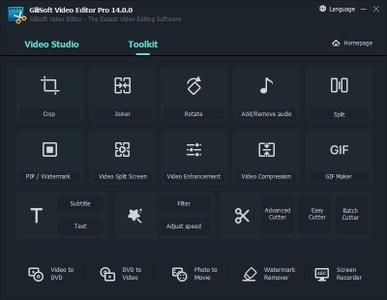
GiliSoft Video Editor Pro 14.0.0 Multilingual + Portable

dc26a204575041a6184199bfc03fa30e.jpeg


GiliSoft Video Editor Pro 14.0.0 Multilingual + Portable | 337.4 / 345.4 Mb​
Nearly everyone can shoot video, whether using a digital camera, smart phone, or a dedicated camcorder, but raw video isn't fun to watch. GiliSoft Video Editor may help you make awesome edited movies, it cut and join video clips with zero quality loss, apply stylish video effects and filters, add music, titles, and much more! Most videos serve a purpose such as telling a story or providing information.

With GiliSoft Video Editor you can choose the best footages; Remove unwanted footage; Join the best material into movie; Add effects, graphics, music, texts; Alter the style, pace or mood of the video. Gilisoft Video Editor is available in Chinese, English, French, Italian, Japanese, Portuguese. Registered Version support editing HEVC/H265 video.

Exclusive Features of Video Editor:
Powerful Video Cutting Function
It is common to shoot far more footage than you actually need and choose only the best material for the final edit. Easy Cutter of GiliSoft Video Editor can easily cut a long video file into many smaller different video parts with no quality loss. Often you will shoot several versions (takes) of a shot and choose the best one when editing. Batch Cutter of GiliSoft Video Editor helps you cut multiple video files at the same time in batch mode.

Advanced Video Cutting Function
Advanced Cutter of GiliSoft Video Editor helps you cut video into several parts and provides lots of video editing functions to make a great home movie: adding watermarks, adding subtitles, video rotation, video cropping, brightness adjustment, filter effects and so on while video cutting. Many videos can be dramatically improved by simply getting rid of the flawed or unwanted bits. Advanced Cutter also supports deleting unwanted video clips from video file.

Powerful Video Joiner
Joiner of GiliSoft Video Editor is a professional video file joining tool which join or merge multiple video files into a large one. Users can choose whether to add the fade in/out effect to videos by their own wills. It supports joining the same format video files without encoding SUPER-FAST merge and supports joining different formats of video files and select any format one of the file as the output format, or set a custom output format.

Powerful Video Splitter
Splitter of GiliSoft Video Editor is perfect video splitting software to split video files into several segments easily and fast. It supports splitting by time, for example every 600 seconds (5 minutes) per segment. It supports splitting by file size, such as 100 megabytes per segment. It supports customize Split, you can set the Split Point by hand.

Adjust Video Speed, Add Effects
Effect of GiliSoft Video Editor helps you adjust video speed or add a lot of picture effect (Black and White, Old Film, Embossment, Carving, Wood Carving, Pencil, Posterize, Oil Painting, Mosaic, Negative, Glow, Haze, Fog, Motion Blur) to video. It supports instant preview, you also can adjust video brightness, contrast, and saturation at the same time.

Add Watermark, Make Picture in Picture Video
Watermark of GiliSoft Video Editor is a full-featured yet easy-to-use software that allows placing a digital watermark or logo or text or video, animated gifs over an existing video in the batch mode. Watermarks can be used for protection or adding comments to your movies. You may impose watermark on a whole video file or on a specified section of the movie.

Add Subtitle to Video
Subtitle of GiliSoft Video Editor is an application that allows you to permanently embed subtitles in videos. It means that you do not have to have, and run, separate files for video and its subtitles. Instead, the subtitle file will be merged with the video file and converted into one new file. It supports ASS, SRT subtitle format, you can instantly preview the effect, and can dynamically adjust the subtitle font and position.

Adding Music to Video
Sometimes music can have a dramatic effect on our perception of a video - no matter whether it's a movie, a commercial, or a video presentation. But what if all you have is silent footage or a video with just a few snippets of voice commentary that really needs some music to make it interesting? With Add Music of GiliSoft Video Editor, you can easily add an audio track in MP3, WMA, OGG, or FLAC format to your MP4, AVI, or any other format video and save it as a new file.

Rotate Video
It's an error made by many. When filming with your cellphone, or even a real video camera, you're not always thinking about 'orientation' - whether you're filming in portrait or landscape. Some devices take into account every flick of your wrist, but most don't, and you end up with a video that's rotated by 90 degrees. Rotate of GiliSoft Video Editor may help you rotate video file and it works pretty well.

Easy Video Cropper
There will undoubtedly be times when you need to crop your videos to remove any unwanted areas. For example, when you got some video files with black bars on top and bottom or you want to crop videos with large dimensions to fit the small screen of devices. Cropper of GiliSoft Video Editor is a powerful video editor that not only crop your video files, but also allows you to enhance the video with visual effects, titles and more.

Home Page-
У Вас недостаточно прав для просмотра ссылок. Войдите или зарегистрируйтесь.


Download link:​
Код:
[center][b]rapidgator_net[/b]:
https://rapidgator.net/file/838483ccb29cd4c50ccc5548a22cc8bd/5wzrd.Video.Editor.Pro.14.0.0.Port.rar.html
https://rapidgator.net/file/ed74ea3f791be8a13ff41526a21b19ec/5wzrd.Video.Editor.Pro.14.0.0.rar.html

[b]nitroflare_com[/b]:
https://nitroflare.com/view/C80291F852BD3AD/5wzrd.Video.Editor.Pro.14.0.0.Port.rar
https://nitroflare.com/view/0DD6EDC3DD5D33E/5wzrd.Video.Editor.Pro.14.0.0.rar

[b]uploadgig_com[/b]:
https://uploadgig.com/file/download/2376e76b7679765e/5wzrd.Video.Editor.Pro.14.0.0.Port.rar
https://uploadgig.com/file/download/9d2bC1b0e0Cf5560/5wzrd.Video.Editor.Pro.14.0.0.rar[/center]

Links are Interchangeable - No Password - Single Extraction​
 
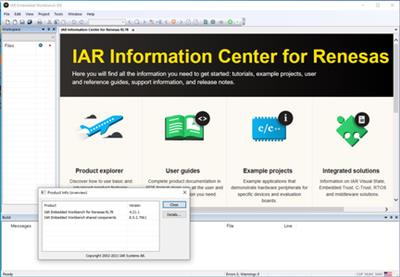
IAR Embedded Workbench for Renesas RL78 version 4.21.1

6a4b7034d3e85c70b760003306b8d75a.jpeg


IAR Embedded Workbench for Renesas RL78 version 4.21.1 | 885.9 mb
Languages: English, 日本語​
IAR Systems, the future-proof supplier of software tools and services for embedded development, is pleased to announce the availability of IAR Embedded Workbench for Renesas RL78 version 4.21.1 is Complete development toolchain to create smaller, faster, smarter code for all RL78 devices.

Release notes for IAR Embedded Workbench for Renesas RL78 version 4.21.1

Highlights

RL78/G23 microcontroller group support
The RL78/G23 group of microcontrollers is now supported.
IAR Build Tools for Linux
A new product called IAR Build Tools for Renesas RL78 has been introduced. It requires a separate product license and is distributed as a Debian package for Ubuntu containing the IAR C/C++ Compiler, IAR Assembler, Linker and library tools, C-STAT, IARBuild, and runtime libraries
C-STAT enhancements
- Extended coverage of CERT C
The static analysis tool C-STAT has extended its coverage of the SEI CERT C Coding Standard. The SEI CERT C Coding Standard's goal is to provide rules for developing safe, reliable, and secure systems in the C programming language, with support for C11 constructs. C-STAT covers all rules in the different CERT C sections listed on the CERT C wiki as of January 2020, with the exception of the API, CON, POS, and WIN sections, which are not applicable to IAR Systems products, yielding a total of 90 covered rules.
- Link analysis trace information
The link analysis messages now display trace information when relevant. For checks looking for conflicting symbol names, all conflicting declarations are now listed in the trace information instead of each pair of conflicts being described in a separate message. This might lead to fewer reported messages for the same number of found issues.
Renesas Smart Configurator included
The Renesas RL78 Smart Configurator V1.0.1 has been included.

5e9b87bd124c3be2149d50779d7c3174.jpeg

IAR Embedded Workbenchis a complete development toolchain including the highly optimizing IAR C/C++ Compiler and the feature-rich C-SPY Debugger. The software is complemented by native debugging and trace probes. The debug probe I-jet supports on-chip RAM buffered trace, in addition to fast JTAG/cJTAG/DAP debug and is complemented by the powerful trace probe I-jet Trace, which can livestream trace information for code coverage and profiling purposes. The new trace features include an updated trace control and status window that provides developers with full control of all active settings and the live trace status of the application. The C-SPY Debugger will decode trace and calculate coverage and profiling as the application executes, populating the respective windows on the fly. This live update enables developers to monitor everything from the available trace buffer to the number of covered instructions. In addition, function profiling makes it possible to see and analyze timing information for the functions in an application, while code coverage analysis shows the percentage of code that has been executed down to single instruction resolution. These combined capabilities offer a non-intrusive and easy-to-use code optimization tool.

Since the 1980's, IAR Systems and Renesashave had a strong partnership. Thanks to the longstanding collaboration, we are the only tool vendor able to deliver high-performing development tools for the entire lineup of Renesas microcontrollers.

With more than 4,000 supported Renesas devices, IAR Embedded Workbench supplies exceptional design flexibility for embedded developers working with the extensive Renesas product portfolio. The tools deliver outstanding performance and let our customers migrate easily between different architectures, and choose the one best suited for a specific application while using the same development tools. It also simplifies reuse of code.

The RPB for RL78G13 is easy to use and powered by the USB interface, supporting on-board debugging, flash programming, and is pre-programmed to work with an interactive GUI provided on the DVD.

Key functions of the RL78 such as RTC, ADC, Timers, safety functions and on-chip data flash can be easily evaluated using the intuitive GUI. Other simple I/O-functions (i.e. LED output, I/O lines, UART serial interface) and not forgetting the class leading low power consumption, can easily be investigated

Once the GUI and device features have been fully investigated further evaluation of the RL78 development tools can be completed using the on-board debugger along with the IAR Embedded Workbench and compiler


IAR Systemssupplies future-proof software tools and services for embedded development, enabling companies worldwide to create the products of today and the innovations of tomorrow. Since 1983, IAR Systems' solutions have ensured quality, reliability and efficiency in the development of over one million embedded applications. The company is headquartered in Uppsala, Sweden and has sales and support offices all over the world.

Product:IAR Embedded Workbench
Version:4.21.1 for Renesas RL78
Supported Architectures:32bit / 64bit
Website Home Page :
У Вас недостаточно прав для просмотра ссылок. Войдите или зарегистрируйтесь.

Language:english, 日本語
System Requirements:PC *
Size:885.9 mb

System requirements

To install and run this version of IAR Embedded Workbench you need:

- A Pentium-compatible PC with Windows 7, Windows 8, Windows 8.1, or Windows 10. Both 32-bit and 64-bit variants of Windows are supported.
- Internet Explorer 8 or higher
- At least 4 Gbyte of RAM, and 10 Gbytes of free disk space.
- Adobe Acrobat Reader to access the product documentation

Third-party debugger drivers, might or might not work depending on their level of support for the Windows version used.

Download link:​
Код:
[center][b]rapidgator_net[/b]:
https://rapidgator.net/file/2c52b555d72523e3cb616ee7dcbe48e1/u3is6.IAR.Embedded.Workbench.for.Renesas.RL78.version.4.21.1.rar.html

[b]nitroflare_com[/b]:
https://nitroflare.com/view/784809F0822CD57/u3is6.IAR.Embedded.Workbench.for.Renesas.RL78.version.4.21.1.rar

[b]uploadgig_com[/b]:
https://uploadgig.com/file/download/773Ad0bd6c6Fdba7/u3is6.IAR.Embedded.Workbench.for.Renesas.RL78.version.4.21.1.rar[/center]

Links are Interchangeable - No Password - Single Extraction​
 
IDM UEStudio 21.00.0.66 Portable

e66f84286cc93c7bafc89f7799b15915.jpeg


IDM UEStudio 21.00.0.66 Portable (x86/x64) | 214.2 Mb​
UEStudio is built upon the world's best text editor, UltraEdit, and delivers additional features for teams and developers - like deep Git integration. You can clone, checkout, update, commit, push / pull, and more directly from within UEStudio to manage your Git repositories.

Git editor
Why use an editor and a separate Git management tool? As a Git editor, UEStudio combines the world's best text editor and the power of Git all within a single application. Edit and update your source files, then commit them with the stroke of a hotkey or the click of a mouse.

Preview Git markdown
Markdown is an essential ingredient of many Git repos. UEStudio features live preview for Markdown (and HTML) so you can update your repo's README.md file and double-check formatting without ever opening your browser.

Merge branches, resolve conflicts
You can easily merge branches in UEStudio's Git branch manager (or in the Git shell if that's your style). Merge conflicts? No problem! Quickly review and resolve them with UltraCompare's mergetool support so you can be on your way.

Review Git changes
Want to see what specifically you've changed in your repository's working directory since your last commit? Open up your repository in UltraCompare and click on the different files for a quick text compare of the working copy and the indexed version.

Compare versions of files
Ever wanted to compare a file from a repo to a previous version of itself, or perhaps its state in a different branch? Or perhaps you want to compare your uncommitted changes to the HEAD version? UltraCompare's Git version compare makes it this possible.

Native difftool / mergetool integration
Prefer doing your Git work on the command line? UltraCompare natively integrates as Git difftool and mergetool so you can fire it up the GUI only when you need it.

Write code faster
UEStudio parses your project and source files to provide you with intelligent, automatic source code completion. See function tips, class data members, function parameters and more via helpful contextual code hints. Write code more efficiently with smart templates.

Operating System:Windows 7, 8/8.1, 10

Home Page-
У Вас недостаточно прав для просмотра ссылок. Войдите или зарегистрируйтесь.


Download link:​
Код:
[center][b]rapidgator_net[/b]:
https://rapidgator.net/file/fcc770892950fada5e95a59b637b9c13/zvki4.IDM.UEStudio.21.00.0.66.Portable.rar.html

[b]nitroflare_com[/b]:
https://nitroflare.com/view/9AAF28442BBD7D9/zvki4.IDM.UEStudio.21.00.0.66.Portable.rar

[b]uploadgig_com[/b]:
https://uploadgig.com/file/download/02c9B2dcdf045B9f/zvki4.IDM.UEStudio.21.00.0.66.Portable.rar[/center]

Links are Interchangeable - No Password - Single Extraction​
 
Iray 2.5 for 3ds Max 2022

517f63028d730a1a23a876504803054a.jpeg


Iray 2.5 for 3ds Max 2022 | 676.8 mb​
The software developer Lightworks is pleased to announce the availability of Iray 2.5 for 3ds Max 2022. With access to a comprehensive materials library, intuitive physically-based NVIDIA MDL material creation and real-world environments and lighting you can quickly achieve stunning images and animations of your designs.

NEW Iray for 3ds Max 2.5 - 10th May 2021

- Added support for 3ds Max 2022.
- Updated to Iray RTX 2020.1.5.
- Fixed intermittent "Access of Invalid Tag" bug.

Iray for 3ds Maxis a physically based ray tracing renderer with accurate materials based on NVIDIA's Material Definition (MDL) standard. This physically accurate engine allows you to create the highest quality images and animations with a real-world approach to materials, cameras and lighting. The lighting in an Iray rendered image is authentic to the real world, as all light interactions in your scene are represented accurately.

Iray for 3ds Max is based on the NVIDIA technology, Iray, which is used in many professional high-end applications and by top design and visualization companies around the world. Iray boasts improvements including an easy to understand material structure and usability enhancements.

Iray for 3ds Max extends the capabilities of the Iray implementation currently included in some versions of 3ds Max, including new features such as full MDL support, interactive rendering, support for cloud or remote renderings and an improved approach to using and creating physically accurate materials.

The Iray plugin includes 2 renderers; Iray+ and Iray+ Interactive. The Iray+ renderer creates production images while the Iray+ Interactive renderer allows you to navigate models in real-time with results that are almost indistinguishable from the Iray+ renderer. We've developed a comprehensive library of high-quality materials and an intuitive material editing UI, which enables you to create the materials you need in minutes. Our photometric lights and physically accurate sky system mean all lighting is representative of the real world. Iray for 3ds Max also supports remote rendering, which enables you to harness the GPU power of cloud rendering and render farms.

An Introduction to NVIDIA Iray for 3ds Max Rendering Plug-In

Lightworksis all things visualization, from software development and integration, configurators and application builds through to immersive Virtual Reality design review experiences. Years of expertise mean your visualization needs are at the forefront of everything we do.

Our multi-disciplinary team of software developers, integration specialists, UI and UX designers, and 3D artists are always looking to begin exciting projects with new customers.

Product:Iray
Version:2.5.0-150830
Supported Architectures:x64
Website Home Page :
У Вас недостаточно прав для просмотра ссылок. Войдите или зарегистрируйтесь.

Language:english
System Requirements:PC *
Software Prerequisites:Autodesk 3ds Max 2022
Size:676.8 mb

System Requirements

Minimum Requirements
- Autodesk 3ds Max 2019 or later
- Windows 7 64-bit Professional operating system
- 64-bit Intel or AMD multi core processor
- 4GB Ram
- 2GB free disk space for installation
- 3GB free disk space if downloading Material Libraries
- NVIDIA GPU with the following minimum specifications*:
. CUDA compute capability 5.0 and higher
. Driver needs to support CUDA 11 or higher. For Windows, this depends upon having NVIDIA Quadro driver version 451.48 or later

Recommended Requirements
- Autodesk 3ds Max 2022 with latest service pack
- Windows 10 or Windows 7 64-bit Professional operating system
- 64-bit Intel or AMD multi core processor
- 8GB Ram
- 2GB free disk space for installation
- 3GB free disk space if downloading Material Libraries
- 2x NVIDIA GPUs with the following minimum specifications*:
. CUDA compute capability 5.0 and higher
. Driver needs to support CUDA 11 or higher. For Windows, this depends upon having NVIDIA Quadro driver version 451.48 or later

CPU only mode
Iray for 3ds Max will run without a GPU, but for best performance we recommend using GPUs. If your GPU does not meet the minimum requirements then Iray will automatically use CPU rendering.

Download link:​
Код:
[center][b]rapidgator_net[/b]:
https://rapidgator.net/file/85af13092bdc1961fa8804318fd84546/x6hvr.Iray.2.5.for.3ds.Max.2022.rar.html

[b]nitroflare_com[/b]:
https://nitroflare.com/view/DFC1589F36E237E/x6hvr.Iray.2.5.for.3ds.Max.2022.rar

[b]uploadgig_com[/b]:
https://uploadgig.com/file/download/b055D29e0d79d30D/x6hvr.Iray.2.5.for.3ds.Max.2022.rar[/center]

Links are Interchangeable - No Password - Single Extraction​
 
Loopmasters Maztek X Neurofunk Basement MULTiFORMAT

9d747945c8af5c9d88001d8e8c9c17ac.jpeg


Loopmasters Maztek X Neurofunk Basement MULTiFORMAT | 2.26 Gb​
Loopmasters are pleased to welcome Maztek to the artist series! This one is packed to the rafters with considered and weighty sounds, designed to give fans and producers of the harder styles of DnB a set of utensils for generating serious bangers. As always, this pack is 100% royalty free and can be used in your tracks from the word go.

Italian-born DnB artist Maztek represents the nano-fine edge of the Neurofunk scene. From humble beginnings playing in bands as a teenager, he fell under the spell of the mighty basslines that DnB is renowned for in the midst of both illegal raves in Rome and commercial events with acts like Fabio, Grooverider and Roni Size. With his single What We Bring/Caph on BTK's well-respected Dutty Audio label, his highly acclaimed Unorthodox EP on legendary label C4C Recordings and his debut appearance on leading-label Virus Recordings alongside Optiv & BTK through the Dive Bomb EP; Maztek is forging his own path through the DnB scene - the future looks set for an exciting evolution.

Maztek has made a huge slab of sonics for your use, weighing in at over 2.5 GB. You'll find everything you'll need to make 31st century drum and bass music within, with drum loops for rollers, live jungle style breaks, neurofunk bass samples, atmosphere loops, FX samples, textures and everything else you'll need to make a dancefloor move! Tempos roll out between 87-175bpm, so you'll find this works perfectly for most styles of drum & bass music - neurofunk, rollers, halftime, minimal and more, alongside other hi-octane dance genres.

In detail, expect to find 2.79 GB of content with all audio recorded at 24Bit & 44.1 kHz. 566 loops are divided between 174 bass loops, 98 drum loops, 54 synth loops, 36 top loops, 35 perc loops, 34 hat loops, 32 live drum breaks, 26 drum fills, 19 pad loops, 16 FX loops, 12 arp loops, 10 cymbal loops, 10 snare loops, 6 atmosphere loops and 4 drone loops. 355 one-shots are divided up as, 170 drum hits, 100 bass hits, 50 FX, 20 synth hits and 15 textures & atmospheres. Also included are 659 rex2 files, 146 soft sampler patches and 8 Kong.

Download link:​
Код:
[center][b]rapidgator_net[/b]:
https://rapidgator.net/file/2cc313de84a79a602eb3833cb7912040/vr5dw.Loopmasters.Maztek.X.Neurofunk.Basement.MULTiFORMAT.rar.html

[b]nitroflare_com[/b]:
https://nitroflare.com/view/D2091A9CE2D40B0/vr5dw.Loopmasters.Maztek.X.Neurofunk.Basement.MULTiFORMAT.rar

[b]uploadgig_com[/b]:
https://uploadgig.com/file/download/c2352979389102c0/vr5dw.Loopmasters.Maztek.X.Neurofunk.Basement.MULTiFORMAT.rar[/center]

Links are Interchangeable - No Password - Single Extraction​
 
Lumenzia 9.2.1 (Win/macOS)

725784e20732d9a75fa1a073e769714b.jpeg


Lumenzia 9.2.1 (Win/macOS) | 123 Mb​
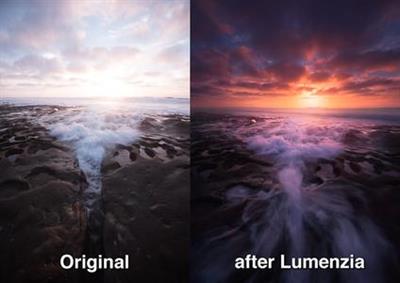
Luminosity masks allow you to create gorgeous and realistic edits in Photoshop. Lumenzia allows you to use use them quickly and easily. Its advanced JavaScript engine handles all the luminosity masking complexity for you in the background, so all you need to think about is making beautiful images.

Features:
Dynamic interface with sliders to quickly and easily create custom masks
BlendIf and Vector masks (to save significant file space and avoid the need to update masks)
Color masks and color BlendIf masks
Zone masks for precise midtone selection
Zone and Range pickers to select midtones by clicking on the image
Difference masks to select pixels which are lighter or darker than their surroudings or other layers
Saturation masks to manage out of gamut colors and more
Vibrance masks for color-specific vibrance adjustments and more
Zone maps to visualize the image in zones 0-10.
Visualize and edit luminosity selections just like layer masks
Add, subtract, or intersect any mask or selection for advanced control
Local Contrast Enhancement (easily and automatically bring out more detail)
Live masks (see the blended result immediately and try different masks)
Refine masks to specific locations or colors in the image
Combine masks (merge group masks to save space and see exactly what is masked)
Support for paths, to facilitate use of luminosity masks with hard edges in architecture
Split-screen to see the mask and image simultaneously
"PreBlend" to automatically stack, align, and sort exposures for blending
Utility to save files >4GB which can be viewed in Lightroom
Non-destructive sponge tool (advanced saturation painting)
Custom vignettes
Advanced Dodging and Burning tools, including visuzliation or the ability to select adjusted areas
Luminosity and dust visualization tools to easily find and fix defects
Advanced sharpening methods for portraits (surface blur) and landscape (high pass)
Apply or replace masks on existing layers with a single click
Recordable actions to include light and dark masks/selections in your own actions.
Training and support videos, as well as a comprehensive written manual

Key benefits:
- Select and mask anything, visually! With Lumenzia, you get a full screen preview of the mask before you apply it. Interactively click on the image to select (or deselect) the tones/colors to the degree you wish. No guesswork with adding and subtracting channels. Isolate the mask to to specific parts of the image with a simple selection. And you can combine group masks to easily see the overall mask impact. It's never been faster and easier to create or customize the right mask. And the masks are created in 16-bits, allowing for smooth transitions in extreme masks.
- Click to pick! You don't have to know which mask to use, just use the built-in zone and range tools to create the right mask automatically.
- It's stays out of the way. Lumenzia offers a compact panel with only the buttons you need, and completely eliminates the need for the channels pallet. This leaves room to easily see your images big and beautiful, even on a laptop screen. Every action in Lumenzia creates just a single history step, so you can undo anything with-Z. And because Lumenzia is programmed in JavaScript, it's smart enough to take care of errors and other tricky situations for you.
- Simplify exposure blending. Automatically stack, align, and sort your exposures light to dark for blending.
- Smaller files. Lumenzia doesn't use channels, so your files stay small. Additionally, it offers BlendIf and vector masks to avoid layer mask bloat, as well as a "Combine" tool to reduce the impact of group masks. A typical TIF file from a Nikon D800 grows from 200MB to 1.4GB when creating channel masks, but would remain the same 200MB size in Lumenzia. And Lumenzia can combine group masks to significantly cut down on file size, often reducing file size by 20-50%!
- Beautiful vignettes with ease. Just draw a selection around the target area to create a vignette of any size, sharp, or position in the image. The vignette can be easily modified, inverted (to lighten the center) or combined with luminosity masks (to avoid darkening shadows too much).

System requirements:
Lumenzia is compatible with Photoshop CS6 - CC 2019+ on both Windows and OSX (CC 2019 or later recommended). Lumenzia does not support CS5 or earlier (however, you may wish to try my free luminosity masking panel/actions instead). Note that the CS6 user interface functions the same, but looks somewhat different (see the FAQ link above for a comparison).

Home Page -
У Вас недостаточно прав для просмотра ссылок. Войдите или зарегистрируйтесь.


Download link:​
Код:
[center][b]rapidgator_net[/b]:
https://rapidgator.net/file/01298fc28ce6278ff165637b2be60ab3/k48f9.Lumenzia.9.2.1.WinmacOS.zip.html

[b]nitroflare_com[/b]:
https://nitroflare.com/view/0227521BFD6F5D0/k48f9.Lumenzia.9.2.1.WinmacOS.zip

[b]uploadgig_com[/b]:
https://uploadgig.com/file/download/0503a30486d2a626/k48f9.Lumenzia.9.2.1.WinmacOS.zip[/center]

Links are Interchangeable - No Password - Single Extraction​
 
MetaProducts Offline Explorer Enterprise 8.1.4896 Portable

090af4ca219a5c098452bb216f156330.jpeg


MetaProducts Offline Explorer Enterprise 8.1.4896 Multilingual Portable | 86.5 Mb​
Experience the full power of Offline Explorer Enterprise: a scalable solution supporting massive downloads, fast data processing and capable to integrate with your company applications and systems.

Bringing new unlimited capabilities in archiving Websites
Being the industry-leading application for Website archiving and downloading, Offline Explorer Enterprise delivers the high-level downloading technology and industrial-strength capabilities. Download up to 100 million URLs per Project. Archive Websites automatically on a regular basis. Copy the downloaded Websites directly to your hard drive or to other external media, like Flash drives or DVDs. Archive the downloaded content in any format: WARC, ZIP, CHM, EXE. Examine a detailed download report for downloaded URLs and link errors.

Is Internet access restricted at your company? We know how to still have necessary Websites at hands.
There are many reasons why Internet access can be limited. If your company or educational organization restricts Internet access for security or productivity reasons, your employees still need access to certain industry related Websites. Offline Explorer Enterprise can download all relevant Websites to publish them in your Intranet easily.

Create your own offline browsing solution
OLE Automation enables developers to interoperate with Offline Explorer Enterprise making its folders, Projects and downloads fully accessible. Create your own solution using Visual C++, Visual Basic, Delphi or another COM-compatible development environment to start new downloads, manage Projects and process downloaded Websites via Offline Explorer Enterprise.

Precise and flexible
Its easy to download bulk Websites or just some files you need. With its varied and flexible settings, Offline Explorer Enterprise gives you full control over what to download and what to skip. Everything is possible with Offline Explorer Pro: downloading password-protected Websites, setting the download to automatically start at the time you need, using Macros to download constantly updated Websites, and many more.

Always Up-to-date, for 19+ years
For more than 19 years, Offline Explorer Enterprise has progressed to the state of the art in Website capturing. Since appearing in 1997, we have permanently been adding new functionality and the latest technology to present continual and consistent updates.

Capturing Social Networking Websites
Capture social networking Websites like Facebook, Twitter or Instagram and other interactive Websites. New practical Wizards let you quickly download your favorite social media Websites.

Task-based Wizards to dramatically speed-up your workflow
The fastest and most efficient Website downloader is now first to offer the task based Wizards, so you can uniquely easy download the Web content you need. Get started with almost any download task you might need using new Wizards with no need to set many Properties.

Help Center
Get the most out of Offline Explorer Pro functionality with our new help center.

New Features:
Capturing Social Networking and other interactive Websites;
Saving passwords on the fly to download Password-protected Websites;
Task-based Wizards to easily create download tasks;
Report of all downloaded URLs and link errors;
WARC files creation option;
WARC files recording option;
Setting download priority for selected file types;
AutoRefresh for Internal browser tabs;
Recent and Active screen in the Ribbon File tab;
Option to export to MAFF archives;
New Help center;
Migration Wizard to transfer Projects and settings to another computer;
Office 2013-like design of the Ribbon;
And many more.

Operating System: Windows XP, Vista, Windows 7, 8, 8.1, 10

Home Page-
У Вас недостаточно прав для просмотра ссылок. Войдите или зарегистрируйтесь.


Download link:​
Код:
[center][b]rapidgator_net[/b]:
https://rapidgator.net/file/253926d91cdd0c792be73b99b0a7f06f/mvcc2.MetaProducts.Offline.Explorer.Enterprise.8.1.4896.Portable.rar.html

[b]nitroflare_com[/b]:
https://nitroflare.com/view/73C21E94CF2381C/mvcc2.MetaProducts.Offline.Explorer.Enterprise.8.1.4896.Portable.rar

[b]uploadgig_com[/b]:
https://uploadgig.com/file/download/716FC1aee1af77Dc/mvcc2.MetaProducts.Offline.Explorer.Enterprise.8.1.4896.Portable.rar[/center]

Links are Interchangeable - No Password - Single Extraction​
 
MetaProducts Portable Offline Browser 8.1.4896 Multilingual

3436a9e7ee258490b21bfe3770694842.jpeg


MetaProducts Portable Offline Browser 8.1.4896 Multilingual | 134.3 Mb​
Ultra-fast and smart downloading of Websites for later offline use. Powerful ease of usage. Theres no other choice for saving desired Web content.

Bringing new unlimited capabilities in archiving Websites
Being the industry-leading application for Website archiving and downloading, Portable Offline Browser delivers the high-level downloading technology and powerful features. Archive Websites automatically on a regular basis. Copy the downloaded Websites directly to your hard drive or to other external media, like Flash drives or DVDs. Archive the downloaded content in any format: ZIP, CHM, EXE.

Offline browsing made portable
Optimized for use on removable or cloud drives Portable Offline Browser makes any computer feel like your own. When your USB Flash drive or portable hard drive is plugged in or cloud drive is synchronized, you have full access to the Portable Offline Browser settings, Projects and downloaded files just as you would on your own computer. And when you unplug, none of your personal data is left behind. Continue working as you move computers and have all the downloaded Websites with you.

Precise and flexible
Its easy to download bulk Websites or just some files you need. With its varied and flexible settings, Portable Offline Browser gives you full control over what to download and what to skip. Everything is possible with Offline Explorer Pro: downloading password-protected Websites, setting the download to automatically start at the time you need, using Macros to download constantly updated Websites, and many more.

Always Up-to-date, for 19+ years
For more than 19 years, Portable Offline Browser has progressed to the state of the art in Website capturing. Since appearing in 1997, we have permanently been adding new functionality and the latest technology to present continual and consistent updates.

Capturing Social Networking Websites
Capture social networking Websites like Facebook, Twitter or Instagram and other interactive Websites. New practical Wizards let you quickly download your favorite social media Websites.

Task-based Wizards to dramatically speed-up your workflow
The fastest and most efficient Website downloader is now first to offer the task based Wizards, so you can uniquely easy download the Web content you need. Get started with almost any download task you might need using new Wizards with no need to set many Properties.

Help Center
Get the most out of Portable Offline Browser functionality with our new help center.

New Features:
Capturing Social Networking and other interactive Websites;
Saving passwords on the fly to download Password-protected Websites;
Task-based Wizards to easily create download tasks;
Setting download priority for selected file types;
AutoRefresh for Internal browser tabs;
Recent and Active screen in the Ribbon File tab;
Option to export to MAFF archives;
New Help center;
Migration Wizard to transfer Projects and settings to another computer;
Office 2013-like design of the Ribbon;
And many more.

Operating System:Windows XP, Vista, Windows 7, 8, 8.1, 10

Home Page -
У Вас недостаточно прав для просмотра ссылок. Войдите или зарегистрируйтесь.


Download link:​
Код:
[center][b]rapidgator_net[/b]:
https://rapidgator.net/file/3cc82eed983098ab9a435a905131896a/koi0q.MetaProducts.Portable.Offline.Browser.8.1.4896.Multilingual.rar.html

[b]nitroflare_com[/b]:
https://nitroflare.com/view/25EC12C2236F27A/koi0q.MetaProducts.Portable.Offline.Browser.8.1.4896.Multilingual.rar

[b]uploadgig_com[/b]:
https://uploadgig.com/file/download/da72C318de714f16/koi0q.MetaProducts.Portable.Offline.Browser.8.1.4896.Multilingual.rar[/center]

Links are Interchangeable - No Password - Single Extraction​
 
Назад
Сверху