• Форум работает в архивном режиме www.old.nado.in

All mitsumi'1s Applications !! (updated daily)

  • Автор темы Автор темы mitsumi1
  • Дата начала Дата начала
IObit Uninstaller Pro 10.4.0.15 Multilingual

079d1e79d7db3ef0a0aadf5c5e3182d3.jpeg

File Size: 27 MB​
Integrated with up to date uninstall technology, IObit Uninstaller helps you remove unneeded programs easily even when Windows "Add or Remove Programs" fails. Besides removing unwanted applications, it also scans and removes leftovers easily. The most attractive part is that it makes a restore image before every uninstallation. With the new added Toolbars Uninstallation Module, IObit Uninstaller helps you remove unwanted toolbars thoroughly.

Cleaner & More Stable PC
As time going on, your PC will easily become slow after piling up too many leftovers in registry after general uninstallation. But now users can remove the programs and all leftovers quickly by just 1 click in IObit Uninstaller ; and get a cleaner, faster and more stable PC. Additionally, IObit Uninstaller can also remove programs and pre-installed apps in Windows 10.

Faster & Safer Browsing
Some malicious plug-ins, toolbar and unwanted injected programs will be installed into browsers without any notice, which will frustrate you by slowing down your surfing speed and annoying ads pop-ups. The improved Toolbar & Plug-in removal will monitor and remove all these useless programs and give you fast and clean online surfing experience. And the newly enhanced Chrome plug-ins removal can remove the plug-ins not installed via Chrome store.

Powerful & Safe Uninstallation
Many stubborn programs cannot be uninstalled or uninstalled completely in an easy way. IObit Uninstaller can powerfully remove them and delete all the leftovers, including the registry and file directory of some stubborn antivirus programs. IObit Uninstaller will continue the unfinished uninstall process caused by system reboot; and it also can create a system restore point before every uninstallation in case of unexpected happens.

More Powerful Tools
Sometimes users will forget to remove the leftovers after uninstallation, and the new tools in IObit Uninstaller can help them continuing powerful scan for the programs in the uninstall history, as well as cleaning other useless update/install package and invalid shortcuts etc. Download IObit Uninstaller, and you can even easily find the basic Windows Tools in it.

Whats New:
+ Increased uninstall speed by 50%
+ Improved scan algorithm to scan 30% more uninstallation leftovers
+ Enhanced Software Health to newly support blocking site notification prompts from interrupting you
+ Enhanced Install Monitor to monitor more programs installation and newly support monitoring system services, scheduled tasks, and DLL registration
+ Optimized program detection algorithm for more accurate detection of Infrequently Used Program and Bundleware
+ Fixed the occasional incorrect leftover prompts after updating some programs
+ Added support for uninstalling 40+ stubborn programs like MPC-HC, SpyHunter5, Avast Antivirus, Rockstar Games, IntelliJ IDEA, and more
+ Newly support updating multi-language versions of some popular programs, like Firefox, WinRAR, and Mozilla Thunderbird
+ Newly support removing plugins of Microsoft Edge (Chromium)
+ Better UI for more user-friendly experience
+ Two skins: Dark & Light
+ Localization: 38 languages

Download link:​
Код:
[center][b]rapidgator_net[/b]:
https://rapidgator.net/file/e6663bb285541d044373cb8e4aa8e46c/i5ko1.IObit.Uninstaller.Pro.10.4.0.15.Multilingual.rar.html

[b]nitroflare_com[/b]:
https://nitroflare.com/view/92BEA98D7930FDB/i5ko1.IObit.Uninstaller.Pro.10.4.0.15.Multilingual.rar

[b]uploadgig_com[/b]:
https://uploadgig.com/file/download/373623eb27969b82/i5ko1.IObit.Uninstaller.Pro.10.4.0.15.Multilingual.rar[/center]

Links are Interchangeable - No Password - Single Extraction​
 
JRiver Media Center 27.0.81 (x64) Multilingual

6d9a44ad3ceb60b05375dd957075194c.jpeg

File size: 40 MB​
JRiver Media Center - all-in-one media management app turns any Windows PC into an entertainment hub for complete control of your digital media: Audio, Video, Images, and Television. It connects PC to stereo, TV, remote control devices, digital cameras, scanners, and portable MP3 players. It plays all media, rips, burns, and organizes all your music, images, and video. MC encodes and plays all popular media formats. Powerful utilities include Media Server for streaming music and images to remote PCs. Media Center is more than a world class player. It's also a Media Network, a whole house music, movie, TV, and photo solution. The leader in audiophile quality sound. The most powerful media database available; an essential tool for large collections.

Features:
Audio
* Native support of DirectShow DSP filters
* Audiophile - WASAPI exclusive output using high-end USB DACs
* Audiophile - Added ability to play files from memory instead of disk
* Audiophile - Support for high end USB DAC's with WASAPI
* Headphone DSP makes listening more natural and comfortable.
* SoundcardSwitch command for the launcher, allows soundcard selection
* 3D album view adjusts text size to display more tracks when necessary
* 3D album view allows playing, adding, shuffling, and adding as next to play

Images
* Image Preview allows zoom from a thumbnail to rotate, delete, compare, edit, and more
* Image thumbnail frames (optional)
* Photoshop PSD file support
* Single command copy / send to an editor like Photoshop, and stack new image with original

Video
* Video tagging using sidecar files
* Chapter Support for MKV and MP4
* Chapters added to On Screen Display
* Info Panel displays metadata

Television
* Added new "watched" column to metadata
* EPG can automatically retrieve XMLTV data
* Automatic correlation of XML channel names and MC channel names
* Info Panel displays metadata, including TV program art
* TV program art from YADB

Theater View
* Watch Hulu and YouTube from Theater View
* Customizable nested views in Theater View
* Customizable File Info panel to display metadata
* Speed and quality enhancements
* Custom backgrounds
* Touch screen support
* On screen clock

Remotes and Servers
* Wiki articles: Remotes and Servers
* Remote Relay using IR transceivers for controlling a set top box or receiver
* Remote Setup Wizard
* Media Center Remote learning and blasting
* Media Center can connect to another Media Center to act as a remote (TRemote)
* New HID remote control plug-in - supports shortcuts with keyboard, mouse, & gamepad
* Remote control with REST based Web Service Interface in Library Server
* Library Server supports read and write to allow for shared, multi-user database access
* DLNA added to the UPnP Server
* Library Server clients can write changes back to server
* Library Server connections allow playback on server as Playing Now zones

Download link:​
Код:
[center][b]rapidgator_net[/b]:
https://rapidgator.net/file/fce6cd45982d8e4d7b15f354784518f7/kr81q.JRiver.Media.Center.27.0.81.x64.Multilingual.rar.html

[b]nitroflare_com[/b]:
https://nitroflare.com/view/4530D6C7100B604/kr81q.JRiver.Media.Center.27.0.81.x64.Multilingual.rar

[b]uploadgig_com[/b]:
https://uploadgig.com/file/download/b847C7dc78b64d23/kr81q.JRiver.Media.Center.27.0.81.x64.Multilingual.rar[/center]

Links are Interchangeable - No Password - Single Extraction​
 
Laser Photo Wizard Professional 9.6

6ba8b8ce0580f243610d6282fa6f728e.jpeg

File size: 28.82 MB​
Laser Photo Wizard Professional is powerful software for creating images ready for Laser Photo Engraving. The system offers extensive controls to convert photos to grayscale black and white images. It then can use one of three effects to create pure black and white images for the laser.

Laser Photo Wizard uses three methods to achieve this:
* Edge Sketching - This method looks at the edges of an image to create a sketch of the image. This has an artistic quality and works very well on low cost lasers.
* Dithering - This method uses a series of black and white dots that are arranged so that the gray value in and give area is preserved.
* Combined Dithering with Sketch - This method, that works well with wood, increases the contrast of the engraved image buy dithering and also considering the edges of the photo.

The system also has the ability to add text, vector outlines and overlays to the image. A built in black and white editor is offered in the pro version.

What's new
* official site does not provide any info about changes in this version

Download link:​
Код:
[center][b]rapidgator_net[/b]:
https://rapidgator.net/file/0a498d398c2419af0c1c987aad4128ed/vocda.Laser.Photo.Wizard.Professional.9.6.rar.html

[b]nitroflare_com[/b]:
https://nitroflare.com/view/EE5CE8B24F3B182/vocda.Laser.Photo.Wizard.Professional.9.6.rar

[b]uploadgig_com[/b]:
https://uploadgig.com/file/download/27052A9Ff0cba458/vocda.Laser.Photo.Wizard.Professional.9.6.rar[/center]

Links are Interchangeable - No Password - Single Extraction​
 
Memory Clean 3 v1.0.21 macOS

60132550574ef209fa4eb21c282695fd.jpeg

File size: 7.88 MB​
Memory Clean 3 is an absolutely gorgeous, extremely powerful and super slick app for optimizing your Mac's memory. It's best used after you have finished using a memory (RAM) intensive app or game.

With its easy to understand interface and powerful feature set, Memory Clean 3 stands head and shoulders above the rest. This latest version brings with it brand new features such as:

MEMORY HOGS DETECTION:
Memory Clean 3 lets you know which apps are using up the most memory on your Mac and can automatically recover memory when you close them.

INACTIVE APP NOTIFICATIONS:
You can enable Memory Clean 3 to notify you when an app hasn't been used for a period of time, such as 30 minutes. You can close these apps to reduce memory usage.

INTERFACE THEMES & CUSTOMIZATION:
Customise your Memory Clean 3 interface with a choice of a beautiful light and stunning dark theme. You can also choose between a detailed and compact interface. Finally, the ever popular docked mode from the original Memory Clean is back!

Our users have experienced a smoother and faster experience after running Memory Clean 3. Memory Clean 3 is the successor to the award winning Memory Clean 1 and 2 apps that achieved several million downloads and were featured by Apple as an 'Invaluable Utility' on the Mac App Store.

Note: Memory Clean 3 works by purging the Mac's inactive memory and is best used when you close an intensive app that you do not plan to use again quickly within a few hours. During the cleaning process, older Macs may slow down until the cleaning is complete.
Release Notes

* Release notes were unavailable when this listing was updated.

Supported Operation System:
* 64-bit processor
* OS X 10.9 or later

Download link:​
Код:
[center][b]rapidgator_net[/b]:
https://rapidgator.net/file/6e4e43cac2da8958b9cf1b8b23022861/vauvv.Memory.Clean.3.v1.0.21.macOS.rar.html

[b]nitroflare_com[/b]:
https://nitroflare.com/view/176E6349B99B561/vauvv.Memory.Clean.3.v1.0.21.macOS.rar

[b]uploadgig_com[/b]:
https://uploadgig.com/file/download/9b3e152d00cF0cff/vauvv.Memory.Clean.3.v1.0.21.macOS.rar[/center]

Links are Interchangeable - No Password - Single Extraction​
 
Mgosoft PCL To PDF Converter 12.6.0

8da976215dfc1c4e70a1ca3375b9da87.jpeg

File size: 10 MB​
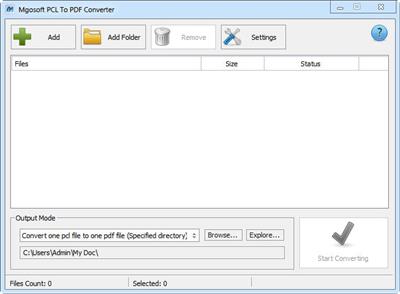
Mgosoft PCL To PDF Converter is a fast, affordable way to batch convert your LaserJet PCL print files to industry standard PDF (Portable Document Format), PDF documents can be viewed and printed using the Adobe Acrobat range of products, distribute your print files around the Internet or your company Intranet for easy viewing, searching and printing. Mgosoft PCL To PDF Converter is most accurate converter of PCL, PXL, PX3 to PDF formats. Integrate high-volume batch conversion into your server-based application or workflow.

Key Functions:
Convert LaserJet PCL and PXL to PDF, PCL to PDF, PXL to PDF.
Convert PCL5e, PCL5c and HP-PCL print files to PDF.
Standalone software, Adobe Acrobat and Reader NOT required!
Support create a PDF/A document.
Full PCL color support.
A tool of HP PCL4/5/5e/5c + PCL XL (PCL6) applications on Windows platform.
Support several document files can be merged to create a single PDF file.
Support each document file be converted into a PDF file.
Password protection for PDF files with 40 or 128 bit encryption.
Set the document title, subject, author and keywords options.
Use it on all Windows version including the latest builds of Windows 10.

Whats New:
Updates: official site does not provide any info about changes in this version.

Download link:​
Код:
[center][b]rapidgator_net[/b]:
https://rapidgator.net/file/c399a5a96d486b1aa547d1569806d4ff/1jsv5.Mgosoft.PCL.To.PDF.Converter.12.6.0.rar.html

[b]nitroflare_com[/b]:
https://nitroflare.com/view/3230B8FBC7A0535/1jsv5.Mgosoft.PCL.To.PDF.Converter.12.6.0.rar

[b]uploadgig_com[/b]:
https://uploadgig.com/file/download/8489F810eE519cd9/1jsv5.Mgosoft.PCL.To.PDF.Converter.12.6.0.rar[/center]

Links are Interchangeable - No Password - Single Extraction​
 
Movist 2.5.6 MAS

0aadfd5c7f8e2e0f3cc5036a0017abbc.jpeg

File size: 64.24 MB​
Movist is an easy-to-use and powerful movie player. You can choose either the QuickTime or FFmpeg decoder for each video codec and reopen with other decoders instantly. Movist supports many useful features to enjoy movies including H.264, H.265/HEVC hardware video decoder acceleration, digital audio out (S/PDIF), high-quality subtitles, a convenient & beautiful user interface and more.

Just Enjoy Movies with Movist.

* Single Window Mode or Multiple Document Mode.
* App Sandbox supported.
* Retina Display supported.
* HDR Tone Mapping

* Various File Formats supported.
* Various Video & Audio Codecs supported.
* H.264, H.265/HEVC Video Decoder Acceleration.
* Various Core Image Filters supported.
* Video Rotation & Flip.
* Deinterlacing

* Digital Audio Out (S/PDIF)
* Audio Equalizer supported
* A/V Sync Adjustment.

* High-Quality Subtitles.
* Various Subtitle Formats supported.
* Embedded Subtitles supported.
* Compressed Subtitles in .zip & .rar supported.
* 3D Subtitles supported.
* Subtitle Displayed in Letter Box.
* Unlimited concurrent subtitle display.
* Fully Customizable Subtitle Display.
* Subtitle Text Encoding auto-detection.
* Subtitle Sync Adjustment.

* Auto-Filling Playlist (searching series & subtitle files)
* Playlist Shuffle & Repeat Mode.
* Playlist Load & Save.
* Playback Speed Adjustment.
* Screenshot Capture.
Release Notes

Improved VP9 decoding performance.
* Supports hardware acceleration on Macs using macOS 11 and Intel 7th generation CPU or later chips.
* Decoding performance equivalent to hardware acceleration on a Mac with Apple M1 chip.

Supported Operation System:
* 64-bit processor
* OS X 10.10 or later

Download link:​
Код:
[center][b]rapidgator_net[/b]:
https://rapidgator.net/file/0736c64f259afabbc0a86ddc5152145e/tmqwt.Movist.2.5.6.MAS.rar.html

[b]nitroflare_com[/b]:
https://nitroflare.com/view/23C555C8994E018/tmqwt.Movist.2.5.6.MAS.rar

[b]uploadgig_com[/b]:
https://uploadgig.com/file/download/0c224CCe46849Cde/tmqwt.Movist.2.5.6.MAS.rar[/center]

Links are Interchangeable - No Password - Single Extraction​
 
Mp3tag 1.1.1 macOS

42638e2408934ea279b06b32ee8318cc.jpeg

File size: 10.56 MB​
Mp3tag is a powerful and easy-to-use tool to edit metadata of audio files. Musicians, DJs, podcasters, and audio-enthusiasts use it for many different aspects of handling audio files.

It supports batch tag-editing for multiple files at once, covering many audio formats from MP3, over MP4, and M4V (yes, that's video!) to FLAC, OGG, OPUS, AIF, DSF, MPC, and WAV.

Furthermore, it supports online database lookups from Discogs and MusicBrainz, allowing to gather proper tags and download cover art for music libraries.

It offers renaming files based on the tag information, replacing characters or words in tags and filenames, importing tag information, and adjusting the size and image format of embedded cover art.

Since some of the tasks in managing a digital library are repetitive, Mp3tag allows for combining tasks into action groups, which serve as workflows for keeping consistency and order. Examples are formatting tag fields, performing case conversion, removing unwanted fields, or adjusting embedded cover art to match required sizes.

## Key Features
- Bulk-Editing of Tags for multiple files at once.
- Editing of cover-art.
- Renaming files based on tags.
- Importing metadata from filenames.
- Assign track and disc numbers via the auto-numbering wizard.
- Importing metadata from online Tag Sources.
- Support for Flexible Tagging, allowing for user-defined tag fields in a standardized way.
- Applying action groups with many tasks combined into reusable workflows.
- Support for many file types under a universal user interface.
and more...

## Supported File Formats
- MP3 (ID3v1, ID3v2.3, ID3v2.4 with UTF-8)
- MP4/M4A/M4B/M4V (iTunes and Nero)
- FLAC (Vorbis Comments)
- OGG (Vorbis Comments)
- OPUS (Vorbis Comments)
- AIF (RIFF INFO and RIFF ID3)
- DSF (ID3v2)
- MPC (APEv2)
- WAV (RIFF INFO and RIFF ID3)
Release Notes

New:
* Added converter Text file to Tag to import tags from text files.
* Added option to Merge tag-sources results to existing tags which also keeps existing covers.
* Added synchronized selection for tracks and files table at Tag Sources results.
* Added synchronized scrolling for tracks and files table at Tag Sources results.
* Added support to enable or disable all fields in Tag Sources result via Option + Click.
* Added context-menu item on file list header to auto-size current column.
* Added context-menu item on file list header to auto-size all columns.

Changed, Improved & Fixed:
* Changed Show in Finder context-menu item to also select all files in Finder and open more than one Finder window if necessary.
* Changed focus to be at first empty search field or search button at Tag Sources search window.
* Changed to use a minimum window size.
* Improved accessibility for helper buttons in formatstring fields.
* Fixed write error message due to sandboxing issue on FAT32 file systems if temporary files were involved.

Supported Operation System:
* 64-bit processor
* macOS 10.14 or later

Download link:​
Код:
[center][b]rapidgator_net[/b]:
https://rapidgator.net/file/028f774f6c4234892a4dbdc7560e401f/uxkg1.Mp3tag.1.1.1.macOS.rar.html

[b]nitroflare_com[/b]:
https://nitroflare.com/view/EC872A164962B43/uxkg1.Mp3tag.1.1.1.macOS.rar

[b]uploadgig_com[/b]:
https://uploadgig.com/file/download/8Da7f791865f69e2/uxkg1.Mp3tag.1.1.1.macOS.rar[/center]

Links are Interchangeable - No Password - Single Extraction​
 
NeoFinder 7.8 macOS

98614066ed8f9cb481cf08958bc012a6.jpeg

File size: 27.19 MB​
NeoFinder rapidly organizes your data, either on external or internal disks, or any other volumes. It catalogs all your data, so you stay in control of your data archive or disk library. With extensive metadata support, you can find your files quickly.

Technical Details:
* Catalog: any hard disk, SSD, data folder, Server Volume, USB-Stick, Dropbox, Backblaze, CD-R, DVD-R, Blu-ray, HD-DVD, iPod, Audio-CD, FTP-Server, and more
* Power: Handle really large amounts of data and catalogs
* Networkable: Share your NeoFinder database in your entire workgroup (requires a Business License)
* Cross-platform: with abeMeda (was CDWinder, aka NeoFinder for Windows), you can use one database for both worlds!
* iOS: Only NeoFinder is also available for the iPhone or iPad!
* Photo Previews: Create beautiful thumbnails for many photo and image formats, such as JPG, TIFF, EPS, RAW, PDF, PSD, BMP, GIF, PNG, TGA, IFF (Maya)
* Movie Thumbnails: For many video files that are supported by QuickTime and possible Plugins, such as: avi, mov, mp4, m4v, mpg, flv, mkv, and so on. NeoFinder doesn't get the boring first frame of a movie, but a frame from around 20% of the duration of the file. Elgato EyeTV recordings are cataloged, including EPG metadata, and also RED movies ".r3d". With ffmpeg, you also get thumbnails for many more formats
* Document Thumbnails: Get useful thumbnails for PDF, Microsoft Powerpoint, Apple Keynote, Apple Pages, Adobe InDesign, and Quark XPress documents
* Text Previews: Get excerpts of text documents, such as Microsoft Word, PDF, RTF, TXT, and NFO formats, and even HTML and your emails (.eml and .emlx)!
* Audio Meta Data: MP3, AAC (iTunes), FLAC (Free Lossless Audio codec), ALAC (Apple Lossless), WAV, BWF (Broadcast Wave Format), and AIFF meta data: author, album, title, composer, lyrics, cover art, track number, duration, bit rate, genre, year, comment, and ISRC. Even catalogs whole Audio-CDs, and Apple iPhone ringtone files!
* Photo Meta Data: XMP (used by Adobe Bridge), EXIF and IPTC meta data (including GPS geotags), and JPG, TIFF, PICT, RAW, and BMP photo details
* Movie Meta Data: Get the dimension, duration, codec and frame rate out of movie files, supporting AVI, MOV, MP4, FLV, MPG, 3PG, and M4V
* Backblaze B2 Cloud Storage: Catalog your buckets directly from inside NeoFinder!
* Geotagging GPS support: NeoFinder catalogs and displays GPS EXIF tags of photos and iPhone movies, and has direct links to Google Earth, Flickr, Panoramio, Google Maps and MapQuest. NeoFinder can even search for photos that were taken near any location (GeoFinder), and export GPS data to KMZ files. Or just geotag you photos directly with NeoFinder
* Workflow Integration: Automatically catalog all discs burned by Roxio Toast; Drag any image directly from NeoFinder into applications like Adobe InDesign, Quark XPress, Apple Pages, Microsoft Office, and much more
* Find it! Best Find functions in the market, and of course offline browsing of all your volumes - even in multiple windows, if you want to
* Spotlight Integration: Search your local disks with Spotlight and as well as your catalogs from inside NeoFinder
* Import Catalogs: These formats are supported: Canto Cumulus and MediaDex (CRE files), "Macmagna" FileFinder, WhereIsIt (Windows, XML), DiskCatalogMaker (Text export), TOLIS Group BRU, Cache-A XML files, DiskLibrary, PreRoll Post CSV LTO catalogs, Disk Recall, DiskWizard, Iomega FindIt, Portents DiskTracker (1.x and 2.x), Catalogue, CatFinder, "Neometric" Catalog , Broken Cross Disk Manager (Windows, XML), Advanced Disk Catalog (ADC for Windows, XML), SuperCat for Windows (".idx" database files), Delicious Library XML, iView MediaPro and Microsoft Expression Media (XML export), "Media Catalog" (CSV export files)
* Fast and really easy to use
* Automatically Update catalogs with a time schedule! (AutoUpdater requires Business License)
* Export and print catalog data
* Insight: Look inside archive files: ZIP, TAR, .rar, StuffIt (.sit and even .sitx), even Disk Image contents
* International: English, German, Japanese, French, Italian, Swedish, Spanish and Dutch user interface, all in one application
* Unicode compatible: Use NeoFinder to catalog file names of any language
* AppleScript: Integrate NeoFinder with FileMaker Pro or any other application, or extend the abilities of NeoFinder
* Extend your NeoFinder catalog database by using five custom fields for any content you need
* FileCheck: Only NeoFinder can generate an industrial strength MD5 checksum for every file being cataloged
* AutoMount: NeoFinder automatically mounts every server volume you have cataloged or updated for you! And you can of course also ask NeoFinder to mount the volume for you at any time, using the context menu
* QuickLook: Open a QuickLook window for any selected online file(s) right from inside NeoFinder
* Cross-Grade: You already bought a different catalog or media asset manager application, ask us for a good offer!
* Free email support

NeoFinder is the only Mac cataloging software that can do all of this:
* Import 21 different catalog or export file types of other applications
* Read and actually use exhaustive photo and audio meta data, including IPTC, Adobe XMP, and EXIF, as well as all GPS geotags
* Generate audio previews for songs
* GeoFinder: search for photos or movies that were taken in any distance to a specific location!
* Catalog the contents of 7 different archive formats, including disk image files
* Catalog Audio-CDs
* Use AppleScript to integrate NeoFinder smoothly into your existing workflow
* Search your local data with Spotlight
* Find your data based on every available meta data piece that NeoFinder can catalog
* Automatically Update catalogs with a time schedule (AutoUpdater)
* Be used in a cross-platform network with abeMeda for Windows
* Be easily integrated into FileMaker Pro solutions
* Generate and verify FileCheck values to ensure your data safety

Supported Operation System:
* 64-bit processor
* OS X 10.9 or later

Download link:​
Код:
[center][b]rapidgator_net[/b]:
https://rapidgator.net/file/f00e1efc0ec5f36bc38730c6093f234c/igsze.NeoFinder.7.8.macOS.rar.html

[b]nitroflare_com[/b]:
https://nitroflare.com/view/C5C66D77D799919/igsze.NeoFinder.7.8.macOS.rar

[b]uploadgig_com[/b]:
https://uploadgig.com/file/download/f7c5Dd6094bd11EF/igsze.NeoFinder.7.8.macOS.rar[/center]

Links are Interchangeable - No Password - Single Extraction​
 
Screens 4.8.6 macOS

2d0045e80996b3cf42720f9f703f46da.jpeg

Language: Multilingual | File size: 36 MB​
Streamlined and powerful VNC utility designed to provide you with all the tools you need to remotely connect to your devices from your Mac

Accessing your devices from anywhere in the world is surely great, especially if you need to perform some last minute modifications to a project or copy a certain file. This can be done from any computer that can access your device's network using the VNC desktop sharing system.

Screens Features
- Easy to Use: Screens is an easy, user-friendly VNC client for Mac.
- Secure: Screens can connect to your computer through an SSH tunnel so your session is encrypted and safe.
- Multi-Touch: Screens supports many of the multi-touch features-such as pinch and navigation-you're already used to on your trackpad.
- Screens Connect: Make your computer available from anywhere with this optional helper app. Easy as flicking a switch. No messy router setup.
- Versatile: Screens can connect to Macs with OS X 10.4 or later, Linux, Windows PCs, and most VNC servers.
- Works Anywhere: Through Wi-Fi or a 3G network.
Release Notes
Release notes were unavailable when this listing was updated

Supported Operation Systems:
macOS 10.12 or later

Download link:​
Код:
[center][b]rapidgator_net[/b]:
https://rapidgator.net/file/6714e5f18ba32283c051f375d072b9ab/6ibpb.Screens.4.8.6.macOS.rar.html

[b]nitroflare_com[/b]:
https://nitroflare.com/view/B700CB0602B13C6/6ibpb.Screens.4.8.6.macOS.rar

[b]uploadgig_com[/b]:
https://uploadgig.com/file/download/FA18c34d9680Ba42/6ibpb.Screens.4.8.6.macOS.rar[/center]

Links are Interchangeable - No Password - Single Extraction​
 
Shortcut Bar 1.8.26 macOS

516661fda5ed38c5389f95eafa02050d.jpeg

File size: 7.30 MB​
Shortcut Bar is an incredibly handy app that connects you to the files, folders, apps, web bookmarks, text snippets and color swatches that you need lightning fast access to.

The app lives in your menubar and allows you to add in an unlimited number of shortcuts. Whenever you require access to these important shortcuts, simply click on the menubar icon and select the item from the dropdown list.

We believe that within just a few days of use, you'll be totally hooked and wonder how you ever lived without Shortcut Bar. The app will save you time and speed up your workflow.

FEATURES:
- Add as many files, folders, web links, apps, text snippets and color swatches that you would like instant access to
- Sort files and folders into Groups with headings, making it easier to find the shortcut you're looking for
- Expand and collapse Groups to keep your shortcuts organized and tidy
- Folders and files are presented with their respective icon
- Choose whether clicking on a shortcut opens it in Finder or opens the item itself
- Expand and navigate within folders
- Choose whether the app starts at login or not
- Supports macOS Dark Mode

BENEFITS:
- Ultra quick access to any file/folder/website/app/color swatch/text snippet that you desire
- No more shuffling through directories on Finder to locate exactly what you're looking for and use regularly
- Save time and improve productivity
Release Notes

* Release notes were unavailable when this listing was updated.

Supported Operation System:
* 64-bit processor
* OS X 10.10 or later

Download link:​
Код:
[center][b]rapidgator_net[/b]:
https://rapidgator.net/file/31de5dcb8379ceac0584e66b1454d46f/ozwks.Shortcut.Bar.1.8.26.macOS.rar.html

[b]nitroflare_com[/b]:
https://nitroflare.com/view/EE0A32100D88216/ozwks.Shortcut.Bar.1.8.26.macOS.rar

[b]uploadgig_com[/b]:
https://uploadgig.com/file/download/1802d4151c608041/ozwks.Shortcut.Bar.1.8.26.macOS.rar[/center]

Links are Interchangeable - No Password - Single Extraction​
 
SSH Config Editor Pro 2.2.1 macOS

ca8fa6ef7350c67f73fa2c6fb160fbc2.jpeg

File size: 8 MB​
SSH Config Editor is a handy tool for manage your OpenSSH client-configuration file. You can add or edit identity files, port forwardings (with handy graphical preview), and any other SSH config option.

Features
* Add/change identity files by choosing them in file dialog
* Add/edit port-forwarding options with graphical help
* Add/edit any supported SSH option with help
* RSA key-pair generation
* Separators for grouping host configurations
* Ability to disable each single config option
* Action to generate command for SSH copy ID
* Open connection to server
Release Notes
Fixed some minor bugs

Supported Operation Systems:
OS X 10.15 or later

Download link:​
Код:
[center][b]rapidgator_net[/b]:
https://rapidgator.net/file/9e4c737e2e614bf6f0ac1242026a6719/8sraa.SSH.Config.Editor.Pro.2.2.1.macOS.rar.html

[b]nitroflare_com[/b]:
https://nitroflare.com/view/A1384C876F3F419/8sraa.SSH.Config.Editor.Pro.2.2.1.macOS.rar

[b]uploadgig_com[/b]:
https://uploadgig.com/file/download/Eca038E8ea9c2994/8sraa.SSH.Config.Editor.Pro.2.2.1.macOS.rar[/center]

Links are Interchangeable - No Password - Single Extraction​
 
Muziza YouTube Downloader Converter 7.16.11

b6c434e06507cf0694eb12d888c44917.jpeg

File size: 21 MB​
YouTube Downloader Converter is a tool that facilitates an attractive interface and plenty of features to help you download video clips from YouTube, Facebook, Dailymotion, Instagram and other websites.

Features :

* Online video downloader
The app can download videos from YouTube, Facebook, Instagram, Dailymotion, and thousands of other video sites.

* HD video downloader
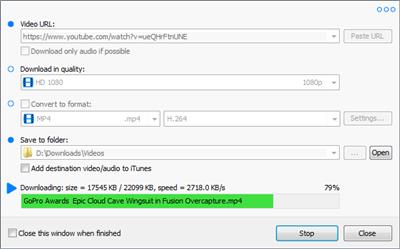
The app can download UHD 8K, 5K, 4K, QHD 2K, HD 1080p and 720p videos from YouTube.

* YouTube to MP3 converter
The app allows you to download only audio stream from YouTube, and save it as MP3. You don't need to download the entire video file.

* Playlist downloader
The app enables you to download entire or part of a playlist with just a few clicks.

* Download accelerator
The app features a multi-thread download acceleration engine that increases your download speeds by up to 500% or even more.

* Download multiple videos at a time
The app supports simultaneous downloads. It allows you to download more than one video at the same time.

* Pause and resume downloads
You can pause and resume your downloads at any time.

* Support drag-and-drop
You may directly drag and drop video link from your browser to the drop box or the app window to start a download. You don't even need to copy and paste video URL.

* Preview video/audio while downloading
While downloading, you can click the 'Preview' button to view incomplete file and make sure the content is you want.

* Video and audio converter
The app can convert your disk video/audio files between MP4, FLV, AVI, WMV, MOV, MP3, AAC, and any other formats for any device.

* Video optimizer
The app automatically optimizes downloaded videos for popular mobile devices, so you can watch downloaded videos smoothly on your iPhone, iPad, Android phone, and other devices.

* Video to MP3 converter
The app allows you to extract audio stream from video and save it as MP3, WAV, AC3, or other audio format.

* Ready-made presets
The app provides ready-made presets for all video and audio formats. You can also customize your own video/audio formats.

* iTunes compatible
Optionally, the app can add downloaded video/music to your iTunes library automatically, so you can easily synchronize your videos and music to your iPhone, iPad, iPod.

* Media Player
The app contains an easy-to-use media player for playing files that Windows Media Player cannot play.

What's new :
official site does not provide any info about changes in this version.

Download link:​
Код:
[center][b]rapidgator_net[/b]:
https://rapidgator.net/file/2980435ab2df7f3a2d535469dfac085a/0ob3y.Muziza.YouTube.Downloader.Converter.7.16.11.rar.html

[b]nitroflare_com[/b]:
https://nitroflare.com/view/2674B4B2F31A690/0ob3y.Muziza.YouTube.Downloader.Converter.7.16.11.rar

[b]uploadgig_com[/b]:
https://uploadgig.com/file/download/706a8a4e1CdDb060/0ob3y.Muziza.YouTube.Downloader.Converter.7.16.11.rar[/center]

Links are Interchangeable - No Password - Single Extraction​
 
Robin YouTube Video Downloader Pro 5.26.11

a3e032b902c7951ca1fe1ef3a0c8e422.jpeg

File size: 29.5 MB​
YouTube Video Downloader is a small Windows app for downloading and converting videos from YouTube, Facebook, Dailymotion, and thousands of other video sharing sites. It accelerates your download by up to 5 times.

Features:

Download video from YouTube and thousands of other video sites :
YouTube Video Downloader can download videos from YouTube, Facebook, Dailymotion, Vimeo, Vine, Metacafe, and thousands of other video sites.

Accelerate download by up to 5 times :
YouTube Video Downloader features an advanced download acceleration engine that lets you download video up to 500% faster than normal speed.

Download UHD 4K, QHD 2K, FHD 1080p, HD 720p, and 3D video from YouTube :
YouTube Video Downloader can download 4K Ultra HD, 2K Quad HD, 1080p Full HD, 720p HD, and 3D video from YouTube if it is available.

Download only audio stream from YouTube :
YouTube Video Downloader allows you to download only audio stream from YouTube, without downloading the entire video file.

Convert downloaded video to any format :
YouTube Video Downloader can automatically convert downloaded video to the format that you specify. It supports MP4, FLV, WMV, MOV, ASF, AVI, DV, M4V, MKV, MPG, OGV, SWF, TS, VOB, WEBM, DVD, VCD, SVCD, and many other formats.

Optimize downloaded video for any device :
YouTube Video Downloader automatically converts and optimizes downloaded video for your mobile/desktop device, so you can watch it smoothly on your iPhone, iPad, iPod, Android phone, Android tablet, Xbox, PSP, PS4, PS3, Samsung Galaxy, or other device.

Extract audio stream from video :
YouTube Video Downloader allows you to extract audio stream from video, and save it as MP3, WAV, WMA, AC3, AAC, OGG, M4A, FLAC, MP2, or any other audio format.

Ready-made presets :
YouTube Video Downloader provides ready-made presets for all popular video and audio formats. You can also custom output video/audio format settings.

iTunes compatible :
Optionally, YouTube Video Downloader can automatically add downloaded video/music to your iTunes library, so you can easily synchronize your videos and music to your iPhone, iPad, iPod, etc.

Integrate with Internet Explorer and Firefox :
YouTube Video Downloader adds download button and menu commands to the toolbar and the context menu of your browser, so you can download and convert any video with just one click.

Support drag-and-drop :
You may directly drag and drop video link/URL from your browser to the main window of YouTube Video Downloader to start download, you don't even need to copy and paste video URL manually.

What's new :
official site does not provide any info about changes in this version.

Download link:​
Код:
[center][b]rapidgator_net[/b]:
https://rapidgator.net/file/5b1f553a8d71ba0d1911cbde150bb82c/gef2m.Robin.YouTube.Video.Downloader.Pro.5.26.11.rar.html

[b]nitroflare_com[/b]:
https://nitroflare.com/view/09EE8FBBAE8C474/gef2m.Robin.YouTube.Video.Downloader.Pro.5.26.11.rar

[b]uploadgig_com[/b]:
https://uploadgig.com/file/download/3CB122E789aE0329/gef2m.Robin.YouTube.Video.Downloader.Pro.5.26.11.rar[/center]

Links are Interchangeable - No Password - Single Extraction​
 
Vitato Video Downloader Pro 3.27.11

1e7f1ace8f481fd4efd94a3409bd72f5.jpeg

File size: 30.6 MB​
Video Downloader Pro is a multi-thread video download application. It is the easiest and the fastest way to download your favorite videos from video sites!

Features :

Download videos from YouTube and hundreds of video sites :
Easily download videos from YouTube, Facebook, Dailymotion, Vimeo, Metacafe, and hundreds of other video sites. After downloading your videos, you'll be able to watch them smoothly, even if you don't have internet access.

Download 1080p and 720p HD videos from YouTube :
You can also download 4K and 3D videos from YouTube if they are available.

Really speed up your downloads :
Video Downloader Pro features a multi-thread acceleration engine. It increases your download speeds by up to 500%, or even more!

Download multiple videos at a time :
Video Downloader Pro supports simultaneous downloads. It allows you to download more than one video at same time and safe time.

Pause and resume downloads :
You can pause, resume, or cancel your downloads if you need more connection to perform other important tasks.

Preview videos while downloading :
While downloading, click the Preview button to play the file and make sure the content you are downloading is really the content of your choice.

Support all popular video and audio formats :
Video Downloader Pro allows you to save videos as any format for any device, so you can watch them on your PC, iPhone, iPad, Android phones and other devices.

Video to MP3 :
Video Downloader Pro allows you to extract audio streams from videos and save them as mp3, wav, wma, ac3, ringtone or other audio format.

Ready-made presets :
Video Downloader Pro provides ready-made presets for all video and audio formats. You can also custom output video/audio format settings.

iTunes compatible :
Optionally, Video Downloader Pro automatically adds downloaded video/music to your iTunes library, so you can easily synchronize your videos and music to your iPhone, iPad, iPod.

Support drag-and-drop :
You can directly drag and drop video link from your browser to the Video Downloader window, so you don't need to copy and paste video URL.

Whats New:
Updates: official site does not provide any info about changes in this version

Download link:​
Код:
[center][b]rapidgator_net[/b]:
https://rapidgator.net/file/250f1cf5238d30bdc9fe011701a2c575/q6vxq.Vitato.Video.Downloader.Pro.3.27.11.rar.html

[b]nitroflare_com[/b]:
https://nitroflare.com/view/291614215284F64/q6vxq.Vitato.Video.Downloader.Pro.3.27.11.rar

[b]uploadgig_com[/b]:
https://uploadgig.com/file/download/8537Df8c436924c3/q6vxq.Vitato.Video.Downloader.Pro.3.27.11.rar[/center]

Links are Interchangeable - No Password - Single Extraction​
 
Power Mixer 4.1.5 Multilingual

153b28b0fb8d0ba1eb550925bfebbe5d.jpeg

File size: 1.5 MB​
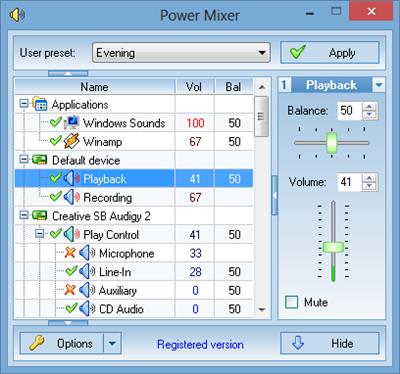
Power Mixer is an advanced Windows audio mixer, a complete replacement for the standard Windows volume control. This application lets you easily change the sound volume just by rotating the mouse wheel or by using keyboard hot keys. It includes an audio mixer with advanced volume controls support, a scheduler, an on-screen display, command line support, the ability to store and recall different unlimited presets via one mouse click or system-wide hot keys. By using presets you can change all parameters of sound simultaneously! It is designed to be especially useful for those who play games, work professionally with sound, or are everyday users.

Features:
User-friendly, multilingual interface with themes support
Quick volume adjusting by simply rotating the mouse wheel
Supports advanced volume controls such as bass and treble, etc
Supports per-application volume control (Vista and higher)
Unlimited, fully customized user presets for quick volume setup
Quick changing the selected volume controls by using desks
Customizable hot keys for any volume control, preset or desk
Peak level meter for real time audio monitoring
Works with multiple sound cards simultaneously
Vista gadget to control volume from sidebar
Supports changing the speaker configuration
Supports changing default audio device
Fine volume tuning from 0 to 100
Supports Audio Tapers for volume controls
Powerful built-in scheduler
Supports MIDI remote control
Displays main volume value in the tray icon
On-screen display for perfect volume adjustments
Command-line support for use in a batch file or script
Automatic loading of the program at the system start-up
Can work as service or as an ordinary application
Supports all features of the standard volume control
Works on Windows Vista/7/8/10

Download link:​
Код:
[center][b]rapidgator_net[/b]:
https://rapidgator.net/file/88251082f0e5e799de3f96d211383670/7honm.Power.Mixer.4.1.5.Multilingual.rar.html

[b]nitroflare_com[/b]:
https://nitroflare.com/view/41C045D0A98DFF9/7honm.Power.Mixer.4.1.5.Multilingual.rar

[b]uploadgig_com[/b]:
https://uploadgig.com/file/download/3a9c7b923eEdE76a/7honm.Power.Mixer.4.1.5.Multilingual.rar[/center]

Links are Interchangeable - No Password - Single Extraction​
 
Sigmadyne SigFit 2020 R1e (x64)

983c08d2ee86483da46bfc6f4cb26762.jpeg

File size: 511 MB​
Sigmadyne specializes in optomechanical finite element analysis of precision optical systems subjected to static, dynamic, or thermal loads. We are leaders in the optomechanical analysis industry offering expert analysis and software which integrate the disciplines of mechanical and optical engineering.

Analysis Services
Our versatile engineering analysis capabilities offer you expert affordable service in developing and improving your products.

SigFit Software
SigFit software allows engineers to link mechanical analysis results to optical analysis performance predictions and perform other optomechanical analyses relevant to design development of optical products.

Courses
Our decades of experience and groundbreaking developments uniquely positions us to train your staff in applying the latest techniques of integrated optomechanical analysis.

Whats New:
Updates: official site does not provide any info about changes in this version.

Download link:​
Код:
[center][b]rapidgator_net[/b]:
https://rapidgator.net/file/b81e2f9152ef0e7caaaa24fdb12d9216/8v4l4.Sigmadyne.SigFit.2020.R1e.x64.rar.html

[b]nitroflare_com[/b]:
https://nitroflare.com/view/AA1903028F37EEA/8v4l4.Sigmadyne.SigFit.2020.R1e.x64.rar

[b]uploadgig_com[/b]:
https://uploadgig.com/file/download/31399b007f9B328F/8v4l4.Sigmadyne.SigFit.2020.R1e.x64.rar[/center]

Links are Interchangeable - No Password - Single Extraction​
 
Thea For Rhino v3.0.150.1951 (x64)

68e3f6ab5d0529c56b6595b8a60749ea.jpeg

x64 | File Size: 861 MB​
Description:
Thea for Rhino integrated plugin takes full advantage of Thea Render functionality and allows you to create high-quality photorealistic renders within Rhino 6. With advanced features such as interactive render, true physically-based materials, innovative material layering, IES & HDRI light support along with a versatile rendering system comprised of biased, unbiased and GPU engines, rendering within Rhino has become really powerful.

Viewport Rendering:
Thea for Rhino can be used for interactive rendering inside Rhino Viewports. Select the desired Viewport and simply let Thea Render engines give you an immediate visualization of your scene.

Advanced Material Editor:
The advanced Thea material editor has been fully integrated into Rhino, bringing all the advanced and unique features of Thea materials. The user interface has been redesigned from scratch making the creation of complex materials an easy task.

Content Browser with Online Repository:
The Online Repository [link] can now be accessed directly from the Thea content browser. It is now just a single click to download an online material and add it to the material list. On top of that, it is also possible to load materials in the Advanced Material Editor using the Content Browser and make use of the Interactive Preview functionality that allows you to interactively preview materials before making the final decision.

Darkroom Refreshed:
Darkroom has been refreshed with new features and a new modular user interface. Batch rendering can be started from within Darkroom using Rhino's Named Views allowing the user to define different render settings and termination criteria for each one.

Features:

Back face material support:
-The back face of any surface can have a different material and this makes it now possible to create advanced materials like labels, sheets of papers and tree leaves.

Enhanced Material Presets:
-Material presets have been enhanced with extra functionality that allows the creation of nearly every possible material. Plastic material has been enhanced with translucency, semi-transparent and coating options while the Metalling Paint preset, now supports Metallic Flakes too.

Faster Position Updates:
-Moving objects while rendering interactively is now times faster than the previous version allowing you to move, rotate and scale objects in the scene easily.

Stereoscopic Rendering:
-Stereoscopic image output exports two 360-degree images for both eyes, letting you see the model in 3D using simple red-cyan glasses or VR headset.

Batch Rendering:
-Batch Rendering makes it possible to bring all the Named Views straight into Thea Darkroom and render them one after the other. Also, custom properties can be defined per Named View.

New Tone Mapping Methods:
-Two new tone mapping operators have been added in Thea Render. Filmic allows the user to have complete control over Highlights and Shadows while Reinhard provides a robust way to automatically compress high dynamic range renders.

Additional Features:
-Geometry subdivision (on render time)
-Assign containers (medium)
-Native Rhino materials support
-Split frame functionality
-Custom light evaluation
-Clipping planes

System Requirements:
OS:Windows 7/8/10 64-bit, Intel SSE3 CPU (or compatible),
GPU:Nvidia CUDA Graphics Card (Compute Capability 2.x/3.x/5.x/6.x/7.0/7.5) with latest graphics driver or AMD Graphics Card (Hawaii, Tahiti, Pitcairn, Capeverde, Bonaire) with latest OpenCL and graphics drivers,
Compatible:with Rhino 6 SR8 and above
Whats New

-Updated path read for Thea data. Both MyDocuments and ProgramData are taken into account.
-Fixed Rhino Search Path as texture repositories.
-Fixed a crash when trying resuming a render in Darkroom.
-Added warning when resuming render and the film's sample per pixel is higher than the given sample limit.
-Added manual sun color override.
-Added Search Path refresh when loading a new scene.
-Fixed EDU node-locked license validation.
-Updated visibility for Thea Render Rhino Display Settings
-Updated Material editor
-Updated history panel position when darkroom is maximized.
-Fix for infinite plane missing in CPU engine rendering.
-Fix for shadow catcher being dark on areas not lighten by spot lights (Presto)
-Crash fix for Presto in the presence of scenes with glasses and very high tracing depth
-Fix for OptiX IR denoising with supersampling > None

Homepage
У Вас недостаточно прав для просмотра ссылок. Войдите или зарегистрируйтесь.


Download link:​
Код:
[center][b]rapidgator_net[/b]:
https://rapidgator.net/file/4859fc595b1bf1838b2c0b640e45d091/picyh.Thea.For.Rhino.v3.0.150.1951.x64.rar.html

[b]nitroflare_com[/b]:
https://nitroflare.com/view/30819B3A3D987CF/picyh.Thea.For.Rhino.v3.0.150.1951.x64.rar

[b]uploadgig_com[/b]:
https://uploadgig.com/file/download/B8794230FB247c0c/picyh.Thea.For.Rhino.v3.0.150.1951.x64.rar[/center]

Links are Interchangeable - No Password - Single Extraction​
 
True Burner Pro 7.3

c2dd2c842f325fef433a89484cbec0f1.jpeg

File size: 9.1 MB​
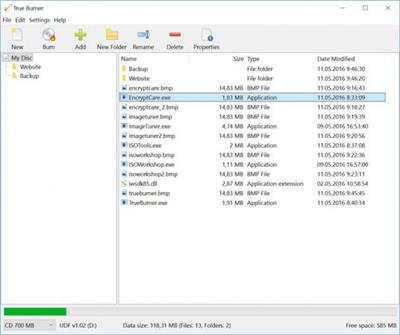
True Burner is a compact, easy-to-use burning software, which enables you to make and burn standard, multisession and bootable CD, DVD, Blu-ray Disc with various file systems and M-Disc technology, including ISO 9660 and UDF. With True Burner you can create and burn Data and MP3 discs, DVD-Video discs and burn ISO images.

Burn standard and multisession CD/DVD/Blu-ray discs
Create and burn bootable CD/DVD/Blu-ray discs
Create and burn MP3 Discs and DVD-Video
Burn ISO images and verify written files
Erase rewritable and erasable CD/DVD/Blu-ray discs
Support M-Disc and XL type of Blu-ray and DVD discs
Support Windows XP, Vista, 7, 8, 8.1, 10 (32 and 64 bit)

Burn
True Burner allows you to create and burn bootable, multisession and multimedia CD, DVD or Blu-ray discs, as well as ISO images.

Verify
With True Burner you can verify written files and folders after burn, to make sure that data has been recorded successfully.

Erase
Using True Burner you can erase any rewritable media, such as CD-RW, DVD-RW, DVD+RW, BD-RE.

Download link:​
Код:
[center][b]rapidgator_net[/b]:
https://rapidgator.net/file/203bad5c731f420f0549cfea3320a82d/uzv3d.True.Burner.Pro.7.3.rar.html

[b]nitroflare_com[/b]:
https://nitroflare.com/view/34CDA270276154F/uzv3d.True.Burner.Pro.7.3.rar

[b]uploadgig_com[/b]:
https://uploadgig.com/file/download/6Cdd4dAA225d567b/uzv3d.True.Burner.Pro.7.3.rar[/center]

Links are Interchangeable - No Password - Single Extraction​
 
USB Repair 8.0.3.1069 Multilingual

4754caa313ed5ec996db4f71d22c5bdc.jpeg

File Size : 2.9 Mb​
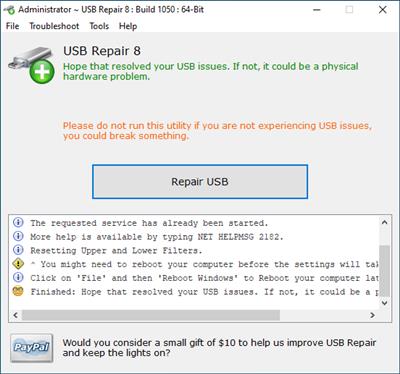
USB Repair is an easy-to-use application that attempts to fix USB device errors or if an USB drive fails to install. It is also a likely solution to several other Device Manager error codes. These error codes include Code 19, Code 31, Code 32, Code 37, Code 39, and Code 41.

When experiencing USB device issues, you normally consider reinstalling Windows or restoring it to a previously functional version using System Restore. However, this might not be necessary when using this tool. Hopefully, it will solve your USB device issues, but it is not guaranteed to work. There are a thousand things that can go wrong with your USB devices, including physical hardware damage. This tool attempts to solve USB device configuration errors and nothing more.

Download link:​
Код:
[center][b]rapidgator_net[/b]:
https://rapidgator.net/file/47d22c9855708d4ab523c33679bf6606/zj1it.USB.Repair.8.0.3.1069.Multilingual.rar.html

[b]nitroflare_com[/b]:
https://nitroflare.com/view/EE84C4259D55AC4/zj1it.USB.Repair.8.0.3.1069.Multilingual.rar

[b]uploadgig_com[/b]:
https://uploadgig.com/file/download/18Ec34057da5d632/zj1it.USB.Repair.8.0.3.1069.Multilingual.rar[/center]

Links are Interchangeable - No Password - Single Extraction​
 
VideoGet 8.0.7.132 Multilingual

05b15fdf7a9d096952f13f52d49ce4a0.jpeg

File size: 68 MB​
With VideoGet you can easily download YouTube videos. VideoGet also supports downloads from more than 600 other video websites, including popular YouTube, MySpace, Google Video, Yahoo Video, MetaCafe, etc. Most of these video websites store video in FLV format. A lot of people don't know how to playback these files. VideoGet provides a possibility to convert such video into most popular formats for more comfortable playback.

VideoGet allows you to convert YouTube video to 3GP, AVI, MPEG1, MPEG2, WMV, FLV, MP4, MP3 and more than 20 other file formats. This lets you not only view it, but also put it into your iPod Video, iPhone, Zune, PSP, mobile phone or any other portable device. Furthermore you can customize video/audio quality, video frame rate, width / height and audio sampling rate.

RWith VideoGet you can download video from:
- Download from YouTube,
- Download from Google Video,
- Download from Yahoo Video,
- Download from MySpace,
- Download from DailyMotion,
- and a lot more...

RVideoGet Features:
- Downloads video from YouTube and more than 600 video websites. Click here to see the full list of supported websites
- Converts video to variety of video formats (*.AVI, *.MPG, *.WMV, *.FLV, *.MP4, *.3GP, *.RM, *.MOV, *.MP3, *.WAV)
- Converts video for any portable video device (iPhone, iPod Video, iPod Nano, iPod Touch, PSP, Zune, iRiver Clix, AppleTV)
- One-click-download-convert. Comes with plugins for Internet Explorer and Mozilla FireFox browsers
- Script auto-updater allows you to be always in touch with latest version
- Simultaneous download supported. To make the download faster, VideoGet allows you to download up to 20 videos at the same time
- "Download while converting" feature automatically starts downloading the next video while the previous one is being converted.
- Simultaneous converting of multiple files allows to convert up to 10 videos at the same time.
- Download from YouTube in high-quality with a new "YouTube in HQ" feature.
- Auto remove downloaded files from the list. VideoGet will automatically remove all downloaded files from the list after you close the program.
- Download from MMS protocol MMS streaming media protocol supported.
- Download from RTMP, RTSP protocols
- Download works through WinInet API, which is used by Internet Explorer, allows easy and fast download of Flash movies
- Allows to downloading in a batch mode with ability to save / load batch
- Allows to pause / resume all downloads or individual files per row.
- Can resume broken download instead of downloading file from the beginning
- Ability to login on YouTube due to inappropriate videos for which we need to prove we are 18+ years old
- Automatically detects which online video service you are attempting to download from
- Broken website report. Notify us about broken website by pressing a single button, and our team will fix it as soon as possible.
- Ability to setup width / height, video / audio quality, video frame rate and audio sampling rate of encoded video
- Small and compact
- Designed with "Easy-to-Use" concept. Nice, simple interface and a solid amount of options
- Works on Windows NT / 2000 / XP / Vista / Windows 7 / 8 / 8.1 / 10
- Works with all types of Internet connection
- Supported languages: Arabic, Български, Český, Dansk, Nederlands, English, Français, Deutsch, Ελληνικά, ქართული, עברית, Magyar, Italiano, 日本語, 한국어, 简体中文, 繁體中文, Norsk, Polski, Português do Brasil, Română, Русский, Español, Svenska, Slovenščina, Türkçe, Українська.

What's New :
Updates: official site does not provide any info about changes in this version

Requirements:Windows NT / 2000 / XP / Vista / Windows 7 / 8 / 8.1 / 10.

Download link:​
Код:
[center][b]rapidgator_net[/b]:
https://rapidgator.net/file/c605d095a7152bc3c642dddcbde13124/5vl7q.VideoGet.8.0.7.132.Multilingual.rar.html

[b]nitroflare_com[/b]:
https://nitroflare.com/view/EF0D8FF8BC86165/5vl7q.VideoGet.8.0.7.132.Multilingual.rar

[b]uploadgig_com[/b]:
https://uploadgig.com/file/download/5ec12586e4c73880/5vl7q.VideoGet.8.0.7.132.Multilingual.rar[/center]

Links are Interchangeable - No Password - Single Extraction​
 
Назад
Сверху