• Старая версия форума работает в архивном режиме www.old.nado.in

All mitsumi'1s Applications !! (updated daily)

  • Автор темы Автор темы mitsumi1
  • Дата начала Дата начала
PanFone Data Recovery 2.1.0 Multilingual

078d5f1a0c6b71bf38445916c358ada3.jpg


PanFone Data Recovery 2.1.0 Multilingual | 65 Mb​
A carefully crafted data recovery software for iPhone, iPad, iPod Touch. Fully Support the latest iOS 14 and iPhone 11.

High data recovery rate in the industry.
3 recovery modes to recover data from iDevice, iTunes and iCloud without overwriting.
Selectively recover various deleted contents, including photos, messages, contacts, as well as App data like WhatsApp conversations, iPhoto, Instagram, etc.
A detailed preview before performing recovery.
Choose to extract found data to PC or put them back to device.

System Requirements:
Operating System: Window 8.1/8/7/10 (32&64bits)
CPU: 1GHz (64 bit or 32 bit )
Hard Disk Space:256 MB or above (1GB Recommended)
RAM: 256 MB or above

Home Page -
У Вас недостаточно прав для просмотра ссылок. Войдите или зарегистрируйтесь.


Download link:​
Код:
[center][b]rapidgator_net[/b]:
https://rapidgator.net/file/e223443d2db315d0378bfa16d5016f1d/9bvcq.PanFone.Data.Recovery.2.1.0.Multilingual.rar.html

[b]nitroflare_com[/b]:
https://nitroflare.com/view/922736CA1D090B5/9bvcq.PanFone.Data.Recovery.2.1.0.Multilingual.rar

[b]uploadgig_com[/b]:
https://uploadgig.com/file/download/6aa932217bb0D882/9bvcq.PanFone.Data.Recovery.2.1.0.Multilingual.rar[/center]

Links are Interchangeable - No Password - Single Extraction​
 
ON1 Resize 2021 v15.0.1.9783 macOS

7513285fbc449b2311cd79381de6a4e9.jpg


ON1 Resize 2021 v15.0.1.9783 Multilingual | macOS | 483 mb​
ON1 Resize (formerly known as Perfect Resize Standard) is a straightforward image resizing application that provides a set of tools designed to help you get your pictures ready for print. Organize & Resize. ON1 Resize just got a whole lot better. The NEW ON1 Resize now includes one of the fastest ways to view, cull, and edit photos-ON1 Browse. It's the new starting point for your editing and resizing workflow.

ON1 Resize uses the Genuine Fractals technology in order to provide high quality image enlargements without the loss of details or sharpness in your pictures.
From ON1 Resize's main window, you can go through your picture collection and preview your images with ease. What is more, ON1 Resize helps you browse pictures stored in Dropbox, Google Driver, OneDrive or iCloud Photo Stream.

Compatibility: OS X 10.12 or later 64-bit
Homepage:
У Вас недостаточно прав для просмотра ссылок. Войдите или зарегистрируйтесь.


Download link:​
Код:
[center][b]rapidgator_net[/b]:
https://rapidgator.net/file/9f6809f4acf5b454f2f24df49ddaca4d/qd2qt.ON1.Resize.2021.v15.0.1.9783.macOS.part1.rar.html
https://rapidgator.net/file/524009a00a3890cf9d095045fac71ef7/qd2qt.ON1.Resize.2021.v15.0.1.9783.macOS.part2.rar.html
https://rapidgator.net/file/99f66d26cd8dee9d5f020035403715b2/qd2qt.ON1.Resize.2021.v15.0.1.9783.macOS.part3.rar.html

[b]nitroflare_com[/b]:
https://nitroflare.com/view/FE580EF1DA246D4/qd2qt.ON1.Resize.2021.v15.0.1.9783.macOS.part1.rar
https://nitroflare.com/view/951F90C6E28A68F/qd2qt.ON1.Resize.2021.v15.0.1.9783.macOS.part2.rar
https://nitroflare.com/view/64C85123ADAE964/qd2qt.ON1.Resize.2021.v15.0.1.9783.macOS.part3.rar

[b]uploadgig_com[/b]:
https://uploadgig.com/file/download/F19739e0eFb56b0e/qd2qt.ON1.Resize.2021.v15.0.1.9783.macOS.part1.rar
https://uploadgig.com/file/download/E4620cb8b87c9d21/qd2qt.ON1.Resize.2021.v15.0.1.9783.macOS.part2.rar
https://uploadgig.com/file/download/9Ab7baB47ebf8ADa/qd2qt.ON1.Resize.2021.v15.0.1.9783.macOS.part3.rar[/center]

Links are Interchangeable - No Password - Single Extraction​
 
ON1 Portrait AI 2021 v15.0.1.9783 macOS

32033abac07260f2fdb70e6ebd71e3d4.jpg


ON1 Portrait AI 2021 v15.0.1.9783 | macOS | 446mb​
Flawless retouching is just a click away with ON1 Portrait AI. It uses machine learning to find every face in your photo and make them look great, automatically. It analyzes each face and adds just the right amount of retouching to the skin, eyes and mouth, giving you professional results in no time at all.

Plug-in to Your Workflow
ON1 Portrait AI is the perfect fit for almost any workflow. Get amazing retouching results in seconds when using ON1 Portrait AI as a plug-in for:
* Adobe Photoshop
* Adobe Lightroom Classic
* Adobe Photoshop Elements
* Affinity Photo
* Capture One (coming soon)
* Apple Photos
* Corel Paintshop Pro

Compatibility: macOS 10.12 or later 64-bit
Homepage:
У Вас недостаточно прав для просмотра ссылок. Войдите или зарегистрируйтесь.


Download link:​
Код:
[center][b]rapidgator_net[/b]:
https://rapidgator.net/file/4ffc9a7770fc9652704deca88c9703f2/30ugt.ON1.Portrait.AI.2021.v15.0.1.9783.macOS.part1.rar.html
https://rapidgator.net/file/9eab38eea4fe22063103130a1c22820e/30ugt.ON1.Portrait.AI.2021.v15.0.1.9783.macOS.part2.rar.html
https://rapidgator.net/file/8fe78d92871bf2465cb406829737d133/30ugt.ON1.Portrait.AI.2021.v15.0.1.9783.macOS.part3.rar.html

[b]nitroflare_com[/b]:
https://nitroflare.com/view/AF8CBCEA1398B3A/30ugt.ON1.Portrait.AI.2021.v15.0.1.9783.macOS.part1.rar
https://nitroflare.com/view/19D1E5DF515DB96/30ugt.ON1.Portrait.AI.2021.v15.0.1.9783.macOS.part2.rar
https://nitroflare.com/view/91B1419B043A941/30ugt.ON1.Portrait.AI.2021.v15.0.1.9783.macOS.part3.rar

[b]uploadgig_com[/b]:
https://uploadgig.com/file/download/41462607b0f8b09a/30ugt.ON1.Portrait.AI.2021.v15.0.1.9783.macOS.part1.rar
https://uploadgig.com/file/download/b36b38ba3DD995a7/30ugt.ON1.Portrait.AI.2021.v15.0.1.9783.macOS.part2.rar
https://uploadgig.com/file/download/4155d8502e8D6ecf/30ugt.ON1.Portrait.AI.2021.v15.0.1.9783.macOS.part3.rar[/center]

Links are Interchangeable - No Password - Single Extraction​
 
ON1 HDR 2021 v15.0.1.9783 macOS

9d246705e2b966686639b05c8aa28467.jpg


ON1 HDR 2021 v15.0.1.9783 Multilingual | macOS | 1Gb​
ON1 HDR 2021 creates flawless, natural HDR photos, that combine the highlight and shadow details from a bracket of exposures, in the blink of an eye. You can control the movement, such as clouds and running water with a live preview. Then, perfect your HDR photos with powerful tools and presets that showcase your creativity. ON1 HDR works as both a standalone and a plug-in for Lightroom® Classic CC.

Plug-in & Integrate
- Plug-in to Adobe® Lightroom® Classic
- Batch process the creation of your HDR files, perfect for real estate photographers.
- Your files will work with HDR's broad file support. It can handle raw photos from over 800 cameras spanning 20 years. Plus it supports PSD, TIF, JPG, PNG, and HEIC.

Compatibility: macOS 10.12or later 64-bit
Homepage:
У Вас недостаточно прав для просмотра ссылок. Войдите или зарегистрируйтесь.


Download link:​
Код:
[center][b]rapidgator_net[/b]:
https://rapidgator.net/file/a5120e3a2e76cd0aa7c4d4547dbc81d1/u9v60.ON1.HDR.2021.v15.0.1.9783.macOS.part1.rar.html
https://rapidgator.net/file/bc80f6ad5ba8b4b376d7aca5ef70f0f6/u9v60.ON1.HDR.2021.v15.0.1.9783.macOS.part2.rar.html
https://rapidgator.net/file/1980b79575038814d5b2a064595a7a84/u9v60.ON1.HDR.2021.v15.0.1.9783.macOS.part3.rar.html

[b]nitroflare_com[/b]:
https://nitroflare.com/view/A905485E5CD27A1/u9v60.ON1.HDR.2021.v15.0.1.9783.macOS.part1.rar
https://nitroflare.com/view/2EDDEABA580F66C/u9v60.ON1.HDR.2021.v15.0.1.9783.macOS.part2.rar
https://nitroflare.com/view/F1551274428FA9D/u9v60.ON1.HDR.2021.v15.0.1.9783.macOS.part3.rar

[b]uploadgig_com[/b]:
https://uploadgig.com/file/download/8933A967d1a3b7a5/u9v60.ON1.HDR.2021.v15.0.1.9783.macOS.part1.rar
https://uploadgig.com/file/download/d3c884db71889Abc/u9v60.ON1.HDR.2021.v15.0.1.9783.macOS.part2.rar
https://uploadgig.com/file/download/c6E0d8676136c55D/u9v60.ON1.HDR.2021.v15.0.1.9783.macOS.part3.rar[/center]

Links are Interchangeable - No Password - Single Extraction​
 
ON1 Effects 2021 v15.0.1.9783 macOS

3f5d24a0df395551dfe0022d49867f01.jpg


ON1 Effects 2021 v15.0.1.9783 Multilingual | macOS | 886mb​
The Ultimate Collection of Photo Effects, Filters, LUTs, and Presets. ON1 Effects 2021 includes hundreds of built-in photo effects, filters, LUTs, borders, textures, and presets - all completely customizable to your style. There are endless creative possibilities with ON1 Effects. Our most popular include HDR Look, B&W, Lens Blur (tilt-shift), Glows, Color Enhancer, Tone Enhancer, Textures, Borders, Film Looks, Split Tone, and more.

We promise you will have fun using ON1 Effects 2021. It includes everything you need to create any style. Whether you are color grading, looking to style an HDR photo, or looking for an elegant black and white look, ON1 Effects includes it all. You can also customize any look to your taste and quickly save your own presets.

Effects 2021 works as a standalone app or as a plug-in with:

Adobe® Photoshop® CC 2019
Adobe Lightroom® Classic CC 2019
Adobe Photoshop Elements 14 and above
Apple® Photos

Compatibility: macOS 10.12or later 64-bit
Homepage:
У Вас недостаточно прав для просмотра ссылок. Войдите или зарегистрируйтесь.


Download link:​
Код:
[center][b]rapidgator_net[/b]:
https://rapidgator.net/file/2e101ba8d019adb645e76db6c3f8c81b/fm2lj.ON1.Effects.2021.v15.0.1.9783.macOS.part1.rar.html
https://rapidgator.net/file/3f9af8f9682f1fef30100ab5f60434c7/fm2lj.ON1.Effects.2021.v15.0.1.9783.macOS.part2.rar.html
https://rapidgator.net/file/aaf445a6562d8a4fd7a5cd57648a2b7a/fm2lj.ON1.Effects.2021.v15.0.1.9783.macOS.part3.rar.html

[b]nitroflare_com[/b]:
https://nitroflare.com/view/DB9CE0A9719D252/fm2lj.ON1.Effects.2021.v15.0.1.9783.macOS.part1.rar
https://nitroflare.com/view/F923418FCC3E1A6/fm2lj.ON1.Effects.2021.v15.0.1.9783.macOS.part2.rar
https://nitroflare.com/view/CB3CA75C8B4B60D/fm2lj.ON1.Effects.2021.v15.0.1.9783.macOS.part3.rar

[b]uploadgig_com[/b]:
https://uploadgig.com/file/download/706F5670e488739c/fm2lj.ON1.Effects.2021.v15.0.1.9783.macOS.part1.rar
https://uploadgig.com/file/download/1f08b31FE5f13296/fm2lj.ON1.Effects.2021.v15.0.1.9783.macOS.part2.rar
https://uploadgig.com/file/download/32f6b8be380B4658/fm2lj.ON1.Effects.2021.v15.0.1.9783.macOS.part3.rar[/center]

Links are Interchangeable - No Password - Single Extraction​
 
mimoLive 5.8 macOS

d65b2c23c893afadaee0e3a5a8f1ffbd.jpg


mimoLive 5.8 macOS | 72 MB​
mimoLive is the all-in-one video encoder, switcher and streaming software for Mac. It enables you to switch multiple cameras, insert presentations, add layered graphics like weather maps, lower-thirds, social media feeds, green screens, and much more.

Creating and directing multi camera live shows is challenging. Keeping an overview of tasks like switching the active camera, replay prerecorded sequences and adding layered graphical elements is essential. For a one-person live production that is almost an impossible task. But what if there is a solution, designed exactly for this? mimoLive makes professional broadcast tools accessible for everyone.

Here is the tool which allows you to get prepared for every scene of your show, the software which performs multiple actions simultaneously on a single keystroke, the instrument which you can adjust to your individual needs.

mimoLive is the all-in-one solution for live streaming professionals and it supports NDI input and NDI playout.

Create your live video streams - step by step
Capture Audio&VideoManage multiple input feedsDirect your live showManage multiple output streams
Professional video switcher and live streaming for Mac
The live video workflow with mimoLive follows four major steps. First, capture your video footage using any given camera. Followed by the second step, the input into the computer. Conventional using professional graphic cards, externs SDI / HDMI Converter and more recently NDI 4 camcorders. Today we believe in the future of the network standard NDI 4, that's why it is our recommendation to you to check if NDI 4 delivers good results for your sort of live video stream.
Encoding, switching videos stream, graphics and decoding at once

Once the video streams are coming into your Mac - it's time for mimoLive to take over encoding, switching video streams, adding graphics and decoding the final stream. This is the third major workflow step for the director of the show. We enpower video producer to control comprehensive live shows by small teams. Finally, mimoLive uses several presets for the major streaming platforms to simply your work life, and to make the fourth step of your workflow as easy as possible.

Fields of applications for mimoLive
Interactive YouTube Live and Facebook Live Video StreamsCommunity TV, Public Access TVRecord presentationsLive Video ProjectionsPodcastsScreencastGame streaming, from your Mac, iPad, or iPhoneJumbotron in Sport StadiumsSports TVReligious Service Broadcasting360° Live StreamingeSports ConventionsWeddings

Major New Features:
New: The mimoCall Output Destination enables mimoLive-to-mimoLive connections via Internet.New: Create an individual audio mix to be sent back to the mimoCall caller.New: Extended the commands for the Automation layer including if-statements, variables and loops and two commands to control Output Destinations, enabling complex automation inside mimoLive.New: Automation Layer can have global variables now that propagates up the layer stack.New: Added a "Basketball Run Of Play" layer to the Sports Graphics Pack (separate purchase).New: Control PTZ enabled NDI cameras with the new PTZ Controller layer.New: The PIP Window layer now animates between layer variants like the regular PIP layer.New: A sparse filter option in the HTTP API allows to reduce the JSON response drastically to only the data needed.Enhancement: Select the audio mix you want to send out to the Virtual Camera Output Destination.Enhancement: Extended the HTTP API to be able to update layer parameters via a GET command by adding 'update={}' to the URL.Enhancement: Added an action gear icon to the Multiview panels to make it more clear how to select different sources.
Important Bug Fixes:
Fixed: The Last Recording Source wasn't properly restored after loading a document.Fixed: The Fullscreen Output destination didn't turn off properly when the associated display was disconnected.Fixed: mimoLive crashed when trying to record ISO video from a mimoCall but the mimoCall wasn't connected.Fixed: In rare cases mimoLive crashed when working with a fixed layout in the Multiview Panel.Fixed: The name used to identify the NDI Output from mimoLive on the network caused issues with some other NDI equipment. You can now change the name by renaming the NDI Output Destination.Fixed: Rare crash when using the Virtual Camera plugin.Fixed: A movie source with an effects filter may have glitched in Program Out under special UI conditions.Fixed: Streaming to RTMPS required to insert the port number in the URL, now it's added automatically.

Video Input Sources
Cameras: Thunderbolt, USB, HDMI, SDI SD/HD, NDIUSB connected iOS Devices (via App mimoCam)Network connected iOS Devices (via App mimoLive Reporter)Screen recordingIP CamerasApple Syphon Technology3rd party applications via NDI 4Remote Video Call (mimoCall) from any supported browser
Audio Sources
Cameras: Thunderbolt, USB, HDMI, SDI SD/HD, NDIiOS Devices USB (via App mimoCam)iOS Devices Cellular/WiFi (via App mimoLive Reporter)Mic In / Line in
Hardware
Apple Mac computer
OS
macOS 10.13 or higher.
Capture Cards
PCIeThunderboldUSB 3.0Blackmagic Design Decklink
External Video Switcher
Blackmagic Design ATEM
Software: mimoLive
Live switching video sourcesTransitionsLower ThirdsChroma Keying, Green ScreenPicture-in-PictureMix Audio InputsSports LayerLive ScoreboardsInstant ReplaySocial Media IntegrationsmimoLive Remote - Control switcher & graphics from your iPhone, iPad, or even from any browser.
Live Streaming
Facebook liveYouTube LiveBoxcast.comPeriscopeCustom RTMP
Record to Disk
Recording of the final program outputSeparate file recording of every audio and/or video input
Output
HDMI / NDIVirtual Camera2nd mimoLive Project using Syphon Technology3rd party software using Syphon Technology
Playout
SDI Playout fillSDI Playout Key

Download link:​
Код:
[center][b]rapidgator_net[/b]:
https://rapidgator.net/file/30d21d2882630e093c2fe4ae8cb84d96/jvjnw.mimoLive.5.8.macOS.rar.html

[b]nitroflare_com[/b]:
https://nitroflare.com/view/CCD2B8736376BE5/jvjnw.mimoLive.5.8.macOS.rar

[b]uploadgig_com[/b]:
https://uploadgig.com/file/download/2400b810a1bD6be9/jvjnw.mimoLive.5.8.macOS.rar[/center]

Links are Interchangeable - No Password - Single Extraction​
 
MarsEdit 4.4.7 macOS

a39204f1d2bbaee0032ac05bc3524b16.jpg


MarsEdit 4.4.7 | macOS | 22 mb​
Quick and convenient blog editor. MarsEdit is a blog editor for OS X that makes editing your blog like writing email, with spell-checking, drafts, multiple windows, and even AppleScript support. It works with with most blog services including WordPress, Blogger, Drupal, Movable Type, TypePad, and many others.

Compatibility: macOS 10.12 or later 64-bit
Homepage:
У Вас недостаточно прав для просмотра ссылок. Войдите или зарегистрируйтесь.


Download link:​
Код:
[center][b]rapidgator_net[/b]:
https://rapidgator.net/file/0c2e73599477ed1719a86fc3396f45bc/um0xd.MarsEdit.4.4.7.rar.html

[b]nitroflare_com[/b]:
https://nitroflare.com/view/27B5F18D5941283/um0xd.MarsEdit.4.4.7.rar

[b]uploadgig_com[/b]:
https://uploadgig.com/file/download/7Aa33613c1249175/um0xd.MarsEdit.4.4.7.rar[/center]

Links are Interchangeable - No Password - Single Extraction​
 
ON1 Resize 2021 v15.0.1.9783 (x64) Multilingual

2abf2da5441e1e00262e6680c6e918e0.jpg


ON1 Resize 2021 v15.0.1.9783 (x64) Multilingual | 244 Mb​
Featuring ON1's industry-leading Genuine Fractals® technology, Resize 2021 is a must-have for the highest quality enlargements and prints. The 2021 version includes performance enhancements and new features that make it even easier and faster to resize photos without losing sharpness and detail.

Tools for Printing Big!
Get the highest quality photo enlargements with Genuine Fractals® technology - patented, fractal-based interpolation algorithms - that quickly enlarge your images without loss of sharpness or detail.

Genuine Fractals® Technology
Patented, fractal-based interpolation algorithms that quickly enlarge your images without loss of sharpness or detail. Enlarge photos up to 1000%!

Create Canvas Wraps
The gallery wrap feature creates extended margins for wrapping your photo around wooden stretcher bars for canvas prints.

Print Like a Pro
Print individual photos, contact sheets, a wall portrait, or tile multiple photos into package prints. Also, print multiple photos on one piece of paper to create packages like 2 5x7's or 4 4x5's and add watermarks and sharpen photos before sending them to print.

Includes ON1 Browse
Resize 2021 includes the full Browse module from ON1 Photo RAW 2021. It's a lightning-fast browser and organizer. Simply point it to any folder of photos and you can preview, sort, tag, and change metadata instantly!

Better Batch Processing
The Export feature in Resize 2021 makes it easy to process a single photo, a handful or hundreds of them. Not only can you control the size, but the file type, naming, location, etc. You can even apply gallery wrap or watermarks on the fly.

RAW Engine
Resize 2021 features the RAW processing engine from ON1 Photo RAW. It's much faster and maintains better color and detail.

Compressed Photoshop Files
When saving out Adobe® Photoshop® PSD format files, they are compressed to half the size they used to be, losslessly.

Printing Options
You can print from right inside of Resize 2021. Control the paper size, margins and printer profiles for the ultimate print.

Open System
Access your photos no matter where they are stored: your computer, your network, or on cloud-based storage services.

Plugin & Standalone
ON1 Resize 2021 works as both a plugin for both Photoshop® and Lightroom® and as a standalone application.

Faster Organization
Browse, organize, manage, and catalog photos in your photo editing workflow. The ultra-fast browser and organizer is perfect for rapidly viewing and culling through photos without having to wait on previews to generate or an import process.

Photography Applications & Plugins for the Adobe® Lightroom, Photoshop, and Apple® Photos Workflows
ON1 works where you do. Each of our products work as a plugin for your software along with being a standalone application. So whether you want to integrate with your existing workflow or quickly get in and out while photo editing, the choice is yours.

System Requirements:
Minimum
Operating System: Windows 7, Windows 8 or Windows 10 (current maintenance releases, 64-bit only)
Processor: Intel Core i5, Xeon, or better
RAM: 8 GB
Hard Drive: 1.5 GB for installation
Graphics: OpenGL 3.3-compatible video card with 512 MB video RAM, 1280x800 resolution (at 100% scale factor)

Home Page -
У Вас недостаточно прав для просмотра ссылок. Войдите или зарегистрируйтесь.


Download link:​
Код:
[center][b]rapidgator_net[/b]:
https://rapidgator.net/file/09421acf605fe6566d6c85bc282414a7/7u1iv.ON1.Resize.2021.v15.0.1.9783.x64.Multilingual.rar.html

[b]nitroflare_com[/b]:
https://nitroflare.com/view/AB44BA694922A62/7u1iv.ON1.Resize.2021.v15.0.1.9783.x64.Multilingual.rar

[b]uploadgig_com[/b]:
https://uploadgig.com/file/download/BE8f03ce10d9dd2b/7u1iv.ON1.Resize.2021.v15.0.1.9783.x64.Multilingual.rar[/center]

Links are Interchangeable - No Password - Single Extraction​
 
ON1 Portrait AI 2021 v15.0.1.9783 (x64) Multilingual

4d6fbc8a30abd1fd061252a60c09f0b8.jpg


ON1 Portrait AI 2021 v15.0.1.9783 (x64) Multilingual | 326.8 Mb​
You Will Never Need Another Portrait Editing Product. Flawless retouching is just a click away with ON1 Portrait AI. It uses machine learning to find every face in your photo and make them look great, automatically. It analyzes each face and adds just the right amount of retouching to the skin, eyes and mouth, giving you professional results in no time at all.

Get Flawless, Natural Looking Skin
- AI Automatic Retouching for Every Face
- Independent Adjustments for Each Face
- Frequency Separation Based Skin Retouching

The Retouching Tools and Control You Need
The retouching options are simply amazing including skin smoothing, shine reduction, blemish removal, face sculpting and eye and teeth whitening just to get started.

Let AI Do the Hard Work for You
Automatically finds each face in your photo, analyzes them, and adds just the right amount of retouching, based on your preferences.

No More Drawn Out Editing Sessions
Put the AI to work for you by batch processing an entire folder of photos. For each photo, Portrait AI will find each face and add the right amount of retouching automatically. It's perfect for proofing your photos before delivery.

Adjust Each Person Individually
Each face in your photo has independent controls and adjustments. For example, you can use different settings for the bride and groom in a wedding photo.

Your Edits are Non-Destructive
All of your adjustments and edits are non-destructive. You can re-edit them later and the original photo is not altered.

You Control How to Edit
Everything is automatic, but you have full manual control as well. You can manually adjust the eye and mouth positions, paint to refine the skin mask, and use brushes to remove stubborn blemishes.

Improve Face Shape and Lighting
Correct common errors in lens choice and lighting by adding fill-light to lighten the face or resculpt the face to thin the jawline or balance out eye size.

The Power of Using Frequency Separation
The skin retouching uses frequency separation to maintain natural skin texture while reducing color and tonal changes across the skin. It creates flawless but natural-looking skin.

Easily Remove Blemishes
Fine blemishes can be reduced automatically, while larger blemishes can be removed with the built-in content aware eraser and clone stamp.

Whiten Teeth
Teeth and lips are detected automatically too. You can easily brighten the smile and adjust the color and saturation of the lips.

Enhance Eyes
Eyes are automatically detected and enhanced. The whites can be brightened and the iris can be sharpened.

Plug-in to Your Workflow
ON1 Portrait AI is the perfect fit for almost any workflow. Get amazing retouching results in seconds when using ON1 Portrait AI as a plug-in for:

- Adobe Photoshop
- Adobe Lightroom Classic
- Adobe Photoshop Elements
- Affinity Photo
- Capture One (coming soon)
- Apple Photos
- Corel Paintshop Pro

Minimum Requirements:
- Windows 7, Windows 8, or Windows 10
- Intel Core i5, Xeon, or better
- 8 GB RAM
- 1.5 GB for installation
- OpenGL 3.3-compatible video card with 512 MB video RAM, 1280x800 resolution (at 100% scale factor)
- Photoshop Lightroom Classic 6 and above

Supported Languages:
- English, German, Spanish, French, Japanese, Korean, Simplified Chinese, Russian, Portuguese, Italian, Dutch

Home Page -
У Вас недостаточно прав для просмотра ссылок. Войдите или зарегистрируйтесь.


Download link:​
Код:
[center][b]rapidgator_net[/b]:
https://rapidgator.net/file/0c07d93ad0b2b2e1ea3b1b2e31a66fdc/6oav6.ON1.Portrait.AI.2021.v15.0.1.9783.x64.Multilingual.rar.html

[b]nitroflare_com[/b]:
https://nitroflare.com/view/90C842FAFD94EF6/6oav6.ON1.Portrait.AI.2021.v15.0.1.9783.x64.Multilingual.rar

[b]uploadgig_com[/b]:
https://uploadgig.com/file/download/A39924d45F433Ea1/6oav6.ON1.Portrait.AI.2021.v15.0.1.9783.x64.Multilingual.rar[/center]

Links are Interchangeable - No Password - Single Extraction​
 
ON1 HDR 2021 v15.0.1.9783 (x64) Multilingual

d2e2d1dca967d8b5aad7d87712fc6a3a.jpg


ON1 HDR 2021 v15.0.1.9783 (x64) Multilingual | 734.7 Mb​
ON1 HDR 2021 creates flawless, natural HDR photos, that combine the highlight and shadow details from a bracket of exposures, in the blink of an eye. You can control the movement, such as clouds and running water with a live preview. Then, perfect your HDR photos with powerful tools and presets that showcase your creativity. ON1 HDR works as both a standalone and a plugin for Lightroom® Classic CC.

Speed
Slow previews are a thing of the past. Get results in seconds vs. minutes when compared to the competition.

Control
You control the motion with live de-ghosting controls. Everything you need to make it look great including tone & color, layers, retouching and special effects.

Re-Editable
Preview and control noise reduction, lens corrections, and chromatic aberration anytime. Re-edit any of your settings at a later date in ON1 HDR.

Create Awe-Inspiring HDR
Tone mapping and merging exposure brackets combined with layers allows you to combine other HDR photos and even alternate exposures.

Get HDR Looks From a Single Photo!
You don't have to shoot a bracket of exposures to create an HDR look. With ON1 HDR you can open a single, well exposed raw photo and use the HDR toolset to reveal all of the shadow and highlight detail.

Batch Process HDR Files
Perfect for Real Estate Photographers
Your files work with HDR's broad file support. It can handle raw photos from over 800 cameras spanning 20 years. Plus, it supports PSD, TIF, JPG, PNG, and HEIC.

Get Creative HDR with the Best Photo Effects
Nine powerful photo effects filters work like filters you can stack on your camera lens. Mix and combine color and tone enhancers, HDR Look, Dynamic Contrast, Glow, Black and White, LUTs, and more. It even includes tons of professional-grade presets to get you started.

Plugin to the Adobe® Lightroom Classic Workflow
ON1 HDR works where you do. Work as a plugin or as a standalone application. So whether you want to integrate with your existing Lightroom workflow or quickly get in and out while editing HDR photos, the choice is yours.

System Requirements:
Minimum
Operating System: Windows 7, Windows 8 or Windows 10 (current maintenance releases, 64-bit only)
Processor: Intel Core i5, Xeon, or better
RAM: 8 GB
Hard Drive: 1.5 GB for installation
Graphics: OpenGL 3.3-compatible video card with 512 MB video RAM, 1280x800 resolution (at 100% scale factor)

Home Page -
У Вас недостаточно прав для просмотра ссылок. Войдите или зарегистрируйтесь.


Download link:​
Код:
[center][b]rapidgator_net[/b]:
https://rapidgator.net/file/e547a53fca1eca28fb16f88620ae5259/hw4le.ON1.HDR.2021.v15.0.1.9783.x64.Multilingual.rar.html

[b]nitroflare_com[/b]:
https://nitroflare.com/view/98B632757AC83C5/hw4le.ON1.HDR.2021.v15.0.1.9783.x64.Multilingual.rar

[b]uploadgig_com[/b]:
https://uploadgig.com/file/download/beC5c8dF4Acf1f24/hw4le.ON1.HDR.2021.v15.0.1.9783.x64.Multilingual.rar[/center]

Links are Interchangeable - No Password - Single Extraction​
 
ON1 Effects 2021 v15.0.1.9783 (x64) Multilingual

8d173289ad079dd394f8b2d66a1414b9.jpg


ON1 Effects 2021 v15.0.1.9783 (x64) Multilingual | 761.3 Mb​
We've curated hundreds of the most popular looks and styles seen throughout the industry. With ON1 Effects 2021, you get professional results in seconds without having to do any complex edits. Our team of experts curated the trendiest looks with amazing new one-click presets. ON1 Effects 2021 works on Mac and Windows and can be used as a standalone application or as a plugin to Adobe® Lightroom® and Photoshop®.

The Best Collection of Photo Effects, Filters, LUTs, and Presets
Instantly style any photo and create any look you want in just a few clicks. The hundreds of included presets, filters, LUTs, textures and borders in ON1 Effects 2020 allow for limitless creative options. You can combine, blend, and customize any combination. Popular looks include B&W, HDR Look, Dynamic Contrast, Lens Blur (tilt-shift), Glows, Film Looks, Split Tone, Textures, Borders and more.

Stack Effects
Combine multiple effects to create any possible look. Includes 27 stackable filters and hundreds of presets, borders, and textures.

Selectively Apply
Use the easy-to-use yet powerful tools to target your effects to specific areas of your photo. Every effect can be brushed in or out in just seconds.

Responsive Sliders
We've made sure that your slider adjustments won't stick, giving you a fast and smooth editing experience. Filters and presets are easy to find and apply.

Create and Save Your Own Presets
Once you've made your adjustments, you can save your own preset for quick access later on.

Plugin to Your Workflow
ON1 Effects is the perfect fit for almost any workflow. Get amazing retouching results in seconds when using ON1 Effects as a plugin for:
Adobe Photoshop
Adobe Lightroom Classic
Adobe Photoshop Elements
Affinity Photo
Capture One (coming soon)
Apple Photos
Corel Paintshop Pro

Create Any Look or Style
You're in complete control of every edit you make. You can dial in every setting to your taste with instant previews!

The Perfect Tools for Applying Effects
The world's best effects for finishing your photos. The collection of tools in ON1 Effects 2021 are perfect for selectively applying effects and cleaning up your photos.

Supported Languages: English, German, Spanish, French, Japanese, Korean, Simplified Chinese, Russian, Portuguese, Italian, Dutch.

System Requirements:
Minimum
Operating System: Windows 7, Windows 8 or Windows 10 (current maintenance releases, 64-bit only)
Processor: Intel Core i5, Xeon, or better
RAM: 8 GB
Hard Drive: 1.5 GB for installation
Graphics: OpenGL 3.3-compatible video card with 512 MB video RAM, 1280x800 resolution (at 100% scale factor)

Home Page -
У Вас недостаточно прав для просмотра ссылок. Войдите или зарегистрируйтесь.


Download link:​
Код:
[center][b]rapidgator_net[/b]:
https://rapidgator.net/file/9c1e3c6f1afab677354f9d7fd94bcd97/eutg5.ON1.Effects.2021.v15.0.1.9783.x64.Multilingual.rar.html

[b]nitroflare_com[/b]:
https://nitroflare.com/view/819325C5FEF903B/eutg5.ON1.Effects.2021.v15.0.1.9783.x64.Multilingual.rar

[b]uploadgig_com[/b]:
https://uploadgig.com/file/download/dfc4f7401fD1882e/eutg5.ON1.Effects.2021.v15.0.1.9783.x64.Multilingual.rar[/center]

Links are Interchangeable - No Password - Single Extraction​
 
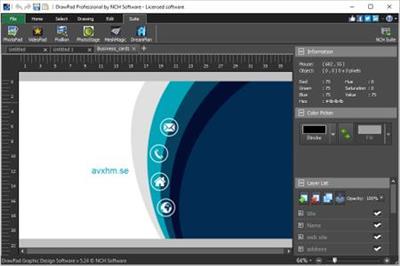
NCH DrawPad Pro 6.54 Beta

02e0ee3c7a2b1f731b3ac6705c12c275.jpg


NCH DrawPad Pro 6.54 Beta | 7.3 Mb​
DrawPad is an easy-to-use image composition and manipulation program, and an essential tool for all types of graphic design projects.

Graphic Design Software Features
Pencil and brush tools for drawing, sketching and painting
Ability to edit pencil & brush strokes
Tablet & touchpad pressure sensitivity
Work with both raster and vector images
Image layers allow for non-destructive editing
Layers allow you to easily rearrange elements
Add effects such as bevels and shadows
Fill areas with solid colors, gradients, patterns or textures
Editing features including crop, rotate, resize and flip
Insert shape objects, including circles, rectangles, polygons, stars, speech/thought bubbles and more
Insert text and edit the font, size, color and weight
Save graphics as png, bmp, jpg, gif, pdf, or svg files
Choose a design template to get your project started
Supported Input Formats
Scalable Vector Graphics (*.svg)
Graphics Interchange Format (*.gif)
JPEG Image (*.jpg; *.jpeg)
Windows Bitmap Image (*.bmp)
Microsoft Icon (*.ico)
PNG Image (*.png)
Tagged Image File Format (*.tif; *.tiff; )
Most major graphic file formats

Supported Output Formats
PNG Image (*.png)
JPEG Image (.jpg; *.jpeg)
Windows Bitmap Image (*.bmp)
Microsoft Icon (*.ico)
Scalable Vector Graphics (*.svg)
Portable Document Format (*.pdf)
Encapsulated Postscript (*.eps)

System requirements:
Windows 10, XP, Vista, 7, 8 and 8.1

Home Page -
У Вас недостаточно прав для просмотра ссылок. Войдите или зарегистрируйтесь.


Download link:​
Код:
[center][b]rapidgator_net[/b]:
https://rapidgator.net/file/0cfebcb80c896c68b69d15efd0c07152/znhxv.NCH.DrawPad.Pro.6.54.Beta.rar.html

[b]nitroflare_com[/b]:
https://nitroflare.com/view/8462A590F026D14/znhxv.NCH.DrawPad.Pro.6.54.Beta.rar

[b]uploadgig_com[/b]:
https://uploadgig.com/file/download/45e4b714D4703eF5/znhxv.NCH.DrawPad.Pro.6.54.Beta.rar[/center]

Links are Interchangeable - No Password - Single Extraction​
 
MotionStudio 4.1.145

40d43980d5f25cc080c95b495642712b.jpg


MotionStudio 4.1.145 | 13.3 Mb​
MotionStudio 4 combines image, sound, interactivity, and animation for you to create stand-alone, royalty-free, executable files. It is an ideal solution for creating slideshows, interactive and animated stories or just 'pictures to EXE' for your auto-run CD-ROM.

With MotionStudio 4, you can create scalable, vector-based drawing objects as well as adding photos and pictures. With an array of time-saving productivity tools, adding interactive actions and animation is simple.

Image blending
Any image can have opacity from 1 to 100.

Translucent Objects
By choosing "Translucent" Drawing Style, and a Fill Color on Property Sheet, object will have translucent effect.

Transparent color
By choosing a "Transparent" color of your image, the image will be transparent. This can create transparent animation.

Background frame
Background is a layer behind all frames. It is also a frame. That is, it can hold all kind of objects too.
You can add commonly used images, shapes to the background which will appear on all the frames. So, no need to add one-by-one on each frame.

Transparent color support
This is a sample GIF file, sold_out.gif included in the setup package, with white transparent color appears on a gray background.

Frame List for easy navigation and managing frames
Frame List provides an intuitive way to view, navigate, duplicate and manage all frames. A single click on a frame from the list will take you to the frame.

Importing 16 common image file formats
It handles 16 common image file formats, including JPEG, GIF and PNG with a preview, including animated GIF files. You can also create new images easily.

Vector-based graphic tools
Graphical objects and painting tools include rectangles, ellipses, text labels, brushes and pen lines.

Operating System: Windows 7, 8/8.1, 10

Home Page -
У Вас недостаточно прав для просмотра ссылок. Войдите или зарегистрируйтесь.


Download link:​
Код:
[center][b]rapidgator_net[/b]:
https://rapidgator.net/file/4341094a184abaa6005b5154abc33972/7clvr.MotionStudio.4.1.145.rar.html

[b]nitroflare_com[/b]:
https://nitroflare.com/view/5FCF23ADAE25DCA/7clvr.MotionStudio.4.1.145.rar

[b]uploadgig_com[/b]:
https://uploadgig.com/file/download/C8454e31799269a7/7clvr.MotionStudio.4.1.145.rar[/center]

Links are Interchangeable - No Password - Single Extraction​
 
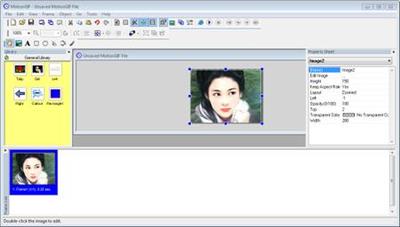
MotionGIF 4.1.341

fd6f8ea1572d56d2df924cba555b5b05.jpg


MotionGIF 4.1.341 | 7.2 Mb​
The easiest way to make animated GIF files for your website with this all-in-one animated GIF creator! MotionGIF 4 has a user-friendly interface. With an array of built-in features, you can create great-looking animated GIF files with no time. With the new version, you can create scalable, vector-based drawing objects as well as adding photos and pictures.

Operating System: Windows 7, 8/8.1, 10

Home Page -
У Вас недостаточно прав для просмотра ссылок. Войдите или зарегистрируйтесь.


Download link:​
Код:
[center][b]rapidgator_net[/b]:
https://rapidgator.net/file/b95f6c6404eca34c3d9a10ed36937062/22hqt.MotionGIF.4.1.341.rar.html

[b]nitroflare_com[/b]:
https://nitroflare.com/view/7DF6015199987E5/22hqt.MotionGIF.4.1.341.rar

[b]uploadgig_com[/b]:
https://uploadgig.com/file/download/53e558c72012e5b8/22hqt.MotionGIF.4.1.341.rar[/center]

Links are Interchangeable - No Password - Single Extraction​
 
LinkStash 3.7.0

0c196f48bd34c4998fa76b2e910f094c.jpg


LinkStash 3.7.0 | 3.5 Mb​
LinkStash is an outstanding bookmarks/favorites manager that works with Internet Explorer, Chrome, Firefox, Opera and more. Just 5 minutes with LinkStash and we are betting you will never want to use any other bookmark manager again!

Features:
LinkStash can open and close with your browser
Using LinkStash means you can store and organize all your favorite links in a familiar Explorer-style tree arrangement
With fields for tags, comments, ratings, passwords, date last visited and so on, your links are easily edited, maintained and kept up to date
Clean up your links with the dead link checker
You can make your bookmarks visible and easy to find by using color highlights
A customizable toolbar allows you to arrange all your favorite commands in a sensible, custom arrangement of your choice
You can also keep your LinkStash bookmarks synchronized with IE Favorites
If your bookmark collection contains sensitive data then you can encrypt the whole bookmark file using strong encryption
You can take your bookmarks with you on a portable flash drive using LinkStash portable

Operating System: Windows 10/8/7/Vista

Home Page -
У Вас недостаточно прав для просмотра ссылок. Войдите или зарегистрируйтесь.


Download link:​
Код:
[center][b]rapidgator_net[/b]:
https://rapidgator.net/file/3ffaabf6e5c9660c2625431aa9b895a0/gr5w9.LinkStash.3.7.0.rar.html

[b]nitroflare_com[/b]:
https://nitroflare.com/view/33F43DDCC486416/gr5w9.LinkStash.3.7.0.rar

[b]uploadgig_com[/b]:
https://uploadgig.com/file/download/45617686E2596c90/gr5w9.LinkStash.3.7.0.rar[/center]

Links are Interchangeable - No Password - Single Extraction​
 
[NEW] Exam Review - AWS Certified Cloud Practitioner

2fa262a6c4f08f2b3675da875dee9f28.jpg


[NEW] Exam Review - AWS Certified Cloud Practitioner
Video: .mp4 (1280x720, 30 fps(r)) | Audio: aac, 44100 Hz, 2ch | Size: 788 MB
Genre: eLearning Video | Duration: 23 lectures (2 hour, 27 mins) | Language: English
Review for AWS Certified Cloud Practitioner in 3 HOURS! Final prep for AWS Certified Cloud Practitioner Exam.​

What you'll learn

REVIEW IN 3 HOURS: For AWS Certified Cloud Practitioner Exam
STRENGTHEN YOUR WEAK AREAS: For AWS Certified Cloud Practitioner Exam

Requirements

You are aspiring to be a AWS Certified Cloud Practitioner

Description

Are you preparing for the AWS Certified Cloud Practitioner Exam?

Do you want to quickly review for the AWS Certified Cloud Practitioner Exam?

Here the Exam Review for the AWS Certified Cloud Practitioner Exam.

The objective of the course is to help you review for the exam in less than 3 Hours! This will help you be in the best frame of mind for your AWS Certified Cloud Practitioner exam.

STEP BY STEP DETAILS

0001 - Course Overview - Exam Review - AWS Certified Cloud Practitioner

0002 - Cloud, AWS Regions, and Availability Zones

0003 - AWS Certified Cloud Practitioner - Compute Services - EC2, ELB

0004 - AWS Compute Services - Elastic Beanstalk, ECS, and Lambda

0005 - AWS Storage - Amazon S3, EBS, EFS, and Storage Gateway

0006 - AWS Databases - RDS, RedShift, DynamoDB, and ElastiCache

0007 - AWS Certified Cloud Practitioner - Miscellaneous Storage and Database Services

0008 - Networking in AWS - VPC, Subnets, Gateways, NACL, VPN, and Direct Connect

0009 - Security and Encryption in AWS - IAM, KMS and Cloud HSM

0010 - AWS Certified Cloud Practitioner - Security - Shield, WAF, Macie, GuardDuty, and more

0011 - Monitoring and Governance in AWS - CloudWatch, Config and CloudTrail

0012 - Decoupling in AWS - SQS, SNS, and Amazon Kinesis

0013 - Routing and Content Delivery in AWS - CloudFront and Route53

0014 - DevOps in AWS - CodeCommit, CodeBuild, CodePipeline, CloudFormation etc

0015 - Management Services in AWS - Organizations, Trusted Advisor and more

0016 - More Serverless - API Gateway, Cognito, and Step Functions

0017 - AWS - Well-Architected Framework

0019 - AWS Support Plans

0020 - AWS Certified Cloud Practitioner - Registering for Exam

0021 - AWS Certified Cloud Practitioner - My Recommendations

0022 - AWS Certified Cloud Practitioner - Thank You

Who this course is for:

You want to do a quick review for AWS Certified Cloud Practitioner Exam
You want to fill the gaps in your preparation for AWS Certified Cloud Practitioner Exam

Download link:​
Код:
[center][b]rapidgator_net[/b]:
https://rapidgator.net/file/7c0465676255704425fc47154028f019/ch13t.NEW.Exam.Review..AWS.Certified.Cloud.Practitioner.rar.html

[b]nitroflare_com[/b]:
https://nitroflare.com/view/2B7CDDAF3EE88BE/ch13t.NEW.Exam.Review..AWS.Certified.Cloud.Practitioner.rar

[b]uploadgig_com[/b]:
https://uploadgig.com/file/download/c34FA8217a3fb579/ch13t.NEW.Exam.Review..AWS.Certified.Cloud.Practitioner.rar[/center]

Links are Interchangeable - No Password - Single Extraction​
 
10 Design Principles to Create Impactful Presentations

14160d4d01918d70f5d617ce9043ce73.jpg


10 Design Principles to Create Impactful Presentations
Duration: 54m | .MP4 1920x1080, 25fps(r) | AAC, 48000 Hz, 2ch | 741 MB
Genre: eLearning | Language: English​
While creating presentations is part of the daily business for many, most are struggling to design slides that rivet the audience and help them reach their goals. In this class, you will learn the most crucial design principles to build slides that help you reach your goalsand nail your next presentation.

Key lessons in this course:
How to create professional and consistent designs
How to find matching colors
How to work with images
How to use white space to your advantage
How to avoid rookie mistakes
Advanced Google Slide Features
Who can benefit from this class?
Thisclass is for everyone seeking to improve his or her presentations. Some basic knowledge of presentation builders such as Google Slides or Powerpoint comes as an advantage - for example, how to change font sizes or insert an image - but eventually, even total beginners should be able to follow along.
What can you expect of the class?
I start the class with a fair bit of talking but bear with me. As soon as wedive into the nitty-gritty, we jump into presentations, and you can see on screen how I match colors, align elements, work with animations, and much more.
What is not covered in this class?
This class is about design principles, therefore it doesneither cover the content side of presentations nor the holding the presentation part. I might create classes on this at a later point though.

Download link:​
Код:
[center][b]rapidgator_net[/b]:
https://rapidgator.net/file/5c6e74a03bc8ec0c6e6d17d4938d01e6/xsmq5.10.Design.Principles.to.Create.Impactful.Presentations.rar.html

[b]nitroflare_com[/b]:
https://nitroflare.com/view/6CBAECC3F75EA15/xsmq5.10.Design.Principles.to.Create.Impactful.Presentations.rar

[b]uploadgig_com[/b]:
https://uploadgig.com/file/download/abC165f30dbCd4dd/xsmq5.10.Design.Principles.to.Create.Impactful.Presentations.rar[/center]

Links are Interchangeable - No Password - Single Extraction​
 
10 Hacks for the IELTS Listening Component

626ca632e51dffe75c2b9ea54aeaac0c.jpg


10 Hacks for the IELTS Listening Component
Duration: 30m | .MP4 1280x720, 30 fps(r) | AAC, 44100 Hz, 2ch | 593 MB
Genre: eLearning | Language: English
Dive Into to IELTS Listening!​

What you'll learn
*10 hacks for the Listening Section
*Explore the 4 sections of this IELTS component
*Discover how to handle numbers efficiently
*Discuss the importance of Grammar
* Listening for Accents

Requirements
Students should have at least a moderate command of the English language.
If you haven't taken the exam yet, this course is just for you!

Description
Are you new to IELTS Listening?

This course specifically covers the Listening Component, and you will gain the confidence to handle each of the four sections skillfully, and know exactly what to expect on Test Day!

You will learn 10 hacks for the IELTS Listening Section, and an overview of what to expect for this section of the exam. Catch inside tips from a full-time English instructor and former IELTS examiner.

What Will You Learn?

Together, we will:

Dive into 10 hacks for the Listening Section

Understand the 4 sections of the Listening Component

Discover how to handle numbers efficiently

Realize the importance of using the correct form of nouns

The importance of Keywords

Listening for Accents

Common Listening Mistakes

Bonus Material: Downloadable Audio Guide for the 10 Listening Hacks

Who this course is for:
Beginner & Intermediate IELTS Test Takers

Download link:​
Код:
[center][b]rapidgator_net[/b]:
https://rapidgator.net/file/dda51890772a9f9887a94f209d3c651e/tbq4d.10.Hacks.for.the.IELTS.Listening.Component.rar.html

[b]nitroflare_com[/b]:
https://nitroflare.com/view/EC57979F55F071F/tbq4d.10.Hacks.for.the.IELTS.Listening.Component.rar

[b]uploadgig_com[/b]:
https://uploadgig.com/file/download/2c8E388872Ab7647/tbq4d.10.Hacks.for.the.IELTS.Listening.Component.rar[/center]

Links are Interchangeable - No Password - Single Extraction​
 
10 Tips For 10x Faster Color Grading Workflow in DaVinci Resolve 16

e390668ed8b725cef774ea778e14269d.jpg


10 Tips For 10x Faster Color Grading Workflow in DaVinci Resolve 16
Duration: 53m | .MP4 1920x1080, 30 fps(r) | AAC, 48000 Hz, 2ch | 640 MB
Genre: eLearning | Language: English
10 Tips For 10x Faster Color Grading Workflow in DaVinci Resolve 16​

If you are working as a freelancer either a video editor or designer or both you know you have a specific need, and that's specific need is the need of speed Yes, you have to be faster and not just that you have to be efficient as well and not make mistakes + work fast.
Hello everyone my name is Adam I'm a pro video editor /designer from Casablanca. In thisclassI will share with you 10 tips to make your color grading workflow 10 times faster in Davinci Resolve.
Now guys DaVinci Resolve is the go-to when it come to color grading a lot of people like do it in Premiere Pro but its nothing like Resolve.
As far as I KNOW ONLY 2 SOFTWARE ARE USED IN Hollywood and those are Avid media composer for editing and Resolve for grading.
That doesn't mean Premiere Pro is not great. But think of it that way Photoshop is the go-to for image retouching. Illustrator is the go-to for logos, Maya or Cinema 4D is the go-to for 3D compositing, and Resolve is the go-to for color grading.
Now if you are ready to learn some exiting tips and tricks in DR 16 that will definitely make you a better colorist see you inside the class.

Download link:​
Код:
[center][b]rapidgator_net[/b]:
https://rapidgator.net/file/5e6bc1f76cdbd95484980f5b02cbf1d1/bogb5.10.Tips.For.10x.Faster.Color.Grading.Workflow.in.DaVinci.Resolve.16.rar.html

[b]nitroflare_com[/b]:
https://nitroflare.com/view/01078B57100A3D7/bogb5.10.Tips.For.10x.Faster.Color.Grading.Workflow.in.DaVinci.Resolve.16.rar

[b]uploadgig_com[/b]:
https://uploadgig.com/file/download/2a288cCc117cbc2A/bogb5.10.Tips.For.10x.Faster.Color.Grading.Workflow.in.DaVinci.Resolve.16.rar[/center]

Links are Interchangeable - No Password - Single Extraction​
 
11 Chrome Extensions Every Digital Marketer Needs To Know

02b28428289e2151e83ea70e77524efc.jpg


11 Chrome Extensions Every Digital Marketer Needs To Know
Duration: 1h38m | .MP4 1280x720, 30 fps(r) | AAC, 44100 Hz, 2ch | 1.1
Genre: eLearning | Language: English
The All in One Chrome Extensions Course for all Digital Marketing lovers in 2020 and even forever and ever​

What you'll learn
Top 11 chrome extensions that every Digital Marketing expert should know.
Top chrome extensions that are highly important for any job.
The most important of chrome extensions that every business needs to know right now.
From website development to website design every important extensions that you all need to know.
From browsing history to setting up chrome tab wallpapers and themes all is here just for you only.
From recording a screen to editing the videos all extensions have been included in this course.
Attending a webinar, is signing up a problem, no more we've got your back and have some useful and helpful webinar extensions for you.
Are passwords a pain in the neck for you, remembering them may be crazy but we have something to help you out.

Requirements
Just a mobile device or Mac or PC will be helpful
No prior experience is required

Description
Being a Digital Marketer is a very prestigious thing and I know you feel honored whenever you hear someone calling you a Digital Marketer.

Why not include one more skill under your belt and that skill is the knowledge of the top chrome extensions that every Digital expert should be aware of. Chrome Extensions are a very important part of every Digital Marketing Course but I do find that none of the instructors do give great significance to this skill so I made this made just for the people who are or/and who want to be a great Digital Marketer in future.

Are you one of them?

If yes, then Congrats and welcome to this course.

Whether you're a start-up, B2B, B2C, C2C, or an affiliate digital agency this course is just for you. It is one of the most simplest of courses on Digital Marketing and no prior experience is required.

I am going to teach you everything from scratch and will make you a professionally trained chrome extension user and Digital Marketer.

Are you ready to take your career to the next level?

ARE YOU READY TO SHOW THE WORLD WHAT YOU'RE CAPABLE OF?

I know your answer so let's dive into the course.

Who this course is for:
Students who are interested in learning a very important part of Digital Marketing.
Beginner to Advanced Digital Marketers interested in learning Chrome Extentions
Suitable for all types of businesses (B2B,B2C, C2C)

Download link:​
Код:
[center][b]rapidgator_net[/b]:
https://rapidgator.net/file/006138c98cdcfac48a3d130e9663e5d4/lc76c.11.Chrome.Extensions.Every.Digital.Marketer.Needs.To.Know.rar.html

[b]nitroflare_com[/b]:
https://nitroflare.com/view/958123550E8A6BA/lc76c.11.Chrome.Extensions.Every.Digital.Marketer.Needs.To.Know.rar

[b]uploadgig_com[/b]:
https://uploadgig.com/file/download/C29c5298f3fef38D/lc76c.11.Chrome.Extensions.Every.Digital.Marketer.Needs.To.Know.rar[/center]

Links are Interchangeable - No Password - Single Extraction​
 
Назад
Сверху