• Старая версия форума работает в архивном режиме www.old.nado.in

All mitsumi'1s Applications !! (updated daily)

  • Автор темы Автор темы mitsumi1
  • Дата начала Дата начала
PhotoScape X Pro 4.1.1 macOS

c10c56db9f5ebcfa35fd44a81bb3a6ce.jpg


PhotoScape X Pro 4.1.1 | Multilingual | macOS | 319 mb​
PhotoScape X is a fun and easy photo editor that enables you to fix and enhance photos. All-in-One: Photo Editor, Batch Editor, Photo Viewer, Cut Out, Collage Maker, Animated GIF Creator, Combine, Print, Screen Capture, Color Picker, RAW image and More.

Key Features:

* Photos Extension
* Editor: Rotate, Straighten, Resize, Crop, Border, Color Adjustment, Color Temperature, Tint, Film Effect, Light Leaks, Lens Flares, Old Photos, Overlays, Textures, Dirt & Scratches, Auto Level, Auto Contrast, Backlight Correction, Bloom, HDR, Dehaze, Vignetting, Sharpen, Blur, White Balance, Curves, Levels, Color Balance, Hue/Saturation, Sepia, Grayscale, Black & White, Negative, 3D Effect, Text Object, Text Warp, Image Object, Magnifier Object, Paint Brush, Effect Brushes, Mosaic Brush, Spot Healing Brush, Mixer Brush, Red Eye Correction, Liquify, Clone Stamp.
* Batch: Batch edit multiple photos.
* Viewer: Photo Browser, Loupe View, Full Screen, Flag, Star Rating, Batch Rename, Batch Resize, Batch Format Change, Lossless Rotate, Share (Email,Twitter,Facebook,Picasa,Flickr), Exif Viewer.
* Share: Sharing on Social Networks: Facebook, Twitter, Picasa, Flickr.
* Full Screen: See your photos in full-screen view or as a slide show.
* Collage: Merge multiple photos on the collage frame to create one final photo.
* Combine: Attach multiple photos vertically or horizontally to create one final photo.
* GIF Creator: Create Animated GIF.
* Print: Print photos.
* Screen Capture: Capture your screenshot and save it.
* Color Picker: Zoom in on images, search and pick a color.
* Rename: Change photo file names in batch mode
* Languages: English, Español, Português, Deutsch, Français, Italiano, 한국어, 日本語, 简体中文

In-App Purchases: Pro Version - included.
Compatibility: macOS 10.12 or later 64-bit
Mac App Store:
У Вас недостаточно прав для просмотра ссылок. Войдите или зарегистрируйтесь.


Download link:​
Код:
[center][b]rapidgator_net[/b]:
https://rapidgator.net/file/b530acb344f06c752a593125726bfc2d/ecc8i.PhotoScape.X.Pro.4.1.1.part1.rar.html
https://rapidgator.net/file/fe5e834d5a6f92794bad37226599cea1/ecc8i.PhotoScape.X.Pro.4.1.1.part2.rar.html
https://rapidgator.net/file/85c068f81fbe7fb754d9175fc525bf4d/ecc8i.PhotoScape.X.Pro.4.1.1.part3.rar.html
https://rapidgator.net/file/e77e75b830052e69bb91f5141aa4710d/ecc8i.PhotoScape.X.Pro.4.1.1.part4.rar.html

[b]nitroflare_com[/b]:
https://nitroflare.com/view/B7DCA5B986756CA/ecc8i.PhotoScape.X.Pro.4.1.1.part1.rar
https://nitroflare.com/view/A250D00B0F917D6/ecc8i.PhotoScape.X.Pro.4.1.1.part2.rar
https://nitroflare.com/view/1D89768D2C0F907/ecc8i.PhotoScape.X.Pro.4.1.1.part3.rar
https://nitroflare.com/view/37A284667BDF931/ecc8i.PhotoScape.X.Pro.4.1.1.part4.rar

[b]uploadgig_com[/b]:
https://uploadgig.com/file/download/c2F7ac53cA5c107e/ecc8i.PhotoScape.X.Pro.4.1.1.part1.rar
https://uploadgig.com/file/download/800934227Cc0F826/ecc8i.PhotoScape.X.Pro.4.1.1.part2.rar
https://uploadgig.com/file/download/8C1F7004319d079f/ecc8i.PhotoScape.X.Pro.4.1.1.part3.rar
https://uploadgig.com/file/download/E203Baf4fbc19907/ecc8i.PhotoScape.X.Pro.4.1.1.part4.rar[/center]

Links are Interchangeable - No Password - Single Extraction​
 
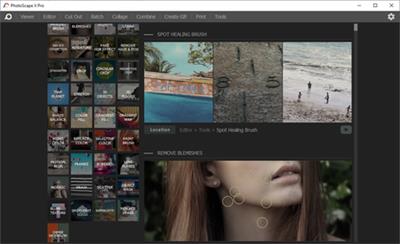
PhotoScape X Pro 4.1.1 (x64) Multilingual

ec6733fa88ab5ff624e4c2442436d139.jpg


PhotoScape X Pro 4.1.1 (x64) Multilingual | 333.5 Mb​
Everything you need to edit photos. PhotoScape X is an all-in-one photo editing software which provides photo-related features such as Photo Viewer, Editor, Cut Out, Batch, Collage, Combine, Create GIF, Color Picker, Screen Capture, RAW images and More.

Color & Filters
Try a variety of effects, filters and adjustments to make your own distinct style.

Film Effect & Light Leak
- Apply film effect to get your own analogue feelings.
- Apply light leak effect to turn out a boring and featureless photo into an astonishing photo.

Features:
- Viewer: Photo | Video | Audio Browser, Loupe View, Full Screen, Flag, Star Rating, Lossless Rotate, Share (Email,Twitter,Facebook), Metadata (Exif,IPTC,GPS) Viewer.
- Editor: 1,000+ Filters & Effects, Frames, Objects, Brushes & Tools, Rotate, Straighten, Flip, Resize, Crop, Circular Crop, Perspective Crop, Mask (Local Adjustments), Redo+, Project.
- Cut Out: Remove the background from an image. (Magic Eraser, Lasso tool, Brush tool)
- Batch: Batch edit multiple photos.
- Collage: Merge multiple photos on the collage frame to create one final photo.
- Combine: Attach multiple photos vertically or horizontally to create one final photo.
- GIF Creator: Create Animated GIF.
- Print: Print photos.
- Screen Capture: Capture your screenshot and save it.
- Color Picker: Zoom in on images, search and pick a color.
- Split: Slice a photo into several pieces.
- Batch Format Change: Convert multiple images to another format at once.
- Batch Resize: Resize multiple images at the same time.
- Batch Rename: Change photo file names in batch mode.
- Filters & Effects: Magic Color, Miniature, Bloom, HDR, Surrealistic, Grayscale, Sepia, Badicoot, Black & White, Negative, Auto Levels, Auto Contrast, Sharpen, Blur, 80+ Films, 80+ Duotones, 100+ Light Leaks, 120+ Overlays, 40+ Old Photos, 40+ Dirt & Scratches, 40+ Textures, 20+ Lens Flares, and more. [Expand]
- Frames: 290+ Frames, 240+ Shapes, Borders
- Objects: 1,000+ Stickers, 240+ Figures, Image, Text, Text Warp, Magnifier, Arrow, Line, Rectangle, Rounded Rectangle, Circle, Object Transform, Object Mask
- Brushes & Tools: Draw | Scatter | Paint Brush, Paint Bucket, Mosaic Brush, Fix Red Eye, Mixer Brush, Spot Healing Brush, Liquify, Clone Stamp
- Photo Merge: Merge to HDR, Focus Stacking
- Macro: Record multiple actions and then play them back all at once.
- Photos Extension: Extension for Photos app (macOS 10.11+)
- Languages: English, Español, Português, Deutsch, Français, Italiano, 日本語, 简体中文, 繁體中文, 한국어

Requirements: Windows 10 (Version 1709 or later, 64-bit)

Home Page -
У Вас недостаточно прав для просмотра ссылок. Войдите или зарегистрируйтесь.


Download link:​
Код:
[center][b]rapidgator_net[/b]:
https://rapidgator.net/file/de5b31a03fe0bad0cb033b8917ce52ae/nbmrb.PhotoScape.X.Pro.4.1.1.x64.Multilingual.rar.html

[b]nitroflare_com[/b]:
https://nitroflare.com/view/B22871C6DFD66D0/nbmrb.PhotoScape.X.Pro.4.1.1.x64.Multilingual.rar

[b]uploadgig_com[/b]:
https://uploadgig.com/file/download/AB18e1606438e304/nbmrb.PhotoScape.X.Pro.4.1.1.x64.Multilingual.rar[/center]

Links are Interchangeable - No Password - Single Extraction​
 
PhotoScape X Pro 4.1.1 (x64) Multilingual Portable

f5a78cec2981a8ff46c00cd4082bfc8b.jpg


PhotoScape X Pro 4.1.1 (x64) Multilingual Portable | 359.7 Mb​
Everything you need to edit photos. PhotoScape X is an all-in-one photo editing software which provides photo-related features such as Photo Viewer, Editor, Cut Out, Batch, Collage, Combine, Create GIF, Color Picker, Screen Capture, RAW images and More.

Color & Filters
Try a variety of effects, filters and adjustments to make your own distinct style.

Film Effect & Light Leak
- Apply film effect to get your own analogue feelings.
- Apply light leak effect to turn out a boring and featureless photo into an astonishing photo.

Features:
- Viewer: Photo | Video | Audio Browser, Loupe View, Full Screen, Flag, Star Rating, Lossless Rotate, Share (Email,Twitter,Facebook), Metadata (Exif,IPTC,GPS) Viewer.
- Editor: 1,000+ Filters & Effects, Frames, Objects, Brushes & Tools, Rotate, Straighten, Flip, Resize, Crop, Circular Crop, Perspective Crop, Mask (Local Adjustments), Redo+, Project.
- Cut Out: Remove the background from an image. (Magic Eraser, Lasso tool, Brush tool)
- Batch: Batch edit multiple photos.
- Collage: Merge multiple photos on the collage frame to create one final photo.
- Combine: Attach multiple photos vertically or horizontally to create one final photo.
- GIF Creator: Create Animated GIF.
- Print: Print photos.
- Screen Capture: Capture your screenshot and save it.
- Color Picker: Zoom in on images, search and pick a color.
- Split: Slice a photo into several pieces.
- Batch Format Change: Convert multiple images to another format at once.
- Batch Resize: Resize multiple images at the same time.
- Batch Rename: Change photo file names in batch mode.
- Filters & Effects: Magic Color, Miniature, Bloom, HDR, Surrealistic, Grayscale, Sepia, Badicoot, Black & White, Negative, Auto Levels, Auto Contrast, Sharpen, Blur, 80+ Films, 80+ Duotones, 100+ Light Leaks, 120+ Overlays, 40+ Old Photos, 40+ Dirt & Scratches, 40+ Textures, 20+ Lens Flares, and more. [Expand]
- Frames: 290+ Frames, 240+ Shapes, Borders
- Objects: 1,000+ Stickers, 240+ Figures, Image, Text, Text Warp, Magnifier, Arrow, Line, Rectangle, Rounded Rectangle, Circle, Object Transform, Object Mask
- Brushes & Tools: Draw | Scatter | Paint Brush, Paint Bucket, Mosaic Brush, Fix Red Eye, Mixer Brush, Spot Healing Brush, Liquify, Clone Stamp
- Photo Merge: Merge to HDR, Focus Stacking
- Macro: Record multiple actions and then play them back all at once.
- Photos Extension: Extension for Photos app (macOS 10.11+)
- Languages: English, Español, Português, Deutsch, Français, Italiano, 日本語, 简体中文, 繁體中文, 한국어

Requirements: Windows 10 (Version 1709 or later, 64-bit)

Home Page -
У Вас недостаточно прав для просмотра ссылок. Войдите или зарегистрируйтесь.


Download link:​
Код:
[center][b]rapidgator_net[/b]:
https://rapidgator.net/file/b48bec9ed369b049f668baa73d2b4b5c/z1fcz.PhotoScape.X.Pro.4.1.1.x64.Multilingual.Portable.rar.html

[b]nitroflare_com[/b]:
https://nitroflare.com/view/F6E4225E8B4976D/z1fcz.PhotoScape.X.Pro.4.1.1.x64.Multilingual.Portable.rar

[b]uploadgig_com[/b]:
https://uploadgig.com/file/download/60Ef8c6a8fCe2e80/z1fcz.PhotoScape.X.Pro.4.1.1.x64.Multilingual.Portable.rar[/center]

Links are Interchangeable - No Password - Single Extraction​
 
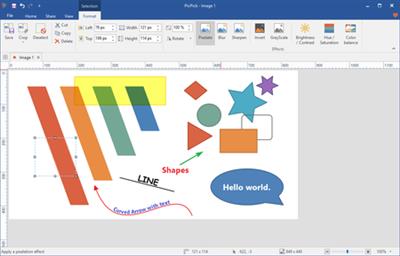
PicPick Professional 5.1.3 Multilingual

96ba1aa4d5481913c215aa9bf67b7376.jpg


PicPick Professional 5.1.3 Multilingual | 15.9 Mb​
PicPick is an all-in-one software for software developers, graphic designers and home user. It has an intuitive interface and simple, elegant operation. After starting the software, you simply select one of the tool from the PicPick Tools trayicon menu when you want. It features a powerful capture tool, image editor, color picker, color palette, pixel ruler, protractor, crosshair, whiteboard and etc.

Features

Capture anything
Take screenshots of an entire screen, an active window, the scrolling windows and any specific region of your desktop, etc.

Edit your images
Annotate and highlight your images: text, arrows, shapes and more with the built-in image editor that includes the latest Ribbon style menu.

Enhance with effects
Easily add effects to your images: drop shadows, frames, watermarks, mosaic, motion blur, brightness control and more.

Share everywhere
Save, share, or send your images via Web, email, ftp, Dropbox, Google Drive, SkyDrive, Box, Evernote, Facebook, Twitter and more.

Graphic Accessories
Variety of graphic design accessories including color picker, color palette, pixel ruler, protractor, crosshair, magnifier, whiteboard.

Customizable setting
With highly advanced settings, you can customize hotkeys, file naming, image quality, and many other options that fits your needs.

Operating System: Windows 10, 8.1, 8, 7, Vista and XP including both 32-bit and 64-bit versions.

Home Page -
У Вас недостаточно прав для просмотра ссылок. Войдите или зарегистрируйтесь.


Download link:​
Код:
[center][b]rapidgator_net[/b]:
https://rapidgator.net/file/cf7e59c276345b78f34a1834ce0b7294/ak2qr.PicPick.Professional.5.1.3.Multilingual.rar.html

[b]nitroflare_com[/b]:
https://nitroflare.com/view/10F7F059E8BCE41/ak2qr.PicPick.Professional.5.1.3.Multilingual.rar

[b]uploadgig_com[/b]:
https://uploadgig.com/file/download/3d4886A4D61C6bb3/ak2qr.PicPick.Professional.5.1.3.Multilingual.rar[/center]

Links are Interchangeable - No Password - Single Extraction​
 
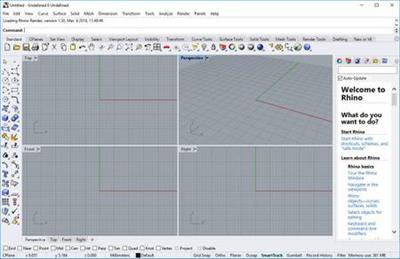
Rhinoceros 7.1.20299.23101 (x64)

6820faf4a15e0fbc2d22830ec1e08fbf.jpg


Rhinoceros 7.1.20299.23101 (x64) | 278.1 Mb​
In Rhino 7 for Windows, we've fully embraced Grasshopper - the wildly popular visual programming language - by "baking it in." Grasshopper is no longer beta; it's a stable development environment. We've also rewritten some features and renovated workflows that needed fundamental overhauls to make them truly productive.

Grasshopper
The long beta period is over: Grasshopper, the world's most beautiful programming language, is now a full-fledged part of Rhino. Used in some of the most ambitious design projects of the past decade, Grasshopper, like Rhino, has become a robust development platform. Grasshopper provides the solid foundation for many incredible third-party components ranging from environmental analysis to robotic control.

Presentation
Presentation is key: during nearly every phase of design, you need to communicate, getting "buy-in" from clients, customers, collaborators, or the public at large. We've improved Rhino with the aim of helping you present your work: be it "quick and dirty" or "high-res glossy." With major changes to Rendering, Materials, or just plain capturing the viewport, it's now easier and faster to present, discuss, make decisions, and iterate.

Display
Rhino's new display pipeline is faster, more stable, and uses features found on modern graphics hardware, like GPU sensitive shaders and memory optimizations. This results in fewer GPU-specific display glitches and more consistent, beautiful, and frequent frames, even with large models. In some conditions, display speed can be up to 300% faster.

Documentation
Modeling is just one part of the design process; you also need to show how to build what is on the screen. We've refined many parts of the documentation workflow, from a completely reworked annotation-style interface, to better DWG support, and RichText throughout. It's now easier to convey accurately and clearly the what and the how of your design.

Licensing & Administration
We have worked hard to make Rhino easier to install, license, and configure. There's a great new option to license Rhino using the Cloud Zoo.

Make2D
Make2D has been completely rewritten to provide faster, better, cleaner, more customizable results.

Rhino Refinements
Small quirks add up to painful paper cuts over the course of a prolonged modeling session. In Rhino 6, we've fixed hundreds of minor bugs and consolidated disparate - but similar - features into single commands, making Rhino much more refined.

Development Platform
Rhino is more than just a modeler. With a rich ecosystem of plugins and an open set of development tools, Rhino is quickly becoming the development platform for those seeking to push the envelope of design. Rhino 6 brings major improvements to our free SDKs, with API refinements, better documentation, and more access to Rhino commands from Grasshopper.

Serengeti
We're constantly improving Rhino. Rhino 7 users have access to the Serengeti community and our Work-In-Progress (WIP) builds. The WIP builds are where we are developing future features like SubD support, Grasshopper 2, a new real-time rendering engine, and much more.

System Requirements:
- Windows 10, 8.1, or 7
- 8 GB memory (RAM) or more is recommended.
- 600 MB disk space.
- OpenGL 4.1 capable video card is recommended.
- No more than 63 CPU Cores.
- Multiple-button mouse with scroll wheel is recommended.
- The SpaceNavigator is supported.
- Apple hardware is supported with Bootcamp.

Not supported:
Windows 8
Windows XP 64-bit
Windows Vista, NT, 95, 98, ME, or 2000
Windows 32-bit all versions

Home Page -
У Вас недостаточно прав для просмотра ссылок. Войдите или зарегистрируйтесь.


Download link:​
Код:
[center][b]rapidgator_net[/b]:
https://rapidgator.net/file/4545fca37ddd7391f04f3616204dc379/4uv1a.Rhinoceros.7.1.20299.23101.x64.rar.html

[b]nitroflare_com[/b]:
https://nitroflare.com/view/5205571E46E203F/4uv1a.Rhinoceros.7.1.20299.23101.x64.rar

[b]uploadgig_com[/b]:
https://uploadgig.com/file/download/752eA761c79d52a4/4uv1a.Rhinoceros.7.1.20299.23101.x64.rar[/center]

Links are Interchangeable - No Password - Single Extraction​
 
Simlab Composer 10.16 (x64) Multilingual

930431cc80513cb94b9a1c1e7dd5a70b.jpg


Simlab Composer 10.16 (x64) Multilingual | 253.8 Mb​
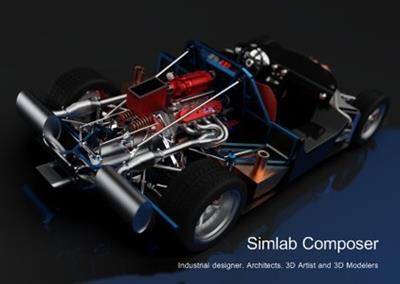
Simlab Composer is a complete, easy, affordable and feature rich solution enabling you to communicate your 3D ideas with ease. Start with any 3D model, and bring it to life with SimLab Composer to utilize it in marketing, manuals, training, user feedback, education and much more.

Features in SimLab Composer 9:
A brief summary with regards to the new updates that have been made in SimLab Composer 9 :

Scene Building:
-Search by name

Animation
- Animation Auto Ease options (Auto Ease Out, Auto Ease In, and Auto Ease).
- New Animation Time-line tools: Capture keyframe for object, Go to previous/next keyframe, and Select all keyframes on Animation Time-line.
- (Enhancement) Better layout for Animation Time-line tools.

HTML/WebGL
- Added support for SimLab 360s Grid Technology.
- Added support for Light Baking (Light Baking is similar to Texture Baking but it gives the user the ability to change material of objects).
- Added support for sun light
-Added support for shadow from sun, which can be enabled or disabled by the user.
- Added support for Visualized Scene Options (lists)
- (Enhancement) Better appearance for materials
- (Enhancement) Better navigation: Smoother camera navigation with mouse movement in spin mode.
- (Enhancement) Better looking message boxes.
- (Enhancement) Camera transition among Scene States

3D PDF
- Added support for Visualized Scene Options (lists).

VR
- SimLab 360s Grid Technology for SimLab FREE VR Viewer, SimLab FREE AR/VR Mobile Viewer, and HTML/WebGL: load and move among 360 degree images.
- Make Video: View video clips in SimLab FREE VR Viewer and SimLab FREE AR/VR Mobile Viewer.
- Event-Response System: SimLabs Event-Response System used for endless possibilities in your VR experiences, which also includes location-based triggers.
- VR Training: A state-machine-based system used for endless possibilities in your VR experiences, which also includes location-based triggers.

Render
- Render Animation using SimLab FREE VR Viewer: New rendering mode using the VR Viewer.

Simlab Free VR Viewer
- Added support for SimLab 360s Grid Technology.
- Scene Building Mode: Dedicated mode where you can move, rotate, scale, copy, delete, and hide/show objects.
- (Enhancement) Improved two hands interaction with VR scene elements in VR mode.
- (Enhancement) Improved grabbing (grabbing with two hands) in VR mode.
- (Enhancement) Improved VR navigation (fixed old issues and added rotation) in VR mode.
- (Enhancement) Improved Scene Modes activation for Large Navigation, Lists, and Scene Building.
- Circular menu for switching among modes.
- Activation of List mode shows all list pins existing in scene.
- Users can now have two FREE private catalogs (up to 60 package)
- Users have the ability to edit or delete their own packages.

System Requirements:
Intel or AMD processor
Windows 64-bit (7, 8, or 10)
Any graphics card with 256 MB or more (either dedicated or shared)
2 GB of RAM or more
2 GB of free hard disk space
Monitor resolution of 1440 X 900 or greater

Home Page -
У Вас недостаточно прав для просмотра ссылок. Войдите или зарегистрируйтесь.


Download link:​
Код:
[center][b]rapidgator_net[/b]:
https://rapidgator.net/file/cf016ce3f7807e3ba724b4707760c3c5/2p15d.Simlab.Composer.10.16.x64.Multilingual.rar.html

[b]nitroflare_com[/b]:
https://nitroflare.com/view/19D2C7566F6FADA/2p15d.Simlab.Composer.10.16.x64.Multilingual.rar

[b]uploadgig_com[/b]:
https://uploadgig.com/file/download/44fe5b44a6C09714/2p15d.Simlab.Composer.10.16.x64.Multilingual.rar[/center]

Links are Interchangeable - No Password - Single Extraction​
 
SimLab Composer 10.16 Ultimate Multilingual macOS

2fc1a3b4ca55c3aa9b38559931493c33.jpg


SimLab Composer 10.16 Ultimate Multilingual macOS | 357.8 Mb​
SimLab composer is a 3D scene building, rendering, sharing, and animation application. SimLab Composer is an easy to use application, yet a very powerful one. SimLab Composer is 3D FOR ALL!

Scene Building
SimLab Composer provides users with all the needed tools to build 3D senses from existing models, easily and fast.

3D Sharing
- SimLab Composer gives users different options to share 3D scenes, and models.
- 3D PDF, WebGL, Android/iPad.

Rendering
High quality real time renderer, suitable for interior and exterior scenes.

Animation
Create animations showing the motion of a designed machine, or a walkthrough of a house.

Automation
SimLab Composer automation workbench allows users to use Java scripting to automate processes in SimLab Composer.

Simlab Composer System Requirements
Mac OS X (10.5) Leopard on Intel Machines
Mac OS X (10.6) Snow Leopard on Intel Machines
Max OS X (10.7) Lion on Intel Machines

Home Page -
У Вас недостаточно прав для просмотра ссылок. Войдите или зарегистрируйтесь.


Download link:​
Код:
[center][b]rapidgator_net[/b]:
https://rapidgator.net/file/025d159dc786b848248c31174e66b82c/jpjy8.SimLab.Composer.10.16.Ultimate.Multilingual.macOS.rar.html

[b]nitroflare_com[/b]:
https://nitroflare.com/view/A4894ED2BC9B383/jpjy8.SimLab.Composer.10.16.Ultimate.Multilingual.macOS.rar

[b]uploadgig_com[/b]:
https://uploadgig.com/file/download/4dC5ce2a327f1112/jpjy8.SimLab.Composer.10.16.Ultimate.Multilingual.macOS.rar[/center]

Links are Interchangeable - No Password - Single Extraction​
 
Tayasui Sketches Pro 6.0 macOS

37cea283ea251a688ba4e6f258e5cc76.jpg


Tayasui Sketches Pro 6.0 | macOS | 133 mb​
Because beautiful tools make beautiful drawings, we endlessly refined Sketches brushes to create the most realistic drawing tools. With a modern and clean UI, Sketches is the most versatile and user-friendly sketching app available on Mac.

Features
Over 20 ultra realistic tools
Incredibly realistics watercolor wet brushes
Smart Brushes Editor
Color Eyedropper
Color editor
Import photos

Layers
Use up to 12 layers to simplify your task
Export them as separate PNG with transparency

Compatibility: OS X 10.10 or later, 64bit

Download link:​
Код:
[center][b]rapidgator_net[/b]:
https://rapidgator.net/file/438ebb8ff3d28f58ae72da61968ce893/l27vp.Tayasui.Sketches.Pro.6.0.part1.rar.html
https://rapidgator.net/file/19e705b19cd143cd292bbdd6424924e0/l27vp.Tayasui.Sketches.Pro.6.0.part2.rar.html

[b]nitroflare_com[/b]:
https://nitroflare.com/view/315FB0967EE08ED/l27vp.Tayasui.Sketches.Pro.6.0.part1.rar
https://nitroflare.com/view/CC4FE2370A23B8E/l27vp.Tayasui.Sketches.Pro.6.0.part2.rar

[b]uploadgig_com[/b]:
https://uploadgig.com/file/download/3437587dbBfb2271/l27vp.Tayasui.Sketches.Pro.6.0.part1.rar
https://uploadgig.com/file/download/D392f5974073f336/l27vp.Tayasui.Sketches.Pro.6.0.part2.rar[/center]

Links are Interchangeable - No Password - Single Extraction​
 
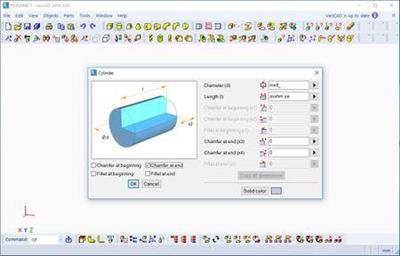
VariCAD 2021 v1.01

bab3e7d41b105139201a92e7338d0b6b.jpg


VariCAD 2021 v1.01 | 138 Mb​
VariCAD is 3D / 2D CAD software primarily intended for mechanical engineering design. The comprehensive CAD software enables designers to quickly create, evaluate, and modify their models. The software is sold as one "fully loaded" package, with all features and functions, for one very affordable price. VariCAD delivers an excellent performance-to-price ratio, making it one of the smartest choices on the market today.

User Interface and System Environment
VariCAD's Graphical User Interface (GUI) has been designed to allow quick and intuitive 3D/2D orientation. It has been carefully tailored and tuned to reflect the thought process of a designer, so that ideas can be captured and communicated with a minimal number of steps. All commands were created with a focus on ease of use.

You can start by creating a 3D model and then use it to automatically create drawings files, or you can draw only in 2D. Designing in 3D is generally more "natural," in that it closely represents actual parts and assemblies. The 3D approach is usually more intuitive than 2D drafting. Models created in 3D are easily converted into conventional 2D documentation. VariCAD provides tools for 2D updates after changes of 3D models.

3D Modeling
VariCAD provides a library of basic 3D shapes (like a box, cylinder, cone, etc.), which are easily modified by editing their dimensions. Solids can be created also by profile rotation, extrusion, or lofting. More complex tools include rotation blending between two profiles, lofting between a circle and rectangle or between different profiles, and creation of helical surfaces.

Solids can be added or subtracted, thus forming Boolean trees representing real mechanical parts. Boolean operations have options of automatic trimming (so called selective Boolean operations). Predefined operations like drilling of holes, face milling or groove milling are also available. Edges can be rounded or chamfered. VariCAD provides a lot of possibilities of solid transformations or their editing. Also, you can easily edit Boolean trees - either selecting solid parts from 3D, or selecting them from a list displaying structure.

Parameters and Geometrical Constraints
Although you can comfortably transform solids or their parts, you can optionally define geometrical constraints. Once defined, constraints allow you "to stick" object at defined location. More exactly, you can remove degrees of freedom of constrained objects. If other objects are changed or transformed, constrained object changes its position automatically. For instance, if you constrain a groove to the end of a shaft and the shaft length is changed, the groove remains in constant distance from the end edge. Constraints can be defined among elements of a solid, among entire solids or within a 2D profile creating a solid (for instance, by extrusion).

Whenever you enter a dimension of solid, a distance in constraint or dimension in 2D profile used for solid creation, you can optionally use parameter or even a mathematical expression containing parameters. Changing parameter values, you can change shapes or locations of solids.

3D Assemblies and Groups
VariCAD also provides tools for assembly support. If the link between a part and assembly is defined, any changes made to the part file are reflected in the assembly file and vice-versa. Linked copies of solids can also be defined (so called identical solids). In such case, editing of one object causes update of all its identical copies. Solid groups can be defined as well, making selection and visibility changes simple, for multiple objects.
Crash Tests (Interferences)

One excellent feature of 3D modeling is component interference checking. VariCAD can check 3D assemblies for possible collisions (overlapping volume) between components.

Calculations
VariCAD can calculate 2D section area, surface area, volume, mass, center of gravity, and moment of inertia. Mechanical parts calculations are also included - for standard parts used every day by mechanical designers. There are calculations of tension and compression springs, pre-stressed bolted connections, pins and parallel keys, grooved shafts, bearings, beams under combined stress (bending and torsion), spur and bevel gearing geometry, and belt drives.
Surface Development (Sheet Metal Unbending)

VariCAD can also create developed (unbent) surfaces of 3D solids or sheet metal parts. The XY coordinates of developed surfaces can be saved into a text file for further processing. You can input bending coefficients in order to customize your calculations, to reflect material and technology.
Mechanical Part and Symbol Libraries VariCAD contains libraries of standard mechanical parts (ANSI, DIN), such as bolts, nuts, pins, plugs, cotters, gaskets, bearings, rolled and drawn shapes, and hydraulic, pneumatic, and electrical symbols.

3D - 2D Export
3D models are easily converted into 2D drawings to produce conventional drafting documentation. You can create 2D views of one or more selected solids by defining the views in 3D. In addition, you can also export specified sections. VariCAD supports updates of a 2D drawing after changes in 3D.

2D Drawing and Editing
Drawing functions are optimized for easy use in engineering. Some handy features of 2D drawing include: automatic detection of objects and snap points, numerous snap modes, auxiliary construction lines, Ortho mode, rectangular grid, drawing layers, block creation, hatching with automatic border detection, advanced dimensioning, finish symbols, welding symbols, tolerance symbols, and many more. You can draw in millimeters or in inches.

BOM and Title Blocks
VariCAD provides tools for maintaining the data structure of the product. There are links between attributes of parts and content of title blocks. You can create a bill of material (BOM) from an assembly, or easily modify the database using commands like mass attribute changes, sorting of information, etc. Each part can contain attributes, like name, type of material or supplier. Such data can be used for material requisitions, creation of bills of materials (BOM), filling of title blocks, or other purposes.

The data structure of the product (BOM) can be exported into other systems or into a spreadsheet. A mask is used for BOM customization; you can modify it exactly according to your needs. Mask defines usage of solid or assembly attributes, working with title blocks, methods of data exports from BOM etc...

Compatibility
VariCAD can interchange files with other CAD systems. You can export STEP (3D), STL (3D), IGES (3D), DWG (2D), DXF (2D) files, and import STEP (3D), DWG (2D), DXF (2D). The files can be converted individually or in batch routines, thereby converting multiple files in one step.

VariCAD 2018
This version supports 3D mouse under Linux. VariCAD commands are available from 3D mouse keys. Next new features are isometric views in 3D mode and 2D objects created from data loaded from *.csv files or, generally, text files (files containing XY coordinates). User interface contains virtual numerical pad available for values input, and rebuilt dialog panels used for definition of basic solids (like box, cylinder...). The new version has improved parts of 3D kernel, including input/output of STEP files.

System requirements
Hardware and software recommendations for large assemblies (aprox. thousands of parts):
Multi-core processor, e.g. Intel Core i5-4460
8 - 16GB RAM, for extremely large data more
Graphic card with hardware support of OpenGL 4 graphics (NVIDIA GTX/Quadro graphics chip, 2GB RAM), e.g. GIGABYTE N960IXOC-2GD
5-button mouse with the scroll wheel
64-bit operating systems: Microsoft Windows 7, Windows 8/8.1, Windows 10

Home Page -
У Вас недостаточно прав для просмотра ссылок. Войдите или зарегистрируйтесь.


Download link:​
Код:
[center][b]rapidgator_net[/b]:
https://rapidgator.net/file/67a72c08569826a8aba5eb9d6c93dbab/wvcc0.VariCAD.2021.v1.01.rar.html

[b]nitroflare_com[/b]:
https://nitroflare.com/view/BAB6ED1F393BF75/wvcc0.VariCAD.2021.v1.01.rar

[b]uploadgig_com[/b]:
https://uploadgig.com/file/download/9f1b598A6a812e33/wvcc0.VariCAD.2021.v1.01.rar[/center]

Links are Interchangeable - No Password - Single Extraction​
 
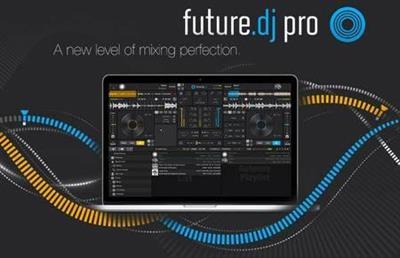
XYLIO Future DJ Pro 1.8.2

bc587d438a2b91766a4fc19c0794840b.jpg


XYLIO Future DJ Pro 1.8.2 | 243.5 Mb​
This is our flagship product, packed with the latest professional DJ features that answer the needs of both professional and aspiring DJs. Future.dj pro can easily be used by all manner of DJs, from bedroom DJs who enjoy creating their own mashups and mixes in the comfort of their home, to mobile DJs and club/live DJs that perform in clubs and other live performance conditions. Thanks to an impressive number of advanced and flexible features, there is nothing limiting your creative flow, other than your own creativity.

Mix everything (audio, video, karaoke)
Mashup tracks, mix videos and make song transitions with the greatest of ease with this classic DJ setup (2-decks and mixer). Thanks to it's intuitive design and powerful features, you will be able to achieve any level of mixing complexity. You can also sit back and Automix an entire party, simply by activating the powerful Automix function.

Perfectly in-sync tracks/beats
You will find the automatic BPM detection very precise allowing you to instantly sync and change between the 2 decks and/or samplers. The smart-sync function guarantees that when you press the Sync button the deck will be in perfect sync with the other one.

Visualize beats
The waveform graphic displays gives you real time audio signal monitoring, information about the audio signal and the beat rhythm. Each deck has 3 waveforms: a full song waveform and two zoomed-in waveforms. The vertical waveforms allow you to visually align the beats with ease.

Find your tracks with ease (includes iTunes library integration)
There is a browser, a current-list and a side-list available for finding, organising, previewing and playing your tracks. You can instantly search for tracks and/or filter them by format (be it audio, video or karaoke). Color markers make it even easier to spot your favorite songs, because you can assign different colors to any tracks.

Create and recall loops, set up cue-points
You can set up seamless loops instantly, by setting In and Out points. You can move the loop or make it shorter or longer on-the-fly. You can also send a loop to one of the 8 sampler slots. You can set/recall instant cue-points (which act like bookmarks into the song) and view them on the waveform.

Scratch. Reverse. Brake. (works with videos too)
You are free to make real turntable effects by using the waveform displays, as well as the virtual jog-wheels, using MIDI controllers or even real turntables (using the improved timecoded-vinyl engine). You can achieve effects like disk spin effect, scratch, reverse, play, brake, mute, fine-tune cue-points and even 'reverse spin and play' effect.

Powerful mixer (includes effects)
You can adjust the gain (amplification), equalizer (3 bands), apply and combine different effects (10 effects included), change the musical key, etc.

Separate headphones output and song pre-listening
You can configure advanced audio routing using up to 8 inputs and outputs. You can use a microphone or turntables and CD players.

Fullscreen video output to external monitors, projectors, TV
There are several video effects and transitions that you can apply per deck.

Connect multiple MIDI controllers at the same time
There are over 80 zero-configure controllers supported from Akai, Akiyama, American Audio, Beamz, Behringer, Beyond Music, Denon, Faderfox, Gemini, Hercules, M-Audio, Novation, Numark, PCDJ, Pioneer, Reloop, Stanton, Vestax, Zomo, etc.

Powerful samplers
8 sample players that you can use to play loops or jingles. You can pre-listen, choose to loop or sync them, apply filters, change the tempo/speed, etc.

Beat-match and Key-match your mixes
For musically perfect mixes you can lock (master tempo) or change the key to your desired one to achieve not only beat-matched but also key-matched performances. The app even detects the key of a song/video to considerably simplify harmonic mixing.

- Pulselocker integration
- Record or broadcast your mixes
- 8 different user interfaces/skins included (with 2 or 4 decks)

System Requirements
Windows 10 / 8.1 / 7 (64-bit versions are preferred)
processor: Intel i3/i5/i7, 1.7 GHz or better
memory: 4GB of RAM or more (8GB recommended for HD videos)
video card: any DirectX 10/11 compatible video card (NVidia, AMD or integrated Intel HD3000 or better)
at least 250MB free disk space
optional: multi-channel soundcard or DJ controller with multiple separate outputs (eg. for speakers and for headphones)

Home Page -
У Вас недостаточно прав для просмотра ссылок. Войдите или зарегистрируйтесь.


Download link:​
Код:
[center][b]rapidgator_net[/b]:
https://rapidgator.net/file/e22dd2a18dafc5dbb1b3fdc04f7db515/ja1i7.XYLIO.Future.DJ.Pro.1.8.2.rar.html

[b]nitroflare_com[/b]:
https://nitroflare.com/view/0E06F70CA01AC36/ja1i7.XYLIO.Future.DJ.Pro.1.8.2.rar

[b]uploadgig_com[/b]:
https://uploadgig.com/file/download/5cf889130f68995f/ja1i7.XYLIO.Future.DJ.Pro.1.8.2.rar[/center]

Links are Interchangeable - No Password - Single Extraction​
 
All About PDF 3.1064

710bda44863a8823ad8ba3f94fedfee5.jpg


All About PDF 3.1064 | 177.8 Mb​
All-About-PDF is a fast and powerful Windows application that is built to take advantage of your computer's multiple processing cores for blazingly fast PDF processing.

All-About-PDF is a multi-threaded 64-bit application that utilizes your computer's multiple CPU cores for blazingly speedy PDF processing.

All-About-PDF can take multiple PDF files and merge them into a single file. You can also go the other way by taking a single PDF file and splitting it into multiple documents. This is done by either specifying multiple page ranges to split by or you can simply tell the application to split the PDF every N pages (for example, you can split a PDF from pages 1 to 5 and 6-10 or just every 3 pages).

You can add Owner and User passwords to your PDF using 256-bit encryption. With an Owner password set on your PDF, you can specify user permission such as:
ability to copy from the document
ability to print the document
ability to annotate the document
ability to modify the PDF attributes
ability to modify the PDF contents and more

System Requirements:
OS: Windows 7 SP1, 8/8.1, 10 and Server 2008 R2, 2012, 2016 and 2019
Microsoft .NET Framework 4.6.1 or above

Home Page -
У Вас недостаточно прав для просмотра ссылок. Войдите или зарегистрируйтесь.


Download link:​
Код:
[center][b]rapidgator_net[/b]:
https://rapidgator.net/file/2b37212e54ad09526d13b02aeb132a25/kgcxb.All.About.PDF.3.1064.rar.html

[b]nitroflare_com[/b]:
https://nitroflare.com/view/4FD5606593BE1DF/kgcxb.All.About.PDF.3.1064.rar

[b]uploadgig_com[/b]:
https://uploadgig.com/file/download/2066b16b04e67bcF/kgcxb.All.About.PDF.3.1064.rar[/center]

Links are Interchangeable - No Password - Single Extraction​
 
Allround Automations PL/SQL Developer 14.0.4.1982 Multilingual

369c13ffd4caec7cf7cd050dfc5add6c.jpg


Allround Automations PL/SQL Developer 14.0.4.1982 Multilingual | 108.8 Mb​
PL/SQL Developer is an Integrated Development Environment that is specifically targeted at the development of stored program units for Oracle Databases. Over time we have seen more and more business logic and application logic move into the Oracle Server, so that PL/SQL programming has become a significant part of the total development process. PL/SQL Developer focuses on ease of use, code quality and productivity, key advantages during Oracle application development.

Powerful PL/SQL Editor
With its Syntax Highlighting, SQL and PL/SQL help, Object Descriptions, Code Assistant, Compiler Hints, Refactoring, PL/SQL Beautifier, Code Contents, Code Hierarchy, Code Folding, Hyperlink Navigation, Macro Library and many other sophisticated features, the Unicode compliant editor will even appeal to the most demanding user. Information is automatically presented to you when you need it, or is at most one click away.

Integrated Debugger
The integrated debugger offers all features you could wish for: Step In, Step Over, Step Out, Run Until Exception, Breakpoints, View & Set Variables, View Call Stack, and so on. You can debug any program unit without making any modification to it, including triggers and object types.

PL/SQL Beautifier
The PL/SQL Beautifier allows you to format your SQL and PL/SQL code through a user-defined set of rules. Your code can automatically be beautified when you compile, save, or open a file. This feature will increase your coding productivity and will improve the readability of your PL/SQL code if you are working in large project teams.

Command Window
To develop and execute SQL scripts you can use PL/SQL Developer's Command Window. This window has the same look and feel as SQL*Plus, and additionally has a built-in script editor with corresponding syntax highlighting. Now you can develop your scripts without the "edit script / save it / switch to SQL*Plus / run script" cycle, and without leaving the comfortable PL/SQL Developer IDE.

System requirements:
PL/SQL Developer will run on Windows XP, 2003, 2008, Vista, Windows 7, Windows 8 and Windows 10. The supported Oracle Server versions are 7.x, 8.x, 8i, 9i, 10g, 11g, 12c and 18c on any platform. To connect to an Oracle database, the 32 bit PL/SQL Developer version requires a 32 bit Oracle Client and the 64 bit PL/SQL Developer version requires a 64 bit Oracle Client.

Home Page -
У Вас недостаточно прав для просмотра ссылок. Войдите или зарегистрируйтесь.


Download link:​
Код:
[center][b]rapidgator_net[/b]:
https://rapidgator.net/file/a66542c64829a4c88ee0c67b3514c90a/p3vf9.Allround.Automations.PLSQL.Developer.14.0.4.1982.Multilingual.rar.html

[b]nitroflare_com[/b]:
https://nitroflare.com/view/C672233902C8741/p3vf9.Allround.Automations.PLSQL.Developer.14.0.4.1982.Multilingual.rar

[b]uploadgig_com[/b]:
https://uploadgig.com/file/download/6f5c2445a8889A71/p3vf9.Allround.Automations.PLSQL.Developer.14.0.4.1982.Multilingual.rar[/center]

Links are Interchangeable - No Password - Single Extraction​
 
AnimaShooter Capture 3.8.16.2

18090130fb2cd76c9f69e8bb0dce0d99.jpg


AnimaShooter Capture 3.8.16.2 | 27.5 Mb​
AnimaShooter Capture is a user-friendly stop-motion animation software with support for Canon DSLR cameras. Easy to learn, easy to use. AnimaShooter Capture supports any Canon digital reflex camera which is able to be remotely controlled from PC and has Live View feature. Remember to test your camera with AnimaShooter Capture (in trial mode) to ensure compatibility.

Features:
- DSLR camera
- USB HD Webcam / USB Webcam
- Switch between multiple cameras
- USB HD Webcam/ USB Webcam. Supported resolution: up to
- Camcorder/DV camcorder compatibility (with Firewire (IEEE 1394) connection)
- Auto capture (Time-lapse)
- Rotoscope
- Looping function: Loop single (Flip-flop)
- Onionskinning
- Image Review (to check images at full-resolution)
- Non-integer Frame Rates
- CRW, CR2 import
- Y Waveform, RGB Parade and Vectorscope
- Rule of thirds grid
- Grid
- Dual monitors (separate window to view full resolution images)
- Ram-preview (preview animation as you film it instantly)
- Duplicate, Copy & Move one frame or group of frames
- Import images (JPG, PNG, WEBP)
- Import video
- Export HD video: WEBM, OGV, AVI, Uncompressed
- Export animated WEBP
- Export sequences (JPG, PNG, TIFF, WEBP, BMP)
- Overlay a frame counter: export video or sequences with timecode
- X-sheet
- Control AnimaShooter via Keypad

Operating System: Windows 7, 8/8.1, 10

Home Page -
У Вас недостаточно прав для просмотра ссылок. Войдите или зарегистрируйтесь.


Download link:​
Код:
[center][b]rapidgator_net[/b]:
https://rapidgator.net/file/7a30c18ae52f93740e8c57250189c61a/qdjjl.AnimaShooter.Capture.3.8.16.2.rar.html

[b]nitroflare_com[/b]:
https://nitroflare.com/view/70D7E75C2B7C161/qdjjl.AnimaShooter.Capture.3.8.16.2.rar

[b]uploadgig_com[/b]:
https://uploadgig.com/file/download/72F461d6630Cb07F/qdjjl.AnimaShooter.Capture.3.8.16.2.rar[/center]

Links are Interchangeable - No Password - Single Extraction​
 
AnimaShooter Pioneer 3.8.16.2

068d4efa242171a63a6530e2b02f6b84.jpg


AnimaShooter Pioneer 3.8.16.2 | 26.9 Mb​
Working as an animation artist can be a challenging job, especially if you lack appropriate tools to help you generate your projects. While it is possible to rely on traditional methods, like pencil and paper, specialized software can yield faster and better results.

Herefore, if you are interested in creating frame-by-frame animations, you can rely on AnimaShooter Pioneer, as it comes with a wide variety of useful features that can simplify your work.

Stylish user interface and polished buttons
This program can be easily installed, as it does not require you to perform additional configurations. It comes with a smooth, visually appealing design that organizes its functions neatly, most of them are available as buttons.

Note that you need medium to advanced PC skills and a good understanding of certain animation concepts to operate this application with minimal efforts.
Since most of the functions are available as buttons, you might need to rely on tooltips by hovering the mouse pointer over the desired feature.

Handy webcam frame grabber
You can generate stop-motion animations by relying on this software, as it allows you to use image files on your computer or content that you import from your webcam.

It is possible to add image files that you can link together and create a frame-by-frame animation project. Also, instead of individually importing files, you can add a series of documents, thus simplifying your work.

Exports to various video formats
After you are finished editing your document, it is possible to export the resulting content to a video file on your computer. This application supports various formats, including MPEG4, OGV, WebM or WebP and each of them can be customized according to your preference. Additionally, you can save your project as an uncompressed, large file.

To sum it up, AnimaShooter Pioneer is a reliable application that allows you to create frame-by-frame animation by relying on image files on your computer or webcam-generated content. However, note that you need to have certain PC skills in order to operate it accordingly.

Operating System: Windows 7, 8/8.1, 10

Home Page -
У Вас недостаточно прав для просмотра ссылок. Войдите или зарегистрируйтесь.


Download link:​
Код:
[center][b]rapidgator_net[/b]:
https://rapidgator.net/file/99a71b5985a2e6417cb743c317126ee4/rnx4n.AnimaShooter.Pioneer.3.8.16.2.rar.html

[b]nitroflare_com[/b]:
https://nitroflare.com/view/0BDFED9FC8AA8B7/rnx4n.AnimaShooter.Pioneer.3.8.16.2.rar

[b]uploadgig_com[/b]:
https://uploadgig.com/file/download/00d564aC3216b024/rnx4n.AnimaShooter.Pioneer.3.8.16.2.rar[/center]

Links are Interchangeable - No Password - Single Extraction​
 
AnyTrans for iOS 8.8.0 (20201109) macOS

8abbcd9f6c448ed704e7f6e005d19d81.jpg


AnyTrans for iOS 8.8.0 (20201109) | Multilingual | macOS | 114 mb​
AnyTrans is the iPhone manager that breaks the sync boundary and consolidates every access to all your content in one place, including music, videos, photos, messages, books, Safari history, voice memo, etc.

Features:
* Flash-Sync Makes the fastest data transfer in market - By largely improving the data loading and transferring speed, AnyTrans gives you lightning-fast experience.
* Two-way Transfer between iOS devices, iTunes, iCloud and computer - Whether you want to transfer contacts from iPhone to Mac, messages from old iPhone to new iPhone, music and playlists from iPhone back to iTunes library, or videos from PC to iPad, AnyTrans gets anything transferred freely between your iPhone, iPad, iPod touch, iTunes, iCloud and computer.
* Easily manage all your contents on iPhone, iPad, and iPod touch - Browse, edit and export important contacts, messages, notes, and more personal data from iPhone; well organize your photos and music in iPhone and iPad by building up your own collections and playlists - you get full control over all your iOS data and files with ultra ease.
* Migrate everything to your new iPhone within one click clone - Upon just one simple click, everything from your old iPhone, even from iPad - will be cloned to your new iPhone. The game-level you just conquered, the photos you took yesterday, the note you plan for shopping and the music you favors will all be there waiting for you.
* Navigate your iTunes and iCloud backup contents with even more ease - Instead of making a guess on whether your iTunes/iCloud backup contains the notes, messages, contacts, voice memos, or * Safari bookmarks you need, AnyTrans lets you peek right into your backups, and grab any piece of data you need freely without a full restore.

Compatibility: OS X 10.9 or later 64-bit
Homepage:
У Вас недостаточно прав для просмотра ссылок. Войдите или зарегистрируйтесь.


Download link:​
Код:
[center][b]rapidgator_net[/b]:
https://rapidgator.net/file/f2a2f514927e3d9f02c4c6788cc912da/imjk3.AnyTrans.for.iOS.8.8.0.20201109.rar.html

[b]nitroflare_com[/b]:
https://nitroflare.com/view/34BEB674B639D29/imjk3.AnyTrans.for.iOS.8.8.0.20201109.rar

[b]uploadgig_com[/b]:
https://uploadgig.com/file/download/d7b8a6D358b7401a/imjk3.AnyTrans.for.iOS.8.8.0.20201109.rar[/center]

Links are Interchangeable - No Password - Single Extraction​
 
Apeaksoft Video Converter Ultimate 2.1.6 Multilingual

4fd2fd3a1929ae78764b60c9339ba6cd.jpg


Apeaksoft Video Converter Ultimate 2.1.6 Multilingual | 202.7 Mb​
Convert video or audio files to iOS devices, Android devices, USB flash drives or external hard drivers easily. More importantly, all supported formats like MP4, MOV, MTS, AVI, WMV, MP3 and more will be intelligently converted to compatible ones during the conversion.

A Mighty Video Converter Supports Almost Videos
Video Converter Ultimate is the mighty video converting software, which works on various video files in input and output, whether your videos files are from/to iOS/Android, USB flash drives or external hard drivers easily.
Convert various video/audio formats: MP4, MOV, MTS, M2TS, MKV, FLV, 3GP, SWF, AVI, WMV, MP3, FLAC, WMA, OGG, AAC, AIFF, M4R, Homemade DVD, etc.
Convert videos from different sources: Videos from YouTube, Facebook, Dailymotion, Netflix, etc. camcorder, phone, etc.
Convert videos to different devices: Samsung Galaxy S10/S9, iPhone XS/XR, Xbox One/360, PSP, Avid, Wii, Adobe Permiere, TV, DV, etc.

An Outstanding Homemade DVD Editor and Converter
Video Converter Ultimate enables you to open DVD videos or folders, and lets you edit and convert homemade DVD videos with ease. You can convert homemade DVD to video in MP4, AVI, WMV, 3GP, FLV MOV, MP3, WMA, FLAC, AIFF, OGG, WAV, and other video formats for easy playback on your devices without DVD player or drive with simple clicks.
Besides, this wizard works great to edit DVDs before converting, like trim, crop, watermark, combine, rotate, adjust effects, etc.

An Easy-to-use Video Editor Makes Your Videos Perfect
Apart from the powerful converting features, other more features, like rotate, mirror, snapshot, etc. you should not miss will make your video files attractive. You can customize home movies through advanced editing features and get your customized videos in minutes.

Fast Speed Acceleration and Lossless
Slow to use online video converter? Poor quality of the output video file with other tools? Apeaksoft Video Converter Ultimate will be your best solutions to fix all the issues. Support AMD®, Intel® HD Graphics, NVIDIA® CUDA®, NVENC, and NVDEC hardware acceleration, you could get a super speed of conversion without data

System requirements:
Windows OS: Windows 10, Windows 8.1, Windows 8, Windows 7, Windows Vista, Windows XP (SP2 or later)
CPU: 1GHz Intel/AMD CPU or above
RAM: 1G RAM or more

Home Page -
У Вас недостаточно прав для просмотра ссылок. Войдите или зарегистрируйтесь.


Download link:​
Код:
[center][b]rapidgator_net[/b]:
https://rapidgator.net/file/8ba49ded83682481e623a30944ef9283/97ys8.Apeaksoft.Video.Converter.Ultimate.2.1.6.Multilingual.rar.html

[b]nitroflare_com[/b]:
https://nitroflare.com/view/799B7B4DE0BBED6/97ys8.Apeaksoft.Video.Converter.Ultimate.2.1.6.Multilingual.rar

[b]uploadgig_com[/b]:
https://uploadgig.com/file/download/Ce3a21D624E18b5d/97ys8.Apeaksoft.Video.Converter.Ultimate.2.1.6.Multilingual.rar[/center]

Links are Interchangeable - No Password - Single Extraction​
 
App Builder 2021.14 (x64)

202c07699edc160f309011a5bf781745.jpg


App Builder 2021.14 (x64) | 155 Mb​
If you want to create modern desktop and mobile apps you're in the right place! DecSoft App Builder is a professional visual development environment to create HTML5 apps, WebApps, Progressive WebApps, Web Extensions and Hybrid apps for the modern mobile and desktop browsers, as well platforms like Google Android, Apple iOS and Microsoft Windows.

Languages
The DecSoft App Builder apps are based in HTML, CSS and Javascript. These are the languages that you must know (more or less) in order to create modern apps that run in all the mobile and desktop browsers, as well platforms like Android, iOS and Microsoft Windows. All with the same base code! This is a big reason to choose DecSoft App Builder.

Visual designer
App Builder provide us dozens of visual and non visual controls ready to be placed in the application's designer. Simply drag and drop the control that you need into the designer and then place it where you wanted.

Contextual help
DecSoft App Builder has a contextual help that point you exactly to the control, property, event reference, etc. Just press the F1 key where you are in the IDE.

Apache Cordova
DecSoft App Builder is integrated with Apache Cordova and prepares for your app the right config file, platform icons, splash screens, batch files, shell files and JSON files. DecSoft App Builder integrates also the officials Apache Cordova plugins.

Quick code list
The DecSoft App Builder code editors provides the Quick code list for your convenience. The Quick code list helps you to write Javascript code more faster, providing all the available controls properties, methods and more.

App Files manager
The DecSoft App Builder IDE incorporates the right Files manager for your app, so you can link Javascript and stylesheet files, but also add images, other files (like JSON files) and even entire directories, to be available in your app at runtime.

User Functions
In addition to the available app methods and the methods provided by the app views, app dialogs, app frames, the Apache Cordova plugins methods, and, all the possible controls that you can use, its also possible to setup your own User Functions in order to be available for your app at runtime.

Operating System: Windows 7, 8/8.1, 10 (64-bit only)

Home Page -
У Вас недостаточно прав для просмотра ссылок. Войдите или зарегистрируйтесь.


Download link:​
Код:
[center][b]rapidgator_net[/b]:
https://rapidgator.net/file/1174c41deb1f847902fa50915d4aa7cb/hvclb.App.Builder.2021.14.x64.rar.html

[b]nitroflare_com[/b]:
https://nitroflare.com/view/12E542BD44CD782/hvclb.App.Builder.2021.14.x64.rar

[b]uploadgig_com[/b]:
https://uploadgig.com/file/download/59e38e0649f45713/hvclb.App.Builder.2021.14.x64.rar[/center]

Links are Interchangeable - No Password - Single Extraction​
 
Apple MainStage 3.5 macOS

13d6c7b5f6f6c5c3f50355834ff7db2e.jpg


Apple MainStage 3.5 MAS Multilingual | macOS | 1,2 Gb​
Apple MainStage makes it easy to bring to the stage all the same instruments and effects that you love in your recording. Everything from the Sound Library and Smart Controls you're familiar with from Logic Pro X is integrated into MainStage 3.

Apple MainStage makes it easy to bring to the stage all the same instruments and effects that you love in your recording. Everything from the Sound Library and Smart Controls you're familiar with from Logic Pro X is integrated into MainStage 3. You can even expand your show with prerecorded backing tracks. You'll also find new features like an improved Mixer, easier-to-use channel strips, and more. With the Mac as the core of your live rig, setup is faster, teardown is faster, and everything in between is more reliable. And you can easily use your favorite hardware to control every nuance of your performance.

Compatibility: macOS 10.15 or later 64-bit

Download link:​
Код:
[center][b]rapidgator_net[/b]:
https://rapidgator.net/file/2b0468f4d8b4cc906e7ade229a9adea0/r4xmv.Apple.MainStage.3.5.part1.rar.html
https://rapidgator.net/file/b4cf84fc3789e66c4a855a1ff91832df/r4xmv.Apple.MainStage.3.5.part2.rar.html

[b]nitroflare_com[/b]:
https://nitroflare.com/view/C29F221BBBB8094/r4xmv.Apple.MainStage.3.5.part1.rar
https://nitroflare.com/view/5BCB824692128E2/r4xmv.Apple.MainStage.3.5.part2.rar

[b]uploadgig_com[/b]:
https://uploadgig.com/file/download/9B0ACcdd708dd8df/r4xmv.Apple.MainStage.3.5.part1.rar
https://uploadgig.com/file/download/93b03E8b01fA6c5c/r4xmv.Apple.MainStage.3.5.part2.rar[/center]

Links are Interchangeable - No Password - Single Extraction​
 
Appsforlife Barcode 2.0.4 (x64)

a3b063e3ca3cc3b0c56b0b8e17a4a709.jpg


Appsforlife Barcode 2.0.4 (x64) | 28.2 Mb​
Barcode Generator Software. Make visually perfect barcodes by configuring every single aspect, automate if needed. The software lets you create barcode labels with your design. It is focused on the graphics appearance not just data, so you can control many aspects of the output like colors, fonts, sizes, margins etc.

What is Barcode Generator?
The software lets you create barcode labels with your design. It is focused on the graphics appearance not just data, so you can control many aspects of the output like colors, fonts, sizes, margins etc. Everything is packed into a simple and intuitive user interface.

Main Features:

Barcode Types
All the main barcode symbologies are supported: UPC A, UPC E, ISBN 13, EAN 13, EAN 8, CODE 39, CODE 93, CODE 128, GS1 128, Codabar, I2/5, ITF 14, PHARMA, PDF 417, Databar, Aztec, Data Matrix and QR codes.

User Interface
A really simple and straightforward user interface guides you through barcode creation, making the whole process fast and preventing mistakes.

Customization Options
The software lets you customize absolutely everything: from fonts to bar widths, from colors to margins. Spot colors are also supported for vector output. You get exactly the barcode you need.

Bulk Barcode Generation
Our barcode software supports bulk processing, so you can configure a barcode and provide a list of codes. The software will run through it and make as many barcodes as you need. Multiple copies are also supported.

Command Line Support
Need command line processing? The software can be used in batch scripts without showing any user interface. You configure the barcode, then simply pass some command line parameters and get the output image in the format you need.

Making Barcode Labels
The software is perfect for making custom labels with barcodes for inventory management or asset tracking. Make a barcode, add the texts you need and send to barcode printer right from the application! Use batch generation if multiple barcodes are needed.

More Features:

Vector output
The software outputs EPS files that can be then loaded to your vector editor without quality loss;

Raster output
You can also export to most common raster formats, including monochrome TIFF;

CMYK and spot colors support
You can specify colors in CMYK and RGB formats, or provide spot color names instead;

Custom texts
Add custom texts or labels to barcodes;

Drag and drop export
Simply drag barcodes to your favorite graphics editor;

Printing support
Print barcodes directly from the software.

Operating System: Windows 7, 8/8.1, 10 (64-bit only)

Home Page -
У Вас недостаточно прав для просмотра ссылок. Войдите или зарегистрируйтесь.


Download link:​
Код:
[center][b]rapidgator_net[/b]:
https://rapidgator.net/file/f7c2d0e17d9ea9857aaf6e26eb408b07/aj6af.Appsforlife.Barcode.2.0.4.x64.rar.html

[b]nitroflare_com[/b]:
https://nitroflare.com/view/784E5BC22CFCA2D/aj6af.Appsforlife.Barcode.2.0.4.x64.rar

[b]uploadgig_com[/b]:
https://uploadgig.com/file/download/fb7b7074Cd53D50b/aj6af.Appsforlife.Barcode.2.0.4.x64.rar[/center]

Links are Interchangeable - No Password - Single Extraction​
 
Appsforlife Boxshot 5 Ultimate 5.2.8 (x64)

82f0d50f5fa36620e7e237b58fdf606f.jpg


Appsforlife Boxshot 5 Ultimate 5.2.8 (x64) | 141.8 Mb​
Realistic 3D Mockups Made Easy. Boxshot features 50+ customizable shapes and renders them so realistically that customers may think they are seeing a photo of the actual product. Boxshot features a large selection of customizable shapes: software boxes; hardbound and paperback books; magazines; CD, DVD, and Blu-ray boxes; cards, cans, mugs; bags; and much more. Almost all the shapes are customizable so you can adjust them for your design.

50+ customizable shapes
Boxshot features a large selection of customizable shapes: software boxes; hardbound and paperback books; magazines; CD, DVD, and Blu-ray boxes; cards, cans, mugs; bags; and much more. Almost all the shapes are customizable so you can adjust them for your design. If you need more shapes, just load them! Boxshot supports loading FBX, 3DS, and Collada (DAE) files to use in scenes. Boxshot can resize shapes according to your graphics. You don't need to adjust your images for our shapes-Boxshot adjusts the shapes for you!

Features:

Shapes library
Choose from more than 50 customizable shapes to build your scene. Boxes, books, mugs, CDs, DVDs, cans and much more.

Rendering
The built-in raytracing engine makes your renderings look so unbelievably realistic, your customers may think that it's a photo.

Lighting
Our advanced lighting system, based on a raytracing renderer, creates realistic soft shadows and amazing light effects.

Materials
More than 20 parameters at your fingertips, so you can create exactly what you need. Or choose a material from the built-in library.

Beautiful ui
The user interface helps you to concentrate on the creative side of your work. You will feel at home within minutes.

Mouse power
Use your mouse to move, rotate and scale objects in the scene. Drag and drop shapes, materials and images. Boxshot is as intuitive as possible.

Camera
Our camera manipulation tools guarantee that you will never get lost in the scene and can always render exactly what you need.

Sharing results
Post your rendering online? Check. Export to a popular 3D format for additional processing? Check. 3D PDF for customers? Yep, one more check.

Customization
You can adjust most of the shapes to fit your graphics and your project. Control everything with intuitive sliders, or let Boxshot do the job for you.

snapshots
Save cool camera positions and views to use again later. Snapshots help frame the scene the way you want people to see it.

Scene tree
Group the objects the way you want; rearrange them if you like. Boxshot features a professional scene tree in case you need to do really complex stuff.

External shapes
It doesn't matter how many shapes we provide: there is always one missing. No problem! Drop a shape into the scene and Boxshot will load it for you.

Animation
Create amazing fly-around animations using the built-in sequence rendering tool. Convert sequences to videos, or create pseudo-3D objects for your website.

Books
Boxshot features a huge number of customizable book shapes, including hard-cover books, paperbacks, and magazines; open and closed; standing or lying down
- whatever you wish.

Devices
Boxshot features the latest iPad and iPhone shapes, so if you need a cool screenshot of your app on a device - you're at the right place!

Acceleration
Boxshot features a crystal-clear, hardware-accelerated editing mode that makes the most of your graphics card to give you the best scene editing experience possible.

HDR loading
Boxshot loads high definition range images for use as environment and lighting. This makes your images very realistic.

PSD loading
Boxshot loads PSD files, so you don't need to export to any other format while you're editing.

Rendering jobs
Boxshot supports complex rendering scenarios by using jobs. Create a job with a few shots of the scene and render it later, when you have time.

Scripting
Almost every shape in Boxshot is scriptable, so you can control the whole scene with just a few lines of code. Scripting combined with jobs gives amazing results.

Render later
Rendering may take a long time, so why not put the shape in the queue and do something else? Boxshot can render all queued shapes while you sleep.

High resolution
Boxshot supports resolutions up to 8000x8000 when running in 64 bit mode. That is about A4 size at 300 dpi!

Stacked shapes
Boxshot lets you put any flat object in a stack: books, boxes, disc cases and so on. Mix them together to create a beautiful scene.

Evolution
Boxshot is 8 years old and still growing. Request features, provide feedback and get free upgrades. It's really cool!

Photo-Realistic Rendering
Why endure a photo session if you can do everything in Boxshot? Use our professional ray-tracing engine that creates production-quality, realistic images of your shapes.

Beautiful User Interface
Boxshot helps non-professional users create amazing images. Boxshot helps you focus on your design by providing a cleaner and more intuitive user interface than any other 3D application.

Tons Of Shapes
Boxshot features 50+ shapes, so it probably already has the shape you want to render. If not, you can always load your own 3D shapes and render them along with the built-in ones.

Requirements: Windows 7, Windows 8, Windows 10 (64-bit).

Home Page -
У Вас недостаточно прав для просмотра ссылок. Войдите или зарегистрируйтесь.


Download link:​
Код:
[center][b]rapidgator_net[/b]:
https://rapidgator.net/file/c4618128ba81c216c4baf21bc6ca1130/a4xc3.Appsforlife.Boxshot.5.Ultimate.5.2.8.x64.rar.html

[b]nitroflare_com[/b]:
https://nitroflare.com/view/406B2659703FEFC/a4xc3.Appsforlife.Boxshot.5.Ultimate.5.2.8.x64.rar

[b]uploadgig_com[/b]:
https://uploadgig.com/file/download/c484cEe1476C5069/a4xc3.Appsforlife.Boxshot.5.Ultimate.5.2.8.x64.rar[/center]

Links are Interchangeable - No Password - Single Extraction​
 
Назад
Сверху