• Старая версия форума работает в архивном режиме www.old.nado.in

All mitsumi'1s Applications !! (updated daily)

  • Автор темы Автор темы mitsumi1
  • Дата начала Дата начала
Bandicam 4.6.5.1757 Multilingual

0b6d83efa4682b8da64dcac42a2a390a.jpg


Bandicam 4.6.5.1757 Multilingual | 23.1 Mb​
The most advanced desktop and game recording software on the planet. The Bandicam program makes it possible to record a certain area on a PC screen, or on a program that uses the DirectX/OpenGL graphic technologies.

Bandicam will help you carry out a video record with high compression ratio, while keeping the video quality closer to the original work, and provides performance far superior to other programs that provide similar functions.

Video-recording of games and streaming videos
- Recording of WOW, Minecraft, and various Windows programs
- MPEG-1, Xvid and MJPEG video codec support
- PCM and MPEG-1 Layer II audio codec support
- AVI video format (.avi) support
- MPEG-1 video codec VBR mode support

Image-capturing of games and streaming videos
- BMP, PNG and JPEG image format support
- Continuous image capturing

Frame rate control (FPS) management
- FPS overlay
- FPS limit

Key features of Bandicam

- You can upload the recorded file to YouTube directly (without converting).
- The recoded file size is much smaller than other capture programs (1/5~1/20).
- The maximum file size is unlimited as long as the local Hard Disk has free space available (over 1TB/7days).
- It has less lag than other capture programs (Bandicam uses much lower CPU/GPU usage).
- Bandicam can record video at resolutions up to 2560?1600 in high quality (1080P full HD video can be made).

What can be recorded through the Bandicam program
- Various 2D/3D games: WOW, StarCraft 1,2, Minecraft, RuneScape, Aion, MapleStory, Second Life, Age of Conan, EverQuest, etc
- Internet TV streaming videos: YouTube, BBC, CNN, Internet lectures
- Streaming video play program: iTunes, Windows Media Player, Real, GOM
- Various Window programs: PowerPoint, Excel, Firefox, Messenger
- Desktop Screen, Skype Video chatting, Webcam, HDTV, Java/Flash games, other 3D applications.

Operating system: Windows XP, Vista, 7/8/10 (Support for 32/64-bit)

Home Page -
У Вас недостаточно прав для просмотра ссылок. Войдите или зарегистрируйтесь.


Download link:​
Код:
[center][b]rapidgator_net[/b]:
https://rapidgator.net/file/f00aca2a0e27f189fc1618145b494680/98lh5.Bandicam.4.6.5.1757.Multilingual.rar.html

[b]nitroflare_com[/b]:
https://nitroflare.com/view/CBC1B8051B54910/98lh5.Bandicam.4.6.5.1757.Multilingual.rar[/center]

Links are Interchangeable - No Password - Single Extraction​
 
BusyCal 3.11.1 (411131) macOS

bb28aafcf356ae8dcd05cea541e6061d.jpg


BusyCal 3.11.1 (411131) Multilingual | macOS | 26 mb​
BusyCal 3 is the most powerful, flexible, reliable calendar app for macOS. It's packed with innovative, time-saving features including customizable views, integrated to dos, travel time, maps, natural language input, weather, moons, graphics, tags and more.

Compatibility: OS X 10.11 or later 64-bit
Homepage:
У Вас недостаточно прав для просмотра ссылок. Войдите или зарегистрируйтесь.


Download link:​
Код:
[center][b]rapidgator_net[/b]:
https://rapidgator.net/file/f7721a12b50c5df4967cb88e64d7982a/l0k8b.BusyCal.3.11.1.411131.rar.html

[b]nitroflare_com[/b]:
https://nitroflare.com/view/FDD77BAEE202AD6/l0k8b.BusyCal.3.11.1.411131.rar[/center]

Links are Interchangeable - No Password - Single Extraction​
 
DCommander 3.8.7 macOS

c01f7f0e35576f5795da6c8a2f1156eb.jpg


DCommander 3.8.7 | macOS | 9 mb​
DCommander is a two-pane file manager that gives you full control over your computer's filesystem. Optimized for quick access and user-friendliness, DCommander provides a perfect companion for new Mac users transitioning from other operating systems, as well as advanced power users that demand more control of their computer.

DCommander Features:
- Two side by side file windows
- Name, extension, size, kind, date, permissions sorting of files and folders
- View hidden files and folders
- Tabs support with full keyboard navigation
- File search with sub-folder recursive
More...

Compatibility: OS X 10.10 or later 64-bit
Homepage:
У Вас недостаточно прав для просмотра ссылок. Войдите или зарегистрируйтесь.


Download link:​
Код:
[center][b]rapidgator_net[/b]:
https://rapidgator.net/file/411205976ed827dc0c57ec325cb76fdf/959fy.DCommander.3.8.7.rar.html

[b]nitroflare_com[/b]:
https://nitroflare.com/view/C6EC364F94EC6E2/959fy.DCommander.3.8.7.rar[/center]

Links are Interchangeable - No Password - Single Extraction​
 
DiskBoss Ultimate / Enterprise 11.8.16

5ff62e000535a8322f44934f026adc12.jpg


DiskBoss Ultimate / Enterprise 11.8.16 (x86/x64) | 34 Mb​
DiskBoss is an automated, rule-based data analysis and file management solution allowing one to perform disk space analysis operations, file classification, duplicate files search and cleanup, high-speed file synchronization and secure data migration, bulk file delete and secure data wiping operations, disk change monitoring, automated, policy-based file management and more.

DiskBoss provides advanced disk space utilization analysis capabilities allowing one to analyze one or more local disks, network shares or NAS storage devices and easily identify directories and files holding significant amounts of the disk space. In order to analyze one or more disks or directories, select the directories in the DiskBoss file navigator and press the 'Analyze' button located on the main toolbar.

DiskBoss will scan the selected disks and directories and display the analysis results dialog showing disks, directories and files sorted by the amount of the used disk space. The disk space analysis results dialog allows one to browse analysis results, perform file management operations, categorize and filter results, generate various types of charts, save analysis reports into the HTML, PDF, Excel, XML, text and CSV formats, submit reports to an SQL database, etc.

The user is provided with the ability to browse files and directories sorted by the used disk space, filter analysis results by the file extension, category, file size, last access time, user name, etc. and easily identify disk space usage hotspots. In addition, DiskBoss allows one to perform file management operations on analysis results, generate various types of disk space analysis charts and export reports into a number of standard formats such as HTML, PDF, XML, Excel CSV and ASCII text.

Supported Operating Systems:
Windows XP, Vista, 7, 8, 8.1, 10 Server 2003, 2008, 2008 R2, 2012, 2012 R2, 2016

Home Page -
У Вас недостаточно прав для просмотра ссылок. Войдите или зарегистрируйтесь.


Download link:​
Код:
[center][b]rapidgator_net[/b]:
https://rapidgator.net/file/49257c9c002413149aeab98f284b8600/drfmp.DiskBoss.Ultimate..Enterprise.11.8.16.rar.html

[b]nitroflare_com[/b]:
https://nitroflare.com/view/128D4A02938B6EA/drfmp.DiskBoss.Ultimate..Enterprise.11.8.16.rar[/center]

Links are Interchangeable - No Password - Single Extraction​
 
Find Any File (FAF) 2.2.1 macOS

4aaee860a6e25bea077258243cc754ef.jpg


Find Any File (FAF) 2.2.1 Multilingual | macOS | 8 mb​
Unhappy with Spotlight because it does not find files that you know to be there? Use FAF to find every file on your disks, including those usually hidden. By file name, date, size (not by content, though!)

* Recover a file whose name you partially remember?
* See what files got changed in the past 5 minutes?
* Find all the large files on your disk?
* Uninstall software that leaves files in hidden places where Spotlight doesn't look?

Find Any File (FAF) is the perfect tool for these tasks.

You can even search on disks that are not indexed by Spotlight, including server volumes.

Find Any File can find files that Spotlight doesn't, e.g. those inside bundles and packages, and inside system folders that are usually excluded from Spotlight search.

Contrary to Spotlight, it does not use a database but instead searches the data on disk directly. This lets you search for file properties such as name, creation and modification dates, file size, even plain text inside files.

Another useful feature is its hierarchical results view (see screenshots). It lets you view the found items within their respective folders, making it often much easier to browse through 100s of found items.

Finally, it is fast. Not as fast as Spotlight, but it usually only takes a few seconds to locate all searched items on a disk.

Compatibility: OS X 10.11 or later
Homepage:
У Вас недостаточно прав для просмотра ссылок. Войдите или зарегистрируйтесь.


Download link:​
Код:
[center][b]rapidgator_net[/b]:
https://rapidgator.net/file/33605dc8b539193cad4b27dedcae14bb/l1r8e.Find.Any.File.FAF.2.2.1.rar.html

[b]nitroflare_com[/b]:
https://nitroflare.com/view/6DAD6E87C3C48EE/l1r8e.Find.Any.File.FAF.2.2.1.rar[/center]

Links are Interchangeable - No Password - Single Extraction​
 
Gestimer 1.2.6 macOS

fbd24d07538daf60774559c786688ed9.jpg


Gestimer 1.2.6 Multilingual | macOS | 12 mb​
Gestimer is a beautiful Mac menu bar app for those little reminders during the day. Simply drag the Gestimer menu bar icon onto the screen to create your reminder.

* Drag & drop from the menu bar to create short-term reminders
* Quickly add descriptions to your reminders
* Receive a notification for your reminders
* Sync with Apple Reminders
* Snooze reminders
* Show a countdown for the next reminder in the menu bar
* Touch Bar support

Compatibility: OS X 10.10 or later 64-bit

Download link:​
Код:
[center][b]rapidgator_net[/b]:
https://rapidgator.net/file/0e5817c5225d7e0120ecaba076614903/l2q7h.Gestimer.1.2.6.rar.html

[b]nitroflare_com[/b]:
https://nitroflare.com/view/36BAE68CAB48778/l2q7h.Gestimer.1.2.6.rar[/center]

Links are Interchangeable - No Password - Single Extraction​
 
iExplorer 4.4.1 macOS

62ad634b54b9e7f15a4ff174a41258ca.jpg


iExplorer 4.4.1 | macOS | 29 mb​
iExplorer is an iPhone browser for Mac lets you view the files on your iOS device. By using a drag and drop interface, you can quickly copy files and folders between your Mac and your iPhone or iTouch. It works with both jailbroken and non-jailbroken iPhones and works quickly with a standard USB cable.

Features:

* All the best technology from Phone to Mac, Phone Disk, and iExplorer 3, and then some
* One-click recovery of music and videos straight to iTunes
* Explore and export photos and videos (even from older iPods)
* Mount any folder or category, including playlists and photo albums, then browse in Finder and open with other apps
* Browse any iTunes backups (encrypted too). Export: Messages (including attachments), notes, voicemail, call history, contacts, calendars...
* Works with all types of iPhones, iPads, iPod Touch, and regular iPod

Requirements: iTunes 12 or later
Compatibility: OS X 10.10 or later 64-bit
Homepage:
У Вас недостаточно прав для просмотра ссылок. Войдите или зарегистрируйтесь.


Download link:​
Код:
[center][b]rapidgator_net[/b]:
https://rapidgator.net/file/c745a4fe65c056f86bfad291006b9391/qt2y7.iExplorer.4.4.1.rar.html

[b]nitroflare_com[/b]:
https://nitroflare.com/view/CDB22EC012FF5D5/qt2y7.iExplorer.4.4.1.rar[/center]

Links are Interchangeable - No Password - Single Extraction​
 
iTrash 5.2.2 Multilingual macOS

05c596f9cb6aa0900effcddb45d5e5a1.jpg


iTrash 5.2.2 Multilingual macOS | 18.2 MB
Languages: English, العربية, Hrvatski, Español, Deutsch, فارسی, Français,
Italiano, Nederlands, Português, Português do Brasil, Slovenčina, Svenska, Türkçe
​
Applications distribute several files throughout your system storage devices. Deleting an application itself is mostly not enough and will leave files untouched. iTrash uses a special search algorithm to find all related files and deletes them when asked.

Features

Ghost Mode

Background mode. Drop something into the trash and iTrash pops up.

Expert Mode
Using the Levenshtein Distance search algorithm it can trace down more possible related files.

Simple drag&drop
Drag an application, widget, prefpane, .. onto the main window to reveal related files.

Lost Files
This enables you to find related files that are obsolete (Application is not present anymore).

Application Lister
Shows all installed applications, widgets, prefpanes, LaunchDaemons, LaunchAgents .. on ALL available volumes.

File Protection
Protect default, custom and related applications files.

History Log
Keeps a log of all activities.

Localized
English, Dutch, Slovak, Spanish, Polish, Croatian, German, French, Italian, Persian, Turkish and Portuguese.

iTrash 5.2.2 release info:
Optimised search algorithm for macOS 11.00Fixed translation string issues.
For macOS 10.15.x - macOS 11.x

Download link:​
Код:
[center][b]rapidgator_net[/b]:
https://rapidgator.net/file/a2ef44ef2815e4764c7aefb0c67b6a44/fq58n.iTrash.5.2.2.Multilingual.macOS.rar.html

[b]nitroflare_com[/b]:
https://nitroflare.com/view/6C62D52D1787E29/fq58n.iTrash.5.2.2.Multilingual.macOS.rar[/center]

Links are Interchangeable - No Password - Single Extraction​
 
OmniFocus Pro 3.10 Multilingual macOS

678c5e050385b42656e7320b815078aa.jpg


OmniFocus Pro 3.9 Multilingual macOS | 129 MB
Languages: English, 中文, Deutsch, Español, Français,
Italiano, 日本語, 한국어, Nederlands, Português, Русский
​
Use OmniFocus to accomplish more every day. Create projects and tasks, organize them with tags, focus on what you can do right now - and get stuff done. OmniFocus - now celebrating 10 years as the trusted, gold-standard to-do list app - brings unrivaled power and flexibility to your Mac, making it easy to work the way you want to work.

OmniFocus manages everything in your busy life. Use projects to organize tasks naturally, and then add tags to organize across projects. Easily enter tasks when you're on the go, and process them when you have time. Tap the Forecast view - which shows both tasks and calendar events - to get a handle on your day. Use the Review perspective to keep your projects and tasks on track.

Then let our free syncing system make sure your data is the same on every Mac. (And on OmniFocus for iOS and Web, available separately.) Because your data is encrypted, it's safe in the cloud.

STANDARD FEATURES
* NEW: Tags add a powerful additional organizing tool. Create tags for people, energy levels, priorities, locations, and more.
* NEW: The Forecast view shows your tasks and calendar events in order, so you can better see what's coming up in your day.
* NEW: Enhanced repeating tasks are easier than ever to set up - and they work with real-world examples such as the first weekday of the month.
* NEW: The Modern, fresh-but-familiar design helps you focus on your content.
* Inbox is where you quickly add tasks - save them when you think of them, and organize them later.
* Syncing supports end-to-end encryption so that your data is safe wherever it's stored, on our server or yours.
* Notes can be attached to your tasks, so you have all the information you need.
* Attachments - graphics, video, audio, whatever you want - add richness to your tasks.
* View Options let you customize each perspective by deciding what it should show and how it should filter your tasks.
* The Review perspective takes you through your projects and tasks - so you stay on track.
* OmniFocus Mail Drop adds tasks via email and works with services like IFTTT and Zapier (if you're using our free syncing server).
* The Today Widget shows you your most important items - you don't even have to switch to the app to know what's up.
* Support for TaskPaper Text and omnifocus:///add and /paste lets you automate using URLs.

PRO FEATURES
* Custom perspectives help you create new ways to see your data by filtering and grouping projects and tags. NEW: The filtering rules are simpler to use while being more powerful than ever, letting you combine rules with "all," "any," and "none." You can also choose any image to use as your custom perspective's icon, and a custom tint color to go with it.
* NEW: Today's Forecast can include items with a specific tag, and you can reorder those tasks however you choose, so you can plan your day better.
* The customizable sidebar lets you organize your perspectives the way you want to, for super-fast access.
* The Today Widget shows a perspective of your choice in Notification Center.
* AppleScript support opens up a world of automation, using Apple's Mac scripting language.

cc0792923d09c11920239d0f2bc32f66.jpg


243293ee6f9b499852a06e62789316cd.jpg


27bd9cbfcbc37fbd9a277609a29091b5.jpg


Download link:​
Код:
[center][b]rapidgator_net[/b]:
https://rapidgator.net/file/7e533fe8d24c1c6ab0dcaa7a241d4bce/s6ucz.OmniFocus.Pro.3.10.Multilingual.macOS.rar.html

[b]nitroflare_com[/b]:
https://nitroflare.com/view/0F5F16A70BA0576/s6ucz.OmniFocus.Pro.3.10.Multilingual.macOS.rar[/center]

Links are Interchangeable - No Password - Single Extraction​
 
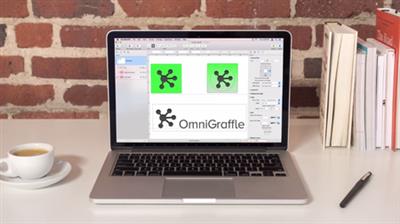
OmniGraffle Pro 7.18 Multilingual macOS

4d2a2fd27b6011104f9734a9a5d7157b.jpg


OmniGraffle Pro 7.18 Multilingual macOS | 67 MB
Languages: English, 中文, Español, Français, Deutsch,
Italian, 日本語, 한국어, Nederlands, Português, Русский
​
OmniGraffle 7 is a completely redesigned version of the application, offering integrated Inspector and Stencil windows, a brand new Resource Browser to manage stencils and templates, new artistic Fill and Stroke styles, improved Shared layers, powerful Shape Combinations, better Image Masking and Cropping, and a bevy of other new features.

Create Anything
OmniGraffle is for creating precise, beautiful graphics. Like website wireframes, an electrical system design, a family tree, or mapping out software classes. For artists, designers, casual data-mappers, and everyone in-between.

Design how you like
Extensive options for objects, canvases, templates, inspectors, and stencils in OmniGraffle mean that you can set out to do something well, quickly. Exactly what you'd expect.

All the extras
You're not going to find a tediously navigable set of menubar items in OmniGraffle-just your favorite features, easy to find and easier than ever to use.

Work how you like
Make OmniGraffle yours, each and every way. From flexible inspectors to your own templates and stencils, it'll be your most used, most comfortable tool, every day.

Pro Features:
Visio import/export: Open Microsoft Visio® documents (VSD or VDX) directly in OmniGraffle, as well as Visio stencils (VSS) and templates (VST). Export to Visio XML documents (VDX).Shared layers: Easily update common elements that you'd like to display on multiple canvases. Layers can now be toggled between a normal and a Shared layer.New controls specify which edge or center of an object is reflected in the Geometry Inspector. You can set the X and Y coordinates of a selected vertex point.Shape combinations: Easily create new shapes using combinations of existing shapes (with support for union, intersection, and subtraction). Combined shapes can now be uncombined into their component shapes.Resolution-independent Display Scale: When zoom is at 100%, match an Apple point, PostScript point, or screen pixel.Adobe Photoshop export has returned, and supports the export of OmniGraffle layers to Photoshop layers.Tables: Group shapes using tables, making it easy to add new rows or columns of your template shape.

Download link:​
Код:
[center][b]rapidgator_net[/b]:
https://rapidgator.net/file/63d83814323231c8450779e505624581/apzqq.OmniGraffle.Pro.7.18.Multilingual.macOS.rar.html

[b]nitroflare_com[/b]:
https://nitroflare.com/view/9453AB998D90954/apzqq.OmniGraffle.Pro.7.18.Multilingual.macOS.rar[/center]

Links are Interchangeable - No Password - Single Extraction​
 
OmniOutliner Pro 5.8 Multilingual macOS

c92575bc77094fed41edf65bec083319.jpg


OmniOutliner Pro 5.8 Multilingual macOS | 39.8 MB
Languages: English, 中文, Deutsch, Español, Français,
Italiano, 日本語, 한국어, Nederlands, Português, Русский
​
OmniOutliner 5 Pro - Outline: think, write, do. Create perfect outlines with a powerful, productive app. This is your all-purpose tool for Mac with smart columns, scriptability, custom styles, templates, and more.

What's New in 5:
Saved Filters PRODocument StatsDistraction-Free ModeResource SearchTouch Bar SupportTypewriter ModeDark ModeCustomizable Keyboard Shortcuts ProSlide-In Sidebars ProMultiple-Row Focus ProOPML ModeExcel Export ProColumn Width Improvements ProStyle Preview Pro
Touch Bar
Context-aware support for Apple's latest MacBook Pro. Get quick access to the most relevant controls.

Password Protection
Encrypt the documents you'd prefer to keep private. OmniOutliner can now encrypt documents with a password.

Smart Columns
Add columns to any document that deserves them. Columns can be used to summarize data-like summing up your monthly budget numbers-or a different type completely, like a multiple choice selection.

Audio Recording
Record audio for posterity while you take notes in outline form. The recording is stored inside the document and can be played back to make sure you got everything right.

Customizable Keyboard Shortcuts
Customize the shortcuts OmniOutliner uses across the board. Used to shortcuts from another app? Set them up in OmniOutliner 5 Pro.

Saved Filters
Not only can you instantly search your document for keywords or checked boxes, but OmniOutliner 5 Pro allows you to save those filters in the sidebar.

Slide-in Inspectors
We've drastically improved full-screen mode by adding a preference for automatic hiding of what you don't need to see. Simply slide your mouse over to the left or right sides of your screen to access the Sidebar or Inspectors.

AppleScript Support
Combine the AppleScript language with OmniOutliner's wonderfully documented library for serious automation.

Custom Toolbars
Each document is different than the last, so don't get stuck with using the same toolbar with every document. In Pro, create a document-specific toolbar that gets saved in the file itself.

Download link:​
Код:
[center][b]rapidgator_net[/b]:
https://rapidgator.net/file/736156a75147315687c26ea27b4dc0ae/ck6rd.OmniOutliner.Pro.5.8.Multilingual.macOS.rar.html

[b]nitroflare_com[/b]:
https://nitroflare.com/view/82977EF81E0B3EB/ck6rd.OmniOutliner.Pro.5.8.Multilingual.macOS.rar[/center]

Links are Interchangeable - No Password - Single Extraction​
 
Piezo 1.6.10 macOS

c6c1e2fabe789f2fc41a17779120d5ba.jpg


Piezo 1.6.10 macOS | 10.9 MB​
Piezo allows you to quickly and easily record audio on your computer. Within a few seconds you will have the audio recording from any application. In addition to the audio recording of Piezo applications can record sound from the built-in microphone that can be useful for quickly recording podcasts or create audio notes.

Record From Apps and Devices
Select an application or audio device in Piezo, then just hit Record to save the audio!

Easy Podcast Recording
Piezo records from Skype and other VoIP apps with ease. It even saves the audio to distinct channels for easy editing.

Settings Are a Snap
Open the settings popover to choose your recording quality, name your clip, and add comments.

Piezo's Features and Uses

Grab From Any App
Piezo captures audio from just about any application playing on your Mac.

Super Simple Recording
With one click, recording audio on your Mac has never been simpler.

Recording, Demystified
Piezo's simple recording presets mean less worrying about your settings.

Here's Looking at You
Simple and striking, Piezo's charming interface makes recording fun.

Record Web Audio
Save audio from the web, just by setting a browser such as Safari or Chrome as your source.

Archive Skype Calls
Piezo records from Skype in a single click. It couldn't be simpler!

Save Streaming Music
Record from services like Spotify, Rdio, MOG, and more.

Record Audio Devices
Hook up any microphone (even your Apple headset) and record from it instantly.

Get Sound Bites
Record from movies playing in any video player, including QuickTime Player, VLC, and many more.

Requirements: OS X 10.10 or Later

Home Page -
У Вас недостаточно прав для просмотра ссылок. Войдите или зарегистрируйтесь.


Download link:​
Код:
[center][b]rapidgator_net[/b]:
https://rapidgator.net/file/7cf4120c1ac7a5bb730c4a9aea8bd36b/u2vee.Piezo.1.6.10.macOS.zip.html

[b]nitroflare_com[/b]:
https://nitroflare.com/view/3EAB285E3999CF0/u2vee.Piezo.1.6.10.macOS.zip[/center]

Links are Interchangeable - No Password - Single Extraction​
 
Rogue Amoeba Loopback 2.1.9 macOS

913ed410cbcbce25fddc344961abe7a7.jpg


Rogue Amoeba Loopback 2.1.9 macOS | 11 MB​
It's easy to pass audio between applications on your Mac, with the power of Loopback. Create virtual audio devices to take the sound from apps and audio input devices, then pass it to any audio processing software. With an easy-to-use wire-based interface, Loopback gives you the power of a high-end studio mixing board, right inside your computer!

Combine Audio Sources
Configuring a virtual audio device from multiple sources is easy. Just add the applications and physical audio devices you want to include to the Audio Sources table to get started.

Available System-Wide
Your Mac will show Loopback's virtual devices exactly like physical devices. Find them listed among other devices in System Preferences or select them as an input or output in any audio app.

Send Audio Between Apps
Loopback can also create pass-thru devices, which send audio from one app to another. Set the Loopback device as the output in one app and the input in another to make audio flow directly between the applications.

Play Audio to All Your Podcast Guests
Combine your mic with audio sources like iTunes or QuickTime Player, then select your Loopback device as your source in Skype. Presto! Your guests all hear both your voice and your audio add-ons.

Record Gameplay Videos
Making gameplay videos with great audio can often be very difficult. If you're using a device like Elgato's Game Capture hardware and you want to record both your microphone and the game's audio at once, Loopback can assist!

Combine Hardware Devices
Apps like GarageBand, Logic, and Ableton Live only record from a single audio device at once. Thankfully, they offer recording from many channels. With Loopback, you can combine multiple input devices into one virtual device for easy recording.

Create Top-Notch Screencasts
Screen recorders, including QuickTime Player, allow you to include your mic's audio. Some allow recording of system audio instead, but neither option is ideal. Create a virtual device that grabs just the mic and the app's audio to get exactly the audio you want.

Route Audio For Broadcasts
Set a simple (pass-thru) device as the output at the end of an Audio Hijack chain, and then as the input source in Nicecast. Now listeners can tune in to a live stream of your podcast as you record it!

So Much More...
With Loopback, you gain incredible power and control over how audio is routed around your Mac and between applications. We can't wait to hear about the incredible new uses you find for it!

Works With Any Application
Make a virtual audio device with audio from the applications on your Mac, including production apps like Logic or Reason, as well as simple audio players, like iTunes or QuickTime.

Works With Any Input Device
Pull audio from the physical audio devices connected to your Mac. Whether you've got simple USB microphones, or high-end studio mixers, Loopback can access it all.

Combine Apps and Physical Devices
Of course, you can create a virtual audio device that includes audio from both apps and physical audio devices.

Multichannel Audio
Your virtual audio devices can be configured to have up to 32 channels, providing tremendous power.

Custom Channel Mapping
By default, Loopback sets up channel mapping automatically. If you want to manually configure things, though, you've got powerful options!

Unlimited Devices
Create as many virtual audio devices as you need to get the job done.

Requirements: For MacOS 10.11 or higher.

Home Page -
У Вас недостаточно прав для просмотра ссылок. Войдите или зарегистрируйтесь.


Download link:​
Код:
[center][b]rapidgator_net[/b]:
https://rapidgator.net/file/cf979b6579e8ca7b22d195701f80f711/bcmad.Rogue.Amoeba.Loopback.2.1.9.macOS.zip.html

[b]nitroflare_com[/b]:
https://nitroflare.com/view/9F3CF413015C2E1/bcmad.Rogue.Amoeba.Loopback.2.1.9.macOS.zip[/center]

Links are Interchangeable - No Password - Single Extraction​
 
Keymo 1.2.8 macOS

a097646d0cbee71fbc1438584716fb0d.jpg


Keymo 1.2.8 | macOS | 11 mb​
Keymo gives you full control over your mouse pointer via keyboard shortcuts. Sometimes using the keyboard is just more convenient than a mouse or trackpad.

Compatibility: OS X 10.9 or later 64-bit
Homepage:
У Вас недостаточно прав для просмотра ссылок. Войдите или зарегистрируйтесь.


Download link:​
Код:
[center][b]rapidgator_net[/b]:
https://rapidgator.net/file/d1e087c3ba1877a58465ffcb56881633/15t0r.Keymo.1.2.8.rar.html

[b]nitroflare_com[/b]:
https://nitroflare.com/view/990BFD9BBE3D080/15t0r.Keymo.1.2.8.rar[/center]

Links are Interchangeable - No Password - Single Extraction​
 
Movavi PDFChef 2021 v21.0.0 macOS

e387be147a69d2bcc694a1bec9286cff.jpg


Movavi PDFChef 2021 v21.0.0 Multilingual | macOS | 37 mb​
Looking for a PDF reader for Mac with good editing tools? Most of the software for Mac that you can find online for download is not that great. Free desktop apps usually lack advanced options and have inadequate formatting tools, and higher-quality paid programs can be out of the question because of their high price.

We decided to combine the best features of the available OS X PDF editors without the drawbacks to come up with a Mac PDF Editor you'll like. Create and update contract drafts, combine multiple scans into PDF files, and much more!

Compatibility: OS X 10.10 or later 64-bit
Homepage:
У Вас недостаточно прав для просмотра ссылок. Войдите или зарегистрируйтесь.


Download link:​
Код:
[center][b]rapidgator_net[/b]:
https://rapidgator.net/file/2c6a20d68fedec3e054f2527a9eeb6e6/8wcc2.Movavi.PDFChef.2021.v21.0.0.rar.html

[b]nitroflare_com[/b]:
https://nitroflare.com/view/678236CC1F4E6E4/8wcc2.Movavi.PDFChef.2021.v21.0.0.rar[/center]

Links are Interchangeable - No Password - Single Extraction​
 
Movist Pro 2.4.5.1 macOS

1cee4059a33bfd32428914727ebebf8e.jpg


Movist Pro 2.4.5.1 Multilingual | macOS | 55 mb​
Movist is an easy-to-use and powerful movie player. You can choose QuickTime or FFmpeg as decoder for each video codec and reopen with other decoder instantly. Movist supports many useful features to enjoy movies including H.264 video decode acceleration, digital audio out (S/PDIF), high quality subtitles, full screen navigation, convenient & beautiful user interface and so on.

Just Enjoy Movies with Movist.

* Single Window Mode or Multiple Document Mode.
* Various Window Resizing Center & Style.
* Traditional or Lion-style Full Screen.
* Desktop Background Display.
* App Sandbox supported.
* Retina Display supported.
* Full customizable Themes. *1

* Many File Format supported. *2
* Many Video & Audio Codecs supported. *3
* Codec-to-Decoder Binding.
* H.264 Video Decode Acceleration. *4
* Many Core Image Filters supported.
* Video Rotation & Flip.
* Deinterlace (FFmpeg Only).
* Under-Scan for TV out.

* Digital Audio Out (S/PDIF) (FFmpeg Only).
* System Volume Change.
* A/V Sync Adjustment.
* Audio Equalizer supported (FFmpeg Only).

* High Quality Subtitle.
* Many Subtitle Format supported. *5
* Embedded Subtitles in .mkv and .mp4 supported.
* Compressed Subtitles in .zip & .rar supported.
* 3D Subtitle supported.
* Subtitle Display on Letter Box.
* 3-Subtitles Concurrent Display.
* Fully Customizable Subtitle Display. *6
* Language-to-Subtitle Binding.
* Subtitle Text Encoding auto-detection.
* Subtitle Sync Adjustment.
* Subtitle Pre-rendering.

* Similar Named Movie Series auto-detection.
* Playlist Shuffle.
* Playlist Repeat Mode & End-Job(Sleep, Logout, Shutdown, ...).
* Playlist Load & Save.
* Various Playlist settings.
* 3-Level Seeking Intervals.
* Playback Speed Adjustment.
* Apple Remote supported.
* Media Key supported.
* Full Screen Navigation.
* Screenshot Capture.

Compatibility: OS X 10.10 or later 64-bit
Homepage:
У Вас недостаточно прав для просмотра ссылок. Войдите или зарегистрируйтесь.


Download link:​
Код:
[center][b]rapidgator_net[/b]:
https://rapidgator.net/file/78a061790d6abdf5828a1240cb3eb47d/6lutt.Movist.Pro.2.4.5.1.rar.html

[b]nitroflare_com[/b]:
https://nitroflare.com/view/00D3CC6960A155F/6lutt.Movist.Pro.2.4.5.1.rar[/center]

Links are Interchangeable - No Password - Single Extraction​
 
Netler 2.0 macOS

691f08e16f46f62548cf9b50180b6dcb.jpg


Netler 2.0 | macOS | 9 mb​
Netler is a network monitor for menu bar and Notification Center. Access your active network interfaces, external ip and country and traffic statistics.

Features
Active/inactive network interfaces
Local ip and mac-address
Gateway ip
External ip and country detection
Sent/received data and speed

Compatibility: macOS 10.10 or later 64 bit

Download link:​
Код:
[center][b]rapidgator_net[/b]:
https://rapidgator.net/file/23e4a6ea21bd3aacb114b05a852e9cd7/1g7yq.Netler.2.0.rar.html

[b]nitroflare_com[/b]:
https://nitroflare.com/view/974A537AFEA4F87/1g7yq.Netler.2.0.rar[/center]

Links are Interchangeable - No Password - Single Extraction​
 
Nova 3.0 macOS

ca7aa22178019d3001daa63c1926743a.jpg


Nova 3.0 | macOS | 55Mb
Can a native Mac code editor really be that much better? Find out.​

The Editor.
It all starts with our first-class text-editor.

It's new, hyper-fast, and flexible, with all the features you want: smart autocomplete, multiple cursors, a Minimap, editor overscroll, tag pairs and brackets, and way, way more.

The Interface.
It's beautiful. And clean. And fun.

You can make Nova look exactly the way you want, while still feeling Mac-like. Bright, dark, cyberpunk, it's all you. Plus, themes are CSS-like and easy to write. Nova can even automatically change your theme when your Mac switches from light to dark mode.

The Workflows.
Nova doesn't just help you code. It helps your code run.

You can easily create build and run tasks for your projects. We didn't have them in Coda, but boy do we have them now. They're custom scripts that can be triggered at any time by toolbar buttons or keyboard shortcuts.

Imagine building content, and with the single click of a button watching as Nova fires up your local server, grabs the appropriate URL, and opens a browser for you, instantly. Just think of the time you'll save.

Nova supports separate Build, Run, and Clean tasks. It can open a report when run. And the scripts can be written in a variety of languages.

Compatibility: OS X 10.14 or later 64-bit
Homepage:
У Вас недостаточно прав для просмотра ссылок. Войдите или зарегистрируйтесь.


Download link:​
Код:
[center][b]rapidgator_net[/b]:
https://rapidgator.net/file/89a3707f7052ee61c530d437f0902de8/26cmw.Nova.3.0.rar.html

[b]nitroflare_com[/b]:
https://nitroflare.com/view/07B53079840CC34/26cmw.Nova.3.0.rar[/center]

Links are Interchangeable - No Password - Single Extraction​
 
PowerPhotos 1.9 macOS

3d87fbba524c53c1b0a441d7a9410c01.jpg


PowerPhotos 1.9 | macOS | 27 mb​
PowerPhotos allows you to break up your Photos.app images among multiple Photos libraries, rather than having to store all of them in one giant library. You can easily switch between libraries, or just browse the photos in your libraries directly from PowerPhotos, without having to open each library in Photos.

PowerPhotos also supports searching across all your libraries at once to help track down a particular photo. If you use iCloud Photo Library to sync photos with your other devices, splitting up your library can help save on iCloud storage costs. Use a single library to hold a smaller collection that you sync with iCloud, while keeping the bulk of your photos in separate libraries so they don't take up space on iCloud. PowerPhotos can analyze your libraries for duplicate photos, showing them to you side-by-side and letting you get rid of extra copies of photos that you no longer need

Compatibility: macOS 10.12 or later 64-bit
Homepage:
У Вас недостаточно прав для просмотра ссылок. Войдите или зарегистрируйтесь.


Download link:​
Код:
[center][b]rapidgator_net[/b]:
https://rapidgator.net/file/07cefe37e73c485d1cd560aebd3df3eb/0idf0.PowerPhotos.1.9.rar.html

[b]nitroflare_com[/b]:
https://nitroflare.com/view/E3C82E898592B6F/0idf0.PowerPhotos.1.9.rar[/center]

Links are Interchangeable - No Password - Single Extraction​
 
Prism 9.0 macOS

7922a42bdd65963054d533e5276ab81c.jpg


Prism 9.0 | macOS | 40 mb​
Prism is a powerful combination of biostatistics, curve fitting (nonlinear regression) and scientific graphing in one comprehensive program. Easily organize, analyze and graph repeated experiments; pick appropriate statistical tests and interpret the results.

Prism introduces brand new ways to organize, analyze, and graph your data, all while making the process easier and more intuitive. Powerful new analyses and graph styles provide more ways than ever to process and present your data, while familiar features have received comprehensive improvements to enhance and streamline your work. Despite all the changes, Prism is still Prism so you can be productive right away.

Compatibility: OS X 10.9 or later 64-bit
Homepage:
У Вас недостаточно прав для просмотра ссылок. Войдите или зарегистрируйтесь.


Download link:​
Код:
[center][b]rapidgator_net[/b]:
https://rapidgator.net/file/2798fcd604895a0899c4fd568363d4c7/pwx9w.Prism.9.0.rar.html

[b]nitroflare_com[/b]:
https://nitroflare.com/view/953105F3F3E980E/pwx9w.Prism.9.0.rar[/center]

Links are Interchangeable - No Password - Single Extraction​
 
Назад
Сверху