• Старая версия форума работает в архивном режиме www.old.nado.in

All mitsumi'1s Applications !! (updated daily)

  • Автор темы Автор темы mitsumi1
  • Дата начала Дата начала
JixiPix Spektrel Art 1.1.9

3fd971110d01345992ec465b774cc004.jpg


JixiPix Spektrel Art 1.1.9 | 33.2 Mb​
Spektrel Art is an extravagant otherworldly display of undulating movement that glimmers and gleams with intersecting lines of tapered light. Applied to photos, this medium of imaginative and magical art form transcends the ordinary to extraordinary creating something wild, sparkling with life and colorful spaces.

Spektrel Styles
- Light glimmers and gleams with white tapered light
- Dark creates a stark contrast of black intersecting lines

Spektrel Art Includes
- Presets to start you off
- Detail slider to increase the amount of intersecting lines
- Glow options add colorful edges and splendrous brillance
- Taper Length and Sharpen sliders to add twinkle
- Lighten and Brighten sliders to make it illuminate
- Edge Detail slider to exaggerate the lines
- Smoothing slider to softens lines
- Color Boost for enhanced color
- Brushes to soften or remove effect
- Infinite variation for illuminated twinkles, fluid lines and ethereal softness

Every JixiPix Product Features
- Support for high-resolution images and output
- Multiple undo
- Randomize button
- Quick previewing
- Customizable settings
- Superior customer service

Operating System: Windows 10/8/7/Vista

Home Page -
У Вас недостаточно прав для просмотра ссылок. Войдите или зарегистрируйтесь.


Download link:​
Код:
[center][b]rapidgator_net[/b]:
https://rapidgator.net/file/827ccfcbdef253c4d304bbe3e57ce17f/h80ez.JixiPix.Spektrel.Art.1.1.9.rar.html

[b]nitroflare_com[/b]:
https://nitroflare.com/view/7A2FA7E1FE26DB6/h80ez.JixiPix.Spektrel.Art.1.1.9.rar

[b]alfafile_net[/b]:
http://alfafile.net/file/8x4gz/h80ez.JixiPix.Spektrel.Art.1.1.9.rar[/center]

Links are Interchangeable - No Password - Single Extraction​
 
Jixipix Watercolor Studio 1.4.10 (x64)

ee034df6dfd583a9e6d5dc9f722499b5.jpg


Jixipix Watercolor Studio 1.4.10 (x64) | 498.5 Mb​
Watercolor Studio creates fluid, liquidy, translucent watercolors with paint that flows naturally. Built on-top of an incredible rendering system that uses real-world techniques, this application does the initial work, producing a watercolor instantly, then allows you to customize your paintings using an array of Sliders, Layers, Brushes, Color Washes and Artistic finishes. The end result-print quality watercolors filled with transparent luminosity and sheer beauty.

Watercolor Studio
Watercolor Studio uses artificial intelligence and image recognition to render the initial watercolor then gives you the ability to create infinite variations quickly and easily. Change paintings into an ink wash, add a beautiful artistic finish, brush in details, and even spatter it with liquid spots. Control everything from details-to-shades-to-negative space-to-coloring. No artistic skill needed!

The beauty of a well executed watercolor comes from the transparency of paint on paper. It also comes from the watercolors unique free flowing characteristics. Watercolor Studio makes it easy to do just this with a one-of-a kind Liquid slider. As you move it, watch as color bleeds throughout the painting for an ultra wet style. Or use the Wet Edge slider to define edges with built-up pigment and color that bleeds inward naturally.

Use it as a standard application or blend it into your workflow with our included plugin for: Photoshop, Elements, Lightroom, PaintShop Pro and Affinity Photo

Paint Styles Make It Impressive
Paint Styles, also known as Paint Layers allows you to create beautiful and unique watercolors by stacking watercolor layers, blending color washes and texture, and brushing in details. No artistic skill needed! Every photo placed in Watercolor Studio is automatically transformed into a watercolor with full control over settings. While it's great to have complete control over what the paint does on the paper, some of the most beautiful effects occur in the experiment process. So have fun and try not to be too careful. You will be amazed at some of the paintings you will get.

Paint Styles and Layers
* Watercolor features a series of wetness sliders: Wet Edge, Liquid and Edge Bleed all designed to give the painting a natural look. Choose between Landscape settings for a wet free flowing painting, or Portrait for a painting with controlled color and detail.
* Ink Wash creates a limited palette using the power of shades then allows users to build up color, and movement, using a library of washes.
* Color Wash applies semi-transparent handmade washes and stains to paintings. Use one or stack up several for a customized blend of color and texture.
* Liquefy is a transparent layer, you brush on, to blend and bleed areas in the watercolor. Move it around, turn it on or off, or delete it to start over-it's easy to use and very forgiving.
* Splatter applies water spots to the watercolor. Choose between multi-color, single or no color. Options bleed the edges of spots and a placement box lets you move splatter around and resize them.
* Outline defines edges throughout the image. Choose between round fluid watercolor strokes or sharp inky ones.
* Canvas is the base of your painting. Use this layer to change the canvas style. Choose between cold press, hot press or rough paper texture.

Includes
* Artificial Intelligence and Image Recognition
* A powerful wetness algorithm with full control. Decide how wet the edges become or how much the color spreads.
* Smart layers with options to reorder, duplicate and delete. This powerful feature allows you to stack and blend watercolor layers, washes and spatter for one-of-a-kind artwork.
* Landscape settings for an ultra wet watercolor
* Portrait settings for controlled color and detail
* Smart Brushes to remove areas or add them back in
* Mask option to invert, clear or fill brushed areas
* Detail and Shade controls
* 70 Artistic Finishes adjusts the color scheme to warm or cool bias, and modifies the intensity of color creating unity and altered moods that blends seamlessly.
* Smart links to globally unify artstic finishes across all layers
* Ink and Color washes that stack and blend
* Adjustable water Splatter for texture
* Granulating Texture slider to pool pigment naturally throughout the watercolor
* Canvas Layer with Cold Press, Hot Press and Rough paper texture
* Presets for saving custom paint palettes and to keep layers and settings intact for future

Operating System: Windows 10/8/7/Vista

Home Page -
У Вас недостаточно прав для просмотра ссылок. Войдите или зарегистрируйтесь.


Download link:​
Код:
[center][b]rapidgator_net[/b]:
https://rapidgator.net/file/bebe1d2b6f12a9d488bb3e285adc55c7/ncloz.Jixipix.Watercolor.Studio.1.4.10.x64.rar.html

[b]nitroflare_com[/b]:
https://nitroflare.com/view/DFA84F3622693B7/ncloz.Jixipix.Watercolor.Studio.1.4.10.x64.rar

[b]alfafile_net[/b]:
http://alfafile.net/file/8x4SL/ncloz.Jixipix.Watercolor.Studio.1.4.10.x64.rar[/center]

Links are Interchangeable - No Password - Single Extraction​
 
Kigo Netflix Video Downloader 1.3.0 Multilingual

3d67f65eab0294125cec884c633f0e95.jpg


Kigo Netflix Video Downloader 1.3.0 Multilingual | 73 Mb​
Wanna save Netflix videos for offline playing without limitations. One button to download HD Netflix videos with fast speed.

Download NetFlix Videos
Whether you are movie fans or TV Shows fans, during you subscribe Netflix, you can download Movies & TV Shows & NetFlix Series & Documentaries for offline playing.

Support Up to 1080p Videos
According to your plan types, you can download the videos from low quality 240p to high quality 720p even 1080p. You can also reset the output quality in the setting window.

Save Netflix to MP4 Format
Save to MP4 format playable on any video player like WMP, VLC, Roku, RealPlayer, Amazon Fire TV, Microsoft Xbox 360, Samsung Phones, iPhone and other Android phones.

Retain Tracks and Subtitles
Please don't worry you will lost the audio track or subtitles, after the downloading, all the audio tracks and subtitles of the videos will also be kept.

Operating System:Windows 7, 8/8.1, 10

Home Page -
У Вас недостаточно прав для просмотра ссылок. Войдите или зарегистрируйтесь.


Language: Multilingual

Download link:​
Код:
[center][b]rapidgator_net[/b]:
https://rapidgator.net/file/2d127fa0c901f35d5750f3b838d897c9/g3c84.Kigo.Netflix.Video.Downloader.1.3.0.Multilingual.rar.html

[b]nitroflare_com[/b]:
https://nitroflare.com/view/D29AE49C8A85E30/g3c84.Kigo.Netflix.Video.Downloader.1.3.0.Multilingual.rar

[b]alfafile_net[/b]:
http://alfafile.net/file/8x4gR/g3c84.Kigo.Netflix.Video.Downloader.1.3.0.Multilingual.rar[/center]

Links are Interchangeable - No Password - Single Extraction​
 
MiniTool Power Data Recovery Business Technician 9.1 WinPE (x64) Multilingual

0cd77e5a2c95eb62de201c7f5ce43701.jpg


MiniTool Power Data Recovery Business Technician 9.1 WinPE (x64) Multilingual | 537.6 Mb​
MiniTool Data Recovery Business Technician is a special license designed for data recovery service providers & company runners who need to provide customers with quality data recovery services. This license type is used to recover data for enterprises, service providers, IT admins, academics, organizations, etc.

Missing Operating System
Operating system not found? Missing operating system? Operating system crashes? Now, with MiniTool, you can effectively and safely recover data when operating system cannot boot.

Format Or RAW Recovery
Format partition, disk, SD card, USB drive accidentally? Hard drive becomes RAW? MiniTool can effectively recover data from damaged, formatted and RAW partition without any further damage.

Email Recovery
Safely recover Microsoft Outlook or Outlook Express emails that are most important for your business from hard drive, memory card, USB drive and other removable devices.

Deleted Files Recovery
Accidentally deleted files? Don't worry, MiniTool Power Data Recovery can get valuable document, image, video, and audio files deleted unexpectedly back easily and quickly.

Operating System: Windows 7/8/10 and Windows Server 2003/2008/2012/2016

Home Page -
У Вас недостаточно прав для просмотра ссылок. Войдите или зарегистрируйтесь.


Download link:​
Код:
[center][b]rapidgator_net[/b]:
https://rapidgator.net/file/101361c7b86d4e76d8c40d9f3d827d1c/p4l0r.MiniTool.Power.Data.Recovery.Business.Technician.9.1.WinPE.x64.Multilingual.iso.html

[b]nitroflare_com[/b]:
https://nitroflare.com/view/3E75C8DA3C3CE68/p4l0r.MiniTool.Power.Data.Recovery.Business.Technician.9.1.WinPE.x64.Multilingual.iso

[b]alfafile_net[/b]:
http://alfafile.net/file/8x4hU/p4l0r.MiniTool.Power.Data.Recovery.Business.Technician.9.1.WinPE.x64.Multilingual.iso[/center]

Links are Interchangeable - No Password - Single Extraction​
 
Movavi Video Converter 21 Premium 21.0.0 macOS

34a7d476958bc63bd5eced84a7da9d8d.jpg


Movavi Video Converter 21 Premium 21.0.0 Multilingual | macOS | 73 mb​
Movavi Video Converter is a video and audio file converter. Convert video and audio on your Mac. Save videos for watching on your portable device. Extract soundtracks from video. And much more...

Here's just a taste of what you can do with Movavi Video Converter:
- Convert video and audio files between popular formats: AVI (including DivX, XviD, and other codecs), MPEG 1,2, MP4 (including H.263, H.264, and other codecs), 3GP (3GPP, 3GPP2), Flash (FLV) as well as MP3, WAV, OGG, AAC, and FLAC.
- Use the ready-made presets for popular media players: iPod, iPhone, PSP, Apple TV, Epson, BlackBerry, and more.
- Fine-tune any output format settings to get exactly the results you want.
- Join multiple videos and combine them into a single movie.
- Save time with our ultra high-performance video converting technology.

Compatibility: OS X 10.10 or later 64-bit
Homepage:
У Вас недостаточно прав для просмотра ссылок. Войдите или зарегистрируйтесь.


Download link:​
Код:
[center][b]rapidgator_net[/b]:
https://rapidgator.net/file/a18d4f2dbf66ca26a095e19b3d7f811b/j9eru.Movavi.Video.Converter.21.Premium.21.0.0.rar.html

[b]nitroflare_com[/b]:
https://nitroflare.com/view/E0C3204E7C1B5CF/j9eru.Movavi.Video.Converter.21.Premium.21.0.0.rar

[b]alfafile_net[/b]:
http://alfafile.net/file/8x4S6/j9eru.Movavi.Video.Converter.21.Premium.21.0.0.rar[/center]

Links are Interchangeable - No Password - Single Extraction​
 
Movicon.NExT 2020 version 4.0.298

c1d7b1733f05df81bb5661d051e95c69.jpg


Movicon.NExT 2020 version 4.0.298 | 968.3 mb​
Progea group, now part of Emerson, is pleased to announce the availability of Movicon.NExT 4.0 Build 298 is the new industrial software platform that offers the most innovative and flexible software technologies for Windows/Linux HMI projects, for SCADA supervisors and for efficiency and MES analysis solutions, indispensable for Industry 4.0.

Progea SCADA/HMI/MES platform has evolved to integrate even more User Experience and User Interface, focusing strongly on these four aspects:

- Flexibility - a new SVG and WebHMI Web Client technology, an enhanced FBD Editor has been integrated and the NExT Project Builder has been extended.
- Usability - the Workspace has been streamlined, becoming more intuitive, easier to navigate, more customizable. The automation of the project Wizard has been improved, as well as the Help, revised and expanded. A new Cross-Reference.
- Security - new features have been added to the User Management and the ClickOnce Setup is still present in the new version.
- Performance - the new Driver base classes have been improved by over 200% in efficiency and speed. Furthermore, in the presence of a large number of objects inside the synoptic, there is a better fluidity. The parameterization of the synoptics has been improved, as has the management of recipes, historians and alarms.

But what are the main new features of the new 4.0 version?

An even more scalable architecture
With the introduction of the new SVG Web Client technology and support for WebHMI projects, which can also be run on small Windows or Linux devices, and can always be carried out with the same Movicon.NExT 4.0 environment, the flexibility of the platform further increases, making version 4.0 the most scalable SCADA/HMI/MES product on the market.
The New Project wizards have been improved and extended
In their functionality and now accessible from the startup window or from the system menu:
Local project, Distributed project, Redundancy project. All main configuration parameters, including communication transports, are already preset.
Style: Light or Dark?
The development environment can be viewed in light or dark mode, according to the system settings. The look, as well as the icons and images, adapts to the chosen setting simply by restarting the application.
A new development environment
The Movicon.NExT 4.0 development environment has been streamlined and redesigned based on these three criteria: Usability, Intuitiveness and Performance.
Reorganization of the System Menus
Ribbons in the previous version have been eliminated, replaced by Toolbars and a consequent reorganization of the System Menus with a view to simplicity and intuitiveness.
In particular, the Menus have an enabling and disabling of the commands according to the context. In addition, a special search and command execution box has been inserted.
A new Windows layout
A configurable window layout with saving possibilities, for a more comfortable and personalized management of the development environment. It is therefore possible to define multiple Layouts depending on the work mode, and it is possible to transfer a Layout configuration from one computer to another.
Particular attention to the new Easy Mode: all components of the development environment adapt by simplifying the work area, hiding the detailed and less used features.
An improved Symbol Library
The interface of the Movicon.NExT 4.0 Symbol Library has been improved.
The libraries have been rationalized: now only the System Library and the Project Library are present.
System Library: the "Digital" and "Analog" tabs are shown only if necessary.
Project Library: simplified insertion of a custom symbol (fewer mouse clicks)
Improved Animation and Command settings
The interface of the Graphic Animation or Command Settings assignment windows has been improved, by improving the navigation commands within the synoptics and simplifying the lists and their settings.
Screen editing has been simplified
A new context menu for objects has been created. It groups together all the functions of the selected element, even those of the "Adorner" menus.
It also allows a clear and quick editing of the object name.
The Object Explorer and Tag List Explorer windows have been redesigned and simplified, and the Status Bar has been revised, with the possibility now to specify the size and positioning of the objects on the synoptic.
Enhanced Project Explorer
The project explorer window now allows to explore and edit the I/O Data Server resources without having to open a new edit window. Improved performances when there are many items to show, thus the 200 items limit per group/folder on version 3.4 has now been removed. In addition, contextual menus have been inserted for the various resources. Full keyboard support for navigating the project's tree elements: arrow keys and quick search by typing the item's initials.
A redesigned Property Window
The management of the Properties of Objects and Resources is revised, simplifying access and searching for properties through logical groupings, orders, and other simplifications, such as:
«Advanced» properties subgroup, sorting by «Priority», new color selection panel, faster editing of Tag's I/O address, improved performances when populating properties upon selection of an object, removed all popups when inserting a new object, with automatic display of the properties window. Reorganised the command and animation windows, graphic revision of «smart properties» for complex objects
Enhanced I/O Data Server Editor
Fast exploration of Tags, with no more limits (no more limited to max. 200 tags per folder).
The Settings Tab has been reorganized: Settings, Transport, Status, and SQLite support has been integrated: the compact database that does not require the installation of SQL Server is ideal for small applications.
Improved I/O Data Server Tag Editor
Hierarchy view with the Tag icons representing the data type In-line editing in the Tag Table View, Find / Replace function, fast and unconstrained tag exploration (no more than 200 tags per folder), synchronization of changes with the Project Explorer window.
Simplified settings for Alarms and History
Improved and optimised association between the Sever resources and Tags: now with the ability to view, add or remove Tags directly from each resources (besides from the Tags List): Alarms, Historian, Dataloggers, Engineering Units, View.
In addition, was improved and extended the Table View
Enhanced Alarms Management
The new Alarm Management of version 4.0 is enhanced both in the editor and in the possibilities offered at runtime. There is both the possibility of knowing for each area information regarding alarms and active messages (On, Off, NotAck), and the possibility of using the statistical value of a variable to generate an alarm, including the total ON time useful for managing the preventive maintenance. In addition, editing of alarms is simplified by the fact of being able to add alarm thresholds directly by remaining in the "Alarms" tab. And the possibility has been added to enable and disable the sound (beep) of the alarms on each PC used to connect to a remote server or web client.
Expanded Historian Management
The Historian Management of the new version of Movicon.NExT has been expanded with some useful functions for the part of historicization and data visualization. New configuration form for database connections with SQL Lite support. There is the possibility to add and remove the tags to be historicized directly on the historian object, as well as to configure the name of the table in which to record the historical data of the historians. In addition, there is the possibility to customize the aspects of each column of a «DB Grid» object. If visible, if editable, whether to replace the value with text or an image, whether to display a title other than the name of the column. It is possible to select the data logger from which to retrieve data with the "Data Logger Window" object. In addition, an Automatic and General Scale is offered for Data Analysis and Trends for all pens displayed.
A renewed and more efficient Cross-Reference
A Cross-Reference enhanced and speeded up in research. As for the tags, it is now possible to identify the tags defined in the I / O Data Server not used in the project, and delete them. Connections have also been added, a list of connection strings to databases used throughout the project, and Strings, a list of all text strings used in the project with the possibility of: adding strings to the text table if not already present and to remove the strings from the text table, if no longer used.
Recipe Management renewed
A new Grid Viewer is available, which simplifies management for the operator. There is the possibility of placing the Data Values ​​on the I/O Data Server Tags, freely manageable in the project, therefore it is no longer necessary to map the I/O Physical Address from the Server Tags. The Physical Address I/O Fields remain available only for backward compatibility and for atomic data download (excluded from the License). In addition, the configuration of the fields of a recipe has been simplified together with the import and export of recipes in CSV format.
Better Screen parametrisation
* (asterisk) character: simplifying the management of parametrised screens, by grouping the Tag to be parametrised within a folder. «Inherit Parameters» property in the screen open command: allowing to reuse all parameters while navigating from screen to screen (for example when opening popup screens from parametrised screens).
Enhanced FBD Editor
To increase the computing power in WebHMI systems, with the application of Function Block Diagram sequential logics: new data setting functions, new calculation functions, new special functions.
Extended System Variables
With additional information:
number of users connected via Web Client, information about active alarms and messages (On, Off, NotAck), information about the redundancy system status, information about the I/O Data Server connection status, presence of alarm with sound (beep) on the I/O Data Server, ability to disable all alarms beeps on Client.
New features for Users Management
con ulteriori informazioni:
Ability to define the language and the unit conversions to be activated upon log-in of a user or group of users. Ability to block a user in case of repeated log-in attempts with wrong password. New specific command to unlock a blocked user (or all users) by the administrator. Ability to send notification messages via dispatcher to users belonging to different groups or to a list of different groups.
Extended NExT Project Builder
Movicon.NExT Builder is an ad hoc assembly-build created to allow the manipulation of NExT projects through C#/VB.NET code, or through a script of the NExT project. Version 4.0 features more programmable resources, including: Events, Menus, Recipes, Schedulers, Shortcuts, Users.
Together with several improvements in terms of speed while recursively accessing project tags.
ClickOnce setup, now also with NET license
ClickOnce is a minimalistic setup for Movicon.NExT clients. Version 4.0 also includes a ClickOnce setup, now with the ability to use a Net license, and not only a local one. ClickOnce setup can be customised based on one's needs. Using a specific «Url» for the runtime download (Intranet or Internet). Management of the runtime versioning, through automated upgrade or downgrade. This Setup type is very useful for projects where the system administrator needs a tool to remotely manage the update policy of the NExT runtime used by operators and users to connect to the data handled by an I/O Data Server.
New Web Client SVG
The WebHMI technology makes available a new tool to remotely access a project, using a HTML5 browser. The new Web Client SVG technology is an addition besides the previous one, without replacing it.
A new command now allows the «deployment» of the new Web Server project which leverages the XAML to SVG graphics conversion, and the JavaScript functions on the Client side, thus overcoming the need for the Server to locally instance every user session. The new Web Client SVG processes the graphics locally to the Client browser, therefore enormously increasing the number of concurrent simultaneous users connections that can be handled. The technology used for a project needs to be chosen between:
Web Client WPF:
Advantages: more complex graphics, more features, Scripts availability.
Limitations: requires more processing power on the Server, limiting the number of concurrent connections as a consequence.
Web Client SVG:
Advantages: simplified but faster graphics thanks to conversion to SVG, processing at Client's end. Support for GeoScada maps. Virtually unlimited number of concurrently connected users.
Limitations: some graphics features of the Server are not supported, such as Scripts.
Simpler License calculation
No more need to start the Server in order to know the number of Tags used in the project, to determine the License size.
Now it is sufficient to access the menu: Options, License, Request License.
Revised and extended Help
The documentation has been enhanced, the topics reorganized, Tutorials and Examples added and the web portal improved.

Movicon.NExT is a new software, completely redesigned on future-proof technology based on Progea's thirty years of experience in the sector, to create a new benchmark. The Platform.NExT platform, on which Movicon.NExT is based, has been conceived to overcome the limited use of conventional SCADA/MES/HMI technology by offering new generation software solutions.

The intercommunication of Smart Factory devices is the basis of the digital revolution of Industry 4.0 and IoT. The Platform.NExT platform software's technology offers producers and design engineers the opportunity to increase their efficiency, quality and flexibility significantly. Movicon.NExT offers an intuitive configuration environment that consents easy project realization no matter how complex. It seamlessly integrates the system's functional modules as well as those of third parties. Configuration, communications, visualization, data recording, analysis, security, control, information distribution at all enterprise-wide levels, locally or geographically distributed are all at a finger tips' reach in one platform that offers advantages of total integration and Plug-in modularity.

Movicon.NExT 4.0 Presentation

Since 1991, Progea has been producing software for visualization, data acquisition and management for industrial automation. The only Italian company on the international market of automation software platform manufacturers, Progea is recognized for its professionalism and innovation in software products, which are considered a reference point for improving productivity, reducing operating costs and optimizing operations in every sector of the automation field, including automotive, building automation, manufacturing, pharmaceuticals, energy, oil & gas, infrastructure, and water & wastewater.

ST. LOUIS (Oct. 1, 2020) - Emerson (NYSE: EMR) announced it has completed the acquisition of the Progea Group, an industry-leading provider of industrial internet of things (IIoT), plant analytics, human machine interface (HMI) and supervisory control and data acquisition (SCADA) technologies. Progea is now part of Emerson.

Product: Movicon.NExT
Version: 2020 version 4.0 Build 298
Supported Architectures: x64
Website Home Page :
У Вас недостаточно прав для просмотра ссылок. Войдите или зарегистрируйтесь.

Language: multilanguage
System Requirements: PC *
Size: 968.3 mb

Download link:​
Код:
[center][b]rapidgator_net[/b]:
https://rapidgator.net/file/974d8a049fecc391681571e86d734af9/n0h99.Movicon.NExT.2020.version.4.0.298.part1.rar.html
https://rapidgator.net/file/3bf59bfedf87a820199cf1b0468a4b84/n0h99.Movicon.NExT.2020.version.4.0.298.part2.rar.html
https://rapidgator.net/file/1bb92ce8e6c7188a8f82374e9e04aec8/n0h99.Movicon.NExT.2020.version.4.0.298.part3.rar.html

[b]nitroflare_com[/b]:
https://nitroflare.com/view/F1FBF750F85BE58/n0h99.Movicon.NExT.2020.version.4.0.298.part1.rar
https://nitroflare.com/view/93ED972957E2FA7/n0h99.Movicon.NExT.2020.version.4.0.298.part2.rar
https://nitroflare.com/view/16FBC5F959C9226/n0h99.Movicon.NExT.2020.version.4.0.298.part3.rar

[b]alfafile_net[/b]:
http://alfafile.net/file/8x4S9/n0h99.Movicon.NExT.2020.version.4.0.298.part1.rar
http://alfafile.net/file/8x4Sk/n0h99.Movicon.NExT.2020.version.4.0.298.part2.rar
http://alfafile.net/file/8x4Se/n0h99.Movicon.NExT.2020.version.4.0.298.part3.rar[/center]

Links are Interchangeable - No Password - Single Extraction​
 
Nova 2 macOS

0d75666608435a78c81e45e263ef06f7.jpg


Nova 2 | macOS | 38Mb
Can a native Mac code editor really be that much better? Find out.​

The Editor.
It all starts with our first-class text-editor.

It's new, hyper-fast, and flexible, with all the features you want: smart autocomplete, multiple cursors, a Minimap, editor overscroll, tag pairs and brackets, and way, way more.

The Interface.
It's beautiful. And clean. And fun.

You can make Nova look exactly the way you want, while still feeling Mac-like. Bright, dark, cyberpunk, it's all you. Plus, themes are CSS-like and easy to write. Nova can even automatically change your theme when your Mac switches from light to dark mode.

The Workflows.
Nova doesn't just help you code. It helps your code run.

You can easily create build and run tasks for your projects. We didn't have them in Coda, but boy do we have them now. They're custom scripts that can be triggered at any time by toolbar buttons or keyboard shortcuts.

Imagine building content, and with the single click of a button watching as Nova fires up your local server, grabs the appropriate URL, and opens a browser for you, instantly. Just think of the time you'll save.

Nova supports separate Build, Run, and Clean tasks. It can open a report when run. And the scripts can be written in a variety of languages.

Compatibility: OS X 10.14 or later 64-bit

Download link:​
Код:
[center][b]rapidgator_net[/b]:
https://rapidgator.net/file/30cd95a937f2e312adfcf242f375115d/rxu52.Nova.2.rar.html

[b]nitroflare_com[/b]:
https://nitroflare.com/view/3E770602190456D/rxu52.Nova.2.rar

[b]alfafile_net[/b]:
http://alfafile.net/file/8x4hZ/rxu52.Nova.2.rar[/center]

Links are Interchangeable - No Password - Single Extraction​
 
Perfectly Clear Complete 3.11.0.1875 (x64)

8274a1bcdef4333030431174be8a3450.jpg


Perfectly Clear Complete 3.11.0.1875 (x64) | 82.9 Mb​
Built for precision. Made for beauty. Above all, you want better photos. But what if you could have better photos faster? Perfectly Clear has mastered the science of intelligent image correction - creating superior quality photos in record time, so you can get back to doing what you really love...in no time.

What's New in Perfectly Clear 3:

You have better ways to spend your day than laboring over manual edits
You became a photographer to go out and capture the beauty of the world, not sit inside at an editing desk. We invented our automatic image corrections to take away the tedium and give you back your freedom. So let Perfectly Clear handle the editing chores while you devote your day to doing what you do best-creating incredible images.

- Up to 20 auto corrections with one click
- Batch process 1000s of images in minutes
- Stay within your workflow
- Unlock the details in every image
- Tap into professionally created presets
- Save countless hours of manual editing
- Fine tune details with precise controls

We've got image correction down to a science
Creating our award-winning technology took more than a decade of R&D, multiple patented processes, and over a dozen unique algorithms. We cracked the code on correcting every pixel independently. That's how we make a 12-megapixel photo look like it was taken with 12 million separate apertures. The proof is in your pictures.

Investing, innovating and improving every year
At Athentech, we're committed to solving problems faced by photographers. Every year, we continue to innovate with R&D work by our team of physicists, engineers, and photographers. Every day, we invest in making your photos look their best.

Lighting.
- Perfect Exposure. More effective than traditional brightness, Perfect Exposure lets you maintain Real Color Photography™ without clipping or washing out. Our technology overcomes the distortions caused by a single aperture by replicating the way your eye gathers light and correcting your exposure pixel by pixel.
- Depth. Brings out the contrast in a photo without messing up the other colors. Perfectly Clear uses a patented algorithm that manages the dynamic range in a unique way, revealing the detail needed to produce this kind of depth.
- Light Diffusion. Perfectly Clear lets you create a softer look with warmer tones and captures the perfect portrait even in broad daylight.
- Skin & Depth bias. For realistic lighting on skin.

Color.
- Photoshop is powerful, but for Full Color Spectrum, Light Diffusion, automatic red-eye removal, you have to turn to Perfectly Clear.
- Vibrancy. Perfectly Clear mimics how the eye adjusts saturation, providing a color-vibrant photo. Sometimes digital cameras can cause photos to look washed out/faded because they have a linear response to light. But our solution overcomes this problem by looking at each channel independently.
- Fidelity. We reproduce the full visual spectrum of colors seen by the eyes, enabling you to capture purples properly every time.
- Tint. In the days of film, you had to carry around different films and filters for different times of day-all to get the lighting source correct. To remove nasty tints-from tungsten, fluorescent, incandescent, IR-Perfectly Clear searches for an abnormal tint, then reveals the great photo underneath.

Clarity.
- Sharpening. Traditional sharpening methods also sharpen weak signal and introduce halos. Perfectly Clear only searches for strong signal and creates sharp, clear photos with zero artifacts.
- Noise removal. Perfectly Clear automatically reduces noise 2-3 stops with one click (unlike Ps or Lr which requires multiple slider bar adjustments). ISO 1600 is effectively reduced to ISO 200-400 without blurring or losing details.

Eyes.
- Red-eye. We sourced this technology from our wonderful partner FotoNation, which is embedded in hundreds of millions devices. It detects and corrects imperfections as quickly as 5 images per second with no manual intervention.
- Unlike Photoshop, Perfectly Clear not only removes red eye automatically, it also includes Eye Enhance, Eye Enlarge, Dark Circle removal, and the ability to automatically add 5 different Catchlights.

Skin.
Perfectly Clear lets you smooth and tone skin, adjust blush, and remove infrared, shine and blemishes. Our robust, automatic correction uses advanced facial detection techniques to identify age, gender and key facial features including texture and skin tone. As a result, we're able to determine the precise amount of corrections to apply automatically. All of our Beautify corrections are much faster than doing this manually in Ps or Lr which will takes minutes per image instead of seconds.

Face.
Perfectly Clear lets you whiten teeth for the perfect smile and saves a painful trip to the dentist. Plus, it can sharpen the look of your lips and tone your face shape for a more slender and youthful appearance.

System Requirements:
- Windows 7, 8, or 10 (64-bit OS and Host application)
- Photoshop CS5, CS6 or Creative Cloud
- Photoshop Elements 13,14,15
- Corel PaintShop Pro X6, X7, X8, X9
- 4 GB RAM or more

Home Page -
У Вас недостаточно прав для просмотра ссылок. Войдите или зарегистрируйтесь.


Download link:​
Код:
[center][b]rapidgator_net[/b]:
https://rapidgator.net/file/550240821d11a418eebb9fd8512256ef/6xh5l.Perfectly.Clear.Complete.3.11.0.1875.x64.rar.html

[b]nitroflare_com[/b]:
https://nitroflare.com/view/435CC13D7C43B7E/6xh5l.Perfectly.Clear.Complete.3.11.0.1875.x64.rar

[b]alfafile_net[/b]:
http://alfafile.net/file/8x4L2/6xh5l.Perfectly.Clear.Complete.3.11.0.1875.x64.rar[/center]

Links are Interchangeable - No Password - Single Extraction​
 
PLAXIS MoDeTo CONNECT Edition V20 Update 4

f2ebf9938f01c0f5234d81b21d224042.jpg


PLAXIS MoDeTo CONNECT Edition V20 Update 4 | 1.6 Gb​
The PLAXIS development team is pleased to announce the availability of PLAXIS MoDeTo CONNECT Edition V20 Update 4 is a software package intended for the design of monopiles asfoundation elements for offshore wind turbines under lateral loading conditions.

New in PLAXIS MoDeTo CONNECT Edition V20 Update 4 - Release: September 2020

New and improved features
--------------------------
* improved regeneration for the design verification model, for cases where only the workload values are changed
* input tables in soil and calibration modes now accommodate copying and pasting of values
* improved visualization of the step changes at layer transactions on shaft depth variation function charts
* added functionality to import multiple soil reaction curves files in analysis mode
* improved algorithm for simplification of the curves that are exported to SACS
* added support for exporting pile base curves to SACS

Fixed issues
--------------------------
* fixed issue with loading projects that contained the number symbol (#) in the name
* fixed the initial mobilization value for the NGI-ADP model in over-consolidated clay (K0 > 1)

PLAXIS MoDeTo (Monopile Design Tool) is a PLAXIS-based specific tool providing anenhanced design methodology for monopile foundations under lateral loading. Monopiledesign can be performed efficiently by using one-dimensional (1D) finite element (FE)analyses of a laterally loaded pile. The adopted design methodology is based on the PIleSoil Analysis (PISA) joint industry research project.The monopile is modelled by means of the Timoshenko beam theory whereas the soilreaction is modelled using calibrated or user-defined soil reaction curves. The calibrationof the soil reactions is based on three-dimensional (3D) finite element calculations usingPLAXIS 3D. In addition to the 1D design analysis, the design tool facilitates thegeneration and calculation of the PLAXIS 3D models, and the derivation of the soilreactions based on the calculation results. A real installation site can be represented withfinite element models in PLAXIS 3D and a site-specific 1D model can be calibrated andused for the design of monopile foundations.

Plaxis 3D Geotechnical Analysis SIG PLAXIS Modeling Monopile Foundations in 3D and 1D

Bentley Systems is a software development company that supports the professional needs of those responsible for creating and managing the world's infrastructure.

Product: PLAXIS MoDeTo (Monopile Design Tool)
Version: CONNECT Edition V20 Update 4 (20.04.00.790)
Supported Architectures: x64
Website Home Page :
У Вас недостаточно прав для просмотра ссылок. Войдите или зарегистрируйтесь.

Language: english
System Requirements: PC *
Size: 1.6 Gb

System requirements - PLAXIS

Operating System requirements
Supported: Windows 7 Professional 64-bit, Windows 8 Professional 64-bit, Windows 10 Pro 64-bit
Recommended: Windows 10 Professional 64-bit (all with latest service packs applied)

Internet Connection
For the Subscription Entitlement Service (SES) Licensing used in all PLAXIS CONNECT Edition software an internet connection is required.

Graphics card
Required: GPU with 256 MB OpenGL 1.3
Bentley strongly recommends avoiding simple onboard graphics chips in favour of a discrete GPU from the nVidia GeForce or Quadro range with at least 128-bit bus and 1 GB of RAM, or equivalent solution from ATI/AMD.

Processor
Required: dual core CPU
Recommended: quad core CPU

Hard Disk
At least 2 GB free space on the partition where the Windows TEMP directory resides, and 2 GB free space on the partition where projects are saved. Large projects may require significantly more space on both partitions.
For best performance, ensure that the TEMP directory and the project directory reside on the same partition.

Random Access Memory (RAM)
Recommended for PLAXIS 2D: at least 4 GB. Large projects may require more.
Recommended for PLAXIS 3D: at least 8 GB. Large projects may require more.

Video modes
Required: 1024 x 768 pixels, 32-bit colour palette
Recommended: 1920 x 1080 pixels, 32-bit colour palette

Download link:​
Код:
[center][b]rapidgator_net[/b]:
https://rapidgator.net/file/ce0e4f93fe4e249f580ae50ff765307f/bprch.PLAXIS.MoDeTo.CONNECT.Edition.V20.Update.4.part1.rar.html
https://rapidgator.net/file/321b57042f0ed7b784f439f382bb941f/bprch.PLAXIS.MoDeTo.CONNECT.Edition.V20.Update.4.part2.rar.html
https://rapidgator.net/file/a467ad20a0db1176c3c332c5a6404ff2/bprch.PLAXIS.MoDeTo.CONNECT.Edition.V20.Update.4.part3.rar.html
https://rapidgator.net/file/12347268e99e73f8e0e9982a60440de5/bprch.PLAXIS.MoDeTo.CONNECT.Edition.V20.Update.4.part4.rar.html
https://rapidgator.net/file/b9a992f48064ba9c02ed75b9dd5a347b/bprch.PLAXIS.MoDeTo.CONNECT.Edition.V20.Update.4.part5.rar.html

[b]nitroflare_com[/b]:
https://nitroflare.com/view/465C78F46D1CB56/bprch.PLAXIS.MoDeTo.CONNECT.Edition.V20.Update.4.part1.rar
https://nitroflare.com/view/7225D30E14DACCA/bprch.PLAXIS.MoDeTo.CONNECT.Edition.V20.Update.4.part2.rar
https://nitroflare.com/view/A75D78902EA43D0/bprch.PLAXIS.MoDeTo.CONNECT.Edition.V20.Update.4.part3.rar
https://nitroflare.com/view/ABF448DED7FFAD6/bprch.PLAXIS.MoDeTo.CONNECT.Edition.V20.Update.4.part4.rar
https://nitroflare.com/view/DA9CC1C3E53B5D8/bprch.PLAXIS.MoDeTo.CONNECT.Edition.V20.Update.4.part5.rar

[b]alfafile_net[/b]:
http://alfafile.net/file/8x4LH/bprch.PLAXIS.MoDeTo.CONNECT.Edition.V20.Update.4.part1.rar
http://alfafile.net/file/8x4L8/bprch.PLAXIS.MoDeTo.CONNECT.Edition.V20.Update.4.part2.rar
http://alfafile.net/file/8x4LA/bprch.PLAXIS.MoDeTo.CONNECT.Edition.V20.Update.4.part3.rar
http://alfafile.net/file/8x4gK/bprch.PLAXIS.MoDeTo.CONNECT.Edition.V20.Update.4.part4.rar
http://alfafile.net/file/8x4gt/bprch.PLAXIS.MoDeTo.CONNECT.Edition.V20.Update.4.part5.rar[/center]

Links are Interchangeable - No Password - Single Extraction​
 
PreSonus Studio One 5 Professional v5.1.0

d00cd2f71f2eb0bf5ddcd86d6c6e8b15.jpg


PreSonus Studio One 5 Professional v5.1.0 WiN | 131 Mb
Manuals: 661 Mb​
Record, produce, mix, master, and perform all from a single, intuitive application. Designed with ease of use at its core, Studio One 5 is your creative partner from studio to stage. Studio One is driven by tools that enhance your creativity without getting in the way; we pioneered its drag-and-drop workflow that continues to be imitated elsewhere. Laborious tasks that take five steps in other DAWs usually only take... One. A popular example: you can convert MIDI to audio and back with a simple drag-and-drop.

Most of your work will take place in the Song Page, where you get unlimited tracks and buses, alongside everything else you need to record, compose, edit, and mix: a complete set of virtual instruments for synthesis (mono and poly) sample-instrument playback, and rhythm; a complete suite of Native Effects plug-ins with a fresh new look and some amazing features new in Version 5, including State Space Modeled analog drive on select plug-ins; and groundbreaking tools for song arranging and prototyping. Studio One's exclusive Project page lets you master your compositions and comp your record, simply by dragging and dropping your Song file. Studio One handles the versioning and rendering for you, so you always know you're working on the latest mix.

New in version 5: we've leveraged some of our award-winning Notion notation technology to add our new Score View. View multiple tracks on the same Score. View the same track in Score and Piano View at the same time. A streamlined pallet of playback symbols lets you add crescendos, trills and more without rerecording your track. We've also added MIDI Polyphonic Expression support for advanced, modern MIDI controllers.

Download link:​
Код:
[center][b]rapidgator_net[/b]:
https://rapidgator.net/file/2003182070059306ccbb9a09fc936547/htx3n.PreSonus.Studio.One.5.Professional.v5.1.0.Incl.Patched.and.KeygenR2R.rar.html
https://rapidgator.net/file/794337eca30525e51c3c17e20f14cc0c/htx3n.PreSonus.Studio.One.5.Reference.Manual.English.v5.1.0.1R2R.rar.html
https://rapidgator.net/file/87eab167774062c6ae1ab3ea58a0e664/htx3n.PreSonus.Studio.One.5.Reference.Manual.French.v5.0.0.0R2R.rar.html
https://rapidgator.net/file/ca5fbc2d7cf862f10cf0b88ba1f017e0/htx3n.PreSonus.Studio.One.5.Reference.Manual.German.v5.0.0.1R2R.rar.html
https://rapidgator.net/file/773c39aa9dba7346b0d907bd36095c1e/htx3n.PreSonus.Studio.One.5.Reference.Manual.Japanese.v5.0.0.0R2R.rar.html
https://rapidgator.net/file/5985ca91ba7f44fbcd63f4c4ef370054/htx3n.PreSonus.Studio.One.5.Reference.Manual.Spanish.v5.0.0.0R2R.rar.html

[b]nitroflare_com[/b]:
https://nitroflare.com/view/7F18751CE52467D/htx3n.PreSonus.Studio.One.5.Professional.v5.1.0.Incl.Patched.and.KeygenR2R.rar
https://nitroflare.com/view/F7A7EF16BDC859E/htx3n.PreSonus.Studio.One.5.Reference.Manual.English.v5.1.0.1R2R.rar
https://nitroflare.com/view/0D2EC327F12E7E5/htx3n.PreSonus.Studio.One.5.Reference.Manual.French.v5.0.0.0R2R.rar
https://nitroflare.com/view/6A2A7FC246EAC3B/htx3n.PreSonus.Studio.One.5.Reference.Manual.German.v5.0.0.1R2R.rar
https://nitroflare.com/view/2D2F76D9790DA93/htx3n.PreSonus.Studio.One.5.Reference.Manual.Japanese.v5.0.0.0R2R.rar
https://nitroflare.com/view/FF13022466EB5AB/htx3n.PreSonus.Studio.One.5.Reference.Manual.Spanish.v5.0.0.0R2R.rar

[b]alfafile_net[/b]:
http://alfafile.net/file/8x4gG/htx3n.PreSonus.Studio.One.5.Professional.v5.1.0.Incl.Patched.and.KeygenR2R.rar
http://alfafile.net/file/8x4g8/htx3n.PreSonus.Studio.One.5.Reference.Manual.English.v5.1.0.1R2R.rar
http://alfafile.net/file/8x4ST/htx3n.PreSonus.Studio.One.5.Reference.Manual.French.v5.0.0.0R2R.rar
http://alfafile.net/file/8x4Sf/htx3n.PreSonus.Studio.One.5.Reference.Manual.German.v5.0.0.1R2R.rar
http://alfafile.net/file/8x4SY/htx3n.PreSonus.Studio.One.5.Reference.Manual.Japanese.v5.0.0.0R2R.rar
http://alfafile.net/file/8x4SM/htx3n.PreSonus.Studio.One.5.Reference.Manual.Spanish.v5.0.0.0R2R.rar[/center]

Links are Interchangeable - No Password - Single Extraction​
 
Pro Youtube Downloader 4.6.1196 Multilingual

92f977ab1b32d96dd86c2e7de368c282.jpg


Pro Youtube Downloader 4.6.1196 Multilingual | 35 Mb​
The fastest and easiest way to download YouTube videos and convert them to MP3 or MP4.

- Fast and light-weight app with built-in search
- Support for Full HD, 4K and 8K videos at 60 fps
- Convert YouTube to MP3, AAC, or Vorbis audio
- MP4 downloads do not require any conversion
- Convert files on your hard drive to any popular format
- 100% Free of charge with no limitations

Operating System: Windows 7, 8/8.1, 10

Home Page -
У Вас недостаточно прав для просмотра ссылок. Войдите или зарегистрируйтесь.


Download link:​
Код:
[center][b]rapidgator_net[/b]:
https://rapidgator.net/file/48df052f0d20d0c1562049c45447e3e3/wui4l.Pro.Youtube.Downloader.4.6.1196.Multilingual.rar.html

[b]nitroflare_com[/b]:
https://nitroflare.com/view/6818AC29F718157/wui4l.Pro.Youtube.Downloader.4.6.1196.Multilingual.rar

[b]alfafile_net[/b]:
http://alfafile.net/file/8x4oU/wui4l.Pro.Youtube.Downloader.4.6.1196.Multilingual.rar[/center]

Links are Interchangeable - No Password - Single Extraction​
 
Rhinoceros 6.30.20288 macOS

4f8fdca6a98131a380c998a71f76cf8c.jpg


Rhinoceros 6.30.20288 Multilingual | macOS | 388 mb​
Rhinoceros - Versatile 3D modeler. Rhinoceros can create, edit, analyze, document, render, animate, and translate NURBS* curves, surfaces, and solids, point clouds, and polygon meshes. There are no limits on complexity, degree, or size beyond those of your hardware.

Special features include:
- Uninhibited free-form 3-D modeling tools like those found only in products costing 20 to 50 times more. Model any shape you can imagine.
- Accuracy needed to design, prototype, engineer, analyze, and manufacture anything from an airplane to jewelry.
- Compatibility with all your other design, drafting, CAM, engineering, analysis, rendering, animation, and illustration software.
- Read and repair meshes and extremely challenging IGES files.
- Accessible. So easy to learn and use that you can focus on design and visualization without being distracted by the software.
- Fast, even on an ordinary laptop computer. No special hardware is needed.
- Affordable. Ordinary hardware. Short learning curve. Affordable purchase price. No maintenance fees.

Compatibility: macOS 10.13 or later 64-bit
Homepage:
У Вас недостаточно прав для просмотра ссылок. Войдите или зарегистрируйтесь.


Download link:​
Код:
[center][b]rapidgator_net[/b]:
https://rapidgator.net/file/d04d47fb34175c32d381f93305c86b0a/2zd9i.Rhinoceros.6.30.20288.rar.html

[b]nitroflare_com[/b]:
https://nitroflare.com/view/37EFFEB457171F3/2zd9i.Rhinoceros.6.30.20288.rar

[b]alfafile_net[/b]:
http://alfafile.net/file/8x4Fx/2zd9i.Rhinoceros.6.30.20288.rar[/center]

Links are Interchangeable - No Password - Single Extraction​
 
ScreenHunter Pro 7.0.1125

aeac73b343e188a40d73e993439148c4.jpg


ScreenHunter Pro 7.0.1125 | 130.07 Mb​
ScreenHunter 7 is an award-winning solution to all-in-one image capture, print, edit and video recording. It's the total capture solution to save you time and boost productivity. Also with auto-scroll web pages, auto-capture, webcam and video screen capture. It captures what you see as an image even whilst recording. It has an easy-to-use interface.

All the features are visible in 4 easy-to-use tabs, so everyone from beginners to professionals can use ScreenHunter 7. The process is simple, the options are easy to manage, and the results are flawless.

Powerful and intelligent, ScreenHunter has proven to be an incomparable helper of your business.
The software supports full screen capture up to 6K for multiple monitors and records 4K videos for a single monitor. Supports frame rate up to 100 fps.
Using DirectX lets ScreenHunter 7 produce professional quality videos. It is a perfect tool for recording movies and courses online.

Moreover, ScreenHunter 7 captures and records windows covered by another window or even minimized windows. Optimal for automatic or scheduled captures and recording.

Furthermore, you can show your webcam anywhere at any given time, so you can integrate it into your recording the way you want.

ScreenHunter Pro 7 is the most advanced version with all the necessary tools included for your screen capture needs. It's the total capture solution to save you time and boost productivity. With this tool, you can capture screen to image or PDF files, immediately see the benefits of numerous time-saving features and deliver the highest quality screenshots. As well, it offers easy-to-use user interface and maximum flexibility for a more interactive capture experience.

Capturing Features
* Rectangular area
* Adjustable rectangle
* Object / Window
* Auto-scroll
* Multi-object
* Text
* Active Window
* Fixed area (user defined)
* Specific window (lock-in window)
* Full screen
* DOS program
* DirectX / Screen saver
* Movie / video
* Freehand
* Round area (Ellipse)
* Round Rectangular area
* Polygon
* Web capture
* Scanning images

Addition Features
* Mouse pointer
* Multiple monitors
* Transparent window
* AutoText (date/time stamps, note)
* Watermark
* Border

Timing Features
* Delayed capture
* Timed auto-capture
* Scheduled auto-capture
* Recurring capture

Viewing and Editing Features
* Image editing, adding text & annotation
* Advanced image processing
* High-quality zooming, resizing & cropping
* Viewing 100 images & conversion
* Drag & drop images from desktop

Saving Features
* Automatic naming and saving to files
* Clipboard
* Auto-email
* Auto-scale
* Saving in the smallest file size
* Optimized JPEG, GIF and PNG
* High quality and transparent GIF
* Saving to TIFF

Other Features
* Screen Color Picker
* System tray
* Zoombox
* Flexible hotkey
* Multiple hotkey
* Direct printing
* Wysiwyg printing
* Developer support

Home Page:
У Вас недостаточно прав для просмотра ссылок. Войдите или зарегистрируйтесь.


Language: English

Download link:​
Код:
[center][b]rapidgator_net[/b]:
https://rapidgator.net/file/eee262c4cb32df2fe10ac6eac5356758/tdr7j.ScreenHunter.Pro.7.0.1125.rar.html

[b]nitroflare_com[/b]:
https://nitroflare.com/view/D5D65B97399280A/tdr7j.ScreenHunter.Pro.7.0.1125.rar

[b]alfafile_net[/b]:
http://alfafile.net/file/8x4oa/tdr7j.ScreenHunter.Pro.7.0.1125.rar[/center]

Links are Interchangeable - No Password - Single Extraction​
 
Serif Affinity Designer 1.9.0.815 (x64) Beta Multilingual

ae325eec2c956629552e91dfb2e5d056.jpg


Serif Affinity Designer 1.9.0.815 (x64) Beta Multilingual | 530.2 Mb​
Affinity Designer is the fastest, smoothest, most precise vector graphic design software available. Whether you're working on branding, concept art, print projects, icons, UI, UX, or web mock ups, Affinity Designer will revolutionise how you work, on Windows.

Design tools redefined
All the tools you need in a professional vector design app, from an incredible precise pen tool to a super smooth gradient tool. All carefully considered and meticulously developed, they just work-in precisely the way you want them to.

Built for your workflow
With core principles of performance, stability and lack of bloat, Affinity Designer has been meticulously crafted for a professional workflow.

Cross platform performance
With a professional pedigree forged on Mac, and matched step for step on Windows, common file format delivers stunning results on either platform.

Unsurpassed speed and accuracy
Pan at 60fps and zoom to an eye-popping 10,000,000%, you'll see all adjustments, effects, transformations and brushes in real time.

Work in any color space
RGB, CMYK, LAB, Grayscale. End-to-end CMYK workflow with ICC color management, and 16-bit per channel editing.

Unsurpassed file compatibility
The best PSD import engine available and full support for SVG, EPS, PDF, PDF/X and FH files means injecting Affinity Designer into your workflow is painless.

Pixel perfect control
With real-time pixel preview in standard or retina resolution available with a single click, you can always see what you're going to get. Can't achieve the perfect result purely in vector? Just edit the pixels - Affinity Designer has a full suite of raster tools too.

Non-destructive effects and adjustments
With a huge library of adjustment layers, effects and blend modes-combined with full support for masks and clipping layers-Affinity Designer offers the most advanced layer controls available in any vector based app.

Flexible workspaces... and workflows
With a focused, fully customisable workspace, including docked and floating UI modes, Affinity Designer lets you work how you want. Add regular and custom 2D and isometric grids for flexible layouts, work on multiple designs at once, and use macOS features like Split Screen and Full Screen. Plus, with savable history, unlimited undo and non-destructive filters and adjustments you can always go back and change your mind.

Natural brushwork
Use Force Touch, stylus pressure, tilt and other controls for natural-looking artwork. Edit vector brush strokes as cleanly and easily as regular curves, and add raster brushwork-on its own or with vector art-to add depth and high quality organic textures. Rotate the canvas, blend colors, edit brush parameters, create your own brushes and nozzles, and import .abr brushes for complete control over your work.

Throw some shapes
Affinity Designer delivers a comprehensive set of shape primitives with easy controls for adjusting geometry with corner settings and smart snapping indicators. A full set of Boolean geometry operations, non-destructive compound shapes, and full node editing means you can create beautiful complex geometry in no time.

Just your type
Add artistic text for headlines, text frames of any shape, or text that follows any vector path. Apply sophisticated styling and ligatures, previewing all your available fonts and style sets in on-screen panels. All the controls you need are built in, including leading, kerning, baseline shift, tab stops - and now in version 1.5 you can create text styles across your document.

New professional print controls
Affinity Designer features full professional print output. Pantone support, end-to-end CMYK and ICC color management are just part of it. You can also open, edit and output PDF/X files, set overprint controls, use spot colors, and add bleed area, trim and crop marks.

Powerful export
In export mode you get a complete workspace dedicated to image export. Select areas, layers or objects to export, controlling each item's output settings independently. For efficient web and UI design, you can automatically create new files whenever your design changes, in whatever resolution, file format and folder structure you wish.

Common Affinity file format
Affinity's shared file format makes mixed discipline design as smooth and simple as it should be. Open any native Affinity file in any Affinity app on any platform and just keep working - with shared history, unlimited undo and seamless switching. And for export, Affinity Designer takes all major file types in its stride.

Incredibly powerful artboards
In Affinity Designer you can create an unlimited number of different design variants, sizes and screens - laying them out in one document to see them all at once. When you come to export you get full control over what artboards to output and with what settings, dramatically simplifying your workflow for responsive and app design.

Operating systems (64 bit):
- Windows 10
- Windows 8.x
- Windows 7 (Service Pack 1; Aero enabled)

Home Page -
У Вас недостаточно прав для просмотра ссылок. Войдите или зарегистрируйтесь.


Download link:​
Код:
[center][b]rapidgator_net[/b]:
https://rapidgator.net/file/d841d0c88ff32d4f46b4ee764cb4b1b4/d06bo.Serif.Affinity.Designer.1.9.0.815.x64.Beta.Multilingual.rar.html

[b]nitroflare_com[/b]:
https://nitroflare.com/view/0BED92DD7257AA2/d06bo.Serif.Affinity.Designer.1.9.0.815.x64.Beta.Multilingual.rar

[b]alfafile_net[/b]:
http://alfafile.net/file/8x4gP/d06bo.Serif.Affinity.Designer.1.9.0.815.x64.Beta.Multilingual.rar[/center]

Links are Interchangeable - No Password - Single Extraction​
 
Serif Affinity Photo 1.9.0.815 (x64) Beta Multilingual

eb247799093e37bfdf981c51d95ea358.jpg


Serif Affinity Photo 1.9.0.815 (x64) Beta Multilingual | 540 Mb​
Five years in the making, Affinity Photo redefines the boundaries for professional photo editing software. With a meticulous focus on workflow it offers sophisticated tools for enhancing, editing and retouching your images in an incredibly intuitive interface, with all the power and performance you need.

Engineered for professionals
Built on rock solid foundations with principles of performance, stability and lack of bloat, Affinity Photo is a professional photography tool to the very core.

Comprehensive RAW editing
Develop camera RAW files in a dedicated built-in workspace with all the processing adjustments and corrections you need.

Unsurpassed file compatibility
We've got the best PSD support out there, plus all the standards you'd expect including PNG, JPG, TIFF, EPS, PDF, and SVG.

Work in any color space
RGB, CMYK, LAB, Grayscale. End-to-end CMYK workflow with ICC color management, and 32-bit per channel editing.

Dedicated RAW editing workspace
Compatible with all major camera file formats, the Develop persona offers a dedicated processing workspace offering incredibly accurate editing in an unbounded linear color space.

Complete digital darkroom
Affinity Photo includes all the tools you need from a professional photography application. Every tool has been painstakingly engineered for speed, power and accuracy - and they work in precisely the way you want them to.

Fast, customizable effects
Affinity Photo comes with a huge range of high-end filters including lighting, blurs, distortions, tilt-shift, shadows, glows and many more. Full control is given over every aspect of a filter's properties with incredibly precise controls - all the while seeing a real-time live preview of the result. Best of all, filters can be applied as live layers, enabling you to edit, erase away, or mask effects after they have been applied.

Advanced adjustment layers
Correct and enhance images with Levels, Curves, Black and White, White Balance, HSL, Shadows and Highlights and over a dozen other adjustments that are previewed instantly and can be edited any time. Adjust, readjust, and drag and drop onto any layer, group, mask, or in any place in a stack to control how they're applied.

Live blend modes
Remove trial and error from your workflow - see changes to blend modes live as you edit without having to click apply each time. Affinity Photo's 30 layer blends preview smoothly in real time while you scroll through them.

Sophisticated selection refinement
Accurate selections are critical, whether cutting out objects, creating masks or selectively applying adjustments. Our selection refinement algorithm is one of the most advanced available, making selections - even down to individual strands of hair - easier than ever before.

Precise photo stitching
Affinity Photo's stitching algorithm is one of the most advanced available. On top of accurate automatic alignment and perspective corrections, you get full control over each image and boundary in the composite to fine tune to perfection.

Extensive retouching tools
Whether you want to make quick corrections, or spend an hour on a detailed retouch, Affinity Photo has all the tools you need. That naturally includes dodge, burn, clone, patch, blemish, and red eye tools. But you'll also find an incredibly accurate inpainting brush, frequency separation capability, and a full set of liquify features built-in.

System Requirements:

Hardware
Windows-based PC with mouse or equivalent input device
DirectX 10-compatible Graphics Cards and above
2GB RAM minimum (4GB RAM recommended)
670MB of available space; more during installation
1280x768 display size or better

Operating systems (64 bit):
Windows 10 (1607 Anniversary update or higher)
Windows 8.1
Windows 7 (Service Pack 1; Aero enabled)

Home Page -
У Вас недостаточно прав для просмотра ссылок. Войдите или зарегистрируйтесь.


Download link:​
Код:
[center][b]rapidgator_net[/b]:
https://rapidgator.net/file/ee7af817909f035d87694f3f26808eaf/upe38.Serif.Affinity.Photo.1.9.0.815.x64.Beta.Multilingual.rar.html

[b]nitroflare_com[/b]:
https://nitroflare.com/view/93E55F8FFF68B9E/upe38.Serif.Affinity.Photo.1.9.0.815.x64.Beta.Multilingual.rar

[b]alfafile_net[/b]:
http://alfafile.net/file/8x4oP/upe38.Serif.Affinity.Photo.1.9.0.815.x64.Beta.Multilingual.rar[/center]

Links are Interchangeable - No Password - Single Extraction​
 
SideFX Houdini FX 18.5.351

8989d39a6d40e4b63ad4513905c93af2.jpg


SideFX Houdini FX 18.5.351 | 1.6 Gb​
SideFX has released Houdini 18.5.351, the latest update to its procedural toolkit. The 18.5 release adds a number of features, including new cloth and fluid simulation tools, also updates the Solaris shot layout and look dev toolset, Karma renderer, plus game development plugins.

- Fixed a hang when using the RMB -> Generate Node option on a TOP node with both dynamic and static input nodes, which are in turn connected to the same static processor node
- Moved pdg examples from $HH/pdg/examples to $HH/help/files/pdg_examples
- Added the FEM Validate SOP. This SOP can be used to inspect tetrahedral or polygonal meshes before running an FEM simulation with these meshes. FEM Validate can be used to visualize the quality of tetrahedra and polygons, and allows poor-quality primitives to be isolated. Inverted tetrahedra can be tracked down as well. This tool uses the same quality criterion that's used by the FEM Solver.
- The FEM Hybrid Object can now be used to simulate isolated points (Particle tab) and polylines (Rod tab). This is in addition to the current support for tetrahedra and (closed) polygons. A single FEM Hybrid Object may have all these primitive types in it simultaneously.
- Added the FEM Slide Constraint. This constraint can be used to stick points of one object to the surface of another object while allowing sliding to occur between the point and the surface. This constraint can be applied between an FEM Object and a Static Object, between a pair of FEM objects, or between distinct connected components of a single FEM Object.
- Added the FEM Attach Constraint. This constraint allows you to attach an FEM object to another FEM object, attach an FEM Object to a Static Object, or attach distinct connected components of an FEM Object.
- Fixed an issue with TOP Geometry networks not recooking when the displayed node inside the network is changed.
- Added "burn" as a source option to the Pyro Source SOP. The SOP also has an initialization script for sourcing burn now, and the initialization menu has a default option to ensure that the callback is always invoked. Order of entries for Attribute and Initialize menus has changed, though old labels are unaffected.
- Fixed various bugs that caused drag-and-drop from external applications to fail. The bugs mostly occurred on Windows.
- Renamed UI_EventHandler to UI_OHEventHandler and UI_TriggerObject to UI_OHTriggerObject.
- Fixed the Origin Axes draw mode for USD primitives in the LOP viewer.
- Karma now handles asset paths as primvars when binding to VEX variables.
- Bumped HAPI version to 3.5.0.
- Populate the PDG Path Map Zones combo box with POSIX and WIN since those are the defaults.
- Fix the definition of the KarmaAOVSettingsAPI schema. The attribute names in that schema didn't match the attributes being set by the Render Var LOP.
- Reduced lag when manipulating objects in IPR.
- Fixed issue with setting metadata when the value did not exactly match the type specified in the schema.
- Fixed a LOPs viewer bug where the scene could appear ghosted after diving in and out of a SOP Create/Modify LOP.
- Fixed LOP viewer refresh issues when splitting the view into multiple viewports and returning to the LOPs viewer when a renderer is active.
- Fixed a crash in the Extract Transform SOP when the input geometry was empty.
- Fixed code localization in commandchains to use pdgcmd.localizePath, which ensures that backslashes are converted to forward slashes to avoid parm evaluation errors when an $HQROOT-based path is used with UNC shared root folder.

Houdini is a 3D animation and special effects application developed by Side Effects Software, a twenty-five-year-old company based out of Toronto. Houdini was designed for artists working in 3D animation and VFX for film, TV, video games and virtual reality. Houdini brings these worlds together into a single powerful platform.

Side Effects' former flagship product was PRISMS, a suite of 3D graphics tools that served as the basis for the development of Houdini.

Unlike other 3D animation software, Houdini uses a node-based procedural workflow that makes it easy to explore iterations as you refine your work. Programs like Maya or Blender store changes in a user history which makes it difficult to return to a previous version of your work. Houdini's unique node-based approach allows for multiple iterations so that its easy to make changes and develop your animations and effects.

SideFX has released Houdini 18.5, the latest major update to the procedural 3D software. The release adds new features across the board, including new cloth and fluid simulation tools, plus updates to the Solaris shot layout and look dev toolset, Karma renderer, and game development plugins.

Houdini 18.5 introduces KineFX, a new procedural character rigging and motion editing system which is basically a foundation for a character animation toolset in Houdini. The team wants to boost the power of Houdini's procedural workflow when it comes to the animation pipeline.

The update also enhances simulation toolsets, including Vellum, the GPU-accelerated multiphysics solver. Users can now play with Vellum Brush which is a set of interactive physics brushes for curves, meshes, and soft bodies. This set allows users to interact with simulations directly in the viewport. You can use it to sculpt cloth, and the tool will automatically generate realistic folds and wrinkles.

As for Pyro FX, Houdini's smoke and fire simulation toolset, the update adds new Pyro Burst and Pyro Trail tools.

Houdini 18.5 Sneak Peek
Get a taste of what's new in Houdini 18.5 - with enhancements and new features across the functional spectrum - including game engine plugins, PDG, SOPs, pyro, FLIP fluids, rendering, and much more.

Side Effects Software. is a world leader in the development of Houdini, our advanced 3D animation and special effects software for use in film, commercials and video games. Side Effects Software has been recognized three times with Scientific and Technical awards from the Academy of Motion Picture Arts and Sciences. The Houdini family of animation software offers digital artists an unprecedented level of power, flexibility and control based on award-winning procedural technology. The comprehensive feature set includes: modeling, rigging, animation, particle effects, dynamics, compositing, integrated rendering, and more. All Houdini applications work together seamlessly and are available for the Mac OS X, Linux and Windows operating systems.

Product: SideFX Houdini FX
Version: 18.5.351
Supported Architectures: x64
Website Home Page :
У Вас недостаточно прав для просмотра ссылок. Войдите или зарегистрируйтесь.

Language: english
System Requirements: PC *
Size: 1.6 Gb

Operating System - 64bit only - Windows 10 (64 bit)
- Windows 8.1
- Windows 8
- Windows 7 SP1 (future versions of Houdini will not be supported on Win7)
- Windows Server (any version) is NOT supported
Memory- 4 GB required
- 8 GB or higher and 64GB strongly recommended for fluid simulations
Processor
- Intel or AMD x64 CPU with SSE 4.2 required. Houdini 17.0 will not run on a system with an instruction set lower than SSE 4.2.
Disk Space
- 2GB required for installation
Input Devices
- 3 Button mouse required
- Scroll wheel used where present
- Wacom tablet recommended for Houdini's brush-based tools
Graphics Cards
A GL4.0 compliant graphics card is required. GL3.3 cards will have missing features and lower GL versions will not run Houdini 17 at all.
4GB VRAM or more is required. Less than this can result in display errors such as blank windows. High DPI displays (4K, 5K) or multiple monitors require a minimum of 4GB.
Graphics card must support OpenCL version 1.2.
The OptiX Denoiser requires a Kepler or later Nvidia GPU (K, P, M, V prefixes).
It is VERY important that you install the latest driver for your graphics card. Failing to do so may result in display issues and/or slow performance:
Windows
- NVidia GeForce GPUs: 390.77 or higher (don't use 376.xx - you'll have slow performance and crashes)
- NVidia Quadro GPUs: 390.77 or higher
- AMD: 19.Q1 or higher
- Intel 10.18.10.3958 or higher.

Download link:​
Код:
[center][b]rapidgator_net[/b]:
https://rapidgator.net/file/7e80f3bf87d77ec12f965718c4bd23a8/xjam9.SideFX.Houdini.FX.18.5.351.part1.rar.html
https://rapidgator.net/file/63bfe93b50a4008462d99838fe2d7c04/xjam9.SideFX.Houdini.FX.18.5.351.part2.rar.html
https://rapidgator.net/file/fd0fcfe7418596fc6da61b4501924464/xjam9.SideFX.Houdini.FX.18.5.351.part3.rar.html
https://rapidgator.net/file/dc0e70359b3421ce729fd98dbd0d4897/xjam9.SideFX.Houdini.FX.18.5.351.part4.rar.html
https://rapidgator.net/file/c95a4b429e63aa6716f32549200870c8/xjam9.SideFX.Houdini.FX.18.5.351.part5.rar.html

[b]nitroflare_com[/b]:
https://nitroflare.com/view/02EA250D1226DFD/xjam9.SideFX.Houdini.FX.18.5.351.part1.rar
https://nitroflare.com/view/EE2A810158AF6E9/xjam9.SideFX.Houdini.FX.18.5.351.part2.rar
https://nitroflare.com/view/38C553DFCB00E05/xjam9.SideFX.Houdini.FX.18.5.351.part3.rar
https://nitroflare.com/view/8AC83261BFB30A8/xjam9.SideFX.Houdini.FX.18.5.351.part4.rar
https://nitroflare.com/view/F83BF2701FFCDE8/xjam9.SideFX.Houdini.FX.18.5.351.part5.rar

[b]alfafile_net[/b]:
http://alfafile.net/file/8x4ov/xjam9.SideFX.Houdini.FX.18.5.351.part1.rar
http://alfafile.net/file/8x4oX/xjam9.SideFX.Houdini.FX.18.5.351.part2.rar
http://alfafile.net/file/8x4oC/xjam9.SideFX.Houdini.FX.18.5.351.part3.rar
http://alfafile.net/file/8x4o4/xjam9.SideFX.Houdini.FX.18.5.351.part4.rar
http://alfafile.net/file/8x4o3/xjam9.SideFX.Houdini.FX.18.5.351.part5.rar[/center]

Links are Interchangeable - No Password - Single Extraction​
 
SlickEdit Pro 2020 v25.0.0.9

9e5c82ab1aeb01a43af2ba09bc88aaee.jpg


SlickEdit Pro 2020 v25.0.0.9 (x86/x64) | 508.5 Mb​
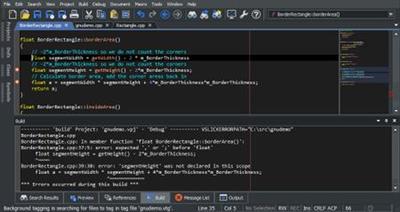
Designed by developers for developers, SlickEdit's award-winning source code and text editor is respected for its rich set of coding tools and powerful time-saving programming features. A true cross-platform, multi-language editor, SlickEdit gives programmers the ability to code in over 40 languages on 9 platforms.

Multiple Document Group Interface
The MDI layout has been completely rewritten to support multiple groups of document tabs. Document tabs (and groups of tabs) can be floated as separate top-level windows, allowing better use of multiple monitors Files can be dragged and dropped to move between tab groups or to create new groups. The new document tabs offer much better performance than the previous File Tabs tool window, better supporting users who prefer to keep many files open.

Surround With
Use to surround existing lines of code with a new structure such as: if, for, while, and try. The existing code is automatically placed inside braces and indented. Additional structures can also be defined for Surround With.

SmartPaste®
Automatically formats line selections when pasted. The pasted code is formatted to match the indentation of the new location and the brace style adjusted to match your settings.

Dynamic Surround
Surround existing lines of code with block statements or tags. Dynamic Surround allows you to expand a block after syntax expansion, using the arrow keys to move the end of the block up or down. Surround With allows you to select lines and then choose a block structure or tag.

Beautifier
The built-in beautifier allows very fine-grained control over source formatting options for C++, Objective-C, Java, JavaScript, PHP, XML, or HTML. You can pick from one of several pre-existing profiles and save your modifications to create your own profiles. Source can be beautified on demand using any of the profiles and can be configured to beautify as you type using your preferred beautifier settings.

Beautify While Typing
When the "Beautify while typing" feature is enabled for C++, Object-C, Java, JavaScript, XML, or HTML, your code will be automatically beautified when you type ';', '{' or '}'. This improves the consistency of your code and produces more readable code with better spacing.
SlickEdit is the first product to beautify C++ as you type. Even with the complexity and ambiguous syntax of C++, re-spacing options for all operators including * are supported.

Syntax Expansion
Expands common block structures (if, for, try, ...) when the initial keyword is typed. For example, when "if" is typed followed by a space, SlickEdit inserts the parentheses for the condition and the braces. You can define additional structures to be expanded.

Auto-Completions
Completions reduce keystrokes by automatically completing symbols as you type. After typing the first few characters of a symbol, a brief pause will pop up a list of possible completions. This list is comprised of matching symbols in the tag database and matching lines of code in the current buffer. If a line match is selected you can add successively more text from that line using the complete-more command (Ctrl+Shift+Space).

Operating System: Windows 10, 8.1, 8, 7, and Vista. Windows Server 2008 and later

Home Page -
У Вас недостаточно прав для просмотра ссылок. Войдите или зарегистрируйтесь.


Download link:​
Код:
[center][b]rapidgator_net[/b]:
https://rapidgator.net/file/f871499ee5e877149e093835c9ce001c/a2dw6.SlickEdit.Pro.2020.v25.0.0.9.rar.html

[b]nitroflare_com[/b]:
https://nitroflare.com/view/29176F0CFBB9AE1/a2dw6.SlickEdit.Pro.2020.v25.0.0.9.rar

[b]alfafile_net[/b]:
http://alfafile.net/file/8x4Lh/a2dw6.SlickEdit.Pro.2020.v25.0.0.9.rar[/center]

Links are Interchangeable - No Password - Single Extraction​
 
SolidCAM 2020 SP3 HF2

fa093395869740a2a6039f0cc19147b8.jpg


SolidCAM 2020 SP3 HF2 | 2.4 Gb
Languages: English​
SolidCAM is pleased to announce the availability of new version CAM software - SolidCAM 2020 SP3 HF2. Last release brings major enhancements to many CAM modules available inside SolidCAM, as well as general improvements that provide an even greater ease-of-use for the end user.

SolidCAM 2020 SP3 HF2 Release Notes - Date: October 18, 2020

Bug Fixes
SOL-9637 HSS- 5x Sim\Enable the user to provide negative offset larger than tool corner radius under CEM
SOL-13413 Gcodesimulation\New definition for the Export Option "Export used Tools only = false"
SOL-13566 Gcodesimulator\Support Multiple Tools on a Single station
SOL-13925 Implement Solidworks 2021 partner keys
SOL-14021 Automatic Updated Stock\Use half cores of CPU when running in "Background Mode"
SOL-480 MCO\PartMove\CustomXAxis\ AllIn - No Action in Move list
SOL-12464 Language\Korean\Different menu for CAM-part from other languages
SOL-13427 Gcodesimulation\Vericut\Default Tooltable not in the project file
SOL-13694 MCO\Machine Simulation\There are no movements of non-parallel axis
SOL-13855 CAM Tree\HSR (HSM) operation becomes unsellected after calculation
SOL-13911 Geometry\Island offset problem
SOL-13932 Turning plane\MPR\MachSim\Angular\Tool position is wrong
SOL-13937 Templates\Template are not show in alphabetical order
SOL-13941 CAM tree flickering issue due to file corruption
SOL-14011 SHR\Process aborted after recognition of holes.
SOL-14024 Drill Recognition\Geom It's impossible to define geometry
SOL-14039 Undercut Milling\Unsupported operation Error
SOL-14113 Defining stock and Target from 3D Model in different SW
SOL-14120 DrillRec\Current MAC origin is not visible after using find holes option in geometry definition
SOL-14134 GUI\SolidCAM is stuck on accidentally changing the operation name
SOL-14201 Transform\CAM Tree\After changing MAC ORIGIN number in CS manager, old MAC ORIGIN Number remain in CAM tree
SOL-14229 Engraving\Wrap problem with Internal part
SOL-14273 MCO\Wrong Empty Tool Station in MP
SOL-14305 Multiaxis Machining\Stock geometry is not saved
SOL-14401 Tool sheet\pictures are small and out of the table

SolidCAM is a CAM software that integrates directly into SolidWorks and Inventor. That does not only mean you can program tooling paths from the comfort of the CAD software you know and love, but it is also advantageous in that all tool paths retain associativity with the original CAD design. In other words, any changes made to the CAD file will instantly be reflected in updated tool paths, saving you time and money.

Take out the guesswork of milling, turning and other processes by using the patented Technology Wizard. The wizard allows you to automatically fine-tune optimized feeds, speeds, depth and width of cuts. What is more, this CAM software automatically recognizes the distinct geometrical features of your design and assigns toolpaths accordingly. Hence, this approach eliminates the need for time-consuming manual geometry definition.

The tool paths created with this CAM software rely on an advanced, patented morphing spiral that gradually conforms to the geometry of the feature being machined rather than an old-fashioned, simple spiral tool path. This increases the amount of time the tool actually works the stock and thus makes your machine more productive.

SolidCAM & iMachining - The amazing CAM solution.

SolidCAM Inc is a world leader in advanced tool path generation technology (CAM) running directly inside SolidWorks. SolidCAM features a full line of CNC machine programming software solutions ranging from 2 axis lathes and 3 axis mills to extremely complex multi-axis MillTurn machines and Wire Edm. All products run directly inside SolidWorks and provide the user with a true "SolidWorks look and feel" for ease of use and maximum efficiency. Along with the integrated interface and scalability for new machines, SolidCAM also has its patented "iMachining" that powers users to new levels of productivity and profits, through unmatched cycle time reduction and unrivaled tool life.

Product: SolidCAM
Version: 2020 S3 HF2 build 113442
Supported Architectures: x64
Website Home Page :
У Вас недостаточно прав для просмотра ссылок. Войдите или зарегистрируйтесь.

System Requirements: PC *
Software Prerequisites: SolidWorks 2012-2021
Size: 2.4 Gb

Microsoft Windows 10 x64 Professional and Enterprise Editions; Microsoft Windows 8.1 x64 Professional and Enterprise Editions (with latest Service Pack); Microsoft Windows 7 x64 Professional and Ultimate Editions (with latest Service Pack)
- Intel Xeon, Intel Core, Intel Core 2 Duo, Intel Core 2 Quad or higher (If you use other processors we assume no responsibility and no support)
- 4 GB RAM (for the processing of large components, we recommend 8 GB RAM (or more)
- 15 GB free disk space for installation
- Hard disk with at least 100 GB of storage
- NVIDIA graphics card of the current Quadro series with min. 512 MB ​​(1024 MB recommended) and current, certified graphics driver (With the use of other and on-board graphics cards, we accept no responsibility and no support)
- 1,280 x 1,024 or higher screen resolution
- Microsoft Direct3D 9 or compatible graphics card (Microsoft Direct3D 11 or higher recommended)
- USB 2.0 interface
- DVD drive

Download link:​
Код:
[center][b]rapidgator_net[/b]:
https://rapidgator.net/file/dc825f6b6c6d2ab0de237cc9c846dea7/q9j56.SolidCAM.2020.SP3.HF2.part1.rar.html
https://rapidgator.net/file/272e6eda183424b8a9202388d2a81d31/q9j56.SolidCAM.2020.SP3.HF2.part2.rar.html
https://rapidgator.net/file/e94461f6634aa52a89f29c6ca55a1e2a/q9j56.SolidCAM.2020.SP3.HF2.part3.rar.html
https://rapidgator.net/file/6f9851994db2d0e5dc3593af6af70e11/q9j56.SolidCAM.2020.SP3.HF2.part4.rar.html
https://rapidgator.net/file/ee58980c7bcc83ec19eb6bff315d0640/q9j56.SolidCAM.2020.SP3.HF2.part5.rar.html
https://rapidgator.net/file/6a04eb2f4571cd58e6da2712de70af1c/q9j56.SolidCAM.2020.SP3.HF2.part6.rar.html
https://rapidgator.net/file/cba68610b64f5f4318f72a150dc952ad/q9j56.SolidCAM.2020.SP3.HF2.part7.rar.html

[b]nitroflare_com[/b]:
https://nitroflare.com/view/A8321AC9A8F2CD6/q9j56.SolidCAM.2020.SP3.HF2.part1.rar
https://nitroflare.com/view/75B25778E378CC1/q9j56.SolidCAM.2020.SP3.HF2.part2.rar
https://nitroflare.com/view/A45A2A6D08574A6/q9j56.SolidCAM.2020.SP3.HF2.part3.rar
https://nitroflare.com/view/C0311CCE62EB6C6/q9j56.SolidCAM.2020.SP3.HF2.part4.rar
https://nitroflare.com/view/46A00249A2E0113/q9j56.SolidCAM.2020.SP3.HF2.part5.rar
https://nitroflare.com/view/7A53EA95A1E1A22/q9j56.SolidCAM.2020.SP3.HF2.part6.rar
https://nitroflare.com/view/06F07F85B6BF352/q9j56.SolidCAM.2020.SP3.HF2.part7.rar

[b]alfafile_net[/b]:
http://alfafile.net/file/8x4h3/q9j56.SolidCAM.2020.SP3.HF2.part1.rar
http://alfafile.net/file/8x4hL/q9j56.SolidCAM.2020.SP3.HF2.part2.rar
http://alfafile.net/file/8x4hS/q9j56.SolidCAM.2020.SP3.HF2.part3.rar
http://alfafile.net/file/8x4hh/q9j56.SolidCAM.2020.SP3.HF2.part4.rar
http://alfafile.net/file/8x4ho/q9j56.SolidCAM.2020.SP3.HF2.part5.rar
http://alfafile.net/file/8x4hi/q9j56.SolidCAM.2020.SP3.HF2.part6.rar
http://alfafile.net/file/8x4hc/q9j56.SolidCAM.2020.SP3.HF2.part7.rar[/center]

Links are Interchangeable - No Password - Single Extraction​
 
SYSGeeker WonderISO 4.7.2 Portable

02b96f29492a844b82290d14a9c20528.jpg


SYSGeeker WonderISO 4.7.2 Portable | 24.4 Mb​
It's an all-in-one ISO Burner tool that lets you burn ,extract, crate and edit ISO image file straightforwardly! It also was called as a best Windows bootable USB tool since it could escape the complexity of selecting multiple options and settings.

Make Any USB Device Bootable from Windows and Linux ISO
WonderISO is a standalone application that gives you ability to make any USB bootable by writing Microsoft and Linux ISO file on USB drive. That means you don't have to install other additional components on your computer for it to work. You will find it never been easier to create a Windows installation disk as it escapes the complexity of settings, such as bad block checking, extended labels creating.

Directly Open and Edit ISO Image File
Except ISO burner function, WonderISO comes as suitable with specific options for handling ISO file. You're allowed to directly open and access to your ISO image file on Windows and Mac computer, then re-edit any files and folders inside of ISO file, including add new file, export, rename and delete, then save the modified ISO file bootable again.

Compatible with UEFI and MBR Boot Mode
At present most computer motherboards have been removed traditional MBR boot and replace it with the new GPT (UEFI boot). This will cause your bootable USB device won't be boot properly on some old computer if your ISO builts with EFI booting info. With that in mind, SYSGeeker ISO Burner tool makes it fully compatible with this two boot mode.

Extract Anything from ISO Image File
Generally, there are two ways to extract files from an ISO image file, one is mounting ISO file on a virtual disk and the other one is to use professional tool to get all content from ISO image. All the info of your ISO, like MD5 and SHA-1 could easily gets corrupted and lost when you export to your computer, so, we highly recommend using second way.

"Extract" is a great feature in WonderISO that helps you directly extract and copy all data from Windows and Linux ISO file to your computer without losing any data.

Create ISO from Files, Folders and Disc
If you want to create a backup for your files, folders, software and your CD/DVD discs, this ISO Burner software would be best your best assistant that makes ISO images of any local files, folders and CD/DVD, then you can share it with anybody to anywhere. It supports three backup type: ISO9660 jolet, ISO9660 and UDF ISO.

Operating System: Windows 10/8/7/Vista/XP

Home Page -
У Вас недостаточно прав для просмотра ссылок. Войдите или зарегистрируйтесь.


Download link:​
Код:
[center][b]rapidgator_net[/b]:
https://rapidgator.net/file/d3e5f8b6a4a5deb1be740ff721203ded/n33yi.SYSGeeker.WonderISO.4.7.2.Portable.rar.html

[b]nitroflare_com[/b]:
https://nitroflare.com/view/0B473EEBFB52604/n33yi.SYSGeeker.WonderISO.4.7.2.Portable.rar

[b]alfafile_net[/b]:
http://alfafile.net/file/8x4SA/n33yi.SYSGeeker.WonderISO.4.7.2.Portable.rar[/center]

Links are Interchangeable - No Password - Single Extraction​
 
TablePlus 3.10.0 macOS

a1aa916a3915b34a2beb6e8a07acfa25.jpg


TablePlus 3.10.0 | macOS | 38 mb​
TablePlus is a modern, native, and friendly tool to manage multiple databases including MySQL, PostgreSQL, SQLite, SQL Server, Redis, Cassandra.

Features:
- Native, Fast, and Secured: Query, edit, and save your database easily with a native app that can run really fast. It's also equipped with many security features to protect your database, including native libssh and TLS to encrypt your connection.
- Multi Tabs and Code Review: Quickly get a snapshot of your database with multi-tab and multi-window view, as well as stay in control of what you have changed on your database with Code Review.
- Powerful SQL Editor: We've built the best practices for SQL Editor into our defaults to help you boost your productivity, including: Beautify SQL, Highlight Syntax, Split Results into Tabs, Split pane Horizontally and many more.
- Customizable Appearance: You can choose the appearance and config the shortcuts that best match your personal taste.

Compatibility: OS X 10.11 or later 64-bit

Download link:​
Код:
[center][b]rapidgator_net[/b]:
https://rapidgator.net/file/b4515df6e5bd324503abfd548016419e/2j4ka.TablePlus.3.10.0.rar.html

[b]nitroflare_com[/b]:
https://nitroflare.com/view/169C7DD39267F62/2j4ka.TablePlus.3.10.0.rar

[b]alfafile_net[/b]:
http://alfafile.net/file/8x4Fj/2j4ka.TablePlus.3.10.0.rar[/center]

Links are Interchangeable - No Password - Single Extraction​
 
Назад
Сверху