• Форум работает в архивном режиме www.old.nado.in

All mitsumi'1s Applications !! (updated daily)

  • Автор темы Автор темы mitsumi1
  • Дата начала Дата начала
GoodSync Enterprise 10.11.6.9 Multilingual

888f203baf2485de64d5a94633b3045b.jpg


GoodSync Enterprise 10.11.6.9 Multilingual | 48 Mb​
GoodSync synchronizes and backs up files such as photos, financial documents, MP3s, e-mails between desktops, laptops, servers, and external drives. GoodSync is the latest software in a series of highly reliable, easy-to-use products from Siber Systems, the makers of RoboForm. It uses an innovative synchronization algorithm that offers true bi-directional synchronization.

No More Clouds
GoodSync 9 connects multiple computers directly, completely bypassing the need for cloud based solutions.

Faster than Ever
All new block level synchronization syncs the file changes, greatly improving the speed and efficiency of sync.

Access Files From Anywhere
Forgot that file on your computer? No problem, use GoodSync Connect from any computer and quickly sync it.

Operating System: Windows Vista/7/8/10 32bit and 64bit

Home Page -
У Вас недостаточно прав для просмотра ссылок. Войдите или зарегистрируйтесь.


Download link:​
Код:
[center][b]rapidgator_net[/b]:
https://rapidgator.net/file/ee468e95549bb8565b0fdb112ae41557/28nyp.GoodSync.Enterprise.10.11.6.9.Multilingual.rar.html

[b]nitroflare_com[/b]:
http://nitroflare.com/view/1F6948A2741B37D/28nyp.GoodSync.Enterprise.10.11.6.9.Multilingual.rar

[b]uploadgig_com[/b]:
https://uploadgig.com/file/download/d40578dE76e90dd6/28nyp.GoodSync.Enterprise.10.11.6.9.Multilingual.rar[/center]

Links are Interchangeable - No Password - Single Extraction​
 
IObit Malware Fighter Pro 7.7.0.5870 Multilingual

ce7b139529f2ee559691d74ad2b251de.jpg


IObit Malware Fighter Pro 7.7.0.5870 Multilingual | 63.3 Mb​
IObit Malware Fighter is an advanced malware & spyware removal utility that detects, removes the deepest infections, and protects your PC from various of potential spyware, adware, trojans, keyloggers, bots, worms, and hijackers. With the improved, unique "Dual-Core" engine and the heuristic malware detection, IObit Malware Fighter detects the most complex and deepest spyware and malware in a very fast and efficient way.

Here are some key features of "IObit Malware Fighter":
One-click Solution and Very Easy to Use:
· Traditional advantages of IObit products. We love simple and automatic styles.
Complete PC Security Care:
· Anti-malware, anti-spyware, anti-adware, anti-trojan, anti-bots, and more. IObit Malware Fighter can assist your antivirus to defend any tricky and complex threats.
Finds the Deepest Infections:
· Using DOG (Digital Original Gene), a novel heuristic malware detection method, while IObit Malware Fighter can find the most complex threats.
· Very Fast and Light Thanks to the improved, unique "Dual-Core" anti-malware engine, complicated analysis can be made faster now.
· Work with All Antivirus Products Everyone needs a qualified antivirus software, and IObit Malware Fighter will surely be the best mate for your current antivirus.
· Automated Working in the Background Just install it and forget it. This powerful utility works continuously, automatically and quietly in the background on your PC. You can set it as your schedule or just let it work automatically when your PC is idle.
· Automatic and Frequent Updates By the new-generation malware analysis system and our professional database team, IObit Malware Fighter catches the emerging dangerous malware in the Internet.

System Requirements
OS: Windows XP/Vista/7/8/8.1/10
Hardware requirements:
1 GHz processor or faster processor
1 GB of RAM
1,000 MB of free hard disk space
1024*768 screen resolution and above

Home Page -
У Вас недостаточно прав для просмотра ссылок. Войдите или зарегистрируйтесь.


Download link:​
Код:
[center][b]rapidgator_net[/b]:
https://rapidgator.net/file/8012522e4d5c4a273e39e1a3b5ee932e/agajh.IObit.Malware.Fighter.Pro.7.7.0.5870.Multilingual.rar.html

[b]nitroflare_com[/b]:
http://nitroflare.com/view/11509378324AD0C/agajh.IObit.Malware.Fighter.Pro.7.7.0.5870.Multilingual.rar

[b]uploadgig_com[/b]:
https://uploadgig.com/file/download/85df6ccAbffa98c6/agajh.IObit.Malware.Fighter.Pro.7.7.0.5870.Multilingual.rar[/center]

Links are Interchangeable - No Password - Single Extraction​
 
NCH PhotoStage Slideshow Producer Professional 7.20 Beta

3e36176b62fd3e9e071f62ed35506d8a.jpg


NCH PhotoStage Slideshow Producer Professional 7.20 Beta | 6.5 Mb​
Create your own photo slideshow movies. Creating a slideshow has never been easier. Bring your digital photos to life. Share memories in an interesting and portable way. Easily combine pictures, video clips, music and narration.

Preserve your memories with a multimedia slideshow you'll be proud to share with friends and family. Add photos and videos to the timeline, add visual interest with panning and zoom effects and place fade transitions between slides for a professional finish.

Slideshow Creation Features:

- Stunning Transition Effects
- Panning and zooming effects bring your photos to life
- Fade transitions give your slideshow a professional touch
- Preview the effects in real time
- Customize the duration of the effect

Complete Photo Optimization
- Fine tune brightness, color and saturation
- Crop, rotate and flip photos easily
- Add text captions to individual slides
- Add video clips for a complete slideshow presentation
- Preview your changes in real time

Amazing Audio Tools
- Add music tracks to your slideshow
- Record narrations with the click of a button
- Import pre-recorded narrations
- Mix multiple music tracks together using our powerful
- MixPad Audio File Mixer

Share With Your Family and Friends
- Burn to DVD and watch on your living room TV
- Show off your latest pics and clips on PSP, iPod, iPhone, 3GP mobile phone or Pocket PC
- Output video files and share your creation with even more friends by computer or over Internet

Supports Many Media Formats
Input Formats:
- Image: bmp, gif, jpg, jif, jiff, jpeg, exif, png, tif, tiff, psd, tga, pcx, jp2, wmf, ico
- Audio: wav, mp3, mpga, m4a, ogg, mid, flac, aac, wma, au, aiff, raw, dvf, vox, cda, gsm and many more
- Video: avi, mpeg, wmv, divX, Xvid, mpeg1, mpeg2, mpeg4, mp4, mov, asf, vob, ogm and many more

Output Formats:
- Disc export: DVD, CD, Blu-ray Discs, HD-DVD
- Video export: avi, wmv, asf, mpg, 3gp, mp4, mov, iPod, iPhone, PSP, Mobile Phone, Pocket PC

Operating System: Windows 10, XP, Vista, 7, 8 and 8.1

Home Page -
У Вас недостаточно прав для просмотра ссылок. Войдите или зарегистрируйтесь.


Download link:​
Код:
[center][b]rapidgator_net[/b]:
https://rapidgator.net/file/bc9046fcf82a60e0be5cf588ba22e247/tnwz3.NCH.PhotoStage.Slideshow.Producer.Professional.7.20.Beta.rar.html

[b]nitroflare_com[/b]:
http://nitroflare.com/view/AB4DCEB06E9ED56/tnwz3.NCH.PhotoStage.Slideshow.Producer.Professional.7.20.Beta.rar

[b]uploadgig_com[/b]:
https://uploadgig.com/file/download/4d8B060d9fE0c71b/tnwz3.NCH.PhotoStage.Slideshow.Producer.Professional.7.20.Beta.rar[/center]

Links are Interchangeable - No Password - Single Extraction​
 
Omni Recover 2.8.5 macOS

cd47905684140dfee424a62ede12b053.jpg


Omni Recover 2.8.5 | macOS | 18 mb​
Recover lost data from iDevices. Omni Recover for macOS lets you retrieve your deleted messages, photos, WhatsApp chats, and much more, no matter what stage you've reached. No Matter The Cause, We've Got You Re-Covered - iPhone data are vulnerable to sudden and casual iOS disasters. For instance, deleting photos on iPhone is permanent, and when you slide to delete a message thread, there's no Trash bin for retrieving it.

Now with Omni Recover, you can have peace of mind knowing all your iPhone, iPad, and iPod touch files are easily recoverable. From iPhone water damage, to man-made accident, Omni Recover will give you a hand in recovering your lost iOS data, regardless of the cause.

iPhone Data Recovery for All Types of Your iOS Content - You have no idea what counts most on your iPhone until you lose it for good. Maybe it's your treasured family photos, or a note that saves your bank account data, or perhaps you need a message thread most. Whatever iOS data is vital and precious, Omni Recover provides a salvage solution. With industry-leading iPhone data recovery capability, Omni Recover is able to retrieve up to 20+ types of iOS data.

Compatibility: OS X 10.9 or later
Homepage:
У Вас недостаточно прав для просмотра ссылок. Войдите или зарегистрируйтесь.


Download link:​
Код:
[center][b]rapidgator_net[/b]:
https://rapidgator.net/file/a8d67415340777e9c33a6c1d6eddcdae/leay2.Omni.Recover.2.8.5.rar.html

[b]nitroflare_com[/b]:
http://nitroflare.com/view/D6C73ACDC3286C9/leay2.Omni.Recover.2.8.5.rar

[b]uploadgig_com[/b]:
https://uploadgig.com/file/download/9dda80a31944Dbc5/leay2.Omni.Recover.2.8.5.rar[/center]

Links are Interchangeable - No Password - Single Extraction​
 
SyncBird Pro 3.1.1 macOS

5eed47bfddebf0934845bb053ee49335.jpg


SyncBird Pro 3.1.1 | macOS | 25 mb​
SyncBird Pro is an iPhone file manager that makes iOS sync and iTunes cleaning at a glance. Transfer music, playlists, photos, videos, books-everything-between your iPhone, iPad, iPod, and Mac without using iTunes. SyncBird's exclusive features named PhoneCare and TunesClean are made to reclaim more free space on your iPhone and iTunes. Without extra effort, SyncBird will give you a daily, thorough cleanup so that you'll be always free from the storage boundary.

Better design yields better products, so we challenged ourselves to bring Google Material Design to the new macOS platform. The surface, motion, color, and every element in SyncBird, were chosen to give you an exciting and delightful experience.

Features
Flash Sync - Optimized for Flash/SSD storage and with instant Add-to-iPhone feature, SyncBird offers better iOS content management experience.
4K Support - A10 chip and M10 coprocessor give monster performance on 4K video playback. SyncBird puts 4K movies on your iPhone, iPad in one go.
Auto-Conversion - Whatever movies you like, SyncBird helps trans-code your videos to .m4v, .mp4, and .mov formats, which suit best on Apple devices.
Two-Way Sync - Transfer music, videos, photos and probably all your iOS content, to / from your iPhone and iPod. Free your devices from iTunes limits.
Unlimited Import - Add new songs and movies to your iPhone, iPad and iPod from multiple iTunes library on different computers. No iTunes involed.
Drag-and-Drop - The most straightforward way to populate your iPhone media library is by dragging-and-dropping. Time to use your iPhone like Finder.

Compatibility: OS X 10.9 or later 64bit
Homepage:
У Вас недостаточно прав для просмотра ссылок. Войдите или зарегистрируйтесь.


Download link:​
Код:
[center][b]rapidgator_net[/b]:
https://rapidgator.net/file/426b9861f9c5b028835b08a1f8328357/pxw7w.SyncBird.Pro.3.1.1.rar.html

[b]nitroflare_com[/b]:
http://nitroflare.com/view/23CD7F7CB790758/pxw7w.SyncBird.Pro.3.1.1.rar

[b]uploadgig_com[/b]:
https://uploadgig.com/file/download/0C2598ad9abcF51F/pxw7w.SyncBird.Pro.3.1.1.rar[/center]

Links are Interchangeable - No Password - Single Extraction​
 
Adobe Zii 2020 5.2.0 universal Patcher macOS

316b04e54501a5051f95a60968235f91.jpg


Adobe Zii 2020 5.2.0 universal Patcher | macOS | 8 mb​
Adobe Zii is a small and great utility which helps you forget about all issues with the registration of all Adobe existing products

What's New:

Added:
Adobe After Effects 2020 v17.0.6
Adobe Animate 2020 v20.0.3
Adobe Audition 2020 v13.0.5
Adobe Dimension v3.2
Adobe Lightroom Classic v9.2.1
Adobe Media Encoder 2020 v14.1
Adobe Photoshop 2020 v21.1.2
Adobe Premiere Pro 2020 v14.1
Adobe Premiere Rush v1.5.8
Adobe XD v28.5.12

Supported Products:
Adobe Acrobat DC v19.021.20047 - 20.006.20042
Adobe After Effects 2020 v17.0 - 17.0.6
Adobe Animate 2020 v20.0 - 20.0.3
Adobe Audition 2020 v13.0 - 13.0.5
Adobe Bridge 2020 v10.0 - 10.0.3
Adobe Character Animator 2020 v3.0 - 3.1
Adobe Dimension v3.0 - 3.2
Adobe Dreamweaver 2020 v20.0 - 20.1
Adobe Illustrator 2020 v24.0 - 24.1
Adobe InCopy 2020 v15.0 - 15.0.2
Adobe InDesign 2020 v15.0 - 15.0.2
Adobe Lightroom Classic v9.0 - 9.2.1
Adobe Media Encoder 2020 v14.0 - 14.1
Adobe Photoshop 2020 v21.0 - 21.1.2
Adobe Prelude 2020 v9.0
Adobe Premiere Pro 2020 v14.0 - 14.1
Adobe Premiere Rush v1.2.12 - 1.5.8
Adobe XD v24.0 - 28.5.12

Adobe Photoshop Elements 2020 - 2020.1 (Build 20200120.m.139570)
Adobe Premiere Elements 2020 - 2020.1

Compatibility: OS X 10.13 or later 64-bit
Homepage:
У Вас недостаточно прав для просмотра ссылок. Войдите или зарегистрируйтесь.


Download link:​
Код:
[center][b]rapidgator_net[/b]:
https://rapidgator.net/file/d2de1e6be46e60c40ebf12d23175404f/bzi66.Adobe.Zii.2020.5.2.0.universal.Patcher.rar.html

[b]nitroflare_com[/b]:
http://nitroflare.com/view/1EC3CDDEEADB70E/bzi66.Adobe.Zii.2020.5.2.0.universal.Patcher.rar

[b]uploadgig_com[/b]:
https://uploadgig.com/file/download/779cC681d0197d4d/bzi66.Adobe.Zii.2020.5.2.0.universal.Patcher.rar[/center]

Links are Interchangeable - No Password - Single Extraction​
 
NetBalancer 9.17.2.2302 Multilingual

b5c6d08a9fc6997bd219134079e684f7.jpg


NetBalancer 9.17.2.2302 Multilingual | 7.6 Mb​
NetBalancer is an internet traffic control and monitoring tool designed for Microsoft Windows 7, 8 and 10 (and their server variants) with native x64 support.

With NetBalancer you can:
Set a download and/or upload network priority or limit for any process
Manage priorities and limits for each network adapter separately
Define detailed network traffic rules
Group local network computers and balance their traffic synchronised
Set global traffic limits
Get detailed statistics and totals about your data usage
Show network traffic in system tray

Operating System: Windows 7, 8 and 10 (and their server variants) with native x64 support.

Home Page -
У Вас недостаточно прав для просмотра ссылок. Войдите или зарегистрируйтесь.


Download link:​
Код:
[center][b]rapidgator_net[/b]:
https://rapidgator.net/file/ffd848717b17d83636e567fd6f63a27f/di3wy.NetBalancer.9.17.2.2302.Multilingual.rar.html

[b]nitroflare_com[/b]:
http://nitroflare.com/view/2EF8027D21020D9/di3wy.NetBalancer.9.17.2.2302.Multilingual.rar

[b]uploadgig_com[/b]:
https://uploadgig.com/file/download/545f07d6f54d768f/di3wy.NetBalancer.9.17.2.2302.Multilingual.rar[/center]

Links are Interchangeable - No Password - Single Extraction​
 
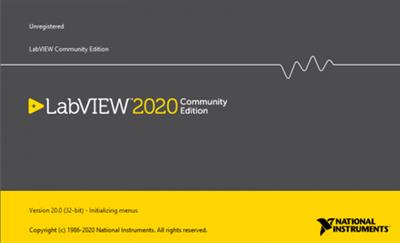
NI LabView 2020 Community Edition

50fd68e8938b3ed1dcd90a539ca323fd.jpg


NI LabView 2020 Community Edition | 2.0 Gb​
The LabVIEW development team is pleased to announce the availability of LabVIEW 2020 Community Edition is systems engineering software for applications that require test, measurement, and control with rapid access to hardware and data insights.

LabVIEW enables you to immediately visualize results with built-in, drag-and-drop engineering user interface creation and integrated data viewers. To turn your acquired data into real business results, you can develop algorithms for data analysis and advanced control with included math and signal processing IP or reuse your own libraries from a variety of tools. To ensure compatibility with other engineering tools, LabVIEW can interoperate with, and reuse libraries from, other software and open-source languages.

Since 1976, National Instruments has equipped engineers and scientists with tools that accelerate productivity, innovation and discovery. NI's graphical system design approach to engineering provides an integrated software and hardware platform that speeds the development of any system needing measurement and control. The company's long-term vision and focus on improving society through its technology supports the success of its customers, employees, suppliers and shareholders.

Product: NI LabView
Version: 2020 version 20.0.0 Community Edition
Supported Architectures: x86
Website Home Page :
У Вас недостаточно прав для просмотра ссылок. Войдите или зарегистрируйтесь.

Language: english
System Requirements: PC *
Supported Operating Systems: *
Size: 2.0 Gb

Development Environment

Processor
Pentium 4M (or equivalent) or later (32-bit)
Pentium 4 G1 (or equivalent) or later (64-bit)
RAM 1 GB
Screen Resolution 1024 x 768 pixels
Operating System
- Windows 10 (version 1903)/8.1 Update 1**/7 SP1***
- Windows Server 2012 R2**
- Windows Server 2008 R2 SP1***
Disk Space 5 GB (includes default drivers)
Color Palette LabVIEW and the LabVIEW Help contain 16-bit color graphics. LabVIEW requires a minimum color palette setting of 16-bit color.
Temporary Files Directory LabVIEW uses a directory for storing temporary files. NI recommends that you have several megabytes of disk space available for this temporary directory.
Adobe Reader You must have Adobe Reader 7.0 or later installed to search PDF versions of all LabVIEW manuals.

** NI software installs VC2015 Runtime and .NET 4.6.2. Windows 8.1 and Windows Server 2012 R2 require Microsoft updates to support these items.
*** NI software is signed with a SHA-256 certificate. Windows 7 SP1, Windows Embedded Standard 7 SP1, and Windows Server 2008 R2 SP1 require Microsoft updates to support SHA-256.

Download link:​
Код:
[center][b]rapidgator_net[/b]:
https://rapidgator.net/file/e36a1fb5389832f5715bc5731de2ff97/6z8eu.NI.LabView.2020.Community.Edition.part1.rar.html
https://rapidgator.net/file/a1efb3fb07cdee16dcd69f81748ce4e3/6z8eu.NI.LabView.2020.Community.Edition.part2.rar.html
https://rapidgator.net/file/c650c94a7462e9e06354a581e5d74d79/6z8eu.NI.LabView.2020.Community.Edition.part3.rar.html
https://rapidgator.net/file/9a3fae4f15fa9b84971853326f92e1e7/6z8eu.NI.LabView.2020.Community.Edition.part4.rar.html
https://rapidgator.net/file/661e41ef8dea660416188ef64d2c8678/6z8eu.NI.LabView.2020.Community.Edition.part5.rar.html
https://rapidgator.net/file/8083dcaef6a5d943a56d0d7216cffd07/6z8eu.NI.LabView.2020.Community.Edition.part6.rar.html

[b]nitroflare_com[/b]:
http://nitroflare.com/view/822E0A526A77A37/6z8eu.NI.LabView.2020.Community.Edition.part1.rar
http://nitroflare.com/view/B7F448D1C9E1727/6z8eu.NI.LabView.2020.Community.Edition.part2.rar
http://nitroflare.com/view/DDF8D31F18866CB/6z8eu.NI.LabView.2020.Community.Edition.part3.rar
http://nitroflare.com/view/4287F0ABD7AA5FA/6z8eu.NI.LabView.2020.Community.Edition.part4.rar
http://nitroflare.com/view/19466B43BB06117/6z8eu.NI.LabView.2020.Community.Edition.part5.rar
http://nitroflare.com/view/F96C555E3EC2BB9/6z8eu.NI.LabView.2020.Community.Edition.part6.rar

[b]uploadgig_com[/b]:
https://uploadgig.com/file/download/559760F44baa7c82/6z8eu.NI.LabView.2020.Community.Edition.part1.rar
https://uploadgig.com/file/download/0b0f57dfa0Cc22db/6z8eu.NI.LabView.2020.Community.Edition.part2.rar
https://uploadgig.com/file/download/d4AC028851023d36/6z8eu.NI.LabView.2020.Community.Edition.part3.rar
https://uploadgig.com/file/download/fab90C2D10afD36a/6z8eu.NI.LabView.2020.Community.Edition.part4.rar
https://uploadgig.com/file/download/40d75E4085d3A614/6z8eu.NI.LabView.2020.Community.Edition.part5.rar
https://uploadgig.com/file/download/Cdbc579284d3e1d2/6z8eu.NI.LabView.2020.Community.Edition.part6.rar[/center]

Links are Interchangeable - No Password - Single Extraction​
 
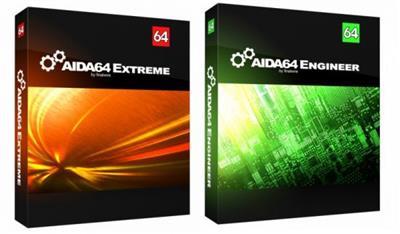
AIDA64 Extreme Engineer Edition 6.25.5406 Beta

d0c0f43ea77d0a000b45ed934442acb9.jpg


File size: 96.8 MB​
AIDA64 (former EVEREST) - the utility is a powerful tool for identification and testing of virtually all components of personal computers running operating systems Windows. Gives you detailed information about all the hardware and software, in addition, with built-in modules for testing and calibration can be further tested the individual subsystems PC. Displays detailed information about all the hardware and software installed on your system.

Features:
• Level information about motherboard and CPU
• Details of the video drivers and monitor
• Information about all storage devices
• Exhaustive information about network adapters, multimedia and input devices
• Information about other glands (PCI, PnP, PCMCIA, USB)
• Details of Windows, including the date of installation, the license key and more
• Information about network shares, users and groups list, and much more
• Large amount of information about networking status, remote access, network resources and Internet settings
• Detailed information about installed programs, scheduled tasks and startup programs
• Information about operating system security
• A list of firewalls, anti-spyware and anti-
• System Stability Test
• CPUID Panel
• Hardware monitoring
• Benchmarks CPU and FPU
• Tests of memory
• Module performance test drive
• Detection of possible misconfiguration and compatibility issues of hardware and software
• Report Wizard
• Mailing and printing

Whats New:
sensor support for Nuvoton NCT6686D sensor chip
motherboard specific sensor info for Asus F2A55-M LK2 Series
GPU information for nVIDIA GeForce RTX 2070 Super Mobile (TU104M)
GPU information for nVIDIA GeForce RTX 2080 Super Mobile (TU104M)
fixed: Elgato Stream Deck Mini LCD support
fixed: motherboard specific sensor info for Asus ROG Rampage VI Extreme Encore, ROG Rampage VI Extreme Omega
Homepage
Код:
https://anonymz.com/.../www.aida64.com

Download link:​
Код:
[center][b]uploadgig_com[/b]:
https://uploadgig.com/file/download/6a03c8667af6c8B3/AIDA64.6.25.5406.Beta.rar

[b]nitroflare_com[/b]:
http://nitroflare.com/view/6FD13E77ED82D46/AIDA64.6.25.5406.Beta.rar

[b]rapidgator_net[/b]:
https://rapidgator.net/file/3093c9b682dc1b38d026382b1d884535/AIDA64.6.25.5406.Beta.rar.html[/center]

Links are Interchangeable - No Password - Single Extraction​
 
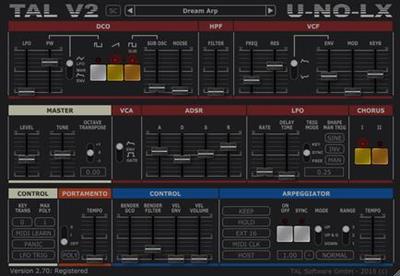
Togu Audio Line TAL-U-NO-LX 4.2.4 (x64)

5f6c167d8c11ae04c3c5e1e13315285c.jpg


Togu Audio Line TAL-U-NO-LX 4.2.4 (x64) | 33 Mb​
TAL-U-NO-LX is a complete rewritten emulation of the popular Juno 60 with a new engine and GUI. Up to date zero feedback delay filters and carefully calibrated controls make this synth a good replacement for the analog device with all the advantages software plugins have. As an addition, the TAL-U-NO-LX also supports portamento and different filter LFO waveforms and some more useful features.

An arpeggiator with different sync modes and hold function is also included. A very fast envelope with a smooth roll-off, emulated inaccuracy and a very smooth filter sound gives this synth the typical sound. The synth was calibrated after a hardware device that's property of TAL.

Features
Self resonating zero feedback delay filter (24dB LP).
Filter range up to ~40kHz (depends on the sample rate).
Calibrated and tuned after TAL's hardware device.
Midi learn / automation for all controlls.
Improved alias free oscillators for an authentic sound also @ 44'100Hz sampling rate.
Arpeggiator with different sync modes (host, midi clock, not on).
Portamento and mono mode.
LFO manual trigger button.
Sustain pedal support.
Up to 12 voices.
New file based preset system for transparent preset management.
More than 300 factory presets by different sound designers (FMR, Particular - Sound, TAL).
Original hardware "Factory Bank A" included.

Requirements:
Windows: Windows XP or higher (64 bit host)
AAX: Pro Tools 10.3.6 or higher (64 bit)

Home Page -
У Вас недостаточно прав для просмотра ссылок. Войдите или зарегистрируйтесь.


Download link:​
Код:
[center][b]rapidgator_net[/b]:
https://rapidgator.net/file/6a3fa29537497af0d6e49993229706c3/fh5zj.Togu.Audio.Line.TALUNOLX.4.2.4.x64.rar.html

[b]nitroflare_com[/b]:
http://nitroflare.com/view/CF0FF428BD7137C/fh5zj.Togu.Audio.Line.TALUNOLX.4.2.4.x64.rar

[b]uploadgig_com[/b]:
https://uploadgig.com/file/download/D6206A8E5b8E33d6/fh5zj.Togu.Audio.Line.TALUNOLX.4.2.4.x64.rar[/center]

Links are Interchangeable - No Password - Single Extraction​
 
BluffTitler Ultimate 14.8.0.2 Multilingual

cac785cfb0ae8edaee91bfed10d95458.jpg


BluffTitler Ultimate 14.8.0.2 Multilingual | 53.2 Mb​
BluffTitler is a Windows desktop app for creating, rendering and playing 3D video effects. Want to impress your family, friends and clients with spectacular 3D titles? But do not want to use complex and expensive 3D animation software? BluffTitler makes it easy and affordable to add 3D effects to your videos!

Effects that can be created with BluffTitler include:
* golden beveled titles
* blood dripping titles
* JPG textured titles
* MPG textured titles
* slimy titles
* hairy titles
* exploding titles
* reflection mapped titles
* twisted titles
* cartoon shaded titles
* golden glowing titles
* spooky lightened titles
* titles with silver spikes
* jumbling titles
* inverted titles
* bouncing titles
* powerfield emitting titles
* titles with flying hearts
* pumping titles
* plasma backgrounds
* background videos morphing into donuts
* particle effects
* MP3 audio
* morphing JPG pictures
* exploding video backgrounds
* fractal backgrounds

System requirements
Microsoft Windows 7, 8 or 10 (32 or 64 bits)
A DirectX 11 compatible graphics card
80 MB available hard disk space
Emoji rendering and MP4 export requires Windows 10

Home Page -
У Вас недостаточно прав для просмотра ссылок. Войдите или зарегистрируйтесь.


Download link:​
Код:
[center][b]rapidgator_net[/b]:
https://rapidgator.net/file/6dfb3358a28c6b4677d6a431d598460d/q7j14.BluffTitler.Ultimate.14.8.0.2.Multilingual.rar.html

[b]nitroflare_com[/b]:
http://nitroflare.com/view/A555448EA45E114/q7j14.BluffTitler.Ultimate.14.8.0.2.Multilingual.rar

[b]uploadgig_com[/b]:
https://uploadgig.com/file/download/F69A8347eAEEca69/q7j14.BluffTitler.Ultimate.14.8.0.2.Multilingual.rar[/center]

Links are Interchangeable - No Password - Single Extraction​
 
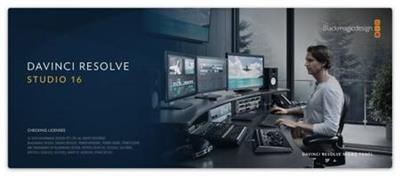
Blackmagic Design DaVinci Resolve Studio 16.2.1.17 (x64) Multilingual

559a5c9cff3a6dc549f7d157a590fafe.jpg


Blackmagic Design DaVinci Resolve Studio 16.2.1.17 (x64) Multilingual | 1.46 GB​
DaVinci Resolve 16 is the world's only solution that combines professional 8K editing, color correction, visual effects and audio post production all in one software tool! You can instantly move between editing, color, effects, and audio with a single click. DaVinci Resolve Studio is also the only solution designed for multi user collaboration so editors, assistants, colorists, VFX artists and sound designers can all work live on the same project at the same time!

Whether you're an individual artist, or part of a large collaborative team, it's easy to see why DaVinci Resolve is the standard for high end post production and finishing on more Hollywood feature films, television shows and commercials than any other software.

What's New:
DaVinci Resolve 16 features a revolutionary new cut page specifically designed for editors that need to work quickly and on tight deadlines! The new DaVinci Neural Engine uses machine learning to enable powerful new features such as facial recognition, speed warp and more. Adjustment clips let you apply effects and grades to clips on the timeline below, quick export can be used to upload projects to YouTube and Vimeo from anywhere in the application, and new GPU accelerated scopes provide more technical monitoring options than before. Plus, Fusion is dramatically faster and Fairlight adds immersive 3D audio. DaVinci Resolve 16 is a massive release with hundreds of features customers have asked for!

Introducing the Cut Page!
Designed specifically for editors working on high end fast turn around work such as television commercials and even news cutting, the cut page is all about speed. It's an alternate edit page with a streamlined interface and revolutionary new tools that will help you work faster than ever. The cut page lets you import, edit, trim, add transitions, titles, automatically match color, mix audio and more. Whether you're delivering for broadcast or for YouTube, the cut page has everything you need to get the job done, all in one place. Plus, the regular edit page is still available so you can switch between edit and cut pages to change editing style right in the middle of a job.

New Editing Features in DaVinci Resolve 16:
DaVinci Resolve includes everything professional editors need to cut blockbuster films, television shows, and commercials. It's perfect for both offline and online editing. The high performance playback engine makes editing and trimming incredibly fast, even for processor intensive formats such as H.264 and RAW.

New Fusion VFX Features in DaVinci Resolve 16:
With over 250 built in tools, Fusion VFX's advanced 3D compositing engine and node based workflow let you quickly connect effects and tools together in a flow chart style, making it easy to create cinematic feature film quality visual effects and broadcast motion graphics right inside of DaVinci Resolve!

New Color Features in DaVinci Resolve 16:
DaVinci Resolve's legendary color tools let you manipulate color in breathtaking ways to get results that are simply impossible on other systems. That's why DaVinci Resolve has been used on more feature films and television shows than any other grading system! You get powerful primary and secondary tools, curves, tracking, stabilization and more!

New Fairlight Features in DaVinci Resolve 16:
With Fairlight in DaVinci Resolve, audio is no longer an afterthought in post production! You get a completely integrated and powerful digital audio workstation with full mixer, EQ and dynamics processing, sample level audio editing, ADR tools, sound library support, FairlightFX audio plugins and more!

New Collaboration Features in DaVinci Resolve 16:
Featuring a universal timeline, powerful database driven design, bin and clip locking, built in chat, timeline comparison tools and more, DaVinci Resolve Studio is the world's only post production solution that lets different artists all work together on the same project at the same time!

DaVinci Resolve Studio
Upgrade to DaVinci Resolve Studio for even more creative tools and options! You get a huge set of indispensable ResolveFX and FairlightFX plugins, along with support for 4K, 8K and higher resolution projects at frame rates up to 120 frames per second. You also get the new DaVinci Neural Engine which enables features such as facial recognition, speed warp retiming, automatic color balancing and automatic color matching. DaVinci Resolve Studio also adds film grain tools, advanced noise reduction, blur and mist effects, HDR grading, 10bit H.264 support, 3D immersive audio, stereoscopic 3D support, multi user collaboration tools and more!

DaVinci Neural Engine
The new DaVinci Neural Engine uses state of the art deep neural networks and learning, along with artificial intelligence to power new features such as speed warp motion estimation for retiming, super scale for up-scaling footage, auto color and color matching, facial recognition and more! The DaVinci Neural Engine is entirely cross-platform and uses the latest GPU innovations for AI and deep learning to provide unparalleled performance and quality. The DaVinci Neural Engine provides simple tools to solve complex, repetitive and time consuming problems. For example, it enables facial recognition to automatically sort and organize clips into bins based on people in the shot!

New and Improved ResolveFX
DaVinci Resolve Studio 16 features major improvements to existing ResolveFX, along with several new plugins that editors and colorists will love! You get new ResolveFX plugins for adding vignettes, drop shadows, removing objects, adding analog noise and damage, chromatic aberration, stylizing video and more! There are also improvements to the scanline, beauty, face refinement, blanking fill, warper, dead pixel fixer and colorspace transformation plugins. Plus, you can now view and edit ResolveFX keyframes from the timeline curve editor on the Edit page or from the keyframe panel on the Color page!

Legendary DaVinci Quality
DaVinci Resolve's Emmy™ award-winning image processing technology features deep 32-bit float processing combined with unique, patented YRGB color science that processes luminance independent of color. This allows you to adjust the luminance of video without rebalancing the color of your highlights, midtones, or shadows! The massive internal color space is perfect for the latest HDR and wide color gamut workflows.

Blackmagic RAW
Blackmagic RAW is a new and modern codec that gives you stunning image quality and blazing fast performance in an intelligent new file format. Featuring advanced de-mosaic technology and a revolutionary intelligent design, Blackmagic RAW gives you both the quality and benefits of RAW with the speed, ease of use and file sizes of traditional video formats.

Hardware Control Panels
When you have a client looking over your shoulder you need to work fast. DaVinci Resolve control panels are designed to give you fluid, hands-on control over multiple parameters at the same time, allowing you to create looks that are simply impossible with a standard mouse! All controls are logically placed near your natural hand positions and are made out of the highest quality materials. You get smooth, high resolution weighted trackballs, along with precision engineered knobs and dials that feature the perfect amount of resistance so you can accurately adjust any setting. DaVinci Resolve control panels let you instinctively touch every part of the image!

Fairlight Professional Consoles
Fairlight mixing consoles provide high quality controls for nearly every parameter and feature in the software. Unique user interfaces and dynamic configuration changes provide fast to use buttons and controls that are optimized for the task at hand allowing you to work faster with Fairlight audio than any other tool in the world. With the modular design you can start with a larger console frame than you need and add more modules to meet the growing needs of your facility.

Minimum system requirements for Windows:
- Windows 10 Update
- 16 GB of system memory is recommended and 32 GB is recommended minimum when using Fusion
- Blackmagic Design Desktop Video version 10.4.1 or later
- NVIDIA/AMD/Intel GPU Driver version - As required by your GPU
- RED Rocket-X Driver 2.1.34.0 and Firmware 1.4.22.18 or later
- RED Rocket Driver 2.1.23.0 and Firmware 1.1.18.0 or later

Homepage -
У Вас недостаточно прав для просмотра ссылок. Войдите или зарегистрируйтесь.


Download link:​
Код:
[center][b]rapidgator_net[/b]:
https://rapidgator.net/file/65abd2973f70370a3fd9bb18a0e61e7c/o542s.Blackmagic.Design.DaVinci.Resolve.Studio.16.2.1.17_(x64).part1.rar.html
https://rapidgator.net/file/369260b0e25e70dfb4f2b24c3c5d414f/o542s.Blackmagic.Design.DaVinci.Resolve.Studio.16.2.1.17_(x64).part2.rar.html
https://rapidgator.net/file/c803d4f85865cccc97512dc5cc4c606b/o542s.Blackmagic.Design.DaVinci.Resolve.Studio.16.2.1.17_(x64).part3.rar.html
https://rapidgator.net/file/e75af5863692cf794cee7975e7ced6ba/o542s.Blackmagic.Design.DaVinci.Resolve.Studio.16.2.1.17_(x64).part4.rar.html

[b]nitroflare_com[/b]:
https://nitroflare.com/view/C6BAF010B89F21E/o542s.Blackmagic.Design.DaVinci.Resolve.Studio.16.2.1.17_%28x64%29.part1.rar
https://nitroflare.com/view/17A2818E14E0725/o542s.Blackmagic.Design.DaVinci.Resolve.Studio.16.2.1.17_%28x64%29.part2.rar
https://nitroflare.com/view/7E117733D7C3AD6/o542s.Blackmagic.Design.DaVinci.Resolve.Studio.16.2.1.17_%28x64%29.part3.rar
https://nitroflare.com/view/952E1DF7D852BEE/o542s.Blackmagic.Design.DaVinci.Resolve.Studio.16.2.1.17_%28x64%29.part4.rar

[b]uploadgig_com[/b]:
http://uploadgig.com/file/download/2da8E39784bCbf8f/o542s.Blackmagic.Design.DaVinci.Resolve.Studio.16.2.1.17 x64.part1.rar
http://uploadgig.com/file/download/7cc0d0d37A8f9f03/o542s.Blackmagic.Design.DaVinci.Resolve.Studio.16.2.1.17 x64.part2.rar
http://uploadgig.com/file/download/21241a78fee2Eb06/o542s.Blackmagic.Design.DaVinci.Resolve.Studio.16.2.1.17 x64.part3.rar
http://uploadgig.com/file/download/c2BAf293Fd9bdf2e/o542s.Blackmagic.Design.DaVinci.Resolve.Studio.16.2.1.17 x64.part4.rar[/center]

Links are Interchangeable - No Password - Single Extraction​
 
O&O BrowserPrivacy 14.11 Build 628

89c6fe6d84706a4e3e9a72a5d003f6fb.jpg


O&O BrowserPrivacy 14.11 Build 628 (x86/x64) | 46.1 Mb​
The history and data saved in your browser can reveal a lot about you and your internet activities. Cookies, for example, make it easy for websites to identify and follow you. With just the push of a button, O&O BrowserPrivacy destroys all the data collected in the browsers you use. It lets you set the level of security at which your data should be destroyed. This gives you complete control over which data in the respective browser O&O BrowserPrivacy should permanently delete for you. This applies, of course, only to those browsers supported by O&O BrowserPrivacy.

Thanks to O&O Software's brand-new O&O SolidErase, data on SSDs can now be totally and securely shredded while going easy on the hardware itself.

Protect your privacy
O&O BrowserPrivacy destroys browser traces securely, dependably, and permanently.

Save time and avoid worry
O&O BrowserPrivacy recognizes your installed browsers. You just have to decide which data from which browser should be destroyed and O&O BrowserPrivacy does all the rest.

You have complete control
You set the security level you want for data deletion. Select the data you want permanently removed with just one click: browser history, downloaded files, cookies and website data, cache, bookmarks, passwords, and form data.

O&O BrowserPrivacy was developed by us to help you protect your privacy as easily as possible while giving you complete control over the data you want to have destroyed.

The complete data destruction solution
You not only want to delete browser data but also individual files, folders, or all the content on PCs? Then O&O SafeErase is just right for you.

Use in companies
O&O BrowserPrivacy is licensed per computer. If you want to delete data on an unlimited number of computers, our O&O SafeErase Admin Edition is the right choice. The license is issued to an administrator who is then entitled to use the product on any number of company computers.

Data deletion as IT service
You want to offer your customers data deletion as a service? The O&O SafeErase Tech Edition is the way to go. It is licensed to an IT service providing technician who can then use the product for permanently deleting data on an unlimited number of computers.

Operating System: Windows 8/8.1, 10

Home Page -
У Вас недостаточно прав для просмотра ссылок. Войдите или зарегистрируйтесь.


Download link:​
Код:
[center][b]rapidgator_net[/b]:
https://rapidgator.net/file/46de2dcd8dbad0c5849664bdbb205665/xfzbb.OO.BrowserPrivacy.14.11.Build.628.rar.html

[b]nitroflare_com[/b]:
https://nitroflare.com/view/80E9F6A381C77AB/xfzbb.OO.BrowserPrivacy.14.11.Build.628.rar

[b]uploadgig_com[/b]:
http://uploadgig.com/file/download/Ad76CcE27acb4332/xfzbb.OO.BrowserPrivacy.14.11.Build.628.rar[/center]

Links are Interchangeable - No Password - Single Extraction​
 
O&O SafeErase Professional / Workstation / Server 15.3 Build 61

498f127f33711799ec23a137c0d07ede.jpg


O&O SafeErase Professional / Workstation / Server 15.3 Build 61 (x86/x64) | 51/51/51 Mb​
Your personal photos and confidential documents can easily fall into the wrong hands when you sell, give away or dispose of your old PC or hard drives. Identity theft is now a widespread security threat. This is because clicking on "Delete" does not mean your files are permanently deleted. Even formatting the hard disk is not enough to permanently delete data. O&O SafeErase permanently deletes your confidential files using recognized methods so that a recovery is never possible, not even when using the best file recovery software.

There is a good chance your personal photos or business data will easily fall into the wrong hands whenever you want to sell, give away or dispose of your old computer. This is because clicking on "Delete" doesn't automatically mean your data is irrevocably destroyed. Even formatting the hard disk is not enough to completely destroy your data. O&O SafeErase allows you to permanently delete your data using recognized methods so that a recovery is never possible, not even when using specialized software.

New and enhanced functions
In addition to many minor enhancements, O&O SafeErase includes an analytical tool that scans your computer for temporary and unsafely deleted files. With just a few clicks, you can clean your computer so that unauthorized parties never have a chance to spy out old files for possible misuse. SSDs can also be detected, and deletions made on them will be done sparing resources. Advanced and improved management of reports make using O&O SafeErase even more convenient.

Internet security
When surfing the Internet, your browser usually stores Internet files unnoticed on your hard drive. These files can provide information about websites you've visited or the passwords you've entered. It makes no difference whether it involves cookies, data entered on forms, or browsing history - O&O SafeErase lists all the information saved for each browser you use, and you can then delete them individually or together. Once deleted, nobody will be able to detect your Internet traces and your online accounts are protected from data thieves or hackers. Version 15 supports Microsoft Edge, the successor to Internet Explorer, as well as Internet Explorer, Google Chrome and Firefox.

Safe erase your entire computer
Deleting the entire computer allows you to permanently delete all confidential files before you dispose of, sell, or give your computer away. All files, settings, applications and the operating system itself are deleted so that a file recovery is impossible. You can be sure that nobody will ever restore your confidential information and misuse it, protecting yourself against identity theft. With O&O SafeErase you can even delete your entire computer without a start medium (e.g. a Boot CD).

Six deletion methods for maximum security
O&O SafeErase allows you to choose from among six different deletion methods. The methods of deletion differ in the number of runs and the type of overwriting process. These methods ensure maximum security, whatever your requirements. In addition to standardized deletion methods of the U. S. Department of Defense (DoD) and the German Federal Office for Information Security (BSI) you can also select a complex mathematical method (the Gutmann method), which complies with the highest security levels. In this scientifically approved method of data deletion, corresponding areas of the hard disk are overwritten 35 times using precisely defined rules along with fixed and random values. In this way, O&O SafeErase exceeds even the requirements of the DoD and the BSI. Quick deletion can also be made by just overwriting data with zeros.

SolidErase
As of version 12.3, O&O SafeErase includes the feature SolidErase, which was developed especially for the deletion of SSDs. SolidErase uses resources sparingly and thoroughly so that the data is not recoverable and the SSD is exposed to the least possible strain.

Product features:
"Instant Erase": Selecting files over the context menu prompts a mini-dialog from where deletion can immediately take place
Permanent deletion of files, folders, Memory cards and USB sticks
Delete an entire computer, no boot medium necessary
Delete internet traces and temporary program files
Six methods to permanently delete confidential data
Detailed reports as proof of deletion
Analysis tool to search for unsafe deleted files
Adapted deletion method for SSDs (Solid State Disks) with SolidErase (link to paragraph with further infos)
Enhanced report and activity management
.Net Framework 4.7.1

Operating System: Windows 10, Windows 8.1 and Windows 8

Home Page -
У Вас недостаточно прав для просмотра ссылок. Войдите или зарегистрируйтесь.


Download link:​
Код:
[center][b]rapidgator_net[/b]:
https://rapidgator.net/file/b2023df6944f216b26c32eaa7c43a66b/icghc.SafeErase.15.3.Build.61.Pro.rar.html
https://rapidgator.net/file/d95dda3857525d818dc8d681d9808e1f/icghc.SafeErase.15.3.Build.61.Server.rar.html
https://rapidgator.net/file/893913dd21de3f6e9a41b59e13070423/icghc.SafeErase.15.3.Build.61.Works.rar.html

[b]nitroflare_com[/b]:
https://nitroflare.com/view/5F60BAA628029A2/icghc.SafeErase.15.3.Build.61.Pro.rar
https://nitroflare.com/view/B2E4462EC9A3E02/icghc.SafeErase.15.3.Build.61.Server.rar
https://nitroflare.com/view/86A603825048C50/icghc.SafeErase.15.3.Build.61.Works.rar

[b]uploadgig_com[/b]:
http://uploadgig.com/file/download/dEA7d6d8515f4389/icghc.SafeErase.15.3.Build.61.Pro.rar
http://uploadgig.com/file/download/219d1337431FA2F9/icghc.SafeErase.15.3.Build.61.Server.rar
http://uploadgig.com/file/download/49ed06c42976e360/icghc.SafeErase.15.3.Build.61.Works.rar[/center]

Links are Interchangeable - No Password - Single Extraction​
 
Wondershare UniConverter 11.7.5.1 Multilingual

bce3e35f7838a7483c10803da104006e.jpg


Wondershare UniConverter 11.7.5.1 Multilingual | 137.3 Mb​
UniConverter - Best Video Converter Ultimate. Convert, Download, Compress, Edit, Burn Videos in 1000 formats and do more.

Easy-to-Use Video Editor, Makes Your Video Stand Out
You can customize home movies through advanced editing features and get professional-looking works in minutes.

Save Videos From Over 10,000 Sites With One Click
Download or record your favorite 4K/HD videos from popular video sharing sites for enjoyment without Internet connection; Or convert them to compatible formats for playback on TV, smartphone, or other devices.

A Flawless DVD & Blu-ray Experience Anywhere
Powerful DVD toolkit of UniConverter (originally Wondershare Video Converter Ultimate) helps you to create and edit DVD files in an easy way.

Transfer Videos to Devices & External Hard Drives
Transfer media files to Apple devices, Android devices, USB flash drives or external hard drivers easily. More importantly, all unsupported formats will be intelligently converted to compatible ones during the transfer.

All-Purpose Video Toolbox
Wondershare UniConverter (originally Wondershare Video Converter Ultimate) also offers a full set of optimized video tools which will come in handy sometime.

System requirements:
Supported OS: Windows 10/8/7/Vista/XP
Processor: > 750MHz Intel or AMD CPU
Free Hard Disk Space: 100MB or above
RAM: 256MB or above

Home Page -
У Вас недостаточно прав для просмотра ссылок. Войдите или зарегистрируйтесь.


Download link:​
Код:
[center][b]rapidgator_net[/b]:
https://rapidgator.net/file/986d84330b4011cb8b2b6d0bb3ddc7f9/1ni76.Wondershare.UniConverter.11.7.5.1.Multilingual.rar.html

[b]nitroflare_com[/b]:
https://nitroflare.com/view/1866BDCBAFCDA33/1ni76.Wondershare.UniConverter.11.7.5.1.Multilingual.rar

[b]uploadgig_com[/b]:
http://uploadgig.com/file/download/7afacd6BC57d3f1d/1ni76.Wondershare.UniConverter.11.7.5.1.Multilingual.rar[/center]

Links are Interchangeable - No Password - Single Extraction​
 
Blackmagic Design Fusion Studio 16.2.1 Build 6

d46a085a909c48aa680f9b508f7d2852.jpg


Blackmagic Design Fusion Studio 16.2.1 Build 6 (x64) | 690 MB​
Fusion is the world's most advanced compositing software for visual effects artists, broadcast and motion graphic designers, and 3D animators. Over the last 30 years, Fusion has been used on thousands of Hollywood blockbuster movies and television shows. Fusion features a powerful node based interface that lets you quickly and easily create sophisticated effects by connecting different types of image processing tools together! You get a massive range of tools, incredible VR and 3D support, GPU accelerated performance, unlimited network rendering and more!

Fusion gives you everything you need to create exciting broadcast graphics, dramatic titles, and even major feature film visual effects!

What's New in Fusion 16:
Fusion Studio 16 is a major upgrade that brings all of the improvements made to Fusion inside of DaVinci Resolve to the stand alone version of Fusion. You get an updated and more modern user interface, along with dramatically faster performance. All 3D operations are GPU accelerated, making Fusion much more responsive and interactive. In addition, there are dozens of GPU accelerated tools such as time effects, dissolves, stereo tools, vector motion, corner pinning, color tools and more! B-spline and bitmap mask operations are accelerated, as are the planar and camera trackers. Improved memory management makes large compositions with high tool counts more reliable, making Fusion 16 dramatically faster and more stable than ever before!

Hollywood's Biggest Blockbusters
Thousands of Hollywood's biggest blockbusters and hit television shows use Fusion to create their groundbreaking visual effects. Fusion has been used on feature films like The Hunger Games, Dr Strange and Guardians of the Galaxy, as well as hit television shows like Empire, NCIS and American Horror Story. Fusion also plays a major role in the development of cinematics for major video games such as Dawn of War III, Halo 5 and more!

Nodes are a Much Faster Way to Work!
Nodes are incredibly easy to use, especially as scenes become more complex. Fusion's nodes are small icons that represent effects, filters and other image processing operations. Nodes can be easily connected together to build larger and more complex visual effects. Tools, images, and objects can be combined in any order to create unlimited visual effects. Simply click on a node to quickly adjust any single part of your project. That's much faster than a timeline based tool because you don't need to hunt through nested stacks of confusing layers and filters!

Get the most Powerful VFX Software Available!
Whether you need to pull a key, track objects, retouch images, animate titles, or create amazing particle effects, Fusion has a massive toolset that lets you tackle the most demanding jobs. You get a true 3D workspace along with tools for compositing, keying, painting, animation, virtual reality, stereoscopic 3D and more. Fusion combines effects and motion graphics, along with 3D modeling and rendering into a single toolset. That means you can import and render 3D models and scenes with the rest of your composite in Fusion. You don't have to pre‑render assets or transfer between multiple applications!

GPU Accelerated Workflow
Fusion is extremely fast and responsive enough to be used in high pressure, client driven sessions. With its Metal, CUDA and OpenCL GPU acceleration, you get instant feedback while you work so you can see exactly what you're doing. Fusion 16 features more GPU optimisation than ever so whether you're working alone or with a client, you get the real time control you need. That means you'll be able to spend more time being creative and less time waiting! Fusion is so fast that you can even work in VR while wearing a headset and still get over 90 frames per second of interactivity!

Unlimited Render Power
Fusion has the world's fastest production quality render engine! You can even distribute your render jobs across an unlimited number of networked computers for incredible performance, at no additional cost! There's no "per node" render license fees. Simply install it on as many render nodes as you need! That means you can render complex scenes incredibly fast to meet the intense deadlines of production, without having to sacrifice creativity or quality.

Collaborate with Large Teams
When you're working with a large creative team, Fusion Studio also includes the new Studio Player application. Studio Player features a single layer timeline with basic shot trimming, storyboard tools, versioning and annotation notes. Fusion Studio also features a bin server to let everyone share and see common assets that are needed for the job. That means you don't have to copy and track multiple elements on different computers.
sometimes show incorrect results when using GPU processing
- General performance and stability improvements

Minimum system requirements for Windows:
- Microsoft Windows 10 64-bit
- Minimum 16 GB RAM
- GPU with at least 2GB of VRAM which supports Metal, OpenCL 1.2 or CUDA 10
- Latest graphics driver as recommended by your GPU manufacturer

Homepage -
У Вас недостаточно прав для просмотра ссылок. Войдите или зарегистрируйтесь.


Download link:​
Код:
[center][b]rapidgator_net[/b]:
https://rapidgator.net/file/23652b1aabd4c1a35dd4387b9f699a8b/q25he.Blackmagic.Design.Fusion.Studio.16.2.1.Build.6.rar.html

[b]nitroflare_com[/b]:
http://nitroflare.com/view/4819EFAD0504C22/q25he.Blackmagic.Design.Fusion.Studio.16.2.1.Build.6.rar

[b]uploadgig_com[/b]:
https://uploadgig.com/file/download/745d5EcBd3ba2a03/q25he.Blackmagic.Design.Fusion.Studio.16.2.1.Build.6.rar[/center]

Links are Interchangeable - No Password - Single Extraction​
 
Boris FX Mocha Pro 2020.5 v7.5.0 Build 1274

d79d029e185a0c41e132bb199c694c74.jpg


Boris FX Mocha Pro 2020.5 v7.5.0 Build 1274 (x64) | Incl. Standalone and Plug-ins for Adobe | 281 Mb (Total)​
Mocha Pro 2020 is here! Mocha is the world's most recognized and powerful planar tracking tool for VFX and post-production. Mocha Pro features GPU-accelerated tracking and object removal, advanced masking with edge-snapping, stabilization, lens calibration, 3D camera solver, stereo 360/VR support, and more.

WHAT'S NEW: MOCHA PRO 2020

Mega Plate module:
Use planar tracking and temporal frame analysis to create extended stitched frames for advanced effects and clean up tasks

- Area Brush: Dynamic new paint tool with Quick Mask mode to quickly create tracking and masking layers
- OpenColorIO: color management for high-end VFX and finishing workflows
- Python scripting: now updated to support Python 3.0.

EXTENDED CLEAN PLATES
Mega Plate is a unique new module building on Mocha Pro's most powerful core technologies - planar tracking and temporal frame analysis - to create a stitched extended frame for visual effects tasks. Working with Mega Plates is a new way to visualize and work on a larger than raster "Mega" canvas for common VFX tasks such as object removal, clean plating, sky replacements, matte painting, and set extensions.

CREATE MOCHA LAYERS EVEN FASTER
Area Brush is a new paint tool that speeds up Mocha's most common core task - creating shapes. Area Brush with Quick Mask mode brings fluid gestural paint functionality into Mocha to define planar tracking and masking search areas. Instead of clicking and dragging spline points, add and subtract paint strokes are converted to vector splines - greatly speeding up and simplifying multi-shape tracking and masking set-ups. The Area Brush also supports Wacom tablets for pressure-sensitive scaling.

COLOR MANAGEMENT
Mocha Pro 2020 adds industry-standard OpenColorIO color management for consistent and predictable color display across industry workflows. OCIO support is compatible with the Academy Color Encoding Specification (ACES) and enables improved color-managed workflows with high-end post-production and VFX applications such as Silhouette, Foundry's NUKE, Autodesk Flame, Avid Media Composer, and more.

THE INDUSTRY'S MOST RELIABLE TRACKING
Planar tracking is at the heart of all Mocha Pro modules and is used to drive tracking, masking, object removal, stabilization, and more. Unlimited tracking layers and the advanced AdjustTrack module helps handle reflections, occlusions, noise, and even areas with motion blur or low details.

ROTO WITH LESS KEYFRAMES
Mocha's masking workflow features planar tracked spline tools to speed up shape creation and reduce manual keyframes.

PLUG-IN OPTION
Mocha Pro's integrated plug-in option delivers a fast & efficient workflow using the host's media engine. Launch Mocha Pro from within your favorite editing and effects hosts.

GPU-ACCELERATED OBJECT REMOVAL
Remove unwanted elements, wires, rigs, tracking marks, and 360 cameras. Generate clean plates for massive time-savings.

INSERT MODULE
Render accurate match moves and screen inserts with realistic motion blur or mesh warp distortions.

STABILIZE
Smooth camera jitter and lock down shots with the Stabilize Module. The stabilize module can lock down camera motion or stabilize moving objects based on planar tracking. Smooth option with selectable anchor frames helps reduce high frequency jitters while maintaining original camera motion. Center, scale or crop stabilized footage based on user driven tracking.

LENS MODULE
Calibrate, correct and remove lens distortion. This simple and easy-to-use interface allows users to calibrate the distortion introduced by camera lenses. Unwanted lens distortion can be removed or matched for realistic compositing. For 360/VR, a simplified Undistort/Distort workflow makes mono or stereo clean-ups on equirectangular footage easy.

STEREOSCOPIC WORKFLOW
Stereo 3D planar tracking, masking, and object removal workflow. Mocha supports native stereo 3D and 360/VR stereo formats. This unique workflow uses planar tracking analysis on "both eye views" to reduce manual offsets and tedious keyframe work on stereo 3D rotoscoping, tracking, 3D camera solve, and object removal.

3D CAMERA SOLVER
Solve 3D match moving capabilities with planar ease. Unlike feature based camera tracking, Mocha solves the 3D camera based on user-selected planar data. This fast and easy-to-use solution is ideal for set extensions, 3D text, and particle tracking. Additionally the 3D solver can be used to assist other 3D tracking applications on difficult shots with low detail or significant foreground occlusions.

360/VR POST-PRODUCTION TOOLKIT
Award-winning 360° video tools for tracking and masking, horizon stabilization, Camera and Object Removal, Nadir Patching, and spherical video post. A native mono and stereo 360° optimized workflow simplifies spherical video post-production challenges: work across seams with less pre-comps, nesting or rendering.

System Requirements:
- Windows: Windows 8, Windows 7, Windows XP Professional SP2 or higher, Windows Vista Business or Ultimate (64-bit)
- Processor: Intel Core 2 Duo or equivalent
- Memory: 4 GB + Disk: High-speed disk array
- Graphics Card: NVDIA Quadro FX 1500 or equivalent Monitor: 1920x1080 or higher

Home Page -
У Вас недостаточно прав для просмотра ссылок. Войдите или зарегистрируйтесь.


Download link:​
Код:
[center][b]rapidgator_net[/b]:
https://rapidgator.net/file/f6b7142ce8f007ac62b034e405695778/9xjpn.Boris.FX.Mocha.Pro.2020.5.v7.5.0.Build.1274.rar.html

[b]nitroflare_com[/b]:
http://nitroflare.com/view/8F431FE9B90582D/9xjpn.Boris.FX.Mocha.Pro.2020.5.v7.5.0.Build.1274.rar

[b]uploadgig_com[/b]:
https://uploadgig.com/file/download/1463dDC241121030/9xjpn.Boris.FX.Mocha.Pro.2020.5.v7.5.0.Build.1274.rar[/center]

Links are Interchangeable - No Password - Single Extraction​
 
Autodesk ReCap Pro 2021

764519860f2649c75f10691ad8832608.jpg


Autodesk ReCap Pro 2021 | 1.5 Gb
Languages: English, Français, Italiano, Deutsch, Español, Português, Čeština,
Русский, Polski, Magyar, 한국어, 日本語, 中文.
​
The Autodesk Inc. team has released an update to ReCap Pro 2020. Use this software reality capture software to convert reality into a 3D model or 2D drawing that's ready for further design.

About ReCap Photo. ReCap Photo, cloud-based solution tailored for UAV photo capturing processes. ReCap Photo is a desktop app which utilizes Autodesk's upgraded Photo-to-3D cloud service, The addition of ReCap Photo expands the value of a ReCap Pro subscription with features to support UAV and drone photo capture workflows. Using ReCap Photo you can create photo textured meshes, photo-based point clouds with geolocation, and high-resolution orthographic views with elevation maps.

ReCap Pro has made it easier for our customers to deliver their projects with more accuracy and efficiency, by facilitating the creation of highly accurate virtual models that can be imported and used in Autodesk design products such as AutoCAD, Revit, Infraworks, Civil 3D, Navisworks, and more.

About Autodesk ReCap Pro. This product started as Project Memento, Autodesk's attempt to built a photogrammetry tool from the ground up. When Memento was still in beta it was free and available for Mac and PC. While both offered cloud processing (still a unique feature) only the PC version offered local processing on top of that, relying on Nvdia GPU acceleration.

When the project came out of beta in early 2017 it was rebranded to ReMake and marketed as a standalone photogrammetry tool for capturing objects and small environments.

ReMake was a great piece of software that combined great photogrammetry algorithms with an innovative user interface that offered a vast collection of mesh-editing tools.

Unfortunately ReMake lived a short life because the Mac version was killed in March, 2017 and Autodesk decided to discontinue ReMake as a whole at the end of 2017. Since december, the product has been moved under the ReCap Pro subscription, which focuses on processing an registration of laser scan data for construction and engineering purposes (it's also the dedicated software for the innovative Leica BLK360 laser scanner). To fit within that concept, ReCap Photo got new support for areal photogrammetry features.

In the end, ReCap Photo is still just rebranded version of ReMake. You can now also launch it by choosing Photo to 3D in ReCap Pro but it installs as a separate application that can be launched independently.
desk [/b] helps people imagine, design and create a better world. Everyone-from design professionals, engineers and architects to digital artists, students and hobbyists-uses Autodesk software to unlock their creativity and solve important challenges.

Product: Autodesk ReCap Pro
Version: 2021
Supported Architectures: x64
Website Home Page :
У Вас недостаточно прав для просмотра ссылок. Войдите или зарегистрируйтесь.

Language: multilanguage
System Requirements: PC *
Supported Operating Systems: *
Size: 1.5 Gb

System requirements for Autodesk ReCap Pro 2021

Recommended system specifications

Operating System Microsoft Windows 10 (64-bit), Microsoft Windows 8 (64-bit)
CPU Type 2.0 gigahertz (GHz) or faster 64-bit (x64) processor
Memory 8 GB or more RAM
Display Resolution 1600 x 1050 or higher true color
Display Card OpenGL 3.3 capable workstation-class graphics card with 1 GB or greater graphics memory
Browser Google Chrome - latest version

Minimum system specifications

Operating System Microsoft Windows 10 (64-bit), Microsoft Windows 8 (64-bit)
CPU Type 2.0 GHz or faster 64-bit (x64) processor
Memory 4 GB or more RAM
Display Resolution 1280 x 1024 with True color
Display Card OpenGL 3.1 capable graphics device with 256 MB graphics memory

System requirements for Autodesk ReCap Photo 2021

Recommended system specifications

Operating System Microsoft Windows 10 (64-bit), Microsoft Windows 8 (64-bit)
CPU Type Multiple i7 or Intel Xeon processors
Memory 128 GB system RAM
Display Card Video Nvidia GFX card ¹
- One or more Nvidia Quadro M6000 cards OR
- Nvidia GeForce GTX 970 upwards
¹ Graphics card must support DirectX 11
Browser Google Chrome - latest version

Minimum system specifications

Operating System Microsoft Windows 10 (64-bit), Microsoft Windows 8 (64-bit)
CPU Type 2.0 GHz or faster 64-bit (x64) processor
Memory 64 GB system RAM
Display Card Video Nvidia GFX card with 4GB VRAM ¹
¹ Graphics card must support DirectX 11
Cloud credits requirements In a paid subscription mode (non-trial, non-EDU), ReCap Photo requires cloud credits for processing online reconstructions.
- 1 to 300 photos will use 12 cloud credits
- 301 to 700 photos will use 30 cloud credits
- 701 to 1,000 photos will use 55 cloud credits

Download link:​
Код:
[center][b]rapidgator_net[/b]:
https://rapidgator.net/file/33f09dbeb14131001d32fb6f502c6731/k75g1.Autodesk.ReCap.Pro.2021.part1.rar.html
https://rapidgator.net/file/6b5188914665f9da1f651f6365408680/k75g1.Autodesk.ReCap.Pro.2021.part2.rar.html
https://rapidgator.net/file/d7d2fad7833b193b53b6acf4d4dda532/k75g1.Autodesk.ReCap.Pro.2021.part3.rar.html
https://rapidgator.net/file/b31ebbabd861a9a11ba564341e116091/k75g1.Autodesk.ReCap.Pro.2021.part4.rar.html
https://rapidgator.net/file/e2c04306a6226e50fb5a124ef069477e/k75g1.Autodesk.ReCap.Pro.2021.part5.rar.html

[b]nitroflare_com[/b]:
http://nitroflare.com/view/1495FF1CC78689F/k75g1.Autodesk.ReCap.Pro.2021.part1.rar
http://nitroflare.com/view/0132FC074952B39/k75g1.Autodesk.ReCap.Pro.2021.part2.rar
http://nitroflare.com/view/B84DE86080E582F/k75g1.Autodesk.ReCap.Pro.2021.part3.rar
http://nitroflare.com/view/E09EE1E7847746C/k75g1.Autodesk.ReCap.Pro.2021.part4.rar
http://nitroflare.com/view/A1ED5569DDDD72B/k75g1.Autodesk.ReCap.Pro.2021.part5.rar

[b]uploadgig_com[/b]:
https://uploadgig.com/file/download/0Efb193718e7BC8f/k75g1.Autodesk.ReCap.Pro.2021.part1.rar
https://uploadgig.com/file/download/9c0Aa3Dc6034990d/k75g1.Autodesk.ReCap.Pro.2021.part2.rar
https://uploadgig.com/file/download/15A676E4E528dff5/k75g1.Autodesk.ReCap.Pro.2021.part3.rar
https://uploadgig.com/file/download/d9ab8d5F4Da51144/k75g1.Autodesk.ReCap.Pro.2021.part4.rar
https://uploadgig.com/file/download/7952f15bf9ce9f4D/k75g1.Autodesk.ReCap.Pro.2021.part5.rar[/center]

Links are Interchangeable - No Password - Single Extraction​
 
Boris FX Silhouette 2020.5.1

6b1f22cd1aec0c54b2589245500241ca.jpg


Boris FX Silhouette 2020.5.1 (x64) | 145.3 Mb​
Academy and Emmy Award-Winning VFX Tools. Boris FX Silhouette 2020 is here! Silhouette is a best-in-class, GPU-accelerated compositing application, delivering the industry's most robust non-destructive paint and roto tools to feature film and visual effects teams. Since 2005, Silhouette has made its mark on Hollywood's biggest films including Avatar, Black Panther, Avengers: End Game, and many more.

The Artists Tool for Roto, Paint & Tracking. Silhouette 2020 goes far beyond roto and effects cleanup tasks with tools to finish the most complex VFX shots thanks to node-based compositing with integrated keying, tracking, warping, morphing, OCIO color management, and OFX support for Mocha Pro and Sapphire plug-ins. Includes 143 VFX nodes with full stereoscopic support. New! Silhouette 2020 now includes integrated Mocha planar tracking for no additional charge OR the optional Silhouette + Mocha Pro bundle.

What's New in Silhouette 2020:
- Integrated Mocha tracking now included at no extra charge
- New Roto tools: Magnetic splines with edge snapping, RotoOverlay previews and Weighted Keyframe creation to change the timing of shape animations
- New Paint tools: New Dodge, Burn and Detail brushes as well as a frequency (detail) separation workflow for improved retouching
- Improved Planar Tracker: Group tracking of multiple planar surfaces in addition to tracking non-planar surfaces through overlapping shapes
- New nodes DOD and Extract Detail
- New interface enhancements: Multiple Viewers, Node and Object windows; Streamlined Workspace and more
- New bundle options: Add the Mocha Pro plug-in for Silhouette for increased tracking and VFX workflows

THE EVOLUTION OF ROTO
Silhouette features the world's most refined tools for rotoscoping teams. Create sophisticated keyframeable mattes using B-Spline, Bézier or X-Spline shapes. Intelligent design and easy-to-use tools, such as variable per-point edge softening, assist in creating articulate animations. Render mattes with realistic motion blur or export to industry-standard shape formats. Watch Intro to Roto

Advanced roto tools include:
Highly-optimized interface, layer controls, and toolset
New magnetic spline and edge-snapping tools to create shapes fast fast
IK (Inverse Kinematics) to animate limbs and all manner of jointed creatures
Integrated point tracking, planar tracking, and Mocha planar tracking option
Stereoscopic 3D workflow
Move, scale, rotate, shear, and corner pin shapes and groups of shapes
Animation changes for one point or selected points across all keyframes

Additional 2020 roto improvements include the Freehand Selection tool to interactively control point selection, Weighted Keyframe creation to change the timing of shape animations, new RotoOverlay displays to visualize shape animation by displaying a preview of the motion path, motion blur or onion skin.

FAST & NON-DESTRUCTIVE PAINT
Paint is a high dynamic range non-destructive 2D paint system that handles the demands of feature film and 4K television production. Whether it's image restoration, dust busting, matte painting, beauty work, rig removal or just plain paint, Silhouette provides the artistic tools to get the job done.

NODE-BASED COMPOSITING
Silhouette's core is a feature rich node-based effects tree that delivers film-grade results. View and edit any combination of nodes for complex compositing, matte manipulation, keying, color correction, grain management, look development, morphing, warping, and much more. Get Started with Node Based Compositing

Silhouette 2020 now features 145 speciality nodes organized into Color, Composite, Diffusion, Filter, Film Lab, Image, Key, Light, Silhouette, Special Effects, Time, Tints, Transform, and Warp. Silhouette also supports OFX plug-ins including Mocha Pro and Sapphire!

Features:
- Gestural node-based compositing
- Multiple roto and paint nodes
- Exacting color grading
- Proprietary matte generation
- Effectively composite fire, explosions, and smoke
- Edge tools to color correct or blur the composite's edge
- Matte manipulation using shrink, grow, blur, and wrap functions
- 145 different nodes organized into Color, Composite, Diffusion, Filter, Film Lab, Image, Key, Light, Silhouette, Special Effects, Time, Tints, Transform, Warp and OFX groups
- Visual presets for most nodes

WARPING & MORPHING
Silhouette's warp and morph tools provide the highest level of creative control and render quality for digital retouching, image deformations, and even talking animals. Create invisible touch-ups, subtle facial exaggerations or dramatic transitions with either shape or pin options.

KEYING & MATTE GENERATION
The powerful ZMatte and Power Matte nodes use proprietary matte extraction techniques that handle the most difficult keying and matting challenges, including shots with fine hair detail, smoke, or reflections.

POWERFUL TRACKING OPTIONS
The industry's most powerful tracking drives Silhouette's animation system and can be applied to speed up paint, roto, warp, and stabilization tasks. Choose from 1, 2, or 4 point tracking, native planar tracker, or award-winning Mocha tracking, now included as a standard feature in Silhouette 2020.

DEPTH
The Depth node contains a dedicated tool set for creating depth channels from 2D sources.

Features:
- Shapes can be assigned individual depth values
- Horizon, Ramp, Hall and Tunnel gradient depth tools
- Alpha tool that converts the alpha channel generated by other Silhouette nodes (zMatte, Power Matte, Roto, Paint, etc) into a depth map.
- Depth Preview window displays a 3D view of the depth map.Useful for visualizing the depth and placement of objects in 3D space.
- Output to stereo displays

System Requirements:
- Windows: Windows 7 or higher on x64
- Processor: Intel or AMD processor
- Memory: 2GB of RAM (4GB or more recommended)
- Disk: High-speed disk array or SSD storage. 1GB of available disk space for caching and temporary files
- Graphics Card: NVIDIA GTX 460 or better
- AMD Radeon 57xx series or better
- OpenGL 2.1 capable graphics card
- OpenCL 1.1 capable graphic card
- 1GB of graphics memory for film resolution

Home Page -
У Вас недостаточно прав для просмотра ссылок. Войдите или зарегистрируйтесь.


Download link:​
Код:
[center][b]rapidgator_net[/b]:
https://rapidgator.net/file/03632bdb14c2373ff83d0cdbb97b47aa/u8fqq.Boris.FX.Silhouette.2020.5.1.rar.html

[b]nitroflare_com[/b]:
http://nitroflare.com/view/11FA0564D80A1B7/u8fqq.Boris.FX.Silhouette.2020.5.1.rar

[b]uploadgig_com[/b]:
https://uploadgig.com/file/download/3Ae83350cEcf4b4c/u8fqq.Boris.FX.Silhouette.2020.5.1.rar[/center]

Links are Interchangeable - No Password - Single Extraction​
 
OmniFocus Pro 3.6.4 Multilingual macOS

46257e571705cb1f0cb206adfd40474a.jpg


OmniFocus Pro 3.6.4 Multilingual macOS | 65 MB​
Keep work and play separated with contexts, perspectives, and focus. Ignore the irrelevant, focus on what you can do now, and accomplish more. And do it all much faster than before.

Perspectives
OmniFocus lets you see your work in a variety of ways. Each perspective is designed for something specific: planning, doing, checking on your upcoming day, and more.

Review
Stay on top of projects and goals with the best way to Review. Customize intervals, shortcuts, and more. On iPad and Mac.

View Options
Change what you're looking at on the fly. Filter actions by availability in project views, and sort them in context views.

Know Your Day
Without even opening OmniFocus, you can have a handle on all your top priorities for the day on iPhone, iPad, and Mac. Just swipe down on iOS or open Notification Center on Mac.

Never lose a thing
With OmniFocus for iOS and Apple Watch around, you'll never miss out on a game-changing idea. Walk by a grocery store and your wrist will get a tap; pick up some milk and bread. There's no need for you to keep track of all that yourself. And OmniFocus has its own, bespoke, sync engine that uses web standards. Enjoy it with our free Sync Server, or use your own.

Quick Entry
The quickest way to add an action on each platform. Just a tap or keyboard shortcut away. You can even add actions using the system-wide share sheet or with 3rd party apps.

Location Awareness
With an iPhone or iPad that supports location notifications, use proximity alerts to know when you're near a grocery or hardware store.

Siri Capture
Hey Siri, can you please add check out the museum of history and industry to my OmniFocus list? Thanks.

What's in Pro
What makes OmniFocus 2 so special is an extra emphasis on simplicity-anyone can get started. But extra power reveals itself when you need it. We've tucked a bunch of powerful things into the Professional upgrade, like focusing on projects or folders, scripting, and creating perspectives for your every whim.

But that's not all

Multitasking for iOS
On your iPad and iPhone, work faster and get more things done with Split View multitasking.

Hardware Keyboard Support
OmniFocus for iOS has serious keyboard support and shortcuts. Just hold the Command, Option, or Control keys down to bring up a list.

Encrypted Sync
OmniFocus's Sync architecture delivers changes from one device to another, while encryption working behind the scenes keeps your data secure in transit and at rest on the server. Really secure.

Spotlight
Search for your projects directly from Spotlight. For both iOS and macOS. (On iOS, you can search for actions, too.)

Complications
Dress up your Watch face with a friendly reminder about What's Next in OmniFocus.

Sharing
Send an action to a partner right from the toolbar. Or share directly to your OmniFocus Inbox from any app in macOS or iOS that support it.

Attachment Support
Record audio to transcribe later, add photos from your Camera Roll, or view files you've attached from your Mac.

Calendar Integration
At-a-glance context to your day. Work around your events in Forecast view.

Quick Open for macOS
Press Command-O on Mac to jump directly to a specific Project or Context.

Compatibility: OS X 10.13 or later

Home Page -
У Вас недостаточно прав для просмотра ссылок. Войдите или зарегистрируйтесь.


Download link:​
Код:
[center][b]rapidgator_net[/b]:
https://rapidgator.net/file/ffc1319ae5a579e88ecd147de883d532/6f805.OmniFocus.Pro.3.6.4.Multilingual.macOS.zip.html

[b]nitroflare_com[/b]:
http://nitroflare.com/view/7F7FC1DC81F1085/6f805.OmniFocus.Pro.3.6.4.Multilingual.macOS.zip

[b]uploadgig_com[/b]:
https://uploadgig.com/file/download/394299184e175a80/6f805.OmniFocus.Pro.3.6.4.Multilingual.macOS.zip[/center]

Links are Interchangeable - No Password - Single Extraction​
 
Назад
Сверху