• Форум работает в архивном режиме www.old.nado.in

All mitsumi'1s Applications !! (updated daily)

  • Автор темы Автор темы mitsumi1
  • Дата начала Дата начала
AirRadar 5.0.4 macOS

1a60ba0c4bf4637a3341ae21107f49b9.jpg


AirRadar 5.0.4 | macOS | 30 mb​
Easy-to-use, personalized wireless network scanner. With AirRadar, scanning for wireless networks is now easier and more personalized! It allows you to scan for open networks and tag them as favourites or filter them out. View detailed network information, graph network signal strength, and automatically join the best open network in range.

Whether you are driving around looking for wireless networks, stuck in traffic, sitting on the beach, or if you are curious how strong your wireless signal is at home, AirRadar provides a more linear approach to network hunting. Setup a scan frequency, and have new open or closed networks have their name spoken, play alerts, or display notifications.

Various other options allow you to customize your network list further, including assigning colors to best open networks and sound cues. Download it today, and take the hardship out of getting an Internet connection at a critical time.
Compatibility: macOS 10.13 or later 64-bit
Homepage:
Код:
http://www.koingosw.com

Download link:​
Код:
[center][b]rapidgator_net[/b]:
https://rapidgator.net/file/eec790cf3fd3cf033809103a1867a6d1/d42sl.AirRadar.5.0.4.rar.html

[b]nitroflare_com[/b]:
https://nitroflare.com/view/F197EFA04635E47/d42sl.AirRadar.5.0.4.rar

[b]uploadgig_com[/b]:
http://uploadgig.com/file/download/0547ee4a9B4a62cC/d42sl.AirRadar.5.0.4.rar[/center]

Links are Interchangeable - No Password - Single Extraction​
 
Aiseesoft Mac Video Converter Ultimate 9.2.32 macOS

135b86f2e554df29504bf3627a0e3d91.jpg


Aiseesoft Mac Video Converter Ultimate 9.2.32 | macOS | 57 mb​
The best Mac video software ever, allowing users to easily download, convert and edit videos including 4K videos as well as homemade DVDs on Mac.

- Support external audio track and multi-audio track (New)
- Enhance video quality for clearer visual experience
- Rotate and flip video file with one click
- Stabilize shaky videos to get a stabilization screen

- Download and save online videos on Mac, including 4K videos
- Support converting videos to and from 4K UHD
- Edit your videos

It can convert home DVDs and videos to all popular video formats including MOV, AVI, MP4, MPG, MKV, HD MP4, HD MOV, etc. It also supports 4K converting, which means you can use it to convert all leading standard and high definition video formats to and from 4K video/audio formats. It supports every popular 4K encoding technology, including H.265/HEVC, H.264, MPEG, Xvid, VP8, VP9, etc. It supports the latest macOS High Sierra. High compatibility makes it suitable for all Mac users.
Compatibility: OS X 10.7 or later 64bit
Homepage:
Код:
 http://www.aiseesoft.com

Download link:​
Код:
[center][b]rapidgator_net[/b]:
https://rapidgator.net/file/1fed5a96356c36c473d4d07fa2acc3c7/c7j8u.Aiseesoft.Mac.Video.Converter.Ultimate.9.2.32.rar.html

[b]nitroflare_com[/b]:
https://nitroflare.com/view/5A1C9A2B498D5C1/c7j8u.Aiseesoft.Mac.Video.Converter.Ultimate.9.2.32.rar

[b]uploadgig_com[/b]:
http://uploadgig.com/file/download/f54C06122c553834/c7j8u.Aiseesoft.Mac.Video.Converter.Ultimate.9.2.32.rar[/center]

Links are Interchangeable - No Password - Single Extraction​
 
BetterSnapTool 1.9.2 macOS

b552fda06501f367f2a0137d8140df48.jpg


BetterSnapTool 1.9.2 | macOS | 6 mb​
BetterSnapTool allows you to easily manage your window positions and sizes by either dragging them to one of the screen's corners or to the top, left or right side of the screen. This enables you to easily maximize your windows, position them side by side or even resize them to quarters of the screen.

Compatibility: OS X 10.10 or later 64 bit
Mac App Store:
Код:
https://geo.itunes.apple.com/app/id417375580

Download link:​
Код:
[center][b]rapidgator_net[/b]:
https://rapidgator.net/file/6169c8ab8afa6c85440761e5a8b7819f/zsuyg.BetterSnapTool.1.9.2.rar.html

[b]nitroflare_com[/b]:
https://nitroflare.com/view/DB1B311B85C6BBA/zsuyg.BetterSnapTool.1.9.2.rar

[b]uploadgig_com[/b]:
http://uploadgig.com/file/download/fC8c505b1d8D55bE/zsuyg.BetterSnapTool.1.9.2.rar[/center]

Links are Interchangeable - No Password - Single Extraction​
 
Cisco Core Security Security Concepts

45d0ce4634b5fdb800eca48b45c1f421.jpg


Cisco Core Security: Security Concepts
.MP4, AVC, 1280x720, 30 fps | English, AAC, 2 Ch | 1h 20m | 136 MB
Instructor: Craig Stansbury​

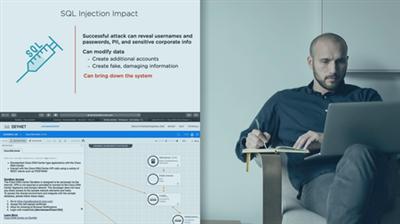
Threats can wreak havoc on a network, but Cisco's security solutions will help mitigate them. This course will teach you the threats you need to be aware of, and how to mitigate them by using automating security appliances​ or Cisco Talos.

There are numerous threats that can negatively impact an organization's IT infrastructure, regardless if it is hosted in the cloud, or on-premises. In this course, Cisco Core Security: Security Concepts, you'll gain an understanding of these threats, as well as how to mitigate against them using Cisco Talos or automating security appliances. First, you will learn the different types of threats that exist. Next, you will discover what security intelligence is and Cisco's solution. Finally, you will explore how to automate various Cisco security devices, such as Firepower Threat Defense. When you're finished with this course, you will have the skills and knowledge of automating Cisco's security products needed to protect your network from the latest threats.

523496aef94b85c200ee77c135288eeb.jpg

​

Download link:​
Код:
[center][b]rapidgator_net[/b]:
https://rapidgator.net/file/25a51dda4e6aba9f9a1cdb8a96871d9e/3snsb.Cisco.Core.Security.Security.Concepts.rar.html

[b]nitroflare_com[/b]:
https://nitroflare.com/view/1B9ABD688FCC08B/3snsb.Cisco.Core.Security.Security.Concepts.rar

[b]uploadgig_com[/b]:
http://uploadgig.com/file/download/CcF2433d3f8c46b0/3snsb.Cisco.Core.Security.Security.Concepts.rar[/center]

Links are Interchangeable - No Password - Single Extraction​
 
Cloud Academy - Advanced Java Programming

6299a321d14b01d16bbcb64f7b049364.jpg


Cloud Academy - Advanced Java Programming
.MP4, AVC, 1920x1080, 30 fps | English, AAC, 2 Ch | 38m | 602 MB
Instructor: Jeremy Cook​

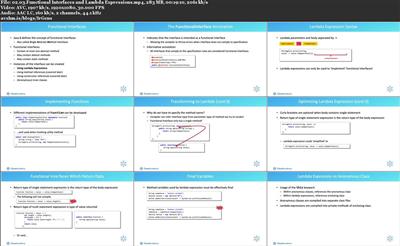
This training Course provides you with a deep dive into Generics, Type Inference, Lambda Expressions, and Functional Interface development.

Learning Objectives

What you'll learn:

What Generics are and when and why you might choose to implement them
Type inference and the var keyword
The basic concept of functional programming
How to write basic lambda expressions
Functional interfaces and when to use them
The key differences between anonymous classes and lambda expressions

Prerequisites

A basic understanding of the Java programming language
A basic understanding of software development
A basic understanding of the software development life cycle

Intended Audience

Software Engineers interested in advancing their Java skills
Software Architects interested in using advanced features of Java to design and build both applications and frameworks
Anyone interested in advanced Java application development and associated tooling
Anyone interested in understanding the advanced areas and features of the Java SDK

abac8b3c4a7c3ac7619e4a4266d1fac6.jpg

​

Download link:​
Код:
[center][b]rapidgator_net[/b]:
https://rapidgator.net/file/80c92ac5b14b73594b5a63c157d1e12d/esqbp.Cloud.Academy..Advanced.Java.Programming.rar.html

[b]nitroflare_com[/b]:
https://nitroflare.com/view/237326E7EB7F70B/esqbp.Cloud.Academy..Advanced.Java.Programming.rar

[b]uploadgig_com[/b]:
http://uploadgig.com/file/download/f7dC8ebd4037ee12/esqbp.Cloud.Academy..Advanced.Java.Programming.rar[/center]

Links are Interchangeable - No Password - Single Extraction​
 
e-World Tech PHPMaker 2020.0.5

6ba8ab66b8e1cc4a09f8f034cd6684ec.jpg


e-World Tech PHPMaker 2020.0.5 | 43.2 Mb​
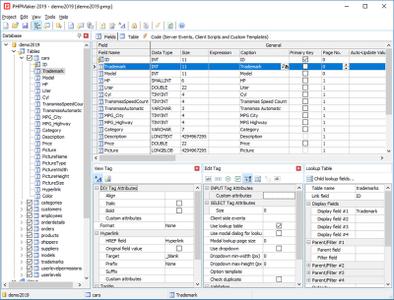
PHPMaker is a powerful automation tool that can generate a full set of PHP quickly from MySQL, PostgreSQL, Microsoft Access, Microsoft SQL Server, Oracle and SQLite databases. Using PHPMaker, you can instantly create web sites that allow users to view, edit, search, add and delete records on the web. PHPMaker is designed for high flexibility, numerous options enable you to generate PHP applications that best suits your needs.

The generated codes are clean, straightforward and easy-to-customize. The PHP scripts can be run on Windows servers or Linux servers (except Microsoft Access). PHPMaker can save you tons of time and is suitable for both beginners and experienced develpers alike.

Highlights
Advanced Security
User registration system
Export to CSV/HTML/Excel/Word/XML/PDF/Email
File uploading to database or folder
Master/Detail-Add/Edit/View
Custom template

System Requirements:
Windows Vista/2008/2012/2016/7/8/10

Home Page -
Код:
https://www.hkvstore.com/

Download link:​
Код:
[center][b]rapidgator_net[/b]:
https://rapidgator.net/file/f4bb9496f423f0bc2978983762c87418/86nf3.eWorld.Tech.PHPMaker.2020.0.5.rar.html

[b]nitroflare_com[/b]:
https://nitroflare.com/view/D60C77C9C293926/86nf3.eWorld.Tech.PHPMaker.2020.0.5.rar

[b]uploadgig_com[/b]:
http://uploadgig.com/file/download/Ab8f691b15dB3112/86nf3.eWorld.Tech.PHPMaker.2020.0.5.rar[/center]

Links are Interchangeable - No Password - Single Extraction​
 
Parallel Graphics Cortona3D RapidAuthor 11.1

369123e339c047510708c7fc34491f64.jpg


Parallel Graphics Cortona3D RapidAuthor 11.1 | 572.2 mb​
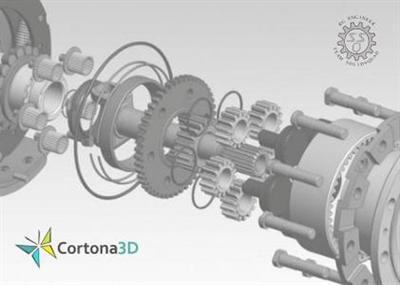
Cortona3D releases RapidAuthor 11.1, the new version of the leading authoring suite that enables enterprises to import a wide range of 3D assets and other PLM/ERP data creating 2D/3D technical documentation and automatically update it to reflect changes to source data.

The latest version of RapidAuthor leverages the authoring and publishing solution for S1000D documentation. A new 'S1000D 4.1 SRM' specification component is added for authoring of Structural Repair Manual data modules. When editing an S1000D data module, RapidAuthor for Teamcenter 11.1 provides access for the Common Information Repository (CIR) allowing authors to insert CIR references. The Repository is used as a single source of reusable data such as zones, suppliers for all S1000D 4.x modules. Using references to the repository reduces the probability of errors and data conflicts in publications.

RapidAuthor 11.1 upgrades the functionality announced in the previous release that is intended to effectively manage S1000D content within the single application. While compiling learning courses, authors can create references to illustrations, document fragments, and other data modules and easily update all related publications when CIR, design or other data changes arise. The enhanced 'S1000D 4.1 SCPM' specification enables authors to include in a learning course many assessment data modules and references to SCORM packages created in RapidLearning. With extended RapidPublisher functionality, customers can generate a learning course compliant with SCORM that includes plugin-free publications of different types: catalogs, manuals, lessons, other SCORM packages, text documents.

Other essential and user-requested improvements are new publishing options. RapidAuthor 11.1 provides the ability to create publications that are packed into a single HTML file and can be viewed in all major browsers without browser plug-ins. It is valuable for offline viewing of publications because they needn't be uploaded to a web server. Shopping cart functionality is added to the out-of-the-box Generic IPC specification. The parts ordering functionality and supported revision marks reduce the effort of the authoring team to create interactive 2D/3D spare parts catalogs.

The new release offers a wide range of new editing features for 2D CGM images in Cortona2D Editor Pro and provides significant improvements in 2D images generation. The viewpoint, which is used for generation of a 2D image, is saved for the further image update when the 3D model changes. Generated 2D graphic now reflects items trimmed by clipping planes. With this release, customers can import surface edges from CAD assets and enjoy a better quality of generated 2D images.

Other important changes:

- Support of new CAD formats: Solid Edge 2019, Solidworks 2019, Parasolid V31, Autodesk Inventor 2019, JT Import 10.2 and others;
- The callout font size is now specified in points (pt) that prevent mismatch of font size in printed versions;
- 'S1000D 4.1 SCO' and 'S1000D 4.1 SCPM' specifications support3D graphics in preview and publications of the learning courses;
- Private Java Runtime Environment is being installed with the product package;
- The RapidAuthor for Teamcenter help is localized into German, French, Japanese, Korean, and Chinese.
- Rapid JT Component supports import of ULP geometry and better processing of PMI text;

RapidAuthor and RapidAuthor for Teamcenter improvements

Support for S1000D 4.x - new authoring functionality
- New RapidAuthor specification - 'S1000D 4.1 SRM' enables authoring of Structural Repair Manual data modules;
- The Common Information Repository (CIR) can be accessed when editing an S1000D data module, allowing authors to insert CIR references.*
- Improvements in compilation and publishing of learning courses compliant with SCORM for use in an LMS:
. 'S1000D 4.1 SCPM' specification enables authors to include several data modules specified for assessment into one training course as well as other SCORM packages authored in RapidLearning. The published learning course includes the related packages;
. 'S1000D 4.1 SCO' and 'S1000D 4.1 SCPM' specifications support 3D graphics in preview and publications of the learning courses;
. The learning course package can include plugin-free publications of different types: catalogs, manuals, lessons, other SCORM packages, text documents.
- The playback of the animation in a procedure can be automatically started by clicking on a step;
* This functionality is supported only in RapidAuthor for Teamcenter.

New publishing options
- Plugin-free publication can be packed into a single HTML file if local viewing is required (not supported by Internet Explorer);
- Generic IPC specification allows for a publication with shopping cart functionality;

Authoring process
- Revision marks are supported in the Generic IPC specification;
- Visibility of Explosion Thrust Lines can be defined individually for each explosion;
- New parametric object: CalloutImg. As opposed to PanelImg object,CalloutImg is positioned in 3D coordinate space, not in screen coordinates;
- Normal-per-vertex information from CAD can be discarded for selected objects;
- Surface edges Information can be displayed in the 3D Window.

Improvements in 2D image generation
- Surface edges information imported from CAD can be used to improve the quality of generated 2D images;
- The viewpoint used for generation of a 2D image is saved and used for the further image update when 3D model changes;
- Support for clipping planes;
- The callout font size is now specified in points (pt);
- Several issues with missing or misaligned callouts and excess lines were fixed;

AUTHORING of 2D images
- Improvements in the User Interface of Cortona2D Editor Pro:
. A new Transformations window gives precise control over moving, scaling and rotating objects in a single dockable window instead of former separate dialog boxes;
. A new toolbar in the Layers window allows users to edit properties of multiple selected layers;
. New tools are placed on the Shapes toolbar: Callout, Text Box, Arrow, Balloon;
. A new command 'Select by style' allows for selecting of the objects with the same style;
- Callout improvements:
. Callout leader line can anchor to the center of the text box;
. New type of the callout - Side line;
- Improvements in editing of primitive objects:
. Text primitives can be aligned using their baseline;
. Direction of the linear primitives is visible and can be reversed;
. An intermediate point can be added to a Line object, automatically converting it to a Polyline;
- Improvements in the Fill Tool:
. Freehand or polygonal selection can be used to select the fill area;
. Line width is taken into account when detecting closed areas to be filled;
- The list of predefined image sizes is extended with standard illustration sizesin accordance with S1000D standard;

Data import
- Information about surface edges can be imported from CAD;
- Rapid JT Component supports import of ULP geometry and better processing of PMI text;
- Clone functionality is supported in all standard import profiles for Teamcenter;*
- Support for new CAD formats: Solid Edge 2019, Solidworks 2019, Parasolid V31, Autodesk Inventor 2019, Revit 2019, JT Import 10.2, Autodesk FBX - all binary versions and ASCII data 7100 - 7400.**
* This functionality is supported only in RapidAuthor for Teamcenter.
** This functionality requires RapidAuthor or RapidDataConverter for Teamcenter to be installed.

Other changes
- Private Java Runtime Environment is being installed with the product package;
- Help is localized into German, French, Japanese, Korean, and Chinese.*
* This functionality is supported only in RapidAuthor for Teamcenter.

RapidDeveloper and RapidDeveloper for Teamcenter improvements
- Import of surface edges from CAD geometry can be turned on in the import profile.

RapidDataConverter for Teamcenter improvements
- Support for new CAD formats: Solid Edge 2019, Solidworks 2019, Parasolid V31, Autodesk Inventor 2019, Revit 2019, JT Import 10.2, Autodesk FBX - all binary versions and ASCII data 7100 - 7400.

Cortona3D Viewer (for Windows) improvements
- Support for display of surface edges;
- Addresses the issue with rendering of panels on high DPI displays;
- Addresses the issue with rendering of caps on clipping planes when the Phong lighting model is turned on.

Cortona3D RapidAuthor is a powerful cost-effective authoring suite giving organizations the flexibility to produce all support documentation such as interactive Parts Catalogs, Maintenance Manuals, Training Materials and Work Instructions. The tools included in the suite enable organizations to reuse existing CAD data or other 3D source material, to author interactive 3D visualizations for more effective support documentation, dramatically reducing effort and timelines. Its intuitive interface enables users with no 3D expertise to create compelling simulations and associated text simultaneously.

There are two different versions of the software: RapidAuthor and RapidAuthor for Teamcenter:

- RapidAuthor imports data in various CAD formats (e.g., CATIA, NX, SolidWorks).
- RapidAuthor for Teamcenter is integrated with Teamcenter and imports PLM XML/JT data. Import of other CAD formats can be supported by purchasing the additional product - RapidDataConverter for Teamcenter.

Cortona3D RapidAuthor 11.1: what's new in authoring process

A world leader in 3D visual communication and publishing software, Parallel Graphics Ltd. trading as Cortona3D provides proven tools for transforming design data (CAD) into 'Visual Know-How' for product maintenance and training.

Our Cortona3D products have demonstrated that they deliver better knowledge transfer via rapidly created interactive 3D digital documents than ever before. Global leading companies such as Boeing, Airbus, General Atomics, Pfizer, Loral, NASA, Daimler Chrysler, NIST, Volkswagen, ESA and Ford, to mention a few, have experienced accelerated time to market, improved revenue and product quality, increased organizational efficiency and lower costs.

A privately-held company founded in 1989, Cortona3D is headquartered in Ireland with research and development in Russia and distributors worldwide. Cortona3D is owned by Parallel Graphics Limited, and is registered in Ireland.

Product: Parallel Graphics Cortona3D RapidAuthor
Version: 11.1
Supported Architectures: x64
Website Home Page :
Код:
 http://www.cortona3d.com
Language: multilanguage
System Requirements: PC *
Supported Operating Systems: *
Size: 572.2 mb

Hardware minimum requirements:
- PC with 2.5 GHz or higher processor clock speed; Intel or AMD family, or compatible processor.
- Random Access Memory (RAM): 4 GB;
- Graphics card: 3D Accelerator DirectX 9.0c compatible graphics card with at least 1 GB video RAM; and
- Minimal screen resolution: 1280x1024.

Hardware recommended requirements:
- 64-bit PC with 3.0 GHz or higher processor clock speed; Intel or AMD family, or compatible multi-core processor;
- Random Access Memory (RAM): 16 GB;
- Graphics card: 3D Accelerator DirectX 9.0c compatible graphics card with at least 1 GB video RAM; and
- Minimal screen resolution: 1280x1024.

License server requirements (floating licensing):
- 1 GHz or faster processor; and
- RAM: 1 GB for 32-bit or 2 GB for 64-bit.

Download link:​
Код:
[center][b]rapidgator_net[/b]:
https://rapidgator.net/file/8dcd85cf9c8142923a13a7b6f5c4da48/igyc9.Parallel.Graphics.Cortona3D.RapidAuthor.11.1.rar.html

[b]nitroflare_com[/b]:
https://nitroflare.com/view/9344BC2AE069261/igyc9.Parallel.Graphics.Cortona3D.RapidAuthor.11.1.rar

[b]uploadgig_com[/b]:
http://uploadgig.com/file/download/5bFc6b5B6e567280/igyc9.Parallel.Graphics.Cortona3D.RapidAuthor.11.1.rar[/center]

Links are Interchangeable - No Password - Single Extraction​
 
SILKYPIX JPEG Photography 9E 9.2.14 macOS

1db3ac3ba649b2cea0917c2e6f2ac4a2.jpg


SILKYPIX JPEG Photography 9E 9.2.14 | macOS | 51 mb​
With SILKYPIX JPEG Photography, you can release your creativity! Improve your JPEG photos taken with digital cameras, smart phones, and other devices. Use clarity tools to adjust sharpness, the freehand selection brush and other tools. Produce the high quality photo you imagined when you took your picture.

"SILKYPIX JPEG Photography 9" is the best adjustment tool for finishing as a nice-looking photo for blogs and SNS, and printing and finishing uncompromised works. In SILKYPIX JPEG Photography 9, "Auto Adjust" button which automatically performs correction suitable for the image, "individual adjustment of highlight/shadow" of the highlight part and shadow part of the photograph, "Dehaze" function and other features newly added, and making it more powerful photo adjustment software.

Although JPEG data uses 8 bit (256 gradations) gradation, it is automatically expanded to 16 bit (65,536 gradations) using SILKYPIX RAW Bridge. By treating JPEG data in a similar way to RAW data, high gradation rich image quality adjustment is possible.

SILKYPIX JPEG Photography includes "tastes", a kind of preset that incorporates useful styles and forms. Choose a taste such as "Landscape" or "Portrait" to make a finished photograph easily that fits your image. In addition, you can save all of your custom, adjusted parameters as a taste preset. Parameters are very useful functions, and you can easily recreate themes and styles across any number of photographs you take.

Remove unwanted objects using the Spotting Tool, such as dust that may appear due to contamination of your camera sensor. You can also adjust and apply rotation and cropping as you wish.

f you work with multiple images at the same time (such as images shot with continuous shooting), and adjust the taste and parameters, you can make corrections for all selected images at once.
For example, even if you darken the exposure setting of the camera, if you select that picture and make correction, you can correct all the selected images at once.

Compatibility: macOS 10.9 or later 64-bit
Homepage:
Код:
https://silkypix.isl.co.jp/en/product

Download link:​
Код:
[center][b]rapidgator_net[/b]:
https://rapidgator.net/file/40a54d769d17a90996c1b7bf4bc6b906/cz2v9.SILKYPIX.JPEG.Photography.9E.9.2.14.rar.html

[b]nitroflare_com[/b]:
https://nitroflare.com/view/E2FDEA0848C236E/cz2v9.SILKYPIX.JPEG.Photography.9E.9.2.14.rar

[b]uploadgig_com[/b]:
http://uploadgig.com/file/download/eF080559f7b82850/cz2v9.SILKYPIX.JPEG.Photography.9E.9.2.14.rar[/center]

Links are Interchangeable - No Password - Single Extraction​
 
Translatium 9.3.3 macOS

a1a52de1d73a2818d7d93749583870f2.jpg


Translatium 9.3.3 | macOS | 64 mb
Translate like a Pro with Translatium - the most powerful translation app for macOS.​

FEATURES:

* 150+ Languages & Dialects
Translate words, phrases, and text between more than 150 languages & dialects.
* Speech Recognition & Voice Output
Use your voice to type and listen to translations using text-to-speech.
* Optical Character Recognition
Use your camera to translate text into nearly 20 languages instantly.
* Handwriting Recognition
Don't know how to type a word? Draw it!
* Dictionary
Including meanings, synonyms, examples and more.
* Themes
Personalize your experience with beautiful themes and colors.

Compatibility: OS X 10.10 or later 64-bit
Mac App Store:
Код:
https://geo.itunes.apple.com/app/id1176624652

Download link:​
Код:
[center][b]rapidgator_net[/b]:
https://rapidgator.net/file/46fc2b854cec4447f6e58b7f748f3799/6rcxu.Translatium.9.3.3.rar.html

[b]nitroflare_com[/b]:
https://nitroflare.com/view/3BBAD148E78529C/6rcxu.Translatium.9.3.3.rar

[b]uploadgig_com[/b]:
http://uploadgig.com/file/download/83D2302A0ccb8001/6rcxu.Translatium.9.3.3.rar[/center]

Links are Interchangeable - No Password - Single Extraction​
 
Virtual Local Area Networks (VLAN) Made Simple

3039a0fedc4b04cfe430a43e5f383fe3.jpg


Virtual Local Area Networks (VLAN) Made Simple
.MP4, AVC, 1018x572, 30 fps | English, AAC, 2 Ch | 1h 27m | 229 MB
Instructor: Zanis Khan​

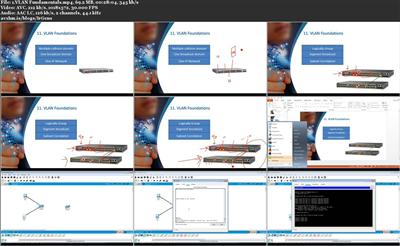
Know all about Virtual Local Area Networks (VLAN) by following along with networking expert Zanis Khan. This topic is a subset of Zanis Khan's course, The Definitive Preparation Guide to the CCNA (Cisco Certified Network Associate) Certification Exam. There are three topics within this course:

VLAN Fundamentals. Be able to explain the concept of a virtual local area network (VLAN), the reasons VLAN is needed, and how to configure a VLAN in this first topic in the Virtual Local Area Networks (VLAN) Made Simple course. Understand the concepts of multiple collision domain, one broadcast domain, and one IP address.
VLAN Advanced Topics. Practice some advanced concepts of a virtual local area network (VLAN) in this second topic in the Virtual Local Area Networks (VLAN) Made Simple course. Become comfortable with Native VLAN, VLAN Trunking Protocol (VTP), and VLAN pruning.
VLAN Configuration. Configure a virtual local area network (VLAN) in this third topic in the Virtual Local Area Networks (VLAN) Made Simple course. Create a VLAN, assign ports to a VLAN, and interact with the VLAN database.

228ec1f524fe2882f38c3605522e4288.jpg

​

Download link:​
Код:
[center][b]rapidgator_net[/b]:
https://rapidgator.net/file/a724cbf2b09a1ec265b67f5d543589e9/jq7j9.Virtual.Local.Area.Networks.VLAN.Made.Simple.rar.html

[b]nitroflare_com[/b]:
https://nitroflare.com/view/1A22940EB8100C9/jq7j9.Virtual.Local.Area.Networks.VLAN.Made.Simple.rar

[b]uploadgig_com[/b]:
http://uploadgig.com/file/download/15A30ba573c4e6ec/jq7j9.Virtual.Local.Area.Networks.VLAN.Made.Simple.rar[/center]

Links are Interchangeable - No Password - Single Extraction​
 
vSphere 6.7 Part 07 Resource Management

2fe2a1eeecc8f796c569e4c103182451.jpg


vSphere 6.7 Part 07: Resource Management
.MP4, AVC, 1280x720, 30 fps | English, AAC, 2 Ch | 1h 53m | 238 MB
Instructor: Rick Crisci​

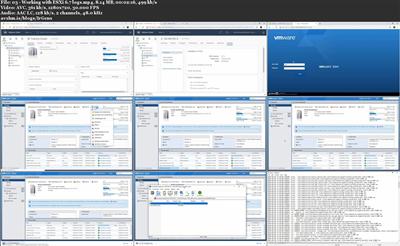
VMware vSphere is an integral part of any modern networking environment. vSphere offers a virtualized data center that helps administrators scale infrastructure to meet business needs. This course is the seventh in a nine-part series designed to teach you all the essentials of configuring, managing, securing, and troubleshooting a vSphere 6.7 environment with the new HTML5 vSphere Client. In this course, instructor Rick Crisci reviews the foundations of managing resources in vSphere 6.7-including virtual machines, hosts, shares, resource pools, and reservations. Plus, learn how to use the Distributed Resource Scheduler to create clusters, perform resource distribution, migrate hosts and resource pools, and monitor resources.

Note: This series is also designed to prepare candidates for the VMware Certified Professional - Data Center Virtualization 2019 (VCP-DCV 2019) exam.

60f74768e3a4e4b9eb6e52bea9deb438.jpg

​

Download link:​
Код:
[center][b]rapidgator_net[/b]:
https://rapidgator.net/file/0e8f85ff07022f5386cc01c92f349370/hq9rw.vSphere.6.7.Part.07.Resource.Management.rar.html

[b]nitroflare_com[/b]:
https://nitroflare.com/view/F091902AB23A16F/hq9rw.vSphere.6.7.Part.07.Resource.Management.rar

[b]uploadgig_com[/b]:
http://uploadgig.com/file/download/011516755898b3fb/hq9rw.vSphere.6.7.Part.07.Resource.Management.rar[/center]

Links are Interchangeable - No Password - Single Extraction​
 
vSphere 6.7 Part 08 Troubleshooting

f4f7101c6005af700ead75ae5f9d0bc2.jpg


vSphere 6.7 Part 08: Troubleshooting
.MP4, AVC, 1280x720, 30 fps | English, AAC, 2 Ch | 12m | 41.5 MB
Instructor: Rick Crisci​

VMware vSphere is an integral part of any modern networking environment. vSphere offers a virtualized data center that helps administrators scale infrastructure to meet business needs. This course is the eighth in a nine-part series designed to teach you all the essentials of configuring, managing, securing, and troubleshooting a vSphere 6.7 environment with the new HTML5 vSphere Client. In this course, instructor Rick Crisci reviews the foundations of troubleshooting vSphere 6.7, including ESXi and vCenter. Plus, get hands-on demos that show how to collect vSpehere diagnostic data and create vSphere log bundles.

Note: This series is also designed to prepare candidates for the VMware Certified Professional - Data Center Virtualization 2019 (VCP-DCV 2019) exam.

a86a59546865120aba0d98cbaefe5937.jpg

​

Download link:​
Код:
[center][b]rapidgator_net[/b]:
https://rapidgator.net/file/d2e6183f7175b2b418430ac3617b8bef/5xnmg.vSphere.6.7.Part.08.Troubleshooting.rar.html

[b]nitroflare_com[/b]:
https://nitroflare.com/view/C08FC58BF4230F3/5xnmg.vSphere.6.7.Part.08.Troubleshooting.rar

[b]uploadgig_com[/b]:
http://uploadgig.com/file/download/85e67FfF6d9bA3eF/5xnmg.vSphere.6.7.Part.08.Troubleshooting.rar[/center]

Links are Interchangeable - No Password - Single Extraction​
 
vSphere 6.7 Part 09 Backup and Recovery

1ec1fbb3949d7e829892deb6fd530f67.jpg


vSphere 6.7 Part 09: Backup and Recovery
.MP4, AVC, 1280x720, 30 fps | English, AAC, 2 Ch | 24m | 62 MB
Instructor: Rick Crisci​

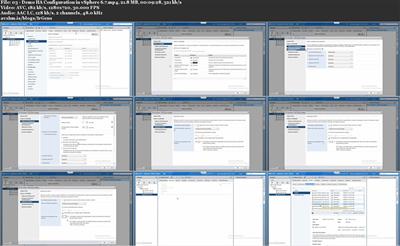
VMware vSphere is an integral part of any modern networking environment. vSphere offers a virtualized data center that helps administrators scale infrastructure to meet business needs. This course is the last in a nine-part series designed to teach you all the essentials of configuring, managing, securing, and troubleshooting a vSphere 6.7 environment with the new HTML5 vSphere Client. In this course, instructor Rick Crisci reviews the foundations of backing up and recovering data in vSphere 6.7. Learn how to create backup jobs and retention policies, configure host clusters and related settings, and use High Availability and Virtual Machine Component Protection to protect VMs and hosts from storage connectivity failures.

Note: This series is also designed to prepare candidates for the VMware Certified Professional - Data Center Virtualization 2019 (VCP-DCV 2019) exam.

57baf665195b1b065c91fcaed8749ce6.jpg

​

Download link:​
Код:
[center][b]rapidgator_net[/b]:
https://rapidgator.net/file/24b7465be0905d61e97a0b5def7023f0/0udo5.vSphere.6.7.Part.09.Backup.and.Recovery.rar.html

[b]nitroflare_com[/b]:
https://nitroflare.com/view/99E128F682A42EA/0udo5.vSphere.6.7.Part.09.Backup.and.Recovery.rar

[b]uploadgig_com[/b]:
http://uploadgig.com/file/download/9477638eccB1cF6c/0udo5.vSphere.6.7.Part.09.Backup.and.Recovery.rar[/center]

Links are Interchangeable - No Password - Single Extraction​
 
Wise Hotkey 1.2.6.56 Multilingual

9ce3aa59515a34242e6fb812c62ad4ab.jpg


Wise Hotkey 1.2.6.56 Multilingual | 3.8 Mb​
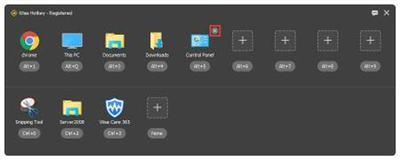
Wise Hotkey is a simple and easy- to-use program that can help you improve the efficiency of using computer. It can implement that quick start or quick switch any application, folder or website by using keyboard shortcuts.

Quick launch any application, folder or website
When we use computer in our daily life, we run certain programs every time. With Wise Hotkey, you can launch these applications by keyboard shortcuts. It saves time to find and mouse click. Users not only can add frequently used applications, but also can add folders or URLs.

Quick switch between different applications
Have you ever used "Win + Tab" or "Alt + Tab" to switch? Do you feel it works very slowly? With Wise Hotkey, you can switch to the certain application by a single keyboard shortcut.

Customize your own keyboard shortcut
Wise Hotkey allows users to customize their own shortcut key. Users can create shortcut key for applications according to their own keyboard operation habits.

Hardware Requirements
CPU: Pentium 233 MHz or above
RAM: 128 MB or above
Disk Space: the minimum of the space for installing Wise HotKey is 15 MB

Supported Languages
English, Catalan, Chinese Simplified, Chinese Traditional, Czech, Dutch, Finnish, French, German, Greek, Hungarian, Italian, Korean, Polish, Portuguese(Portugal), Russian, Slovak, Slovenian, Spanish, Turkish, Ukrainian.

Supported Operating Systems
Windows XP, Windows Vista, Windows 7, Windows 8, Windows 8.1, Windows 10, both 32bit and 64 bit

Home Page -
Код:
https://www.wisecleaner.com/

Download link:​
Код:
[center][b]rapidgator_net[/b]:
https://rapidgator.net/file/0bf6473ae7e5a6677943ad438269a31f/toxza.Wise.Hotkey.1.2.6.56.Multilingual.rar.html

[b]nitroflare_com[/b]:
https://nitroflare.com/view/8E08C80C68AF5AD/toxza.Wise.Hotkey.1.2.6.56.Multilingual.rar

[b]uploadgig_com[/b]:
http://uploadgig.com/file/download/a79b1cbA4dFdb3D3/toxza.Wise.Hotkey.1.2.6.56.Multilingual.rar[/center]

Links are Interchangeable - No Password - Single Extraction​
 
Wondershare Recoverit Ultimate 8.2.5.6 (x64) Multilingual

4d70acb020a3be6fd91cd82e1416da9e.jpg


Wondershare Recoverit Ultimate 8.2.5.6 (x64) Multilingual | 83 Mb​
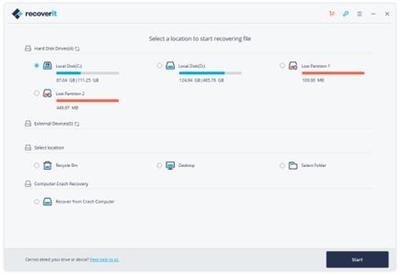
Your Data Security and Our Recovery Capability. Recoverit, Regain it. Recoverit Data Recovery recover your deleted, lost data with high recovery rate. Data recovery is easier, faster, and more reliable than ever before.

Recover Any Data from Anywhere
- Supports more than 550 data formats, including almost all images, documents, multimedia files, emails, archives, etc.
- Supports full data recovery for all devices with NTFS, FAT16, FAT32, HFS+, APFS, etc.

Advanced Algorithm Support
- Faster scan speed driven by a powerful built-in Data-Analyzer Engine.
- Advanced Deep-Scan algorithm goes deeper into the data structure and brings a record-high data recovery rate of more than 96%.

Powerful Data Recovery Solutions
- Supports lost data recovery from formatted hard drives, raw hard drives, lost or resized partitions.
- Able to recover deleted, lost data from computer crash or virus attacks with bootable media solution.

Ultimate Data Recovery Solution
Find all solutions helping you recover lost data from computers, hard drives, memory cards, iPhone, iPad , Android phones and tablets. Check it below for what you need.

1. Select
Select the path/location where the data loss occurred, and click "Start" to restore data.

2. Scan
The data recovery software will scan your device/computer thoroughly to find out lost data

3. Recover
Selective recovery: Preview, Recover and Save Files.

Operating System: Windows 7, 8/8.1, 10 (64-bit only)

Home Page -
Код:
 https://recoverit.wondershare.com/

Download link:​
Код:
[center][b]rapidgator_net[/b]:
https://rapidgator.net/file/2e74315c22318936cbcf5a0449bb556c/gqdzv.Wondershare.Recoverit.Ultimate.8.2.5.6.x64.Multilingual.rar.html

[b]nitroflare_com[/b]:
https://nitroflare.com/view/744D4FECFF2EE30/gqdzv.Wondershare.Recoverit.Ultimate.8.2.5.6.x64.Multilingual.rar

[b]uploadgig_com[/b]:
http://uploadgig.com/file/download/fddd49546b9adC3A/gqdzv.Wondershare.Recoverit.Ultimate.8.2.5.6.x64.Multilingual.rar[/center]

Links are Interchangeable - No Password - Single Extraction​
 
Alfa eBooks Manager Pro Web 8.2.2.1

3e78b534b414e1edf5f1d46ed1cc5080.jpg


Alfa eBooks Manager Pro / Web 8.2.2.1 Multilingual | 31.7 Mb​
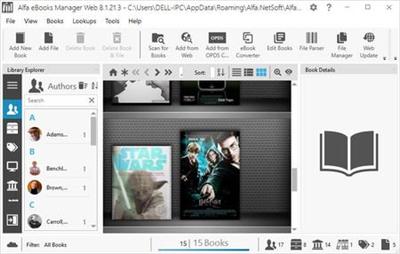
Alfa eBooks Manager - The most powerful and easy-to-use Book Organizer. Alfa is a PC software that allows to organize your electronic and paper books in a single e-Library. Alfa eBooks Manager is the top choice for book lovers, collectors, students, academicians and business libraries.

Create e-Library
Get your paper, electronic and audio-books in single e-library.

Catalog books
Catalog any book data. Add tags and custom fields.

Customize design
Customize look and feel of your e-Library.

Scan computer for ebooks
Scan your computer for ebooks, parse metadata.

Read e-Books
Built-in ebook reader supports all popular e-book formats.

Update from the Web
Update books from Amazon, Google and other sites.

Edit ebook metadata
All popular formats are supported: EPUB, MOBI, FB2, PDF, AZW.

Ebook converter
Convert ebooks for your Kindle, iPhone or Android reader.

View books in 3D
Play with realistic 3D-models of your favorite books.

Import from Calibre
Alfa is the best Calibre alternative for those who like comfort.

Web Interface
Access you library in local network even from mobile devices.

Manage audio books
Quickly add, organize audio books. Built-in audiobook player.

System Requirements:
The program works on Windows 7/8/10 and you need .Net Framework 4.6 (or later) installed

Homepage -
Код:
https://www.alfaebooks.com

Download link:​
Код:
[center][b]rapidgator_net[/b]:
https://rapidgator.net/file/ed3ce3191a430f938e02721e4dd9d1f4/vnbe6.Alfa.eBooks.Manager.Pro..Web.8.2.2.1.rar.html

[b]nitroflare_com[/b]:
https://nitroflare.com/view/51DDCDCD27C9E1B/vnbe6.Alfa.eBooks.Manager.Pro..Web.8.2.2.1.rar

[b]uploadgig_com[/b]:
http://uploadgig.com/file/download/85C8ccdec42094ad/vnbe6.Alfa.eBooks.Manager.Pro..Web.8.2.2.1.rar[/center]

Links are Interchangeable - No Password - Single Extraction​
 
Chaos Group V-Ray Next, Update 1 (Build 4.10.01) for SketchUp

4a26ed3dcf08f30574f6363a98b3081f.jpg


Chaos Group V-Ray Next, Update 1 (Build 4.10.01) for SketchUp | 758.1 mb​
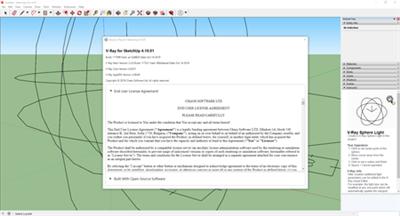
Chaos Group is pleased to announce the availability of V-Ray Next 4.10.01 for SketchUp. With this new release a few clicks, you can create high-quality ray-traced visuals using one of the world's most widely used design programs.

V-Ray Next, Update 1 (build 4.10.01) Official Release - Oct. 15, 2019:

This product uses the NeUI (A cross platform common UI for V-Ray products).

New Feature
- Add the Chaos Cloud client app installer to the V-Ray for SketchUp installer
Improvement
- Add warning about V-Ray data version upgrade upon scene activation
- Handle the 'Focus Source' during animation
- Simplify the default vropt file
- Search the material hierarchy for Bitmaps to be displayed in the SU view-port
- Make sure that the Infinite Plane can be disabled based on its user data parameter
- Implement automatic update for Lighting Analysis render element parameter changes
- Add Scene Importer support for the V-Ray Instancer
New Feature
- Improve the UX when using the V-Ray tools
- Add support for Cryptomatte render channel
- Update the AppSDK to version 4.1
Task
- setvrlservice binary has no executable flag set on OSX
- Update OLS installer to v5.2.3
- Add 'Render on V-Ray Cloud' icon to the V-Ray toolbar
- Remove the Linear Workflow handling for SU materials
- Add SettingsMotionBlur plugin to the default vropt file

- OSX: Editing a material in SK2019's editor creates a dummy material
- Applying new materials via the Bucket tool doesn't trigger updates during Interactive rendering
- Effect of Bitmap filter blur on colorized textures is more pronounced
- Sketchup resolves dll's from Revit's folder
- Camera pan and zoom does not cause an interactive update
- Colorizing dark textures produce incorrect render output
- Unable to render specific scene
- V-Ray's Colorize texture alters the appearance of SketchUp texture appearance
- Completing the creation of a Sphere, Spot or a IES light automatically starts the creation of another light
- Lens effects' Aperture preview remains black unless the Bloom value is updated
- Incorrect Field of View in Perspective mode in specific scenes
- OSX: Crash when changing texture size while using Interactive render and restarting
- The Displacement global switch does not function
- Wrong asset name after creating a Section Plane
- Ruby errors upon renaming SketchUp materials during Interactive
- VFB updates multiple times during Interactive Rendering without any changes applied
- Incorrect output when changing Image Width/Height during Interactive Rendering
- Section planes prevent specific scene from rendering
- The VFB is incorrectly scaled on a single high DPI monitor systems
- Multiple interactive updates upon material property change
- Changes applied to Bitmap's Color Space during Interactive Render do not update.
- Wrapper material's Ignore Objects in Secondary option does not update during Interactive Rendering
- Scene produces errors when activated and Asset Editor remains blank
- Batch Render cannot be initiated on GPU
- Applying materials from Library to selection is not working
- Unable to render a specific scene
- Unexpected slowdown when removing materials from multiple faces
- Scene cannot load V-Ray Asset Editor
- Specific scene cannot be rendered with V-Ray Next
- Attempting to render specific project leads to an infinite loop of compiling geometry
- Unable to submit specific scene for cloud rendering unless VFB Progress window is up
- VRScene to SKP Importer does not handle Light textures properly
- Error message 46:in 'get_material' Prevent from rendering
- V-Ray and SketchUp build info in vrscene headers is incorrectly formatted
- Incorrect color space values of Skatter materials' bitmap buffers
- On render completion VFB displays last log line instead of render status
- Environment texture changes don't update during IR
- Tiles texture in a Rectangular light renders incorrectly
- VFB regions drawn during Production Rendering are not registered
- Multi material is missing its texture helper
- Some geometries imported by the Scene Importer can't have all their edges smoothed
- Error due to non-distinct material names prevents a specific scene's activation
- The VRScene Importer does not handle meshes with especially small edge lengths correctly
- Transmutr material causes recursive creation of SketchUp materials
- VRScene Importer does not preserve material scale in scenes exported from SketchUp/Rhino
- Material names that consist of just spaces cause errors and prevent the scene from being rendered
- Scene from user can not be rendered
- Updating materials in a specific scene during Interactive rendering causes a soft crash
- OSX: Crash with Displacement during Interactive
- Scenes from user crash
- V-Ray 3.6 scenes opened in V-Ray Next crash in OSX El Capitan
- VPR issues with engaging and releasing licenses
- OSX: Purging Geometries and Lights crashes SketchUp

0beac349deb9a9a041371ac14e132973.jpg

​

V-Ray Next for SketchUp. is much more than just a renderer. Not only is it quick and easy, it's a natural extension of your SketchUp design workflow. It comes with everything you need to render anything you can imagine - from your earliest design concepts to your final photorealistic images, now twice as fast. And it is compatible with lots of ready-made assets and scenes from other V-Ray applications which opens up a world of possibilities.

Designed to fit right within your SketchUp workflow, V-Ray Next for SketchUp gives you the added power to quickly and easily create photorealistic renders. New features include faster rendering, automatic exposure and white balance, adaptive dome light, powerful asset management, SketchUp 2019 compatibility and much more.

Chaos Group. is a worldwide leader in computer graphics technology, helping artists and designers create photoreal imagery and animation for design, television, and feature films. Chaos Group specializes in physically-based rendering and simulation software used daily by top design studios, architectural firms, advertising agencies, and visual effects companies around the globe. Today, the company's research and development in cloud rendering, material scanning, and virtual reality is shaping the future of creative storytelling and digital design. Founded in 1997, Chaos Group is privately owned with offices in Sofia, Los Angeles, Baltimore, Seoul, and Tokyo.

Product: Chaos Group V-Ray
Version: Next, Update1 (build 4.10.01)
Supported Architectures: x64
Website Home Page :
Код:
http://www.chaosgroup.com
Language: english
System Requirements: PC
Supported Operating Systems: Windows 8 or higher
Software Prerequisites: SketchUp 2016-2019
Size: 758.1 mb

Download link:​
Код:
[center][b]rapidgator_net[/b]:
https://rapidgator.net/file/6af992af4f69744746e5f3cf957e8380/jmk2o.Chaos.Group.VRay.Next.Update.1.Build.4.10.01.for.SketchUp.rar.html

[b]nitroflare_com[/b]:
https://nitroflare.com/view/103CDA04C523694/jmk2o.Chaos.Group.VRay.Next.Update.1.Build.4.10.01.for.SketchUp.rar

[b]uploadgig_com[/b]:
http://uploadgig.com/file/download/4cfc50c790Bff04D/jmk2o.Chaos.Group.VRay.Next.Update.1.Build.4.10.01.for.SketchUp.rar[/center]

Links are Interchangeable - No Password - Single Extraction​
 
Designing a Training Program Setting Goals, Objectives, and Mediums

accff5005da1b6eb8ef0914fc38fc579.jpg


Designing a Training Program: Setting Goals, Objectives, and Mediums
.MP4, AVC, 1280x720, 30 fps | English, AAC, 2 Ch | 29m | 246 MB
Instructor: Karl Kapp​

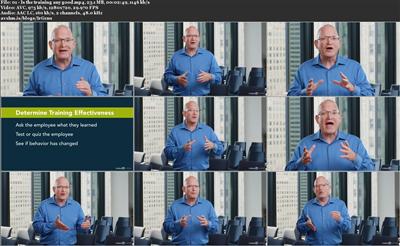
Discover how to create training programs for your organization that will be appealing to learners and have a lasting, positive impact on your organization. Instructor Karl Kapp covers how to use your own style and approach to create instruction that makes a real difference. Karl covers how to find out what your learners already know, ways to identify what will keep them truly engaged, and how to set goals that are clear to everyone. Finally, Karl shares methods for evaluating whether your training program was effective.

Topics include:

Setting expectations
Engaging learners through stories
Setting the scene for the application of training
Stories as cautionary tales
Using videos and graphics in training
Showing changes over time
Showing emotions, situations, and thinking aloud
Adding excitement, energy, and credibility
Evaluating the program

9bd0c75affc34809d7d6bcfbc1f68264.jpg

​

Download link:​
Код:
[center][b]rapidgator_net[/b]:
https://rapidgator.net/file/412bb25fb5f105e6a354549449d5f352/gk9p2.Designing.a.Training.Program.Setting.Goals.Objectives.and.Mediums.rar.html

[b]nitroflare_com[/b]:
https://nitroflare.com/view/257EF36E703145E/gk9p2.Designing.a.Training.Program.Setting.Goals.Objectives.and.Mediums.rar

[b]uploadgig_com[/b]:
http://uploadgig.com/file/download/1bDb9721afdc3626/gk9p2.Designing.a.Training.Program.Setting.Goals.Objectives.and.Mediums.rar[/center]

Links are Interchangeable - No Password - Single Extraction​
 
Docker Essential Training 2 Orchestration

8f113460cb39233cfecd5ca0c8933588.jpg


Docker Essential Training: 2 Orchestration
.MP4, AVC, 1280x720, 30 fps | English, AAC, 2 Ch | 1h 4m | 176 MB
Instructor: David Davis​

Enhance your Docker skillset by learning about Docker container technologies, with an emphasis on container orchestration. In this course, instructor David Davis covers how Docker container orchestration works and shares important tips you'll need to prepare for the Docker Certified Associate (DCA) exam. Specifically, he steps through how to set up a Docker Swarm cluster, deploy Swarm services, troubleshoot Docker Swarm, and more. By reviewing these concepts, he helps to prepare you for the first domain of the Docker Certified Associate exam.

Topics include:

Setting up a Docker Swarm cluster
Locking a Swarm cluster
Why Quorum is important
Visualizing Swarm services
Analyzing services with Docker Inspect
Troubleshooting a service
Using templates with Docker services

b7d66dc31bec300019da438cc4854f87.jpg

​

Download link:​
Код:
[center][b]rapidgator_net[/b]:
https://rapidgator.net/file/16e84ad586d04ea5efe83f25ea182ec1/ssnx9.Docker.Essential.Training.2.Orchestration.rar.html

[b]nitroflare_com[/b]:
https://nitroflare.com/view/9E9CD70CFA100F1/ssnx9.Docker.Essential.Training.2.Orchestration.rar

[b]uploadgig_com[/b]:
http://uploadgig.com/file/download/e2c795c1e3DD1f28/ssnx9.Docker.Essential.Training.2.Orchestration.rar[/center]

Links are Interchangeable - No Password - Single Extraction​
 
Docker Essential Training 4 Storage and Volumes

c5d0abef420a78e2ddc6d0d82eed6c2b.jpg


Docker Essential Training: 4 Storage and Volumes
.MP4, AVC, 1280x720, 30 fps | English, AAC, 2 Ch | 54m | 165 MB
Instructor: David Davis​

Docker containers aren't just for app deployment. They can also be used for persistent data storage. This course introduces the basics of Docker storage, including configuring drivers, volumes, bind mounts, and cluster storage. Instructor David Davis also shows how to change drivers and free up storage space by cleaning up unused Docker images. By the end of the course, you should be able to set up a variety of virtual storage solutions with Docker and answer related objectives from the Docker Certified Associate (DCA) certification exam.

5858f7727dcefb7d41de9fa9f0ec35cf.jpg

​

Download link:​
Код:
[center][b]rapidgator_net[/b]:
https://rapidgator.net/file/305cef7580499bd29152327ea6c6b3fa/qjgjh.Docker.Essential.Training.4.Storage.and.Volumes.rar.html

[b]nitroflare_com[/b]:
https://nitroflare.com/view/5E06CE3E613513F/qjgjh.Docker.Essential.Training.4.Storage.and.Volumes.rar

[b]uploadgig_com[/b]:
http://uploadgig.com/file/download/5be972aDf4392b32/qjgjh.Docker.Essential.Training.4.Storage.and.Volumes.rar[/center]

Links are Interchangeable - No Password - Single Extraction​
 
Назад
Сверху