15.10.2024, 06:23
|
#108046
|
|
Местный
Регистрация: 04.10.2017
Сообщений: 124,663
Сказал(а) спасибо: 0
Поблагодарили 7 раз(а) в 7 сообщениях
|
 FabulaTech USB for Remote Desktop 6.2.16
FabulaTech USB for Remote Desktop 6.2.16
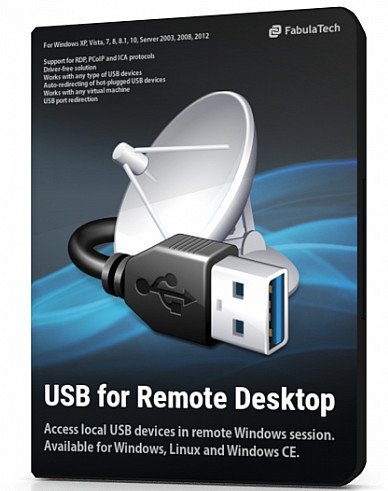
Windows x64 | File size: 37.31 MB
USB for Remote Desktop. Access local USB devices in remote Windows session. When you work in a remote desktop environment, getting access to your locally plugged USB devices can be quite problematic. In some cases you still can use some workarounds like plugging the USB device into the remote machine directly but in the most cases it's not a solution.
Challenge of USB redirection to Remote Desktop
When you work in a remote desktop environment, getting access to your locally plugged USB devices can be quite problematic. In some cases you still can use some workarounds like plugging the USB device into the remote machine directly but in the most cases it's not a solution.
FabulaTech solution
USB for Remote Desktop is a software allowing redirection of locally plugged USB devices to you remote desktop session. It appears like the USB device is plugged directly to the remote side.
The program consists of Server and Workstation parts. The Workstation part is installed on the local computer or thin client where USB devices are physically plugged. The Server part is installed on the remote side you are connecting to via Microsoft RDP, Teradici PCoIP or Citrix ICA. The Server part makes redirected USB devices available for remotely logged users.
The program supports a wide range of USB hardware and does not require any special configuration.
Supports Windows and Linux as a remote desktop in different configurations
USB for Remote Desktop supports Windows and Linux remote desktops. It does not matter what protocol is used for accessing the remote side - Microsoft RDP, Teradici PCoIP, Citrix ICA. It does not matter what environment is used - Microsoft Azure, Microsoft Terminal Services, Hyper-V, Citrix XenApp, Citrix XenDesktop, VMware View, Amazon Workspaces and others.
Any compatible Windows and Linux Client software can be used for accessing remote Windows and Linux side. And there is no need to change firewall settings.
Works with any USB devices
The program is not limited to some specific models of USB devices. It is compatible with any of them. So, it is really universal solution for USB device redirection. Even the most exotic USB devices can be redirected to your remote desktop environment.
Auto-redirecting of hot-plugged USB devices
Using the Administrative Utility, USB for Remote Desktop can be configured to redirect any newly plugged USB device immediately and automatically. You don't have even to divert your attention away from the working process. The program will redirect the USB devices automatically every time you plug them in.
USB port redirection
In some cases it is really convenient to use some dedicated USB port for redirection. In such case any USB device being plugged to that port will be redirected to remote side. All other devices will be for local use only.
Ready for Enterprise
For large installations, it's possible to configure the program for local and domain users remotely. The configuration can be done via Active Directory allowing to pre-set needed settings or even disable USB redirection for specified users or just for specific types of USB devices.
Код:
https://www.fabulatech.com/news.html
Homepage:
Код:
https://www.fabulatech.com/
Download link
Say "Thank You"
rapidgator.net:
Код:
https://rapidgator.net/file/052dcc339be60b153288ea393be975ac/pphez.FabulaTech.USB.for.Remote.Desktop.6.2.16.rar.html
ddownload.com:
Код:
https://ddownload.com/arl5f9h2ig16/pphez.FabulaTech.USB.for.Remote.Desktop.6.2.16.rar
|

|

|
|
15.10.2024, 06:24
|
#108047
|
|
Местный
Регистрация: 04.10.2017
Сообщений: 124,663
Сказал(а) спасибо: 0
Поблагодарили 7 раз(а) в 7 сообщениях
|
FliFlik KleanOut for Photo 6.3.0 Multilingual
FliFlik KleanOut for Photo 6.3.0 Multilingual
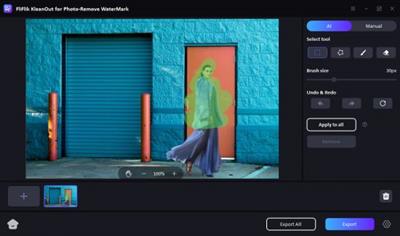
Windows x64 | File size: 906.94 MB
AI Remove Anything from Your Photo with KleanOut. Our one-of-a-kind photo editor, KleanOut for Photo, is here to save the day! You can remove any watermark, clear picture background, or even change background for a photo n in a simple way.
Why FliFlik KleanOut for Photo is the top choice?
FliFlik Watermark Remover offers a fast and 4-in-1 way to remove all the unwanted things from your images. Since its debut, this remarkable tool has been recognized by millions of users around the world. Every day, people use it in different areas.
You'll be amazed at how effortlessly you can remove or add watermarks!
AI Watermark Remover, Easy as Pie
Whether it's any type of watermark, you have the option to remove them manually in modes such as texture repair, edge filling, and smooth filling.
Quick to Add Watermark to Photo
Safely share your photos online: Embed a watermark to prevent unauthorised downloads. Add your name, logo or website URL to watermark to prove ownership.
- Import and ecport different image formats such as JPG, JPEG, PNG, BMP, TIFF, TIF and more
- Add watermarks without limitations
- Edit out watermark size, location, and transparency as you want
AI Remove Objects from Image
Struggling to manually erase unwanted objects from your photos? Fear not! With just a brush and a few strokes, you can make them vanish in seconds...High-quality images with non-defects will be exported for you to share. This is the real way beyond your imagination!
Instantly Remove and Change Background from Image
This is the best background eraser you'll ever come across. Smoothly remove the background of a person, product, brand, car, animal, etc., and change the background color to suit your preferences.
What's new
1. Add smart ID photo module
2. Optimize the processing effect and performance of AI model
3. Add export Settings
4. Optimize user experience and solve some bugs
Homepage:
Код:
https://fliflik.com/
For Windows 11/10/8/7 64-bit
Download link
Say "Thank You"
rapidgator.net:
Код:
https://rapidgator.net/file/971bcf4d51be1b63246277a023b9fd73/cvafy.FliFlik.KleanOut.for.Photo.6.3.0.Multilingual.rar.html
ddownload.com:
Код:
https://ddownload.com/i2qy3uzi28sy/cvafy.FliFlik.KleanOut.for.Photo.6.3.0.Multilingual.rar
|
|
|
|
|
15.10.2024, 06:25
|
#108048
|
|
Местный
Регистрация: 04.10.2017
Сообщений: 124,663
Сказал(а) спасибо: 0
Поблагодарили 7 раз(а) в 7 сообщениях
|
Guitar Pro 8.1.3 Build 121 Multilingual
Guitar Pro 8.1.3 Build 121 Multilingual
 Windows x64 | File size: 1.01 GB
Guitar Pro is a software program that allows all musicians to read, write and share their tablatures. The software is compatible with many instruments such as guitar, drums, bass, piano, ukulele and many others! You can make tablatures for each instrument, scroll the music score, write your music and use many pedagogical tools such as a chord dictionary or a scale library. Transposition features are also available to easily transcribe your songs from one instrument to another.
Guitar Pro 8 - What's New
Enjoy practicing
Play along your score with an audio file such as a song or a backing track. Relative tempo and detune mode are also compatible with the audio track. Edit easily
Synchronize your audio file with your score to transcribe songs easily.
Share your knowledge
Insert an audio file containing a recording of your teaching instructions for your music students or your band members.
Focus/Unfocus track
Quickly amplify or attenuate the selected track to create a volume contrast with the other tracks.
Work on your rhythm with the visual metronome
Play with the new visual metronome and countdown displayed over the LCD screen.
Fix the tempo
Ignore tempo changes and automations in the score to easily learn new songs and riffs.
Change the relative speed
Press +/- keys to speed up or slow down the relative speed or fixed tempo of your song during the playback.
Lock the sound of the line-in
You can now lock your preset using the line-in to keep the same sound while changing tracks or even when you close a file.
Adjust the sound precisely
Customize the duration, the offset and the relative velocity of each note of your score.
Mix the drum set
Adjust the sound of the drum set and percussion tracks by setting the volume and pan of each element.
Pre-listen to the soundbanks while playing your tabs
Mouse over the sound presets to get an audio preview while your score is playing.
New design options
Move and adjust the placement of each beat. Align the bars easily with the automatic guideline.
New Stylesheet options
Set the spacing of the chords diagram in the score header, the systems, the staff and the scale diagrams.
Customize the font of the music symbols.
Edit the font and text of numerous score indications like: palm muting, slap, pop, rasgueado, pick scrape and more.
Scale diagrams
Edit and insert scale diagrams in your scores for guitars from 3 to 10 strings and up to 24 frets. Customize the diagrams by changing the shape, color and text of the dots representing the notes, and change the orientation of the diagram on your scores.
Nested tuplets
You can now create tuplets inside tuplets to create complex rhythmic patterns.
Piano fingering
Edit piano fingering and indicate sustain piano pedal.
Increase your productivity
The command palette is like shortcuts on steroids! Get quick and direct access to Guitar Pro's notation options to edit your scores and boost your productivity massively!
Dozens of commands available
Select and easily add chords and directions to your score with the "Expression Text" tool. Quickly go through Guitar Pro main features in the "Action List" and use them to edit your scores.
Filters
Apply 3 filters on the mySongBook song list to sort out the scores by genres, instruments/levels and types.
Audio tracks
Learn songs with our enhanced tab library. Enjoy audio tracks directly in your mySongBook tabs to learn easily and play along with your files.
And many more improvements...
Optimized interface
The contrast and colors of the interface have been adjusted to offer you a better reading comfort.
Apple Silicon optimization
Guitar Pro 8 benefits from an improved efficiency on Mac with Apple Silicon.
Customize your exports
Choose the resolution of your PDF and PNG. Export your scores in PNG with transparent backgrounds.
Enjoy quality soundbanks
The accuracy and dynamics of the soundbanks have been corrected and improved.
Chords transposition
Chords are now transposed with their names and fingerings.
Organize your files
To find the files you are working on more easily, pin them in the recent section of the homepage.
And more!
- Edit quarter tones on tremolo bar
- Show slash notation for drums and standard music notation
- Show cautionary accidentals
- Use decimal tempo
- Diatonic transposition
- Overall improved performance
Код:
https://www.guitar-pro.com/c/10-guitar-pro-new-features
System Requirements
Windows 8 / 10 / 11 (64 bits)
Homepage:
Код:
https://www.guitar-pro.com/
Download link
Say "Thank You"
rapidgator.net:
Код:
https://rapidgator.net/file/a1f1c3fdb366ca21d0bf00e87c6ecc55/nnnuq.Guitar.Pro.8.1.3.Build.121.Multilingual.part1.rar.html
https://rapidgator.net/file/b67cd51db86ab4c9f22fd41449012f63/nnnuq.Guitar.Pro.8.1.3.Build.121.Multilingual.part2.rar.html
ddownload.com:
Код:
https://ddownload.com/wputcpp7vvib/nnnuq.Guitar.Pro.8.1.3.Build.121.Multilingual.part1.rar
https://ddownload.com/gwt3x4l01sfa/nnnuq.Guitar.Pro.8.1.3.Build.121.Multilingual.part2.rar
|
|
|
|
|
15.10.2024, 06:27
|
#108049
|
|
Местный
Регистрация: 04.10.2017
Сообщений: 124,663
Сказал(а) спасибо: 0
Поблагодарили 7 раз(а) в 7 сообщениях
|
High-Logic FontCreator Pro 15.0.0.3006
High-Logic FontCreator Pro 15.0.0.3006
File size: 54.4 MB
With over 4.5 million downloads to date, FontCreator is the world's most popular font editor. An advanced feature set makes it the tool of choice for professionals, and its intuitive interface is straightforward enough for users at any expertise level. Create your own fonts, redesign existing characters, edit the spacing in font sets, and much more.
When you create or open a font, FontCreator displays an overview of all available characters. You can simply add missing characters, or select an existing character, and modify its appearance. You can import (scanned) images of your signature or company logo, or make a font from your own handwriting. With FontCreator you can also fix character codepoints, font names, kerning pairs, and at all times you can preview your typefaces before installing.
Font Overview with Categories
The glyph and character category panel gives you quick and easy access to the glyphs, character subsets and Unicode ranges.
Work with OpenType, TrueType and Web fonts
FontCreator supports Open Type, True Type and Web Open Font Format (WOFF) fonts which can be used on Windows, Mac OS X, Linux, and in all modern web browsers.
Design High Quality Fonts
The standard and professional edition include font validation features which enable you to improve the quality of your fonts by locating and solving common glyph problems.
Optimize Contours
Optimizing glyph outlines will reduce the number of points that make up the contour(s).
Import SVG Images
High quality vector graphics can be easily imported. You can even copy and paste between FontCreator and your favorite vector editing software.
Import Raster (bitmap) Images
Import (scanned) images and convert them into glyphs. Create your own handwriting font by scanning your handwriting and import it into FontCreator.
Scalable Color Fonts
FontCreator is the first font editor to support the new scalable color fonts extension. This new feature allows you to create multi-colored glyphs for systems that support it, while maintaining backwards compatibility for systems that do not. Watch the video above for a quick introduction on how to create color fonts with FontCreator.
Visual OpenType Designer
The intuitive OpenType Designer allows you to easily add and modify OpenType Layout Features for glyph positioning. The build-in anchor manager makes adding and editing Mark to Base and Mark to Mark positioning a breeze!
OpenType Layout Scripts Editor
The Script Editor allows you to quickly add and modify OpenType Glyph Substitutions through an easy to learn scripting language.
OpenType Layout Features Made Easy
Common OpenType layout features are automatically added to your fonts and with the standard and professional editions you can take full control over these features through custom scripts.
Easy Access to Common Glyph Properties
The glyph properties toolwindow gives you easy access to the glyph's name, codepoints and bearings.
Kerning
Manually add kerning to your font or let the Autokerning take care of kerning for you in the standard and professional edition.
Optical Metrics
The Optical metrics feature in the professional edition simplifies one of the most complex and time consuming tasks in font design. It analyzes a set of most common characters to find the best left and right side bearings of each of these glyphs.
Test Your Fonts
At any time during your font development, you can test it in other applications. You can even generate a local webpage to test it as a Web font.
Powerful Transform Wizard
The standard and professional edition come with a powerful transform wizard that allows you to easily transform glyphs with just a few clicks. Transform your font to Italic, Bold, automatically add characters for other languages, small capitals and more.
Easily Rename Fonts
On the font properties dialog you can view and edit the font name, legal and copyright information, embedding rights and more.
Complete Composites
The standard and professional edition allow intelligent generation of outlines for more than 2,200 (mostly accented) composite characters.
Код:
http://www.high-logic.com/font-editor/fontcreator/release-history.html
Homepage:
Код:
http://www.high-logic.com/
Download link
Say "Thank You"
rapidgator.net:
Код:
https://rapidgator.net/file/08018aaca2cb1a8a0285ed3f7a707588/jdvjw.HighLogic.FontCreator.Pro.15.0.0.3006.rar.html
ddownload.com:
Код:
https://ddownload.com/t7dwrxsbleqo/jdvjw.HighLogic.FontCreator.Pro.15.0.0.3006.rar
|
|
|
|
|
15.10.2024, 06:28
|
#108050
|
|
Местный
Регистрация: 04.10.2017
Сообщений: 124,663
Сказал(а) спасибо: 0
Поблагодарили 7 раз(а) в 7 сообщениях
|
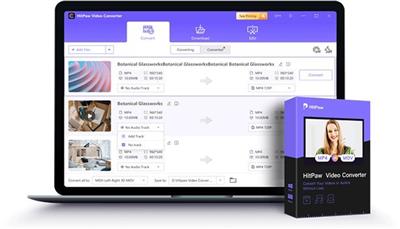
HitPaw Video Converter 4.4.2 (x64) Multilingual
HitPaw Video Converter 4.4.2 (x64) Multilingual
File size: 394.1 MB
Convert videos and audio to 800+ formats for different devices. Download media from 1000+ popular websites with a single click. Edit and personalize your videos with the cut, merge, and more. 60X faster video conversion speed without any quality loss.
- 120X AI Video Converter for videos, music, DVDs and images
- Lossless music converter for Apple Music, Spotify, YouTube Music, etc.
- Robust video downloader to download online videos, movies, and music
- Built-in smart AI tools expand your creative capabilities in a snap
- Burn videos to Blu-ray without quality loss
Super Multimedia Converter Makes Everything Easier
Instantly convert any media files to MP4, MP3, AVI, and 500+ formats without any limitations, and output your files in the highest quality.
Convert Videos/Audios to Any Desired Format
500+ Video Formats
300+ Audio Formats
Whats New
Updates: official site does not provide any info about changes in this version
Homepage:
Код:
https://www.hitpaw.com/video-converter.html
Download link
Say "Thank You"
rapidgator.net:
Код:
https://rapidgator.net/file/d3ad2922891a491ec25a15b1b5bf7165/hsqtd.HitPaw.Video.Converter.4.4.2.x64.Multilingual.rar.html
ddownload.com:
Код:
https://ddownload.com/fzlno0bhzcdw/hsqtd.HitPaw.Video.Converter.4.4.2.x64.Multilingual.rar
|
|
|
|
|
15.10.2024, 06:29
|
#108051
|
|
Местный
Регистрация: 04.10.2017
Сообщений: 124,663
Сказал(а) спасибо: 0
Поблагодарили 7 раз(а) в 7 сообщениях
|
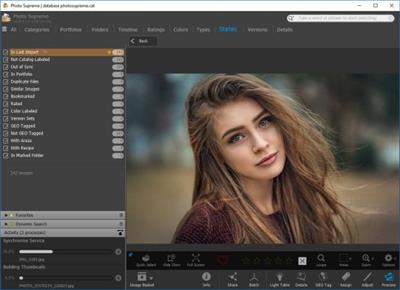
IDimager Photo Supreme 2024.2.2.6670 (x64) Multilingual
IDimager Photo Supreme 2024.2.2.6670 (x64) Multilingual
File size: 118.5 MB
We are pleased to introduce the latest Photo Supreme version, a new generation of our full-featured Asset Management software. This major upgrade includes Face Recognition, Image Attachments, additional management features, and refinements to current functionality. It's faster, smoother, and more robust. The new 2024 version paves the path for more effective image management by using Artificial Intelligence.
The Significance of Image Cataloging
In our visually-driven digital landscape, image cataloging is indispensable. Efficient organization of images simplifies retrieval and maximizes utility. Beyond enhancing accessibility, cataloging expedites professional tasks like presentations/sharing/research and preserves memories for future generations. Whether for personal or business use, a well-structured image catalog ensures that visual assets are readily available, unlocking their full potential in various contexts.
Advanced search capabilities
When looking for that one image, Photo Supreme will help you with deep text searches, tag searches, duplicate detection and cleanup, similarity detection, dynamic search combinations and advanced filtering.
Limit access to those who need it
The Server Edition allows you to control who gets access to what parts of your Catalog. You are in control.
Get organized
Organize your images in Portfolios and Collections. Use Standard Collections for your manual selection of images or create Dynamic Collections, populated with the result of your search conditions.
Artificial Intelligence
Photo Supreme offers integrated Face Recognition capabilities and integrates with Google Vision to bring the most advanced technology available today to your desktop. Use Artificial Intelligence to help you jump start your cataloging by automatic labeling, object recognition, landmark recognition and face detection.
Keyword tagging
Tagging your images has never been easier. GEO tagging, parent cascading, face tagging, and automatic metadata enrichment are just a few of many features.
Multi tab browsing
Photo Supreme brings tabbed browsing to your image archive. Take advantage of having multiple sets open at the same time. Tabbed browsing consumes less memory and operating system resources than tiled window browsing.
Image Attachments
If you have related files, documents, or websites that provide additional information or context to an image, linking them can help keep everything organized.
Stacking and Multi Version Control
Logically keeps your pictures together so you can find them again more easily. Create stacks and version set manually or automatically based on your matching rules.
Metadata standards
Photo Supreme is built with the underlying concept: "Your data is Your data". Therefor Photo Supreme strives to adopt and follow the metadata standards in full: IPTC, Exif, XMP, and MWG. Photo Supreme won't lock you in and interoperates with other software that supports these standards. Let your data travel with your needs.
100% Cross Platform
From the ground up, Photo Supreme is designed to be used on Windows and macOS platforms. The feature set for both platforms is identical. No compromises have been made. Windows 11 and macOS Ventura are supported. Photo Supreme runs natively on macOS Silicon (M) processors without the need for Rosetta2.
Features
Advanced search capabilities
Multi tab browsing
Stacking and Versioning
Import & ingest images
Side-by-side, light table comparison (up to 12 images)
Keyword tagging
Advanced GEO tagging
Image organization in albums/portfolios
Folder Verification and Syncing (optionally run this automatically, scheduled in time)
Duplicate detection and cleanup (find identical or similar files)
Share images with Flickr, Smugmug, Zenfolio, FTP, e-mail
Dual monitor support
Creative Commons support
Lossless image editing
Supports Darwin Core metadata
Spell Checker
Dynamic Collections (Build rules that define a collection of images)
Native 64-bit software on macOS and Windows
Supports Intel as well as Apple Silicon (M) Processors
Integrated Face Recognition without having to call 3rd party services.
Artificial Intelligence using Google Vision
Face detection
Object recognition
Landmark detection
Area tagging (including IPTC regions and MWG regions support)
Extensible metadata with custom field definitions
Take your previews with you while travelling
Color managed
Export and Import to/from CSV files
Fully scriptable
Single User or Multi-User network/server version
English, French, German, Dutch, Russian, Italian, Spanish, Portuguese, and Korean locale
Full HD, 2K, 4K, 5K, Retina screen resolutions supported
Код:
https://www.idimager.com/what-s-new-in-photo-supreme-2024
Homepage:
Код:
https://www.idimager.com/
Download link
Say "Thank You"
rapidgator.net:
Код:
https://rapidgator.net/file/f885160ba0fbda3d486e28af7cff90df/qqnny.IDimager.Photo.Supreme.2024.2.2.6670.x64.Multilingual.rar.html
ddownload.com:
Код:
https://ddownload.com/6jeydxq6x8sc/qqnny.IDimager.Photo.Supreme.2024.2.2.6670.x64.Multilingual.rar
|
|
|
|
|
15.10.2024, 06:31
|
#108052
|
|
Местный
Регистрация: 04.10.2017
Сообщений: 124,663
Сказал(а) спасибо: 0
Поблагодарили 7 раз(а) в 7 сообщениях
|
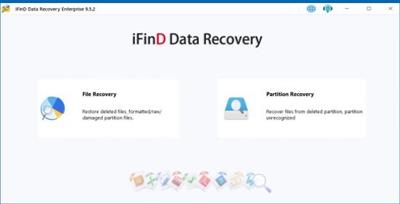
iFind Data Recovery Enterprise 9.7.8.0 Multilingual
iFind Data Recovery Enterprise 9.7.8.0 Multilingual
Windows x86/x64 | File size: 42.74 MB
Complete and capable data recovery software for rescuing files under almost any conditions including: accidentally deleted files; damaged or formatted hard drive; lost/deleted partition; photo or video lost from local drive, memory card, or camera; file lost from mobile phones, etc.
iFinD Data Recovery Functions & Feature
iFinD Data Recovery supports more than 1000 types of files. Here are the common file types supported.
• It supports data recovery for SSD and Windows10
• It supports deep scan mode recovery of RAW files from all major digital cameras
• Support intelligent filtering of files and intelligent judgment of files legitimacy
• Support file search pause function
• Supports the preservation of each file search results
What's new
• official site does not provide any info about changes in this version
Homepage:
Код:
https://www.ifind-recovery.com/
Download link
Say "Thank You"
rapidgator.net:
Код:
https://rapidgator.net/file/c4b7bd1efb6acc32e9fcacd663e4db0e/ozggr.iFind.Data.Recovery.Enterprise.9.7.8.0.Multilingual.rar.html
ddownload.com:
Код:
https://ddownload.com/5purysp8lnur/ozggr.iFind.Data.Recovery.Enterprise.9.7.8.0.Multilingual.rar
|
|
|
|
|
15.10.2024, 06:32
|
#108053
|
|
Местный
Регистрация: 04.10.2017
Сообщений: 124,663
Сказал(а) спасибо: 0
Поблагодарили 7 раз(а) в 7 сообщениях
|
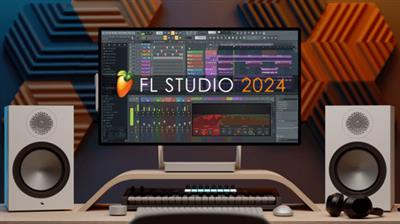
Image-Line FL Studio Producer Edition 24.1.2.4394 (x64) All Plugins Edition
Image-Line FL Studio Producer Edition 24.1.2.4394 (x64) All Plugins Edition
 File Size: 3.3 GB
FL Studio is a complete software music production environment or Digital Audio Workstation (DAW). Representing more than 20 years of innovative development it has everything you need in one package to compose, arrange, record, edit, mix and master professional quality music.
The Mixer
Mix and master music to the highest professional standards. All the features you need to create today's most complex productions including, effects chains, audio sends, sidechain control, advanced automation, plugin delay compensation and more...
Piano Roll
FL Studio's Piano roll has the well deserved reputation as the best Piano roll in the business. The Piano roll is used to send note and automation data to plugin instruments (sequencing). It includes a wide range of tools to aid complex score editing and manipulation.
Browser and Playlist
No other DAW matches the flexibility of FL Studio's Playlist. Sequence all elements of the project to make the final song. Tracks can hold notes, audio and automation. Place any data type anywhere and even overlay them. Use the Browser to organize all the data in your project. Free your workflow and your mind!
Over 80 plugins included
FL Studio Producer Edition includes over 80 instrument and effect plugins covering automation, sample playback/manipulation, synthesis, compression, delay, equalization filtering, flanging, phasing, chorus, reverb, distortion, bit-crushing and more. With FL Studio you will be ready to create just about any style.
Instruments & FX
If the huge array of native instruments and effects are not enough for you, FL Studio supports all VST standards 1, 2 and 3. VST gives you access to the wisest range of 3rd party plugins currently available. You can even use FL Studio itself as a VST plugin in another VST host.
NEW KEY FEATURES
Audio Clips - Integrated envelopes with fade in/out, precise level control and automated crossfades.
Themes - Hue, Contrast, Brightness, highlights, metering & step color control.
Browser - Upgraded browser with tagging, lightning fast search and online content discovery with download management.
Luxeverb (All Plugins Edition)- The most advanced reverb made exclusively for FL Studio.
Vintage phaser (Signature Bundle and up) - Meticulously modeled on the 80's classic used on Oxygene by Jean-Michelle Jarre.
Multiband Delay (Producer Edition and up) - 16 frequency band delay with independent control. A truly unique sound design tool.
VFX Sequencer (All Editions) - An advanced step sequencer to transform chords into melodic phrases.
Multi-language support - Spanish, German and French in addition to English and Chinese.
And much more...
Код:
https://www.image-line.com/documents/news.php
Homepage:
Код:
https://www.image-line.com/
Download link
Say "Thank You"
rapidgator.net:
Код:
https://rapidgator.net/file/b732c375a6c6748608ef61a50ec9aebc/stsdp.ImageLine.FL.Studio.Producer.Edition.24.1.2.4394.x64.All.Plugins.Edition.part1.rar.html
https://rapidgator.net/file/2f81749dfc6d00401533ccc26ebed79b/stsdp.ImageLine.FL.Studio.Producer.Edition.24.1.2.4394.x64.All.Plugins.Edition.part2.rar.html
ddownload.com:
Код:
https://ddownload.com/bgt92t2jc0q0/stsdp.ImageLine.FL.Studio.Producer.Edition.24.1.2.4394.x64.All.Plugins.Edition.part1.rar
https://ddownload.com/3zff4afh88ru/stsdp.ImageLine.FL.Studio.Producer.Edition.24.1.2.4394.x64.All.Plugins.Edition.part2.rar
|
|
|
|
|
15.10.2024, 06:34
|
#108054
|
|
Местный
Регистрация: 04.10.2017
Сообщений: 124,663
Сказал(а) спасибо: 0
Поблагодарили 7 раз(а) в 7 сообщениях
|
Inkscape 1.4 (x64)
Inkscape 1.4 (x64)
File Size : 101 Mb
Providing advanced editing features, Inkscape is a serious competitor on the vector graphics sector and a viable alternative to more complex software suites, such as Illustrator or CorelDraw. The professional drawing tools allow you to create complex objects, while the set of filters helps you take graphic design to a whole new level. Designed with ease of use in mind, the interface is well organized and fairly intuitive, offering fast access to all the options. The program is compatible with multiple file types, including JPEG, PNG, TIFF, EPS and vector-based formats.
It comes with a powerful set of tools for drawing and editing graphic objects, including markers, gradients, shapes, paths, clones, alpha blending and more, but it also allows freehand drawing. With just a few clicks, you can move and scale objects, create object groups and edit multiple items.
Direct XML editing, document mapping, screen pixel manipulation, node editing, bitmap tracing are some of the features worth mentioning. It provides layer support and allows you to perform complex path operations, as well as apply and edit path effects. Additionally, the application comes with text editing tools, such as the SVG font editor, glyphs and multilingual spell checking.
One of its advantages is the wide range of available filters and extensions, which allows users to build more unusual graphics. From color filters, bluring, distort and different materials to morphology filters and non realistic 3D shaders, all are designed to help you enlarge the design possibilities and unleash your creativity.
Whether you want to create a simple icon for your desktop or plan on designing complex marketing materials, Inkscape includes all the instruments you need. It features similar capabilities to some of its well-known competitors, which makes it a great tool for every graphic designer out there.
Features of Inkscape
Object creation
• Drawing: pencil tool (freehand drawing with simple paths), pen tool (creating Bézier curves and straight lines), calligraphy tool (freehand drawing using filled paths representing calligraphic strokes)
• Shape tools: rectangles (may have rounded corners), ellipses (includes circles, arcs, segments), stars/polygons (can be rounded and/or randomized), spirals
• Text tool (multi-line text, full on-canvas editing)
• Embedded bitmaps (with a command to create and embed bitmaps of selected objects)
• Clones ("live" linked copies of objects), including a tool to create patterns and arrangements of clones
Object manipulation
• Transformations (moving, scaling, rotating, skewing), both interactively and by specifying exact numeric values
• Z-order operations (raising and lowering)
• Grouping objects ("select in group" without ungrouping, or "enter the group" making it a temporary layer)
• Layers (lock and/or hide individual layers, rearrange them, etc; layers can form a hierarchical tree)
• Alignment and distribution commands
Fill and stroke
• Color selector (RGB, HSL, CMYK, color wheel, CMS)
• Color picker tool
• Copy/paste style
• A gradient editor capable of multi-stop gradients
• Pattern fills (bitmap/vectors)
• Dashed strokes, with many predefined dash patterns
• Path markers (ending, middle and/or beginning marks, e.g. arrowheads)
Operations on paths
• Node editing: moving nodes and Bezier handles, node alignment and distribution, etc.
• Converting to path (for text objects or shapes), including converting stroke to path
• Boolean operations
• Path simplification, with variable threshold
• Path insetting and outsetting, including dynamic and linked offset objects
• Bitmap tracing (both color and monochrome paths)
Text support
• Multi-line text
• Uses any installed outline fonts, including right-to-left scripts
• Kerning, letterspacing, linespacing adjustments
• Text on path (both text and path remain editable)
• Text in shape (fill shape following stroke)
Rendering
• Fully anti-aliased display
• Alpha transparency support for display and PNG export
• Complete "as you drag" rendering of objects during interactive transformations
Misc
• Live watching and editing the document tree in the XML editor
• PNG, OpenDocument Drawing, DXF, sk1, PDF, EPS and PostScript export formats
• Command line options for export and conversions
• Perfectly compliant SVG format file generation and editing
Код:
https://inkscape.org/release/inkscape-1.4/
Homepage:
Код:
https://inkscape.org
Download link
Say "Thank You"
rapidgator.net:
Код:
https://rapidgator.net/file/121634769b4079a8bb33ec6b66214f0b/jqgrb.Inkscape.1.4.x64.exe.html
ddownload.com:
Код:
https://ddownload.com/oh25r4wwfi1e/jqgrb.Inkscape.1.4.x64.exe
|
|
|
|
|
15.10.2024, 06:35
|
#108055
|
|
Местный
Регистрация: 04.10.2017
Сообщений: 124,663
Сказал(а) спасибо: 0
Поблагодарили 7 раз(а) в 7 сообщениях
|
IrfanView 4.70 Commercial Multilingual Portable
IrfanView 4.70 Commercial Multilingual Portable
With Plugins | File size: 20.1 MB
IrfanView is a very fast, small, compact and innovative graphic viewer for Windows. It is trying to be simple for beginners and powerful for professionals. IrfanView is a fast, simple freeware image viewer and editor that supports all major graphic formats, including BMP, DIB, JPEG, GIF, animated GIF, PNG, PCX, multipage TIFF, TGA, and more.
In addition, it features drag-and-drop support, directory viewing, TWAIN support, slide shows, batch conversion, and modifications such as color depth, crop, blur, and sharpen.
IrfanView is trying to create new and/or interesting features in its own way, unlike some other graphic viewers, whose whole "creativity" is based on feature cloning, stealing of ideas and whole dialogs from ACDSee and/or IrfanView!.
Some Features
32 and 64 bit version
Many supported file formats ( [Ссылки доступны только зарегистрированным пользователям
. Регистрируйся тут...])
Multi language support
Thumbnail/preview option
Slideshow (save slideshow as EXE/SCR or burn it to CD)
Show EXIF/IPTC/Comment text in Slideshow/Fullscreen etc.
Support for Adobe Photoshop Filters
Drag and drop support
Fast directory view (moving through directory)
Batch conversion (with image processing)
Email option
Multimedia player
Print option
Change color depth
Scan (batch scan) support
Cut/crop
IPTC editing
Effects (Sharpen, Blur, Adobe 8BF, Filter Factory, Filters Unlimited, etc.)
Capturing
Extract icons from EXE/DLL/ICLs
Lossless JPG rotation
Many hotkeys
Many command line options
Many PlugIns
Only one EXE-File, no DLLs, no Shareware messages like "I Agree" or "Evaluation expired"
No registry changes without user action/permission!
and much more
Whats New
- New option: Keep existing alpha/transparency color (Properties->Viewing)
Show checkerboard image; Alpha/Color also used for saving
- New option in Increase Color Depth dialog: 32 BPP (with alpha layer)
- New option in Replace Color dialog: Set transparent color (if 32 BPP image)
- New Image menu: Edit or set alpha/transparency color
- New option: Show Browse buttons in main window (Properties->Browsing)
- Fine Rotation option can work on selections
- New in OCR PlugIn: read QR or Barcode (thanks to ZXing guys)
- New slideshow hotkey: SHIFT + "," (comma): Toggle random and automatic time
- New Print dialog option: Reverse pages (for multipage images, page ranges)
- Support for EXIF data in WEBP files (EXIF dialog)
- Command line: "/effect" can be combined with "/slideshow", like
i_view64.exe /slideshow=c:\mypics.txt /effect=(30,0,0)
- Loading issues in several PlugIn fixed (thanks to Trend Micro)
(CADImage, Formats, CamRAW, DjVu, JPM, ECW, WSQ)
- SVG PlugIn loading bugs fixed (thanks to nerty_nerty)
- EXR PlugIn loading bugs fixed (thanks to leeho and Who4mI)
- Several PlugIns are changed/updated, please install the newest versions
Note:This Porable 32 Bit But Work in 32Bit & 64Bit
Homepage:
Код:
http://www.irfanview.com
Download link
Say "Thank You"
rapidgator.net:
Код:
https://rapidgator.net/file/ee7e11db147479029b615d2d1d7b51a3/lunzc.IrfanView.4.70.Commercial.Multilingual.Portable.rar.html
ddownload.com:
Код:
https://ddownload.com/sviscjyld59q/lunzc.IrfanView.4.70.Commercial.Multilingual.Portable.rar
|
|
|
|
|
15.10.2024, 06:36
|
#108056
|
|
Местный
Регистрация: 04.10.2017
Сообщений: 124,663
Сказал(а) спасибо: 0
Поблагодарили 7 раз(а) в 7 сообщениях
|
JixiPix Artista Impresso Pro 1.8.27
JixiPix Artista Impresso Pro 1.8.27
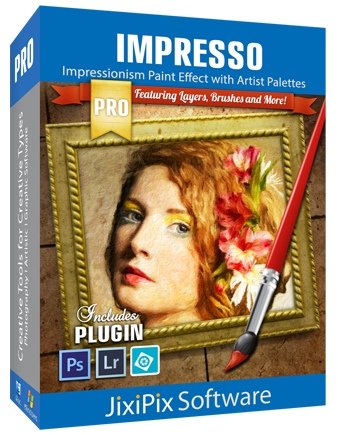
Windows x64 | File size: 153.83 MB
For professionals who like creative control we give them Layers for blending multiple paint styles and brushes to paint on and off the impressionism strokes. We have also included an ultra-impressionism effect called 'Tache' to cover the painting with broken brush strokes or dabs of color that literally stand out, apply them sparsely or cover the entire painting, the choice is yours.
The 19th century brush-wielding Impressionist artists were crazy about flowers and gardens, and it was good. With flowing brush strokes and thickly painted texture, Van Gogh made his Sunflowers immortal with harmonious movement of color, contrast, and form. Monet made his Water Lilly Pond a celebrity. It took their genius and a lifetime of practice navigating the riot of their senses, but these extraordinary artists took what they saw and felt in the petals and leaves and transferred their impressions onto canvasses full of beauty, mood and meaning.
Lucky you, 21st century software wielding seer and lovers of beauty, Impresso gives you the same enduring attention to detail, light, color and texture by transforming your photos into multi-textured, stroke-filled Impressionist masterpieces. Keen eyes will love how Impresso maintains the balance of your piece! The results are captivating paintings brimming with passion, life, and beauty.
Features
A pro workflow adds impressionism styles per layer. With Layers, users can blend styles using brushes to paint on or off areas in the painting! Also, included is the powerful Ellipse Detail tool to add finely painted details to faces, flowers or to create focal points in landscapes. Once completed , resize then hit the 'Apply' button to render small brushstrokes inside the Ellipse. With layers photographers and artists now have the power to composite multiple impressionism styles for impressive results.
IMPRESSIONISM STYLES
• Alla Prima('wet-on-wet' or 'all-at-once')-is great for portraits! This beautiful paint style starts by filling the painting with an abundance of brushstrokes. A library of artistic finishes compliments this style by adding light, color and movement with controls over strength.
• En Plein Air(in open air) is perfect for landscapes. This stroke-filled effect consists of eight artists' palettes created by famous impressionists. Use them as they are or edit the paint colors to make your own palette. The Save Preset feature keeps the palette and all the layers intact for future projects.
• Tache('spot' or 'blot') applies broken brushstrokes throughout the image. This technique of laying thick patches, flecks and dabs of color is great for making paint look as if it stands out from the surface. Apply a light spackling of strokes or fill the painting with dabs of color-the choice is up to you!
• Canvaslayer is added to each painting created. By creating a canvas layer, it can now be turned on or off for viewing strokes created on previous layers. As with traditional methods, the canvas is an integral part of the painting, so we have locked the layer to keep it from being accidentally deleted.
INCLUDES
• Three stroke styles: #1 is a series of straighter strokes, #2 combines the first style with curved ones, and #3 is an abstract set. Then the Tache effect has its own custom set of brushes designed for depth.
• Three Impressionism styles: Alla Prima, En Plein Air and Tache (pronounced tash)
• Pro Layers with built-in Impressionism styles for multi-layer types and options to duplicate, reorder, and delete them
• Control over detail ellipse tool, stroke size, stroke volume, bristle strength & depth, artistic finishes and the painted edge
• Save Preset to save customized paint palettes and keep all strokes & layers intact for future projects
• Smart brushes to remove or add impressionism effect-the brushes are smart because they remove the effect by stroke
• Mask with fill, invert and clear to support brushes and layers
• Canvas and linen texture
• 8 Impressionist palette styles
• One-touch paint styles
• 70 Artistic finishes
• One-of-a-kind ellipse detail tool renders small brush strokes inside the placed area
• Plugin for Photoshop CS3+, Lightroom and Elements for Mac and Windows
Код:
https://jixipix.com/downloads.html
Homepage:
Код:
https://jixipix.com/
Download link
Say "Thank You"
rapidgator.net:
Код:
https://rapidgator.net/file/de9b09e9746e199b3f475d18a64e51bb/shtuc.JixiPix.Artista.Impresso.Pro.1.8.27.rar.html
ddownload.com:
Код:
https://ddownload.com/ajegjpvk4o7q/shtuc.JixiPix.Artista.Impresso.Pro.1.8.27.rar
|
|
|
|
|
15.10.2024, 06:38
|
#108057
|
|
Местный
Регистрация: 04.10.2017
Сообщений: 124,663
Сказал(а) спасибо: 0
Поблагодарили 7 раз(а) в 7 сообщениях
|
JixiPix Chromatic Edges 1.0.34 (x64)
JixiPix Chromatic Edges 1.0.34 (x64)
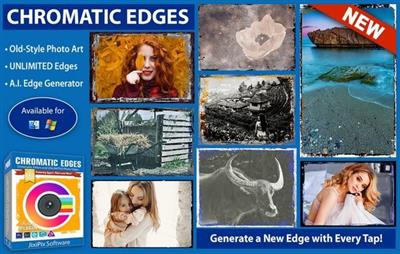
File size: 483.2 MB
JixiPix takes vintage to a whole new extreme. Gone are the days of having a few tiny choices when it comes to adding flare to your imagery. Chromatic Edges brings back the subtle magic of photo processing with glass, silver and paper plates all with a few taps and your unique photo.
It's all about the edge! There is something artistic about the old days of plate photography. The silky smooth images and fabulously artistic edges are just amazing to look at.
Before the days of digital or film photography, photographers had to process their images using glass plates, metal plates, and paper to get their final image. These processes took tremendous skill and passion to produce the final product. Some of the processing techniques even required the processing of the glass plate within minutes of taking the photograph. Boy have times changed!
Until today you had only a few choices if you wanted to recreate some of the old-style photo art. You would pick a stock photo and blend it into your photography. And since there are only a few choices you were left with your artwork starting to look oh-so-familiar. Chromatic Edges changes all that and gives you unlimited artistic photography styles while only taking a few steps to create.
Mix it Up, Experiment and Have Fun in the Process!
Having fun with your edges is the key ingredient to making great images! We at JixiPix have found unique ways to use Machine Learning to generate unlimited edges. Just tap the "Generate" button to see the magic happen. Chromatic Edges will, Quickly and effortlessly, create a completely unique edge. If you find that you love it, its super simple to tap the '+' to save it for later.
To create this powerful technology took thousands of artistic man hours of meticulously painting edges. These edges were then processed through our deep learning algorithm and used to teach the 'machine' how to create them on its own. Now you, the user, get to use this power to 'edge' your photo and never have two of the same edge again. And the great thing is.even if you know nothing about the fabulous photo techniques from a hundred years ago you will still appreciate the possibilities and creativity you can achieve with Chromatic Edges.
Chromatic Edges is filled to the brim with styles. Easily create Calotypes, Cyanotypes, Daguerreotypes, Gelatin Silver Plates, Tintype, Autochrome, Ambrotype, Carbon Print, Aristotype, Salted Paper Print, colored edges, and thousands of styles in between.
Edge Styles
• Calotype or talbotype is an early photographic process introduced in 1841 by William Henry Fox Talbot, using paper coated with silver iodide. The term calotype comes from the Greek (kalos), "beautiful", and tupos, "impression".
• Cyanotype is a photographic printing process that produces a cyan-blue print. In a cyanotype, a blue is usually the desired color; however, there are a variety of effects that can be achieved. These fall into three categories: reducing, intensifying, and toning.
• Daguerreotype was the first commercially successful photographic process (1839-1860) in the history of photography. Named after the inventor, Louis Jacques Mandé Daguerre, each daguerreotype is a unique image on a silvered copper plate.
• Edges is sometimes referred to as a "natural" black border, like those often seen in the days of contact prints. Edges happen automatically when you print the entire negative without cropping, allowing the clear film or glass around the photo to print as well.
• Gelatin Silver process is the photographic process used with currently available black-and-white films and printing papers. A suspension of silver salts in gelatin is coated onto a support such as glass, flexible plastic or film, baryta paper, or resin-coated paper.
• Negative can be more commonly referred to as glass plate negatives and will encompass a few areas and styles. Photographic plates preceded photographic film as a capture medium in photography. The light-sensitive emulsion of silver salts were coated on a glass plate, typically thinner than common window glass, instead of a clear plastic film.
• Silver Plate or plate collodion process requires the photographic material to be coated, sensitized, exposed and developed within the span of about fifteen minutes, necessitating a portable darkroom for use in the field.
• Gum Brichromate is a 19th-century photographic printing process based on the light sensitivity of dichromates. It is capable of rendering painterly images from photographic negatives.
• Tintype, also known as a melainotype or ferrotype, is a photograph made by creating a direct positive on a thin sheet of metal coated with a dark lacquer or enamel and used as the support for the photographic emulsion.
• Black and White does not need much explanation. This type is a more modern version of a long lost classic. Black and white photography began in 1826 as Jospeh Nicephore Niepce of France stored a black and white image on pewter plate covered in a petroleum using a camera, but the process took eight hours and immense sunshine to record the image.
• Vintage photography began in the 15th Century with Robert Boyle's discovery of silver chloride turning dark when exposed to air in a dark room. From there anything before the mid-twentieth century could be consider vintage.
• And More... Of course with Chromatic Edges the sky is the limit and these are just small examples of everything possible. Create anything from subtle edge-only images to thousands of classic styles.
Photoshop Plugin
• Includes a plugin which allows quick access to Impresso Pro from inside Photoshop CS5+, Elements, Lightroom and PaintShop Pro for Mac and Win. Supports actions, transparency, blending, last filter command, batch processing and 16bit RGB/Greyscale modes.
Features
• Support for high resolution images and output
• Multiple undo
• Randomize button
• Quick previewing
• Customizable styles
• Superior customer service
• Contact us any time we are committed to your long term satisfaction!
Код:
https://jixipix.com/downloads.html
Homepage:
Download link
Say "Thank You"
rapidgator.net:
Код:
https://rapidgator.net/file/6b9967ad2d56fe375e14839b7b66a499/ijzkf.JixiPix.Chromatic.Edges.1.0.34.x64.rar.html
ddownload.com:
Код:
https://ddownload.com/oihxfig37n6z/ijzkf.JixiPix.Chromatic.Edges.1.0.34.x64.rar
|
|
|
|
|
15.10.2024, 06:39
|
#108058
|
|
Местный
Регистрация: 04.10.2017
Сообщений: 124,663
Сказал(а) спасибо: 0
Поблагодарили 7 раз(а) в 7 сообщениях
|
JixiPix Hand Tint Pro 1.0.25
JixiPix Hand Tint Pro 1.0.25
Windows x64 | File size: 141.04 MB
Hand Tint Pro supplies everything you need-color palettes, paper and smart brushes-for creating beautiful and timeless hand painted photography. Like all art forms, preparing a good base for hand coloring is like stretching a canvas for painting, so every image placed in the app is stripped of color and transformed into a classic Black & White, a dreamy Luminescent or an aged Vintage photo we call a Background Effect. To keep your painting organized and in control, we give you Layers and a handy Selective Color tool to define areas for accurate brushing. Both pro features are designed to keep color where you want them.
Photo tinting or hand tinting adds soft, otherworldly colors to a photo, and can lend an antique feel to even the most modern subjects. Brush on color to add a life-like blush to the cheeks of a child, or draw attention to a single element, like a flower or sunset. Hand painting is a beautiful technique to take photography to a higher realm. The key is simplicity, light tinting each photography, scrapbook or craft project lends a nostalgic and timeless quality to every project you will love.
Features
An easy workflow with a professional layering system has modes for tint, tone, color, multiply, soft paint or paint that can be changed per layer, and a powerful color selection tool to keep brushing inside isolated areas for fast colorization and accuracy. It is important to have fun while creating beautiful photo memories so a forgiving erase brush is there to wash away mistakes occurred during the painting process. If you need to stop, not a problem! Use the save project feature and return to finish when you are ready.
TINT STYLES
• Black and White-turns a photo into a classic black and white with options to adjust the RGB channels. A strength slider gradually blends the photo's original colors back in, if desired, for a variety of customized looks before the tinting process begins.
• Luminescent-adds dreamy brightness combined with subtle texture-that you control, as you brush on color, tint or tone
• Vintage-ages the photo with image toning and adds distressed paper for a beautiful and unique basis of your tinting project
INCLUDES
• 3 Photo Effects-Black & White, Luminescent & Vintage (also known as background effects, creates the base photo layer for hand tinting)
• 3 Layer Styles-Colorize Layer allows the original color to be brushed back in, Paint Layer allows customizable coloring using paintbrushes and color palettes, Auto Paint Layer allows original color to be removed, and a base layer called Background Effect to change photo effects styles on-the-fly without changing the hand colored layers above it-this allows you to be creative without repainting the image.
• Layer Modes-on every layer feature Color, Tint, Tone, Multiply, Soft Paint and Paint modes. These modes are designed to change the look of painted or colorized areas for unique and infinite variations.
• RGB Sliders-found on the Background Effect allow for pro mixing of light and dark areas in the Black & White and Luminescent effects.
• Film Grain Slider
• Soften Slider
• 6 Paper Surface Textures
• 25 Color Palettes-consist of multiple swatфches created for seasons, hair color, eye color and skin tones plus 2 Romantic palettes for dreamy gardens and seascapes.
• 36 Textures for adding an aged and worn paper effect
• 15 One-touch customizable Presets-create the Background Effect
• 3 Paint Presets-with layer styles and brush colors already in place for learning and understanding the layering process.
• Save Project-will save your hand tint project externally, or share projects with co-workers and friends. This feature keeps all layers and brush colors in tact.
• Randomize Button-automatically changes the settings on the Background Effects
Код:
https://jixipix.com/downloads.html
Requirements:Windows 10 / 8 / 7 / Vista
Homepage:
Код:
https://jixipix.com/
Download link
Say "Thank You"
rapidgator.net:
Код:
https://rapidgator.net/file/cb57cdd2e6531d3a851b5e16247f72bf/wcgpa.JixiPix.Hand.Tint.Pro.1.0.25.rar.html
ddownload.com:
Код:
https://ddownload.com/7pkfd2gq09zy/wcgpa.JixiPix.Hand.Tint.Pro.1.0.25.rar
|
|
|
|
|
15.10.2024, 06:40
|
#108059
|
|
Местный
Регистрация: 04.10.2017
Сообщений: 124,663
Сказал(а) спасибо: 0
Поблагодарили 7 раз(а) в 7 сообщениях
|
JixiPix Pastello 6.0.102
JixiPix Pastello 6.0.102
Windows x64 | File size: 258.41 MB
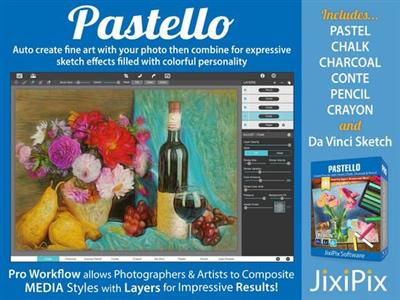
Introducing Pastello, a brand-new companion app to JixiPix's Impresso Pro. Pastello takes you back in time to the 15th century. Away from brushes and large strokes and into the realm of dry media with color that is both brilliant and subtle. The "Dry color method" made famous by Leonardo da Vinci is so powerful in its simplicity and beauty with its black and red chalk and yellow pastel highlights. Later, artists would paint charming portraits in a smooth heavily blended fashion. Move forward a few centuries later and pastel quickly became filled with brilliant color and crisp detail. Fast forward to today and a digital age has made it so you, the artist, can mix and match media that is difficult or impossible in a traditional setting.
Description
Pastello makes it simple and convenient to take an image and change it into Pastel, Chalk, Charcoal, Crayon, Colored Pencil and Graphite drawings. Use alone or combine these medias using powerful layers to produce interesting expressive sketch effects filled with colorful personality and passion. And the best part is Pastello does all the work.
With Pastello, photographers and artists can now go beyond the camera to turn image files into creative works that resemble traditional handmade media using a professional workflow that is easy and comfortable to operate.
Features
Pastello has a pro workflow that automatically transforms a photo into a pastel drawing and places it on an art paper with options to customize. The Pastel can then be changed to Chalk, Charcoal, Colored Pencil, Graphite, Conte or Crayon using Layer styles. The medias start out delicate like traditional drawings do, then allows you to build them up using fills, shading and detail layers. The medias are beautiful as they are, or mix them for an expressive artwork.
Pastello includes plenty of traditional sketch styles as well as a DaVinci effect using a mixed media of pencil, charcoal, crayon and old paper. It's easy to use! We have mixed the media into one-click presets with all the freedom to customize, blend and fine-tune for your own unique artwork filled with age, depth and timeless beauty as if created by the renaissance artist himself.
Pastel Styles
Colored Pencil, Graphite, Charcoal, and Chalk come with a fill and detail option that can be layered for infinite variation. Conte has a dynamic sketch feature that lets you fill in shadows, mid-tones and highlights with crosshatching or scumbling. All with the ability to change stroke direction, size, volume and variation.
• Pastel-(Soft) is a soft, buttery consistency and intense color. This effect is dense and filled with the grain of the paper. Artists find this media especially good for plein air landscapes because the color ranges are vibrant and the media itself is dustless and portable.
• Chalk-(Hard Pastel) is a light dusty effect with little specks of preserved paper. This chalky pastel is known for it's soft strokes and velvety texture. This style is great for creating a fine web of color by stacking or duplicating layers, letting the ones below show through to create a drawing sparkling with interest.
• Charcoal-creates a velvety black charcoal effect with shades of grey. Use it for warming up the under painting of a composition, or to complete a finished charcoal piece.
• Colored Pencil-creates soft colorful strokes in the drawing that can be layered to build up color then burnished with a light Pencil Layer, or the Smudge tool.
• Pencil-creates pencil drawings with fluid outlines and soft, limpid tonal shadings for a drawing filled with warmth and charm.
• Conté-is a beautiful crayon media for enhancing highlights, midtones and shadows in drawings using five classic colors: Bistre, Sanguine, White, Grey, Gold and a color picker to choose your own-with options for crosshatching and scumbling.
• Crayon-creates a colorful waxy base to a drawing, then burnish it with a Conte White for highlights or Bistre for shading.
• Fill Brush- Choose to brush in areas of the drawing with chalk, charcoal, colored pencil or pencil on the layer or fill the entire layer as a base for Pencil, Chalk and Charcoal.
• NEW Signature Layer-Add a personalized touch to any drawing in the form of two styles: One that uses a type face from fonts installed on your computer, and the other you paint by hand. Both signatures can be fine-tuned using the stroke size and stroke volume sliders.
Includes
• Pastel, Chalk, Charcoal, Conte, Colored Pencil, Pencil and Crayon style effects true to real media. Each one has control over stroke size, stroke volume, color and other refinements.
• Da Vinci style effect mixes 5 fully customizable medias onto aged paper for an old world appearance.
• Stroke technology inspired by real-world Pastellists
• Smart Layers for blending pastel styles with options to reorder, duplicate and delete. This powerful feature is great for mixing media.
• Fill Layer for hand brushing color and texture
• Paper Layer that reacts to dry media like real paper would. The more you layer the media the more it fills into the paper's texture.
• Smart Brushes for touching up brush strokes
• Smudge Brush for smearing media for a softer appearance
• Brush Masking to invert, clear or fill in brushed areas
• Presets for a quick start
• Customizable Presets to develop your own unique and personal style, or to save your projects with all strokes and layers intact for future editing.
• User Preset category to store your personalized style in
• Favorite preset feature sends presets to the front when marked
• 5 Paper Textures
• 41 Artistic and Aged Papers
• 70 Artistic Finishes for adding light and color to drawings
• Smart links to globally unify color and finishes across all layers
• 24 Artistic Edges for creating sketchy vignettes around artwork. Each one has options for edge stroke size and blend.
• Plugin for Photoshop CS3+, Lightroom and Elements for Mac & Windows
• New Live Presets render your image using each preset and displays them in the browser below. When using Mac or Windows a hovering feature makes it fast to view, and choose, rendered designs.
Код:
https://jixipix.com/downloads.html
Homepage:
Код:
https://jixipix.com/
Download link
Say "Thank You"
rapidgator.net:
Код:
https://rapidgator.net/file/d59866199e477ebda7eeec329e3c326d/kpjrq.JixiPix.Pastello.6.0.102.rar.html
ddownload.com:
Код:
https://ddownload.com/69l9333fe48v/kpjrq.JixiPix.Pastello.6.0.102.rar
|
|
|
|
|
15.10.2024, 06:41
|
#108060
|
|
Местный
Регистрация: 04.10.2017
Сообщений: 124,663
Сказал(а) спасибо: 0
Поблагодарили 7 раз(а) в 7 сообщениях
|
JixiPix Artista Impresso Pro 1.8.27 macOS
JixiPix Artista Impresso Pro 1.8.27 macOS
File size: 121 MB
For professionals who like creative control we give you Smart Layers and brushes for blending multiple paint styles, a library of Edges that blend beautifully with canvas, a Background Paint effect to create distances, a Soft Paint effect for enhancing foreground subjects, an Aged Paint effect for adding craquelure to paintings, and an ultra-impressionism effect called Tache to cover paintings with broken brush strokes.
Impresso Pro has everything an Artist or Photographer will need to create gallery-style paintings with enough detail even for the largest print.
Pro Version Includes: Smart Layers, Brushes, Painted Edges and 6 Paint Styles: Alla Prima, En Plein Air, Soft Paint, Background Paint, Aged Paint and Tache.
Standalone Product that transform photos into paintings then combines paint effects with layers and brushes for gorgeous print-worthy artwork. Also includes plugin for Photoshop, Elements, Lightroom and PaintShop Pro
"Release Notes"
Release notes were unavailable when this listing was updated.
Supported Operation Systems
macOS 10.9 or later
Homepage:
Download link
Say "Thank You"
rapidgator.net:
Код:
https://rapidgator.net/file/9376ed152ea8ca7df8db323eaaa99841/hjarm.JixiPix.Artista.Impresso.Pro.1.8.27.macOS.dmg.html
ddownload.com:
Код:
https://ddownload.com/p1bugl378a6j/hjarm.JixiPix.Artista.Impresso.Pro.1.8.27.macOS.dmg
|
|
|
|
      
Любые журналы Актион-МЦФЭР регулярно !!! Пишите https://www.nado.in/private.php?do=newpm&u=12191 или на электронный адрес pantera@nado.ws
|
Здесь присутствуют: 8 (пользователей: 0 , гостей: 8)
|
|
|
 Ваши права в разделе
|
Вы не можете создавать новые темы
Вы не можете отвечать в темах
Вы не можете прикреплять вложения
Вы не можете редактировать свои сообщения
HTML код Выкл.
|
|
|
Текущее время: 13:56. Часовой пояс GMT +1.
| |