 09.12.2020, 15:17
|
#48781
|
|
Местный
Регистрация: 04.10.2017
Сообщений: 120,719
Сказал(а) спасибо: 0
Поблагодарили 7 раз(а) в 7 сообщениях
|
 Overloud TH-U Rig Libraries 2020.11.06
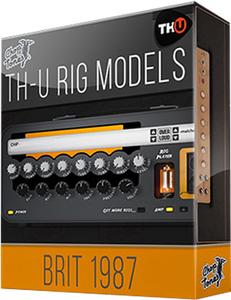 Overloud TH-U Rig Libraries 2020.11.06 | 33 Mb
Brit 1987 is the TH-U expansion library, created by Choptones, seeking to recreate the sound of a Marshall 1987X*. After re-tubing their faithful 1987x with Svetlana EL-34 for the power amp and JJ for the pre amp, Choptones engineers captured different tones using all kind of possible combinations giving you best rigs on the market.
Includes:
2019.03.07
Overloud.British.Classics.Rig.Library-R2R
2019.09.04
Overloud.American.Classics.Rig.Library-R2R
Overloud.Brit.1987.Rig.Library-R2R
Overloud.Chopstones.Angel.Scream.Rig.Library-R2R
Overloud.Chopstones.FendEdge.Rig.Library-R2R
Overloud.Chopstones.Fried.BE50D.Rig.Library-R2R
Overloud.Chopstones.Rand.Sanat.Rig.Library-R2R
Overloud.Chopstones.Vocs.30C1.Rig.Library-R2R
Overloud.Vintage.Collection.Vol.1.Rig.Library-R2R
2019.10.10
Overloud.Choptones.Add.A.MP1.Rig.Library-R2R
Overloud.Choptones.Bogie.MKV.Rig.Library-R2R
Overloud.Choptones.Pivy.65.Rig.Library-R2R
Overloud.Choptones.Suur.Cus.100TP.Rig.Library-R2R
2019.11.02
Overloud.Choptones.Brit.1959.RR-R2R
Overloud.Choptones.Carved.Vai-R2R
Overloud.MF.T.And.B.3Classic-R2R
2020.01.18
Overloud.Choptones.Bogna.XTC.Rig.Library-R2R
Overloud.Choptones.Tone.Impera.Rig.Library-R2R
Overloud.LRS.Unchained.Rig.Library-R2R
Overloud.MF.TB.008.Rig.Library-R2R
2020.10.03
Overloud.Bass.Rigs.Vol.1.Rig.Library-R2R
Overloud.BHS.ACE.Rig.Library-R2R
Overloud.BHS.Sold.Rig.Library-R2R
Overloud.Brit.Silver.Jub.Rig.Library-R2R
Overloud.Choptones.Archer.100W.6L6.Rig.Library-R2R
Overloud.Choptones.Bogie.Dual.Reverb.25.Rig.Librar y-R2R
Overloud.Choptones.Bogie.Fill50.Rig.Library-R2R
Overloud.Choptones.Bogie.JPC2.Rig.Library-R2R
Overloud.Choptones.Bogie.RK6L6.Rig.Library-R2R
Overloud.Choptones.Bogie.Tran30.Rig.Library-R2R
Overloud.Choptones.Bogna.Sushi.6L6.Rig.Library-R2R
Overloud.Choptones.Brit.2000.Collection.Rig.Librar y-R2R
Overloud.Choptones.Brit.800ZW.Rig.Library-R2R
Overloud.Choptones.Brit.900.2C.EL34.Rig.Library-R2R
Overloud.Choptones.Brit.J1.Preamp.Rig.Library-R2R
Overloud.Choptones.Fend.68Prince.Rig.Library-R2R
Overloud.Choptones.Fend.Bass50.Rig.Library-R2R
Overloud.Choptones.Fend.SRev.Rig.Library-R2R
Overloud.Choptones.Fend.Trem63.Rig.Library-R2R
Overloud.Choptones.Fort.SGL.Rig.Library-R2R
Overloud.Choptones.Fried.Betty.Rig.Library-R2R
Overloud.Choptones.Fried.Jerry.Rig.Library-R2R
Overloud.Choptones.Fried.Lilbox.Rig.Library-R2R
Overloud.Choptones.Leny.IRT120.Rig.Library-R2R
Overloud.Choptones.Ornage.DA30T.Rig.Library-R2R
Overloud.Choptones.Soldier.Deca.Rig.Library-R2R
Overloud.Choptones.Vintage.Collection.Vol.2.Rig.Li brary-R2R
Overloud.Choptones.Yamhano.T100.Rig.Library-R2R
Overloud.LRS.Eddied.EL34.Rig.Library-R2R
Overloud.LRS.ReVerend.Rig.Library-R2R
Overloud.LRS.Serenity.Gain.Rig.Library-R2R
Overloud.Mad.In.Italy.Rig.Library-R2R
Overloud.T.And.B.Puncher.Rig.Library-R2R
2020.10.21
Overloud.BHS.MetlX.Rig.Library-R2R
Overloud.Choptones.Brit.JMP71.Rig.Library-R2R
Overloud.Choptones.Crank.Revone.Rig.Library-R2R
2020.11.06
Overloud.Choptones.Carved.Third.Rig.Library-R2R
Overloud.Choptones.Gas.Herbi.Rig.Library-R2R
Overloud.Vocs.30.Heritage.HW.Rig.Library-R2R
Код:
If you have issues authorizing some Rig Libraries from this pack, you need to remove TH-U authorization file "%APPDATA%\Overloud\TH-U\THmU.ol2", and generate new license for TH-U using Overloud_Special_KeyGen.exe.
Download link:
Код:
rapidgator_net:
https://rapidgator.net/file/befdb0f446e60f80743fcbeb1435be97/ushp3.Overloud.THU.Rig.Libraries.2020.11.06.zip.html

nitroflare_com:
https://nitroflare.com/view/C677346448E87D1/ushp3.Overloud.THU.Rig.Libraries.2020.11.06.zip
Links are Interchangeable - No Password - Single Extraction
|

|

|
|
09.12.2020, 15:18
|
#48782
|
|
Местный
Регистрация: 04.10.2017
Сообщений: 120,719
Сказал(а) спасибо: 0
Поблагодарили 7 раз(а) в 7 сообщениях
|
PDFill PDF Editor 15.0 Build 2
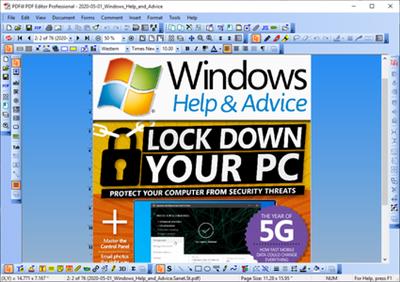 PDFill PDF Editor Pro 15.0 Build 2 | 28.7 Mb
Looking for an excellent alternative to Adobe Acrobat? Try PDFill! You can use the Free PDF Writer to create free PDF or Image from any printable application. You can use the Free PDF Tools to merge, split, reorder, delete, encrypt, decrypt, rotate, crop and reformat PDF pages, add information/header/footer/watermark, convert image to PDF or PDF to image, scan a Paper to PDF, and more. Besides, with a fraction of the cost of Adobe Acrobat, PDFill PDF Editor can do more than the Free Adobe Reader.
Save All Editing back to the Original PDF
Save the filled PDF locally with options to add Output Options, Description, Encrypt/Decrypt, Initial View, Presentation Effect and Advanced. Save editing now with project file and Resume editing later.
PDF Document Management
Insert New Blank PDF, Delete/Renumber Pages, Insert PDF Pages with Interleave Options, Extract PDF Pages, Replace PDF Pages, Add Page Rotation/Crop/Action, Add Bookmark, Add Header and Footer, Add Watermark by Text or Image, Attach A File, Add JavaScript for Document, Add a Digital Signature, Add Bates Numbering, PDF Optimizer, and Extract Text. Deskew Document to rotate, move and scale page like image.
PDF Form Maker
Create SAVABLE PDF Form Fields (Text Field, Check Box, Radio Button, Combo Box, List Box, Push Button or Digital Signature) with Action (Reset & Submit), Keystroke, Format, Validate and Calculate. Tools for Form Field Recognition, Multiple Copying, Tab Order, Calculation Order and Alignment. The PDF form by PDFill can be saved or submitted by Adobe Reader XI.
PDF Ink Annotator
Write, draw, mark or highlight PDF documents on PC with mouse or on Tablet PC using the pen input.
PDF Form Filler
Fill-in and save interactive PDF forms to your computer for easy archiving, E-mailing or later printing. Allows you to Fill, Edit or Delete PDF fields. You can also Import or Export form data into Text and Excel file. AutoFill, Batch Command and Spell Checker Tools are for the filling convenience.
PDF Filler & PDF Typewriter
Insert new formatted Single Line or Multiple Line Text, Check, Image, Hyperlink, Whiteout and Highlight accurately anywhere inside PDF even if there is no interactive form inside without Adobe Acrobat.
PDF Stamp, PDF Comment or PDF Markup
Insert Stamp, Text Box, Highlight, Sticky Note, Popup, File Attachment, Play Video, Line, Arrow, Rectangle, Circle, Polyline, Polygon, Cloud, Pencil, or PDF 3D directly onto the PDF document. Save a stamp and reuse it later. Summarize the comments into text file.
PDF Drawing
Add Line, Arrow, Rectangle, Circle, Ellipse, Arc, Pie, Basic Shapes and Curves with border/filling styles directly into the PDF document. You can draw your signature into PDF.
PDF Scanner
Scan your Paper Form or Photo directly into a new or existing PDF document, then you can fill it using computer!
PDF Link & PDF Action
Add PDF Actions: Web Link, PDF Form Reset & Submit, JavaScript, Page Navigation, Goto Local Page, Goto another PDF document, and launching external application with triggers: Mouse Up/Down/Enter/Exit, On Focus/Blur.
PDF Layer
Add PDF Layer to allow the added PDFill objects visible or invisible in the PDF Document.
PDF 3D
Convert U3D into PDF 3D so that the viewer can use the free Adobe Reader to interact with the 3D models.
Operating System: Windows 10, 8, 7
Home Page - [Ссылки доступны только зарегистрированным пользователям
. Регистрируйся тут...]
Download link:
Код:
rapidgator_net:
https://rapidgator.net/file/f1cac634b69d2ad32b1efbeb0275a485/jra16.PDFill.PDF.Editor.15.0.Build.2.rar.html

nitroflare_com:
https://nitroflare.com/view/B5552AEFBA116F8/jra16.PDFill.PDF.Editor.15.0.Build.2.rar
Links are Interchangeable - No Password - Single Extraction
|
|
|
|
|
09.12.2020, 15:19
|
#48783
|
|
Местный
Регистрация: 04.10.2017
Сообщений: 120,719
Сказал(а) спасибо: 0
Поблагодарили 7 раз(а) в 7 сообщениях
|
PDFill PDF Editor Pro 15.0 Build 2 Portable
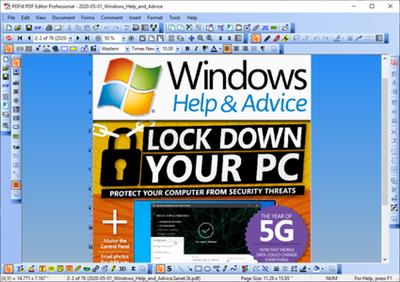 PDFill PDF Editor Pro 15.0 Build 2 Portable | 34.6 Mb
Looking for an excellent alternative to Adobe Acrobat? Try PDFill! You can use the Free PDF Writer to create free PDF or Image from any printable application. You can use the Free PDF Tools to merge, split, reorder, delete, encrypt, decrypt, rotate, crop and reformat PDF pages, add information/header/footer/watermark, convert image to PDF or PDF to image, scan a Paper to PDF, and more. Besides, with a fraction of the cost of Adobe Acrobat, PDFill PDF Editor can do more than the Free Adobe Reader.
Save All Editing back to the Original PDF
Save the filled PDF locally with options to add Output Options, Description, Encrypt/Decrypt, Initial View, Presentation Effect and Advanced. Save editing now with project file and Resume editing later.
PDF Document Management
Insert New Blank PDF, Delete/Renumber Pages, Insert PDF Pages with Interleave Options, Extract PDF Pages, Replace PDF Pages, Add Page Rotation/Crop/Action, Add Bookmark, Add Header and Footer, Add Watermark by Text or Image, Attach A File, Add JavaScript for Document, Add a Digital Signature, Add Bates Numbering, PDF Optimizer, and Extract Text. Deskew Document to rotate, move and scale page like image.
PDF Form Maker
Create SAVABLE PDF Form Fields (Text Field, Check Box, Radio Button, Combo Box, List Box, Push Button or Digital Signature) with Action (Reset & Submit), Keystroke, Format, Validate and Calculate. Tools for Form Field Recognition, Multiple Copying, Tab Order, Calculation Order and Alignment. The PDF form by PDFill can be saved or submitted by Adobe Reader XI.
PDF Ink Annotator
Write, draw, mark or highlight PDF documents on PC with mouse or on Tablet PC using the pen input.
PDF Form Filler
Fill-in and save interactive PDF forms to your computer for easy archiving, E-mailing or later printing. Allows you to Fill, Edit or Delete PDF fields. You can also Import or Export form data into Text and Excel file. AutoFill, Batch Command and Spell Checker Tools are for the filling convenience.
PDF Filler & PDF Typewriter
Insert new formatted Single Line or Multiple Line Text, Check, Image, Hyperlink, Whiteout and Highlight accurately anywhere inside PDF even if there is no interactive form inside without Adobe Acrobat.
PDF Stamp, PDF Comment or PDF Markup
Insert Stamp, Text Box, Highlight, Sticky Note, Popup, File Attachment, Play Video, Line, Arrow, Rectangle, Circle, Polyline, Polygon, Cloud, Pencil, or PDF 3D directly onto the PDF document. Save a stamp and reuse it later. Summarize the comments into text file.
PDF Drawing
Add Line, Arrow, Rectangle, Circle, Ellipse, Arc, Pie, Basic Shapes and Curves with border/filling styles directly into the PDF document. You can draw your signature into PDF.
PDF Scanner
Scan your Paper Form or Photo directly into a new or existing PDF document, then you can fill it using computer!
PDF Link & PDF Action
Add PDF Actions: Web Link, PDF Form Reset & Submit, JavaScript, Page Navigation, Goto Local Page, Goto another PDF document, and launching external application with triggers: Mouse Up/Down/Enter/Exit, On Focus/Blur.
PDF Layer
Add PDF Layer to allow the added PDFill objects visible or invisible in the PDF Document.
PDF 3D
Convert U3D into PDF 3D so that the viewer can use the free Adobe Reader to interact with the 3D models.
Operating System: Windows 10, 8, 7
Home Page - [Ссылки доступны только зарегистрированным пользователям
. Регистрируйся тут...]
Download link:
Код:
rapidgator_net:
https://rapidgator.net/file/9e8651dc8718a19100d420d93008c20b/936np.PDFill.PDF.Editor.Pro.15.0.Build.2.Portable.rar.html

nitroflare_com:
https://nitroflare.com/view/DC7F2810A42958D/936np.PDFill.PDF.Editor.Pro.15.0.Build.2.Portable.rar
Links are Interchangeable - No Password - Single Extraction
|
|
|
|
|
09.12.2020, 15:20
|
#48784
|
|
Местный
Регистрация: 04.10.2017
Сообщений: 120,719
Сказал(а) спасибо: 0
Поблагодарили 7 раз(а) в 7 сообщениях
|
PDF Squeezer 4.2.1 macOS
 PDF Squeezer 4.2.1 Multilingual | macOS | 23 mb
PDF Squeezer is an easy-to-use PDF compression tool. It reduces the size of large PDF documents by compressing images and removing irrelevant information. This will help you obtain important savings in bandwidth costs, digital storage costs and network transmission times.
Key Features:
* Everything Mac: Specifically designed and engineered to work optimally with macOS
* Drop it like it's hot: Drag and drop your file into the application window
* The more the merrier: Batch compress multiple files
* Every bit counts: Sophisticated compression process that uses numerous methods to reduce the file size
* Automate your workflow: Includes an Automator action and a command line interface
* Compression Profile: Select from predefined compression profiles OR create your own!
* Folder Convenience: Select a folder and compress all its files - including subfolders
* Watchdog: Support for password-protected PDFs
* Side by side Comparisons: Compare files and different compression settings easily
* Sharing is caring: Export and share your compression profiles with others
* Full-screen mode: The app window supports a full-screen mode which is especially useful when comparing compressions
* Up to date: Conforms to all common PDF versions from 1.0 to 1.7 and 2.0
* Stats, stats, stats: See how much disc space you've saved since you started using PDF Squeezer
Compatibility: OS X 10.13 or later 64-bit
Homepage: [Ссылки доступны только зарегистрированным пользователям
. Регистрируйся тут...]
Download link:
Код:
rapidgator_net:
https://rapidgator.net/file/1a3563aac171bac22df311c371a15ee8/b6z6k.PDF.Squeezer.4.2.1.rar.html

nitroflare_com:
https://nitroflare.com/view/0E9E9D368A68659/b6z6k.PDF.Squeezer.4.2.1.rar
Links are Interchangeable - No Password - Single Extraction
|
|
|
|
|
09.12.2020, 15:21
|
#48785
|
|
Местный
Регистрация: 04.10.2017
Сообщений: 120,719
Сказал(а) спасибо: 0
Поблагодарили 7 раз(а) в 7 сообщениях
|
PhotoSweeper X 3.9.2 macOS
 PhotoSweeper X 3.9.2 | macOS | 47 mb
PhotoSweeper is a fast, precise & super efficient tool to eliminate similar or duplicate photos even in huge photo collections. It works with photos from Apple Photos, iPhoto, Aperture, PhaseOne Capture One and Adobe Lightroom libraries as well as photos from your hard drives and external storages.
PhotoSweeper will help you if:
* You take a series of shots of the same scene trying to get the perfect one.
* You edit photos with software like Photoshop, Pixelmator etc., and make backups just in case.
* You have photos scattered on external hard drives and local disks, in Apple Photos, iPhoto, Aperture or Lightroom libraries.
* You have a mess in your photo collection or just want to free disk space by removing junk photos.
Features
* Easy search of photos - Just drag and drop folders from your Mac to allow PhotoSweeper to find all photos inside. Add more photos from your iPhoto, Aperture or Lightroom library via the Media Browser window.
* Flexible comparison settings - Powerful multi-settings to easily find duplicates, similar photos, series of shots. The app finds duplicate photos, even those edited in external programs such Photoshop, regardless of image size or format.
* High speed and quality - PhotoSweeper was developed as a tool for extremely fast comparison of a huge number of photos. Cutting-edge technologies and unique algorithms make searching duplicates incredibly fast and gives excellent comparison results.
* Efficiency - You can regroup the results without re-comparing photos by changing matching level with a slider. Using caches makes the next comparison much faster.
* Marking duplicates automatically - Mark photos you want to get rid of manually, or use the "Auto Mark" feature to mark duplicates automatically based on the list of rules you can adjust to your needs in the Preferences.
* Comfortable viewing results - PhotoSweeper provides 3 modes for reviewing results: "One by One", "Face-to-Face" - one or two large photos with an opportunity to mark a photo with just a click, "All in One" - all groups of duplicates in one list.
* Great photo browsing - PhotoSweeper also serves as an up-to-date photo browser with a built-in search of photos by metadata, Quick Look preview, the "Info" panel with a detailed photo description, including histogram and image metadata (EXIF, IPTC etc.)
Compatibility: OS X 10.10 or later 64-bit
Download link:
Код:
rapidgator_net:
https://rapidgator.net/file/32713c75b84aae99f0df03b45111ccfd/xiz6i.PhotoSweeper.X.3.9.2.rar.html

nitroflare_com:
https://nitroflare.com/view/2DCE2D07919C1C7/xiz6i.PhotoSweeper.X.3.9.2.rar
Links are Interchangeable - No Password - Single Extraction
|
|
|
|
|
09.12.2020, 15:22
|
#48786
|
|
Местный
Регистрация: 04.10.2017
Сообщений: 120,719
Сказал(а) спасибо: 0
Поблагодарили 7 раз(а) в 7 сообщениях
|
PilotEdit 14.7.0 Multilingual
 PilotEdit 14.7.0 Multilingual | 82 Mb
PilotEdit is a handy and reliable file editor designed to help users to execute scripts, extract strings and edit large files. PilotEdit is a file editor that will help you search and replace multi line text, edit FTP files or even download and upload FTP files and directories. With PilotEdit file editing just became easier.
PilotEdit is an advanced text and hex editor that supports opening of files larger than 4GB. It offers customizable syntax and keyword highlighting, advanced search and replace operations, automatic text encoding, 256-bit AES encryption/decryption, and a built-in FTP client lets you open, edit and upload files directly to/from an FTP server.
In addition to standard text editing features, PilotEdit can compare and merge two files larger than 100MB. In addition, you can sort, find/remove duplicated lines and collect strings over a file larger than 1GB.
Here are some key features of "PilotEdit":
-The file size supported by PilotEdit is unlimited.
-PilotEdit only uses a little memory even you open a big file.
-ANSI, UTF-8, UTF-16 and UTF-16 big endian files are fully supported by PilotEdit. You may also change a file's encoding with PilotEdit easily.
-DOS, UNIX file support. When you copy/paste text, PilotEdit will adjust text encoding automatically.
-Self-defined file types and key words high-lightening.
-The user interface of HEX mode is as friendly as text mode.
-Column mode.
-Endless undo/redo. You may undo/redo your operations even after you switch between text mode and HEX mode.
-Word wrap enable you to view long lines within one page.
-PilotEdit provides a friendly interface for editing FTP files. You can also download/upload FTP files and directories with PilotEdit.
-Searching and replacing multi-line text has become so easy with PilotEdit.
-You may compare two files or two directories with PilotEdit.
-Self-defined string table enable you to add a pre-defined text by just one click.
-Regular expression has made search and replacement much more powerful.
-You may define some operations in a script file and execute this script file so that you don't need to repeat your work day after day.
-Find/remove duplicated lines
-String collection
-Find/replace in multiple directories
-Sort
Operating System: Windows 7, 8/8.1, 10
Home Page - [Ссылки доступны только зарегистрированным пользователям
. Регистрируйся тут...]
Download link:
Код:
rapidgator_net:
https://rapidgator.net/file/20a946e54380c3113f907c14aa1aa508/0n5o9.PilotEdit.14.7.0.Multilingual.rar.html

nitroflare_com:
https://nitroflare.com/view/BDFC831C784AD58/0n5o9.PilotEdit.14.7.0.Multilingual.rar
Links are Interchangeable - No Password - Single Extraction
|
|
|
|
|
09.12.2020, 15:23
|
#48787
|
|
Местный
Регистрация: 04.10.2017
Сообщений: 120,719
Сказал(а) спасибо: 0
Поблагодарили 7 раз(а) в 7 сообщениях
|
Pixelmator 3.9.2 macOS
 Pixelmator 3.9.2 Multilingual | macOS | 122 mb
Pixelmator takes full advantage of the latest Mac features and technologies, giving you speedy, powerful tools that let you touch up and enhance images, draw or paint, apply dazzling effects, or create advanced compositions with ease. Once your images are ready, save them to popular image formats, share them via email or social networks, print them, or instantly add them to your Photos library. All right from Pixelmator.
A powerful, pixel-accurate collection of selection tools
* Quickly and easily select any part of an image
* Edit and apply special effects to parts of your pictures
* Select and remove unwanted elements of your photos
* Cut out objects from one image to place in another
Top-notch painting tools
* Paint with Pixelmator as you would on canvas
* Use different brush sizes, shapes, hardness, and blending modes
* Adjust brush settings to get just the look you want
* Cover any area with beautiful gradients and color fills
Retouching tools
* Correct wrinkles and repair scratches
* Make flaws vanish from your photos, remove or rearrange objects in a composition
* Blur, sharpen, lighten, or darken specific areas
* Reshape areas to subtly improve or give images a completely unexpected look
* Combine different tools and effects for an endless number of ways to refine your images
Drawing tools
* Easily add, create, combine, and edit shapes
* Quickly add lines, circles, rectangles, polygons, and many more custom shapes
* Effortlessly apply shadows, fills, and strokes for more advanced shapes
* Create buttons, icons, web page elements, illustrations, and much more
A real effects machine
* Play with over 160 breathtaking effects
* Combine different effects for unique, near-effortless artistic creations
An elegant collection of professional-grade color correction tools
* Adjust exposure, hue, saturation, shadows and highlights, brightness, contrast, and much more
* Replace and remix colors
* Dramatically improve less-than-perfect images with one click
Layer Styles
* Easily add non-destructive layer effects like shadows, outlines, color, gradient fills, or reflections
* Combine a set of effects to create and save your own unique layer style presets
* Or just use any of the Pixelmator Team-designed layer style presets
* Apply any of the layer style presets using drag and drop
Compatibility
* Launch Pixelmator directly from Photos and save edits back to the original image
* Open and save images using PSD, JPEG, PNG, HEIF, TIFF, PDF, and many other popular formats
* Open and save Photoshop images with layers
* Open and save 16-bits per channel images
iCloud, sharing, and saving for the web
* Let iCloud automatically store your edited images and seamlessly sync your work across all your Macs
* Skip manual saving of your documents thanks to Auto Save
* Email your photos right from Pixelmator
* Publish your images to social applications like Flickr, Twitter, and Facebook
* Optimize and save images for use on your web pages, blogs, photo albums, and more
Editing extensions for the Photos app:
* Retouch photos with powerful Pixelmator retouching tools right inside the Photos app
* Reshape images with Metal-based Pixelmator distort tools without leaving Photos
Compatibility: macOS 10.12 or later 64 bit
Download link:
Код:
rapidgator_net:
https://rapidgator.net/file/d21e82cc4633518be5cd618a230a37ad/o0m18.Pixelmator.3.9.2.part1.rar.html
https://rapidgator.net/file/ee90363b05d29f445cd9bec8c353354f/o0m18.Pixelmator.3.9.2.part2.rar.html

nitroflare_com:
https://nitroflare.com/view/E12409AADAA731B/o0m18.Pixelmator.3.9.2.part1.rar
https://nitroflare.com/view/E655FDC6F772A40/o0m18.Pixelmator.3.9.2.part2.rar
Links are Interchangeable - No Password - Single Extraction
|
|
|
|
|
09.12.2020, 15:24
|
#48788
|
|
Местный
Регистрация: 04.10.2017
Сообщений: 120,719
Сказал(а) спасибо: 0
Поблагодарили 7 раз(а) в 7 сообщениях
|
Posterino 3.9.1 macOS
 Posterino 3.9.1 Multilingual | macOS | 106 mb
Posterino lets causal users and professional photographers create beautiful photo collages from postcard to poster size. The only limit of this ideal photo app is your imagination.
COLLAGE YOUR MEMORIES WITH POSTERINO
Design collages in minutes. Our innovative interface enables a large degree of customization through a variety of templates featuring grid, tiled, circular and random layouts. Adjust frames, filters and backgrounds to your liking. The result is a beautiful collage ready to be printed and displayed.
* Create posters, calendars, postcards, photo frames or contact sheets
* Enjoy a variety of gorgeous templates, frames, backgrounds, and caption styles
* Get creative with easy custom calendars
* Sleek user interface with large workspace is especially suited for MacBook
* Edit your document in full-screen mode
Compatibility: OS X 10.9 or later 64-bit
Homepage: [Ссылки доступны только зарегистрированным пользователям
. Регистрируйся тут...]
Download link:
Код:
rapidgator_net:
https://rapidgator.net/file/88dbacbf199099d2889d064e6a5614e6/116y8.Posterino.3.9.1.rar.html

nitroflare_com:
https://nitroflare.com/view/E31CC3836AF4CBC/116y8.Posterino.3.9.1.rar
Links are Interchangeable - No Password - Single Extraction
|
|
|
|
|
09.12.2020, 16:13
|
#48789
|
|
Местный
Регистрация: 04.10.2017
Сообщений: 120,719
Сказал(а) спасибо: 0
Поблагодарили 7 раз(а) в 7 сообщениях
|
proDAD Heroglyph 4.0.289.1
 proDAD Heroglyph 4.0.289.1 (x64) Multilingual | 737.5 MB
proDAD Heroglyph V4 - The Essential Video Titler Solution. You are searching for a powerful yet easy to handle titling-tool to turn your your creative ideas into reality? Dive into the wealth of new, creative possibilities of Heroglyph V4.
Create professional video titles, lower-thirds, credits, travel routes and handwriting animation with only one amazing tool. Add the perfect finishing touch to all of your projects. Endless combinations of effects, animations, and unique fonts for professional results and are easier to create than ever before.
Compared to other video-titling or compositing solutions Heroglyph V4 greatly simplifies your workflow by automization. Manual tweaking is also possible - just in case your special project should ever require any finetuning of parameters. Heroglyph V4 integrates as a plugin-in with editing solutions by suppliers like Adobe, AVID, Corel, Grass Valley, Magix and Sony. You may as well use Heroglyph V4 as a stand alone solution!
Features:
- Travel route animation
- Auto-generated handscript
- Trailer assistants
- Lower-third assistant
- Video wall assistant
- Slideshow assistant
- Comprehensive design customization
- Complete animated effects customization
It's your choice! Heroglyph V4 integrates seamlessly as a plug-in with NLE's by Adobe®, AVID®, Corel®, Grass Valley®, Magix, and Sony® (32-bit & 64-bit plug-ins available) or you just use Heroglyph V4 as stand-alone application.
System Requirements:
- Windows 32-Bit and 64-Bit Vista, Win7, Win8, Win8.1, Win10
- 2GB-memory,
- recommended: i7-cpu
- 6 GB memory
Home Page - [Ссылки доступны только зарегистрированным пользователям
. Регистрируйся тут...]
Download link:
Код:
rapidgator_net:
https://rapidgator.net/file/4c4106bef24148506123e72f1d574af6/9uogv.proDAD.Heroglyph.4.0.289.1.rar.html

nitroflare_com:
https://nitroflare.com/view/A2C3E36C4CD7A37/9uogv.proDAD.Heroglyph.4.0.289.1.rar
Links are Interchangeable - No Password - Single Extraction
|
|
|
|
|
09.12.2020, 16:14
|
#48790
|
|
Местный
Регистрация: 04.10.2017
Сообщений: 120,719
Сказал(а) спасибо: 0
Поблагодарили 7 раз(а) в 7 сообщениях
|
Publicspace A Better Finder Rename 11.26 macOS
 Publicspace A Better Finder Rename 11.26 macOS | 12 MB
A Better Finder Rename is the most complete renaming solution available on the market today. That's why, since 1996, tens of thousands of hobbyists, professionals and businesses depend on A Better Finder Rename to organize and maintain files.
Drag & Drop to Add
Adding files is as simple as dragging them in from the Finder.
Instant Preview
Changes are previewed as you type, eliminating guess work and preventing costly mistakes.
Drag & Drop Ordering
By default, items are organized alphabetically or by some other criteria such as creation or capture date, but you are also free to just re-arrange items via drag & drop.
Market Leading Feature Set.
A Better Finder Rename's huge array of renaming options is organized into 15 intuitive categories that cover all the text, character, position, conversion and truncation features that you would expect from a great file renamer. On top of this, A Better Finder Rename provides more advanced features that answer the prayers of many professionals and hobbyists alike.
You're going to love this.
Digital Photographers in particular will find the advanced sequence number and date & time features a joy to behold. A Better Finder Rename knows how to extract EXIF shooting date and time information from your digital camera images and exploit them in creating sequence numbers or adding time and date information to the file name.
Support for all major RAW formats (including JPEG, CRW, CR2, THM, NEF, TIFF, RAJ, ORF , MRW, DNG, PEF, SRF, etc.) extends this to professional photographers. A Better Finder Rename also deals gracefully with multiple shots captured in the same second and gives access to camera and lens meta-data through its tag-based renaming feature.
Don't miss a beat.
Music lovers will be delighted by our MP3/AAC renaming feature that allows you to exploit the ID3 meta-data embedded in most music files to create naming schemes of your own for your music collection. Meta-data information from MP3, AAC, FLAC, OGG, APE, M4V and iTunes music store files are supported.
Eliminating guesswork & avoiding costly mistakes
Our instant preview feature displays all changes as you type, making it easy to dial in the right settings and preventing you from making costly mistakes. Version 10's change highlighting feature takes this to the next level by visually marking individual changes.
Pure meta-data savvy.
Today's media files come with an abundance of additional information that cannot be glanced from the often meaningless file names themselves. A Better Finder Rename allows you to leverage this meta-data to create more meaningful file names using its tag-based renaming feature. Our renaming engine can read an extensive array of photo, image, music, movie, camera, lens and location meta-data and you can combine this information to implement any naming scheme you can imagine.
When one action is not enough.
We don't believe in making simple things unnecessarily complicated. That's why most users will find a single action that does exactly what they want. Sometimes, however, a single action simply isn't enough and that is where our multi-step renaming features comes in. It lets you combine multiple simple actions to create a lean mean renaming machine. Our intuitive multi-step interface, in conjunction with our instant preview, makes it easy to keep track of what's happening.
X-Ray Vision
A Better Finder Rename 10's new Preview Pane allows you to peek inside your files and delve into its meta-data, making it much easier to work with meta-data tags and providing additional confidence in your settings.
Getting on top of repetitive tasks
For recurring tasks, A Better Finder Rename allows you to save common settings to droplet mini-applications and apply them automatically to all files dropped upon them. Furthermore, you can save and restore presets to facilitate the creation of your own renaming library.
As simple as possible, as complex as necessary.
System administrators, web masters and other power users will appreciate the presence of advanced features, such as regular expression support, conversion to Windows NTFS/SMB compatible names, the ability to import file names from a database, a spreadsheet or any other source that can produce plain or tab-delimited text files. Finally, it allows you to save a record of the current and new file names to facilitate tracking your files.
We sweat the details, so you don't have to
A Better Finder Rename takes file renaming to a new level of sophistication by introducing an advanced 64-bit multi-threaded renaming engine that solves many problems that other file renamers simply leave unaddressed.
Requirements:
Intel, 64-bit processor
OS X 10.10 or later
Home Page - [Ссылки доступны только зарегистрированным пользователям
. Регистрируйся тут...]
Download link:
Код:
rapidgator_net:
https://rapidgator.net/file/b0ef5b0c270c41a622e29141fa7cb745/5gtjt.Publicspace.A.Better.Finder.Rename.11.26.macOS.zip.html

nitroflare_com:
https://nitroflare.com/view/E56F8FBAC3B6452/5gtjt.Publicspace.A.Better.Finder.Rename.11.26.macOS.zip
Links are Interchangeable - No Password - Single Extraction
|
|
|
|
|
09.12.2020, 16:15
|
#48791
|
|
Местный
Регистрация: 04.10.2017
Сообщений: 120,719
Сказал(а) спасибо: 0
Поблагодарили 7 раз(а) в 7 сообщениях
|
RecoveryTools OLM Migrator 8.4
 RecoveryTools OLM Migrator 8.4 All Editions | 23 Mb
#1 OLM Converter to Export Mac Outlook 2019, 2016, 2011 Files.
Features:
Unlimited Conversion of multiple Mac Outlook OLM Files in Batch
Direct Import OLM Files to Office 365, Thunderbird & other email clients directly
Easy option to Migrate Mac Outlook 2019, 2016, 2011 to Windows Outlook
No requirement of Outlook installation is necessary to perform OLM File Conversion
Allows to Save OLM emails as PDF, XPS, HTML, RTF, EML, MSG or MS Word Documents
Export OLM to Zimbra or OLM to Lotus Notes 9.0 by Changing OLM to TGZ, NSF files.
Convert OLM File to Various File Formats
Migrate Outlook Mac tool comes with an option to convert OLM emails to PST, MBOX, EML, NSF, MSG, EMLX, etc. email formats. You can also save OLM emails as PDF, HTML, XPS, DOC, RTF, MHT etc. or any of the text format and can access it on various platform or applications. Due to its ability to convert single Outlook for Mac to 10+ formats, it is considered to be the best utility. You can also migrate to cloud using this OLM Converter Software by export .olm files to Office 365, Lotus Notes or Zimbra Web Server directly.
Convert Outlook for Mac OLM Emails Along with Attachments
The best thing about this tool is that it allows you to convert emails along with attachments. You will get your attached files with your emails when you choose to convert OLM to PST, MBOX or NSF while all attachments are separated in a single folder named attachments when you choose the option to convert OLM to MSG, OLM to EML, OLM to EMLX, OLM to PDF, OLM to RTF, OLM to DOC, OLM to XPS, or OLM to HTML etc.
Saves Resultant Files in Desired Naming Format
The utility allows users to save the files in various naming format. There are different file naming options obtained by the combination of Subject+date, Subject+date+from, etc. The file naming option allows user to manage large number of files after OLM Conversion. This file naming option will only enabled in this OLM Converter application when we choose to create single files for each item like if you select to convert OLM to PDF, HTML, XPS, RTF, EML, EMLX, MHT, RTF etc, then this OLM Converter utility will asks you to save their names in a desired pattern. Saving the files with specified naming will allow the users to manage the converted items quickly, easily and effectively.
System Requirements:
Operating System: Windows 10, 8.1, 8, 7, Windows Server 2016, 2013, 2000 etc
Core i3 Processor, 2 GB RAM, Minimum 100 MB Space
Home Page - [Ссылки доступны только зарегистрированным пользователям
. Регистрируйся тут...]
Download link:
Код:
rapidgator_net:
https://rapidgator.net/file/e1da812f071384a225384d694399a024/fdd7t.RecoveryTools.OLM.Migrator.8.4.rar.html

nitroflare_com:
https://nitroflare.com/view/3960742DF96C6AA/fdd7t.RecoveryTools.OLM.Migrator.8.4.rar
Links are Interchangeable - No Password - Single Extraction
|
|
|
|
|
09.12.2020, 16:16
|
#48792
|
|
Местный
Регистрация: 04.10.2017
Сообщений: 120,719
Сказал(а) спасибо: 0
Поблагодарили 7 раз(а) в 7 сообщениях
|
R-Wipe & Clean 20.0 Build 2298
 R-Wipe & Clean 20.0 Build 2298 | 24 Mb
R-Wipe and Clean is a complete R-Tools solution to remove useless files, free up your disk space, and clean various privacy-compromising information on your online and offline activity. This includes internet history and cookies, lists of downloaded files and opened documents, various data caches, temporary files, and many more items, created by the operating system, most contemporary internet browsers and communication programs, and by hundreds of third-party applications.
It is also possible to create specific lists of traces to be cleaned for unsupported applications. All small computer cleaning and file erasing jobs can be combined into large computer cleaning tasks that can be started immediately, or at scheduled time/events.
Computer Cleaning
Traces Selection helper: a tool to quickly select some of the most common traces to clean.
Cleaning Internet activity: removing traces from most contemporary browsers and communication programs.
Cleaning personal traces: removing various lists, logs, caches, temporary files, and other traces of your activity.
Cleaning system traces: removing registry traces, temp files, system history, and various log files.
Cleaning traces from various third-party programs: removing various caches, logs, temporary files, recent file lists, and other traces left by applications.
Cleaning can be performed as a background task and computer can be turn off upon its completion.
Wiping
Support for SSD devices: R-Wipe and Clean correctly recognizes SSD devices and by default wipes only necessary data on the disk preventing them from additional wear.
Strong or fast erase algorithms, including DoD-approved, for wiping files and free disk space.
Support for FAT/exFAT and NTFS file systems.
Wiping files' alternate data streams and cluster "tips", or free parts of file clusters.
Wiping files directly from File Explorer.
Wiping free space on a single disk directly from its shortcut menu.
Wiping unused space of several disks through one single wipe task.
Wipe records of small files stored directly in the NTFS Master File Table.
Predefined wipe lists of files, folders, and Registry keys to be wiped through a single task. Files or folders can be added to a current wipe list directly from File Explorer.
Advanced Features
All separate cleaning and wiping actions can be combined into large wipe and clean tasks to launch them manually or at scheduled times or events (user log-on/log-off, system start-up/shutdown, closing any or all browsers, etc.)
Detailed representation of all trace items on your computer.
Detailed logging of all wipe and clean operations.
Customization: R-Wipe and Clean can hide those items you will never want to clean.
Full system integration: Most wipe and clean operations can be performed directly from Windows.
Password protection.
R-Wipe and Clean Smart: an advanced tool to create and manage very complex wipe lists.
Cleaning and wiping task can be started from a command line.
Boss Key to close a web-browser in emergency.
Stealth mode to hide computer cleaning.
Standby/hibernate control: Your computer will not hibernate until R-Wipe and Clean finishes its long job.
Startup Renaming for files/folders locked by Windows and other programs. They will be renamed and cleaned during the next start-up.
System Requirements
An Intel-compatible platform running Windows 7/8/8.1/10 or Windows Server 2008 R2/2012/2012 R2/2016.
The administrative privileges are required during installation to install R-Wipe and Clean's Windows Explorer shell extensions.
Home Page - [Ссылки доступны только зарегистрированным пользователям
. Регистрируйся тут...]
Download link:
Код:
rapidgator_net:
https://rapidgator.net/file/a6ea046c7201a6f7cdfcfc791c540769/1gg45.RWipe..Clean.20.0.Build.2298.rar.html

nitroflare_com:
https://nitroflare.com/view/6B1D03EC2B49947/1gg45.RWipe..Clean.20.0.Build.2298.rar
Links are Interchangeable - No Password - Single Extraction
|
|
|
|
|
09.12.2020, 16:18
|
#48793
|
|
Местный
Регистрация: 04.10.2017
Сообщений: 120,719
Сказал(а) спасибо: 0
Поблагодарили 7 раз(а) в 7 сообщениях
|
Sidify Music Converter 2.1.8 Multilingual
 Sidify Music Converter 2.1.8 Multilingual | 79 Mb
Spotify Music Converter is simply the best choice for those who wish to remove DRM from Spotify music. It allows to strip off the DRM from any Spotify song or playlist, and keeps original quality of the audio. After removing DRM, you can enjoy Spotify music on your iPod, iPhone, Zune, PSP, MP3 player, etc.
The Best Spotify Music to MP3 Converter
Decrypt and convert Spotify song or playlist to MP3/AAC/WAV/FLAC.
Preserve 100% of Spotify audio's quality after conversion.
Keep ID3 tags; 5X faster speed to complete the Spotify audio conversion.
1-click to burn Spotify music to CD or share Spotify music via Email. New
Highly compatible with the latest Windows 10 and Spotify.
Convert Spotify song/ playlist to plain formats
Just with 3 steps, Spotify Music Converter helps you to decrypt and convert Spotify music to plain MP3, AAC, WAV and FLAC format at 5X speed. Hard to find a Spotify Music Converter that is stable and secure to convert a complete Spotify playlist? Don't worry, Sidify also supports batch conversion by dragging & dropping a playlist link from Spotify to Sidify.
Preserve metadata to organize music library
It could be a time-consuming and an exhausting process to fulfill the metadata of the song, especially if you have a massive collection of music. Spotify Music Converter won't let you mess with your music. By converting Spotify songs with Sidify, you could get almost all ID3 tags including title, artwork, artist, album, genre, track number for organizing your music library.
Burn Spotify music files to CD or share via Email
Sidify's Music Converter for Spotify supports burning CDs directly from converted Spotify songs in one click. All you have to do is, inserting a blank CD, click on "Share" button and choose "Burn CD" to start the burning process. Moreover, Sidify offers you the ability to share your converted Spotify songs to your friends or family via Email directly.
Operating System: Windows 10/8/7/Vista/XP
Home Page - [Ссылки доступны только зарегистрированным пользователям
. Регистрируйся тут...]
Download link:
Код:
rapidgator_net:
https://rapidgator.net/file/ede30a0e54c92dbbaa99138f1ff6632a/8xsrm.Sidify.Music.Converter.2.1.8.Multilingual.rar.html

nitroflare_com:
https://nitroflare.com/view/33B2F0C29A89255/8xsrm.Sidify.Music.Converter.2.1.8.Multilingual.rar
Links are Interchangeable - No Password - Single Extraction
|
|
|
|
|
09.12.2020, 16:19
|
#48794
|
|
Местный
Регистрация: 04.10.2017
Сообщений: 120,719
Сказал(а) спасибо: 0
Поблагодарили 7 раз(а) в 7 сообщениях
|
Tagtraum Industries beaTunes 5.2.16
 Tagtraum Industries beaTunes 5.2.16 (x86/x64) | 617 Mb
What started out as a BPM detection tool for DJs, runners and dancers, has become one of the finest iTunes™ library management tools around. BeaTunes' powerful inspection feature lets you clean up your iTunes track data in a way unrivaled by any other software on the market today. Easily find typos or different spellings of artists' names, automatically fill in the album artist names, and much more. No more R.E.M. and REM in your iPod's artist list! No more albums hidden in the compilations section.
* Automatically determine BPM (beats per minute) and store the result in iTunes
* Look up track metadata using acoustic fingerprints
* Inspect and fix your music library (typos, wrong genre, wrong sortname, missing file a.k.a the iTunes exclamation mark problem, etc.)
* Create matchlists, i.e. playlists based on one or more sample songs
* Sort existing playlists so that matching songs succeed each other
* Browse songs from your music collection that match the currently selected song
* Discover albums that aren't in your music collection, but would complement it
* Keep up to date through Amazon™ album charts
* Automatically detect the tonal key your songs are in
* Categorize songs by their sound color
* Automatically set start and end times of songs based on their volume
* Create blog entries on blogger.com with your favorite playlist or songs
* Add del.icio.us like tags to your songs
* Detect the language of lyrics already stored in iTunes
* Manually determine BPM and store the result in iTunes
Operating System: Windows 7, 8, 8.1, 10
Home Page - [Ссылки доступны только зарегистрированным пользователям
. Регистрируйся тут...]
Download link:
Код:
rapidgator_net:
https://rapidgator.net/file/902b58878d3855d6c75056daaf86dd54/6ay0w.Tagtraum.Industries.beaTunes.5.2.16.rar.html

nitroflare_com:
https://nitroflare.com/view/BFFEE8E63DAE6C0/6ay0w.Tagtraum.Industries.beaTunes.5.2.16.rar
Links are Interchangeable - No Password - Single Extraction
|
|
|
|
|
09.12.2020, 16:20
|
#48795
|
|
Местный
Регистрация: 04.10.2017
Сообщений: 120,719
Сказал(а) спасибо: 0
Поблагодарили 7 раз(а) в 7 сообщениях
|
The Complete Genealogy Reporter / Builder 2018 Build 201208 Multilingual
 The Complete Genealogy Reporter / Builder 2018 Build 201208 Multilingual | 12.6 Mb
The Complete Genealogy Reporter uses the GEDCOM data exported from any genealogy data management program to create comprehensive genealogy reports, books, or websites. The Complete Genealogy Builder is a new genealogy data management program that provides 99.9% genealogy data standards compliance via a user interface that delivers maximum data visibility, rapid navigation capability, and layered data entry forms.
These may be configured to include fully cross-referenced narrative text, notes, sources, pictures, ancestor and descendant charts, family tree diagrams, and indexes of occupations, places, dates, anniversaries and individuals
Just export your data from the "File" menu of your genealogy data management program in GEDCOM format, specify the result as the input file for The Complete Genealogy Reporter, and you will be able to start producing a high-quality report in minutes!
Whether you are starting from scratch or seeking a better alternative to your existing genealogy data management program, there is no other known product that is more standards compliant, that provides the full range of GEDCOM-standard data fields, and that supports all international (Unicode) character sets
Includes all of the basic capabilities of "The Complete Genealogy Reporter". (Full report preference option specification and section customization is enabled only when The Complete Genealogy Reporter is separately installed and registered.)
Operating System: Windows 7, 8/8.1, 10
Home Page - [Ссылки доступны только зарегистрированным пользователям
. Регистрируйся тут...]
Download link:
Код:
rapidgator_net:
https://rapidgator.net/file/cc8e792c4e1c048c4ebc7b7f8dca439a/l0o20.The.Complete.Genealogy.Reporter..Builder.2018.Build.201208.Multilingual.rar.html

nitroflare_com:
https://nitroflare.com/view/CE7880DC18A17E1/l0o20.The.Complete.Genealogy.Reporter..Builder.2018.Build.201208.Multilingual.rar
Links are Interchangeable - No Password - Single Extraction
|
|
|
|
      
Любые журналы Актион-МЦФЭР регулярно !!! Пишите https://www.nado.in/private.php?do=newpm&u=12191 или на электронный адрес pantera@nado.ws
|
Здесь присутствуют: 15 (пользователей: 0 , гостей: 15)
|
|
|
 Ваши права в разделе
|
Вы не можете создавать новые темы
Вы не можете отвечать в темах
Вы не можете прикреплять вложения
Вы не можете редактировать свои сообщения
HTML код Выкл.
|
|
|
Текущее время: 20:57. Часовой пояс GMT +1.
| |






